Build Small Business Inventory Software With AI and No-Code
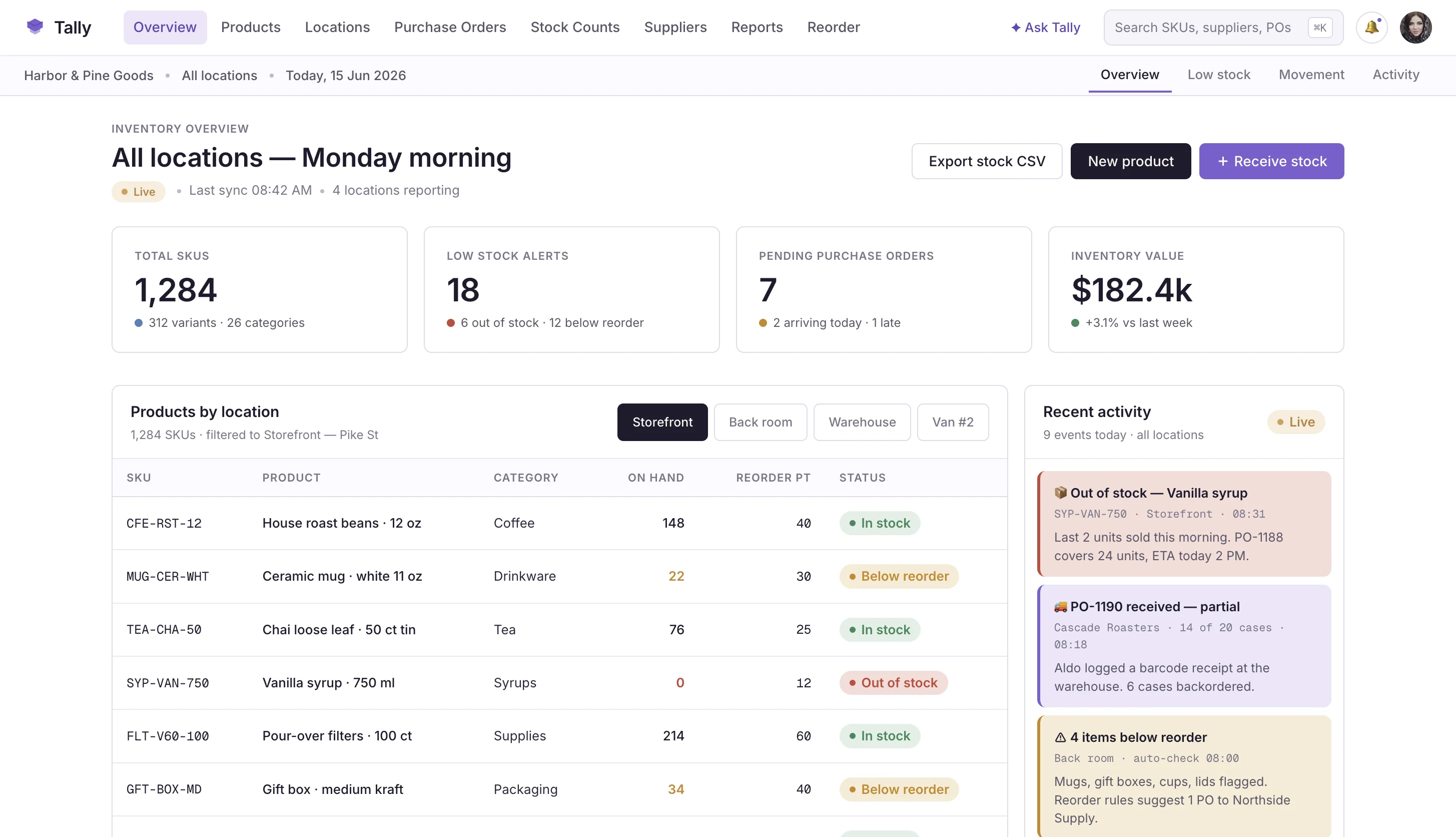
Spreadsheets work until stock counts split across people, shelves, stores, and sales channels. WeWeb helps you build inventory software around the way your business actually receives, sells, and reorders products.
Trusted by founders & Fortune 500s
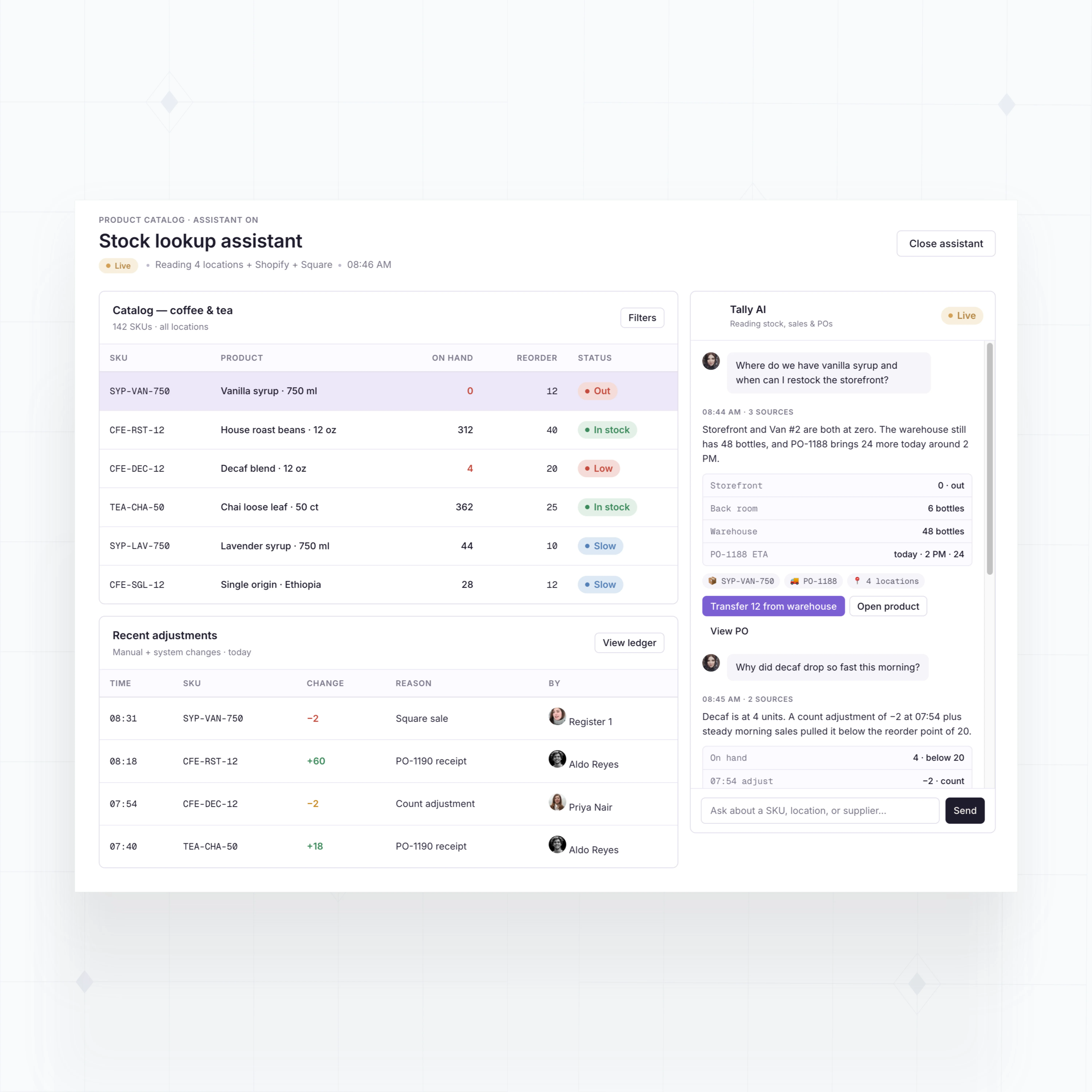
Add inventory features small business tools leave out
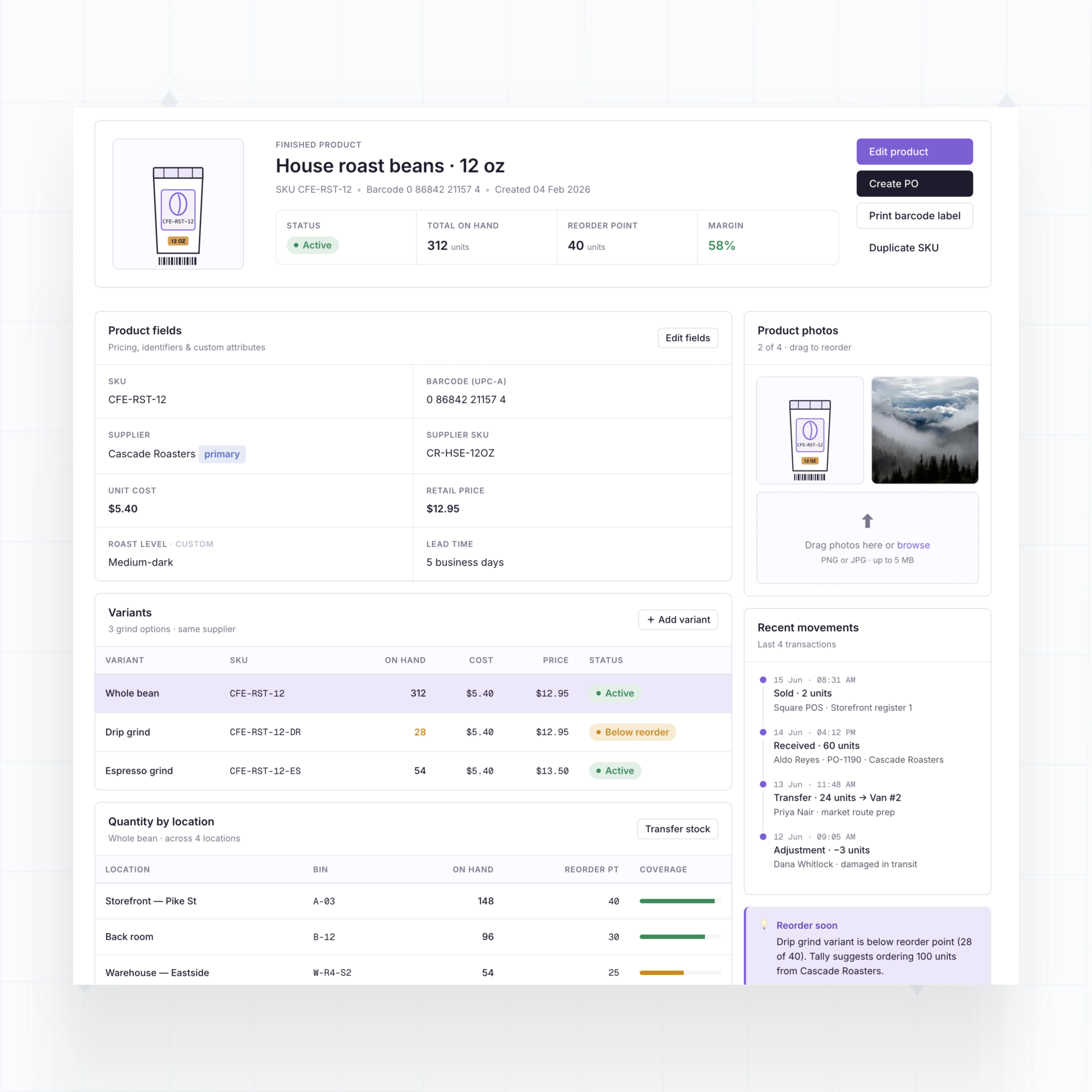
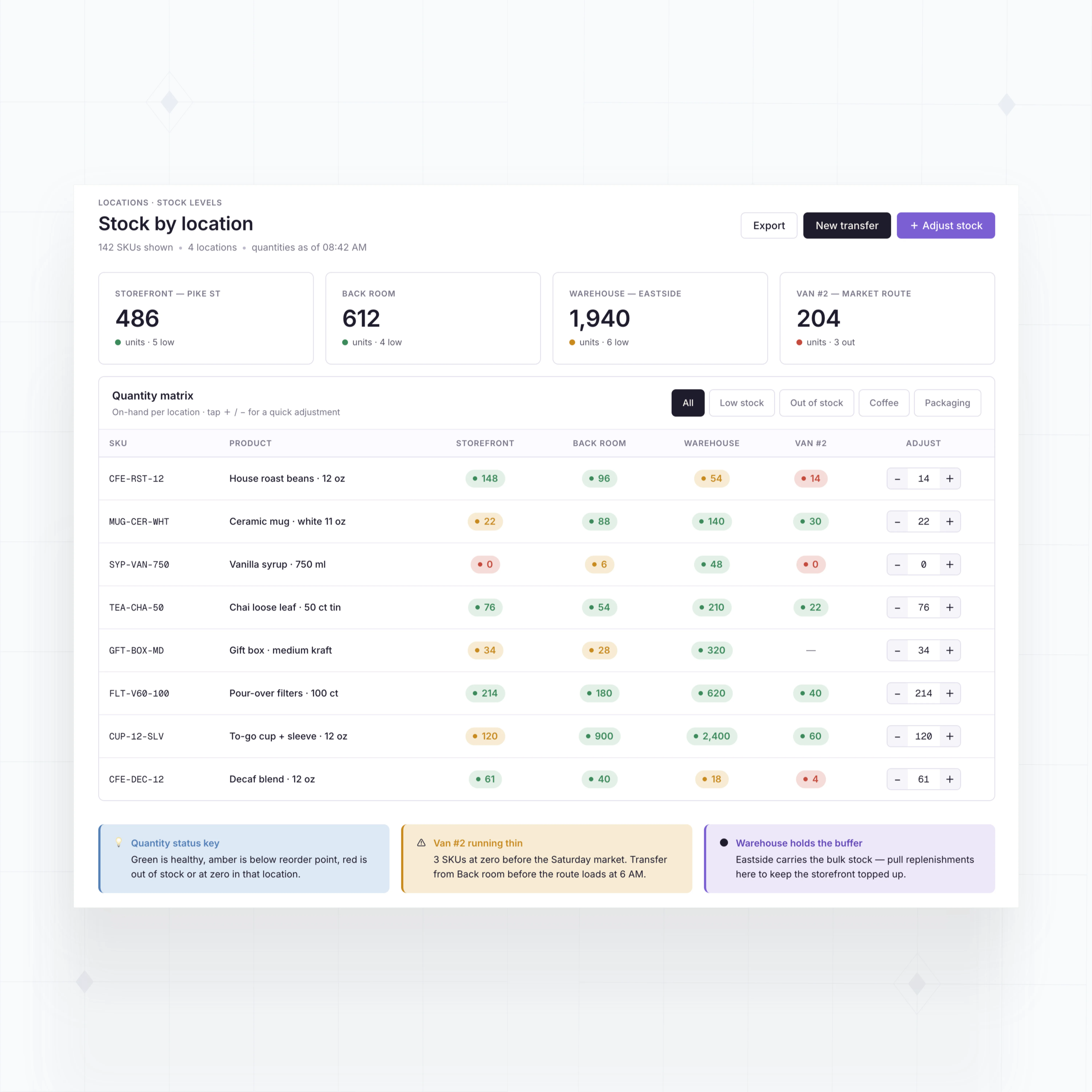
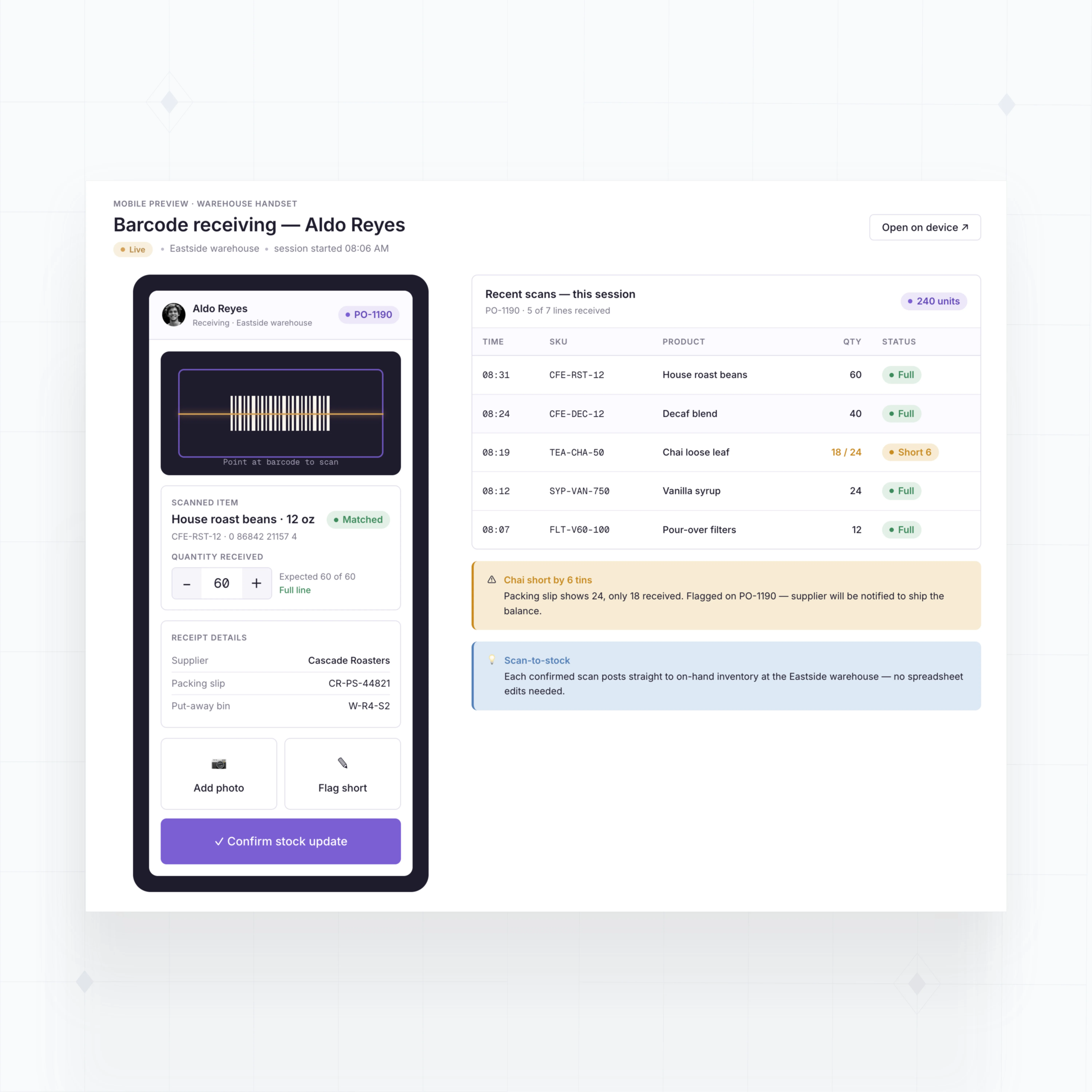
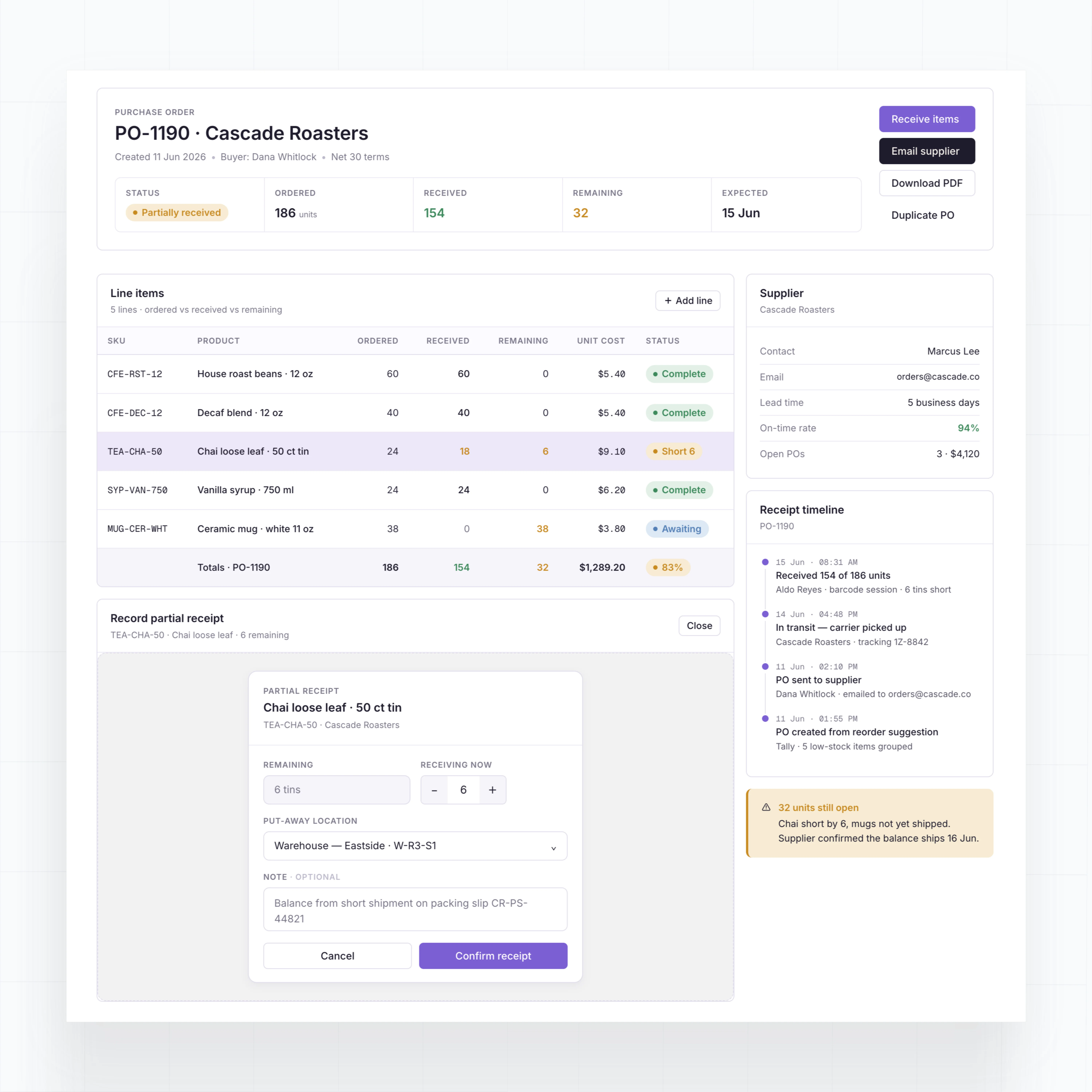
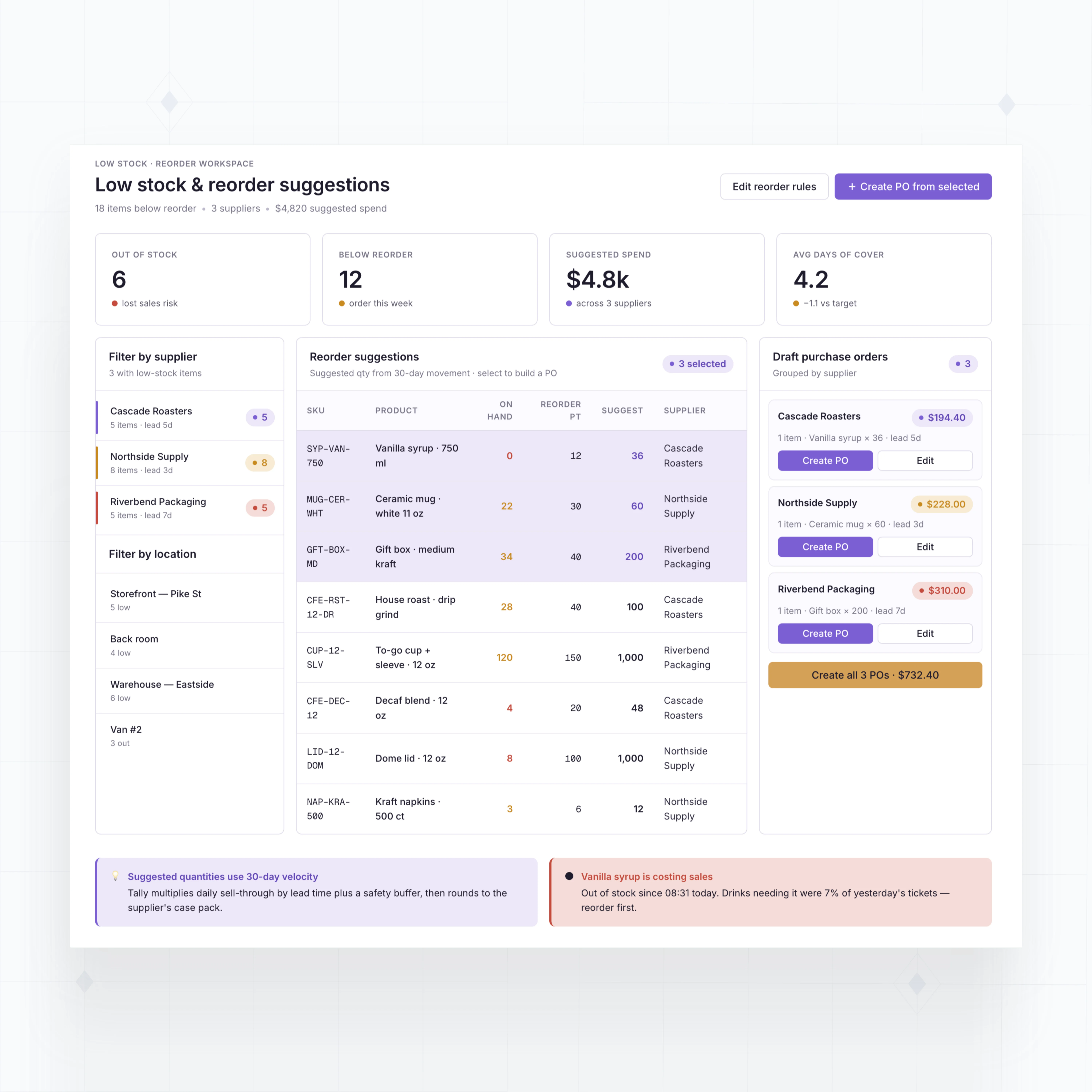
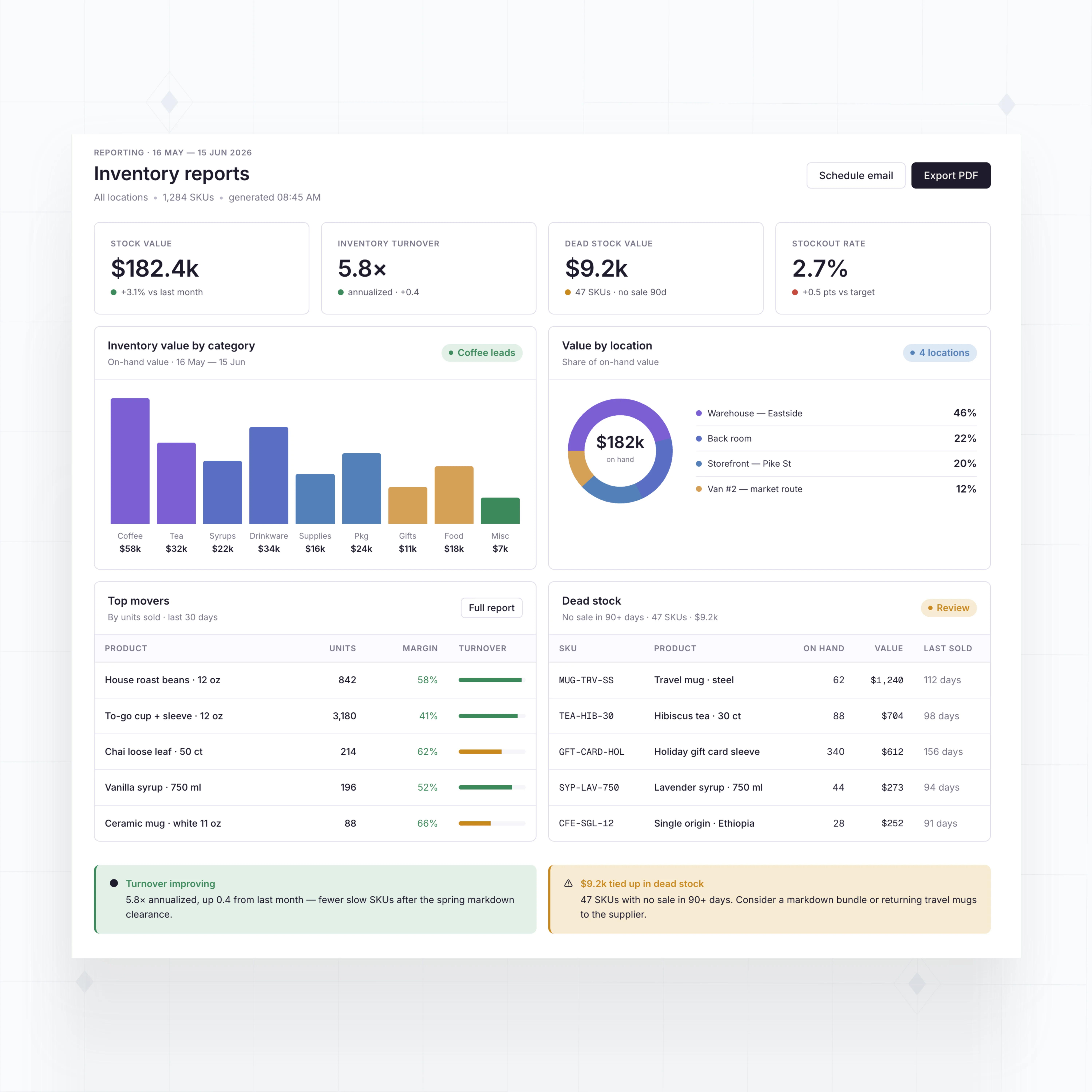
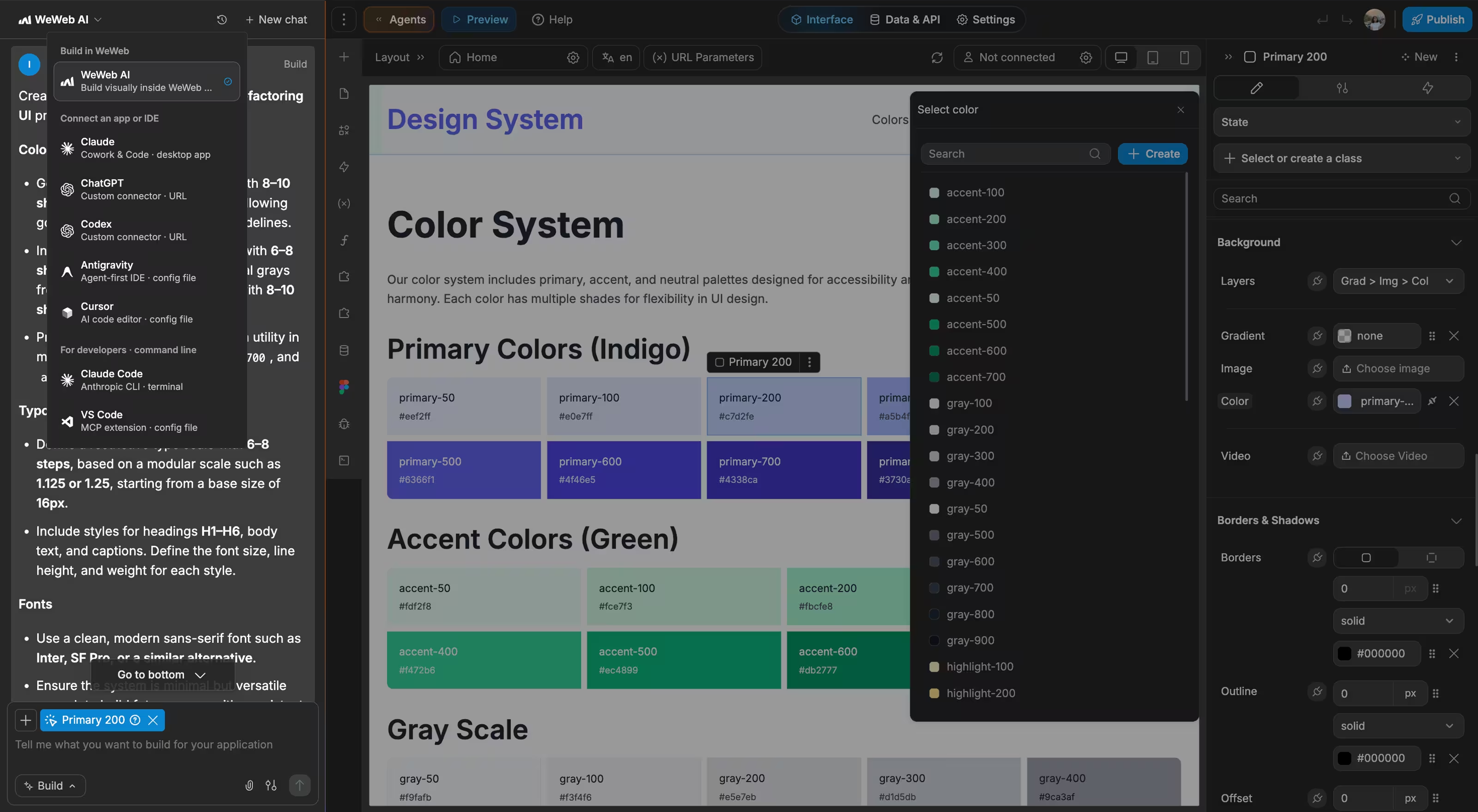
With WeWeb AI, build stock tracking, purchasing, barcode workflows, and reporting around your products, locations, and sales channels.
" I never thought that I could build something like this. I was always worried about security, and database design, and API calls… all of that stuff seemed super complex to me. WeWeb has given me the ability to build something in a visual format that naturally feels very good to me. "

Everything you need to build inventory software your team will actually use
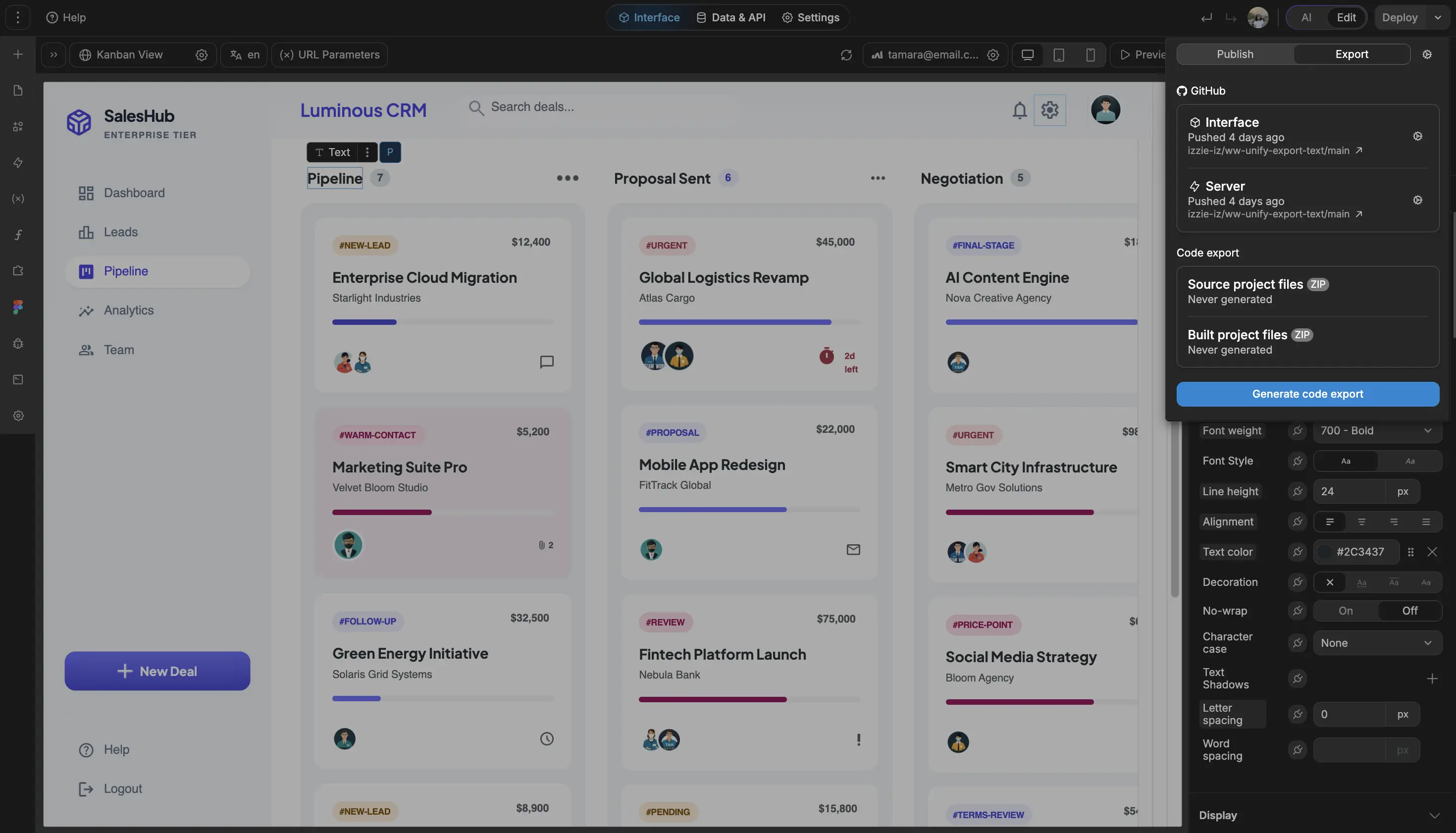
The standards of code, with no-code.
Launch your inventory app without enterprise software overhead
" It used to take a frontend developer, a backend developer, and a project manager. With WeWeb, I can build a new feature in about 90 minutes. I just get it done between meetings. "

FAQs
Standard inventory tools are useful when your operation fits their model. Small businesses often have the opposite problem: one store plus a small warehouse, a few custom product types, a spreadsheet that almost works, and a workflow that does not justify enterprise software.
The issue is fit. You may need simple stock counts, purchase orders, barcode receiving, and QuickBooks or Shopify sync without paying for modules your team will never use.
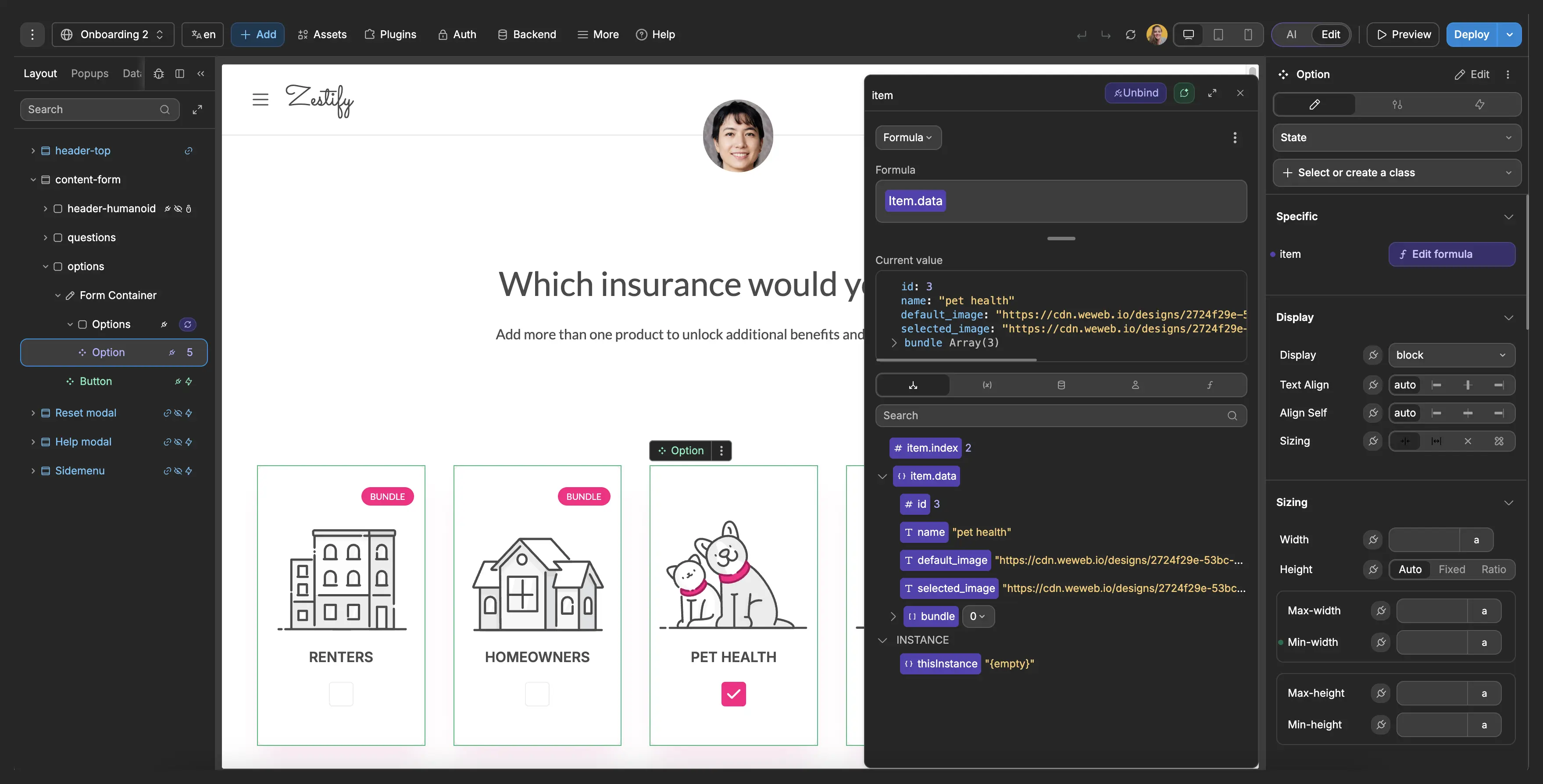
With WeWeb, you can build the inventory screens and workflows you need first, then expand as your operations grow. WeWeb AI can generate the first version, and your team can refine fields, dashboards, permissions, and integrations visually.
Yes. You can replace spreadsheet-based inventory tracking with structured records for products, variants, suppliers, locations, stock movements, purchase orders, and adjustments.
Spreadsheets break down when multiple people update counts, when permissions matter, or when managers need real-time visibility. A WeWeb app gives your team forms, tables, dashboards, and role-based views connected to a real backend.
You can start with the spreadsheet structure you already understand, then move the data into WeWeb Tables, Supabase, Xano, Airtable, or another database that gives the app a more reliable foundation.
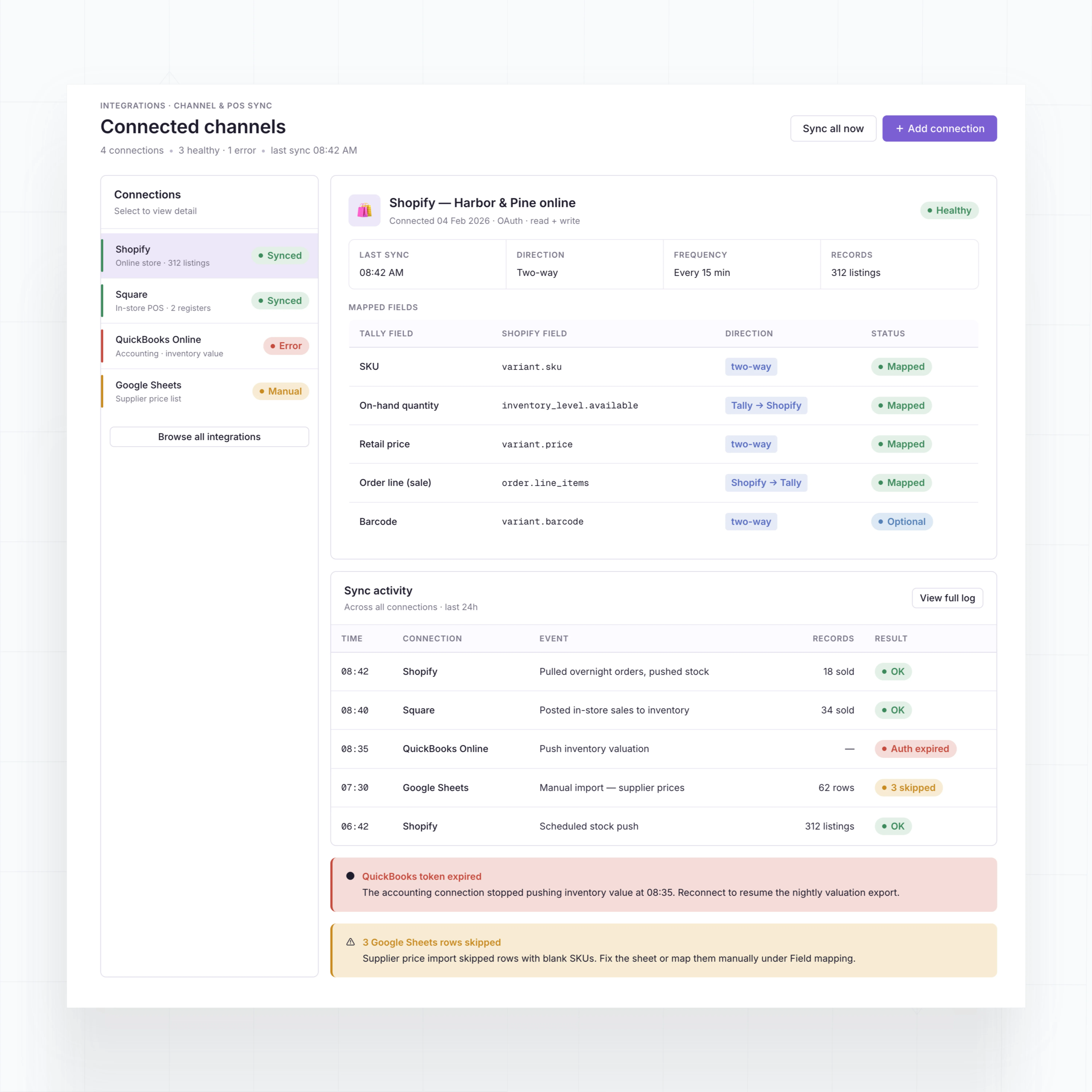
Yes, if those tools expose the data you need through APIs, databases, or automation services. WeWeb is backend agnostic, so your inventory app can connect to ecommerce, POS, accounting, shipping, and supplier systems.
For example, you can show Shopify orders in a fulfillment queue, update stock after a Square sale, or send purchase and inventory values to QuickBooks through an API workflow.
Your backend should remain the source of truth for inventory rules, permissions, and calculations. WeWeb gives your team the interface for viewing, updating, and acting on that data.
Yes. WeWeb is built for teams that want visual development with room to add code only when needed. You can build product lists, receiving forms, reorder dashboards, and staff views without starting from a blank codebase.
For a small business, the best approach is to start with one painful workflow, such as low stock alerts or purchase order receiving, then add more modules once the team is using the app every week.
WeWeb does not charge per app user, so you can give access to warehouse staff, store managers, operations leads, and owners without every additional user changing your WeWeb bill.