Build a Small Business LMS With AI and No-Code
Training gets messy when onboarding, SOPs, quizzes, and completion tracking live in separate tools. WeWeb helps small businesses build an LMS that fits their team and budget.
Trusted by founders & Fortune 500s
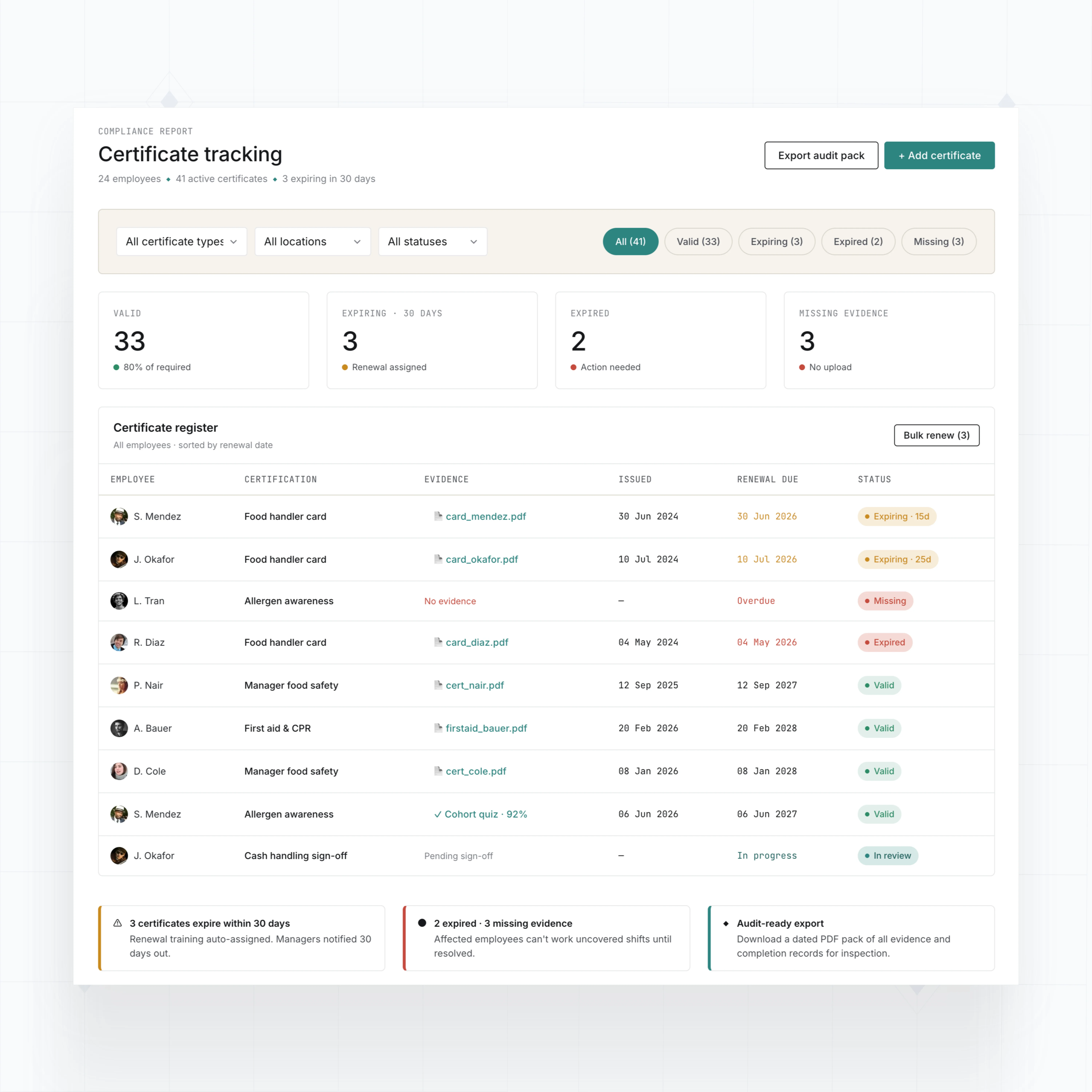
Add LMS features your small business actually needs
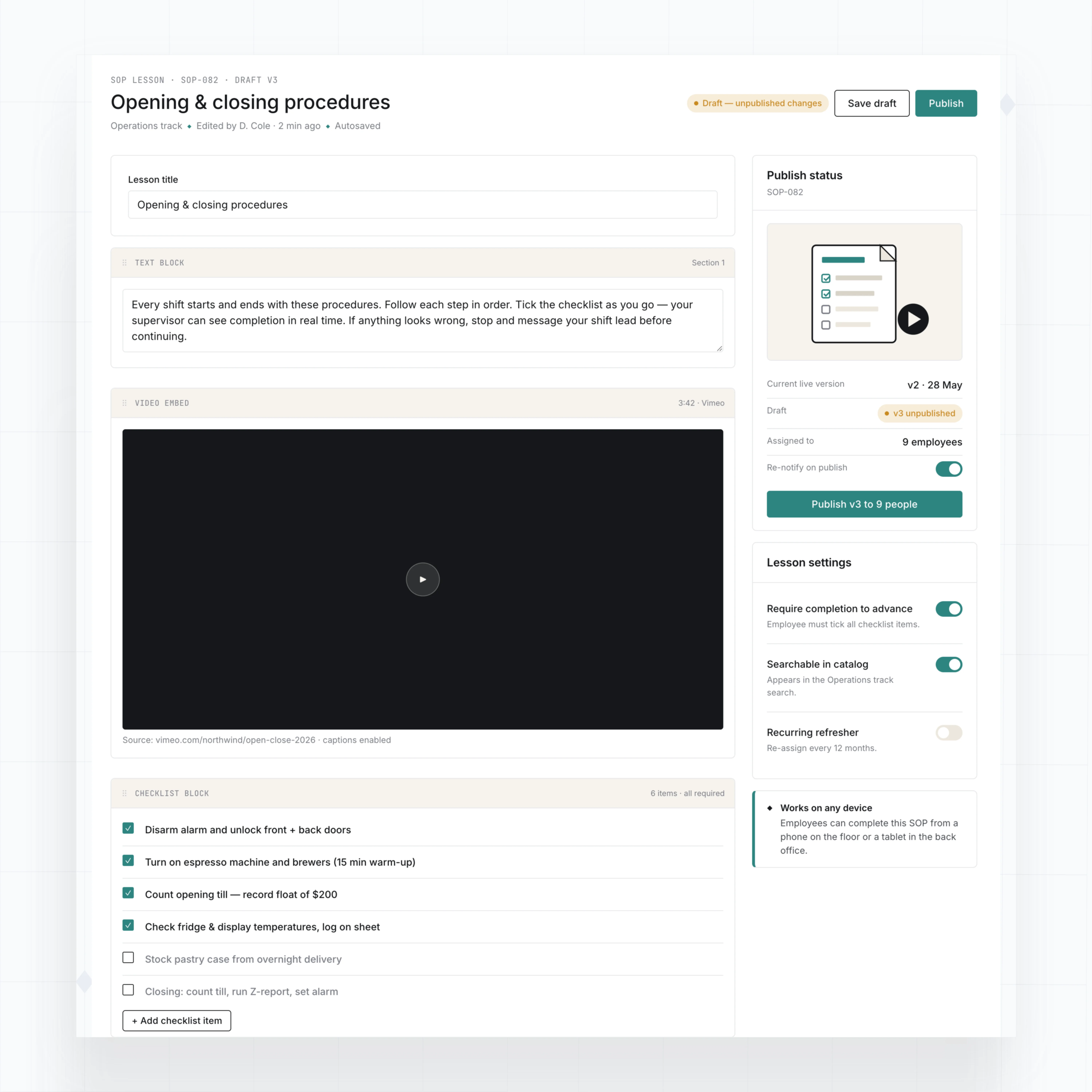
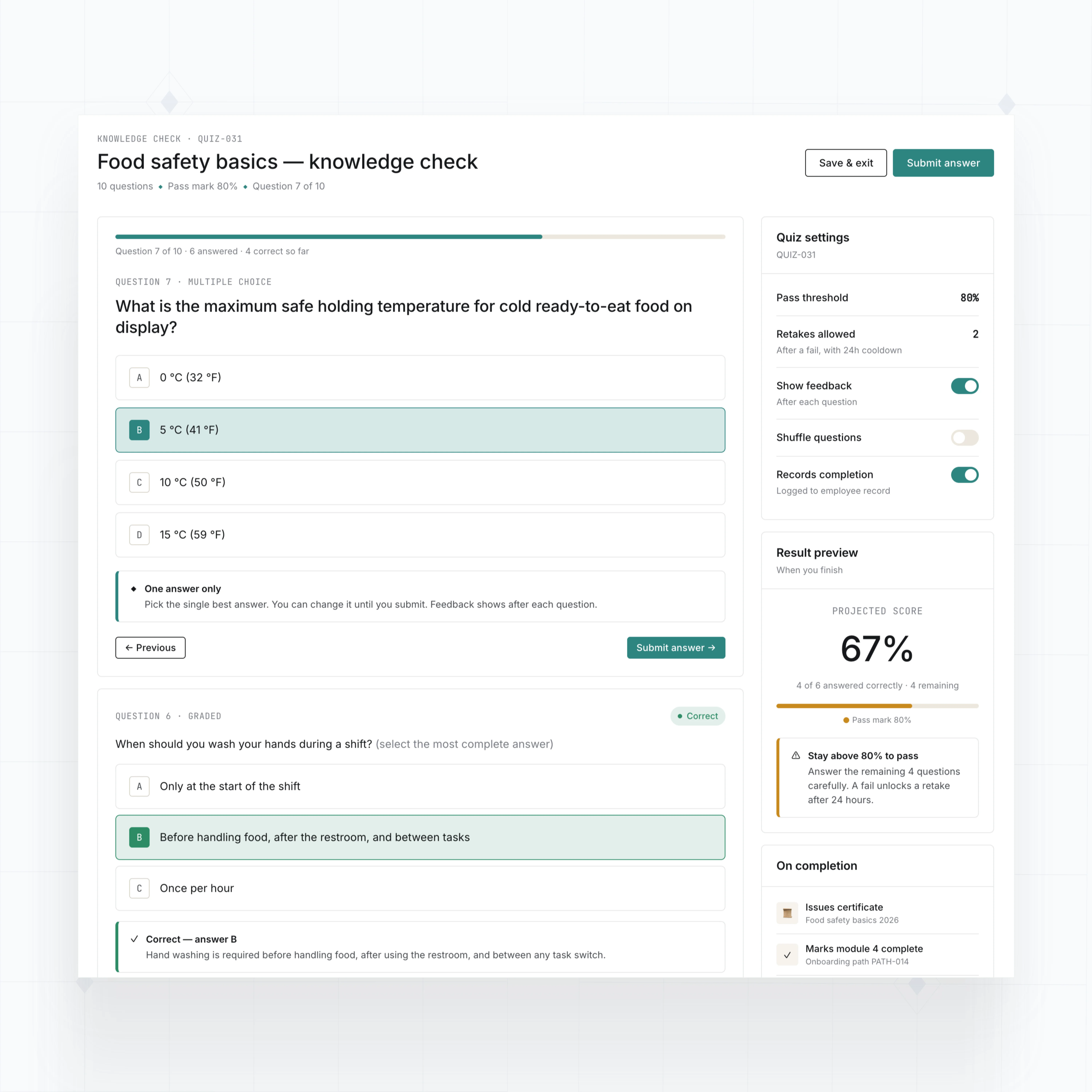
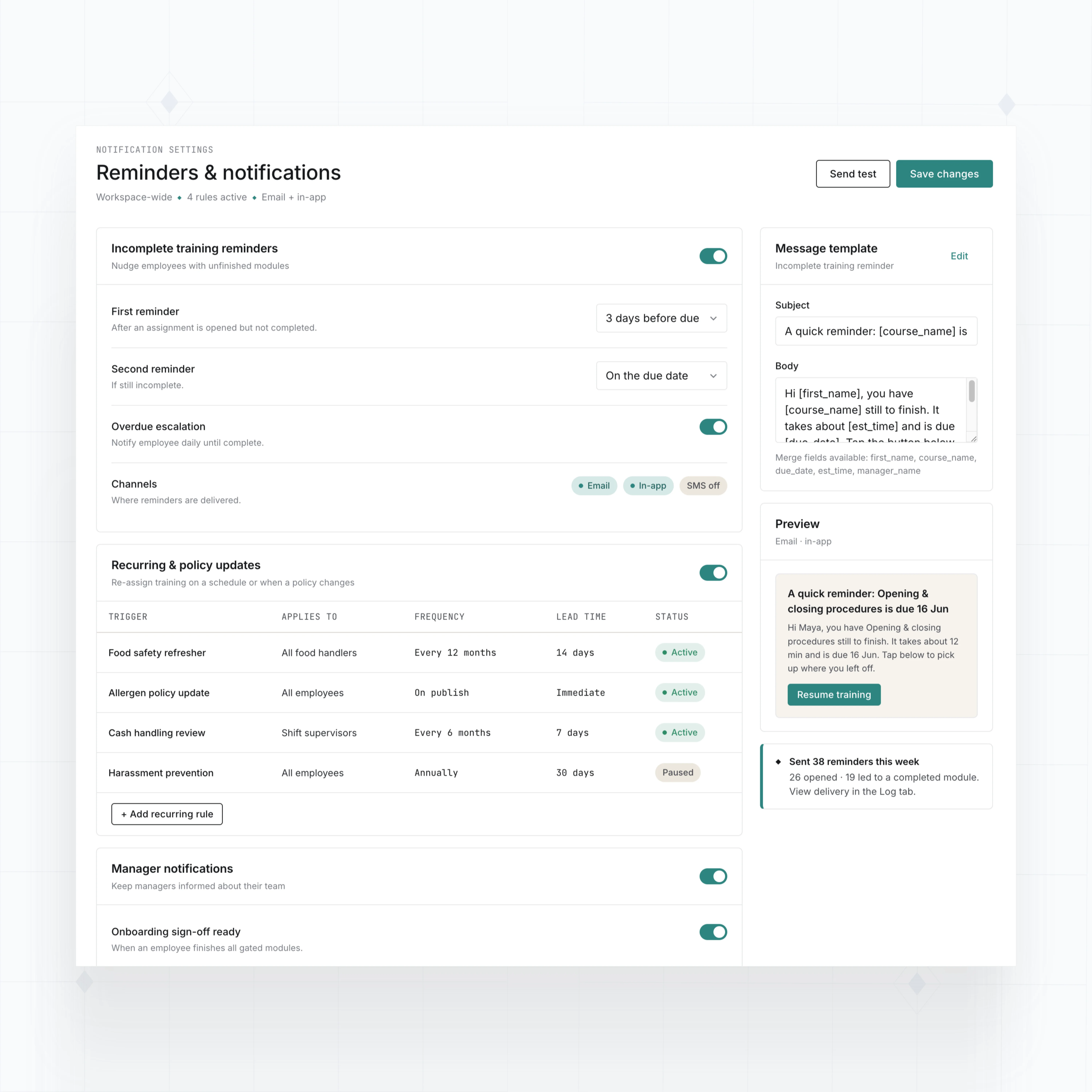
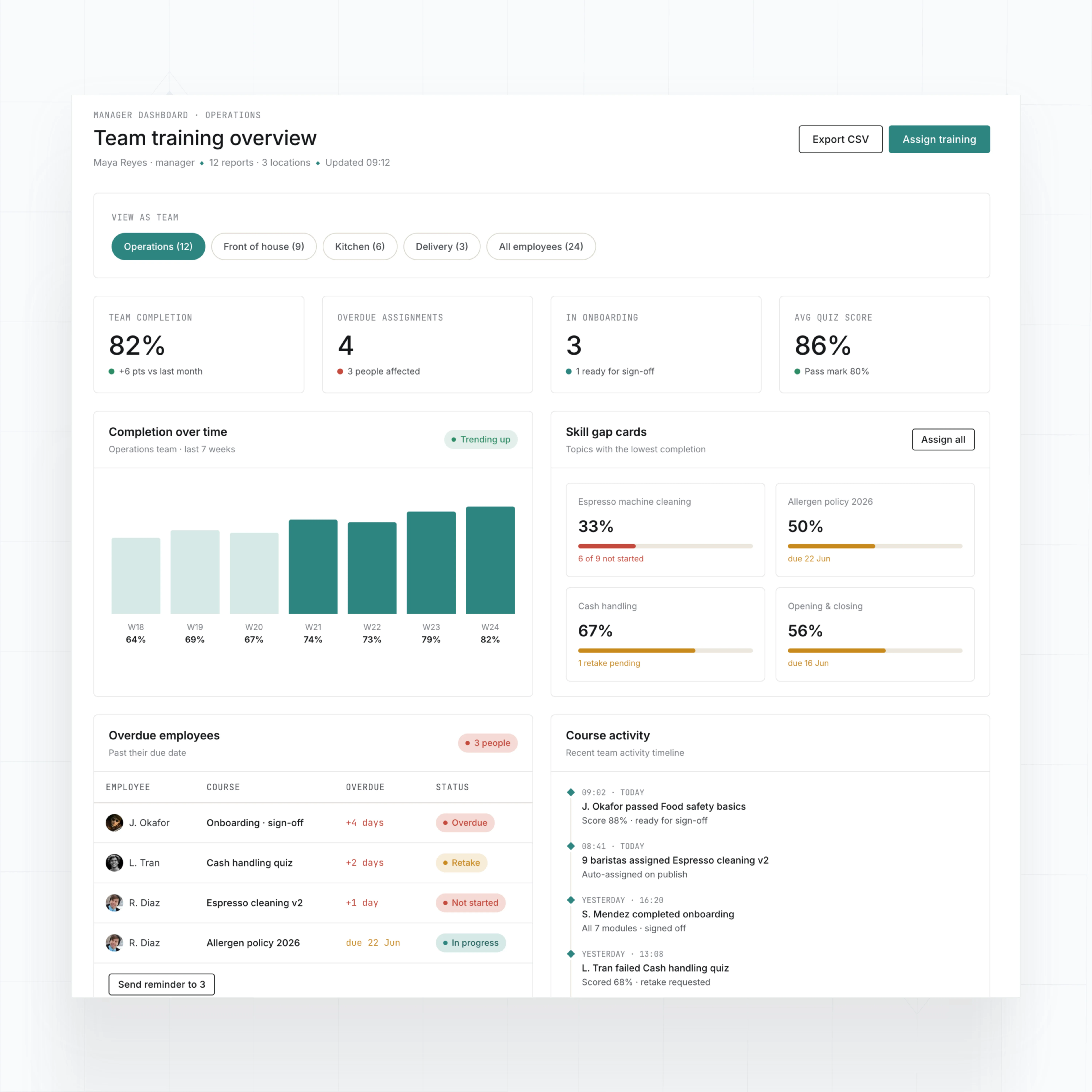
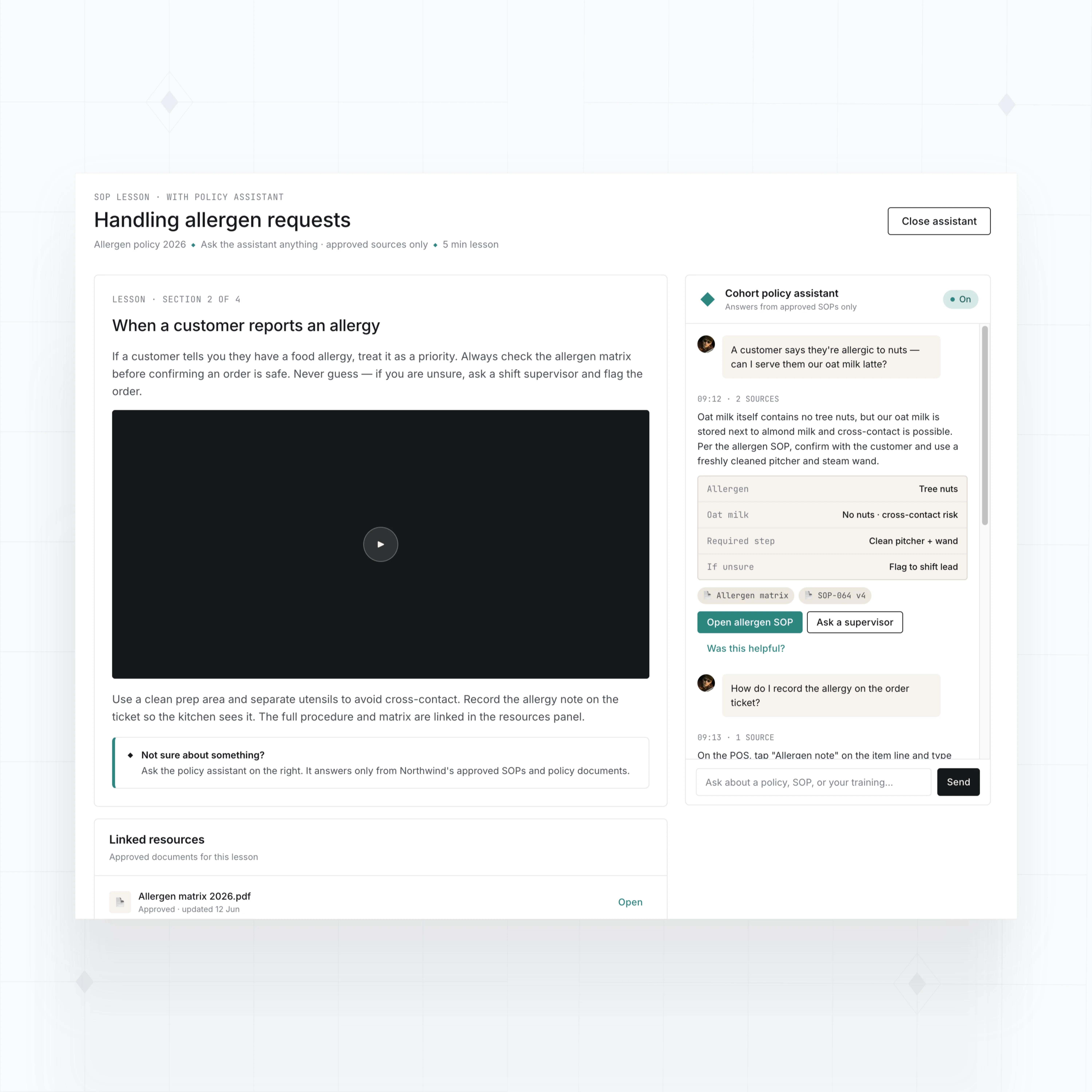
With WeWeb AI, build onboarding paths, SOP lessons, quizzes, reminders, progress dashboards, certificates, and AI support around how your team learns.
" Get on the no-code train. With WeWeb & Xano you can cut down development time exponentially and launch your app faster. Just jump into it. You'll be surprised how much you're able to do. "

Build employee training tools without enterprise LMS complexity
The standards of code, with no-code.
Launch employee training that your team can maintain
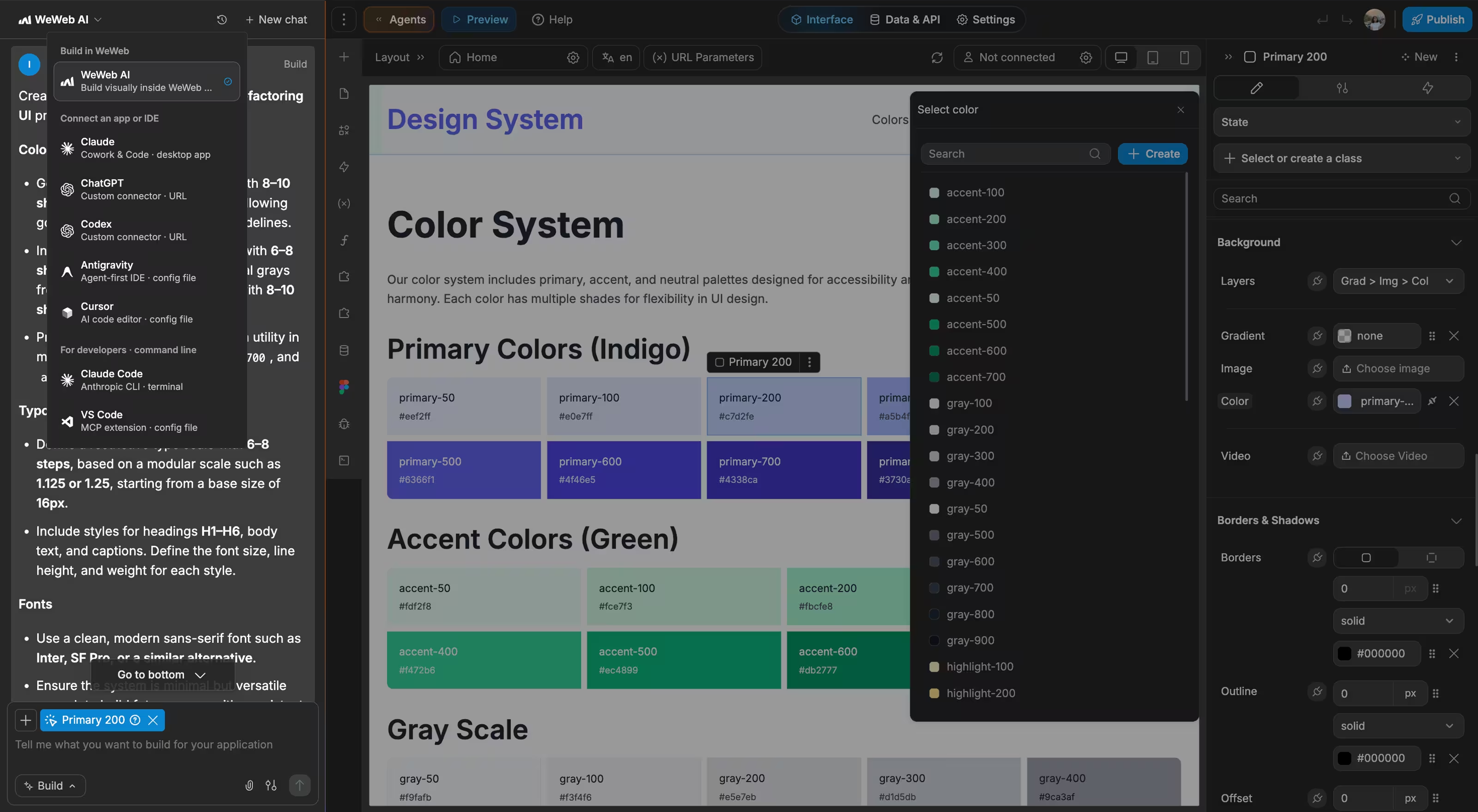
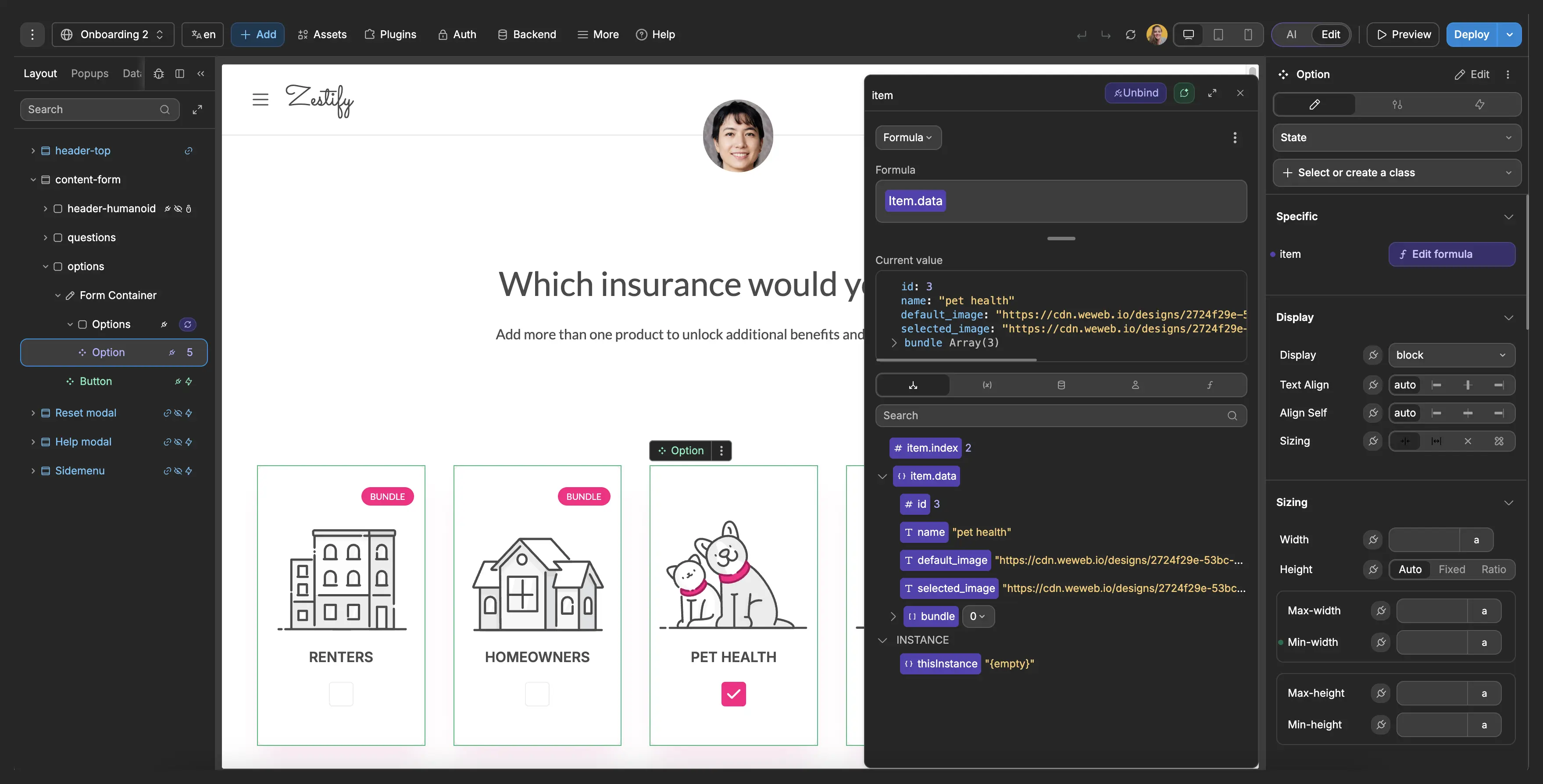
The most important part was having templates to work from. Starting from a blank canvas would be daunting. With templates, I could take something existing and customize it to what we needed.

FAQs
Small business training often starts in shared folders, old slide decks, one-on-one walkthroughs, and manager memory. That works until the team grows, roles change, or you need proof that people completed training.
The hidden cost is admin time. Someone has to chase employees, update spreadsheets, resend links, and answer the same process questions again.
With WeWeb, you can build an LMS that matches your onboarding, SOPs, skills, and compliance needs without buying a system designed for a much larger organization.
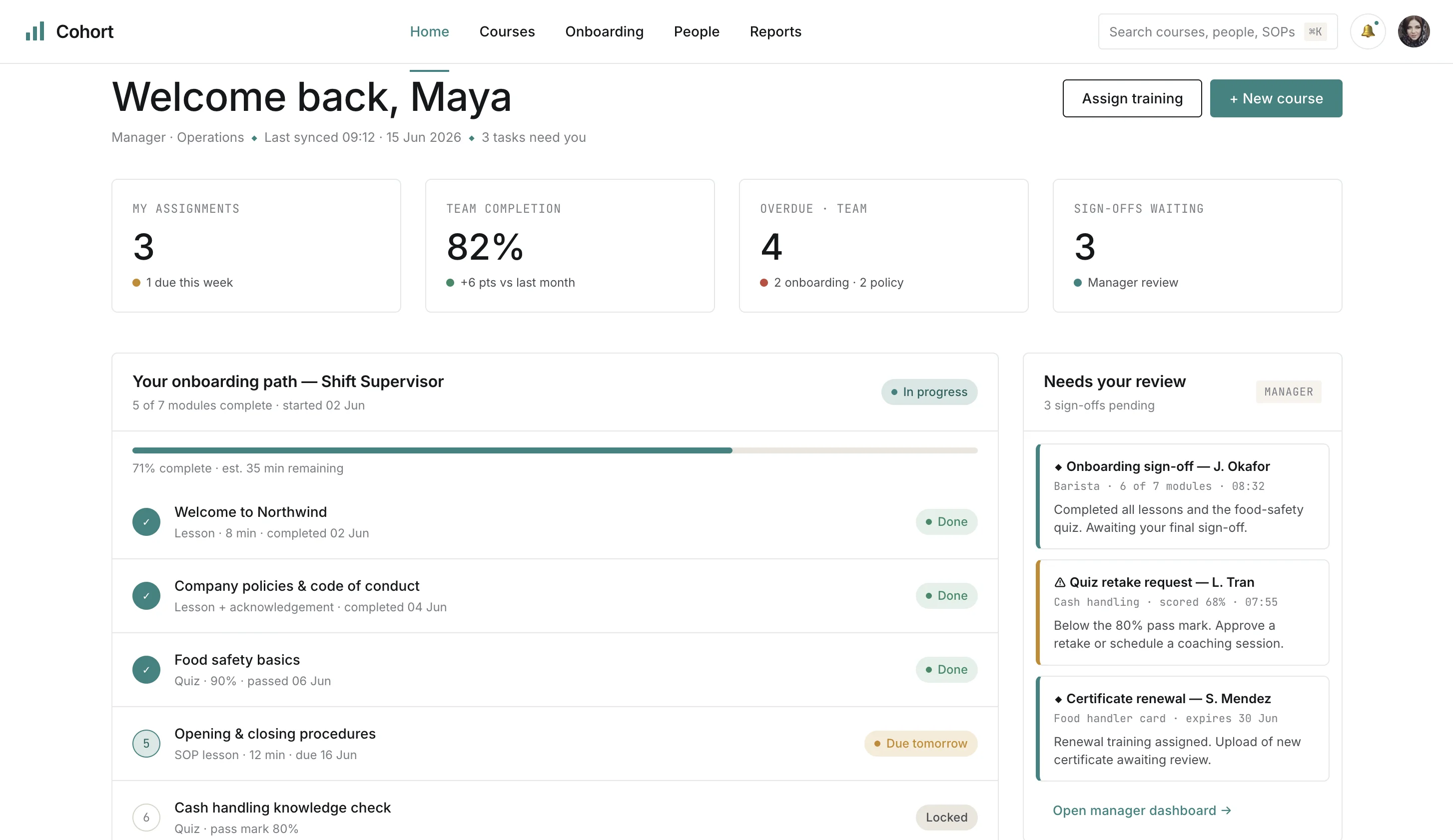
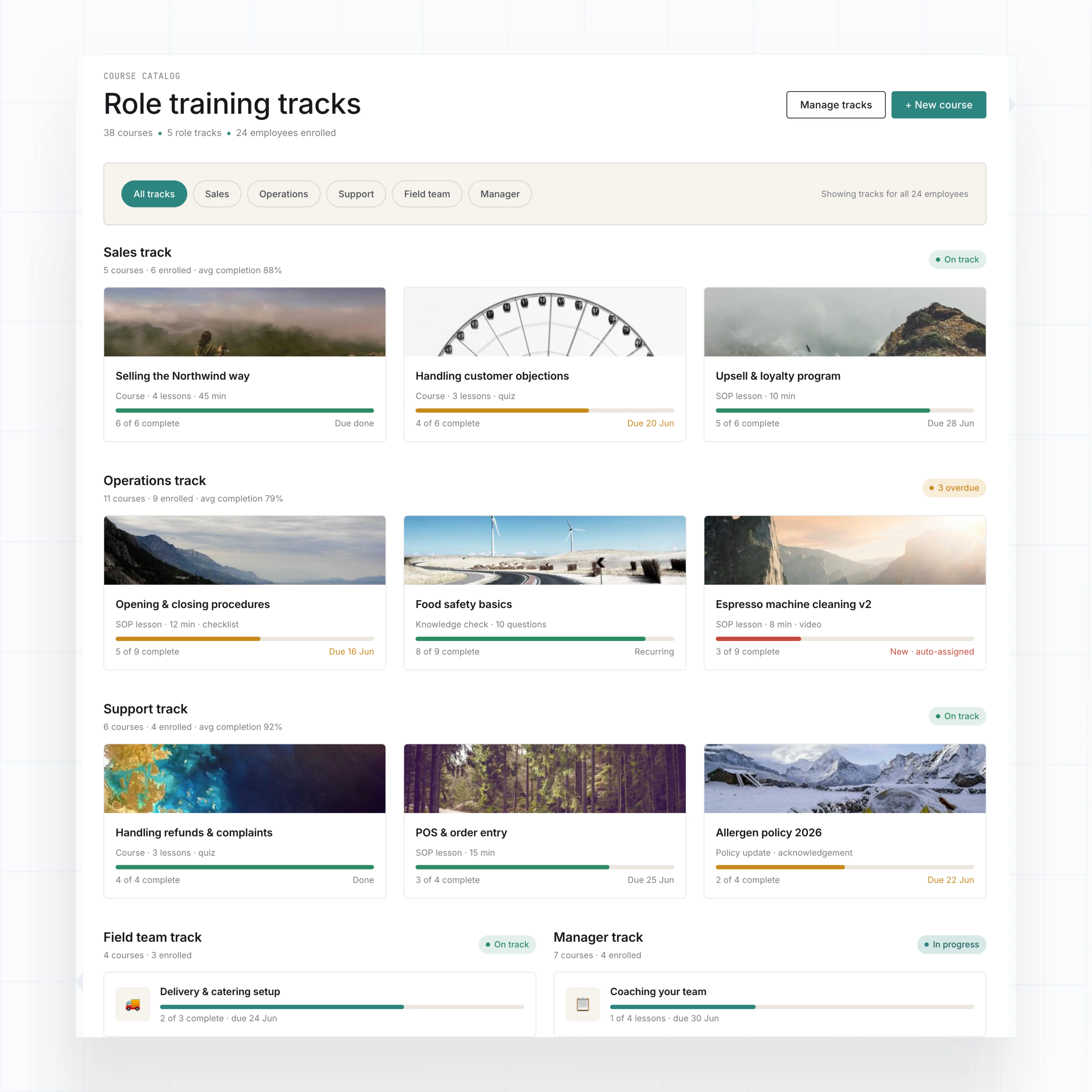
Yes. WeWeb lets you build course pages, lesson lists, quizzes, employee dashboards, and manager views visually. WeWeb AI can generate the first version from a description, then you can refine the layout, fields, and workflows.
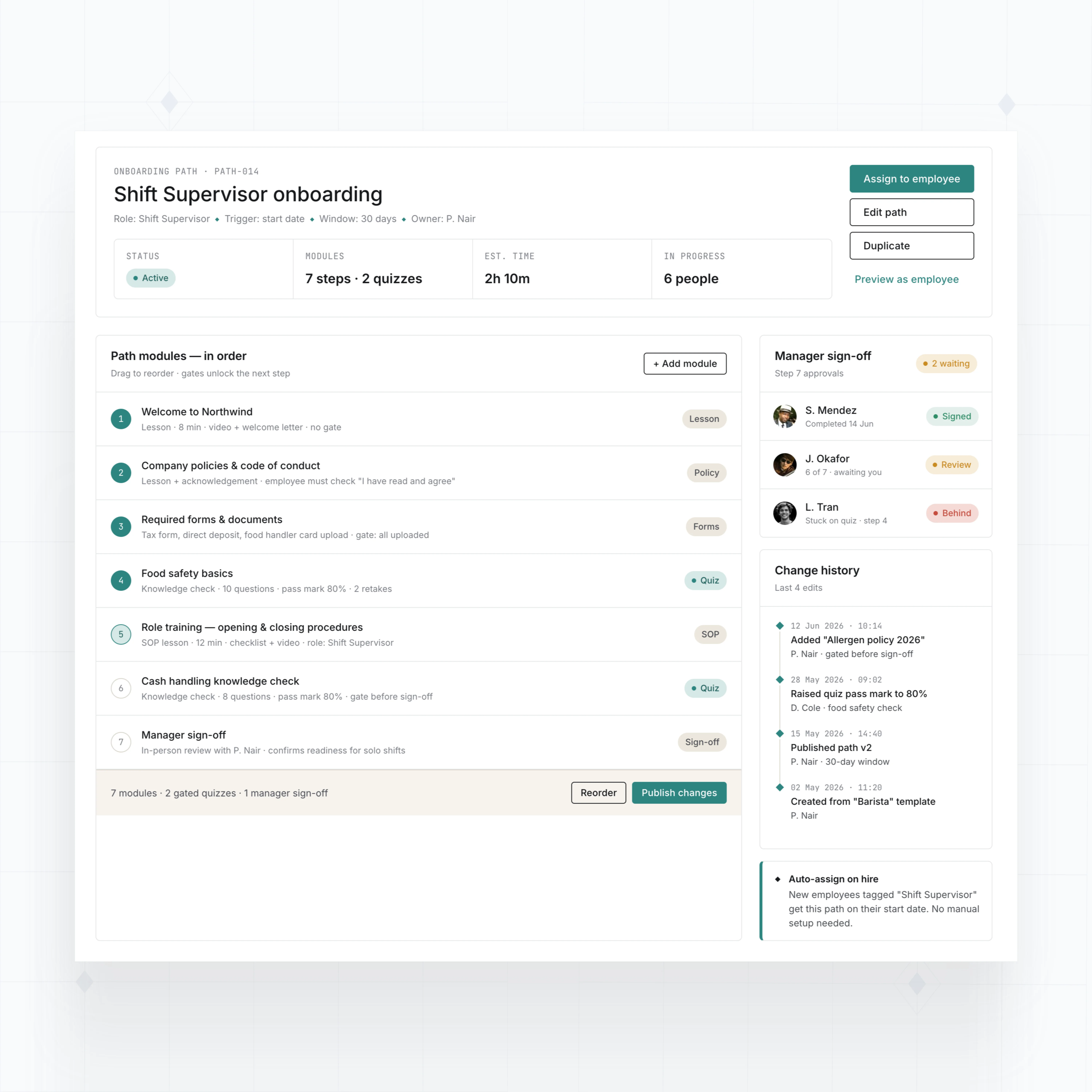
You can start with a simple onboarding path: welcome content, required documents, role-specific SOPs, quiz checks, and manager approval. Then add recurring training, certificates, and reporting as the team grows.
If you need custom logic later, WeWeb supports custom JavaScript and API integrations, so the app can grow beyond a basic course library.
Yes. Your LMS can store completion records by employee, course, lesson, quiz, certificate, due date, role, and manager.
Managers can see who is complete, who is overdue, which topics need review, and which employees need renewal training. Employees can see their own assignments and progress.
All tracking should live in a backend designed for your reporting needs. WeWeb gives your team dashboards, forms, progress views, and workflows that make that data usable.
Yes. WeWeb can connect to APIs, databases, and automation services, so your LMS can sync employees, roles, departments, locations, or training records with the tools you already use.
For example, a new hire can receive an onboarding path, a manager can get a reminder when someone is overdue, or completion data can be sent to an HR system.
You can also connect to video hosting, document storage, form tools, email services, and internal databases, depending on how your training content and employee data are managed.