Build an ERP for Your Small Business With AI and No-Code
Stop stitching together spreadsheets, accounting tools, and manual updates. WeWeb helps you build small business ERP workflows around how your team actually operates.
Trusted by founders & Fortune 500s
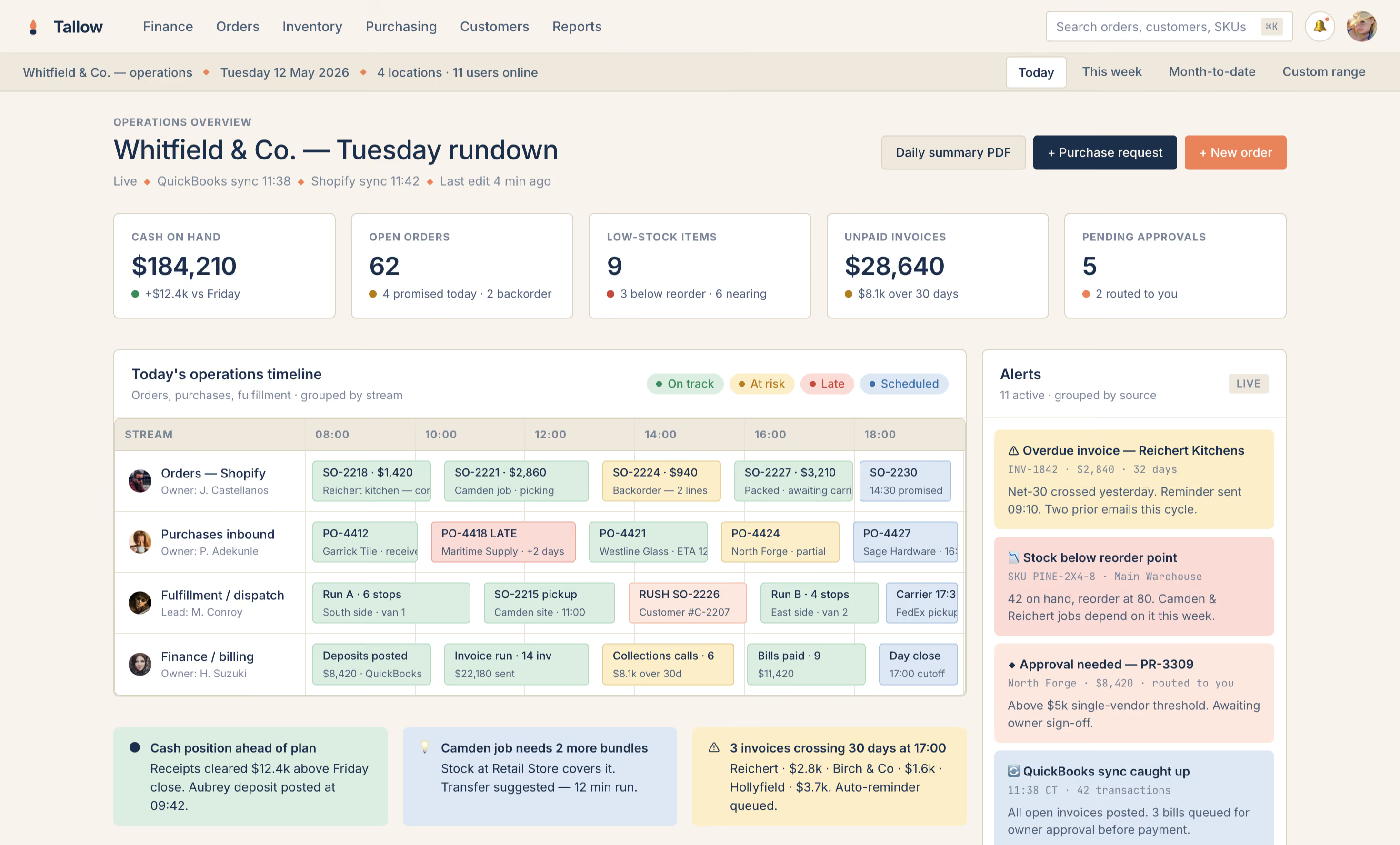
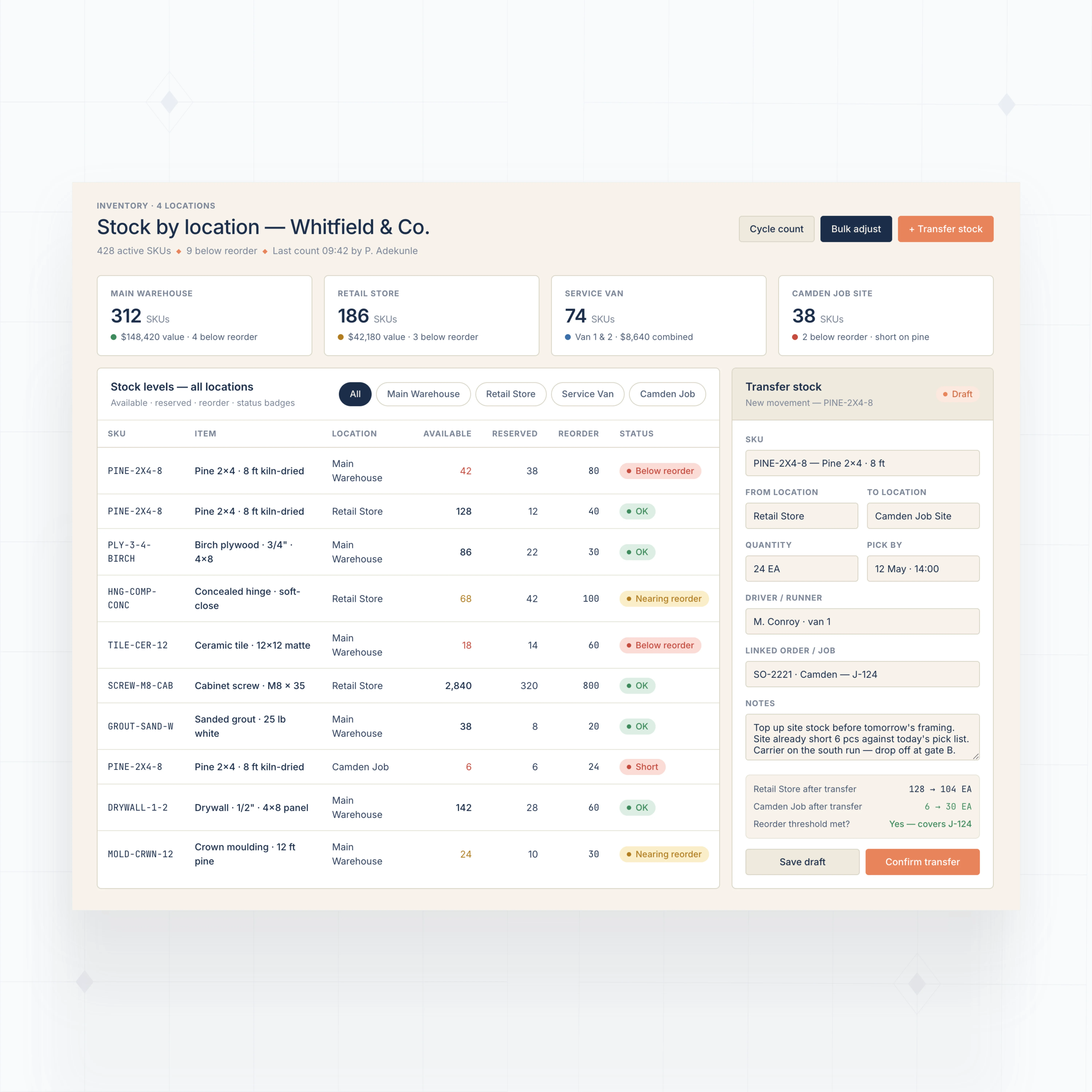
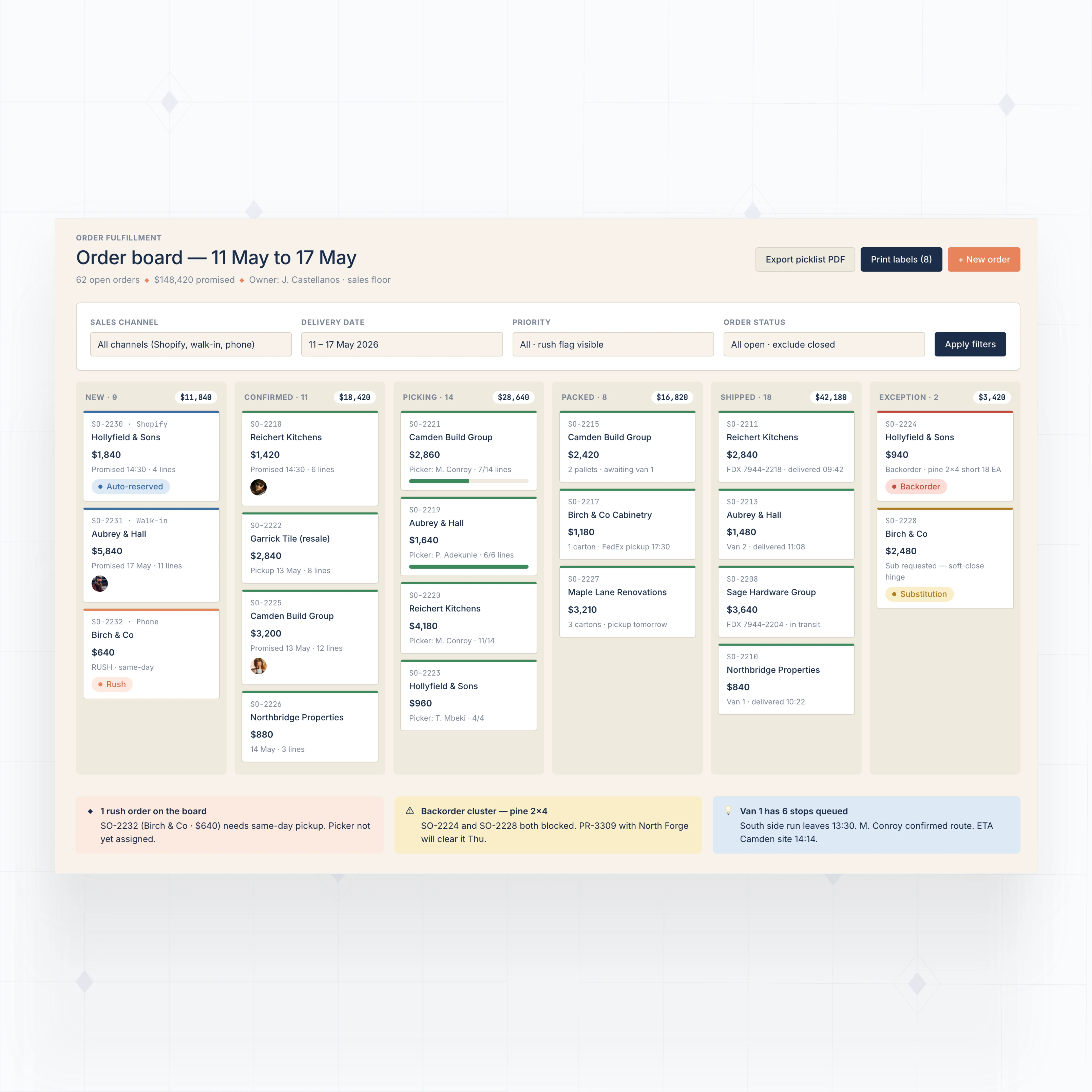
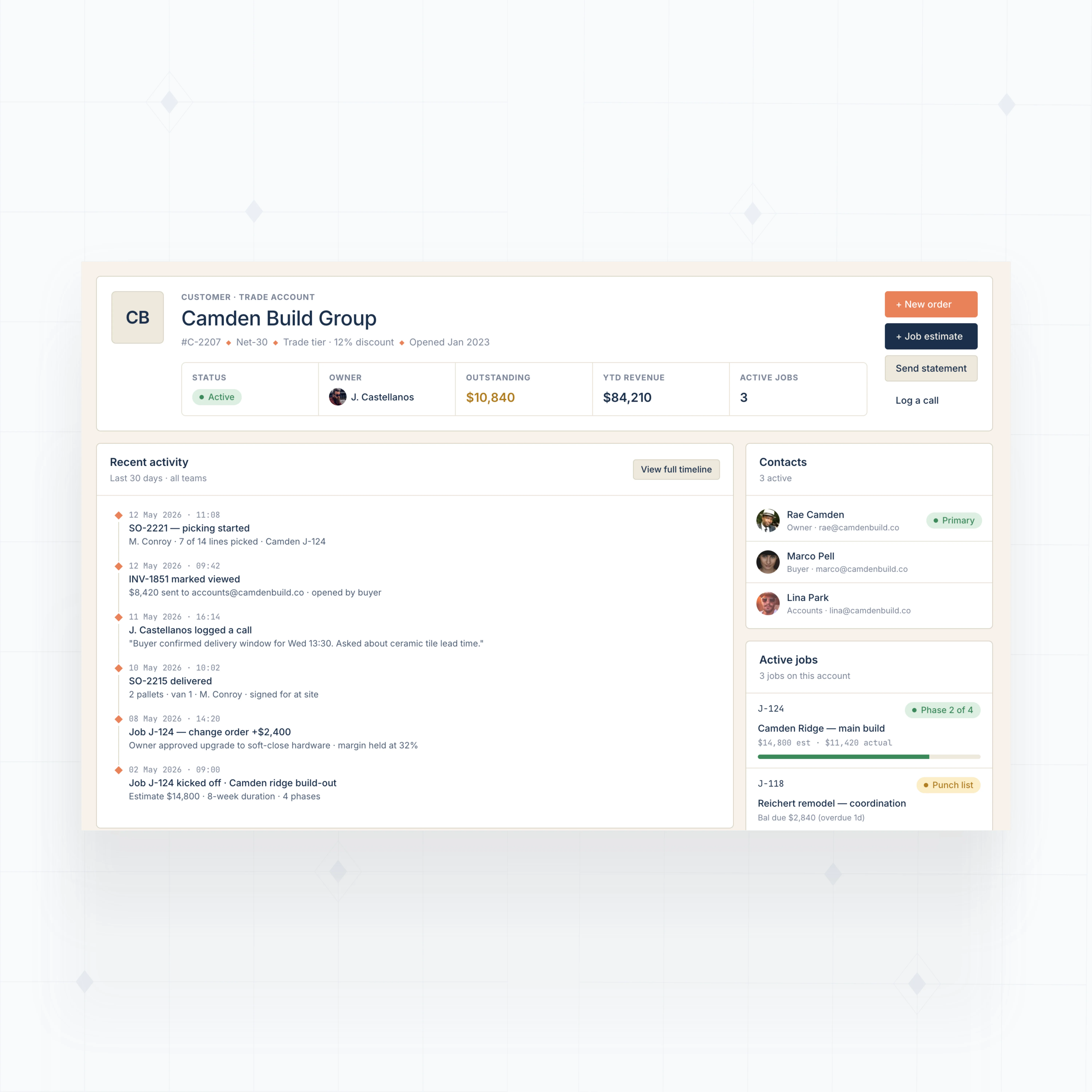
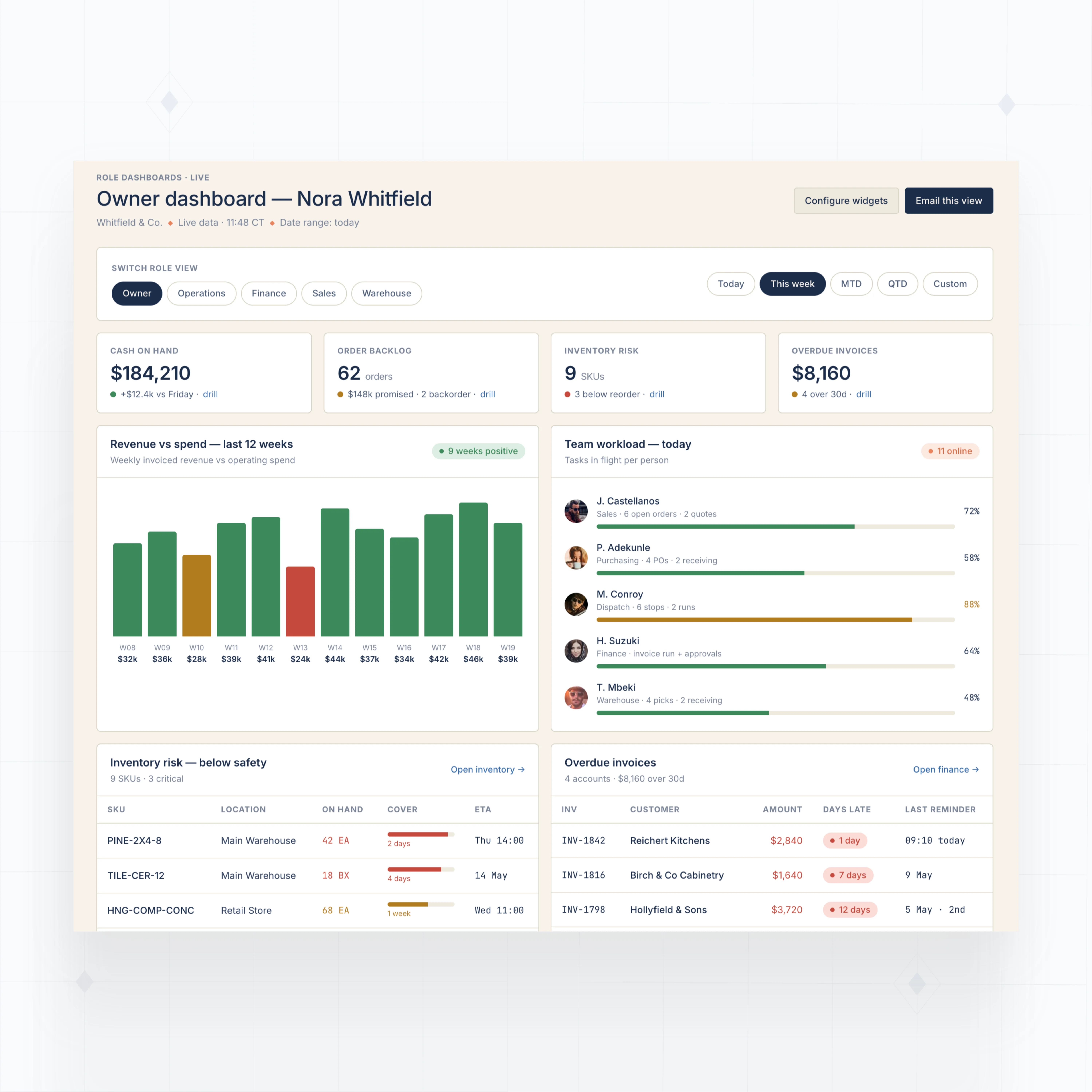
Build ERP modules that match your daily operations
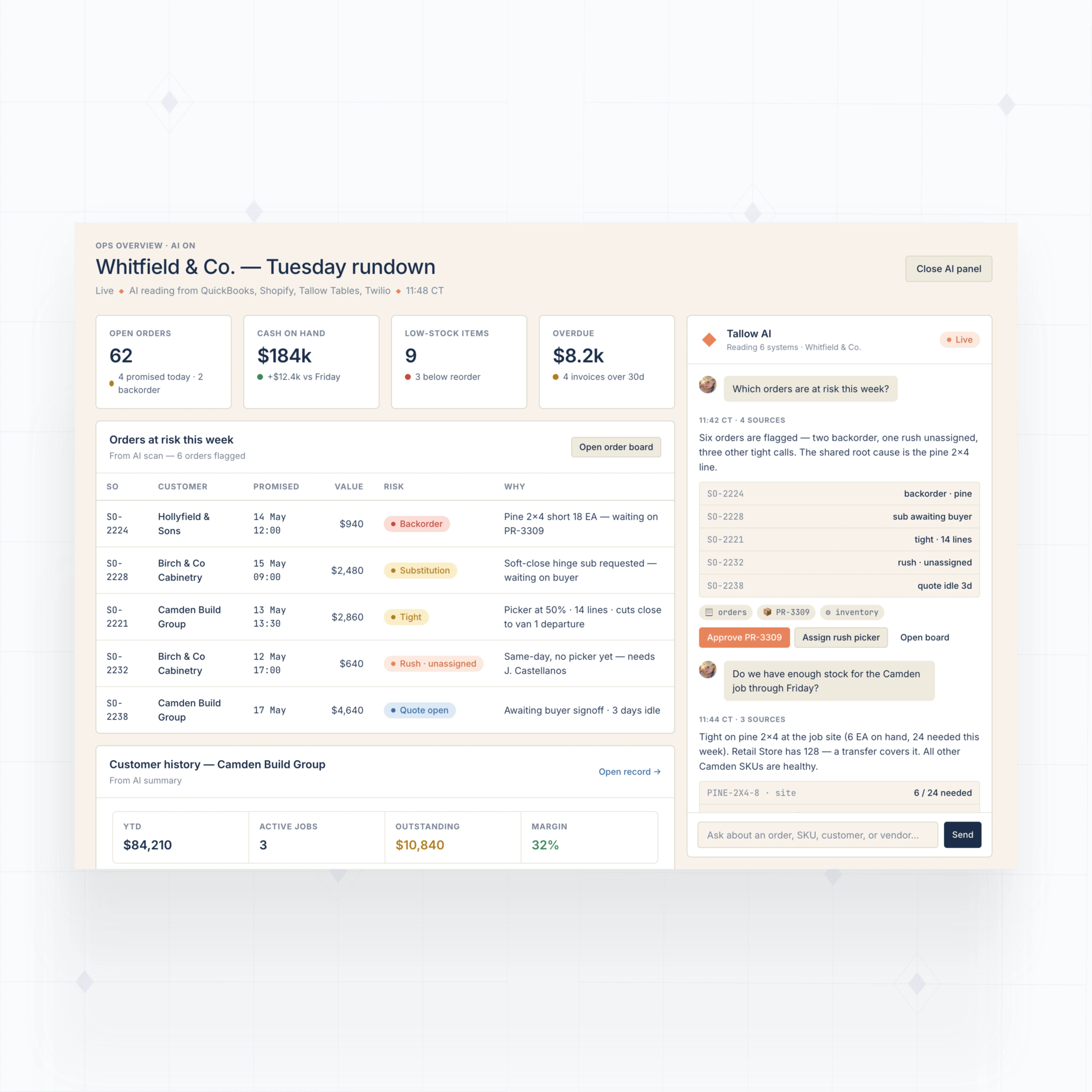
With WeWeb AI, build the operational modules your small business needs first: finance visibility, inventory, orders, purchasing, approvals, and dashboards.



" I never thought that I could build something like this. I was always worried about security, and database design, and API calls… all of that stuff seemed super complex to me. WeWeb has given me the ability to build something in a visual format that naturally feels very good to me. "

Production-grade infrastructure for your small business ERP
The standards of code, with no-code.
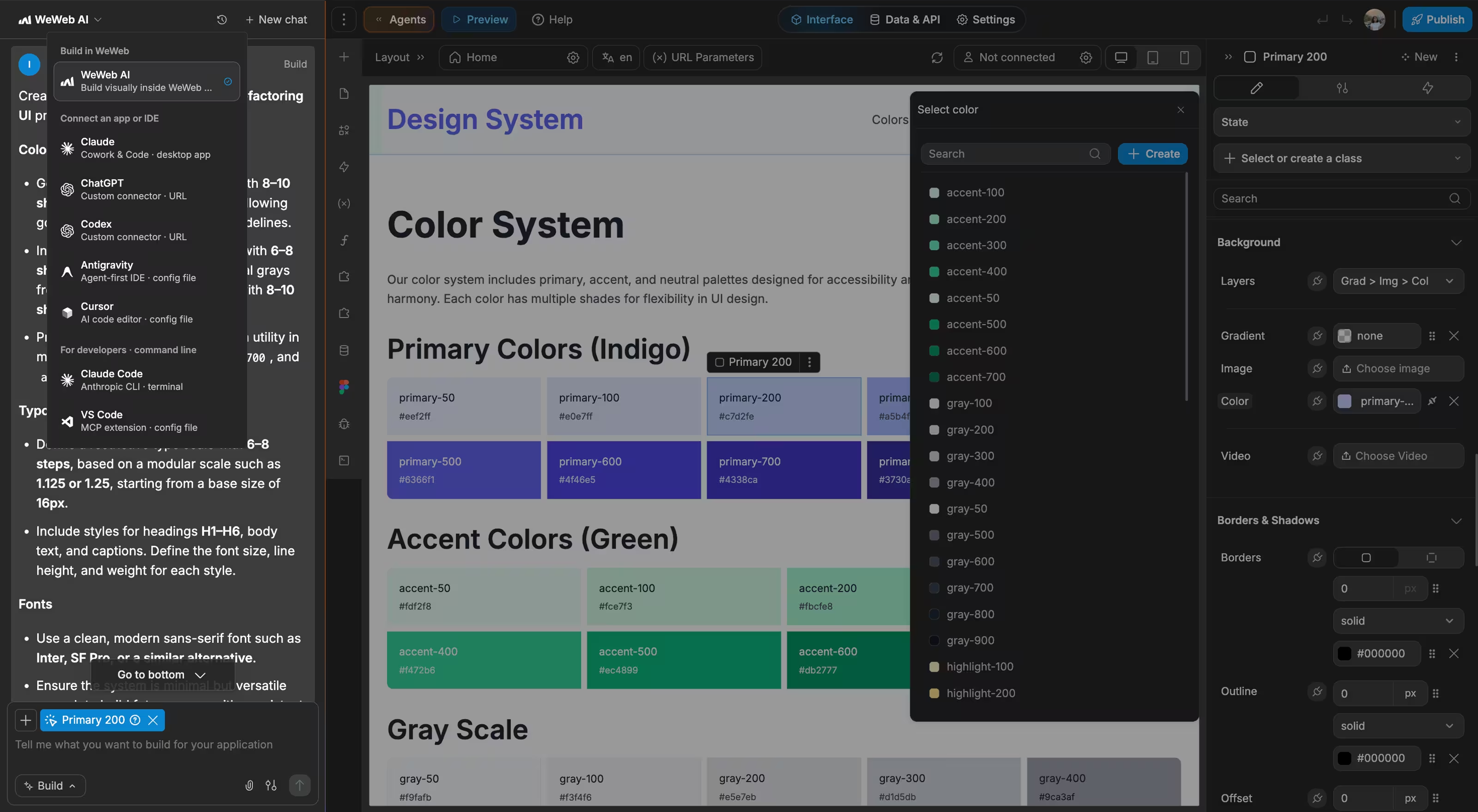
Launch your first ERP module this week
With WeWeb, we can separate responsibilities more clearly. One person can focus on the backend, and another can work on the frontend without stepping on each other’s work.

FAQs
QuickBooks and spreadsheets work well when the business is small enough for one person to keep the full picture in their head. The problems start when inventory, orders, purchasing, projects, customers, and finance all move at the same time.
The gap is usually operations, not accounting. QuickBooks may still be the right system for invoices, payments, and financial records. But small teams often need a custom operational layer around it: order status, stock availability, purchase requests, job costs, delivery notes, approvals, and dashboards.
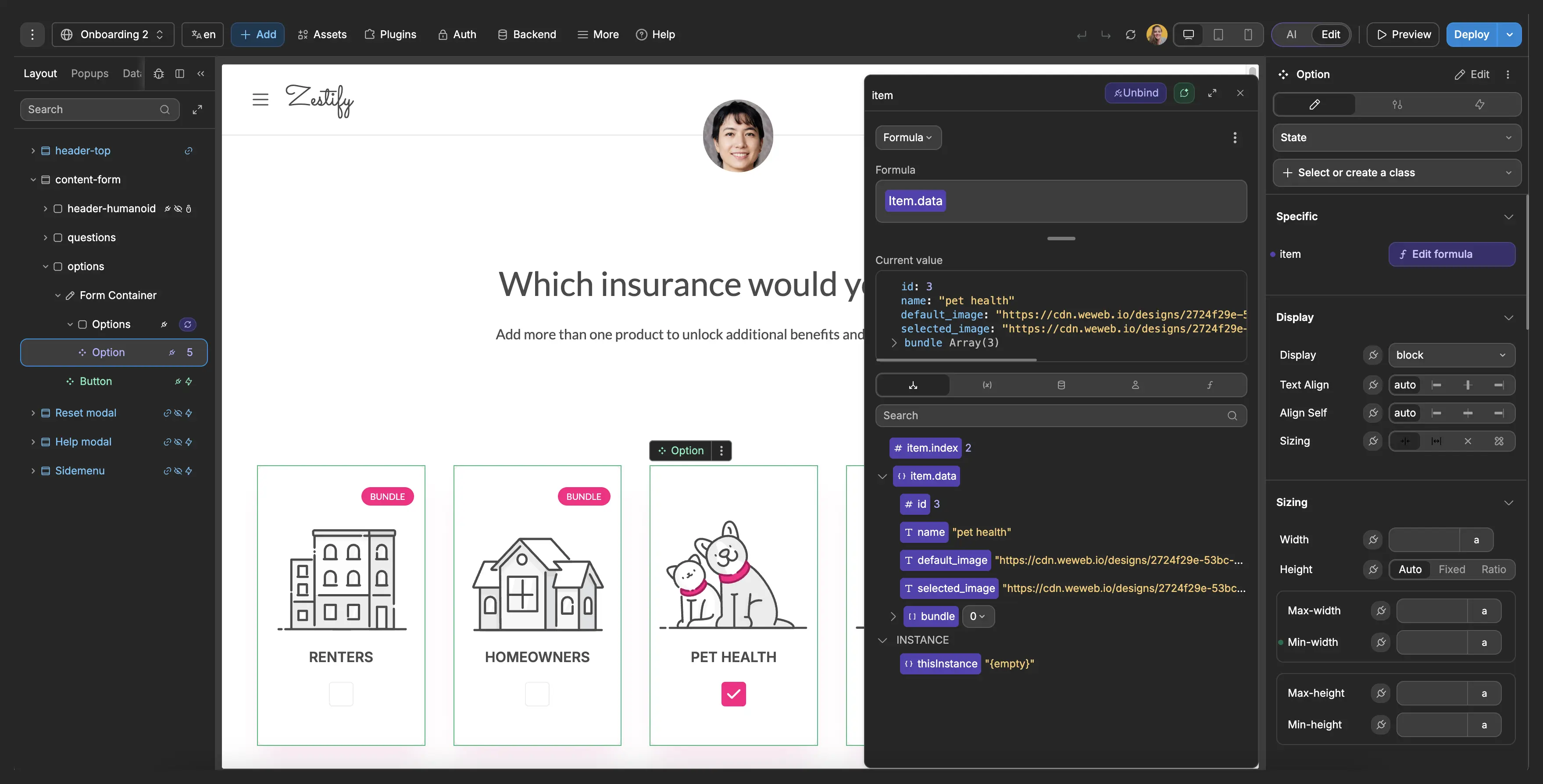
With WeWeb, you can build that layer without replacing everything at once. Use WeWeb Tables for new operational data, connect QuickBooks or other tools through APIs, and give your team one interface for daily work.
No. A small business ERP does not have to start as one massive system. In many cases, the safest path is to build one high-friction workflow first, prove it works, then expand module by module.
You might start with inventory, purchase orders, job tracking, order fulfillment, or a dashboard that combines data from several tools. WeWeb AI can generate the first version from a plain English description, then your team can adjust screens, fields, permissions, and workflows visually.
This helps you avoid the classic ERP problem: spending months configuring a system before anyone knows whether the workflow actually fits the business.
Yes. WeWeb is backend agnostic, so your ERP can connect to the tools your business already uses instead of forcing a full migration on day one.
You can connect to WeWeb Tables, Supabase, Xano, Airtable, Google Sheets, SQL databases exposed through APIs, and services such as QuickBooks, Xero, Shopify, Stripe, HubSpot, shipping tools, or custom internal systems through REST, GraphQL, or SOAP APIs.
That means your ERP interface can show order status from ecommerce, invoice status from accounting, customer notes from CRM, and inventory availability from your stock system in one workflow.
Start by deciding where each type of data should live. WeWeb lets you use its native backend for new operational records, connect to your existing backend, or combine both in the same app.
Access should match each role. Sales may need customer and order history. Operations may need inventory and fulfillment. Finance may need invoice and cost data. Owners may need dashboards across everything. You can build different views for each role, while sensitive permissions and business logic should be enforced in the backend.
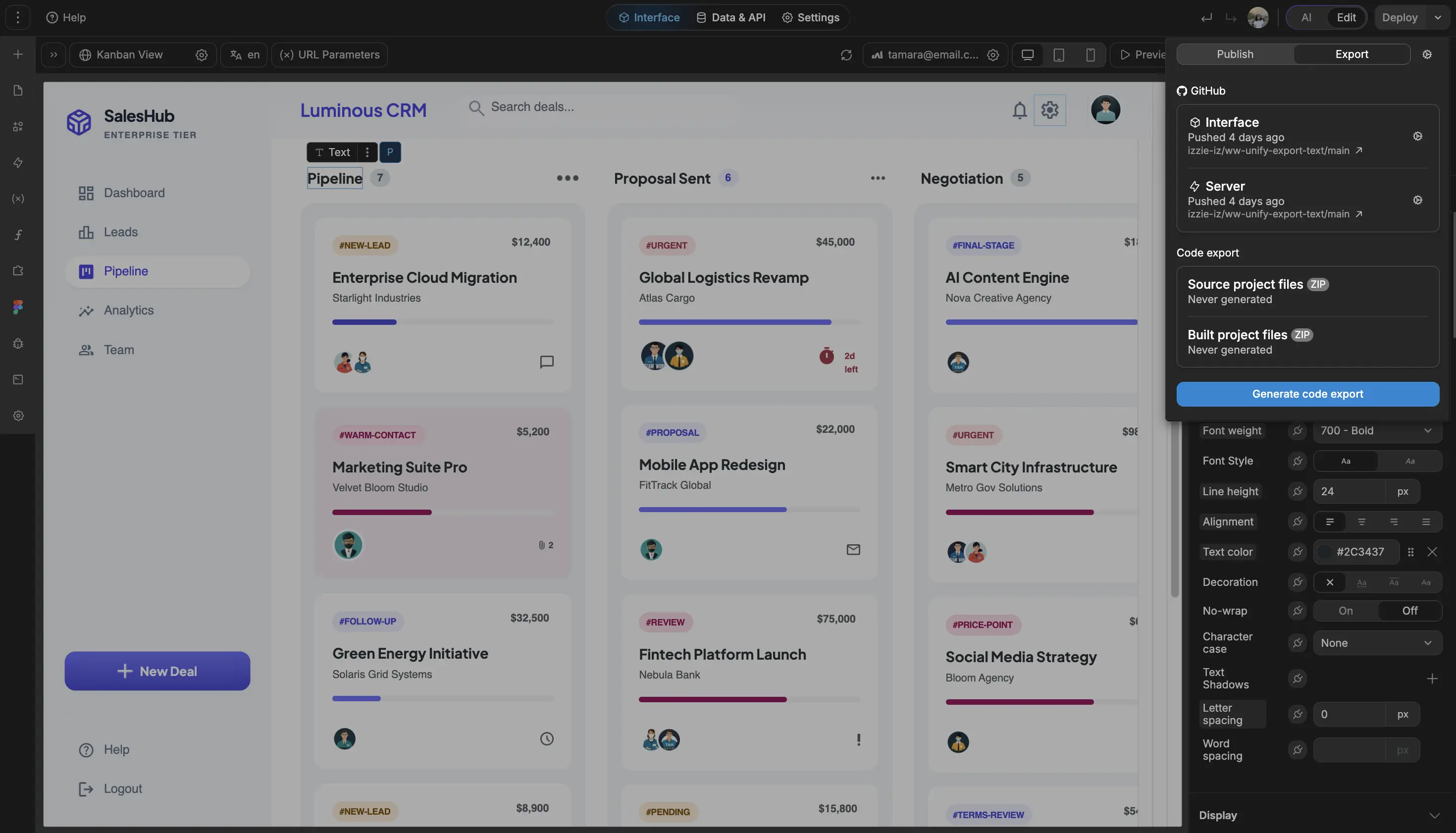
If your business has stricter infrastructure requirements, you can export the app and self-host it on your own cloud or server. That gives you more control over hosting, network access, and compliance architecture.