Build Grant Management for Nonprofits With AI and No-Code
Grant work breaks down when deadlines, budgets, documents, and approvals live in different tools. WeWeb helps nonprofits build a custom grant management workspace around their funding calendar, restricted funds, reports, and post-award workflows.
Trusted by founders & Fortune 500s
Add grant workflows off-the-shelf tools miss
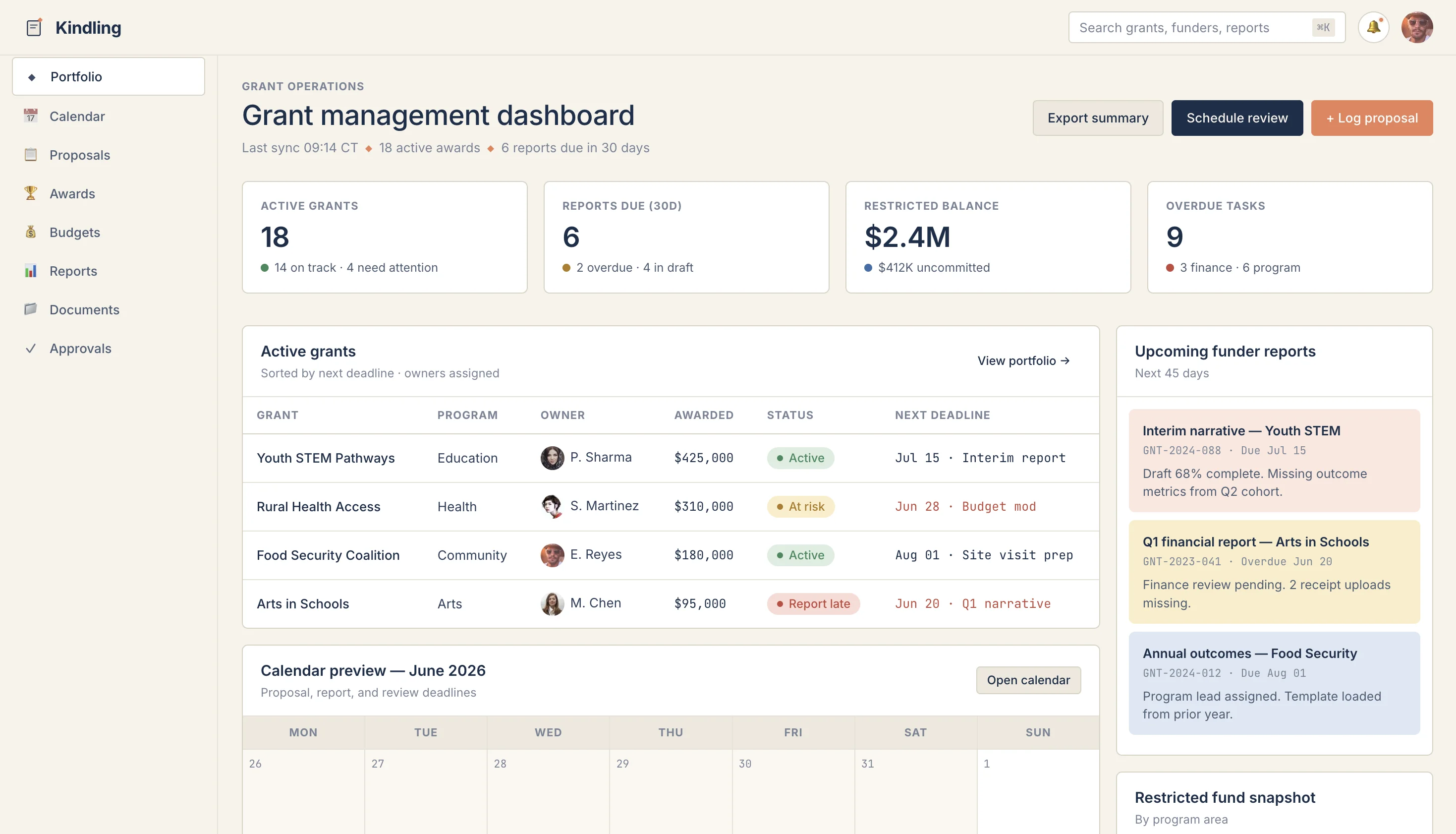
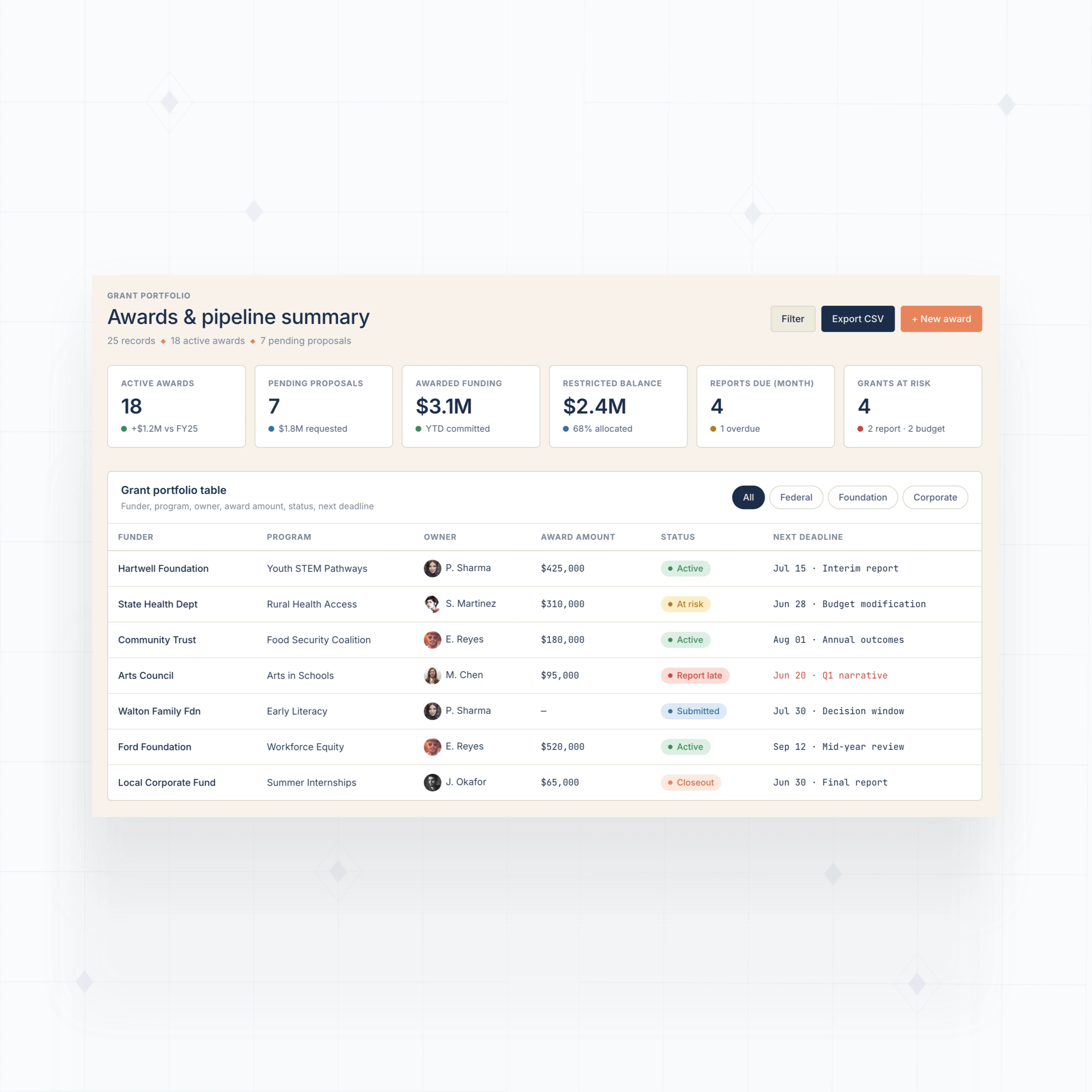
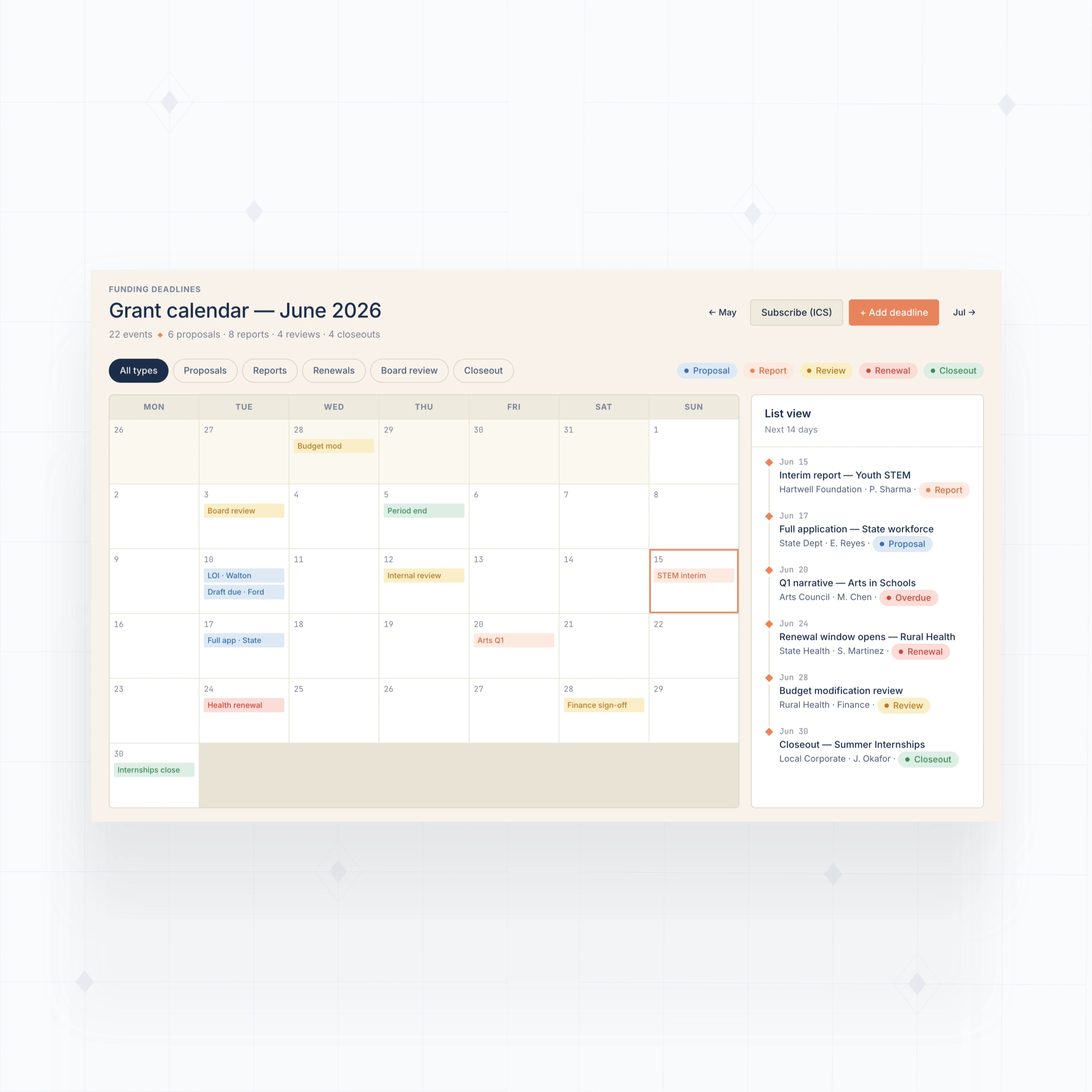
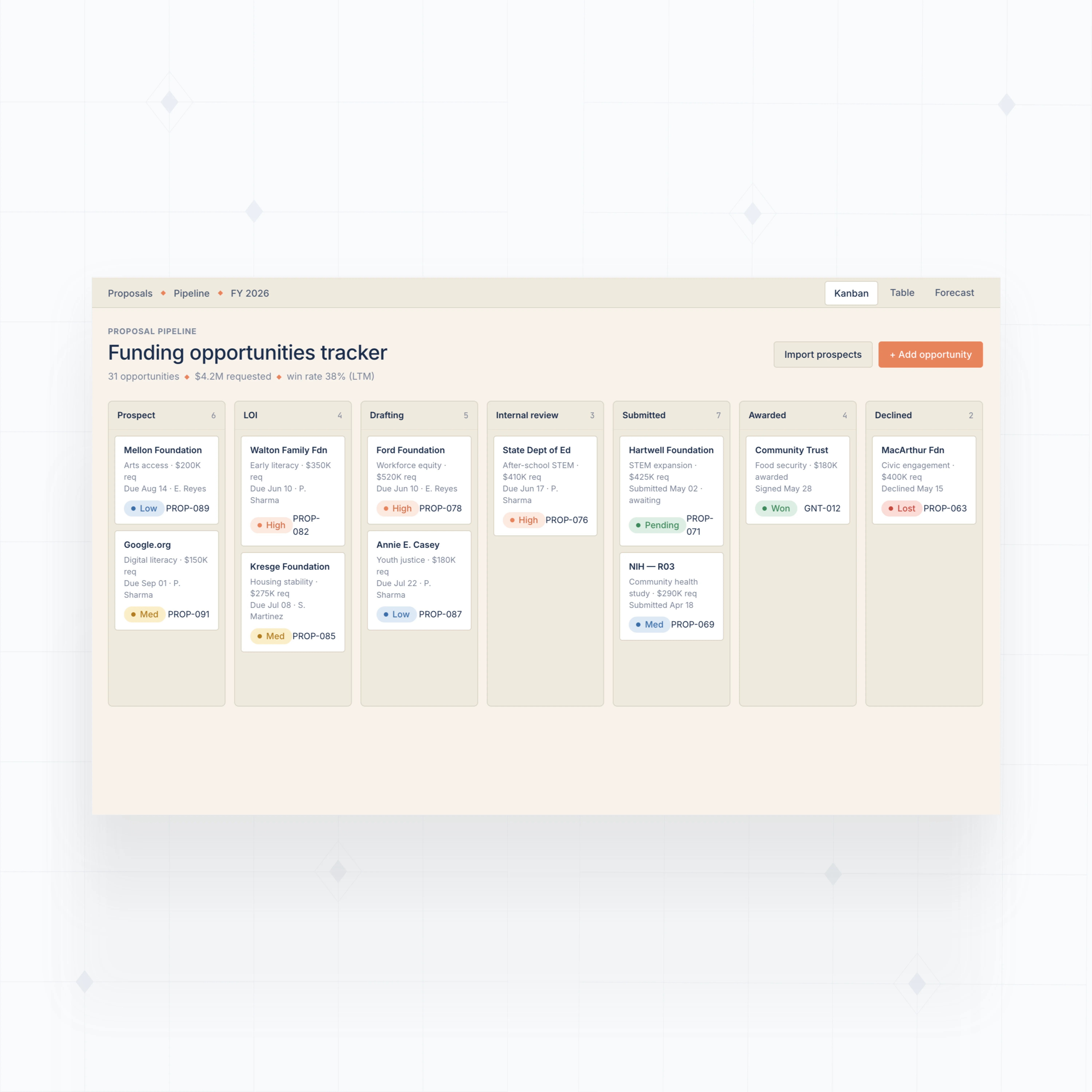
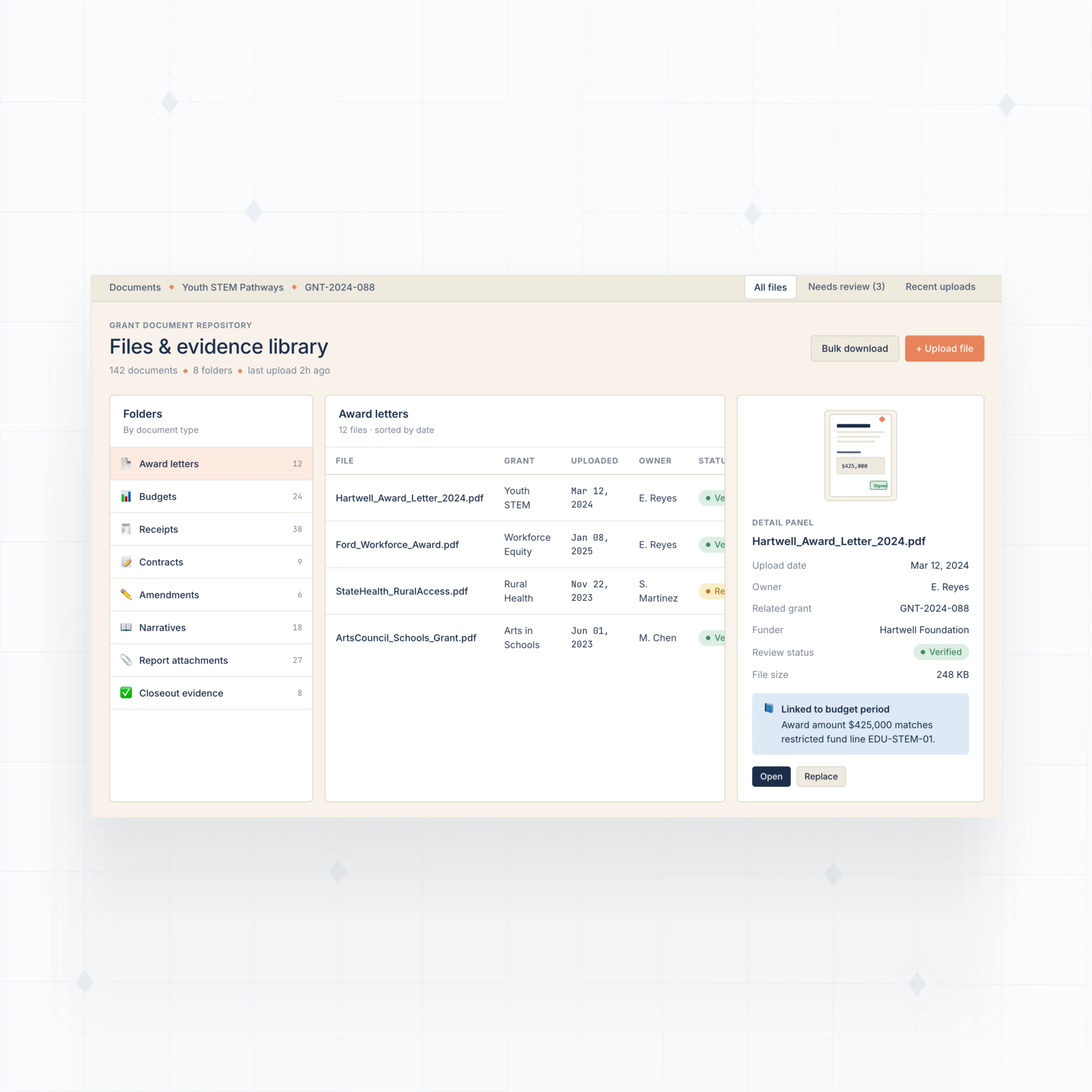
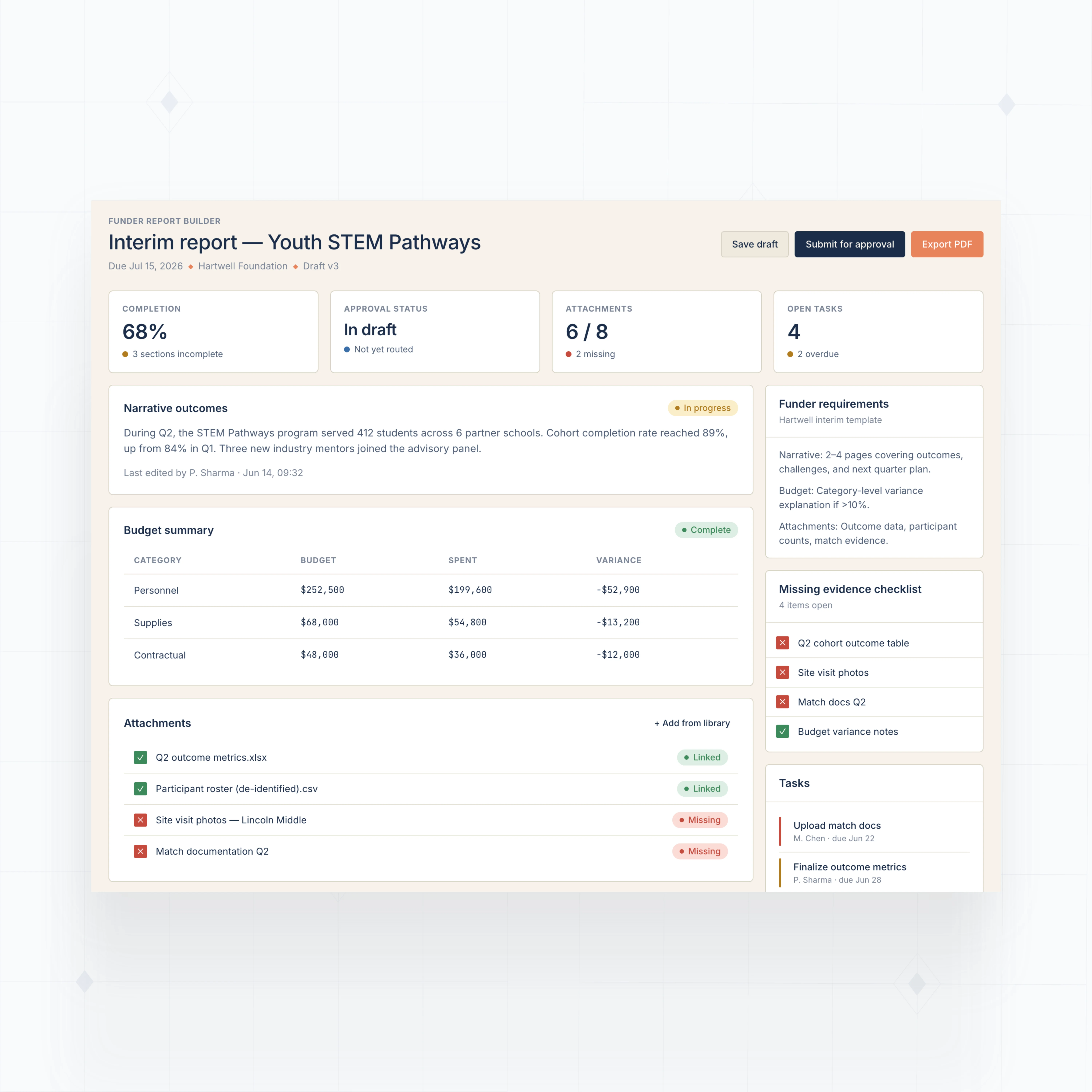
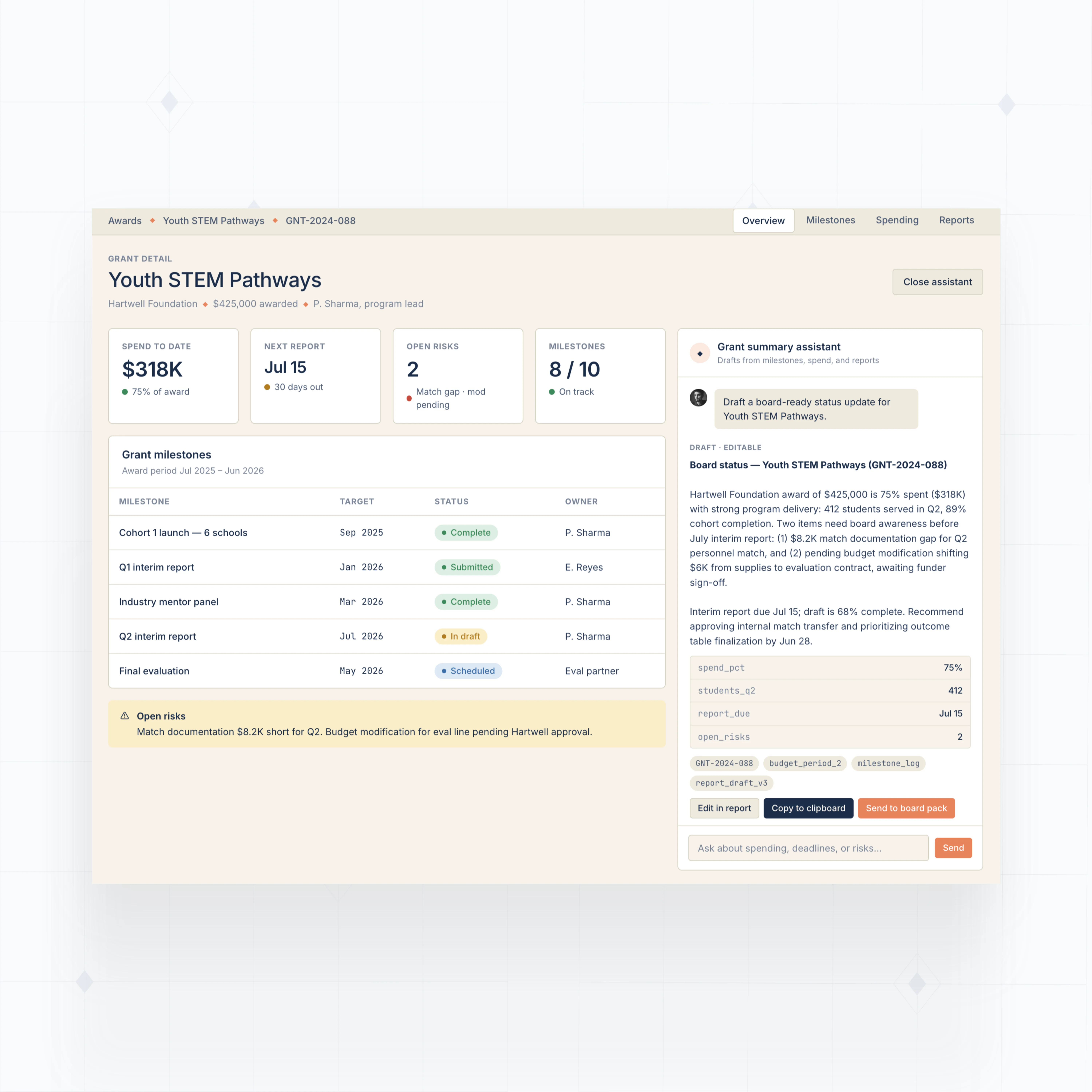
With WeWeb AI, build dashboards, calendars, approval screens, document views, funder reports, and budget tracking around the way your nonprofit manages grants.
" Adopting WeWeb’s no-code platform has revolutionized how we approach application development. It’s not just about speed; it’s about empowering our teams to deliver more innovative, secure, and compliant solutions faster and more effectively than ever before "

Build the grant operations layer your nonprofit needs
The standards of code, with no-code.
Ship a grant workspace your team can trust
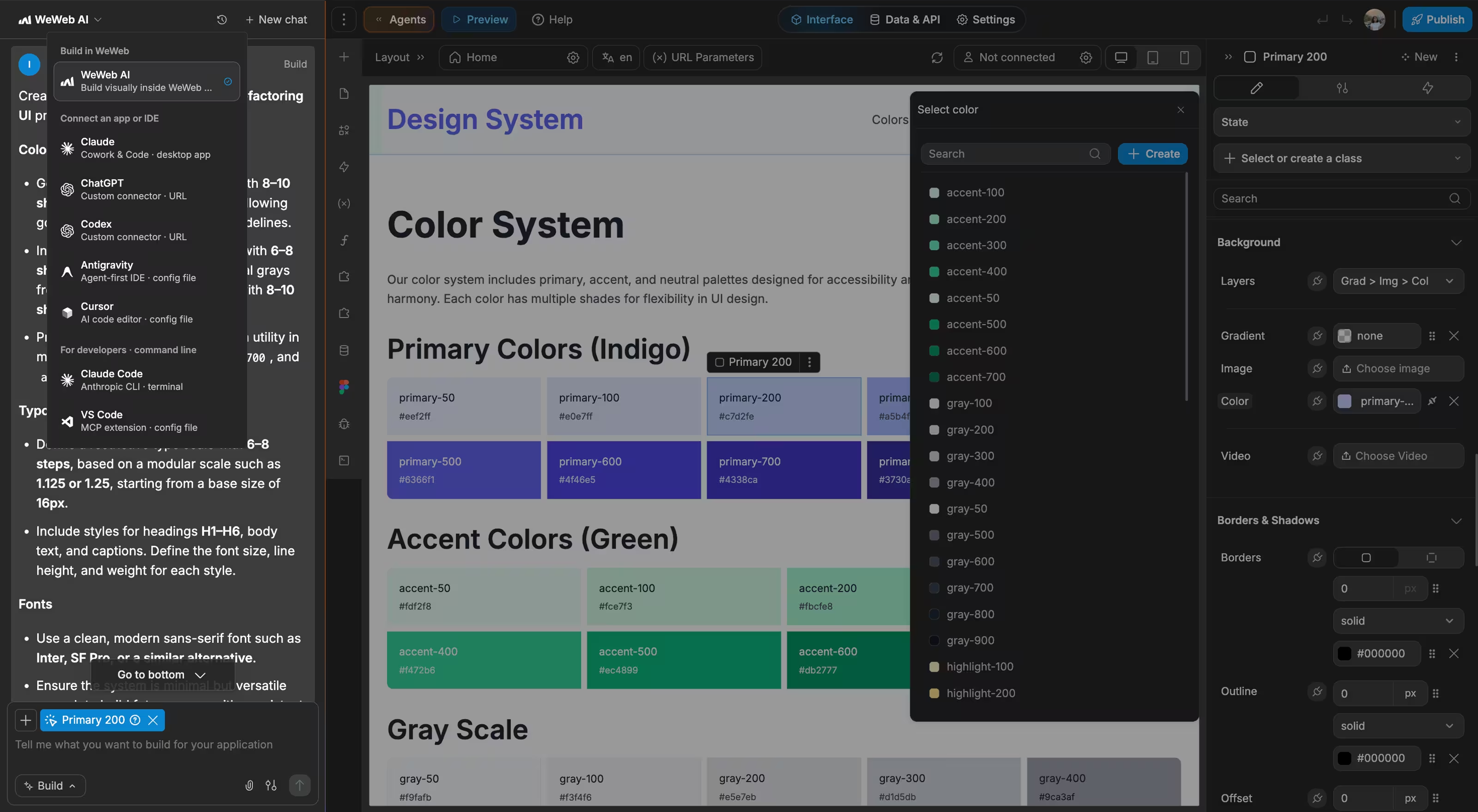
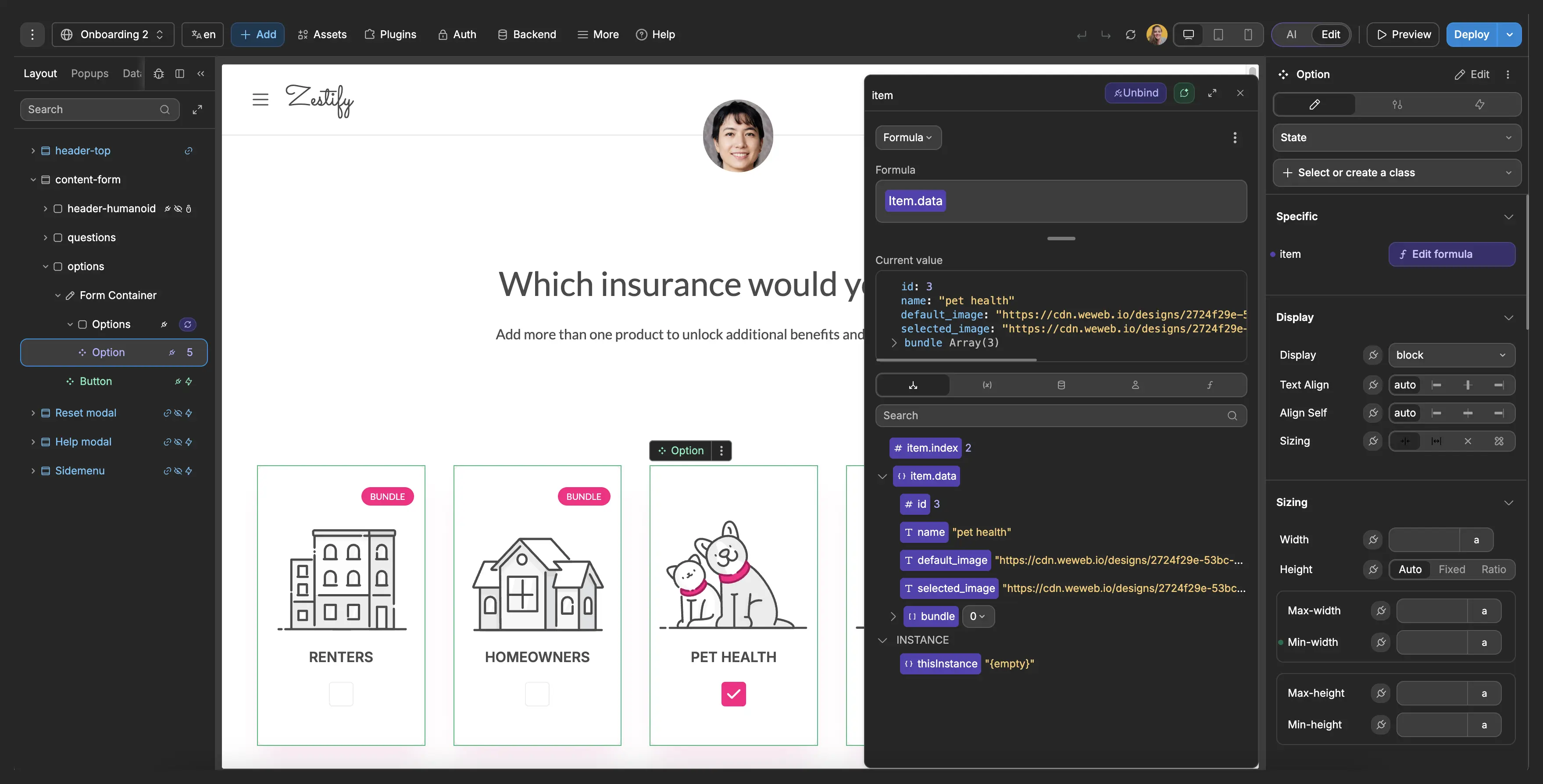
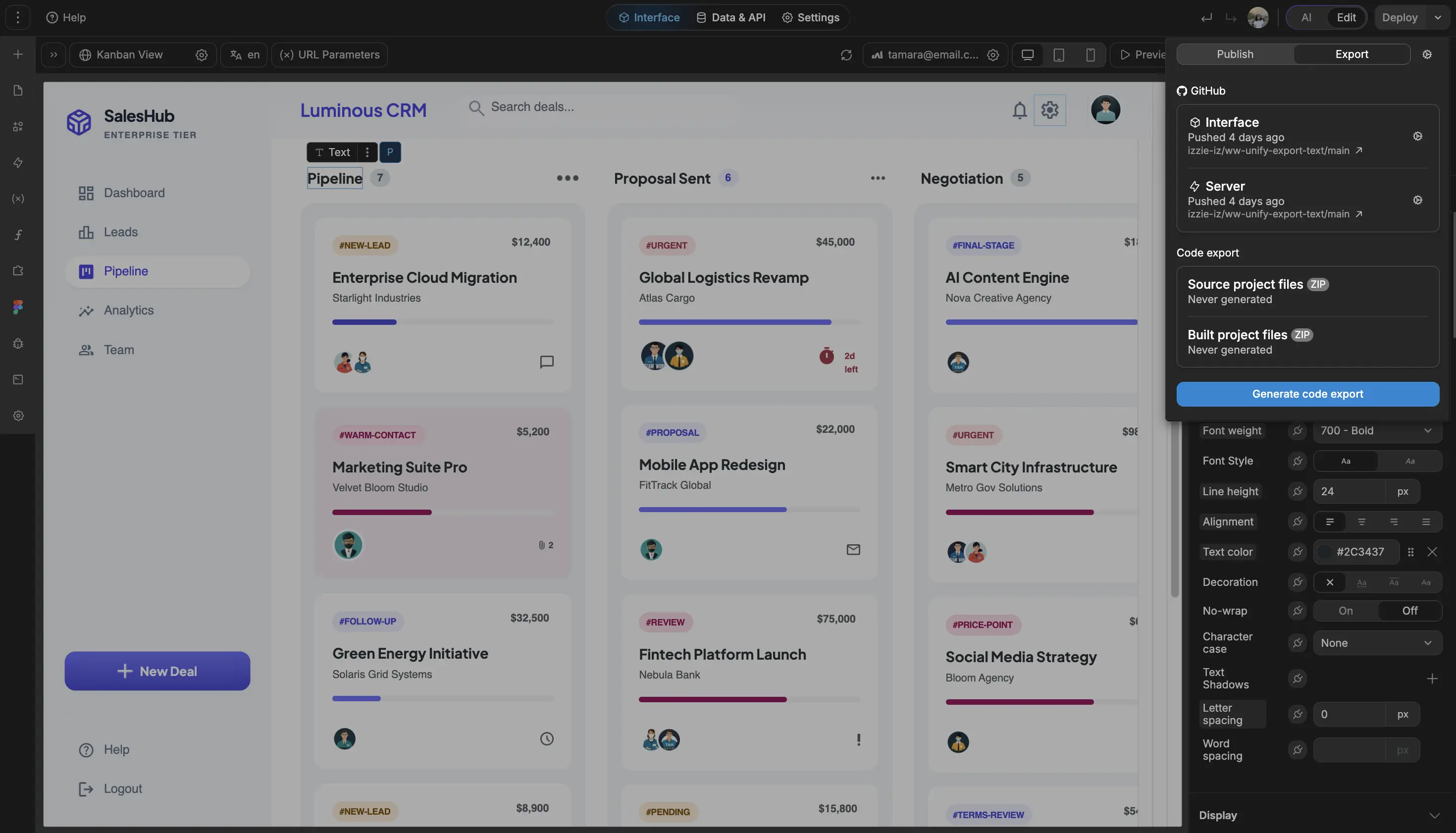
With WeWeb and Xano, clients keep ownership of the application and the data, and they can maintain it internally or work with another partner later.

FAQs
Yes. With WeWeb, you can build the operational interface for a nonprofit grant management system using AI and no-code, then connect it to the backend or database your team already uses.
That means you can create dashboards, forms, approval screens, deadline calendars, report views, and role-based workspaces without starting from a blank development project.
The important part is scope. WeWeb helps you build the app experience around your grant data and workflows. Your team should still define the data model, access rules, and compliance process for how grant records are stored and governed.
Yes. You can build grant calendars, task boards, report checklists, renewal reminders, and closeout workflows around each award.
In WeWeb, those views can connect to grant records, funder requirements, assigned owners, reporting due dates, budget periods, documents, and approval status. Teams can see what is due, who owns it, and what evidence still needs to be attached.
This is especially useful after the award is signed, when the work shifts from proposal tracking to allowable cost documentation, funder-specific reports, budget changes, approvals, and audit preparation.
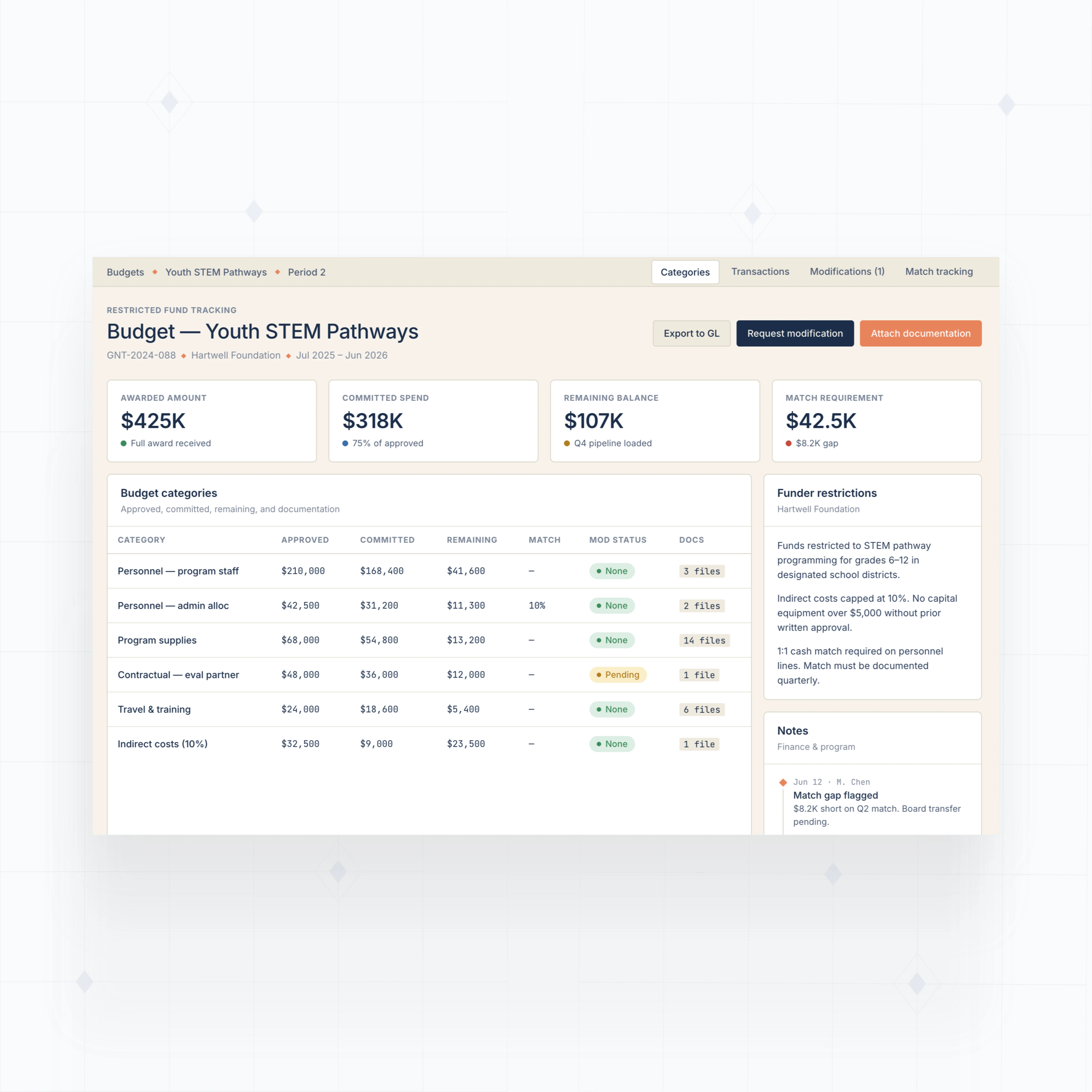
Yes, if your backend stores the right budget and transaction data. WeWeb can give your program, finance, and grants teams a clear interface for restricted funds, budget categories, spend status, and documentation.
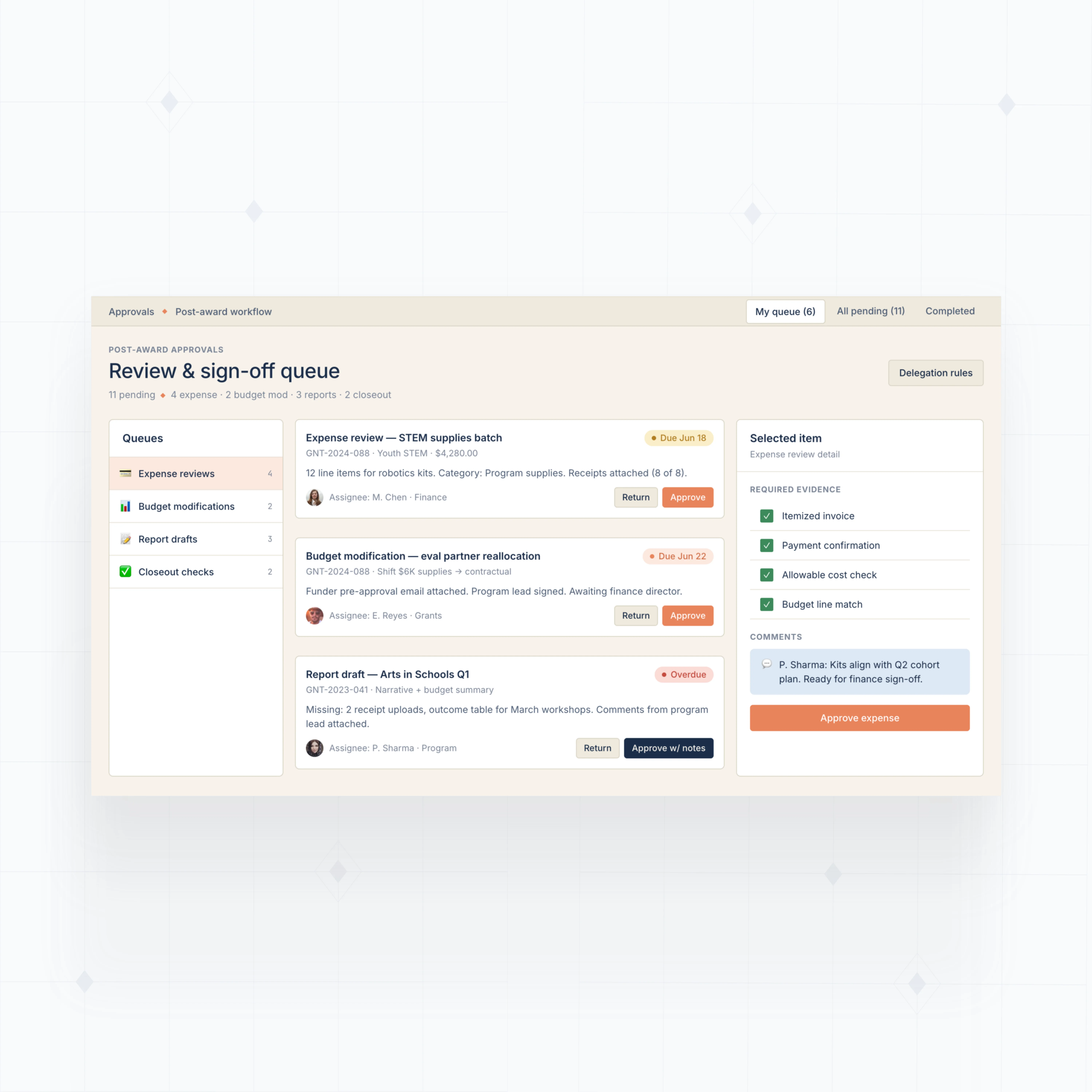
You can build views for awarded amount, approved budget, committed spend, remaining balance, match requirements, budget modifications, and supporting files. You can also create review screens for finance approvals before expenses are marked ready for reporting.
WeWeb is not a certified grant compliance product. It is a flexible way to build the workspace around your data model, accounting system, and internal controls.
Yes. WeWeb can connect to WeWeb Tables, Supabase, Xano, Airtable, Google Sheets, REST APIs, GraphQL endpoints, and other backend systems, depending on how your organization stores grant data.
That lets you build one grant workspace that pulls together proposal status, award details, document links, payment milestones, budget data, tasks, and report exports. Instead of searching spreadsheets, inboxes, calendars, and shared drives, teams can work from one interface.
For sensitive financial or funder data, keep the source of truth in the backend you control, then use WeWeb for the user-facing app screens, workflows, and reporting experience.