Build a Construction ERP With AI and No-Code
Stop reconciling job costs, field updates, and change orders across disconnected tools. WeWeb helps you build construction ERP workflows around how your projects actually run.
Trusted by founders & Fortune 500s
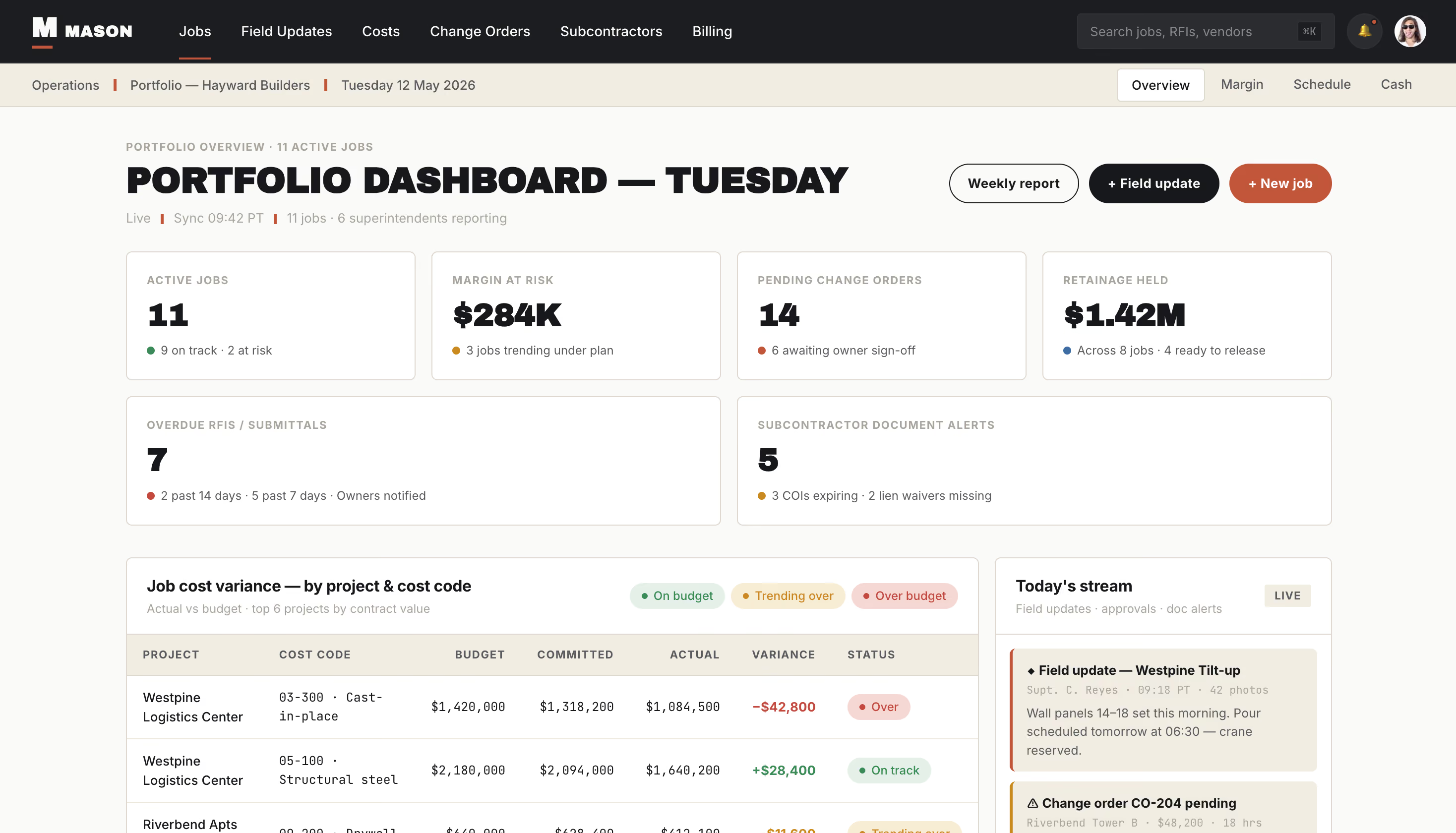
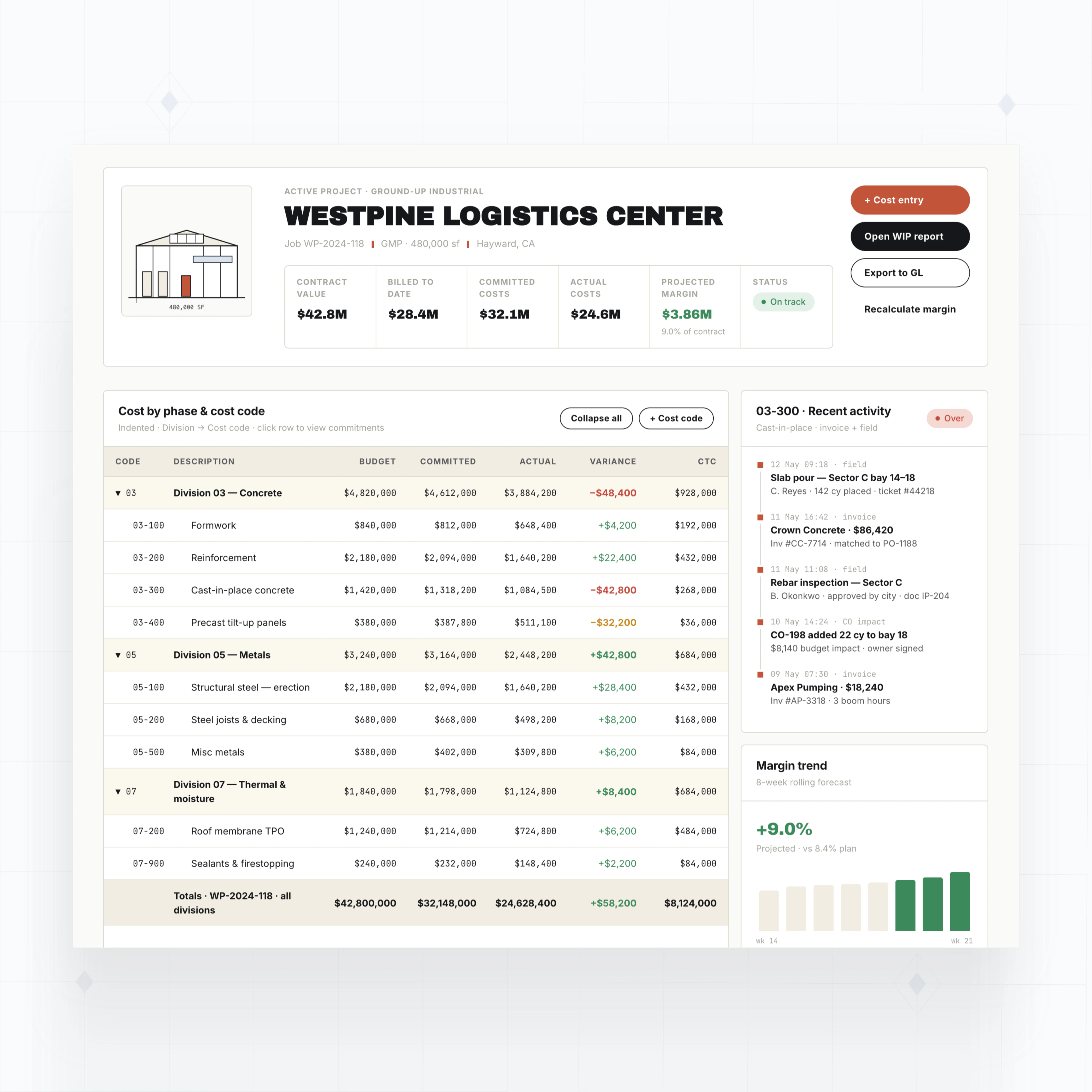
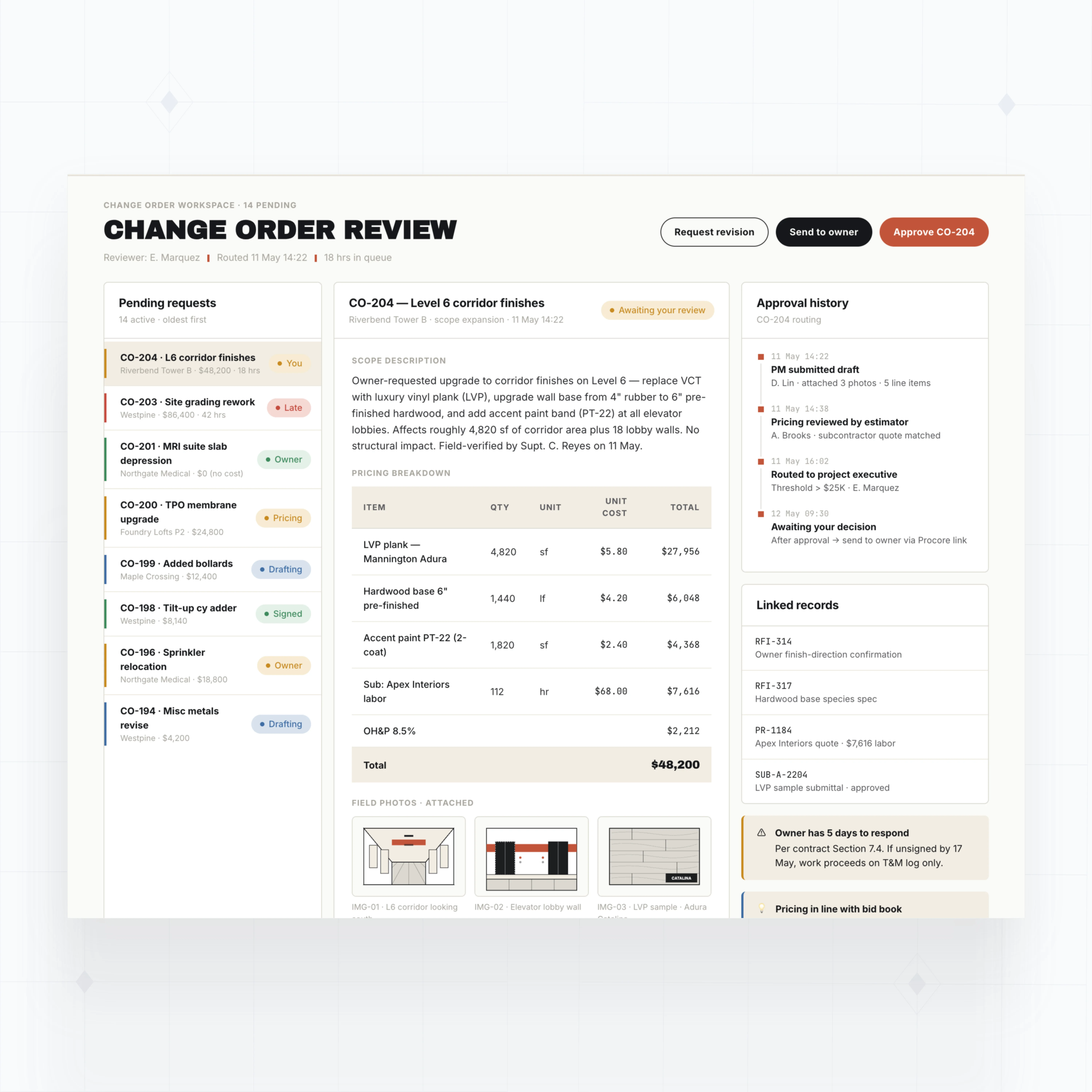
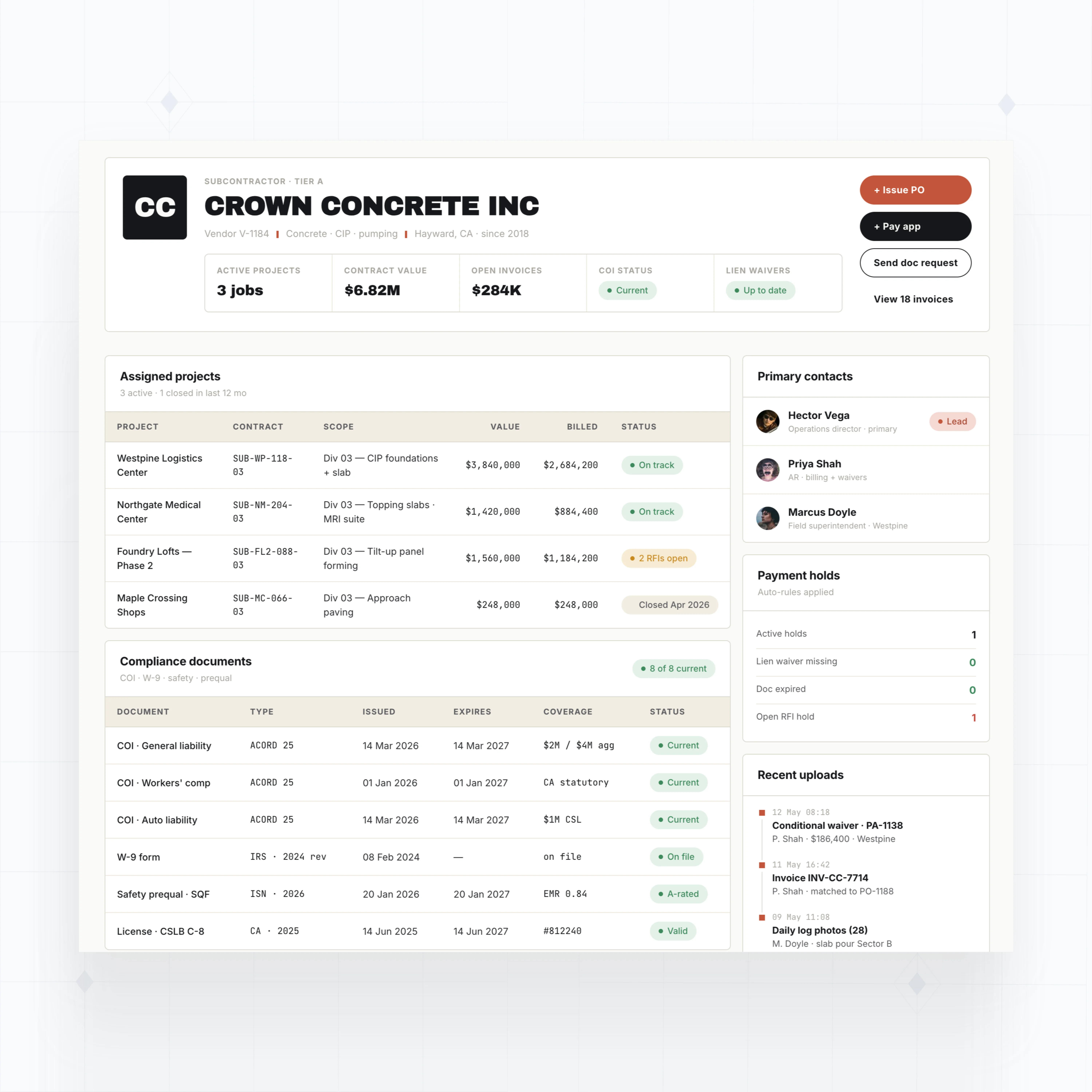
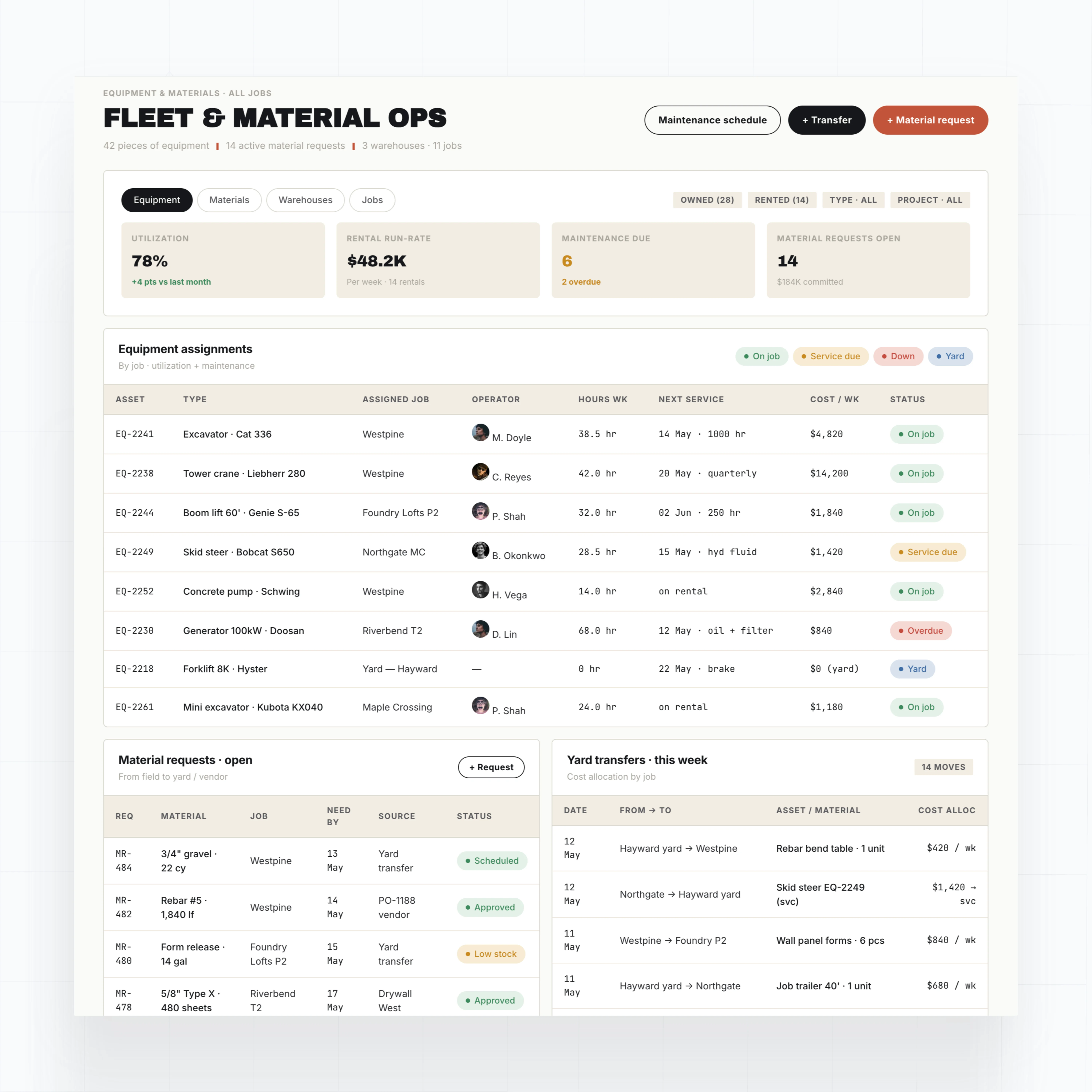
Build construction ERP modules around each job
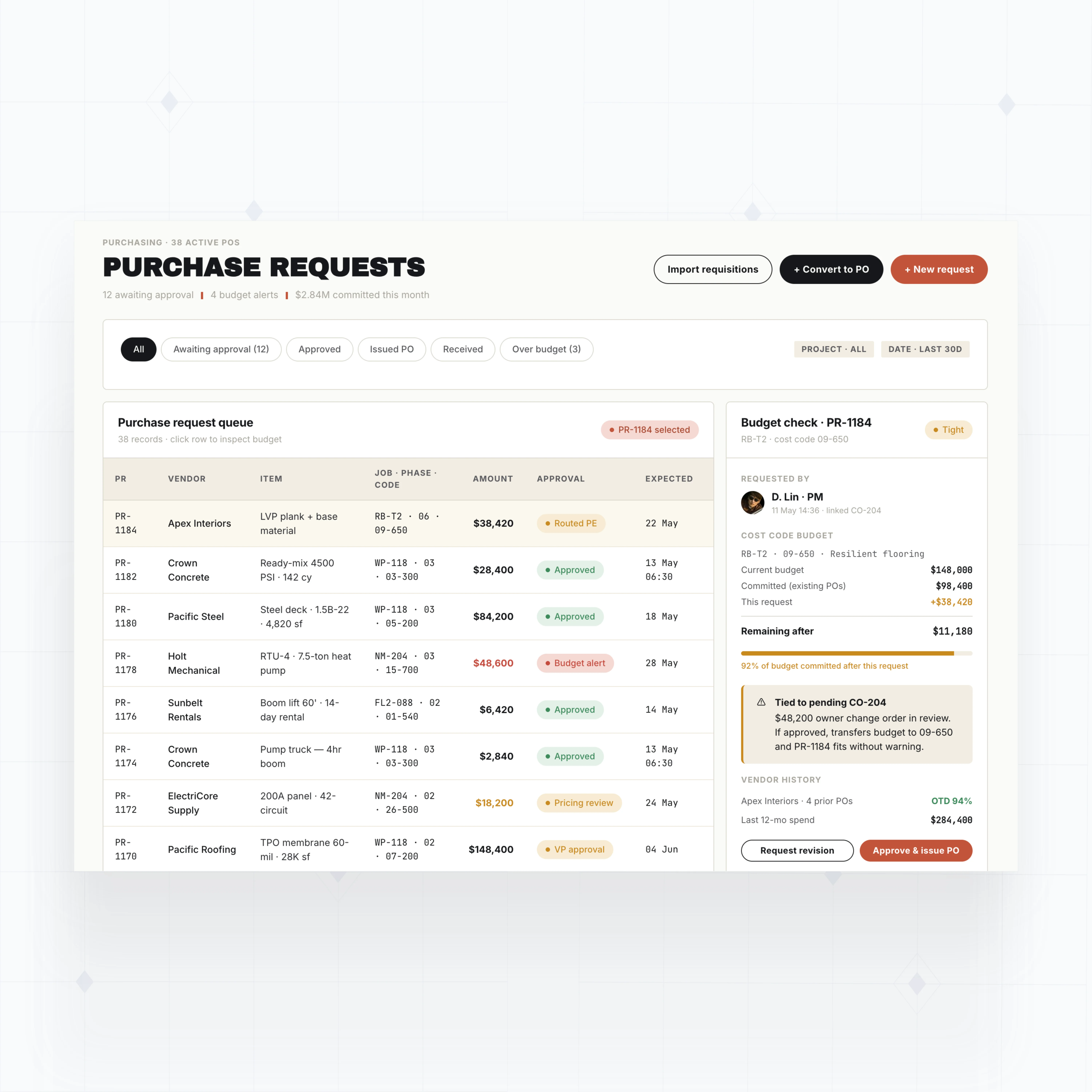
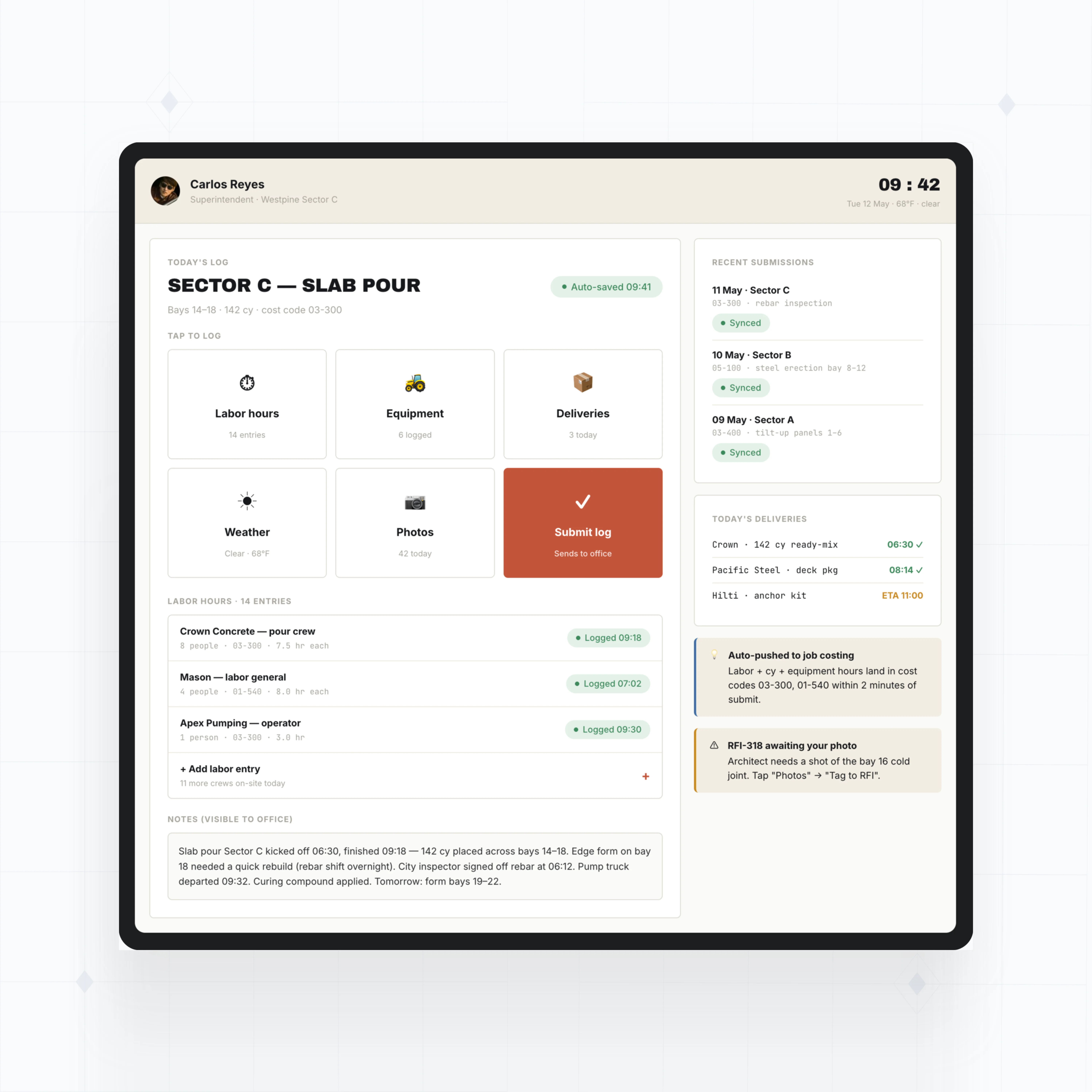
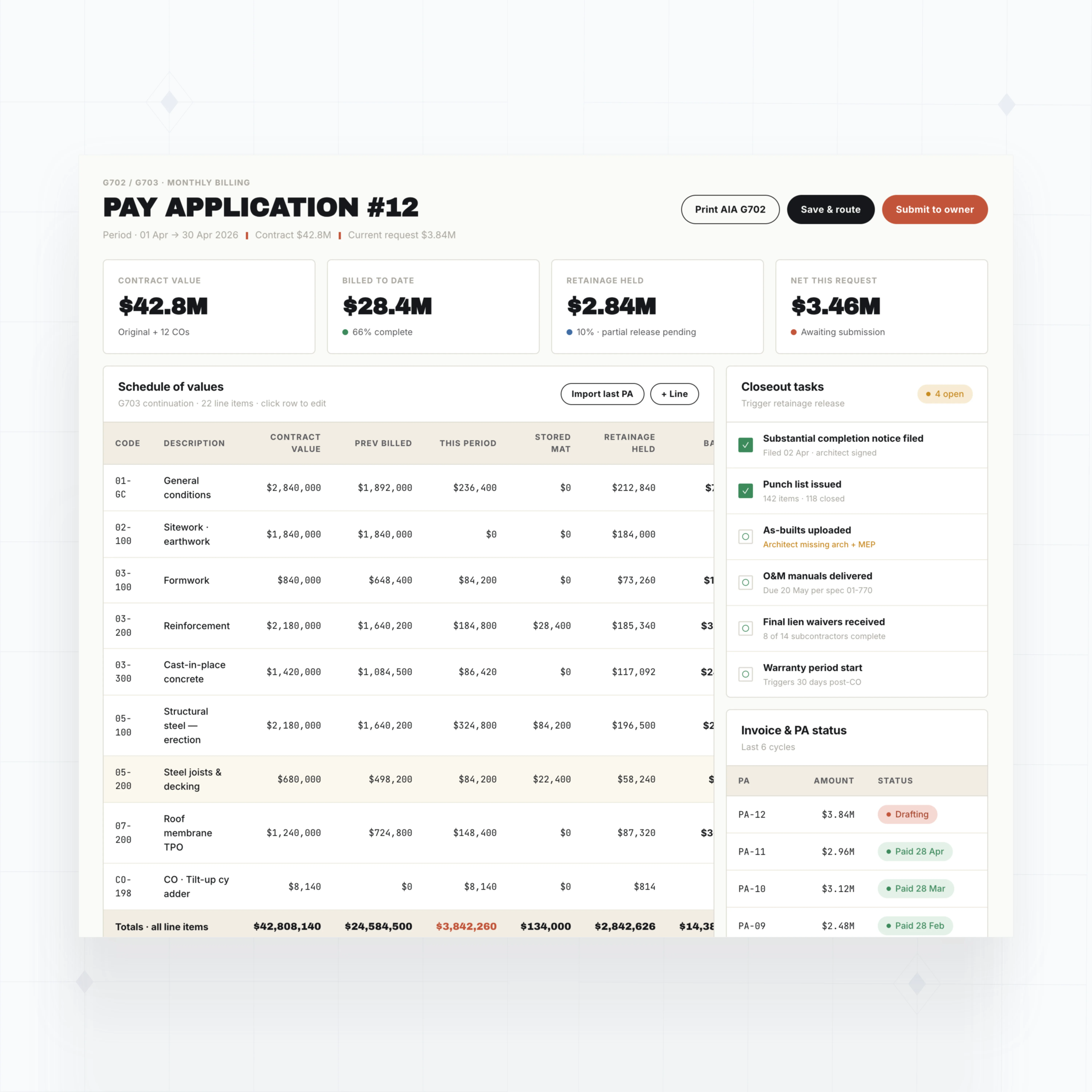
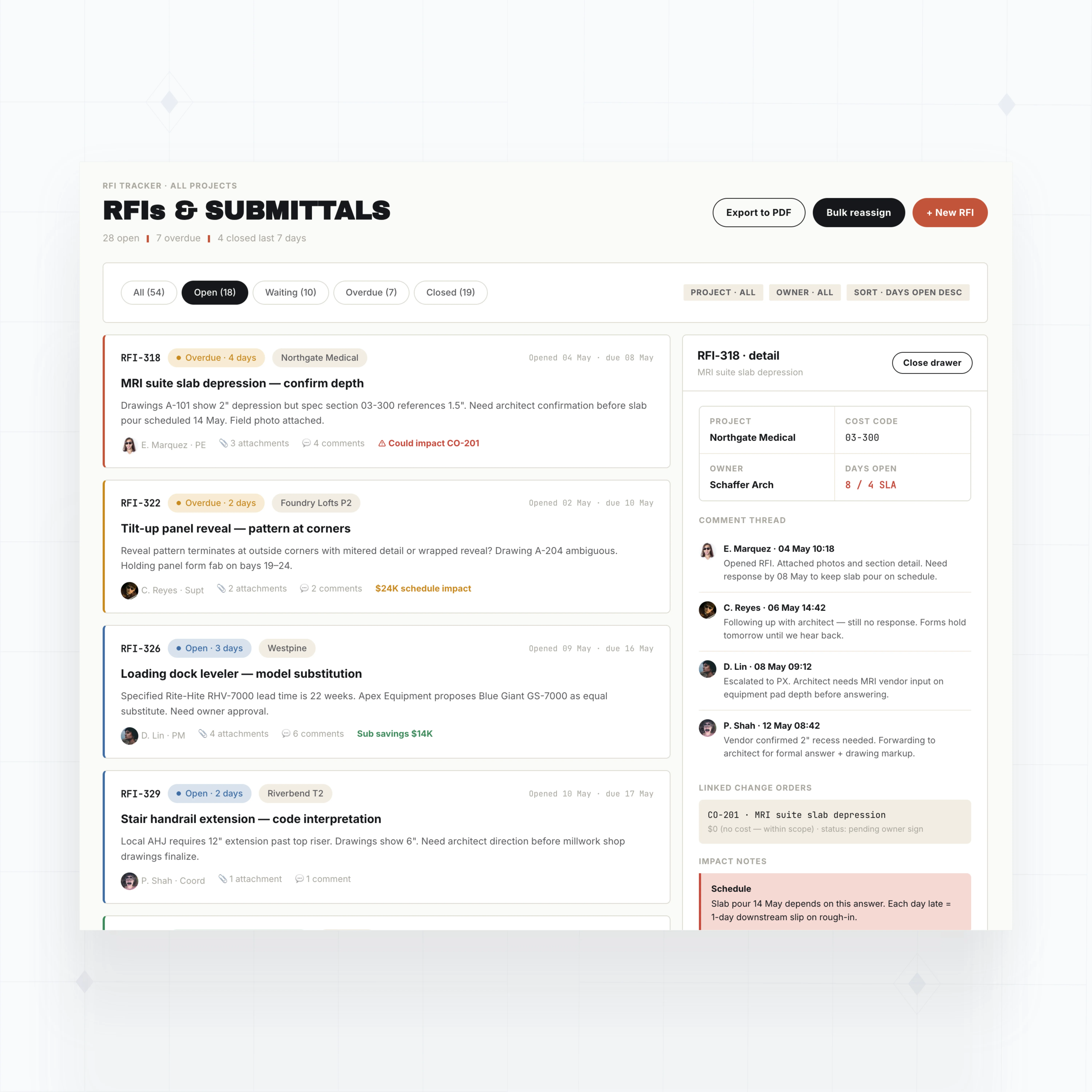
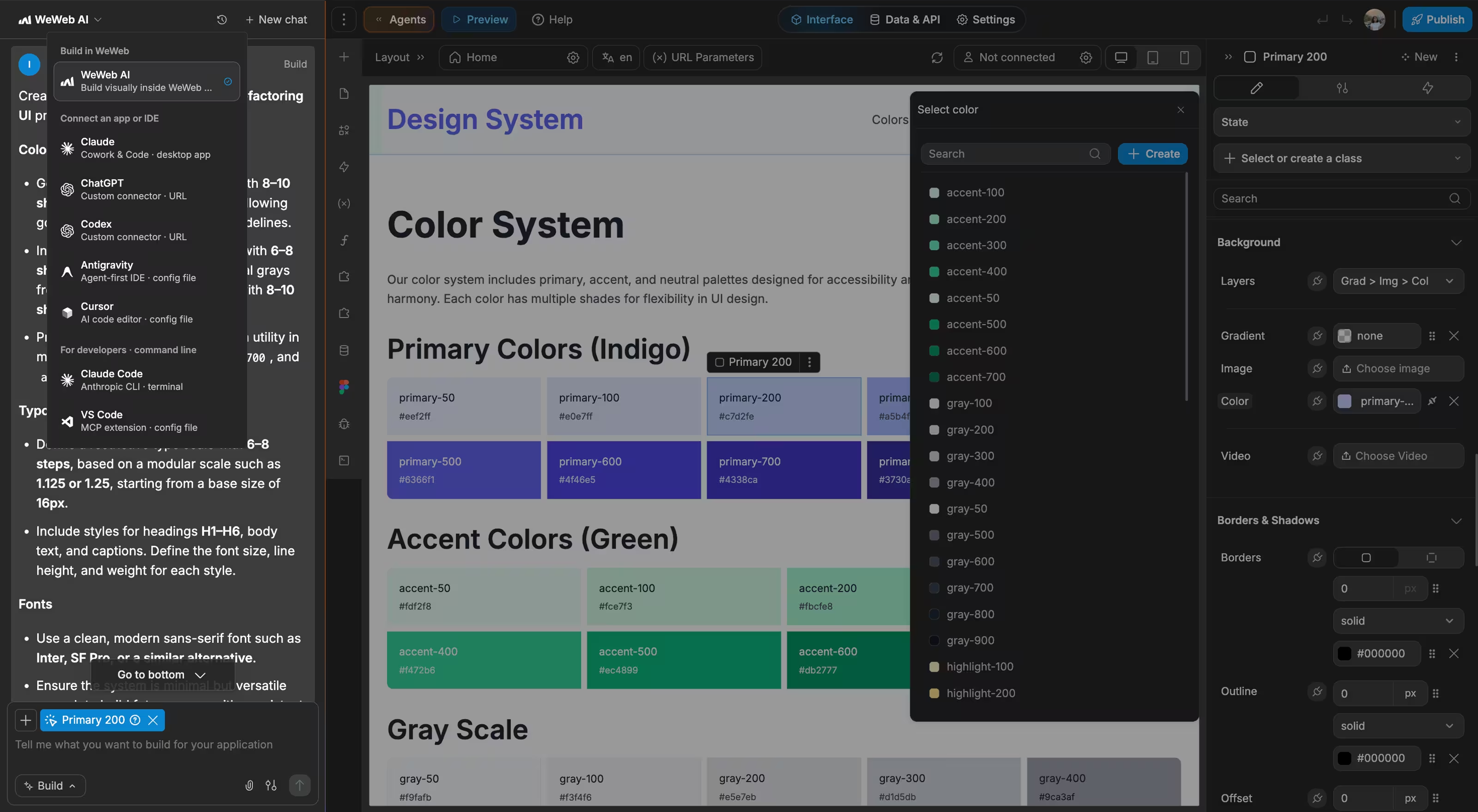
With WeWeb AI, build job costing, field updates, subcontractor records, change orders, purchasing, billing, and dashboards that match your construction workflow.
With WeWeb, we can separate responsibilities more clearly. One person can focus on the backend, and another can work on the frontend without stepping on each other’s work.

Production-grade infrastructure for construction ERP
The standards of code, with no-code.
Launch your first job module this week
We knew this project would require a top-tier tool (like WeWeb) to handle the scale of a nationwide broadcast and meet TF1’s strict requirements. They wanted full control over hosting and infrastructure, with no dependency on proprietary platform servers.

FAQs
Standard construction ERP software can work well when your estimating, field operations, purchasing, billing, and accounting all follow the vendor's model. Many contractors do not work that way. Jobs change daily, subcontractors send updates in different formats, and project managers often need views that accounting-first systems do not provide.
The problem is usually workflow fit. If job costs, change orders, purchase orders, RFIs, retainage, and field updates live across separate tools, your team spends too much time reconciling records instead of managing margin.
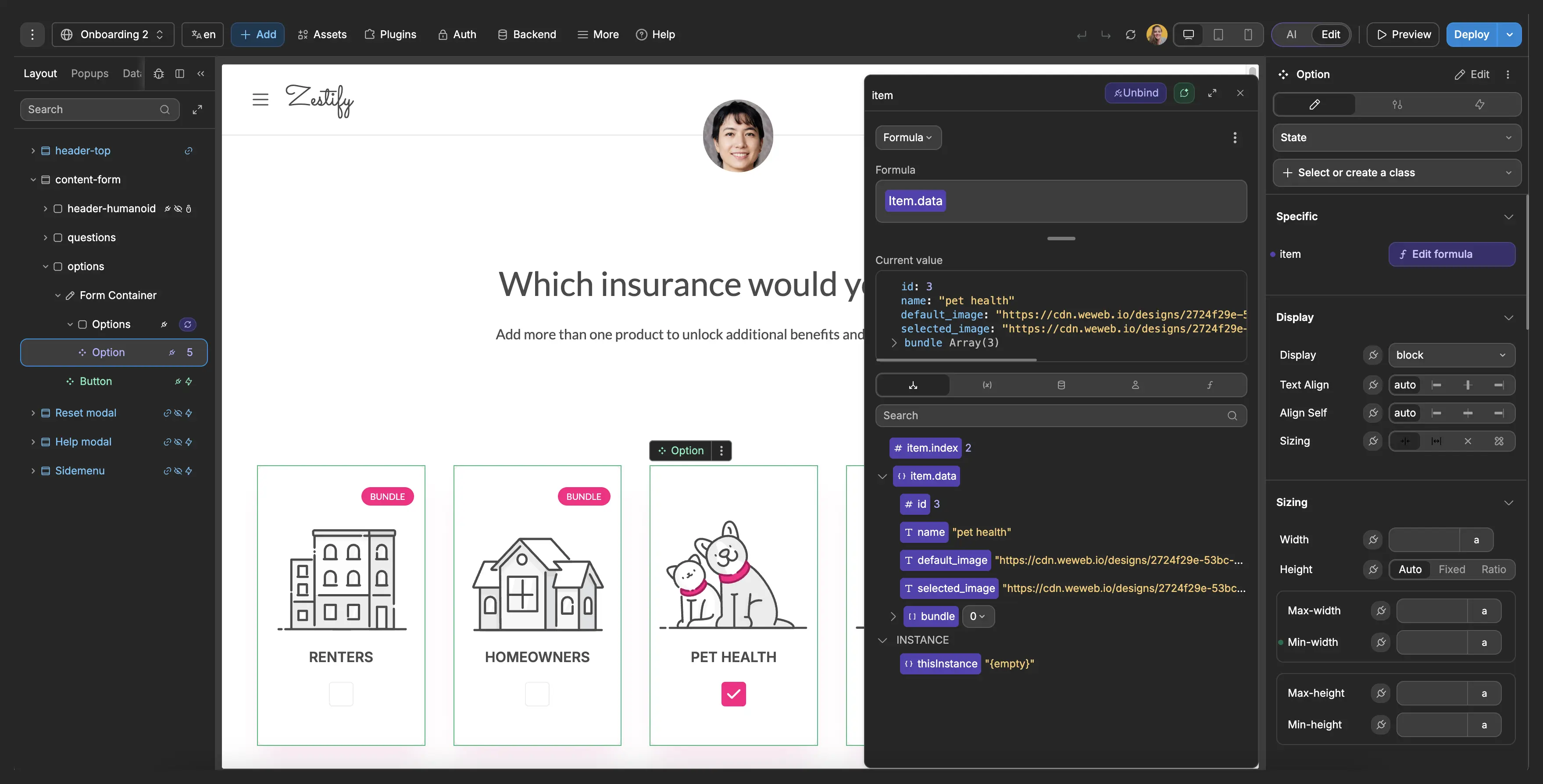
With WeWeb, you can build the construction ERP modules you need first, then connect them to your backend, accounting system, or project database. WeWeb AI can generate the first version, and your team can refine screens, fields, permissions, and workflows visually.
Yes. A custom construction ERP can connect field entries, labor hours, material usage, equipment logs, purchase orders, subcontractor invoices, and change orders to the job cost structure your team already uses.
With WeWeb, the interface can be designed around cost codes, phases, projects, commitments, and budget lines. Field teams can update daily logs from a simple mobile-friendly screen, while project managers and finance teams see the same data in job cost dashboards.
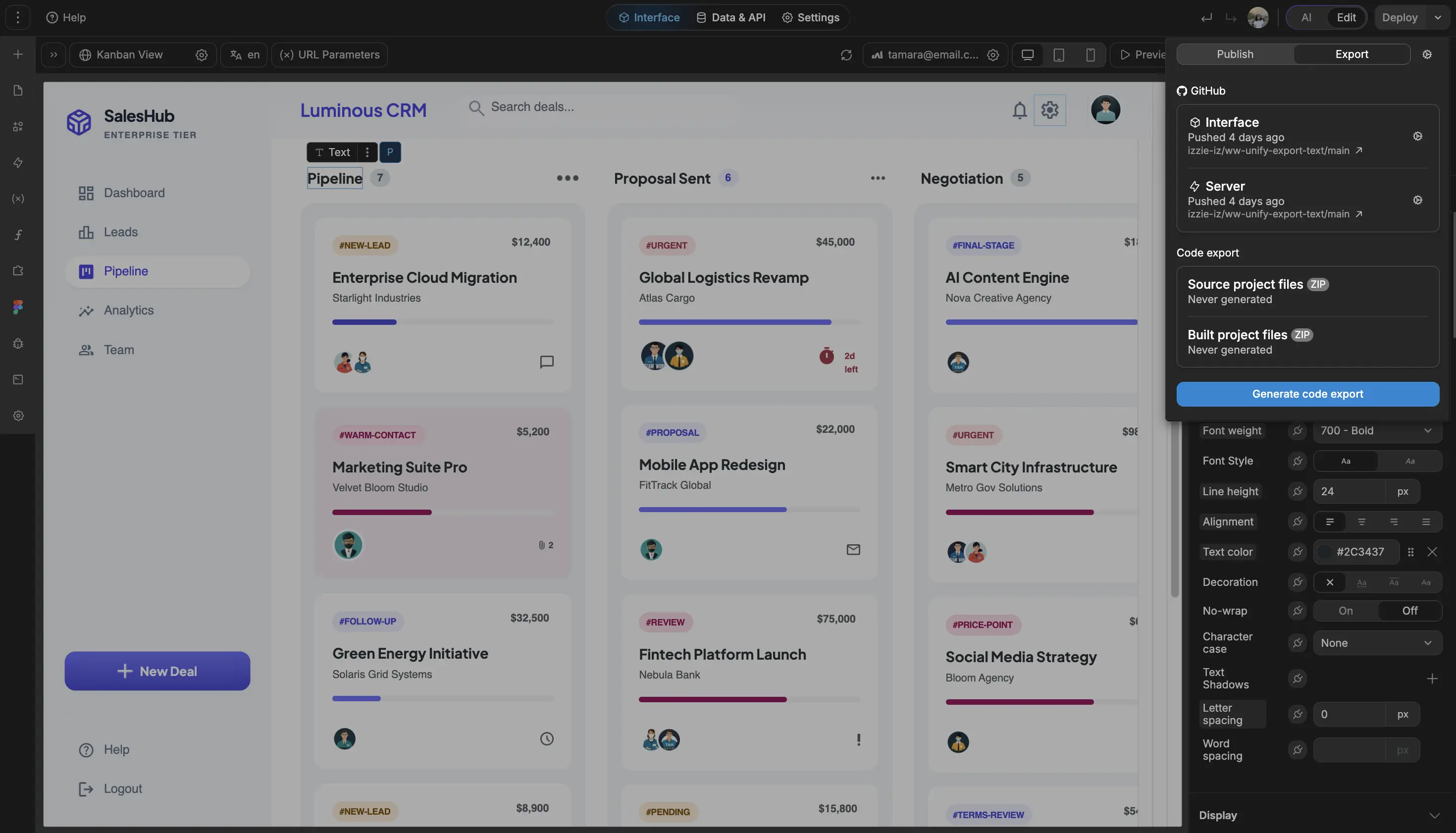
The logic can live in WeWeb backend workflows, WeWeb Tables, Supabase, Xano, or your existing system exposed through APIs. That lets you keep accounting where it belongs while giving operations a better way to capture work as it happens.
Yes, if those workflows are modeled clearly in the app. Construction teams can build request forms, approval queues, status dashboards, document uploads, and billing views around the way they manage changes and payments.
For change orders, you can track scope, pricing, approval status, attachments, budget impact, and billing readiness. For subcontractors, you can manage contacts, contracts, COIs, lien waiver status, invoices, and payment holds. For retainage, you can track retention balances, release dates, invoice history, and project closeout tasks.
WeWeb gives you the application layer. Your backend should enforce permissions, calculations, and any finance rules that need strict control.
Yes. Field adoption usually depends on keeping the interface simple. A superintendent should not have to use the same screen as accounting, and a subcontractor should only see the requests, documents, and statuses that apply to them.
With WeWeb, you can build role-based views for project managers, field supervisors, finance, executives, vendors, and subcontractors. Each role can get a focused interface for daily logs, RFIs, purchase requests, document uploads, approvals, or dashboards.
WeWeb does not charge per app user, so you can roll the app out to field users or external collaborators without every additional user changing your WeWeb bill.