Build a Law Firm Client Portal With AI and No-Code
Clients should not have to search email for case updates, documents, invoices, and next steps. WeWeb helps law firms build secure client portals around their matters and workflows.
Trusted by founders & Fortune 500s
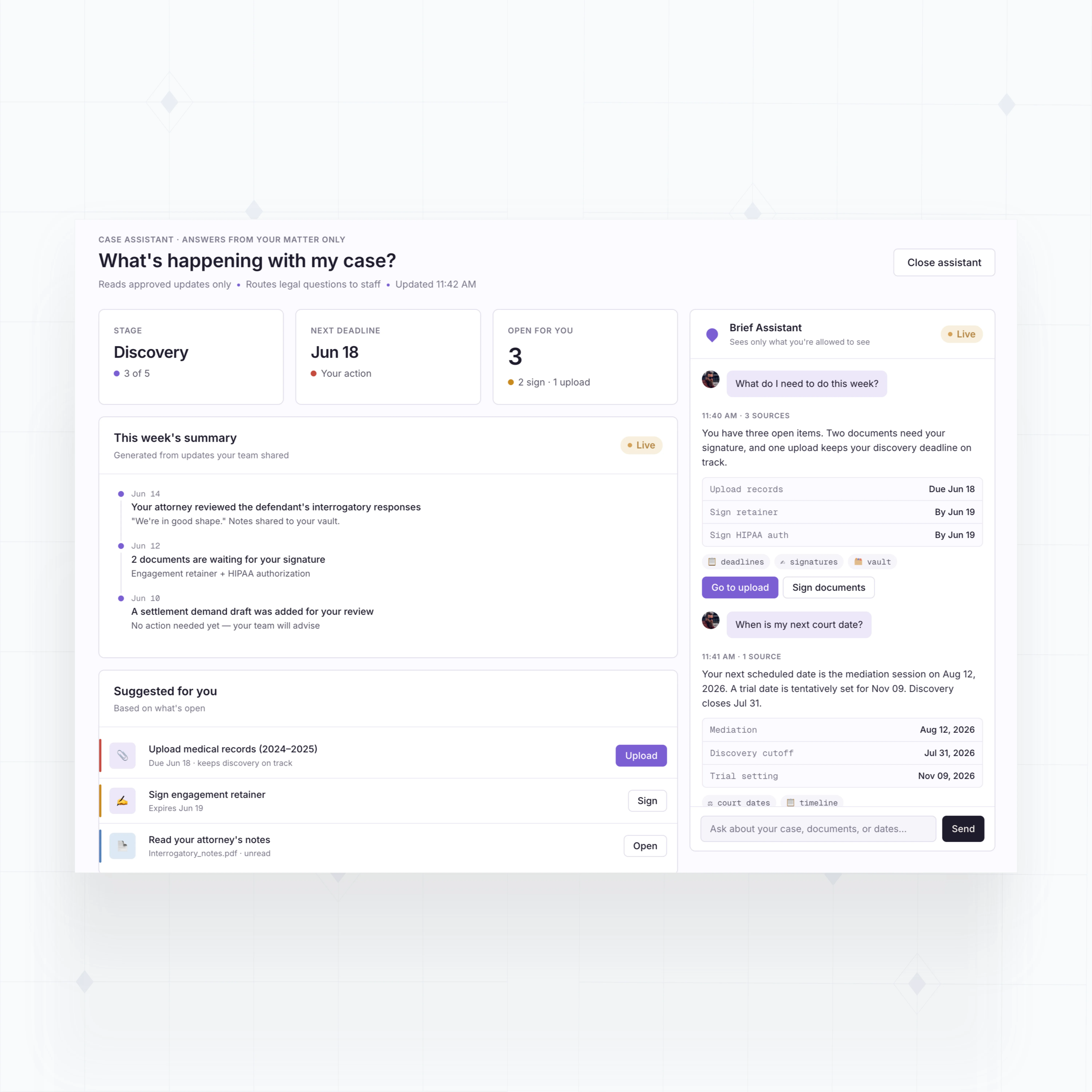
Add client portal features legal work requires
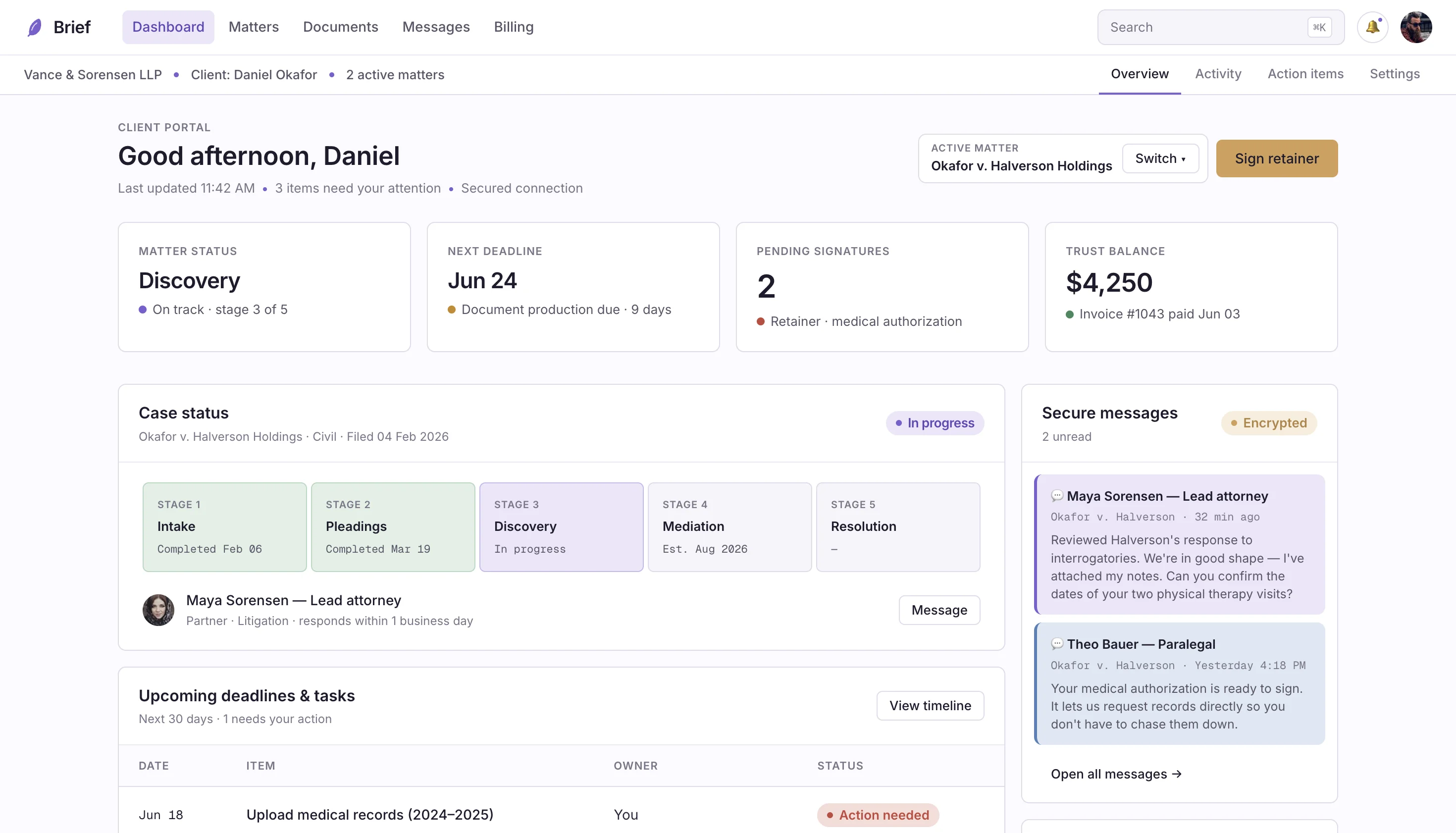
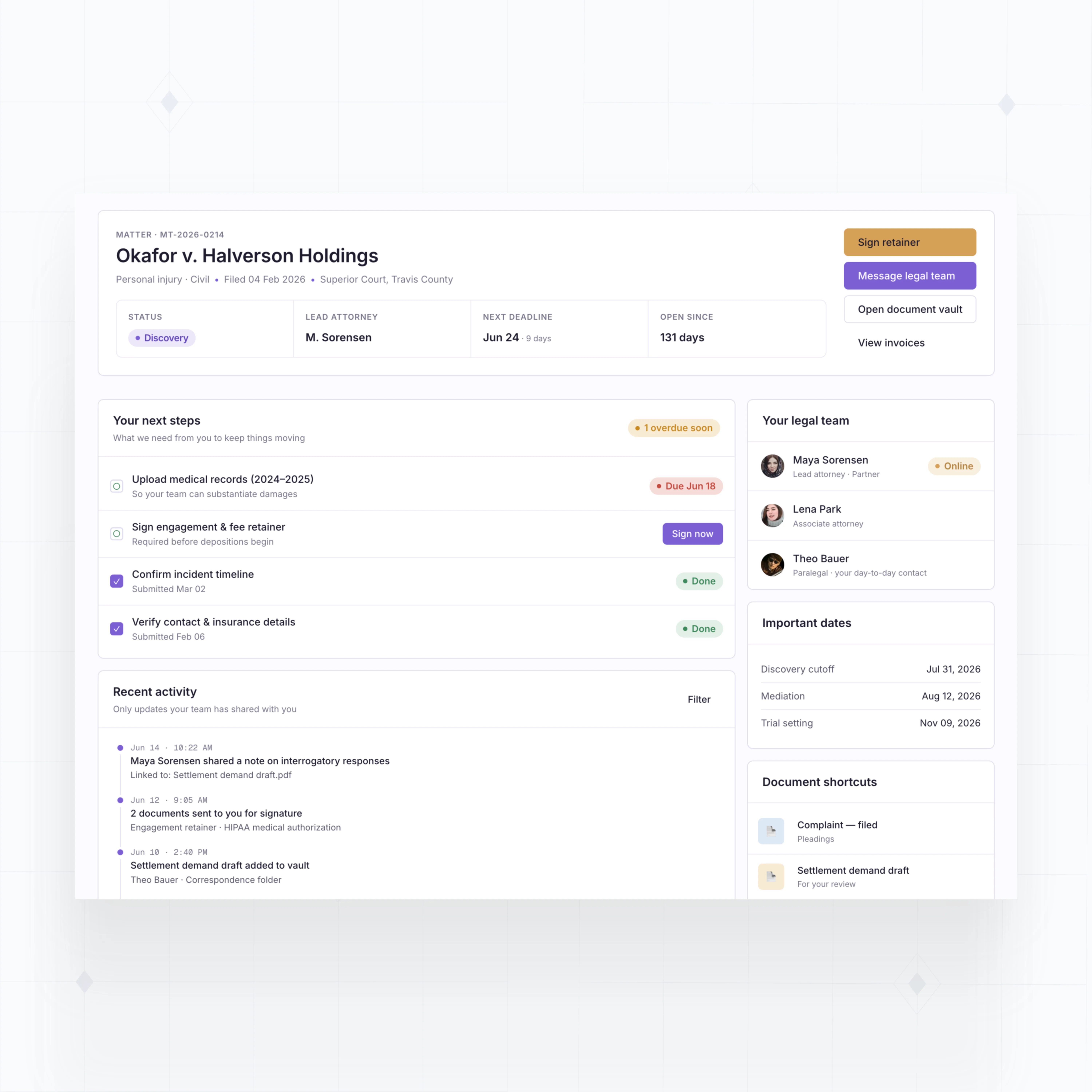
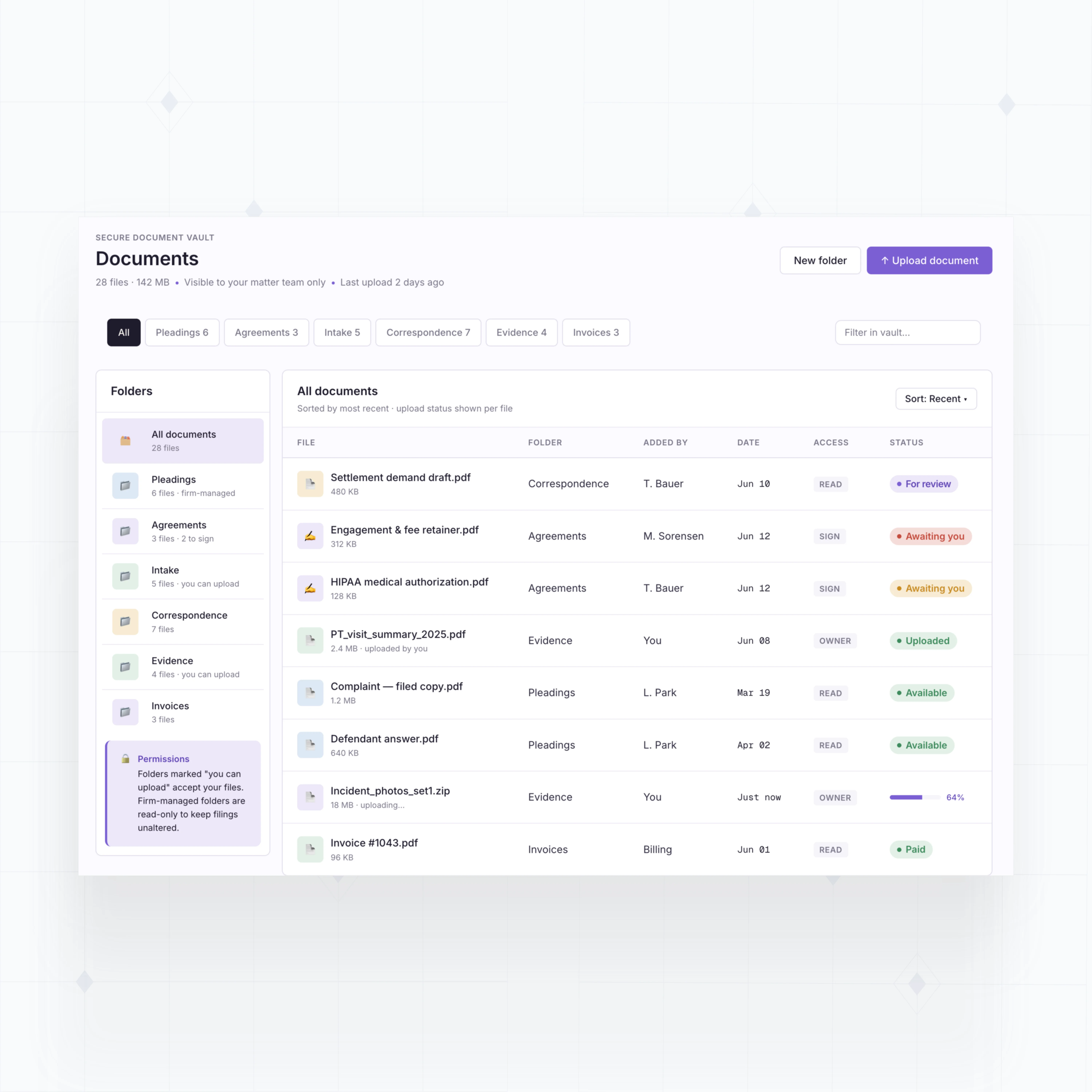
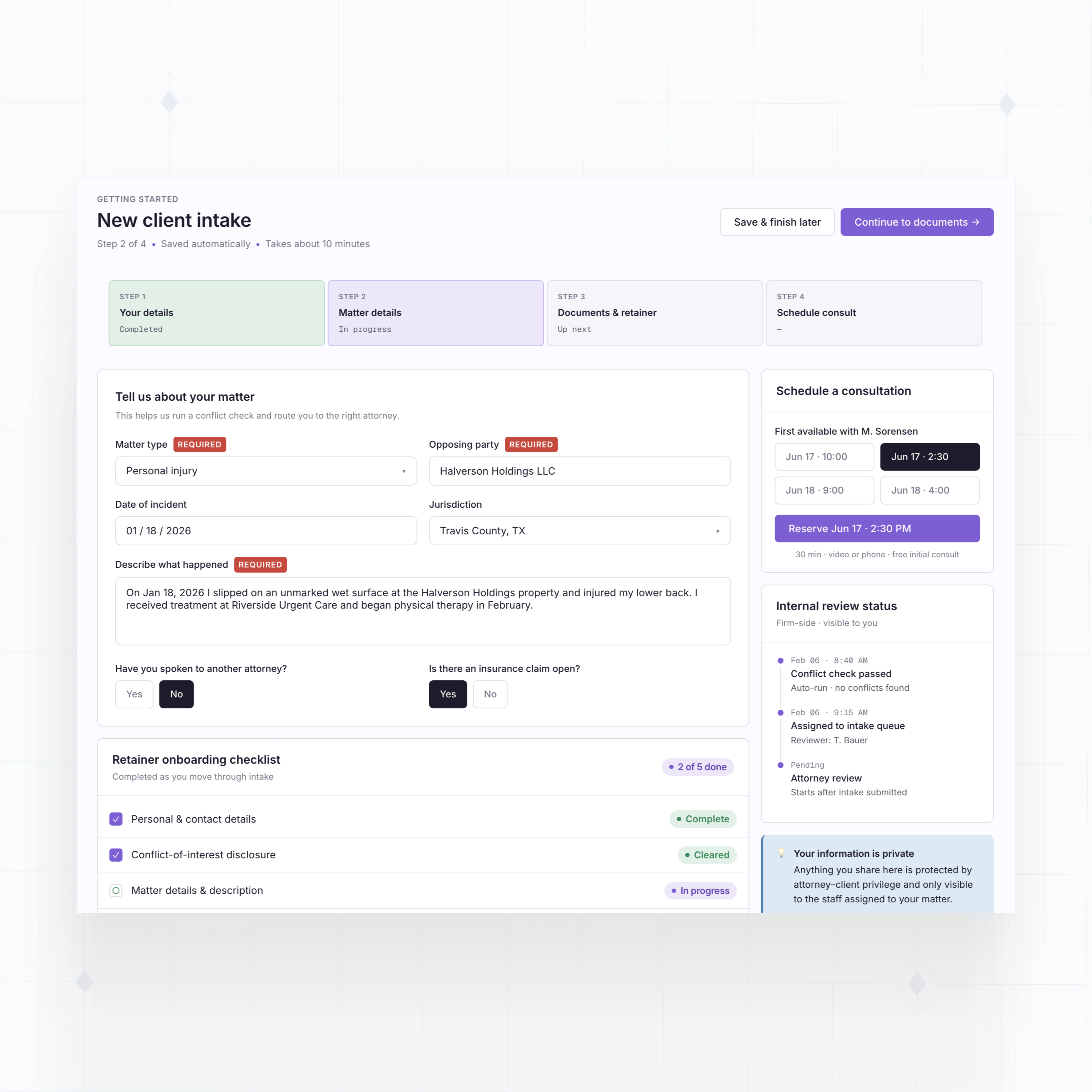
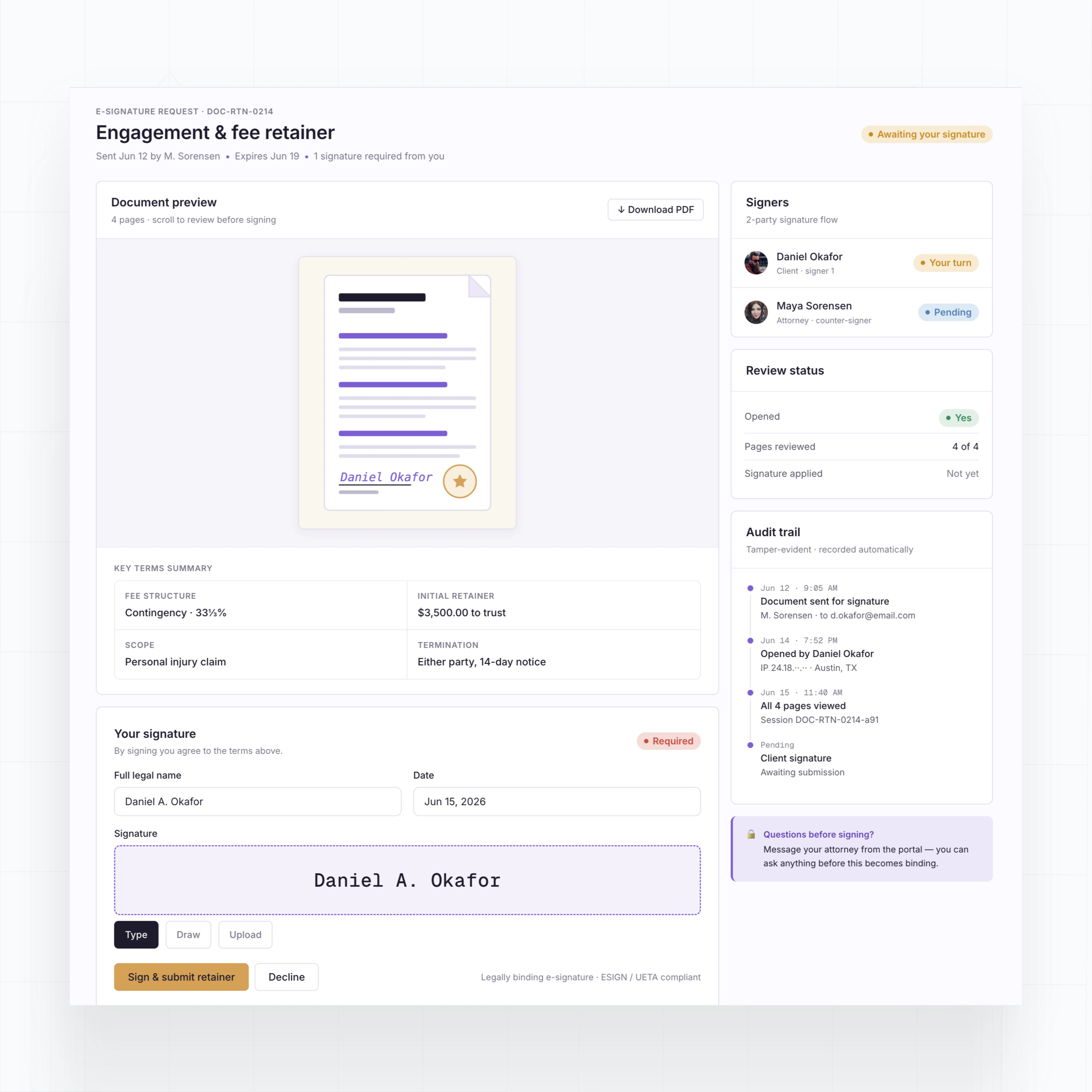
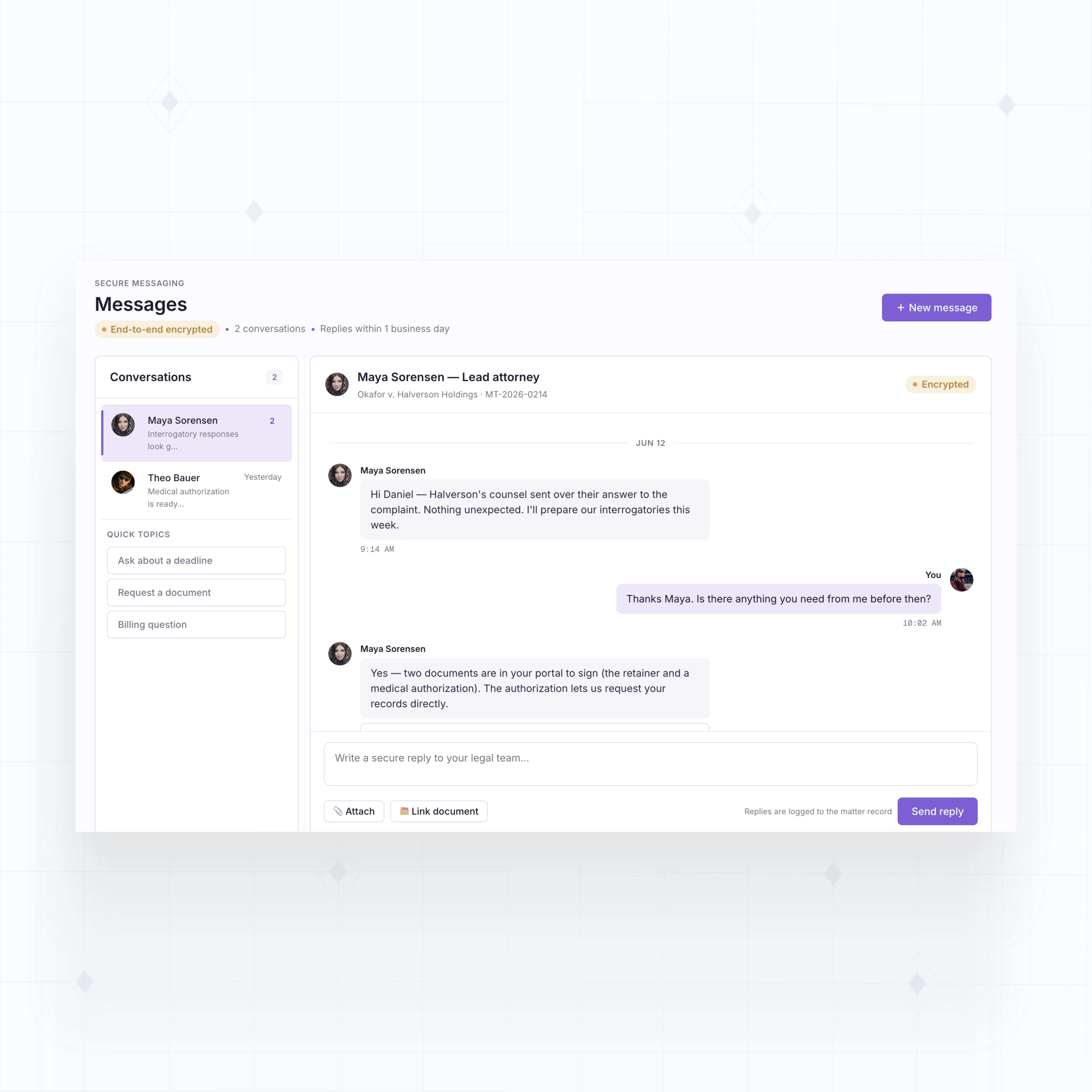
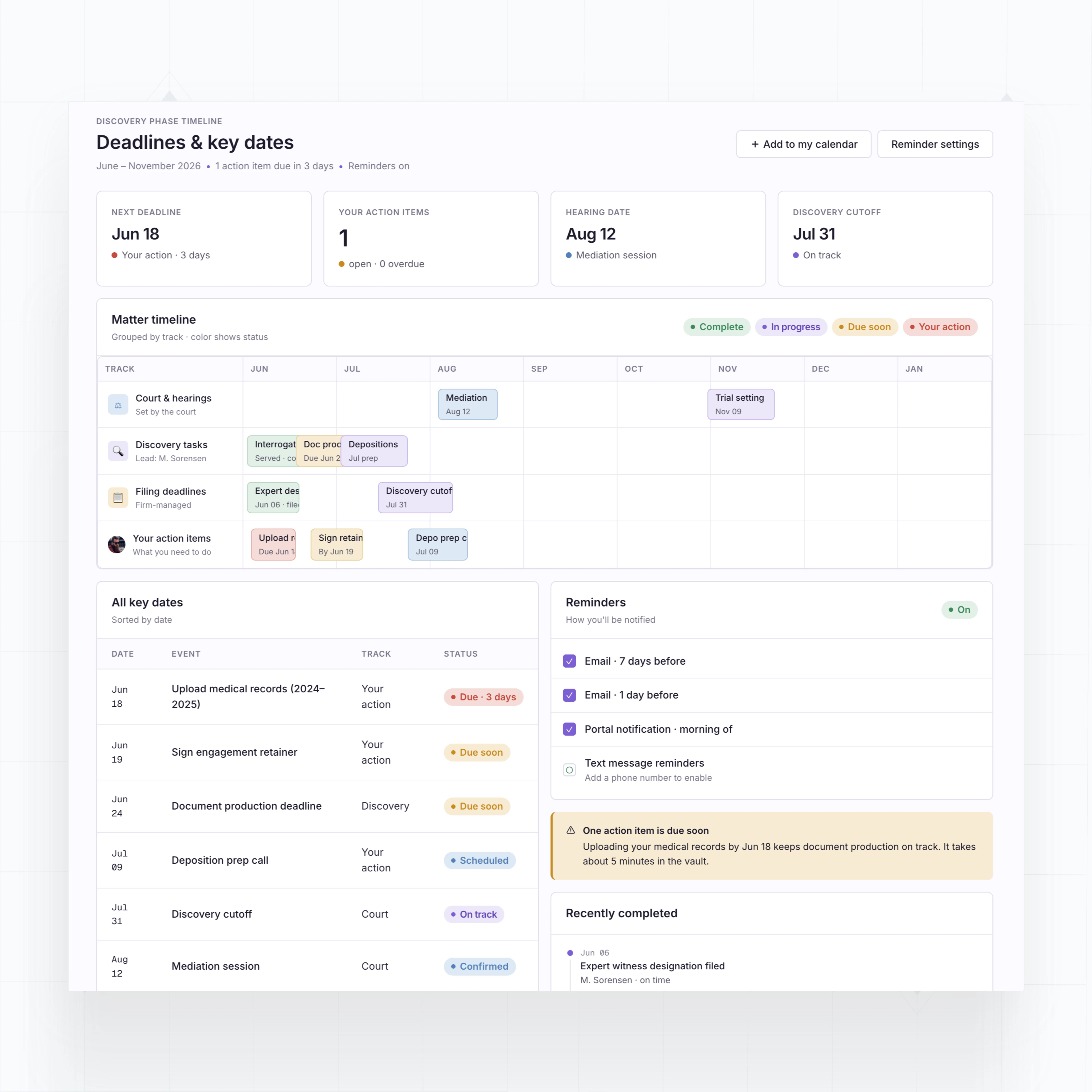
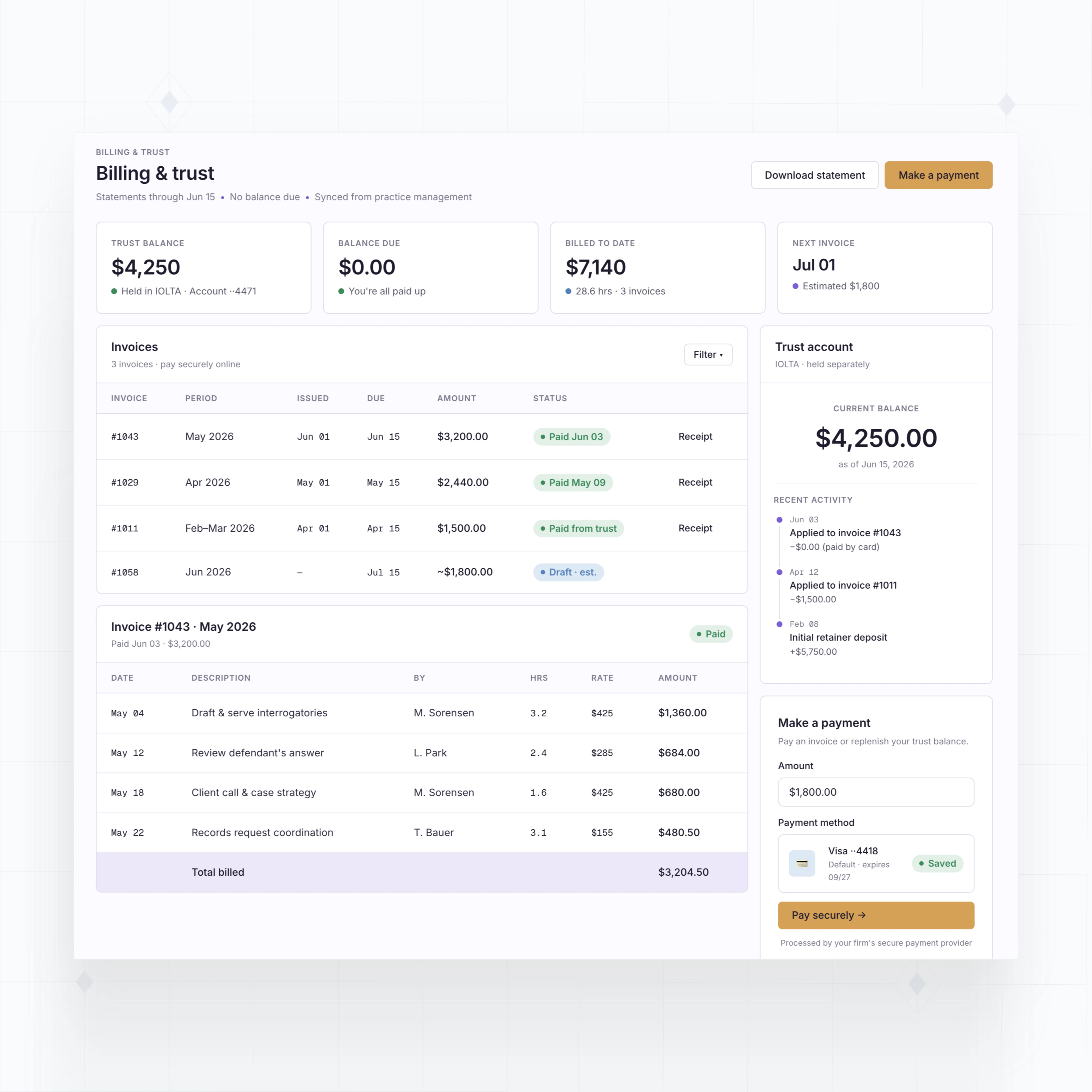
With WeWeb AI, build matter dashboards, document vaults, intake flows, secure messages, approvals, deadlines, and billing views tailored to your firm.
" As with any large-scale project, change requests came quickly once people started using the tool. Thanks to WeWeb, we had the flexibility to say yes and that definitely sped up adoption. "

Build law firm portals that match how your practice works
The standards of code, with no-code.
Give legal clients a clearer way to work with your firm
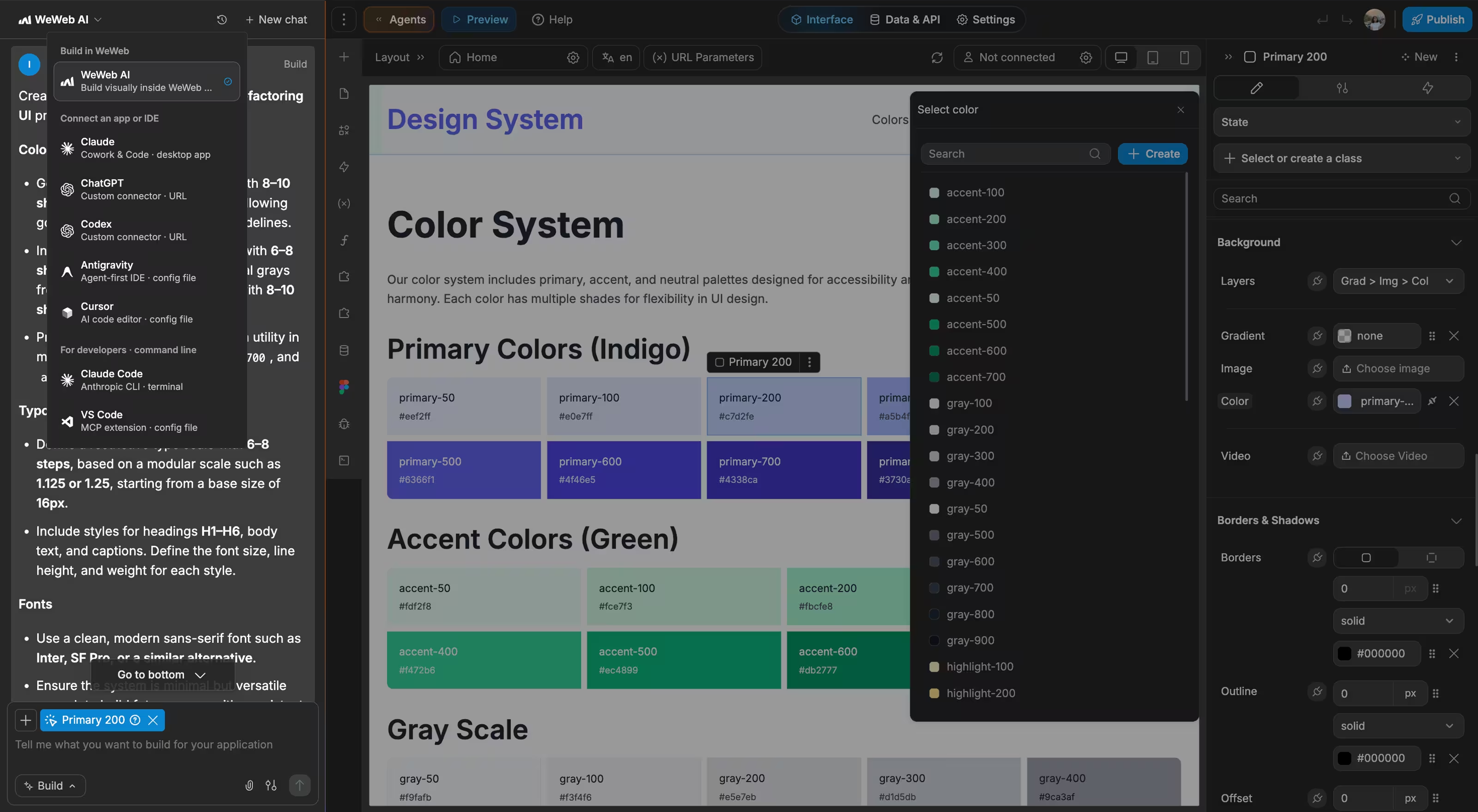
With WeWeb, we were truly able to achieve a pixel-perfect representation of our complex Figma designs.

FAQs
Legal clients need a simple way to see what is happening, share documents, ask questions, sign forms, and understand next steps. Many off-the-shelf portals only solve file storage, while the actual work still happens in email and practice management software.
That split creates risk and confusion. Staff manually move documents between systems, clients ask for updates across channels, and sensitive information is harder to organize.
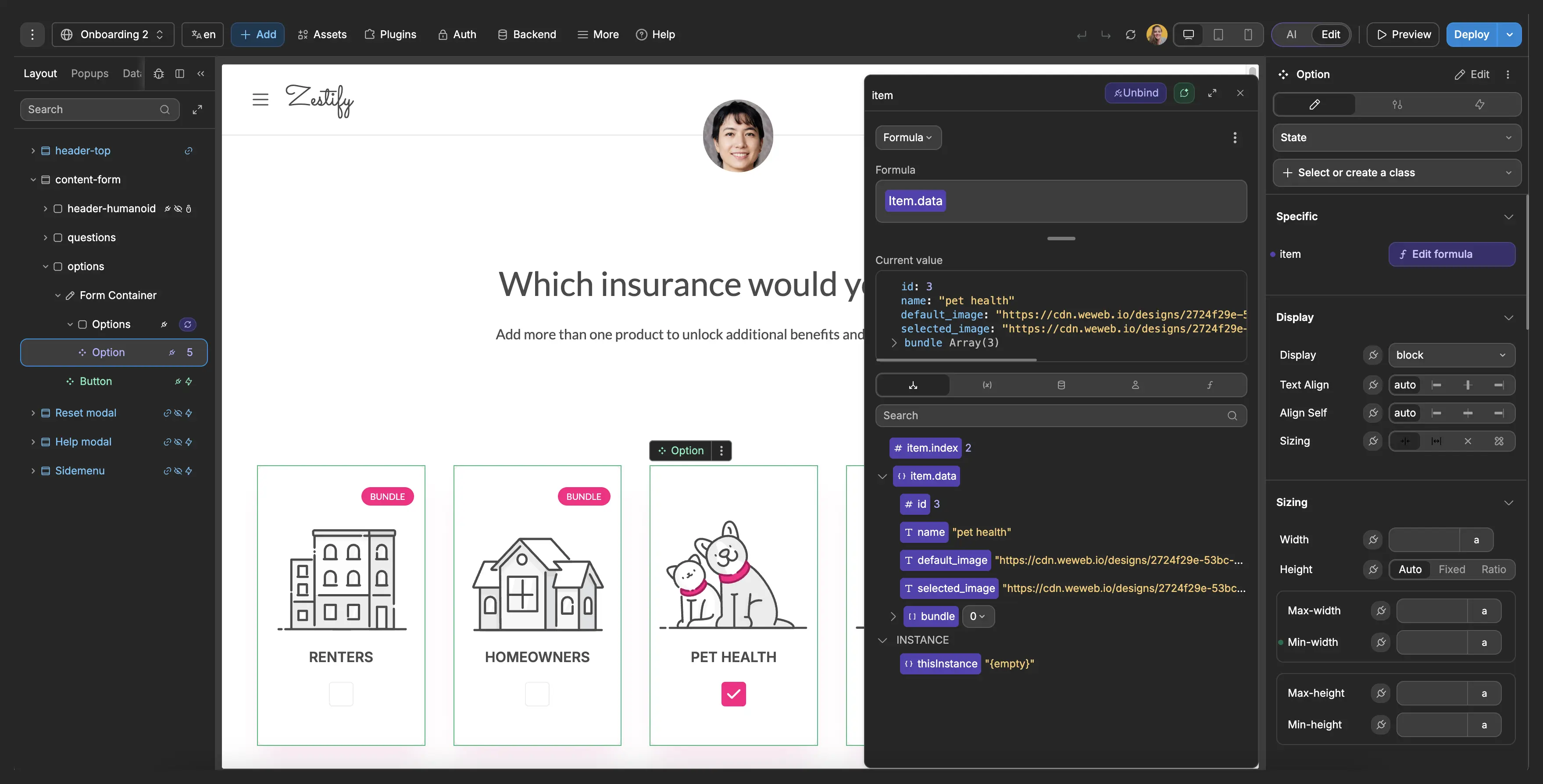
With WeWeb, you can build a portal around your firm's matter workflow and connect it to the systems that already hold case, billing, document, or intake data.
Yes, when your backend and authentication model enforce proper data isolation. Each logged-in client can be connected to the matters, documents, messages, tasks, and invoices they are allowed to access.
WeWeb gives you the interface layer for matter dashboards, document vaults, message threads, and task views. Your backend should enforce row-level permissions, access logs, file rules, and any jurisdiction-specific requirements.
That separation matters in legal work because hiding information in the UI is not enough. Access rules should be enforced where the data is stored and queried.
Yes. WeWeb can connect to systems that expose APIs, databases, or automation workflows. That can include practice management, CRM, e-signature, document storage, billing, scheduling, or custom legal operations systems.
For example, a new intake form can create a review task, a signed retainer can update matter status, or a document upload can notify the assigned paralegal.
The portal does not need to replace your core legal system. It can become the client-facing layer that makes selected matter activity easier for clients to understand and act on.
Yes. You can design mobile-friendly portal screens for clients who need to upload documents, review status, send a message, sign an approval, or check a deadline from their phone.
Mobile access matters because clients often engage with legal updates outside office hours. A focused portal should show only the action they need to take, not a dense internal case management interface.
With WeWeb, you control the layout, branding, and responsive behavior, so the client experience can feel like your firm rather than a generic tool.