

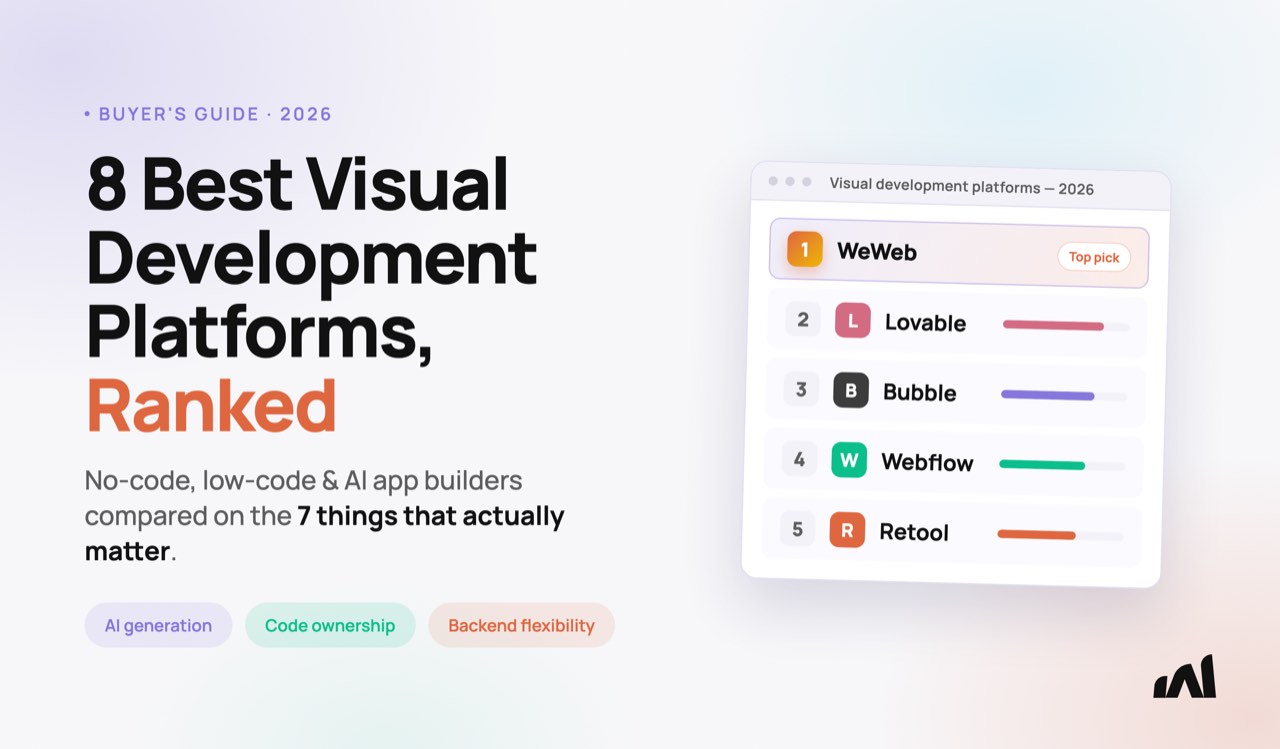
"No-code," "low-code," and "AI app builder" used to be three separate categories, with different vendors and different buyers. In 2026, they overlap almost completely. If you're comparing visual development platforms right now, you've probably run into that overlap already: the same platform can market itself as no-code, low-code, or AI-powered, sometimes all three at once.
That overlap is exactly why picking a visual development platform is harder than it used to be. This guide ranks the 8 best visual development platforms of 2026 across seven criteria:
- AI generation,
- visual editing depth,
- backend flexibility,
- code ownership,
- design freedom,
- pricing, and
- governance architecture.
We're WeWeb, an AI-powered visual development platform, and we're included in this ranking at number one. We've tried to be honest about where competitors are genuinely the better choice. Let's get into it.
What Is a Visual Development Platform?
A visual development platform lets you build an application's interface, logic, and (increasingly) its backend structure through a visual interface instead of hand-written code. That's a broader definition than "no-code," which implies zero code, always, or "low-code," which implies some code, always. Visual development is the umbrella term that doesn't commit to either extreme, and it's why the category now includes tools that used to sit in separate conversations entirely.
AI generation is a new entry point into visual development, not a separate category. Describing an app in plain English and getting a working starting point is powerful, but if that output isn't visually editable afterward, you don't have a visual development platform. You have a code generator with a chat window in front of it.
What to Look for in a Visual Development Platform
Seven criteria separate a genuinely useful visual development platform from one that looks good in a demo and gets frustrating by week two.
AI-powered generation. Does the platform help you start from a description, or do you build every screen and connection by hand?
Visual editing depth. Most platforms in this category offer some visual editing. Changing a button color or moving a layout element is possible in nearly all of them. The real gap opens at data bindings, logic, authentication, and responsive behavior. Can you change those visually, or does that require re-prompting an AI or opening a code editor?
Backend flexibility. Does the platform give you a native backend, let you bring your own, or force you into a proprietary database you can't leave?
Code ownership and deployment freedom. Can you export your application and self-host it, or are you tied to the vendor's runtime indefinitely?
Design freedom. Do you get pixel-perfect control, or are you working within template and component constraints?
Pricing model. Is the cost seat-based and predictable, or per-user and liable to spike as you grow?
Governance and architecture. For regulated or enterprise use cases, does the platform's architecture support the compliance model you need, rather than claiming a certification it doesn't hold?
The 8 Best Visual Development Platforms in 2026, Ranked
Here's how the 8 best visual development platforms stack up when you rank them against those seven criteria.
1. WeWeb: Best Overall Visual Development Platform
WeWeb is an AI-powered visual development platform built for citizen developers: people with a clear idea of what to build who can't or don't want to write code. Our AI generates the full stack (UI, backend, authentication, and workflows) and everything it generates stays editable in the visual editor. You never have to re-prompt to change a layout, a field, or a workflow step.
Backend flexibility: Use WeWeb Tables (our native Postgres backend with auth and storage built in), or connect an external backend like Supabase, Xano, Airtable, Google Sheets, or any REST, GraphQL, or SOAP API. You can also mix multiple data sources in the same project.
Code ownership: Export your app as a Vue.js SPA and self-host it on AWS, GCP, Azure, or on-premise. This is about deployment freedom and portability, not a developer handoff. You're never dependent on WeWeb's runtime to keep your app running.
Design: Pixel-perfect CSS control, native Figma import, and reusable design systems, not block-based templates.
Pricing: $20/month to start, seat-based, with unlimited app users and projects on paid plans. You never pay more because your app got popular.
Governance: We don't claim to be "enterprise ready" as a blanket label. What we can say: teams at PwC, BNP Paribas, Decathlon, and Carrefour build with WeWeb. HIPAA- or GDPR-sensitive workloads are achievable in a self-hosted configuration where your data never touches WeWeb's servers.
Best for: Citizen developers, agencies, and product teams who want AI speed without giving up visual control or an exit strategy.
2. Bubble: Best for All-in-One No-Code MVPs
Bubble is a mature, full-stack no-code platform with a large plugin marketplace and an active community. It's the platform most non-technical founders think of first when they hear "no-code," and for good reason: everything you need to launch an MVP is built in.
The trade-off is architecture. Bubble is built around its own proprietary database. Connecting an external backend like Xano is technically possible, but Bubble wasn't designed for it, and performance suffers at those integration points. There's no code export, so your app lives entirely inside Bubble's platform. Pricing is based on "workflow units," a consumption model that can scale unpredictably as your app grows.
Best for: Non-technical founders who want an all-in-one platform and are comfortable trading code ownership for that convenience. See more Bubble alternatives if code ownership matters to you.
3. OutSystems: Best for Large-Scale Enterprise Low-Code
OutSystems is a mature enterprise low-code platform with strong governance tooling, AI-assisted development features, and support for large, multi-team application portfolios. It's a serious contender if your organization already runs a formal low-code procurement process.
The trade-offs are cost and complexity. Pricing is enterprise-only and requires a custom quote. The learning curve is steep enough that most teams budget for dedicated training. There's no code export, so you're building inside OutSystems' runtime for the life of the application.
Best for: Large enterprises with dedicated budget, training resources, and a genuine need to govern dozens of applications at once.
4. Mendix: Best for Enterprise Low-Code with Multi-Cloud Flexibility
Mendix, owned by Siemens, has over 20 years of enterprise adoption behind it and better multi-cloud deployment options than most of its enterprise low-code peers. It's a common shortlist name for organizations already deep in enterprise software procurement.
Like OutSystems, Mendix comes with enterprise pricing that requires a custom quote, a long learning curve, and a proprietary platform with no code export. Design flexibility also tends to lean toward standard enterprise aesthetics rather than pixel-perfect, brand-matched interfaces.
Best for: Enterprises with complex process requirements who are already committed to an enterprise low-code vendor relationship.
5. Microsoft Power Apps: Best for Microsoft-Ecosystem Organizations
Power Apps is the natural choice if your organization already runs on Microsoft 365, Dataverse, and Teams. The integration with tools your team already uses is genuinely strong, and IT departments already licensing Microsoft find it familiar to govern.
Outside that ecosystem, the fit weakens. Power Apps requires learning Power Fx, a proprietary formula language, so it's not truly code-free. Pricing is per-user, typically in the $5 to $20 per user per month range depending on license tier, which adds up fast across a large organization. The interface also skews toward internal tools rather than customer-facing design.
If those trade-offs rule it out, these Power Apps alternatives are compared by pricing model, design control, and what you can take with you.
Best for: Organizations fully standardized on Microsoft 365 that only need internal, employee-facing tools.
6. Retool: Best for Developer-Built Internal Tools
Retool is fast for what it's built for: internal CRUD dashboards and admin panels, built by developers comfortable with SQL and JavaScript. Database connectivity is a genuine strength, and pre-built components get simple internal tools running quickly.
The limitations show up outside that lane. Retool's components have a recognizable, rigid "internal tool" look that's hard to customize into something brand-matched or customer-facing. Pricing is per-user (roughly $10 to $50 per user per month depending on tier), and that gets expensive once a tool rolls out past a small team. There's no code export.
Best for: Developer teams building internal-only tools where a generic interface and per-user pricing aren't dealbreakers. See more Retool alternatives if design freedom matters to you.
7. Webflow: Best for Design-First Marketing Sites
Webflow's visual design tooling is genuinely excellent, and its CMS and SEO fundamentals make it a strong choice for marketing sites, portfolios, and content-heavy pages. If design is your top priority and you're not building application logic, Webflow is hard to beat.
What Webflow isn't built for is application development. There's no real backend and no complex workflow logic. Its CMS also has a 10,000-item ceiling, which becomes a real constraint for data-heavy projects. Webflow exports HTML, CSS, and JavaScript, but not a functioning application with logic and a backend.
Best for: Marketing sites, portfolios, and content-driven pages with no application logic requirement.
8. Lovable: Best for AI-First Rapid Prototyping
Lovable is fast. Describe an app and it generates working code in minutes, coder or not, which is a big part of its appeal.
The friction shows up after the first generation. Small visual edits, like adjusting a layout or a label, are possible. Deeper changes to logic, data structure, or authentication typically mean re-prompting the AI rather than clicking to edit directly in a visual canvas.
The native backend option, Lovable Cloud, is built on Supabase, so backend flexibility is narrower than platforms that support multiple backend sources. Lovable does offer code export, but the output is optimized for a developer to maintain, not for ongoing visual editing by a non-technical team.
Best for: Validating an idea fast, coder or not, when you're comfortable iterating by re-prompting or a developer handoff rather than needing a non-technical team to keep editing the app visually.
Visual Development Platform Comparison Table
Here's how all 8 visual development platforms compare side by side.
Which Visual Development Platform Should You Choose?
The right visual development platform depends on what you're optimizing for: governance, startup speed, developer control, or AI velocity. Here's how to match your priority to the right pick.
Choose WeWeb if...
You want AI generation and full visual editing after that generation, not just at the start. You need backend flexibility (native, external, or both) instead of a forced proprietary database. You want an exit strategy through code export, and you're building something that a non-technical team member needs to maintain, not just a developer.
Choose Bubble if...
All-in-one simplicity matters more to you than code ownership, and you're comfortable building inside Bubble's proprietary database and runtime for the life of the product.
Choose OutSystems or Mendix if...
Your organization is already running (or planning) a formal enterprise low-code procurement process, and you have the budget and training resources to support it.
Choose Microsoft Power Apps if...
You're fully standardized on Microsoft 365 and only need internal, employee-facing tools rather than customer-facing applications.
Choose Retool if...
You're building internal-only tools, your team is comfortable with SQL and JavaScript, and a generic interface isn't a dealbreaker.
Choose Webflow if...
You're building a marketing site or content-driven page, not an application with authentication, a database, or workflow logic.
Choose Lovable if...
You want to validate an idea fast, whether or not you write code, and you're comfortable iterating through re-prompting or a developer handoff rather than needing a non-technical team to keep editing the app visually.
No-Code, Low-Code, and AI Builders Are Converging
Two years ago, "no-code," "low-code," and "AI app builder" were separate markets with separate buyers. Enterprise IT compared Mendix to OutSystems. Startup founders compared Bubble to WeWeb. Developers compared Lovable to Bolt. Each cluster of content, and each cluster of vendors, mostly ignored the other two.
That's no longer how buyers evaluate. A product manager comparing Retool and Bubble is answering the same underlying question as an IT director comparing Mendix and OutSystems.
How fast can we ship something real without a full engineering team, and what do we give up to get there?
The visual development platform you choose in 2026 increasingly needs to answer that question across all three dimensions at once: AI speed, visual control, and a way out if you ever need one.
In practice, that means the comparison you should be running isn't "no-code vs low-code" or "AI builder vs traditional platform." It's a single evaluation against the seven criteria above, applied consistently whether the platform in front of you calls itself no-code, low-code, or AI-powered.
Frequently Asked Questions
What is a visual development platform?
A visual development platform lets you build an application's interface, logic, and often its backend through a visual interface instead of hand-written code. It's a broader term than "no-code" or "low-code." It also covers AI-generation tools, as long as what the AI generates stays visually editable afterward.
Is low-code the same as no-code?
No. Low-code platforms like Mendix and OutSystems are built for professional developers working inside IT governance, and they expect some hand-written code for complex logic. No-code platforms like Bubble and WeWeb are built so non-technical builders can create a full application without writing code, though most also support custom code for edge cases.
What's the best visual development platform for developers?
It depends on what the developer needs. Retool is fast for internal dashboards if the team already knows SQL and JavaScript. Lovable is fast for prototyping if the developer plans to maintain the generated code directly. WeWeb fits developers who collaborate with non-coders and want to move fast with AI and visual tools, then drop into custom JavaScript or export Vue.js code when a project calls for it.
Can a visual development platform replace custom code entirely?
For most SaaS products, internal tools, and customer portals, yes. Visual development platforms now handle authentication, database logic, and complex workflows without code. Think of it like Shopify and e-commerce. Shopify can handle 90% of online stores, but nobody expects it to run Amazon's or Alibaba's infrastructure. The exceptions are similarly rare with web-apps: highly specialized technical requirements, like real-time multiplayer engines or custom hardware integrations, where hand-written code is still the right tool.
Conclusion
The best visual development platform for you depends on what you're willing to trade. Enterprise low-code platforms like Mendix and OutSystems trade speed and cost for governance. No-code platforms like Bubble trade code ownership for simplicity. AI-first tools like Lovable trade visual control for raw generation speed.
WeWeb was built on the idea that you shouldn't have to make that trade. AI generates the foundation, you keep full visual control after it's generated, and you can export and self-host if you ever need to.
See how WeWeb's visual development platform works, and build your first app for free. No credit card required.