



When you build an app with AI, vibe coding security isn't only about bad code. It's also about the agent changing something that already works: the signup flow you finished last week, or the rule that stops one client from seeing another client's invoices.
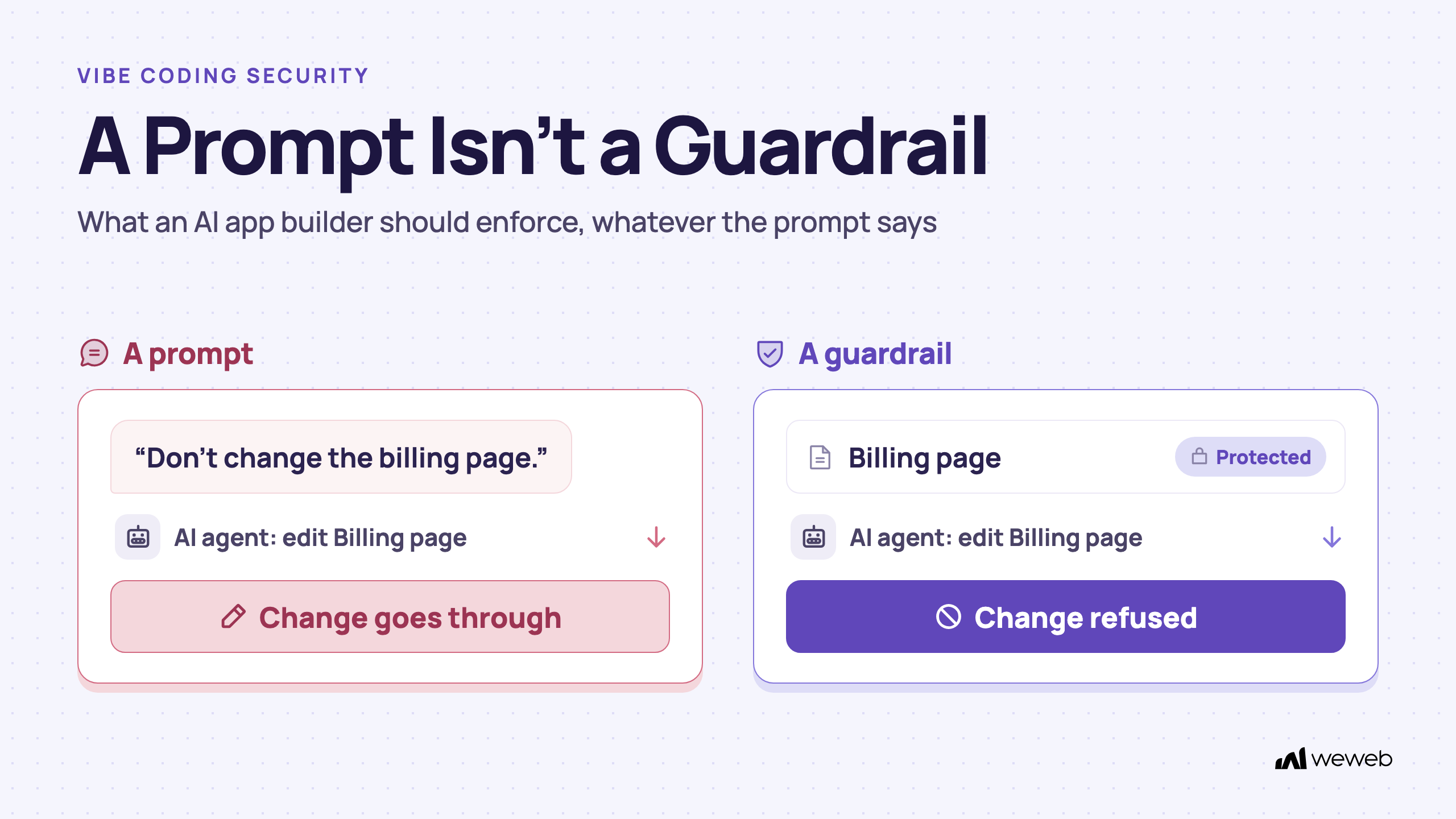
Guardrails for AI agents are how you stop that. In an AI app builder, a guardrail is a rule the platform enforces. Once you lock a page, a workflow or a table, the agent can read it but cannot change it. A sentence in your prompt asking the AI to be careful is not a guardrail. The agent can follow it or not.
Most advice on vibe coding security is written for security teams reviewing AI-generated code. This guide is for the person who builds the app, often without a developer, and then has to answer IT's questions about it.
You'll learn which risks come from the platform rather than your prompt, what a secure AI app builder should enforce for you, what stays your job, and what to bring to IT before they say yes.
Guardrails in an AI app builder: how to stop AI from changing what works
When you build with AI, an agent edits your app for you. It adds pages, writes workflows, changes tables. On a new request, it can also touch things you didn't ask it to touch.
There are two ways to stop that.
| A prompt instruction | A platform guardrail | |
|---|---|---|
| Example | "Don't change the billing page." | The billing page is protected. |
| Who enforces it | The model, if it follows the instruction | The platform, on every request |
| What happens on a mistake | The change goes through | The change is refused, and the agent explains why |
| Still holds in a new chat? | Only if you repeat it | Yes, until you remove the protection |
A guardrail is deterministic: the same request gets the same answer every time, whatever the prompt says. That's what makes it useful for anything your business depends on. Guardrails for AI agents don't make the AI smarter. They make its mistakes land somewhere safe.
The vibe coding security risks that come from the platform, not your prompt
Writing better prompts helps. But several vibe coding security risks come from how the tool is built, and no prompt fixes them.
AI changes something that already works
You ask for a new report screen. The agent also "tidies up" a shared workflow, and an invoice email stops sending. This is a platform question: can the tool stop the agent from touching what works?
Security rules that live in the browser
If the check that keeps one client's data from another runs in the page, a user can get around it, and the same goes for API keys in frontend code. Security rules need to run on a server the user can't see or change.
Data access left open
When a database access rule is missing or too broad, anyone with the app's public key may read more than they should. OWASP's Top 10 lists broken access control among the most common web application risks. To check your own app, test for each of these leaks step by step.
Changes reach production without a person
If the agent can publish its own changes, a mistake goes live before anyone sees it. A database change pushed by an agent is harder to undo than a page layout.
What a secure AI app builder enforces for you
Here is how WeWeb handles each of those risks. The point isn't that your app can't have bugs. It's that the platform holds certain lines whatever the AI is asked to do.
Lock what works with protected resources
In WeWeb, you can protect pages, workflows and tables from AI changes. A protected resource stays visible to the AI for context, so it knows what to build around, and protected workflows can still run. But the AI cannot edit, rename, replace or delete it, or add anything inside it.
- One item or a whole category. Protect a single page, or every page, every table or every API endpoint with a rule. A rule also covers items added later and blocks the AI from creating new ones in that category.
- Protections cascade. A protected page covers its sections, elements and page workflows. A protected table covers its views.
- Same rules for every agent. Protections apply to WeWeb AI in the editor and to agents connected through the WeWeb MCP, such as Claude Code, Cursor or ChatGPT.
- The agent tells you. When it hits a protection, it explains it in the chat and suggests another way.
Two limits to know. Guardrails restrict AI agents, not people: a teammate can still edit a protected page by hand.
Keep security rules on the server
Everything in WeWeb's Data & API tab runs on the server, out of sight of the people using your app. That's where the security layer lives:
- Access rules on table views and API endpoints: public, signed-in users only, or specific roles.
- Middleware that runs before an endpoint or view and stops the request (a 403 error) if a check fails, for example "does this user belong to this client account?".
- Row-level security (i.e. each user only gets their own rows) through a User column filtered on the signed-in user. See access rules on your data and API endpoints.
- Secure environment variables for API keys, readable only by server-side logic.
Private pages and hidden buttons in the interface are useful for the user experience but the rules on your data and endpoints are what keep it safe.
A person approves what goes live
WeWeb AI has a Plan mode that drafts the change, the assets it will create and the ones it will update, and builds nothing until you approve. During a run, it asks before reading or writing project data.
Publishing is always done by a person. An agent connected through the MCP can't publish: it sends you to the Publish button, because a publication can include a database migration only you can approve. Schema changes are analysed and need your approval at publish time.
Separate environments and a way back
Each environment (Editor, Staging when your plan includes it, and Production) keeps its own data, AI keys, integration credentials and environment-variable values. What you test in the editor doesn't touch your live data.
If something does go wrong, you can restore the database of any environment to a point in time, and roll the editor back to a backup.
Proof matters more than features here. Appy Makers built Cypath's lab app on WeWeb: it handles 3,000 to 6,000 slides a day and ran with zero incidents in its first seven to eight months of daily use.
What stays your job
A platform can hold lines. It can't decide where they go. Vibe coding security still depends on a few choices only you can make.
- What to protect, and when. Lock a page or workflow once it works. Unlock it when you deliberately want the AI to change it.
- Access rules that match your business. The platform enforces the rules you set. If a view is public, it's public.
- Testing. WeWeb AI can test your app on request: it opens pages, fills forms and reports what's broken. Tests run on the real app and can create test records, so check what it created.
- Your authentication setup. Use WeWeb Auth or bring Auth0, OpenID Connect, Supabase or Xano authentication.
- Where your data lives. When you install the WeWeb backend, you choose the server region: North America, Europe or Asia. Or connect your own database.
If your data is in Supabase
You can use Supabase in one of two ways. As a data source, requests go from the browser to the WeWeb server, then to Supabase, and WeWeb's access rules apply. As a backend, the browser talks to Supabase directly, and Supabase row level security policies are what protect your data. Either works. Just know which one you chose, and write your rules in the right place.
Turning row level security on is the start, not the finish. Test your policies with two accounts, for reading, creating, updating and deleting rows.
Compliance is about architecture
WeWeb is not SOC 2 certified and does not sign BAAs. Teams in regulated sectors self-host their WeWeb app on SOC 2-compliant or HIPAA-eligible infrastructure (AWS, Azure or GCP) and keep sensitive data in a backend they control. The compliance work then sits with that infrastructure, not with the builder.
How to get an AI-built app approved by IT
If you're the one who built the tool, IT will ask the same five or six questions. Here are the answers to bring for a WeWeb app.
| IT asks | What to show them |
|---|---|
| Who can see what? | Your app's users sign in with WeWeb Auth (email or 30+ providers like Google and Microsoft) or your own system (Auth0, OpenID Connect, Supabase, Xano). Auth roles and access rules on table views and API endpoints, enforced on the server, decide what each user sees |
| Who can change what? | Workspace roles, including custom roles (e.g. publish to staging but not to production); groups with access to specific projects and data connections; protected resources for AI |
| What can the AI touch? | Only what isn't protected. AI can be turned off per project or for the whole workspace, and WeWeb AI never has access to your production data |
| Where does the data live? | The backend region you chose at install, your own database, or your own servers |
| How do people sign in to WeWeb? | Two-factor authentication on every WeWeb account. On the Enterprise plan, your team signs in with their Google Workspace or Microsoft Entra ID work account, and WeWeb checks your directory every few minutes, so someone IT suspends loses access to WeWeb too |
| What if we leave? | Export your app and self-host it, interface and backend |
Vibe coding security with coding agents, AI builders and guardrails
The question isn't just "Which tool is secure?" After all, most tools have the potential to be secure. What really matters is who builds and maintains the safety net.
Coding agents like Claude Code or Cursor can build anything. But the harness is yours: instructions, tests, environments, hosting, security patches, and a way to stop the agent from changing what works. If you have engineers, that can be the right choice.
It isn't either/or: the same agents can build in WeWeb from Claude Code, Cursor or ChatGPT through the MCP, and the guardrails apply to them. Most MCP clients also let you set each tool to run automatically, ask first or stay blocked.
Prompt-to-code builders like Lovable get you to a working first version fast, and you can own the code. Iteration happens by prompting on a codebase, and, at the time of writing, nothing at platform level stops a new prompt from changing what already works. If your app has to pass an IT review, see whether vibe coding tools can meet enterprise security requirements.
Small visual edits are easy in most of these tools; the gap opens at logic, data, access rules and backend structure. For a side-by-side, see WeWeb vs Lovable.
If you're building a SaaS, the parts you least want an AI to touch are usually signup, billing and roles. Lock them once they work, and keep building new features around them.
FAQ
What's the difference between a prompt that tells the AI to be careful and a real guardrail?
A prompt is a request the model can follow or miss. A guardrail is a rule the platform enforces on every request. In WeWeb, a protected page or workflow can be read by the AI but not changed, whatever the prompt says.
Is it safe to let non-developers build apps with AI on top of company data?
It can be, when the platform enforces the important lines: access rules on the server, protected resources, a person approving every publish, and IT deciding who can see or edit which data connections.
Is vibe coding safe for a business app?
The risk depends less on the prompt and more on the platform. Check four things: whether the AI can be stopped from changing what works, where security rules run, who publishes to production, and how you roll back.
Is Lovable secure?
Security depends on the platform and on how each app is set up, especially its database access rules. Lovable publishes its own security documentation, which is the best place to check its current measures. The difference this guide covers is platform-level guardrails: in WeWeb, you can set granular roles and permissions at workspace or project level and lock what works so AI agents can't change it.
Can AI see my production data in WeWeb?
WeWeb AI never has access to your production data. Your workspace admins can also turn AI off for a project or for the whole workspace.
How do I stop AI from changing parts of my app that already work?
Lock them. In WeWeb, protect a page, workflow, design system, or table once it works. The AI can still read it for context and build around it, but it can't edit, rename or delete it. This applies to WeWeb AI and to agents connected through the MCP. People can still edit protected resources by hand, so manage who can edit with workspace roles.
Conclusion
Vibe coding security comes down to what the platform enforces when the AI gets it wrong. A guardrail is a rule, not a prompt. Security rules belong on the server, next to your data. And a person, not an agent, decides what goes live.
WeWeb gives you each of those: protected resources that AI can read but not change, access rules enforced on the server, publishing that always needs a person, and environments you can roll back. The choices about what to protect and who sees what stay with you.
Start by locking the part of your app you'd least like to rebuild.