



A real estate homepage is not just a digital brochure.
It has to help buyers find properties, help sellers decide whether they trust you, and turn anonymous visitors into qualified leads. That means your homepage needs more than attractive photos and a contact button.
A strong real estate homepage should make it easy to:
- search available properties;
- filter by location, price, property type, and key criteria;
- understand your local expertise;
- request a home valuation;
- schedule a tour or consultation;
- view testimonials and recent success stories;
- explore neighborhoods or market resources;
- submit a lead form without friction.
This guide breaks down the 15 homepage features that matter most for real estate websites, why they work, and how builders can use tools like WeWeb to create dynamic listing pages, search experiences, lead capture forms, and custom real estate workflows without starting from scratch in code.
Quick Answer: What Should a Real Estate Homepage Include?
A high-converting real estate homepage should include:
- a clear value proposition above the fold;
- property search with useful filters;
- featured listings;
- strong mobile design;
- high-quality property visuals;
- seller-focused CTA, such as a home valuation;
- buyer-focused CTA, such as “Search homes” or “Schedule a tour”;
- testimonials or reviews;
- neighborhood or market expertise;
- clear contact information;
- lead capture forms;
- map or location-based browsing;
- SEO-friendly content;
- fast page speed;
- trust signals such as agent profiles, brokerage details, awards, or recent sales.
The goal is not to add every possible feature. The goal is to make the next step obvious for each visitor type.
| Visitor type | What they need | Homepage feature that helps |
|---|---|---|
| Buyer | Find relevant properties quickly. | Prominent search bar, filters, featured listings, map search, saved searches. |
| Seller | Trust you enough to ask for help selling. | Home valuation CTA, testimonials, recent sales, local market expertise. |
| Renter | Check availability, location, price, and viewing options. | Property filters, availability data, maps, tour scheduling, application links. |
| Investor | Compare opportunities and understand market context. | Market reports, ROI-related property details, neighborhood insights, saved lists. |
| Returning lead | Continue where they left off. | Login, saved searches, alerts, client portal, personalized recommendations. |
Homepage Foundation: Make the Next Step Obvious
Before visitors read listing descriptions or browse neighborhood guides, they need to understand what they can do on your site.
A strong real estate homepage should answer three questions quickly:
- Can I search homes here?
- Can I trust this agent, brokerage, or platform?
- What should I do next?
Mobile-First Layout
Many real estate visitors browse on mobile while commuting, walking around neighborhoods, or comparing listings on the go.
Your homepage should make core actions easy on a small screen:
- search properties;
- open filters;
- swipe through listing images;
- call or message an agent;
- schedule a tour;
- request a valuation;
- save or share a property.
Avoid tiny filter controls, oversized hero images that push search below the fold, and contact buttons that disappear on mobile.
Navigation Built Around Intent
Real estate navigation should reflect visitor goals.
Use clear labels such as:
- Buy
- Sell
- Rent
- Neighborhoods
- Featured listings
- Home valuation
- About
- Contact
If you serve multiple audiences, separate them clearly. A buyer looking for homes and a seller looking for valuation help should not have to decode your menu.
Trust-Building Brand Identity
Branding matters, but in real estate it should support trust.
Your homepage should clearly show:
- who you are;
- where you operate;
- what type of clients you help;
- what makes you credible;
- how visitors can reach you.
Use consistent visuals, but avoid making the design so brand-heavy that it hides the search experience. For real estate homepages, clarity usually converts better than cleverness.
Lead Generation and Conversion Tools
An engaging website is great, but its ultimate job is to generate leads. These features are designed to convert visitors into actionable contacts.
Property Search Should be the Homepage’s Main Utility
For buyers and renters, property search is usually the most important homepage feature.
A strong real estate search experience should include filters such as:
- location;
- price range;
- property type;
- number of bedrooms;
- number of bathrooms;
- square footage;
- lot size;
- listing status;
- amenities;
- neighborhood;
- move-in date or availability, if relevant.
The search bar should be visible above the fold or immediately after the hero section. Visitors should not have to scroll through a long marketing page before they can browse available properties.
Featured Listings Should Help Users Start Browsing
Featured listings can work well on the homepage, but only if they are useful.
Each listing preview should include:
- main photo;
- price;
- location;
- bedrooms and bathrooms;
- property type;
- short highlight;
- status, such as new, sold, open house, or price reduced;
- CTA to view details.
Do not overload the homepage with every property. Show enough to create interest, then move users into the full search or listing directory.
Property Pages Need Complete Decision-Making Details
Once someone clicks a listing, the detail page should answer their key questions.
Include:
- gallery;
- price;
- address or area;
- bedrooms, bathrooms, and size;
- property description;
- floor plan, if available;
- map;
- nearby amenities;
- school or neighborhood information, if relevant;
- agent contact details;
- schedule-tour CTA;
- similar properties;
- lead form.
A homepage does not need to carry all this information, but it should send visitors to listing pages that do.
Clear Calls to Action (CTAs)
Every page should guide the visitor on what to do next. Use prominent, action oriented buttons like “Schedule a Tour” via Calendly or “Get a Free Home Valuation.” Pages with bold, clickable CTAs see a 33% higher click through rate from mobile users.
Make your CTAs visually distinct with a contrasting color and place them strategically throughout your site. A clear CTA removes guesswork and makes it easy for an interested prospect to take the next step.
Prominent Contact Information
Don’t make potential clients hunt for your contact details. A shocking 44% of visitors will leave a website if there is no visible contact information or phone number.
Display your phone number, email, and office address in the header and footer of every page, and add live chat with Intercom for instant answers.
This transparency builds instant trust. Since 81% of consumers say they must trust a brand before buying, making yourself easily reachable is a simple but powerful conversion tool.
Lead Capture Forms
Web forms are a primary tool for lead generation. For a real estate site, this includes forms to “Contact an Agent,” “Request a Consultation,” or “Sign Up for Listing Alerts.”
To maximize conversions, keep forms simple and protect them with Google reCAPTCHA to block spam. The fewer fields you require, the higher the conversion rate.
Multi step forms, which break the process into smaller chunks, can convert up to 86% higher than a single long form. A well designed lead capture form is your 24/7 digital assistant, turning anonymous traffic into real business opportunities.
Advanced Strategies for a Competitive Edge
To truly dominate the market, your real estate homepages should leverage modern technology and content strategies. These features will drive organic traffic and provide a superior user experience.
SEO and Schema Integration
A beautiful website is useless if no one can find it. Search Engine Optimization (SEO) is key. Schema markup, a type of code that helps search engines understand your content, can significantly boost your visibility. Sites using schema often see higher click through rates. One study found it increased organic clicks by 43%.
This is because Google can display rich snippets like prices and ratings directly in search results. For real estate, use schema for your business info, property listings, and reviews.
Real Estate Blog and Resource Center
A regularly updated blog establishes you as a market expert and is a magnet for search engines.
Informative content, like home buying tips or neighborhood guides, is highly valued by users; 78% of homebuyers find it helpful. More importantly, real estate businesses that blog consistently generate 67% more leads than those that do not.
Your blog can attract organic traffic for years to come, nurturing future clients by providing genuine value.
AI Powered Personalization
Technology is making online experiences more personal, and users are starting to expect it.
AI can help you deliver tailored content: start with WeWeb AI to personalize listings and on-site messaging. This could be as simple as showing “You might also like” properties based on browsing history or as advanced as a 24/7 AI chatbot that answers questions and guides users.
Personalized experiences make visitors feel understood. This is critical when you consider that a majority of consumers prefer to engage with brands that personalize interactions.
For professionals who want to build sophisticated, custom web applications without the heavy lifting of coding, exploring a platform like WeWeb is a great next step.
By focusing on these 15 elements, you can transform your website from a simple digital brochure into a powerful engine for your business.
Recommended Real Estate Homepage Structure
A real estate homepage should be easy to scan and action-oriented.
A practical structure looks like this:
- Hero section: Clear headline, location focus, and search or primary CTA.
- Property search: Filters for location, price, property type, and key criteria.
- Featured listings: A small set of relevant properties.
- Buyer and seller paths: Separate CTAs for “Find a home” and “Get a home valuation.”
- Trust section: Testimonials, recent sales, agent/broker credentials, or local expertise.
- Neighborhood content: Guides, market insights, or local resources.
- Lead capture: Listing alerts, valuation form, consultation request, or downloadable guide.
- Contact section: Phone, email, office location, chat, and agent details.
- Final CTA: Search listings, request valuation, or schedule a consultation.
This structure works because it gives each visitor a path. Buyers can search. Sellers can request a valuation. Cold visitors can learn. Warm leads can contact you.
| Homepage section | Purpose | Best CTA |
|---|---|---|
| Hero | Immediately explain who the site helps and where. | Search homes, browse listings, or get a valuation. |
| Property search | Let buyers and renters start browsing quickly. | View matching properties. |
| Featured listings | Show available inventory and create browsing momentum. | View property details. |
| Seller path | Capture seller intent separately from buyer intent. | Request a home valuation. |
| Trust proof | Build confidence before asking visitors to submit information. | Read reviews or schedule a consultation. |
| Neighborhood content | Show local expertise and support SEO. | Explore neighborhoods. |
| Lead capture | Turn visitors into contacts through alerts, forms, guides, or valuation requests. | Get alerts, download guide, or contact an agent. |
Build Dynamic Real Estate Websites and Portals with WeWeb
A real estate homepage is more than a static landing page when it needs search, filters, listings, forms, saved searches, user accounts, maps, and backend workflows.
That is where WeWeb fits.
With WeWeb, builders can create custom real estate experiences visually and connect them to real data and workflows.
You can use WeWeb’s native backend for app logic and workflows, or connect external tools such as Supabase, Xano, Airtable, REST APIs, GraphQL APIs, Google Maps, Calendly, Cloudinary, CRMs, and automation tools.
This matters because many real estate websites start as static pages but quickly need app-like functionality. Listings need to update. Leads need to be routed. Users may want saved searches. Agents need to manage inquiries. Sellers may want valuation updates. Buyers may want a portal.
WeWeb gives builders the flexibility to create the frontend experience and connect it to the backend setup that fits the project.
Real Estate Experiences You Can Build with WeWeb
Use WeWeb when your real estate site needs more than a static homepage.
Examples include:
- Listing marketplace: Browse, filter, and view property details from a connected database.
- Buyer portal: Let buyers save searches, favorite listings, and track inquiries.
- Seller portal: Let sellers request valuations, upload property details, and follow progress.
- Agent dashboard: Manage leads, tour requests, valuations, and listing updates.
- Rental portal: Show availability, let renters apply, and connect applications to workflows.
- Investor dashboard: Display properties, yield assumptions, documents, and deal status.
- Neighborhood directory: Create dynamic pages for areas, amenities, schools, and market data.
- AI property assistant: Help visitors narrow options based on budget, location, needs, and preferences.
Real Estate Example Built With WeWeb: SkipMatrix
A strong example is SkipMatrix, a real estate-focused platform built with WeWeb, Xano, and Stripe.
SkipMatrix helps real estate professionals find property owner contact details for skip tracing and lead generation. Instead of manually searching across disconnected sources, users can access a platform designed around real estate prospecting workflows, data lookup, payments, and customer-facing SaaS functionality.
Start Faster With a Real Estate Marketplace Template
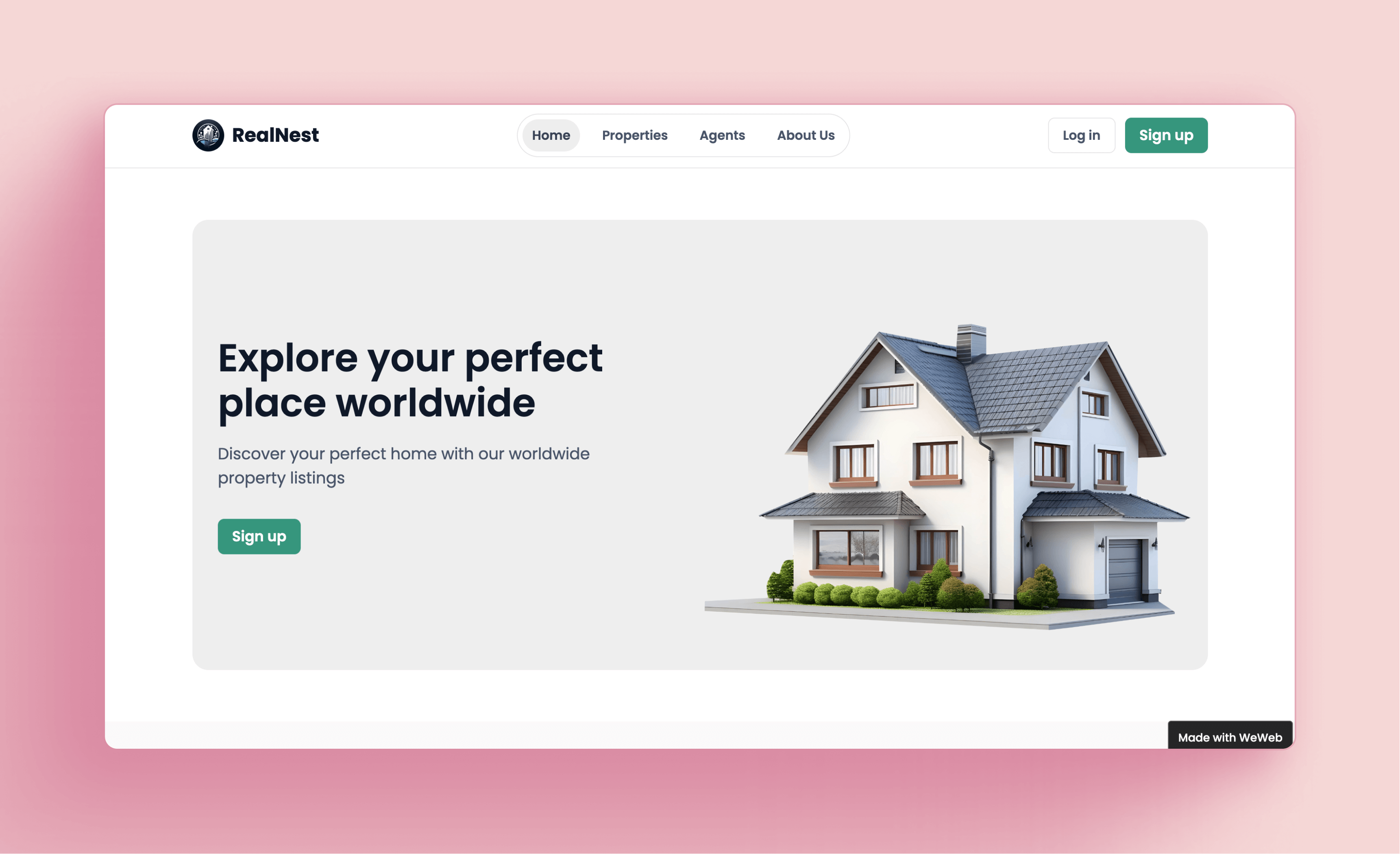
Want a faster starting point? Use WeWeb’s Rental Property Marketplace template to launch a real estate marketplace experience with property listings, customizable fields, backend connectivity, roles, access control, and your own branding.
It is a useful starting point if you want to build a rental marketplace, property listing directory, agency portal, or real estate platform without designing every screen from scratch.
Start with the template, then customize the search experience, listing data, user roles, and lead workflows around your real estate business.
Frequently Asked Questions
1. What is the most important feature for a real estate website?
While all features are important, a mobile first design is arguably the most critical. With most traffic coming from mobile devices, a site that isn’t optimized for phones will miss out on the majority of potential clients.
2. How can I make my real estate homepages stand out?
High quality visuals (photos and videos), interactive elements like virtual tours, and a strong brand identity are key differentiators. Telling a story through your content also creates a memorable experience that sets you apart from template based sites.
3. How often should I update my real estate blog?
Consistency is more important than frequency. Aim for a sustainable schedule, whether it’s one or two posts a month. Regular updates signal to search engines that your site is active and provides fresh content for visitors.
4. Are lead capture forms still effective?
Absolutely. Web forms are one of the highest converting lead generation tools for marketers. The key is to keep them simple and offer something of value in return, such as a home valuation or listing alerts.
5. Do I need to be a coder to implement these features?
Not anymore. Modern no code and visual development platforms, like WeWeb, allow you to build sophisticated, production grade websites with features like dynamic search, lead capture forms, and custom branding without writing code.
