



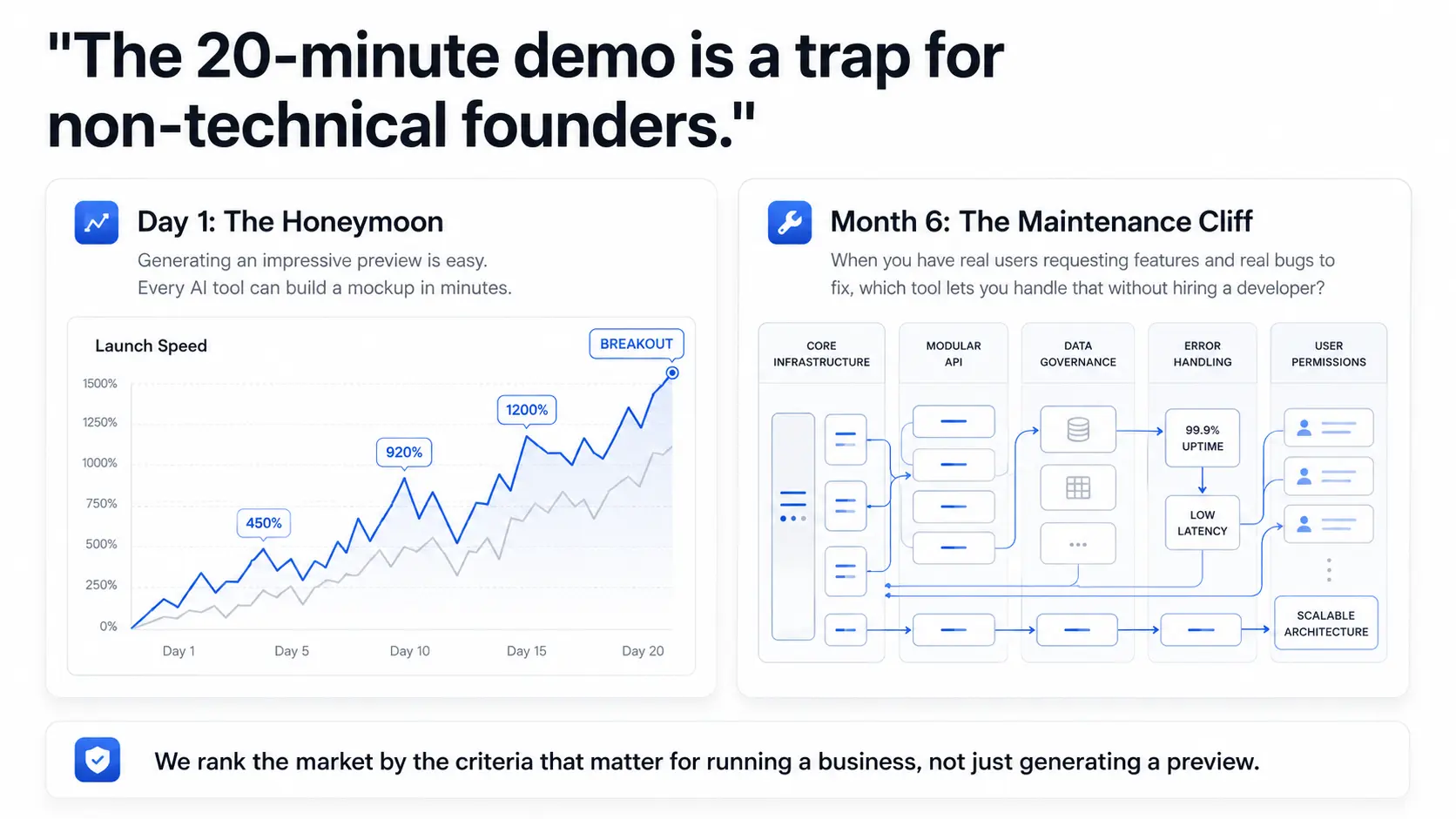
Most "best AI app builder" reviews are written for people who want to generate a demo. This one is for founders who want to launch a product.
Generating an impressive preview in 20 minutes is easy. Every tool on this list can do it. The harder question is: six months after launch, when you have real users requesting features and real bugs to fix, which tool lets you handle that without hiring a developer?
That's the question this guide answers. We rank the best AI-assisted app builders by the criteria that matter for non-technical founders, not just speed of initial generation.
What Non-Technical Founders Need from an AI App Builder
Before comparing tools, you need criteria. The right criteria for a non-technical founder are different from the criteria a developer would use. Here are the five that matter:
1. Authentication and user roles without developer help. Every real SaaS product needs users to sign in. Most need different user types, e.g. admins who see everything, users who see only their data, viewers who can't edit, etc. If setting up auth and roles requires you to blindly trust the code generated by AI or hire a developer to check it, you have a problem on day one.
2. Visual maintenance after launch. Your first version will be wrong about something. Every founder's is. You will need to change the layout, add a field, update a workflow. If every change requires re-prompting an AI (and hoping it doesn't break anything) or writing code, you are not independent. You are dependent.
3. Full-stack included. Backend, auth, file storage, and user management should be part of the platform, not separate services you configure yourself. When you're starting out, every external service you set up is another thing to manage and another potential point of failure.
4. Code ownership for when you hire. Eventually, most founders hire a developer or technical co-founder. What does your app situation look like at that point? If the answer is "locked into a platform with no exit path," your developer's options are constrained from day one. An app you can export, own, and host on your own infrastructure is a founder insurance policy.
5. SaaS-ready pricing. Per-user pricing or consumption-based pricing creates a cost cliff as you grow. The pricing model should be predictable at scale: pay for who builds the app, not how many people use it.
The 5 Best AI App Builders for Non-Technical Founders in 2026
1. WeWeb: Best Overall for Founders Who Need to Run Their Product
We are an AI-powered full-stack visual development platform built specifically for citizen developers, including non-technical founders. Our AI generates the complete foundation: UI, backend, authentication, and page workflows together. Everything AI generates is then editable in a pixel-perfect drag-and-drop editor.
Why we win for non-technical founders:
Authentication and roles are visual. Our built-in auth system supports 30+ SSO providers, custom user roles, and role-based page access. A "multi-tenant SaaS where each customer sees only their own data" is achievable without touching a line of code. And, instead of hoping the AI generated secure endpoints, you can clearly see and understand who has access in visual workflows you can edit yourself without writing code or reprompting AI.
You maintain the app visually. After launch, you click to change. Need to move a section? Drag it. Want a new field in a form? Add it from the component library. No token required, no developer, no guesswork.
The backend is built in. WeWeb Tables is our built-in Postgres backend with auto-generated APIs, user management, file storage, and backend workflows. You can also connect an existing backend (e.g. Supabase, Xano, Airtable, Google Sheets) or mix both in the same project. Either way, the backend is handled.
Code export and infrastructure independence. Export your complete Vue.js SPA at any time and deploy it on any CDN or server. Your app runs independently of WeWeb's infrastructure: no vendor lock-in, no platform dependency.
Pricing that scales with your business. From $20/month with unlimited end users and no per-user fees. Your SaaS can grow from 10 to 10,000 users without a pricing cliff.
The honest catch: We have a steeper learning curve than Lovable or Bolt for initial generation. Getting from description to deployed app takes more than one session. The trade-off: what you build is genuinely maintainable and production-ready. See how we compare to vibe coding tools broadly if you're still evaluating categories.
Best for: Non-technical founders building products they need to maintain and grow, without getting locked into a black box.
2. Lovable: Best for Rapid Prototyping and Idea Validation
Lovable is a chat-based AI builder that generates React apps with a Supabase backend. You describe what you want, Lovable builds it, and you can deploy in minutes.
For initial speed, Lovable is hard to beat. Impressive demos come out of 20-minute sessions. If you need to show something to investors, co-founders, or early users quickly, Lovable is genuinely excellent.
The honest picture for non-technical founders: Lovable's visual editing is very limited. Post-launch iteration means re-prompting the AI, which can introduce bugs. Auth via Lovable Cloud (powered by Supabase) works for simple apps but complex role-based access requires developer setup.
Long-term, Lovable is a stepping stone, not a destination. Most non-technical founders who build serious products on Lovable eventually hire a developer to take over maintenance.
Best for: Founders who want to validate an idea as fast as possible and plan to bring in a developer for the production version.
3. Bubble: Best for Complex Workflows Without Code
Bubble is a mature no-code platform with AI generation features added in 2024. It handles complex workflow logic well, and the built-in auth and user management system is solid.
The catch is vendor lock-in. Bubble uses a proprietary platform: there is no code export, and your app only runs on Bubble's infrastructure. If Bubble raises prices or changes their terms, your options are limited.
Bubble also uses consumption-based pricing (workflow units), which becomes unpredictable as your app grows. A product with significant user activity can generate surprising bills.
Best for: Founders building apps with complex logic who are comfortable with vendor lock-in and are not concerned about handing code off to a developer.
4. Bolt.new: Best for Quick UI Experiments
Bolt.new generates apps instantly from text descriptions in a browser-based environment. You don't need to signup to get started and the initial speed is genuinely impressive.
For non-technical founders, Bolt's fundamental limitation is that it outputs code. The editing interface is a code editor alongside a preview. Making changes means editing code or re-prompting. There is no backend included.
Bolt is useful for generating UI mockups to show stakeholders or for understanding what your app should look like. It is not a platform for building and maintaining a production SaaS.
Best for: Generating rapid UI mockups to validate with co-founders or investors. Not for production apps.
5. Softr: Best for Simple Portals Built from Existing Data
Softr is a block-based no-code builder that connects to Airtable, Google Sheets, or other data sources and generates client portals, dashboards, or simple internal apps from that data.
If you already have your data in Airtable or Google Sheets and need a customer-facing portal, Softr is the fastest path. But it hits limits quickly: customization is template-constrained, there is no code export, and user and app caps apply at each pricing tier.
Best for: Founders with existing Airtable or Sheets data who need a simple portal with minimal customization. Not for complex SaaS products with lots of end-users.
The Auth Complexity Test
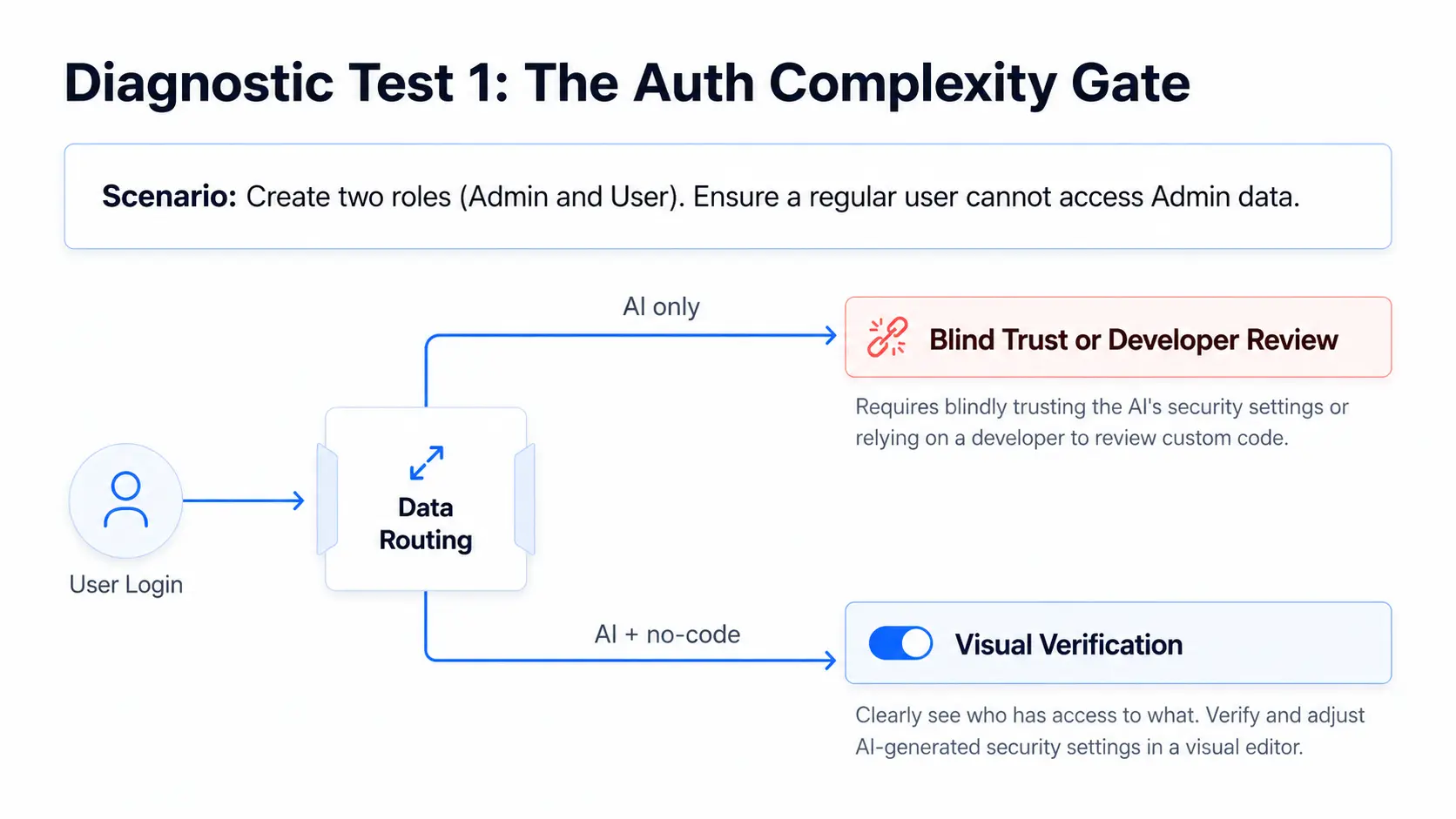
Before you commit to any AI app builder, run this test:
- Generate a basic app (any simple CRM or dashboard)
- Add user authentication (email + password sign-up)
- Create two user roles: "admin" (sees all records) and "user" (sees only their own records)
- Verify that when a regular user logs in, they cannot access admin data
How hard was step 3? Did it require code? Did you need to configure a separate service? Did you need to write SQL?
This test matters because every real SaaS product eventually needs something close to this. If the platform makes it hard before you have users, it will only get harder as your product grows.
How each tool handles the auth complexity test:
- WeWeb: Role-based access is built into the visual editor. You can define roles, assign pages, control data visibility through the interface and see exactly who has access to what in a visual workflow.
- Lovable: Auth via Lovable Cloud (Supabase). Basic auth works out of the box. Complex roles require Supabase configuration or developer assistance. Hard to see exactly who has access to what unless you can understand SQL well.
- Bubble: Good built-in auth system with roles and a visual editor to understand what's going on. The downside: your endpoints are not secure by default. You'll need to be very intentional about security.
- Bolt: Requires code to implement auth. Not appropriate for non-technical founders.
- Softr: Template-based access control in an intuitive visual editor. Limited role customization.
The Month 6 Question
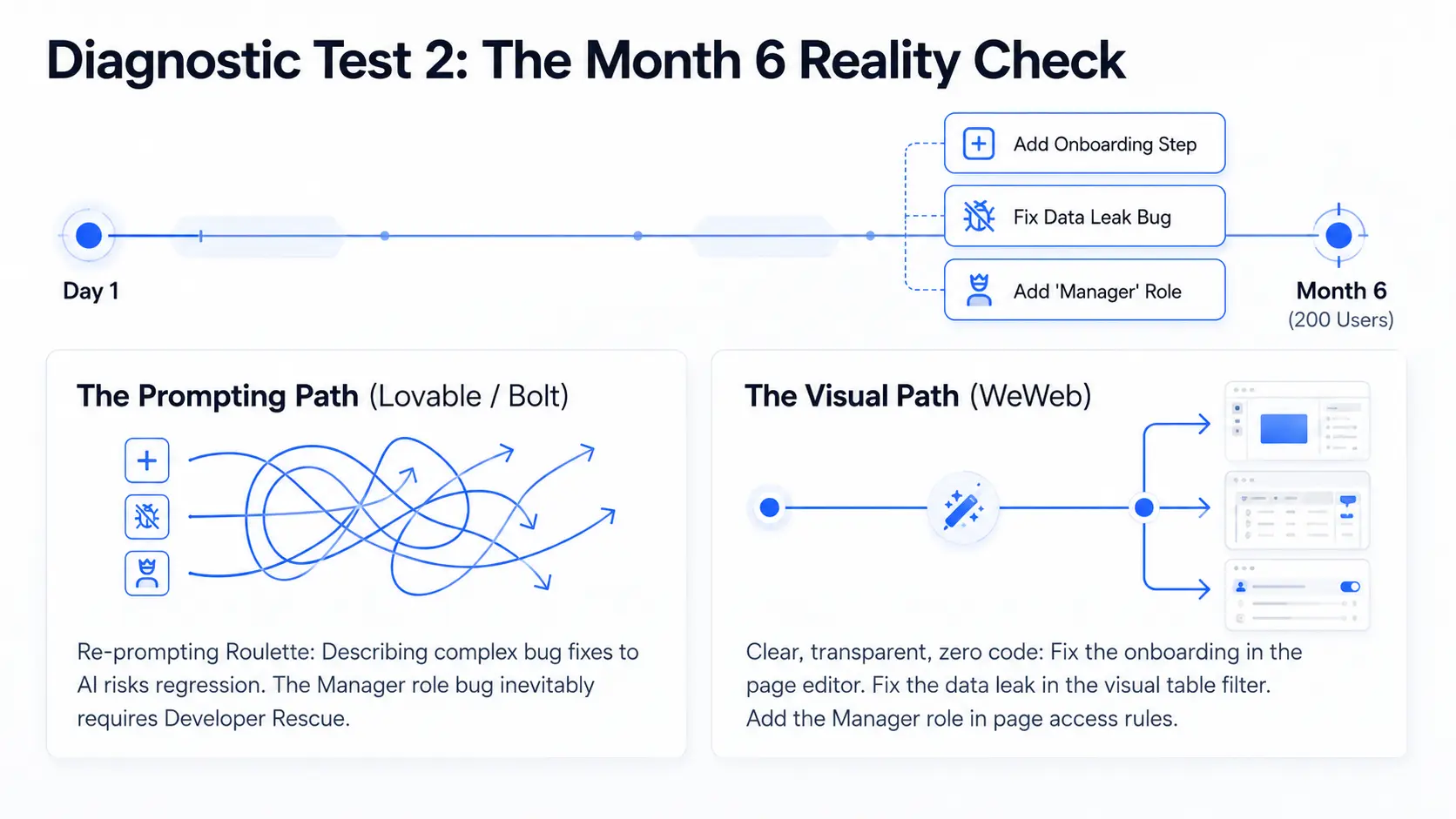
Most AI builders are evaluated at launch. The right evaluation is 6 months later.
Imagine it is six months after launch. You have 200 users. You need to:
- Add a new onboarding step users complained about
- Fix a bug where one customer can see another customer's data
- Add a "Manager" role between admin and regular user
With WeWeb: All three are achievable in the visual editor. Add the onboarding step in the page editor. Fix the data visibility issue in the table filter. Create the Manager role with specific page access rules. No developer, no re-prompting. Everything is clear and transparent.
With Lovable: You describe each change to the AI. The AI may handle them well or may introduce regressions. For the role bug, you may need to touch Supabase directly.
With Bubble: You can do this in the visual editor but it can be a hassle to update role-based access everywhere in the app because there's no concept of "middleware".
With Bolt: Re-prompting handles simple changes, but the role bug and data visibility issue are unreliable without developer help.
With Softr: The onboarding step is doable in the block editor. The visibility bug and Manager role may hit the limits of Softr's template-based access control.
The point is not to criticize fast-generation tools. It's to be clear about what they're for. Building a no-code MVP is achievable with multiple tools but running it for 6 months without developer support requires a smaller subset.
Code Ownership and Platform Lock-In
Most non-technical founders eventually hire a developer or scale their infrastructure. The question worth asking before you build: what are your options when that happens?
WeWeb: An exported Vue.js SPA you own outright. Deploy it on any CDN or server (e.g. AWS, Vercel, your own infrastructure). Your app runs independently of WeWeb's servers with no platform dependency.
Lovable: React code generated through AI prompting. Quality varies depending on how much re-prompting was done and whether the AI maintained clean architecture. Some developers will find it manageable, others will want to rewrite.
Bubble: No code to export. The developer either learns Bubble or rebuilds the product. Many experienced developers refuse Bubble projects because there is no path to standard code.
Bolt: Code is generated and output to a code editor. There is no export in the traditional sense: what you have is AI-generated code you own, but with no visual layer on top of it.
Softr: No code to export. Your app lives entirely on Softr's infrastructure, tied to your data source. There is no path to independence from the platform.
Code export is not just a nice-to-have. For founders who plan to scale, it is a material business decision.
Comparison Table
Frequently Asked Questions
Do I need a technical co-founder to use an AI app builder? Not if you use the right tool. We built WeWeb specifically for non-technical founders. Auth, user management, and data workflows are all handled visually. You do not need to write code to launch a real product.
Can I build a real SaaS with an AI app builder? Yes. With WeWeb, you can build a fully functional SaaS product with user authentication, role-based access control, a backend database, and production-ready deployment. The products our users build serve real paying customers.
What happens when I raise funding and bring on a developer? If you built with WeWeb, you own your app (an exported Vue.js SPA) and can deploy it on any infrastructure. You're not locked into WeWeb's servers or pricing. If you built with a platform that has no code export, your options at that point are more limited. This is worth thinking about before you pick a platform.
Is Lovable good for startups? Lovable is excellent for rapid validation and prototyping. For founders who need to maintain and grow their product independently for 6-12 months before hiring a developer, WeWeb is the stronger long-term choice. Read our full visual AI builder guide for more on this distinction.
How do I choose between WeWeb and Bubble? If you are not concerned about code export or vendor lock-in, Bubble is a strong choice. If code ownership matters to you, or if you want AI generation as part of your build process, WeWeb is the better fit.
Conclusion
The best AI app builder for a non-technical founder is the one you can still use independently six months after launch.
That means: authentication and user roles handled visually, a full-stack backend included, visual editing for ongoing changes, and the ability to export and host your app on any infrastructure with no platform dependency.
That is what we built WeWeb to be. Not the fastest tool to generate a demo, but the most capable tool for a non-technical founder to build a real product.
Try our AI app builder free. No credit card required.