




Speed and adaptability define modern product teams. A drag and drop app builder is a visual environment where you create interfaces and logic by placing components on a canvas, then connecting data and actions through configuration rather than code. This approach can turn ideas into working software in days, not months, while keeping non technical stakeholders in the loop.
Teams now expect visual editing, AI assistance, and production grade outputs that scale without lock in. If that is the bar you have in mind, you are in the right place. Ready to try a professional grade option now, start with WeWeb.
Why drag and drop app builders matter now
Budgets are tighter, product cycles are shorter, and customers expect frequent updates. A modern drag and drop app builder closes the gap between discovery and delivery by letting product, design, and engineering collaborate in the same canvas. Visual editing plus AI generation reduces handoff friction, which helps teams ship value earlier and iterate with confidence. For leaders, this means faster time to market and better use of scarce engineering time.
What is a drag and drop app builder
A drag and drop app builder is a visual environment where you create interfaces and logic by placing components on a canvas, then connecting data and actions through configuration rather than code. The best tools let you edit AI generated output, integrate with any backend you choose, and extend with custom components when needed. In WeWeb, users can import and edit custom coded Vue.js components, which preserves creative control for advanced teams while keeping the experience friendly for less technical teammates.
WeWeb is a complete visual development platform that produces production grade custom apps. It combines AI and no code so users can turn natural language into working web apps. Clients include PwC, Decathlon, La Poste, large banks, and popular football clubs (see customer showcase). WeWeb serves startup founders, freelancers, agencies, and innovation teams at large companies
Key features to look for
When evaluating a drag and drop app builder, prioritize these elements:
- Visual editor that remains precise at scale, including responsive controls and reusable styles
- AI features that scaffold pages, data connections, and actions from plain language
- Backend freedom, the tool should connect to REST, GraphQL, SQL, and popular auth providers
- Extensibility, support for custom components and code injections for edge cases
- Performance guardrails, lazy loading, caching, and asset optimization
- Versioning and environments for safe collaboration and rollbacks
- Role based access controls and audit trails for governance
- Hosting flexibility, including self hosting options for security sensitive teams
- Observability, logs and metrics that make debugging straightforward
- Enterprise readiness, SSO, granular permissions, and security certifications
Benefits of drag and drop app builders
The right drag and drop app builder delivers these outcomes:
- Faster prototyping that still points to production
- Lower maintenance cost since more teammates can safely contribute
- Fewer handoffs and clearer ownership of features
- Better stakeholder visibility through live previews and controlled environments
- Easier onboarding for freelancers and agencies who join a project mid stream
If your team needs all of the above with enterprise readiness, take a look at WeWeb.
App types and deployment options
A capable drag and drop app builder should support:
- Customer portals and partner dashboards
- Internal tools for operations and support
- Data rich SaaS apps with authentication and billing integrations
- Marketplaces and multi tenant products
- Public marketing sites that share components with the core app
WeWeb is designed for production grade custom applications and can be deployed to managed hosting or self hosted environments, which helps large organizations meet security and compliance needs.
Trends shaping drag and drop builders
The category is moving fast. Watch for:
- AI first workflows that generate pages, data models, and actions from prompts
- Composable architectures that mix APIs, databases, and services without lock in
- Visual plus code approaches where teams import custom components when needed
- Stronger governance, auditability, and SSO as more enterprises adopt these tools
- Performance focused defaults so visual apps load quickly on any device
WeWeb sits at the intersection of vibe coding and no code, which means you get AI generation and a visual editor with the control of custom components. See how this blend works on WeWeb.
How we evaluate and test these tools
To separate marketing from reality, each drag and drop app builder is assessed against a consistent rubric:
- Setup experience, from first project to first deploy
- Visual editing depth, layout control, responsive behavior, and reusable design tokens
- Data connectivity, ease of linking APIs and databases with secure credentials
- Logic and actions, can non engineers build complex flows without hacks
- Extensibility, support for custom components and code where needed
- Security model, auth patterns, permissioning, and audit trails
- Collaboration, roles, comments, branching, and rollbacks
- Hosting and devops, staging environments, self hosting, and observability
- Documentation and community quality
- Total cost of ownership across one year and three years
Buyer’s checklist, how to choose the right builder
Use this quick checklist before you commit:
- Confirm you can connect to your chosen backend and auth provider (see integrations).
- Verify that role based permissions match your team structure
- Test AI generation on a real feature and confirm you can fully edit the result
- Try a custom component to ensure a smooth visual plus code workflow
- Check self hosting or private cloud needs with your security team
- Review versioning, environments, and rollback workflows
- Estimate total cost based on seats and expected usage
- Ship a small real feature before you decide (or start from templates)
If you want a platform that checks these boxes for professional teams, start building with WeWeb.
Costs and pricing models
Expect a few common pricing patterns:
- Free tier for experimentation, usually with usage caps
- Per seat plans that unlock collaboration and roles
- Usage-based add ons for requests, storage, or compute
- Enterprise plans that include SSO, audit, support, and custom terms
- Hidden costs to watch, custom domains, build minutes, staging limits, and overages
A well chosen drag and drop app builder should reduce cost by letting more of the team contribute safely and by shortening delivery cycles. Self hosting can also lower cost at scale in certain environments, which is why WeWeb offers this option.
Top 25 Drag and Drop App Builder Tools
Building on the context above, this roundup highlights 25 tools that let teams assemble apps visually with drag-and-drop components.
They’re organized by use case and audience so you can jump straight to what fits: internal web tools, SMB mobile apps, enterprise-grade platforms, design-centric builders, and budget/DIY options.
No-code web app and internal tools builders
These platforms focus on data-driven web apps (think CRUD dashboards, admin panels, and workflow UIs) that sit on top of your databases and SaaS.
We group them together because they prioritize connectors, role-based access, and automation over app-store publishing, making them ideal for operations, support, and analytics teams.
1. WeWeb
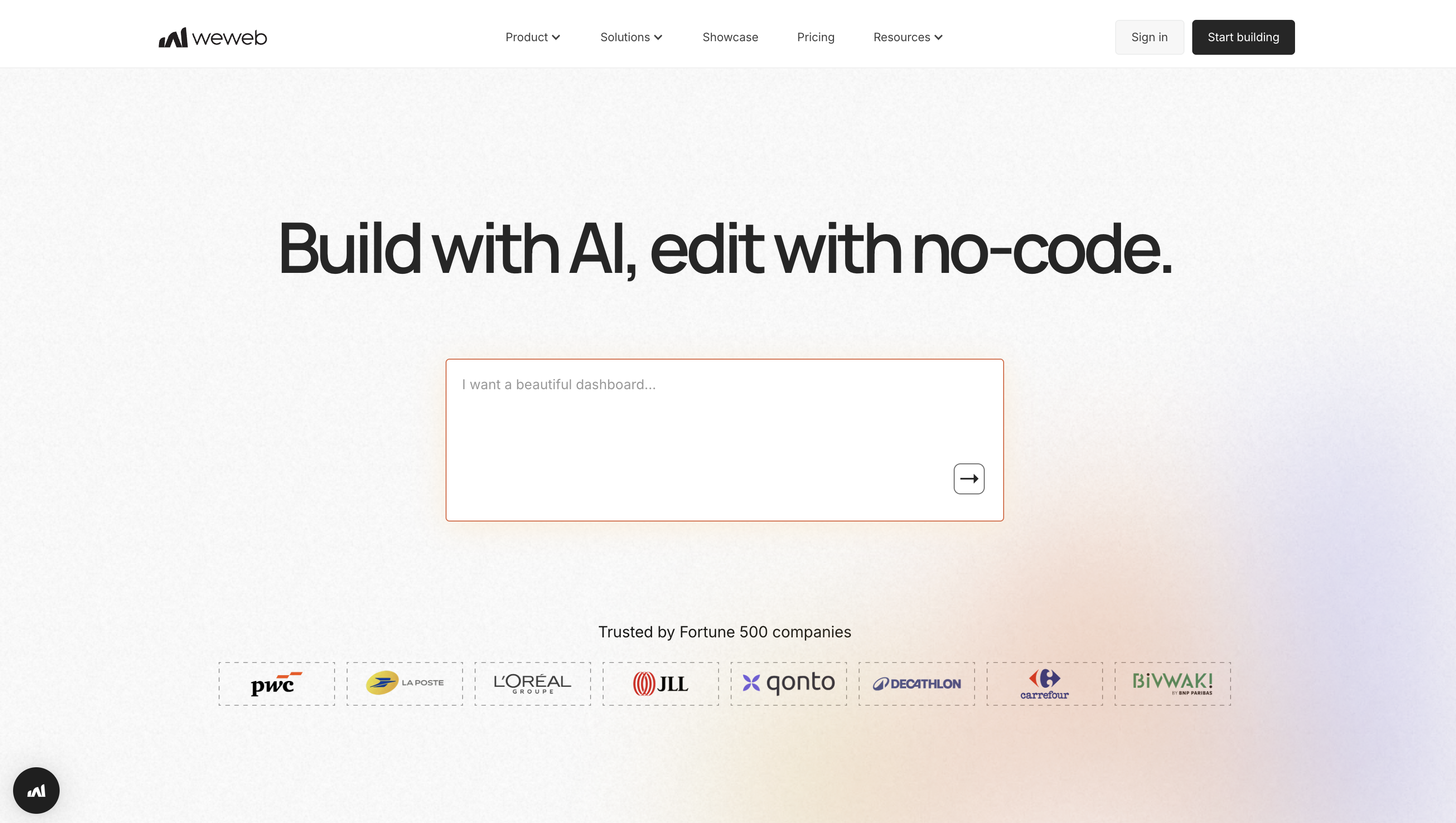
WeWeb is a no‑code/low‑code builder for production‑grade web apps that gives teams visual speed without backend lock‑in. Design responsive UIs with a polished drag‑and‑drop editor, orchestrate logic through workflows and variables, use WeWeb's native backend, and connect to nearly any data source via REST, GraphQL, or native plugins like Supabase, Xano, and Airtable.
Standout advantages: deploy globally on WeWeb Cloud or export code to self‑host, avoid per‑end‑user fees, and accelerate builds with AI that generates pages, formulas, workflows, and editable Vue components.
Best for: Product teams and agencies shipping production apps fast, backend-controlled, scalable.
Pricing:
- Free to build and publish on a subdomain; paid seats from $20/month.
- Hosting is separate for custom domains.
Build stack & integrations:
- Extensibility: Custom HTML/CSS/JS, JavaScript in workflows, build/AI‑generate Vue components, editable code, Marketplace UI kits/design systems.
- Integrations: REST/GraphQL; native Supabase, Xano, Airtable; Auth0/OpenID, Stripe, Google Maps/Mapbox, Segment, or any API.
Shipping & governance:
- One‑click AWS CloudFront hosting or export to self‑host; environments, backups, promotions/rollbacks (higher tiers); workspace roles/guests; SSO/RBAC.
2. Bubble

Bubble is a visual no‑code platform for building full web apps and internal tools with an integrated database and powerful workflow engine. Model data, design responsive layouts, and run client‑ or server‑side automation, including robust API workflows for background jobs and webhooks.
Highlights include the API Connector to talk to any REST service and a growing AI layer (Bubble AI Agent, beta) that generates and modifies UI and expressions, extending into mobile generation.
Best for: Founders and teams shipping production web apps fast without backend.
Pricing:
- Free plan for learning.
- Paid: Web Starter $32/mo; Growth $134; Team $399. Mobile plans separate/bundled. Custom domains/live need paid; plans include workload units.
Build stack & integrations:
- Extensibility: API Connector (client/server), JavaScript plugins with server actions, SQL Database Connector for external DBs.
- Integrations: Stripe, Data API & Workflow API, native social logins, WorkOS SSO, Zapier/Make.
Shipping & governance:
- Managed AWS hosting (no self‑host). Dev/Live environments, branching, logs/metrics. SOC 2 Type II; Enterprise offers dedicated instance, region, static IP, SSO/RBAC.
3. Budibase

Budibase is an open‑source low‑code builder for internal tools, forms, and portals. Connect to 30+ data sources, auto‑generate CRUD UIs with drag‑and‑drop, and automate with 20+ triggers/actions. It stands out with free SSO and workspace RBAC, a plugin system for custom Svelte components and connectors, safe Dev/Prod data separation, and Budibase AI for JavaScript/logic assistance.
Best for: IT/Ops teams shipping secure internal tools quickly with self-hosting option.
Pricing:
- Free Cloud/self‑host ($0). Unlimited apps; 5 users (Cloud); 2k records; 150 runs; 10 plugins.
- Premium from $50/creator + $5/user; 14‑day trial.
Build stack & integrations:
- Extensibility: Custom plugins (Svelte components/data sources), JavaScript everywhere, REST API with OpenAPI, CLI hot‑reload, AI assists JS.
- Integrations: PostgreSQL/MySQL/SQL Server/Oracle, Snowflake; MongoDB/DynamoDB/Elasticsearch/Redis/S3; Google Sheets/CSV; REST with OAuth2; Slack/Discord/Zapier/Make; OIDC/Okta/Auth0/Azure AD/Keycloak.
Shipping & governance:
- Cloud or self‑host (Docker/Kubernetes); Dev/Prod switcher; RBAC; enforceable SSO/SCIM; audit logs; ISO 27001; air‑gapped deployments.
4. AppSheet
AppSheet is Google’s no‑code platform for building business apps and automations from data in Sheets, Excel, SQL, or Salesforce. Start from a spreadsheet or AppSheet Database, then design views and bots in an intuitive editor.
Standouts: offline‑first capture (photos, barcodes, GPS) with background sync, Workspace integrations, and Gemini AI to generate starter apps plus “AI Task” steps for extraction/classification from images, PDFs, or text.
Best for: Workspace teams shipping internal mobile CRUD tools and automations fast.
Pricing:
- Build/test free (up to 10 users). Starter $5/user/mo; Core $10; Enterprise Plus $20 via Workspace admin.
- Publisher Pro $50/app/mo for public, no‑login apps.
Build stack & integrations:
- Extensibility: Apps Script, webhooks, AppSheet REST API; Gemini AI Tasks and Document AI; no custom JS/React runtime.
- Integrations: Google Workspace, Excel, Airtable, Smartsheet, Box/Dropbox; BigQuery, MySQL/PostgreSQL/SQL Server; Salesforce, OData; Google Chat apps.
Shipping & governance:
- SaaS on Google Cloud; SSO with Google, Microsoft, Dropbox, Smartsheet, Salesforce; RBAC, sharing controls, audit logs to BigQuery; SOC 2; HIPAA‑eligible.
5. Jotform
Jotform Apps lets non‑devs package forms, pages, and widgets into an installable PWA shared by link or QR. With 800+ templates, 40+ payment gateways, optional push notifications, Approvals, and Tables, teams can collect, route, and act on data quickly, which is ideal for form‑centric mini‑apps rather than complex, highly interactive web apps.
Best for: Teams packaging forms, approvals, and portals into installable PWAs fast.
Pricing:
- Free plan available. Paid from $39 (Bronze), $49 (Silver), $129 (Gold) monthly; Enterprise custom.
- Standard plans single‑user; HIPAA on Gold; SSO only on Enterprise; form‑view limits apply.
Build stack & integrations:
- Extensibility: Custom CSS (hosted apps block JS); self‑host via form source to add JS; embed via iFrame; REST API and webhooks.
- Integrations: 100+ connectors including Google Sheets, Airtable, Salesforce, HubSpot, Slack, Dropbox, Google Calendar; Zapier/Make; 40+ processors (Stripe, PayPal, Square).
Shipping & governance:
- Share via link/QR; install PWA. Access: Public/Private/Company.
- Enterprise adds SSO, RBAC, HIPAA, SOC 2, custom domains.
SMB-focused mobile app builders (template-driven)
Geared to small and midsize businesses, these builders use templates to spin up branded mobile apps for loyalty, bookings, events, and content with minimal setup. They’re grouped for their fast time-to-value, app-store packaging help, and prebuilt modules that emphasize marketing features over deep customization.
1. Appy Pie
Jotform Apps lets non‑devs package forms, pages, and widgets into an installable PWA shared by link or QR.
With 800+ templates, 40+ payment gateways, optional push notifications, Approvals, and Tables, teams can collect, route, and act on data quickly, which is ideal for form‑centric mini‑apps rather than complex, highly interactive web apps.
Best for: Teams packaging forms, approvals, and portals into installable PWAs fast.
Pricing:
- Free plan available. Paid from $39 (Bronze), $49 (Silver), $129 (Gold) monthly; Enterprise custom.
- Standard plans single‑user; HIPAA on Gold; SSO only on Enterprise; form‑view limits apply.
Build stack & integrations:
- Extensibility: Custom CSS (hosted apps block JS); self‑host via form source to add JS; embed via iFrame; REST API and webhooks.
- Integrations: 100+ connectors including Google Sheets, Airtable, Salesforce, HubSpot, Slack, Dropbox, Google Calendar; Zapier/Make; 40+ processors (Stripe, PayPal, Square).
Shipping & governance:
- Share via link/QR; install PWA. Access: Public/Private/Company. Enterprise adds SSO, RBAC, HIPAA, SOC 2, custom domains.
2. BuildFire
BuildFire is a no‑code mobile app builder for SMBs and agencies covering commerce, communities, events, and internal comms. Teams assemble iOS, Android, and PWA apps in a polished studio backed by a large plugin marketplace.
Notable strengths: advanced push notifications (segmentation, scheduling, geofencing) and the BuildFire SDK, which lets developers ship custom plugins with HTML/CSS/JS and deploy to QA/production without wrangling native builds or store submissions.
Best for: SMBs and agencies shipping branded apps fast, with scalable customization.
Pricing:
- Free trial to build/preview. Standard $165; Growth $315; Scale $440 monthly;
- 20% annual discount; tiered plugin access and admin limits.
Build stack & integrations:
- Extensibility: BuildFire SDK for custom plugins (HTML/CSS/JS), datastore/appData APIs, CLI for QA/production deploys.
- Integrations: Marketplace support for Shopify, Stripe, YouTube/Vimeo, Events, Directory/Chat, Loyalty, WebView; Google Maps; Zapier (higher tiers).
Shipping & governance:
- Hosted SaaS; BuildFire handles builds and app‑store submissions; roles (Marketer/Editor/Owner/Admin); SSO on Scale; white‑label options.
3. AppInstitute
AppInstitute is a no‑code builder aimed at local businesses and agencies, delivering iOS, Android, and PWAs for loyalty, ordering, and bookings. Start from industry templates and drag‑in features, then use geofenced push to drive visits.
PWAs ship instantly with install‑to‑home‑screen and web push, while the team handles App Store/Google Play submissions. App Builder 2.0 adds AI‑assisted scaffolding and a refreshed editor for faster MVPs.
Best for: Local SMBs and agencies needing loyalty, ordering, booking apps fast.
Pricing:
- 30‑day free trial. Entry PWA £49/month; native apps from £99/month;
- Bring your Apple/Google developer accounts; regional pricing varies.
Build stack & integrations:
- Extensibility: Custom pages (advanced HTML), external links, PWA subdomains, open API (advertised); AI scaffolding refined in editor.
- Integrations: Stripe, Square, PayPal; Ecwid, Shopify, WooCommerce; Booxi, Appointedd, BookedIN; built‑in analytics + Google Analytics; segmentation/tags/geofenced push.
Shipping & governance:
- Hosted SaaS; PWA URL/QR and custom domains; store submissions handled; reseller white‑label; no SSO/RBAC or self‑hosting.
4. AppMachine
AppMachine is a template‑driven mobile app builder for non‑developers and agencies that assembles apps from 30 configurable blocks. Start with templates, wire data from built‑in tables or Google Sheets, and publish one project as a web app, iOS, and Android.
It shines with a data‑first approach that auto‑generates list/detail screens, an Elements editor for layouts, and low‑code extensibility via REST and a JavaScript SDK.
Best for: SMBs and agencies shipping data driven apps fast across platforms.
Pricing:
- 30‑day trial. Instant $15/mo (PWA only); Professional $63/mo (iOS/Android/Web); Agency $159/mo (five apps).
- Limits on seats, rows, push, MAUs, branding, storage.
Build stack & integrations:
- Extensibility: REST APIs with CRUD and API key/Basic/OAuth; custom blocks via JavaScript SDK; Agency adds logic/workflows.
- Integrations: Google Sheets, AppMachine Tables, CSV import; push; Firebase analytics; Apple/Google/Facebook/Azure AD sign‑in with roles.
Shipping & governance:
- Publish PWA, iOS 13+, Android 8+; PWAs on custom domains; white‑label; GDPR; no self‑hosting.
5. GoodBarber
GoodBarber is a no‑code builder for content and local commerce that lets you design once and publish PWAs plus native iOS and Android apps.
It pairs a polished editor and design system with an Extension Store of 190+ add‑ons (memberships, analytics, payments) and strong engagement: push notifications with geofencing and iBeacon. New AI helpers speed copywriting/SEO and enable an in‑app RAG chatbot powered by your content.
Best for: SMBs and agencies shipping branded content and local commerce apps.
Pricing:
- 30‑day free trial. Standard $30/mo (PWA); Premium $55/mo (adds iOS/Android);
- Pro $105/mo; Agency $215/mo; add‑ons priced separately; Apple/Google fees apply.
Build stack & integrations:
- Extensibility: Custom Code sections (HTML/CSS/JS), App API, Custom Feeds (JSON); Shopping Public APIs for catalog/orders.
- Integrations: Zapier/Make; WordPress; RSS, YouTube, Vimeo, Spotify; Slack, Twilio; Airtable, Jotform, Typeform; GTM, Meta Pixel; AdMob/Ad Manager; Stripe, PayPal, Klarna, Mercado Pago.
Shipping & governance:
- Managed SaaS; PWAs on custom domains; GDPR‑aligned Privacy Center/DPA; team RBAC; reseller plan; TestFlight/Play testing; no SSO/SAML or self‑hosting.
Enterprise low-code application platforms
These suites are built for complex processes, strict security, and large user bases, pairing visual development with serious scalability. We bundle them here because they combine low-code speed with enterprise needs like governance, integrations, compliance, and full SDLC support (versioning, CI/CD, monitoring).
1. OutSystems
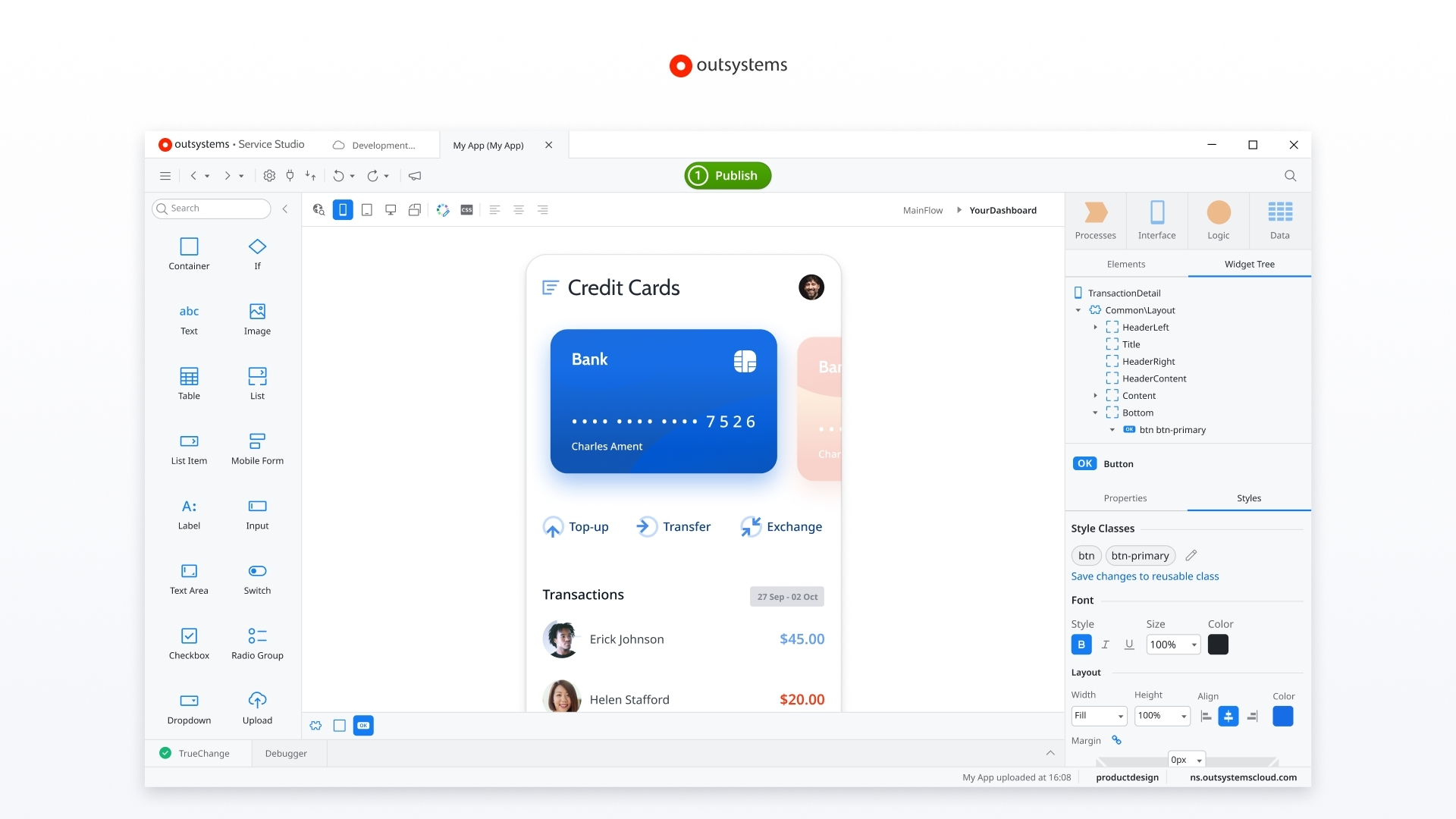
OutSystems is an enterprise low‑code platform available as cloud‑native ODC or self‑managed O11. Build full‑stack web and mobile apps with visual modeling, strong architecture guardrails, and change‑management. Two headliners: Mentor, an AI “digital worker” that generates, evolves, and quality‑checks apps from prompts; and Agent Workbench to design, govern, and deploy enterprise AI agents. Data Fabric and 400+ connectors simplify complex integrations.
Best for: Regulated enterprises shipping mission‑critical apps with strict governance and compliance.
Pricing:
- Free forever Personal Edition; 30‑day ODC/O11 trials; enterprise pricing via quote.
Build stack & integrations:
- Extensibility: Visual dev for UI/data/logic; Mentor AI; extend via C# libraries, Integration Studio, REST/SOAP, JavaScript.
- Integrations: 400+ connectors, Data Fabric; SAP, Salesforce, Snowflake, Microsoft Graph; Azure AD/Okta SSO; UiPath; open APIs.
Shipping & governance:
- ODC managed SaaS with environments, SOC 2, Agent Workbench; O11 supports self‑managed or managed cloud with LifeTime, CI/CD, SSO/RBAC, compliance.
2. Zoho Creator

Zoho Creator is an enterprise low‑code platform for multi‑experience business apps that run on web, iOS, and Android from one build. Zia‑powered CoCreator accelerates idea‑to‑app with prompt‑based scaffolding and Deluge suggestions.
Go deeper with JavaScript Widgets and serverless Cloud Functions in Java/Node.js. Creator brings mature SDLC and governance including versioning, environments, audit trails, and SSO, along with offline‑capable mobile apps.
Best for: IT and ops teams shipping portals, tools, and mobile apps
Pricing:
- Free plan + 15‑day trial (Professional by default). Annual: Standard $8, Professional $20, Enterprise $25 per user;
- Regional rates vary.
Build stack & integrations:
- Extensibility: Deluge scripting, Java/Node.js Cloud Functions, JS/HTML/CSS Widgets; REST APIs and publishable Custom APIs.
- Integrations: 1,200+ SaaS connectors (Google, Microsoft, Stripe, QuickBooks, Slack), custom connectors, SQL and cloud DBs via Data Sources.
Shipping & governance:
- Dev/Stage/Prod, versioning, approvals, audit logs; SAML SSO, MFA, granular roles; SOC 2/ISO; HIPAA features/BAA; cloud or on‑prem; multi‑region residency.
3. SAP Build Apps

SAP Build Apps is SAP’s enterprise low‑code builder for web and mobile on BTP. It couples drag‑and‑drop UI and visual logic with serverless back ends via Visual Cloud Functions and native OData/REST connectivity.
Highlights include BTP authentication/SSO, guided integration wizards, robust dev‑test‑prod transports, and optional Joule assist to accelerate builds. Package to Work Zone or generate iOS/Android binaries with enterprise mobile capabilities.
Best for: SAP-first teams shipping secure internal extensions fast under IT governance.
Pricing:
- Guided 30‑day trial; Free Tier quotas on BTP; PAYG or Enterprise Agreement pricing varies by region.
Build stack & integrations:
- Extensibility: Visual logic/formulas, JavaScript flow functions, reusable components; pair with Build Code and CAP microservices.
- Integrations: OData to S/4HANA, REST via BTP Destinations with principal propagation; trigger Process Automation; Work Zone surfacing.
Shipping & governance:
- Transports across environments; SSO/RBAC, on‑prem options; web/mobile builds; inherits BTP compliance.
4. Fliplet
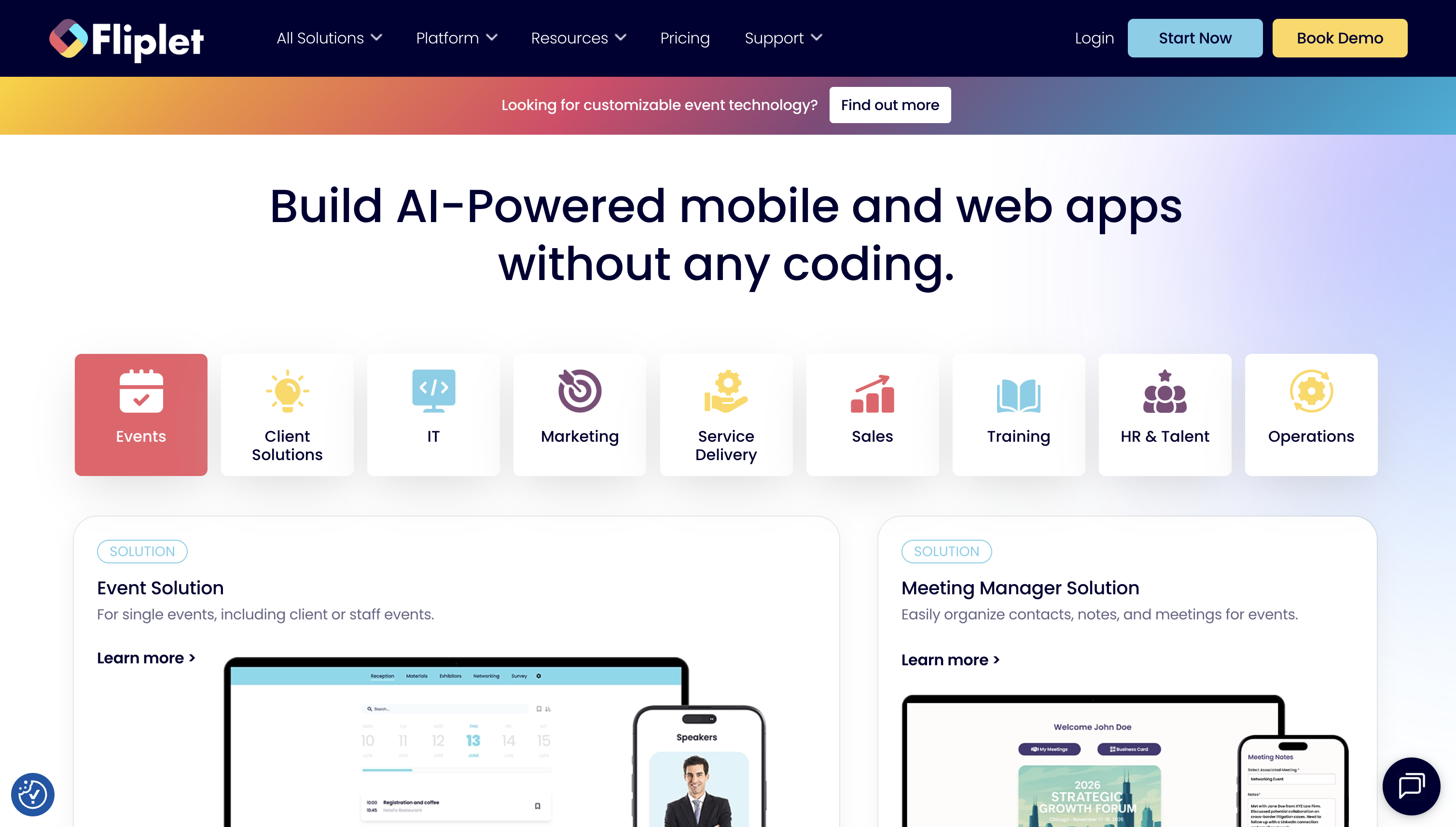
Fliplet is an enterprise no‑/low‑code studio for iOS, Android, and web apps. Start from templates for events, directories, and incident response, then refine in a drag‑and‑drop editor. It offers a dual model: no‑code for speed and Developer Options for full JavaScript and REST, with AI to generate screens and logic from prompts. Security posture includes ISO 27001 and encryption.
Best for: Enterprise teams shipping secure apps fast with SSO, governance, integrations.
Pricing:
- Free: build three web apps (limited users, no integrations). Paid per app from $9.90/month; Plus/Enterprise unlock integrations, more seats, SSO for Studio.
Build stack & integrations:
- Extensibility: Custom HTML/CSS/JS, external libraries, full JS/REST APIs, reusable components via Fliplet CLI; on‑prem data integration service.
- Integrations: Microsoft Power Automate/Azure Logic Apps connector, Zapier, native push and analytics options.
Shipping & governance:
- Deploy to App Store, Google Play, or private channels; SSO, RBAC, audit logs, environments; ISO 27001, encryption.
Design/developer-centric mobile app builders
Aimed at designers and front-end-leaning developers, these tools translate high-fidelity designs into production apps while exposing extensibility via custom code, APIs, and reusable components.
They belong together for their emphasis on pixel-perfect control, rapid iteration from design files, and workflows that mesh with modern dev stacks.
1. FlutterFlow
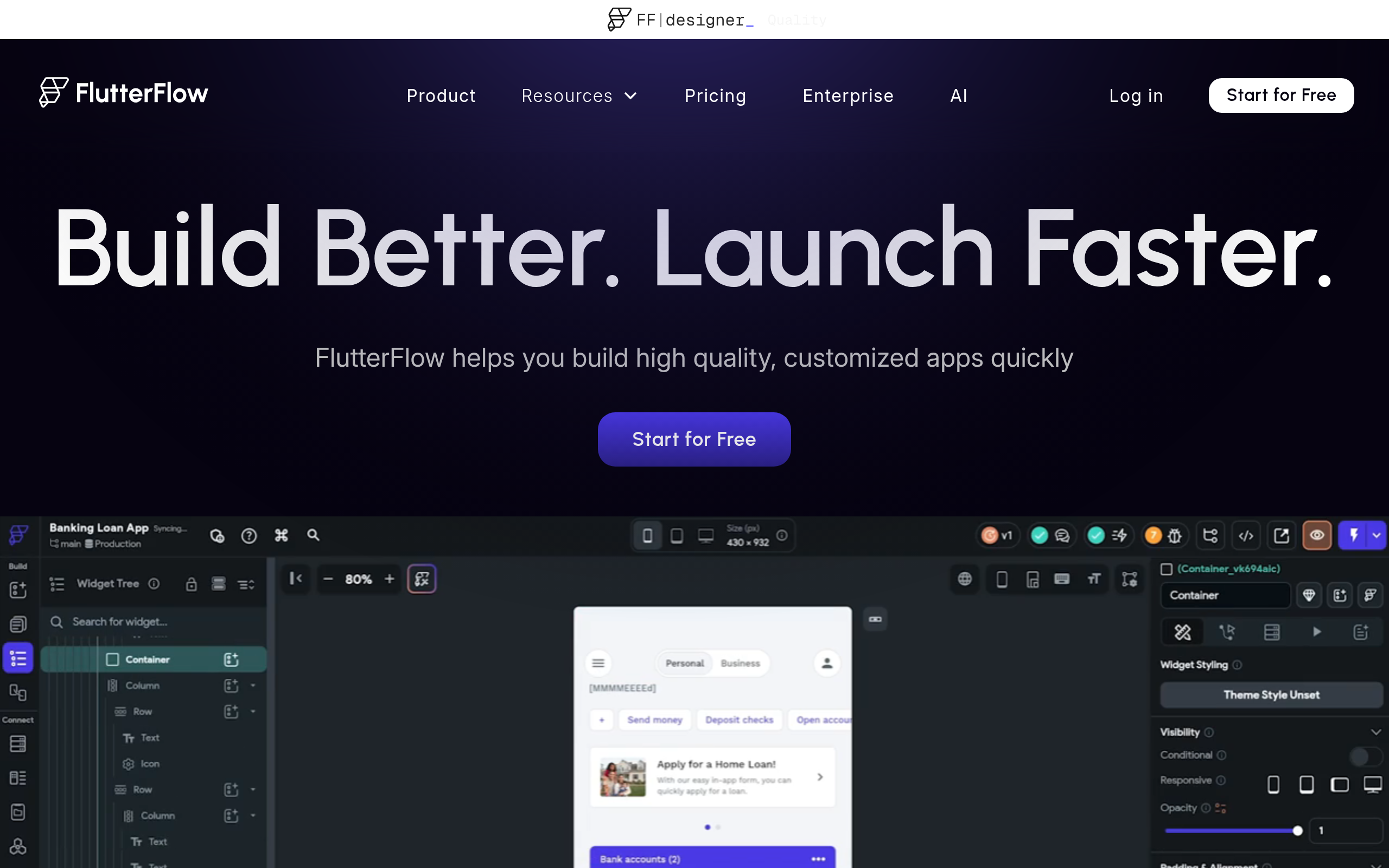
FlutterFlow is a visual builder for real Flutter apps, turning design intent into production code. Assemble screens, bind data, and manage logic with the Action Flow Editor, then export clean Flutter code or push to GitHub to extend. It shines with robust custom code escape hatches (functions, actions, widgets, packages), real‑time collaboration and branching, and AI accelerants like AI Agents and Figma Frame import, all without sacrificing code ownership.
Best for: Designers and teams shipping real Flutter apps fast, from MVPs.
Pricing:
- Free plan. Basic from $39/month adds code download and store deploy. Growth/Business unlock GitHub, co‑editing, branches, tests, Figma import; Enterprise custom.
Build stack & integrations:
- Extensibility: Custom Functions/Actions/Widgets in Dart; import pub.dev packages; YAML editing, CLI/API, VS Code extension; GitHub sync.
- Integrations: Firebase (Auth/Firestore/FCM/Functions), Supabase, REST/OpenAPI, Stripe, AdMob, Google Maps, push, AI Agents with major model providers.
Shipping & governance:
- One‑click web/stores, export/self‑host, CI/CD, environments; SOC 2 certification.
2. Bravo Studio
Bravo Studio turns annotated Figma designs into native iOS and Android apps. Add Bravo Tags to declare screens, lists, forms, maps, and actions; preview instantly on‑device with Bravo Vision; bind live data via a REST‑friendly Data Library; then generate store builds. Standouts include a design‑first workflow via the Bravorizer plugin, wide native actions (push, QR/NFC, deep links), and guided publication.
Best for: Design-led founders shipping Figma-to-native MVPs with store-ready speed and features.
Pricing:
- Free Starter (unlimited projects, 15 screens/app). Solo from $18/month (annual) unlocks iOS/Android publishing;
- Team adds versioning, more screens, analytics; free trial available.
Build stack & integrations:
- Extensibility: Design‑as‑source via Bravo Tags; no code export (IPA/AAB only); REST‑based Data Library; remote actions/deep links.
- Integrations: Airtable, Xano, Bubble, REST; OAuth2/Firebase auth; OneSignal push; Stripe, AdMob, RevenueCat; Firebase/Bravo Analytics; CometChat; maps/QR/NFC.
Shipping & governance:
- Generate store‑ready builds; unlimited publication builds; Team adds collaboration/versioning; no self‑hosting or SSO/RBAC, assess PII/HIPAA needs.
3. Appery.io
Appery.io is a cloud low‑code platform for hybrid mobile and web apps that blends a drag‑and‑drop Ionic/Angular UI with a managed MBaaS (database, server code, push). Differentiators: an AI Assistant that generates UI from prompts, API Express for visual orchestration across REST/SOAP/SQL/LDAP (with offline sync and optional on‑prem), and one‑click export to native binaries or full source for Xcode/Android Studio plus PWA publishing.
Best for: Developer-led teams shipping scalable mobile apps fast, without backend lock‑in.
Pricing:
- 14‑day free trial. Beginners $25/mo; Pro $99/mo ($70 annual); Team $200/mo ($135 annual). Plan caps on apps, API calls, storage; overages billed.
Build stack & integrations:
- Extensibility: Custom components, JavaScript/TypeScript, npm modules, Cordova plugins, visual logic with code overrides, server‑side JS, full source export.
- Integrations: API Express to SQL Server/Oracle/MySQL/PostgreSQL; orchestrate REST/SOAP/LDAP/SQL; offline sync; plugins for Stripe, PayPal, Twilio, SendGrid; any REST API.
Shipping & governance:
- SaaS with on‑prem API Express option; RBAC roles; environments/versioning/Git; PWAs/native binaries; OTA updates; GDPR; store publishing.
4. Adalo
Adalo is a no‑code builder for mobile and web apps that balances designer‑friendly speed with developer‑grade escape hatches. Drag‑and‑drop components, wire logic visually, and publish the same project to the App Store, Google Play, or the web.
It stands out for multi‑channel publishing, backend freedom via Adalo Collections, External Collections (REST), first‑class Xano support, and a component SDK/marketplace so devs extend the editor with custom React/React Native components.
Best for: Designers and agencies shipping iOS/Android/web apps fast, with scalable autonomy.
Pricing:
- Free plan (200 records/app, unlimited actions). Paid from $45/month to publish to custom domains and app stores; 14‑day trial; External Collections Pro+; Collections API on Team/Business.
Build stack & integrations:
- Extensibility: Custom Actions (REST), Component SDK for React/React Native, Adalo API (Collections CRUD, Notifications).
- Integrations: External Collections (REST/Airtable PAT), Xano, Stripe, IAPHUB, Mixpanel, Zapier/Make; Google/Apple auth.
Shipping & governance:
- Cloud SaaS; optional Enterprise/Blue single‑tenant hosting; publish web/app stores; editors (no RBAC); clone apps for environments.
5. Shoutem
Shoutem is a no‑code platform for launching native iOS and Android apps from templates across media, commerce, communities, and events.
Non‑devs compose screens in a themeable editor while developers extend via React Native extensions. It’s fast to market with an extension marketplace, the Disclose preview app for on‑device testing, and built‑in push automation like Journeys and RSS‑triggered notifications.
Best for: Agencies, product teams, creators shipping native apps fast with control.
Pricing:
- 14‑day trial. Per app: Android $59/mo, Standard $99/mo, Professional $179/mo. Shoutem Pro services from $1,499; Apple/Google fees extra.
Build stack & integrations:
- Extensibility: React Native extension model with CLI, access to native APIs, theming with @shoutem/ui.
- Integrations: Shopify, WordPress, RSS, YouTube; podcasts/SoundCloud; iCal; Firebase/GA; IAPHUB subscriptions; CMS importers; Web View.
Shipping & governance:
- Cloud‑hosted builder; Shoutem handles infra/submissions; use your developer accounts; Disclose for preview/push; clone apps for staging; localization; reseller white‑label.
DIY/legacy mobile app builders and CMS
This group covers older or self-hosted systems that appeal to tinkerers and budget-conscious teams wanting full control over hosting and customization. They’re grouped as value-oriented options that trade cutting-edge UX for affordability, openness, and longevity, useful when ownership and low recurring costs matter most.
1. Siberian CMS

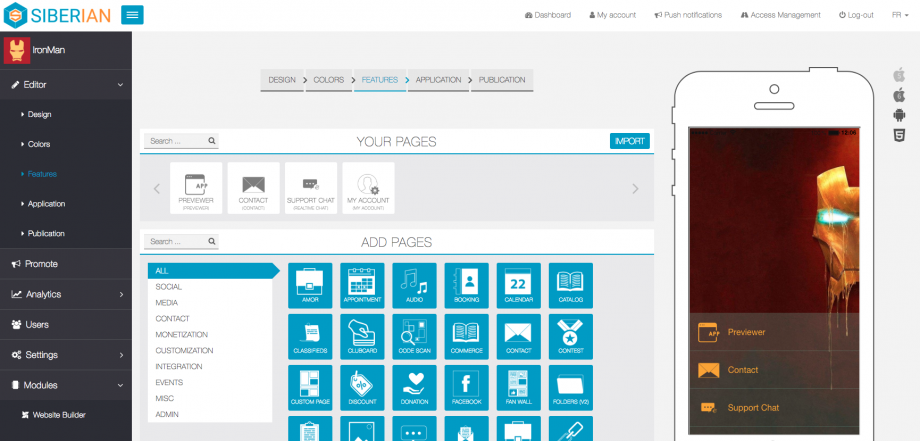
Siberian CMS is a drag‑and‑drop mobile app builder for agencies/resellers that you run yourself or host with the vendor. Build Android, iOS, and PWA apps from one white‑label backend.
Choose a free Single‑App Edition or commercial Multi‑Apps/Platform editions. Highlights include robust push (topics, geofencing), loyalty, m‑commerce, bookings, AdMob, and a mature module marketplace, plus full source code on self‑hosted plans.
Best for: Agencies and freelancers shipping unlimited white‑label SMB apps, self‑hosted fast.
Pricing:
- Free Single‑App. Multi‑Apps: €149 one‑time self‑hosted or €79/month hosted. Platform: €299 one‑time or €149/month hosted. Unlimited apps; hosted code access after 12 months.
Build stack & integrations:
- Extensibility: Full source code (self‑hosted), module system (PHP/Zend + Ionic/Cordova), inheritance overrides, REST API for provisioning, RBAC.
- Integrations: Built‑in m‑commerce, appointments, marketplace add‑ons; PayPal, 2Checkout, Stripe; WooCommerce; Google Maps, AdMob; push topics/targeting/scheduling.
Shipping & governance:
- Self‑host LAMP (PHP 7.0–7.3) or vendor‑hosted; lifetime updates (self‑hosted); no native SSO; subdomain required; keep up with updates.
2. iBuildApp
iBuildApp is a web‑based, drag‑and‑drop mobile app builder targeting small businesses and legacy‑minded agencies with 1,000+ templates and widgets for maps, media, shopping carts, and social feeds. Standouts include a long‑running template marketplace and streamlined publishing, which is good for coupons, loyalty, and basic branded content with push. Note: the official site has been intermittently unreachable; validate status before committing.
Best for: Non-technical SMBs needing fast, template mobile apps and internal distribution.
Pricing:
Free trial; entry from $59.40/month; Company $395/month; Corporate $7,500/year. Enterprise App Store from $20,000/year + $5/user/month. Verify availability/limits.
Build stack & integrations:
- Extensibility: Template marketplace components; legacy API for remote content; no confirmed code export or scripting.
- Integrations: Built‑in widgets for CMS content, cart, Google Maps, social, live chat, push, media galleries.
Shipping & governance:
- Publish to App Store/Play; private Enterprise App Store option. SaaS; unclear SSO/RBAC/compliance, confirm before rollout.
3. Mobincube
Mobincube is a no‑code app builder for lightweight native Android/iOS apps. Non‑developers assemble screens, link interactions, and start from templates. It’s optimized for content‑driven apps (like guides, catalogs, and directories) where speed to launch and ad revenue matter.
Monetize via AdMob and other networks, use Firebase Push & Analytics, and extend with embedded Web screens for custom HTML/JavaScript.
Best for: Solo builders monetizing simple content apps without writing code fast
Pricing:
- Free: unlimited apps with ads; publish Android/iOS; Firebase push. Paid from $2.99/mo (Plan S) for 2,000 MAUs, monetization, remove splash; higher tiers add ad removal/cloud CMS.
Build stack & integrations:
- Extensibility: Web screens for custom HTML/JS; Mobincube protocol for actions/params/endpoints; variables/conditions for light logic.
- Integrations: Firebase Push & Analytics; AdMob/other networks; embed web apps, maps, media, RSS; optional CleverTap/GA; data via CSV/URL.
Shipping & governance:
- Cloud‑hosted; publish to major stores; basic roles; no SSO/RBAC.
4. Swiftspeed Appcreator
Swiftspeed Appcreator is a DIY builder that wraps websites, especially WordPress/WooCommerce, into Android and iOS apps through a template‑driven editor. It favors speed to publish over native complexity, with white‑label branding, built‑in analytics, and push via Firebase or OneSignal.
Cordova under the hood enables plugin‑based extensions while keeping setup simple for freelancers and small agencies.
Best for: Agencies and non‑dev teams converting websites to branded mobile apps.
Pricing:
- Free: 1 Android app, 100 MB storage, 100 GB bandwidth (no push/support). Business £10/month or £79/year adds push, stats, iOS source; 2 apps yearly, 1 monthly.
Build stack & integrations:
- Extensibility: Custom HTML/CSS/JS via Source Code; WebView/iframe modules; iOS source download; Android Studio import; Cordova plugin‑friendly.
- Integrations: WordPress, WooCommerce; push via Firebase/OneSignal; ads with AdMob/Facebook/Start.io; analytics + Google Analytics; guides for Stripe/PayPal/YouTube.
Shipping & governance:
- Hosted SaaS; optional white label on your domain with client accounts; basic roles; Android/iOS targets; Web/PWA options; GDPR.
Conclusion
The market has matured. You no longer need to trade speed for control. A modern drag and drop app builder can deliver production grade apps with the flexibility to connect any backend and the safety controls enterprises require.
WeWeb combines AI generation, a precise visual editor, backend freedom, self hosting options, and support for custom Vue.js components. It is built for professionals who want to move fast without limits while keeping code level extensibility in reach.
FAQs
What is the difference between a website builder and a drag and drop app builder?
A website builder focuses on static pages and content. A drag and drop app builder focuses on interactive applications with data, logic, authentication, and workflows suitable for portals, SaaS, and internal tools.
Can a drag and drop app builder handle enterprise security requirements?
Yes, if the platform includes SSO, granular permissions, audit logs, and self hosting options. WeWeb highlights these capabilities for enterprise teams.
Does a drag and drop app builder lock me into a proprietary backend?
It should not. Prefer platforms that connect to REST, GraphQL, SQL, and external auth so you can switch services later. WeWeb emphasizes backend freedom, with its own native backend and the ability to connect to any external backend.
Can developers still write code when using a drag and drop app builder?
They can and often should for advanced cases. Look for support for custom components. WeWeb lets teams import and edit Vue.js components which keeps code level control.
Is a drag and drop app builder fast enough for production apps?
Yes when performance features are built in, such as caching and lazy loading, and when you can profile and optimize. Professional tools like WeWeb focus on production grade outputs.
Who benefits most from a drag and drop app builder?
Startup founders, freelancers, agencies, and innovation teams that value speed, scalability, and autonomy. These teams can ship quickly while ensuring the app remains maintainable over time.
How does AI improve a drag and drop app builder?
AI speeds up scaffolding of pages, data models, and actions from natural language. The key is the ability to fully edit the AI output. WeWeb combines AI and no code with a visual editor that keeps humans in control.
