




The world of software development is undergoing a massive shift. By 2030, analysts project that an astonishing 85% of new applications will be created with no code or low code platforms, a leap from less than 25% in 2020 and around 70% in 2025.
At the heart of this transformation is the app builder, a tool that allows anyone, regardless of technical skill, to create powerful, custom applications. These platforms are democratizing technology, empowering entrepreneurs, startup founders, and even teams at large companies like PwC and Decathlon to turn ideas into reality faster than ever. Forget writing endless lines of code.
With a modern no code web app builder, you can design, build, and launch production grade web and mobile apps using intuitive visual interfaces, drag and drop components, and increasingly, the power of AI.
No Code vs. Low Code vs. Hand Coding
Choosing between a no code app builder, a low code platform, and traditional hand coding involves weighing speed and accessibility against ultimate control and complexity. Each approach has distinct advantages depending on your project’s goals, budget, and timeline.
No Code App Builders:
- Speed: This is the most significant advantage. No code platforms can reduce development time by as much as 90%. What once took months can now be achieved in weeks or even days.
- Cost Effectiveness: Building an MVP with traditional custom development can easily cost from $30,000 to more than $150,000, particularly for complex or regulated products. In contrast, no code platforms allow founders to launch MVPs for a fraction of the price, often between $1,000 and $10,000 for typical early stage projects, and up to 70% cheaper than custom coding approaches.
- Accessibility: No code empowers non technical users, or “citizen developers,” to build their own solutions. Nearly 60% of custom apps are now built by employees outside of IT departments.
Low Code App Builders:
Low code platforms serve as a bridge, offering the visual development speed of no code but allowing developers to write custom code for specific functions. This approach is ideal for projects that require both rapid development and specialized, complex logic that might be beyond the scope of a purely no code tool.
Traditional Hand Coding:
- Unlimited Customization: Hand coding offers complete control over every aspect of an application’s design, features, and functionality.
- Complex Logic: For applications requiring highly specialized or complex logic, traditional development provides the necessary power and flexibility.
- No Platform Dependency: You own the codebase entirely, avoiding any risk of vendor lock in.
Factor
No Code App Builder
Traditional Hand Coding
Speed
Weeks or days
Months or years
Cost
Low initial investment
High upfront and maintenance costs
Flexibility
High (within platform limits)
Unlimited
Required Skill
Minimal to none
Expert programming knowledge
Best For
MVPs, internal tools, customer portals, most SaaS apps
Highly complex, unique systems, large scale enterprise apps
Ultimately, a professional grade platform like WeWeb offers a sweet spot. It provides the speed and accessibility of no code while allowing for the customization, backend freedom, and code export that professional developers demand.
How App Builders Work Under the Hood
Ever wondered how a no code app builder translates your clicks and drags into a fully functional application? It’s not magic, but a clever abstraction of the core components of software development: the user interface (UI), the database, and the business logic.
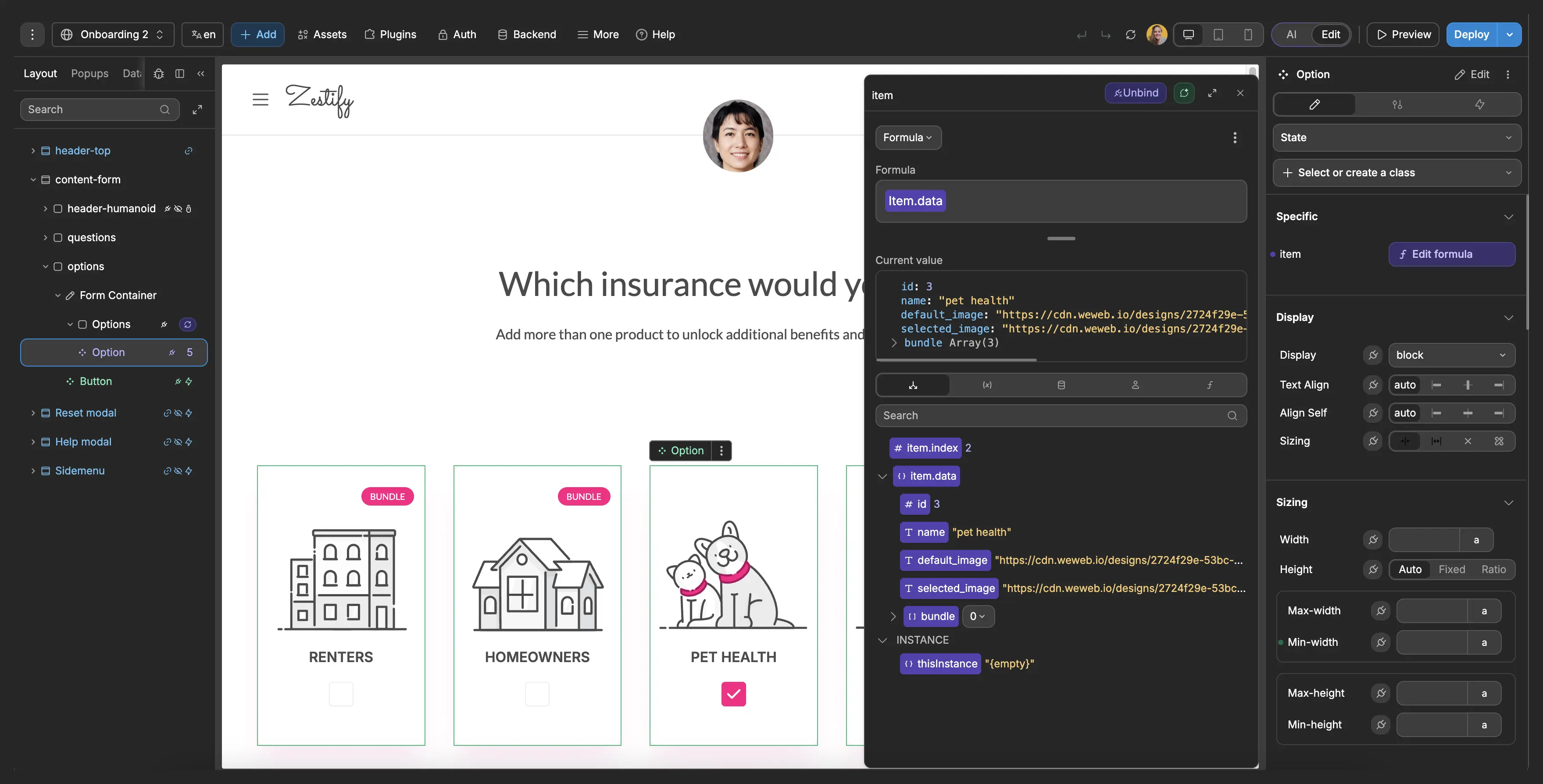
The Visual UI Editor
The most visible part of any app builder is its user interface editor. This is a visual canvas where you design what your users will see and interact with.
- Drag and Drop Interface: This is the cornerstone of no code. You can select pre built components like buttons, forms, images, and menus from a library and simply drag them onto your page.
- What You See Is What You Get (WYSIWYG): The editor shows you a real time preview of your app, so you see exactly how it will look and feel on different devices as you build it.
- Component Libraries: Platforms offer extensive libraries of pre coded elements, which drastically speeds up the building process.
Database and Data Management
Every useful application needs a way to store and retrieve information. App builders simplify this by providing integrated or easily connectable databases.
- Built in Databases: Many platforms, include their own relational databases where you can define your data structure (like creating tables and fields) through a simple visual interface.
- Third Party Integrations: A key feature of a powerful app builder is the ability to connect to external data sources. Whether it’s a PostgreSQL database, a REST API, or a tool like Airtable or Xano, you can fetch and display data in your app without writing complex code.
Logic and Workflows
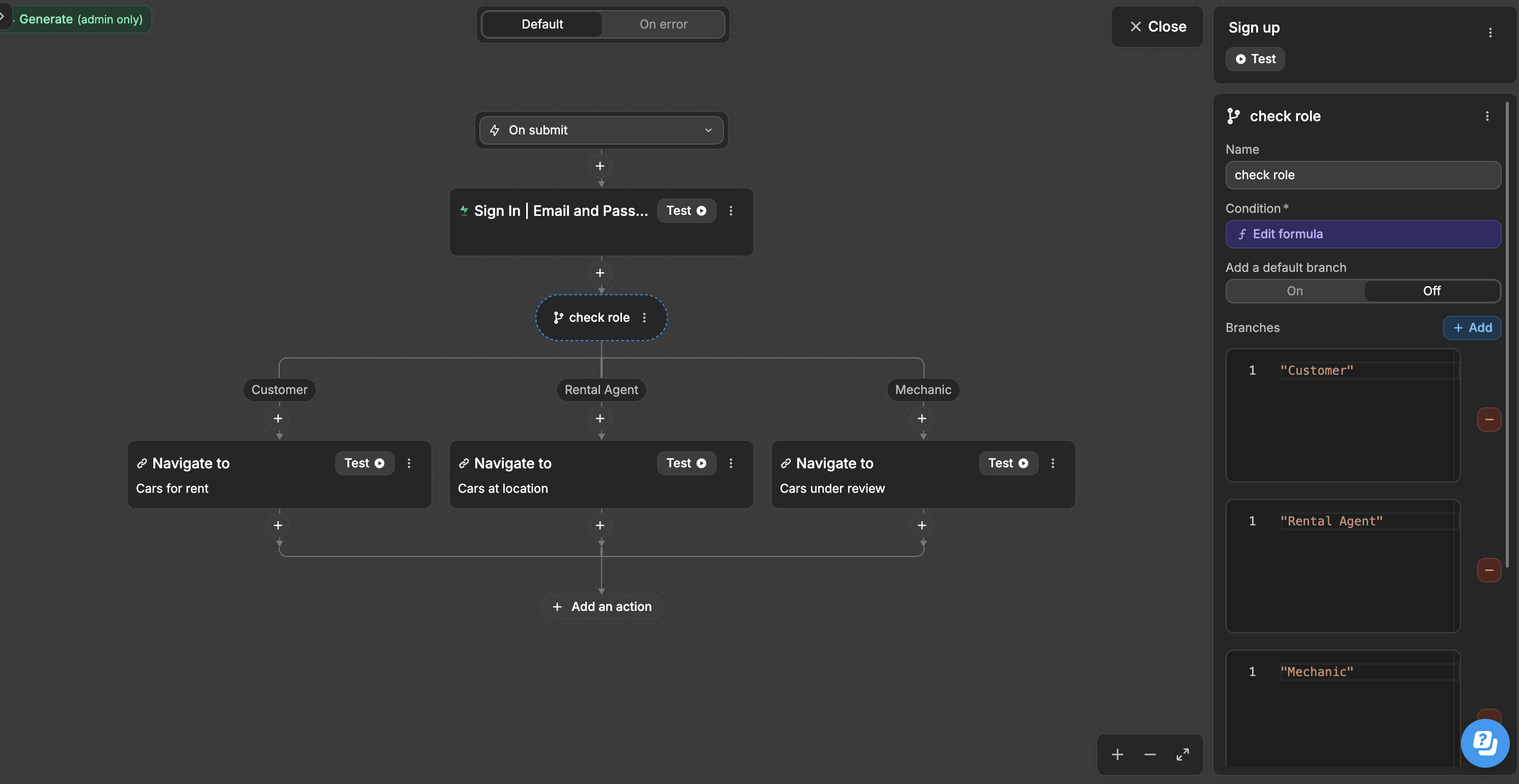
This is where the app comes to life. A workflow editor allows you to define what happens when a user interacts with your app.
- Visual Workflows: Instead of writing code, you create logic using visual flowcharts. For example: “When a user clicks the ‘Sign Up’ button, create a new user in the database, then send a welcome email.”
- Event Based Triggers: You can set up actions that are triggered by specific events, such as a button click, a form submission, or even a scheduled time. This allows for creating complex, automated processes.
Platforms like WeWeb excel by combining a powerful visual editor with complete backend freedom, allowing you to connect to any database or API you need, giving you both speed and scalability.
App Builder Key Features to Evaluate
Choosing the right no code app builder is crucial for your project’s success. Before you even look at platforms, clearly outline your project’s needs. Then, evaluate your options based on these key features.
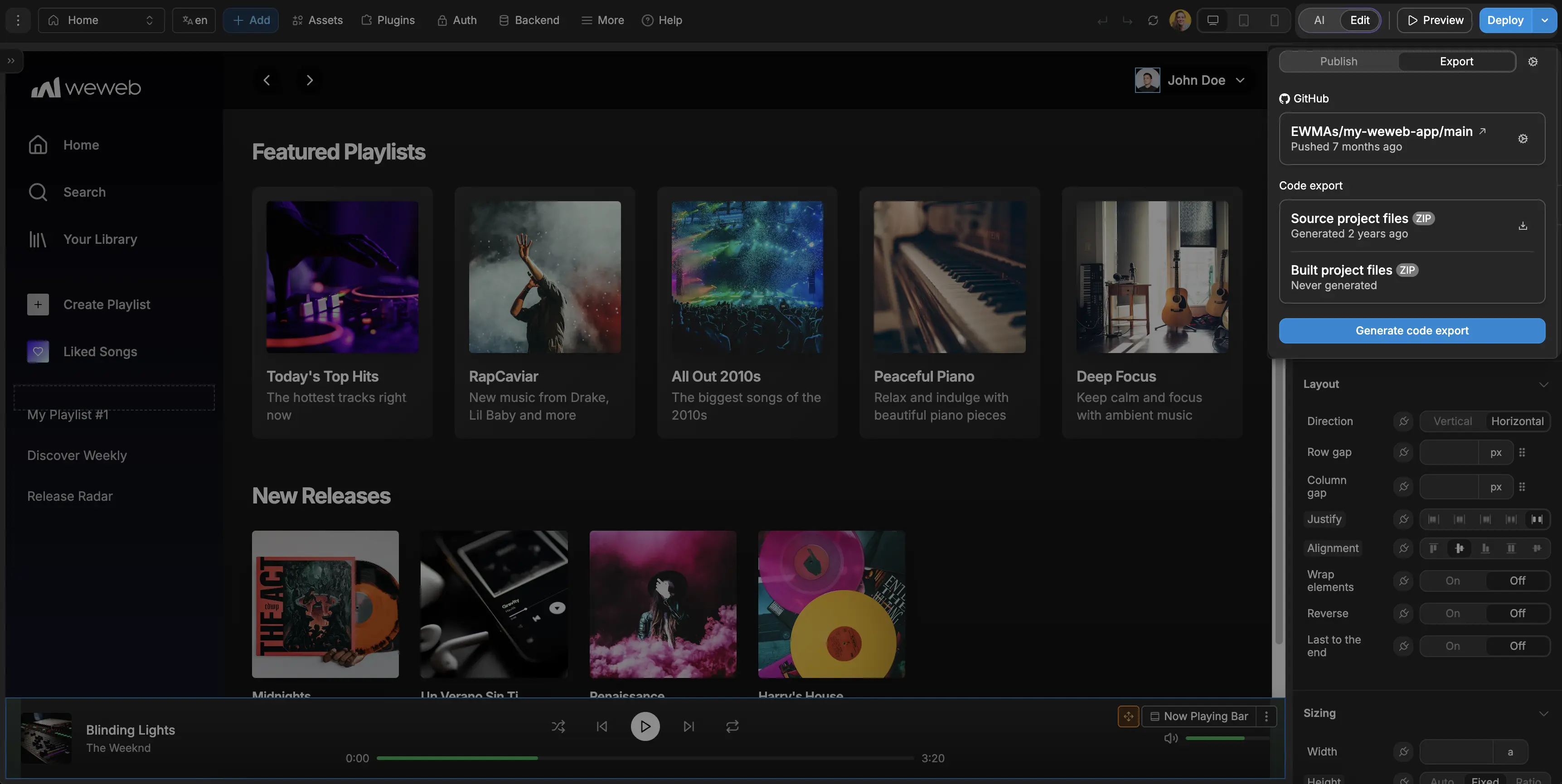
Backend Freedom and Data Integration
Can you connect to your own database or third party APIs? Or are you locked into the platform’s ecosystem? Platforms offering complete backend freedom, like WeWeb, provide greater scalability and prevent vendor lock in. This is critical for connecting to existing systems and ensuring you can scale without being forced to migrate later.
Customization and Design Flexibility
Does the builder offer enough design flexibility to match your brand? The ability to control every pixel is essential for creating professional, polished applications. Look for features like responsive design controls, reusable components, and the ability to import custom design elements or even add custom code if needed.
Built in Security and Compliance
For any serious application, security is non negotiable. Evaluate the platform’s security posture. Do they offer features like role based permissions, single sign on (SSO), and audit logs? Are they compliant with standards like SOC 2 Type II? For businesses in regulated industries, these built in security features are a requirement, not a luxury.
Scalability and Hosting Options
Can the platform handle a growing number of users and data? Some platforms have limitations that can become problematic as your business expands. A key differentiator is the option for self hosting. This is critical for companies with specific security, compliance, or performance requirements, as it gives you complete control over your application’s environment.
App Builder Comparison: A Quick Overview
Top 11 App Builder Platforms in 2026
Now that we’ve explored the essential features to look for, let’s turn our attention to the platforms setting the standard. This curated list represents the best in the market, offering a comprehensive look at the top choices for developers and entrepreneurs alike.
1. WeWeb
WeWeb puts a professional, visual full-stack builder in the hands of startups, agencies, and innovation teams that need to ship fast without sacrificing engineering standards. You can use WeWeb's native backend or bring an external backend like Xano, Supabase, Airtable, and more.
The platform gives you pixel precise UI, flexible data connections, and the rare power to export real code for long term autonomy and scale.
Standout capabilities for builders
- Refined visual editor with design systems and responsive control that feels like a modern front end IDE.
- AI assisted scaffolding and component generation from natural language prompts to jumpstart builds.
- Native WeWeb backend with database, APIs, authentication, storage, and backend logic directly inside the editor.
- Backend freedom via first class REST/GraphQL connectors to services like Supabase and Xano.
- Ability to mix and match different data sources.
- One click full Vue.js code export for self hosting on Vercel, AWS, or on prem.
- Extend with Vue 3 custom components, a developer CLI, and versioning.
- Rollbacks, and staging/production environments.
Watch outs
- Some managed integrations won’t work post export, so plan integrations accordingly.
- Web first: no native iOS/Android output beyond PWA.
Pricing & when to pick it
Free plan: Yes. Paid from: $20/mo. Pick it if backend freedom and code export for self hosting are non negotiable, and you want a pixel-perfect design.
2. Bubble

Bubble is the end to end platform for teams that want to go from idea to production app, including UI, workflows, database, and deployment, without hiring a backend squad. Startups, agencies, and innovation groups ship fast, iterate faster, and scale on an enterprise ready foundation.
Standout capabilities for builders
- Mature responsive editor for complex, logic heavy applications and streamlined workflow design.
- AI App Generator and AI Agent (beta) to describe features and accelerate iteration.
- Built in database with privacy rules, robust API tools, and an SQL Database Connector.
- Multiple paths to mobile distribution, including wrappers for iOS/Android from the same project.
- SOC 2 Type II compliance plus a Security Dashboard for governance.
- Collaboration with version control, branching, and sub apps for modular scaling.
Watch outs
- Powerful, but a real learning curve. Performance patterns and advanced features take time.
- No code export; migrations mean rebuilding elsewhere.
- Usage based pricing can spike without careful monitoring.
Pricing & when to pick it
Free plan: Yes. Paid from: $32/mo. Pick it if you want the fastest path to a feature rich product with serious security and don’t need source code export.
3. GoodBarber
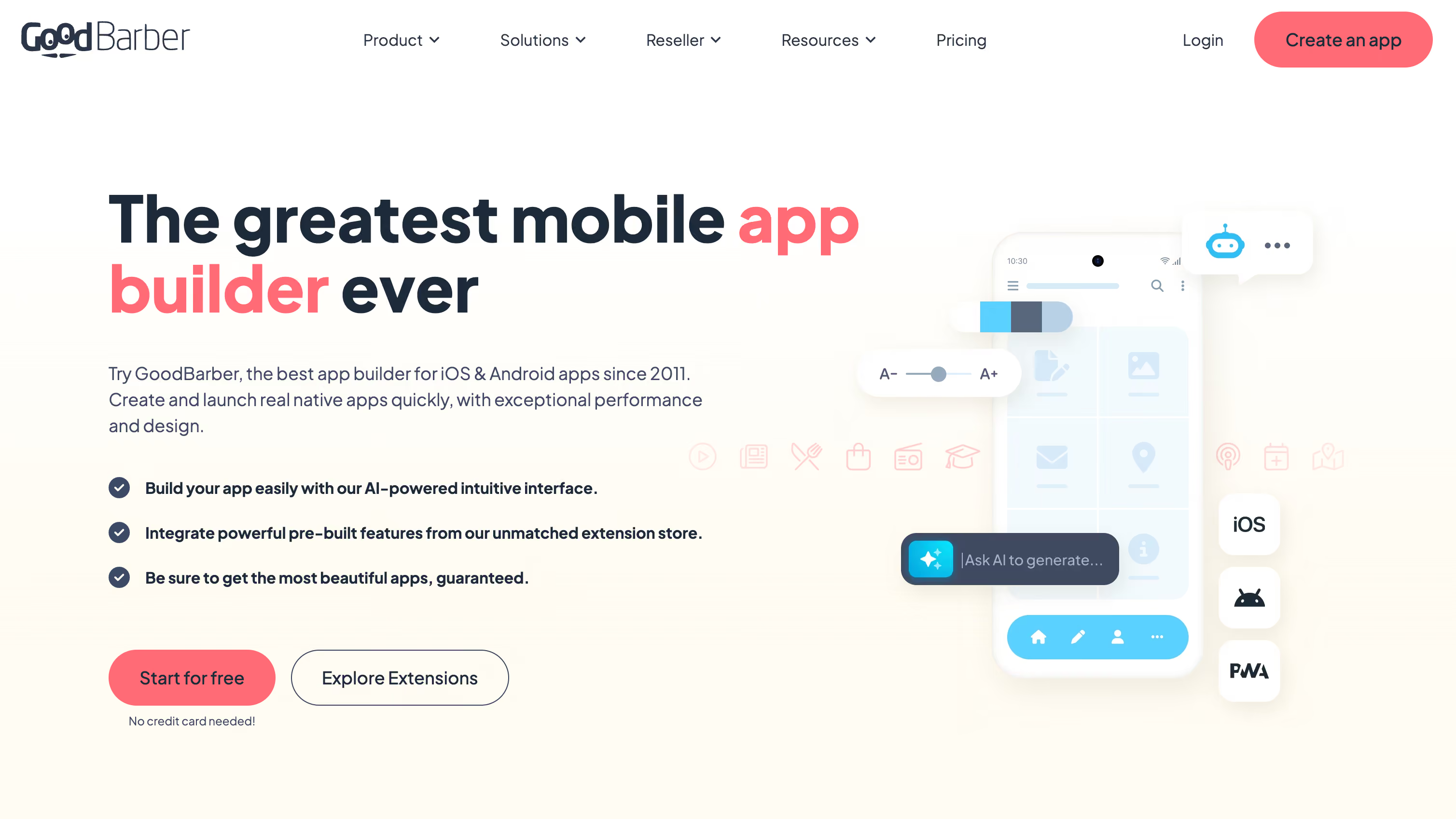
GoodBarber compiles native iOS apps in Swift and native Android apps in Kotlin (alongside a Progressive Web App) from a single visual back office. This native compilation approach enables the level of performance and polish users expect from premium mobile experiences: fluid animations, responsive interactions, haptic feedback, and platform-native UI behaviour.
Standout capabilities for builders
- iOS apps are compiled in Swift and Android apps in Kotlin not WebView-wrapped and not cross-platform hybrid apps.
- Design system, CMS, push notifications, eCommerce, hosting, GDPR tooling, and app store compliance are all managed directly from the back office without relying on multiple third-party services.
- Includes REST APIs for Content and eCommerce, Custom Sections (HTML/CSS/JS with deep app integration), Custom Content Feeds with typed JSON, Zapier and Make integrations, plus Advanced Design Edition for direct access to app configuration files.
- Users can describe a custom extension in natural language, and the AI generates production-ready code integrated directly with GoodBarber APIs, hosting, and design system, including geolocation, push, content retrieval, and eCommerce data.
- Agent-ready architecture (MCP support). A native MCP server enables AI agents to operate apps from MCP-compatible clients like Claude or Cursor, including sending push notifications, updating order statuses, managing promo codes, and retrieving analytics.
- 0% commission on mobile eCommerce. Merchants keep their revenue whether selling online or offline, with support for 22 payment gateways.
- Strong agency and white-label ecosystem. Particularly well suited for agencies and app resellers managing multiple client apps with centralized workflows and branding control.
Watch outs
- Less suited for highly custom SaaS-style database logic and advanced workflow automation than platforms like WeWeb, Bubble or FlutterFlow.
- The platform is optimized primarily for mobile-native experiences rather than complex browser-first web applications.
- Some advanced capabilities, including reseller tooling, advanced publishing, and enterprise-level customization, may increase overall costs for solo builders or early-stage projects.
Pricing & when to pick it
Free 30-day trial. Paid from: $30/mo. Pick it if you're building polished and complex iOS apps.
4. FlutterFlow
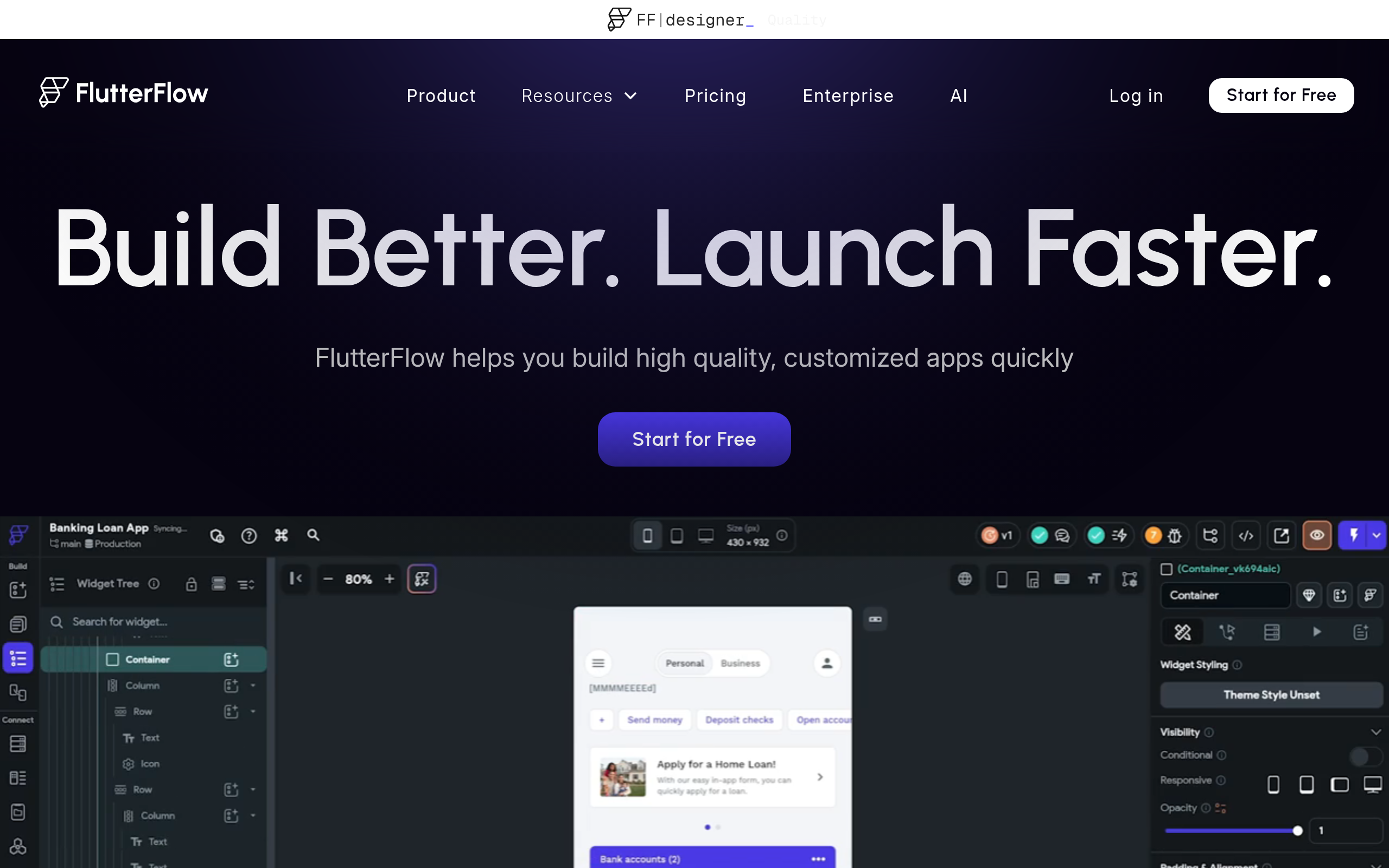
FlutterFlow gives product teams a visual fast lane to native app development across mobile, web, and desktop without giving up code ownership. Startups and agencies move from Figma to functioning Flutter apps quickly, with the autonomy to export and extend the codebase as needs grow.
Standout capabilities for builders
- Pixel perfect UI building with a rich Flutter widget library, responsive layouts, and reusable components.
- AI to generate screens from prompts or Figma files, plus built in AI agent integrations.
- Backend freedom: Firebase and Supabase out of the box, any REST API, and custom Dart when you need it.
- One click export of clean Flutter code and GitHub integration for CI/CD.
Watch outs
- Deep customization often requires Dart fluency.
- Code changes made outside the studio can’t be re imported.
- Flutter for Web isn’t ideal for SEO heavy marketing sites.
Pricing & when to pick it
Free plan: Yes. Paid from: $39/mo. Pick it if you want visual speed for native apps plus true code ownership and backend flexibility.
5. Adalo

Adalo is the quickest path from idea to a published mobile app for founders, freelancers, and agencies. Its intuitive editor makes building feel approachable, while flexible data options keep you moving from MVP to production without waiting on engineering resources.
Standout capabilities for builders
- Build once and publish to Apple App Store, Google Play, and the web.
- Freeform visual editor for precise, mobile first layouts and components.
- Choose Adalo’s database or connect to any REST API (Xano, Airtable, and more).
- Extend with marketplace components and layer in generative AI features.
Watch outs
- No source code export, so leaving the platform means rebuilding.
- Limited offline first patterns; reliable syncing requires connectivity.
- Usage based limits (e.g., app actions) can affect costs.
Pricing & when to pick it
Free plan: Yes. Paid from: $45/mo. Pick it if you want the fastest route to a store ready app and prefer not to manage infrastructure.
6. Glide

Glide turns your data into polished apps. It’s perfect for internal tools, client portals, and field operations where speed and guardrails matter. Ops minded teams love how quickly they can ship secure PWAs, then scale confidently with Big Tables and direct SQL connections.
Standout capabilities for builders
- Fast visual builder with an integrated Data Editor and visual Workflow Editor.
- AI assisted app generation, plus AI blocks for text, OCR, and audio transcription.
- Data flexibility: native tables, scalable Big Tables (10M+ rows), and read/write SQL connections.
- Enterprise grade security with SOC 2 Type II, row level permissions, and SSO.
- Extensibility via JavaScript columns and a full API.
Watch outs
- Ships progressive web apps only; native app stores require wrappers.
- No UI export, which means there’s platform lock in.
- Usage is metered by “updates,” which can trigger overages.
Pricing & when to pick it
Free plan: Yes. Paid from: $49/mo. Pick it if you want the quickest path from spreadsheet or SQL to a secure, scalable PWA.
7. SAP Build Apps

SAP Build Apps equips innovation teams to create enterprise grade web and mobile apps rapidly, with governance baked in. It shines when your roadmap depends on secure SAP integrations and you need to move fast without deep coding or risky workarounds.
Standout capabilities for builders
- Drag and drop UI and logic builder with live web and mobile previews.
- Visual Cloud Functions for serverless backends and role based security.
- Native REST and OData connectors plus BTP Destinations for S/4HANA.
- Deploy to BTP and generate app store binaries for iOS/Android from one project.
- Enterprise security via SAP BTP (SSO, SOC, ISO) and transport managed CI/CD.
Watch outs
- Tied to the SAP BTP ecosystem; expect a learning curve on services like Destinations/IAS.
- No direct source code handoff; lifecycle lives within BTP.
- Robust offline patterns may require SAP Mobile Services.
Pricing & when to pick it
Free plan: Yes (Free Tier via PAYG). Paid from: Consumption based. Pick it if SAP connected apps, compliance, and centralized governance are top priorities.
8. Momen
Momen blends a Figma style UI designer with data modeling and server side logic so founders and product teams can ship full stack web apps quickly. It favors speed without boxing you in. APIs, custom code, and deployment options keep scale and autonomy within reach.
Standout capabilities for builders
- High fidelity canvas with one click deploys and searchable logs for rapid iteration.
- AI Copilot for schema design plus native AI agents with RAG and bring your own models.
- Built in database, server side Actionflows, and GraphQL APIs for flexible backends.
- Extensible via a CLI, custom React components, and JavaScript in workflows.
- Enterprise posture with row level security and Bring Your Own Cloud (AWS) or on prem options.
Watch outs
- Web first; native mobile requires a wrapper.
- Plan based RPS caps and resource limits can throttle heavy workloads.
- BYOC currently focused on AWS.
Pricing & when to pick it
Free plan: Yes. Paid from: $33/mo (annual). Pick it if you want an all in one, scalable stack with real backend control and deployment autonomy.
9. Softr

Softr turns Airtable, Google Sheets, and SQL into polished portals and internal tools with surprising speed. It’s built for teams who want full stack outcomes without full stack staffing, letting them ship secure, data driven apps and layer in AI without wrestling custom infrastructure.
Standout capabilities for builders
- Component based builder with PWA support for mobile friendly delivery.
- Built in AI for chat, data enrichment, and automated workflows.
- Connectors for Airtable, Sheets, multiple SQL databases, and any REST API.
- SOC 2 Type II, SSO, and granular permissions for enterprise readiness.
- Extend with custom code, webhooks, and multi step automations.
Watch outs
- Hosted only with no code export, so lock in considerations apply.
- PWA rather than native app outputs.
- Key features (SQL/REST, SSO) live on higher tier plans.
Pricing & when to pick it
Free plan: Yes. Paid from: $59/mo. Pick it if you want to turn existing Airtable/Sheets/SQL data into secure portals or tools fast.
10. Bildr
Bildr is a design forward, logic rich builder for production web apps. It suits teams that value fine grained control and robust workflows as they scale from MVP to complex, data driven software without surrendering extensibility or deployment optionality.
Standout capabilities for builders
- Infinite canvas editor with pixel precision and “patterns” to speed common flows.
- AI assisted styling to generate component themes from text prompts.
- Visual logic, server side functions, unlimited environments, and partial publishing (higher tiers).
- Connect to any REST API, Google Sheets, and backends like Xano with a secrets manager.
- Extend with custom JS/CSS; even build Chrome extensions and Web3 apps.
- Publish to custom domains, with isolation or self hosting options for scale.
Watch outs
- Powerful editor equals a steeper learning curve.
- Web only; native mobile requires wrappers.
- Smaller template ecosystem means more hand crafting than giants like Bubble.
Pricing & when to pick it
Free plan: Yes. Paid from: $29/mo. Pick it if you want a design centric, API savvy web app builder with optional self hosting.
11. Bravo Studio
Bravo Studio lets design led teams turn high fidelity Figma files into real native apps at top speed. Keep the entire workflow in Figma, wire up live data with REST APIs, and ship to the stores without detouring through heavy engineering.
Standout capabilities for builders
- Design first flow: add “Bravo tags” in Figma to convert layers into functional native components.
- Backend freedom with REST, plus quick starts for Airtable and Xano and support for OAuth2/Firebase auth.
- Native features like push notifications (OneSignal), in app purchases (RevenueCat), and AdMob.
- React Native code export (early access) for long term extensibility and control.
Watch outs
- Learning the tagging model in Figma takes a beat, especially for non designers.
- Front end focused, so you’ll need an external backend (Supabase, Xano, etc.).
- Some key features (branding removal, monetization, analytics) require higher tier add ons per app.
Pricing & when to pick it
Free plan: Yes. Paid from: $21/mo. Pick it if your team designs first and wants the fastest bridge from Figma prototype to published native app.
Free Plans Explained: What “Free” Includes and Where It Stops
Many of the best app builder platforms offer a “free” plan, which is an excellent way to learn the tool and build a prototype. However, it’s important to understand the typical limitations before you commit.
What You Usually Get with a Free Plan:
- Core Building Tools: Access to the visual drag and drop editor, component libraries, and workflow builders.
- Limited Database Records: Free tiers often cap the number of items you can store in the database, typically around 200 records.
- Platform Subdomain: Your app will be published on a subdomain of the provider (e.g.,
yourapp.weweb.io), not your own custom domain. - Branding: The app builder’s logo or branding will likely be displayed on your app.
- Community Support: You can usually get help through community forums rather than dedicated priority support.
Where the Free Plan Usually Stops:
- Custom Domains: To use your own domain (
yourcompany.com), you’ll need to upgrade to a paid plan. - Publishing to App Stores: Free plans typically don’t include the ability to generate the files needed to publish to the Apple App Store or Google Play.
- Scalability: User limits, data storage caps, and performance restrictions often require a paid subscription to lift.
- Advanced Features: Premium components, custom code capabilities, and self hosting options are almost always reserved for paying customers.
- Collaboration: Inviting team members to collaborate on a project is often a paid feature.
Free plans are perfect for learning, prototyping, and building simple personal projects. But for any serious business application, you should budget for a paid plan to unlock the necessary performance, branding, and scalability.
What You Can Build: Web Apps, PWAs, and Mobile Apps
The capabilities of a modern app builder are vast. You’re no longer limited to simple websites or forms. Today, you can create sophisticated, production grade applications that serve a wide range of business needs.
Web Applications
This is the most common use case for no code platforms. You can build a huge variety of web based software, including:
- SaaS Products: Build and launch a complete software as a service business from the ground up.
- Customer Portals: Create secure, branded portals where your customers can log in to manage their accounts, view data, or access services.
- Internal Tools: Develop custom dashboards, CRMs, inventory management systems, and approval workflows to streamline your company’s operations.
- Marketplaces and Directories: Build platforms that connect different groups of users, like a job board for a specific niche or a local services directory.
Web Apps vs Progressive Web Apps (PWAs)
While all are accessed via a browser, PWAs offer an enhanced, app like experience. A standard web app lives exclusively in the browser. A PWA, however, is a web app that uses modern web capabilities to deliver a more native experience. They can be “installed” on a user’s home screen, work offline, and send push notifications. Many no code builders allow you to create PWAs, offering a great way to provide a mobile experience without the complexities of app store submission.
Mobile Apps (iOS and Android)
While some no code platforms specialize in web apps, others are designed specifically for creating native mobile apps. These tools provide components and logic tailored for mobile devices and can generate the application packages required for submission to the Apple App Store and Google Play Store. Platforms like WeWeb give you the flexibility to build responsive web apps that work beautifully on any device, effectively letting you build once and deploy everywhere.
Publishing to Apple App Store and Google Play
Getting your no code application into the hands of users via the Apple App Store and Google Play is a common goal, but it involves a specific process and some important considerations.
First, not every app builder can publish native mobile apps. Many focus on web apps and PWAs. To publish to the app stores, you need a no code mobile app builder that can generate the specific file packages required by Apple (.ipa) and Google (.aab or .apk).
The General Workflow:
- Build Your App: Design and develop your application using a mobile first no code platform. Platforms like Adalo and FlutterFlow specialize in this.
- Generate the Build Files: Once your app is ready, you’ll use the platform’s publishing feature to compile your project into the native files. This is almost always a paid feature.
- Enroll in Developer Programs: You must have an active Apple Developer Program account ($99/year) and a Google Play Developer account ($25 one time fee) to submit apps.
- Configure App Store Listings: In both developer consoles, you will need to create your app’s listing. This includes writing the app description, uploading screenshots, setting the price, and configuring privacy policies.
- Submit for Review: Upload your build files and submit the app for review. Apple’s review process is notoriously more stringent than Google’s and can take several days. They check for quality, security, and adherence to their design guidelines.
Key Constraints and Considerations:
- Platform Choice is Crucial: If native mobile is your goal, you must choose an app builder that explicitly supports it.
- Review Guidelines: Your app can be rejected if it doesn’t meet the stores’ guidelines. Common reasons for rejection include poor performance, bugs, lack of valuable content, or security issues.
- Updates and Maintenance: Every time you update your app in the no code builder, you’ll need to generate new build files and resubmit them to the stores for review.
Getting Started: Safe Setup and First Build Tips
Diving into your first no code project is exciting. Following a few best practices can ensure a smoother, more successful build process.
1. Start with a Plan, Not the Platform
Before you drag a single component, take time to plan your application.
- Define the User Flow: Map out the key steps a user will take through your app.
- Sketch Wireframes: Create simple sketches of the main screens to think through the layout.
- Design Your Database: Think about what information you need to store and how data relates.
2. Choose the Right Platform for Your Needs
As covered, your choice of app builder is critical. For founders and startups focused on building production grade applications with scalability in mind, a platform like WeWeb is ideal because it combines visual development with the ability to use your own backend and self host.
3. Learn the Fundamentals of Your Chosen Tool
Spend a few hours going through the platform’s official tutorials and documentation, such as the WeWeb Academy. Build a simple “practice” app first to get comfortable with the interface and core concepts.
4. Build Iteratively
Don’t try to build every single feature at once.
- Focus on the Core Feature: Build the one most important feature of your app first.
- Test as You Go: Use the real time preview feature constantly to test functionality.
- Get Feedback Early: Share your app with a few trusted users early in the process.
5. Don’t Reinvent the Wheel
Leverage pre built templates and components whenever possible. They are a great way to speed up development and learn how complex features are built within the platform.
Conclusion: Choose Confidently and Start Building
The rise of the no code app builder marks a fundamental shift in how we create software. The barrier to entry has been effectively removed, empowering a new generation of creators to build the tools they need without writing a single line of code.
We’ve seen that choosing the right tool requires understanding the trade offs between no code and traditional development, and carefully evaluating your project’s specific needs for data, scalability, and security.
Whether you’re a startup founder looking to build your MVP, a freelancer creating custom solutions, or an innovation team at a large enterprise, there is an app builder that fits your goals. The key is to select a professional grade platform that won’t limit you as you grow.
Ready to turn your vision into a reality? Start building for free with WeWeb today.
FAQ
What exactly is an app builder?
An app builder is a software platform that allows you to create mobile or web applications without needing to write code. It uses a visual development environment with drag and drop interfaces and pre built components, making app creation accessible to non technical users.
Can I build a real business with a no code app builder?
Absolutely. Many successful businesses have been built entirely with no code tools. The key is choosing an enterprise ready platform that offers the scalability, security, and backend freedom needed to support a growing business.
How much does it cost to build an app with an app builder?
While traditional development can cost over $50,000, building with a no code app builder is significantly more affordable. Many platforms offer free plans for learning. Paid plans for professional features typically range from around $29 to a few hundred dollars per month.
Will I be limited by using a no code tool?
While some simpler tools can be limiting, modern professional platforms are incredibly powerful. A high quality app builder like WeWeb minimizes limitations by providing complete backend freedom, the ability to import custom code (Vue.js components), and self hosting options.
Do I need any technical skills to use an app builder?
No, you don’t need any coding skills to get started. These platforms are designed to be intuitive for beginners. That said, having a logical mindset and understanding basic concepts about databases will help you build more sophisticated applications faster.
Can I connect my app to other software or databases?
Yes, this is a core feature of any good app builder. The best platforms offer seamless integrations with third party services, APIs, and various types of databases, allowing you to build complex, data driven applications.
How long does it take to build an app with a no code builder?
The development time is drastically reduced. A simple app could be built in a day, while a more complex platform can often be built in just a few weeks, compared to the 4 to 9 months it might take with traditional development.
Can I publish my app to the Apple App Store and Google Play?
Some no code builders are specifically designed for creating native mobile apps and include workflows for publishing directly to the app stores. However, many builders focus on web apps and PWAs, so it’s important to choose the right tool based on your publishing goals.
.avif)