




TL;DR
- There's no single best no-code app builder. The right one depends on what you're building and who will keep it running.
- Custom internal tools and client portals: WeWeb. AI and visual editing on a full-stack builder, no per-end-user fee, and you can export the whole app and self-host it.
- Web and native apps on one fully hosted platform: Bubble. It handles deep logic and data well, but the app can't be exported as code.
- Native iOS and Android apps: Adalo for the simplest route to the app stores, FlutterFlow for more design control and code export on paid plans.
- Apps built on data you already have: Glide for spreadsheets, Softr for Airtable and similar tools, AppSheet if your company runs on Google Workspace, and WeWeb when you need a custom app on top of any of them, from Airtable and Google Sheets to Supabase, Xano or SQL.
- Specialized mobile apps: GoodBarber for content and shopping apps, Choicely for fan and event apps, Thunkable for learning and simple apps.
- Large organizations that need governance or on-premise hosting: Betty Blocks.
- Price your real usage before you commit. Builders charge per editor, per app user, per app or by usage, so the cheapest plan isn't always the cheapest app to run.
The world of software development is changing fast. Not long ago, building a custom application required a deep understanding of code or a significant budget to hire developers. Today, a no-code app builder lets you turn an idea into a working application without writing code.
No-Code App Builder, Defined
A no-code app builder is a software platform that lets you create web or mobile applications through a visual, drag-and-drop interface instead of traditional programming.
Think of it like building with digital LEGOs: you drag and drop pre-built elements, connect them to your data, and define how they should behave, such as creating, viewing, updating and deleting records (often called CRUD), without writing database queries.
AI now speeds up the first step. Describe the app you need, and many builders will generate the screens, data structure and workflows for you. You then review and refine the result in the visual editor, which is where you keep control as the app grows.
Every application, whether coded or built visually, has three layers.
Database
The database is where your application's data lives: user information, product listings, uploaded files and any other content. A good builder lets you structure that data, relate one type of record to another and keep it secure. Some platforms have a built-in database, some rely on external services, and others, like WeWeb, offer a native database and backend while also letting you connect to an external backend.
UI (User Interface)
The user interface is what your users see and touch: screens, buttons, forms and menus. A strong builder gives you pixel perfect control over the design, so layouts stay usable on desktop and phone. Template-led builders trade some of that control for speed: you assemble pre-designed blocks rather than designing every screen.
Logic
Logic, often called workflows, decides what happens when someone clicks a button or submits a form. For example: "When a user signs up, send them a welcome email and redirect them to their dashboard." It is what turns static screens into a working application.
No-Code vs. Vibe Coding: A New Spectrum
In February 2025, Andrej Karpathy, a co-founder of OpenAI, coined the term "vibe coding" for building software by describing what you want to an AI and accepting what it generates. While no-code platforms focus on visual, drag-and-drop interfaces, vibe coding uses AI to write the application's code from natural language prompts.
Most builders in this guide now sit somewhere on this spectrum. WeWeb, for example, combines AI generation with a visual editor. You can plan changes with the AI before it builds, protect pages, data or workflows from AI edits, and change any detail visually or with AI.
What You Can Build: App Types and Channels
The modern no-code app builder goes well beyond simple websites and forms. You can create:
- Customer portals: secure gateways for your customers to manage accounts, view orders or access exclusive content.
- Internal tools: dashboards, admin panels and CRMs that streamline your company's internal operations.
- Marketplaces: platforms that connect buyers and sellers, with profiles, listings and transactions.
- SaaS products: subscription based applications you can sell to a global market.
- AI powered apps: tools that use AI for workflow automation, data enrichment or customer service agents.
- Mobile apps: branded content, commerce, community or fan apps for iOS and Android.
Web or native mobile? This is one of the first choices to make, because it narrows your shortlist quickly.
Native publishing is often limited to higher plans, and Apple and Google charge their own developer account fees, so check the full cost before you commit.
How to Choose a No-Code App Builder
Start with the app's main job: a job-tracking tool for your operations team, a client portal, a marketplace or a native fitness app. Then check the areas below that matter for that app.
For Beginners: Ease of Use and Getting Started
If you're new to building apps, look for a gentle learning curve, clear documentation, templates close to your use case, and AI that can generate a first version you can then edit visually.
- Who will maintain it? The person who changes the app next month matters more than whoever builds the demo. A business operator may prefer a visual or block-based editor; a developer may want custom code and source access.
- Good starting points: Softr for simple web apps on data you already have, and Adalo for a first mobile app.
For Business Apps: Data, Users and Teams
Business-critical apps need the right data setup and the right access for each person.
- Data and integrations: Does the builder have a built-in database, direct integrations with your tools (CRM, Google Sheets, Airtable, Stripe), or only a generic API connection? Which plan unlocks them?
- App users and permissions: Who signs in, which records can each person see or edit, and do outside clients need access? Look for permissions enforced on the data, not just hidden buttons.
- Team collaboration: How many editors does each plan allow, can they work at the same time, and can you limit what each one changes?
For Flexibility: Customization and Extensibility
The best tools give you a way forward when you outgrow the built-in features.
- Design control: Can you control layout, styling and responsiveness closely enough for your brand and your users' devices?
- Workflow complexity: A few list-and-form screens fit almost any builder. Approval chains, conditional logic and background jobs need deeper visual workflows.
- Extensibility: Can you add custom code or components when a feature isn't built in?
For Modern Apps: AI and Multi-Platform Support
- Building with AI: Can you review what the AI generates, scope its changes, and stop it from editing parts that already work?
- Web, PWA or native: Use the table above to match the builder to where your users need the app.
For Long-Term Projects: Hosting and Ownership
- Hosting: Check custom domains, separate test and production environments, and whether you can self-host when a client or compliance requirement says the app must run on your own infrastructure.
- What you can take with you: Some builders let you export only your data, some let you export the app's code (FlutterFlow, WeWeb), and some apps stay on the platform (Bubble).
For Your Budget: Pricing at Real Usage
Builders bill on different units, so price the setup you'd run in production, not the prototype.
- Free plans: Most builders offer one for learning and testing, with limits on records, publishing or custom domains.
- Per editor or per app: The most common model. Higher tiers unlock collaborators, custom code and external data.
- Per app user: AppSheet charges for each person using the app. That's cheap for five staff and expensive for five hundred clients. WeWeb, by contrast, doesn't charge per app user.
- Usage-based: Bubble meters app activity in Workload Units, and several builders meter AI credits or workflow runs.
- Add-ons: Extra editors, extra apps, premium data sources and app-store developer accounts.
Top 11 No-Code App Builder Platforms
1. WeWeb
WeWeb is a full-stack AI app builder with visual editing, specialized in custom internal tools, client portals and B2B SaaS apps where different users need different access.
Best for: replacing spreadsheets and email with one custom app. Picture a service company where the office team creates quotes, assigns staff to jobs, tracks progress and routes approvals, while customers get a simple view of their job status.
Key capabilities
- Build with WeWeb AI inside the editor, or connect your own agent, such as Claude Code or Cursor, through WeWeb MCP. Either way, you inspect and adjust every page, workflow and table in the visual editor.
- A native backend with database tables and views, authentication, file storage and server-side workflows. You can also connect Supabase, Xano, Airtable, Stripe and REST or GraphQL APIs through integrations and HTTP requests, or mix both in one project.
- Roles on data views and backend endpoints, so access rules apply to the data and not only to what the interface shows.
- Responsive design control, plus coded components when you need something custom.
- On Pro, you can protect selected pages, workflows, tables and other resources from AI changes. The AI can still read them for context, so a working approval flow stays untouched while you build around it.
Strengths and trade-offs
- No per-end-user fee: you pay for editor seats and hosting usage, and app end users are unlimited on every hosting tier.
- You can export the whole app and self-host it, including a documented full-stack AWS setup with your own database and file storage. Some integrations, including WeWeb Auth, Stripe, OpenAI and Airtable, rely on WeWeb's managed services and won't work fully when self-hosted, so plan direct API connections or your own backend for those parts.
- WeWeb builds responsive web apps, not App Store or Google Play apps. And because you build from scratch, you define more of the data model and workflows yourself than in a template-led tool.
Pricing at a glance (official pricing)
- Free: 1 million AI tokens; publish on a WeWeb subdomain, up to 1,000 app sessions.
- Essential: 20/month billed yearly; adds code export and self-hosting, GitHub sync and unlimited sessions on WeWeb cloud.
- Pro: 50/month billed yearly; adds collaboration seats, more AI tokens, hourly backups, unlimited WeWeb MCP access and resource protection from AI edits.
- WeWeb cloud hosting is billed separately, with paid tiers that add a custom domain, more database and compute capacity, and staging.
2. Bubble
Bubble is a full-stack no-code platform for building and hosting web and native mobile apps, with a long track record among founders of SaaS products and marketplaces.

Best for: founders who want database, logic, hosting and both web and native apps in one place, and are comfortable building inside Bubble's ecosystem.
Key capabilities
- A visual page editor and workflow editor, with AI that generates and edits apps using AI credits.
- A built-in database shared by your web and mobile apps, plus the API Connector for external services.
- Privacy rules enforced on the server, so users only receive data they are allowed to see.
- Separate development and live versions, version control on higher plans, and JavaScript and API extensions.
Strengths and trade-offs
- Deep logic and data features in one place, so you rarely need another backend service.
- Bubble's documentation says you can export your data but not the application as runnable code, so leaving means rebuilding the interface and logic elsewhere.
- Runtime usage is metered in workload units. Efficient apps run cheaply; busy or poorly optimized workflows raise the bill.
Pricing at a glance (official pricing)
- Free: a development version with 50K workload units per month; no live deployment.
- Web Starter: 29/month billed yearly, with live deployment and 175K workload units.
- Mobile Starter: 59/month, both billed yearly.
- Web Growth: 119/month billed yearly, with two editors. Web Team: 349/month billed yearly, with five editors.
- Plans are per app.
3. AppSheet
AppSheet is Google's no-code platform for turning business data in Sheets and other sources into internal web and mobile apps, with a focus on workflow automation.
Best for: inspections, field operations, asset tracking and approval apps for staff at organizations on Google Workspace.
Key capabilities
- Apps generated from your existing data, with AI app creation on a paid Google Workspace license.
- Automations for email, SMS and push notifications, with advanced triggers on Core and above.
- Offline use with background sync, barcode scanning and NFC for frontline teams.
- Apps Script calls from automations for custom logic, and user and admin roles on Core and above.
Strengths and trade-offs
- Core is included in most paid Google Workspace plans, so many teams can start without a new purchase.
- Costs grow with every signed-in user. Public apps without sign-in use a separate Publisher Pro license, which excludes sign-in and security filters.
- Connections to enterprise databases and APIs require Enterprise Plus.
Pricing at a glance (official pricing)
- Free: prototype and test with up to 10 users.
- Starter: 10, Enterprise Plus: $20, each per user/month, billed monthly or annually.
- Publisher Pro: $50/month per app, for public apps.
- Branded native apps need Core for every app user (minimum 10 licenses), or Publisher Pro if the app doesn't require sign-in.
4. Adalo
Adalo is a no-code builder for native iOS and Android apps and web apps, with a built-in database and a multi-screen visual canvas.

Best for: non-technical builders who want a booking, community or member app in the App Store and Google Play without managing a separate backend.
Key capabilities
- One project published to the web and to native iOS and Android, from the Starter plan.
- A hosted relational database, plus external collections over REST APIs.
- Ada, an AI builder (in beta) that builds and edits apps from prompts.
- Collection and property permissions that control what each user can read or change, and custom components built by developers.
Strengths and trade-offs
- One of the most direct paths from a no-code project to an app store listing.
- Flat plans with no usage-based charges keep the monthly bill predictable.
- Each plan caps published apps and editors, so growing teams move up tiers quickly.
Pricing at a glance (official pricing)
- Free: unlimited test apps with 500 records per app and one editor.
- Starter: $36/month billed yearly, one published app and one editor.
- Professional: $52/month billed yearly, two published apps and five editors.
- Team: $160/month billed yearly, five published apps and ten editors.
5. Glide
Glide is a no-code platform for building data-driven business apps from spreadsheets and databases, which run in the browser and install on phones.
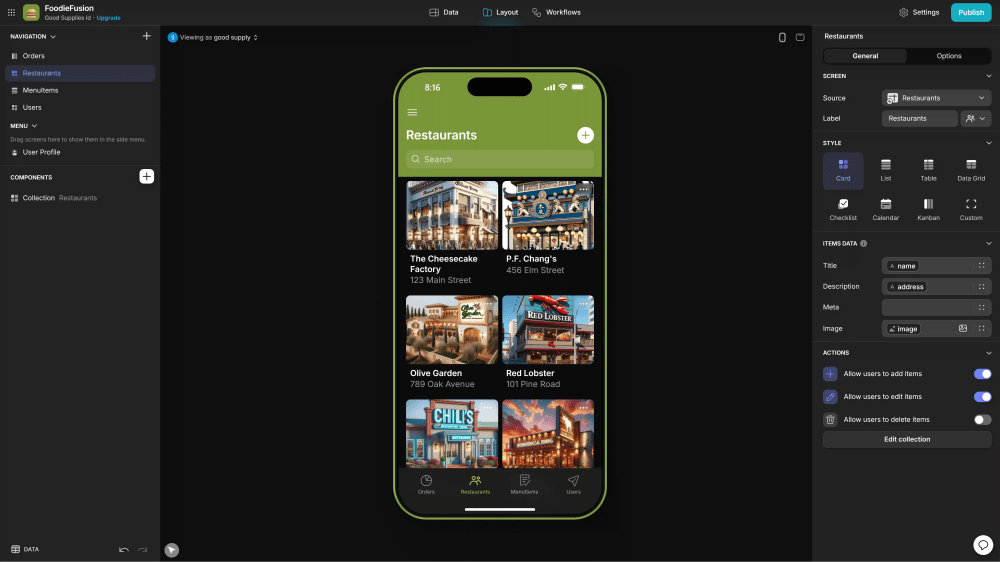
Best for: operations teams that want a clean, mobile-friendly app on top of a spreadsheet, for staff or a small group of partners.
Key capabilities
- A Layout Editor with ready-made components, a Workflow Editor for automations and an AI agent (in beta) that builds from Glide's components.
- Glide Tables and Big Tables, plus Google Sheets sync, with Airtable and Excel on Business and SQL connections on Enterprise.
- Roles and row owners that control which rows each user can access.
Strengths and trade-offs
- Very quick to go from existing spreadsheet data to a usable app.
- Pricing separates personal users from business users, which can keep small team apps affordable.
- Plans meter data updates, and extra updates cost 2¢ each, so sync-heavy apps need a usage estimate.
Pricing at a glance (official Classic pricing)
- Free: drafts only, one editor.
- Explorer: 25 monthly; one app, 100 personal users, 250 updates.
- Maker: 60 monthly; three apps, unlimited personal users, 500 updates.
- Business: 249 monthly; 30 users, 10 editors, 5,000 updates; extra users 6 (monthly).
These are Glide Classic prices. New sign-ups may be offered GlideOS, Glide's newer credit-based product, which has separate plans.
6. Softr
Softr is a block-based no-code builder for client portals and internal tools on top of Airtable, Google Sheets, SQL databases or its own database.

Best for: operators and agencies building portals or team tools whose structure fits Softr's ready-made blocks, on data they already manage.
Key capabilities
- Pre-made blocks for lists, charts, forms and more, with an AI co-builder.
- Softr Databases plus connectors to external data, with API connectors on Pro and above.
- Built-in login, with one-time codes and Google sign-in on Pro and SSO on Enterprise; custom user groups on Pro and above.
- Built-in workflows, React code blocks on Pro and above, and app history to restore earlier versions.
Strengths and trade-offs
- Very quick to launch a structured portal when the blocks match your layout.
- Plans count builders, internal team users and external client users separately, which suits portals with many outside users.
- Those caps also mean a portal with many clients may need a higher tier or paid extras.
Pricing at a glance (official pricing)
- Free: one published app for up to 5 users in total, including up to 3 builders, with 5,000 records.
- Basic: 25 monthly; one builder, 5 team and 5 client users.
- Pro: 119 monthly; two builders, 10 team and 50 client users.
- Business: 395 monthly; three builders, 30 team and 100 client users, plus an installable PWA.
7. Thunkable
Thunkable is a no-code platform for building and publishing native iOS and Android apps, now led by an AI builder with a code editor alongside its visual tools.
Best for: solo makers, learners and small teams who want to publish a native mobile app themselves.
Key capabilities
- An AI builder that helps with planning, design and copy, with AI tokens by plan.
- Visual design tools, a blocks editor for logic and a direct code editor in the current AI product.
- Data connections to Airtable, Google Sheets and Webflow, and sign-in through Firebase.
- Live testing on your phone, then publishing to the App Store, Google Play and the web.
Strengths and trade-offs
- A direct, one-person path from idea to app store listing, with a low entry price for prototyping.
- Live published apps are capped by plan: one on Builder, unlimited on Advanced.
- Thunkable's pricing FAQ notes that published apps can become unavailable to end users if a subscription expires, so budget for keeping the plan active.
Pricing at a glance (official pricing)
- Free: 3 public projects, 5 screens per project, 2,000 AI tokens.
- Accelerator: $19/month (monthly billing), for prototyping.
- Builder: $59/month (monthly billing), one live published app.
- Advanced: $189/month (monthly billing), unlimited live published apps. Enterprise and education plans are custom.
8. FlutterFlow
FlutterFlow is a low-code builder for native mobile, web and desktop apps built on Google's Flutter framework, combining visual development with downloadable source code.
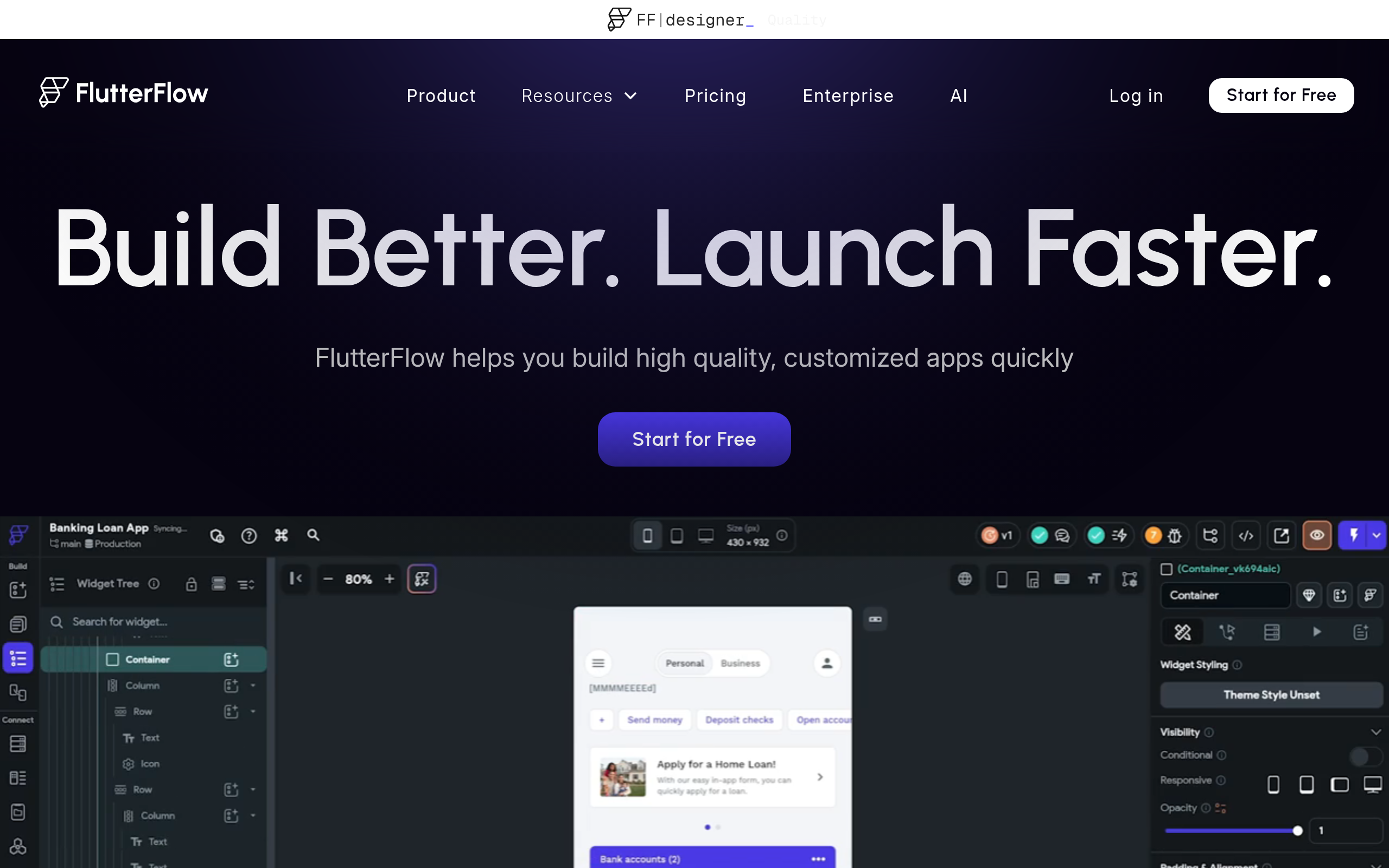
Best for: technical or developer-leaning teams that want native performance, visual speed and the option to take the Flutter code with them.
Key capabilities
- Visual UI and logic builders, with custom Dart functions, actions and Flutter widgets.
- Backends through Firebase, Supabase or any REST API.
- AI page and component generation, with allowances by plan.
- Code and APK download, custom-domain web publishing and app store deployment from Basic; GitHub integration, real-time collaboration and extra environments on higher tiers.
Strengths and trade-offs
- The downloaded source code can run independently of FlutterFlow, for teams that can maintain Flutter.
- You bring and manage the backend: authentication and permissions live in Firebase, Supabase or your own API, which is a second system to maintain.
- The custom code options assume some development skill, so the learning curve is steeper for non-technical builders.
Pricing at a glance (official pricing)
- Free: build and test up to 2 projects, with web publishing on a FlutterFlow subdomain.
- Basic: $39/month (monthly billing), code download and app store deployment.
- Growth: 55 for the second (monthly billing), real-time collaboration for two.
- Business: 85 for seats two to five (monthly billing).
9. GoodBarber
GoodBarber is a no-code platform for content and eCommerce apps, published as progressive web apps or native iOS and Android apps.
Best for: brands, media publishers and local businesses that want a polished content or shopping app without custom backend work.
Key capabilities
- A visual builder and templates for PWAs and native apps, managed from one back office with a built-in CMS.
- APIs and webhooks, plus automations through Zapier or Make.
- AI that generates custom features within your app, and CSS and HTML customization.
- Separate content and eCommerce plan families, with push notifications.
Strengths and trade-offs
- A fully managed route to branded content and commerce apps.
- GoodBarber hosts the app; whole-app code export and self-hosting are not offered.
- Built for content and commerce, so complex data models and multi-step business workflows usually need other tools.
Pricing at a glance (official pricing)
- Free trial: 30 days, no credit card required.
- Content Standard: €30/month billed yearly or €36 monthly, PWA only.
- Content Premium: €55/month billed yearly or €70 monthly, adds native iOS and Android.
- Content Pro: €105/month billed yearly or €135 monthly.
- eCommerce: from €40/month billed yearly.
- Reseller: from €215/month billed yearly (€280 monthly), for agencies building multiple apps.
10. Choicely
Choicely is a no-code platform for building native iOS and Android apps with AI and a visual editor, specialized in audience engagement for media, events and entertainment.
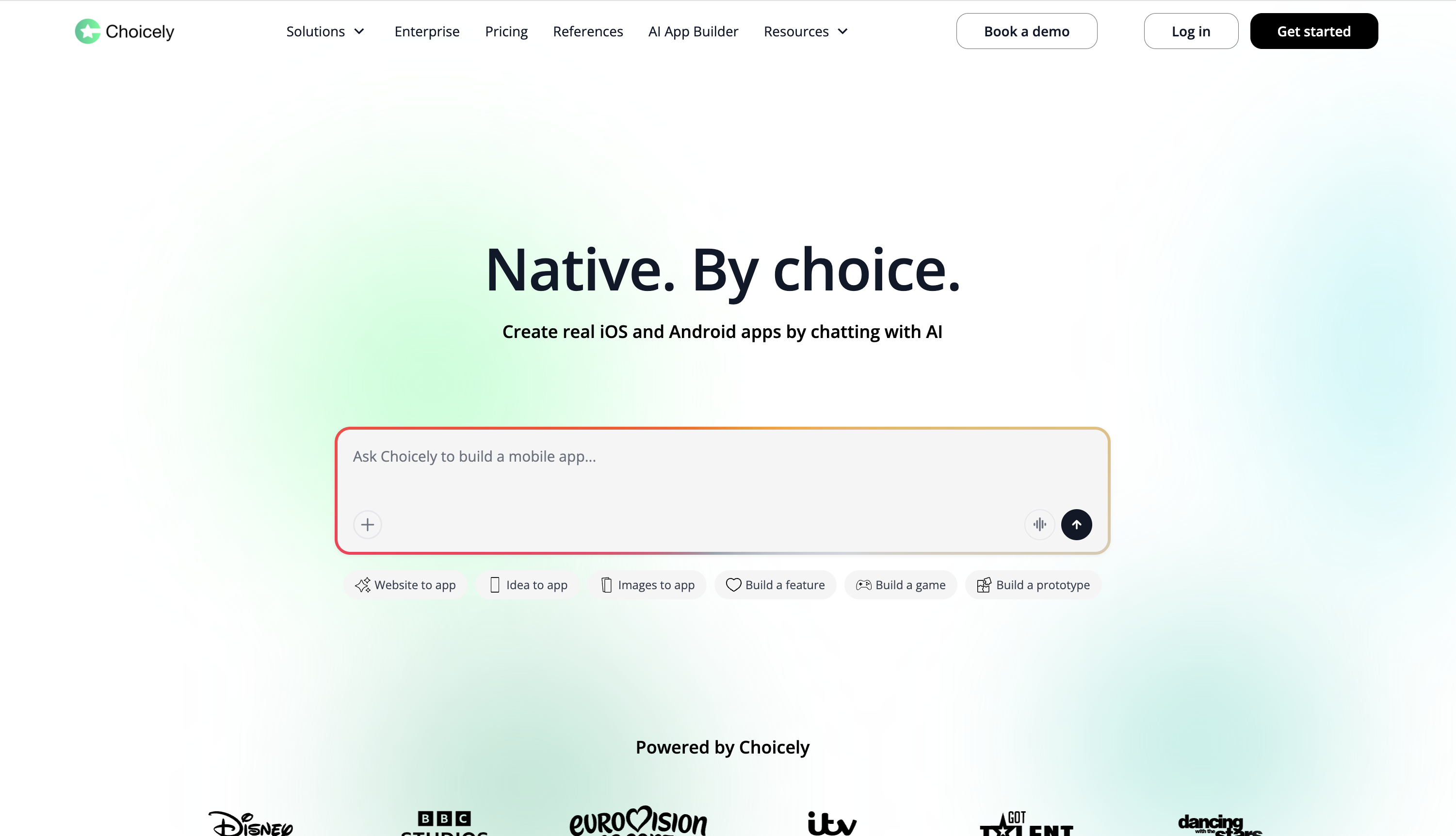
Best for: media companies, sports teams, events and TV shows that need an interactive mobile app with voting, polls and live content.
Key capabilities
- AI app creation, including turning an existing website into a native app, using credits.
- A drag-and-drop builder for screens and content.
- Contest and pageant voting, polls and ratings, plus push notifications and in-app purchases.
- Third-party API connections and a direct Supabase integration for sign-in and data access rules.
Strengths and trade-offs
- A focused engagement toolkit that general-purpose builders don't offer out of the box, with unlimited collaborators listed even on the Free plan.
- Specialized for media, fan and event apps rather than internal tools or data-heavy SaaS.
- Credit-based pricing means costs scale with usage and AI activity, so high-traffic events need budgeting.
Pricing at a glance (official pricing)
- Free: build and preview, with up to 150 credits per month plus a 100-credit signup bonus. Publishing requires a paid plan.
- Premium: $25/month, 1,000 credits per month with rollover and top-ups, plus GitHub connect and sync.
- Business: $50/month, 1,000 credits per month and more advanced features.
- Enterprise: custom. Yearly billing advertises two months free.
11. Betty Blocks
Betty Blocks is an enterprise no-code platform for governed business applications and portals, built for IT-led citizen development programs.
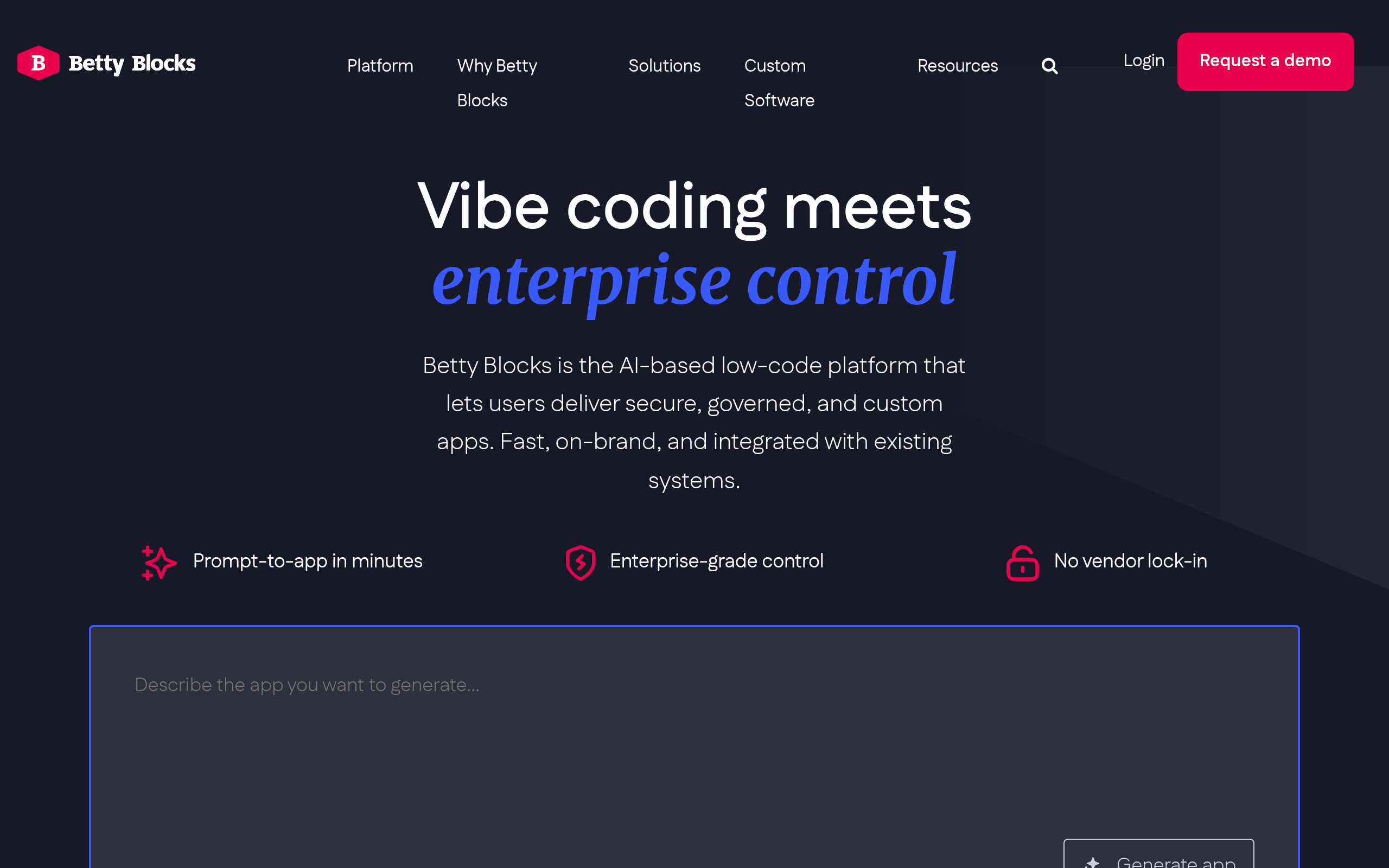
Best for: IT and innovation teams in regulated or large organizations that need many builders, governance and on-premises deployment.
Key capabilities
- A page builder and templates, with AI generation of UI and logic and no separate AI token charge.
- Visual data models with relationships, plus remote models for external data.
- Authenticated pages, model read filters and action permissions for app users.
- A developer sandbox on Scale and above, and on-premises deployment on Kubernetes or Docker on Enterprise.
- ISO 27001 certification and a SOC 2 Type 2 report.
Strengths and trade-offs
- Unlimited internal, external and anonymous users and unlimited builders, so cost doesn't grow with headcount.
- Entry pricing and onboarding fees are aimed at organizations, not individuals or small teams.
- Governance depth brings more setup and a steeper learning curve than simpler tools.
Pricing at a glance (official pricing)
- Create: €1,500/month. Scale: €3,500/month. Onboarding: €7,500 on Create and Scale.
- Enterprise: custom quote, with onboarding included and optional on-premises installation.
- All tiers list unlimited users and builders.
Which No-Code App Builder Fits Your Project?
When two tools fit the same situation, the deciding question usually comes down to one thing. A tool can still handle jobs outside its row; the row shows where to start.
Practical Checks Before You Commit
Pick two or three tools from your shortlist and run the same checks on each:
- Build one real workflow. Take a process you run today, such as a quote that needs manager approval, and build it end to end with your own fields and statuses.
- Let the maintainer make a change. Ask the person who will own the app to change an approval rule and give a new user access. If routine changes need outside help, the tool is a poor fit.
- Test access with two accounts. Sign in as two users who should see different records and confirm each sees only their own.
- Price it a year out. Add up the editors, app users, apps and usage you expect in twelve months, not just today.
Once you've chosen, keep the first release small: solve one core problem, sketch the main screens or start from a template, set up the data you need, build the most critical workflow first, then get it in front of real users and improve from their feedback.
Companion Tools
Most builders do more when connected to a few other services:
- Airtable: spreadsheet-style data your team can manage alongside the app.
- Zapier: automations that connect your app to thousands of other tools, such as adding a new user to your email list when they sign up.
- Memberstack or Outseta: user accounts, gated content and subscription billing for membership sites or SaaS products.
- Stripe: one-time payments and recurring subscriptions.
- Google Analytics: insight into which pages and features people actually use.
FAQ
What's the best no-code app builder?
It depends on what you're building and who will maintain it. WeWeb fits custom internal tools, client portals and apps built on an existing database or API. Bubble suits web and native apps on one fully hosted platform. Adalo and FlutterFlow lead for native iOS and Android apps, while Glide, Softr and AppSheet are the quickest route to apps built on spreadsheets and tools you already use.
Can I build a real business with a no-code app builder?
Yes. Many SaaS products, marketplaces and internal operations tools run on no-code platforms, and teams often reach a first release in days or weeks rather than months. Choose a platform whose permissions, integrations, pricing at scale and hosting options fit the app you plan to run, not just the prototype.
Why use a no-code app builder?
You can launch in days or weeks instead of months, spend less on specialist developers, and let the people closest to the problem (founders, operators, marketers) build and keep improving their own tools.
What are the limits of no-code app builders?
They are platform-specific. Some builders get expensive or slow as data, users and usage grow, so check the limits of the plan you'd run in production. You may also need functionality a platform wasn't designed for; custom code, where available, is the usual way around it.
Will I own my application if I use a no-code app builder?
Almost every builder lets you export your data, but fewer let you take the application itself. WeWeb lets you export your app and host it yourself, FlutterFlow lets you download the Flutter source code, and Bubble apps stay on Bubble. The reviews above cover the details for each tool.
How much does a no-code app builder cost?
In this comparison, entry paid plans mostly sit between 39 per month, with AppSheet at $5 per user per month and Betty Blocks at €1,500 per month; business and enterprise tiers run to hundreds or thousands per month.
Is it hard to learn how to use a no-code app builder?
It's much easier than learning to code, but there is still a learning curve. Most people can launch a simple application in a few days or weeks. Data modeling, permissions and multi-step workflows take longer to master.
Conclusion
No-code app builders now cover everything from spreadsheet apps and branded mobile apps to custom operations software and SaaS products. Feature counts matter less than fit: what you're building, who will maintain it, who needs access and what it costs at real usage.
Shortlist two or three tools from the tables above and build one workflow that matters to your business in each.
If you're building a custom web app for your team or your clients and want to build it with AI while keeping control of every page, workflow and data rule, start building with WeWeb for free.