



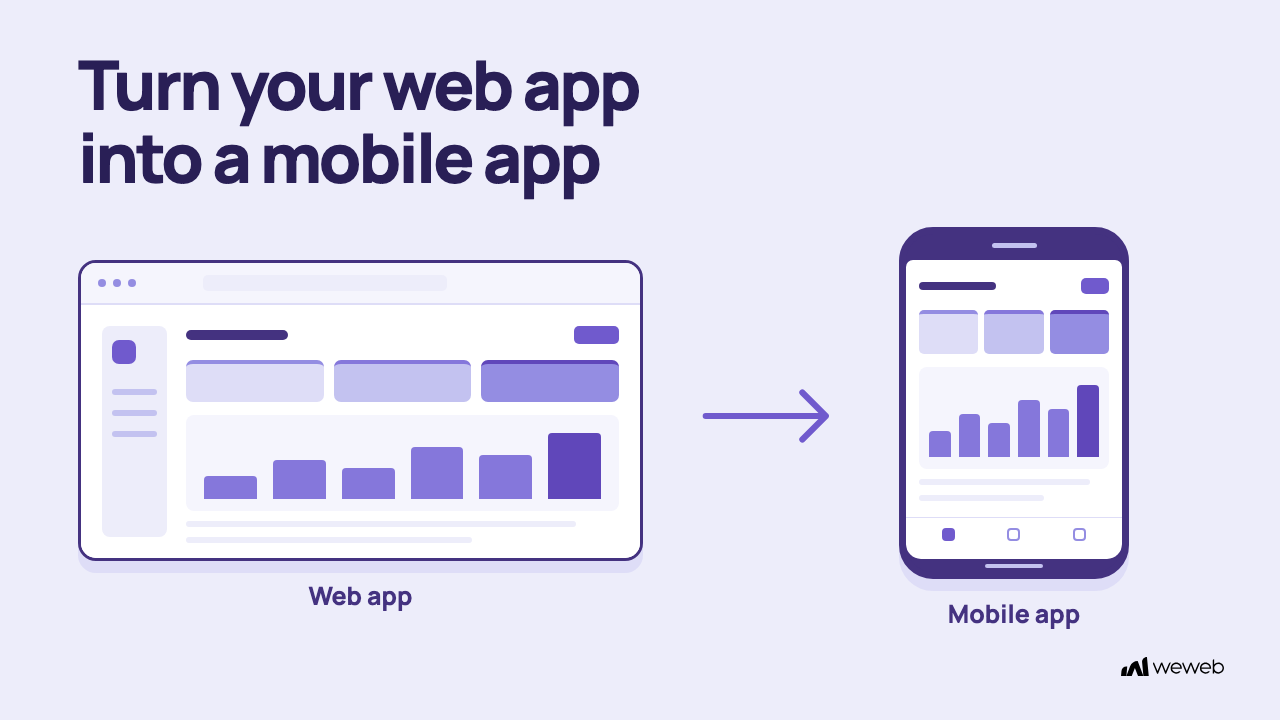
You have a successful web app, but you know the next frontier is mobile. With users spending 90% of their mobile internet time in apps, having a presence on their home screen is more important than ever. The good news is you don’t have to start from scratch. The process to convert a web app to a mobile app is a well traveled path with several smart options. The most common method involves using a “wrapper” that packages your existing web code into a native app shell for iOS and Android, allowing you to reuse your work and launch quickly.
This guide will walk you through everything from the initial strategic decisions to the final app store submission. We’ll cover the technical steps, design considerations, and optimization strategies to ensure your mobile app is a success.
The Big Decision: Why and How to Convert Your Web App
Before diving into code and tools, the first step is making a clear conversion decision. This involves understanding your options and choosing the path that best fits your goals, budget, and timeline. Mobile devices accounted for 58.5% of global website traffic in 2025, so a great mobile experience is non negotiable.
Choosing Your Path: Wrapper, Native, or PWA
You have three main routes when you decide to convert a web app to a mobile app. Each has its own set of trade offs.
- Native App: Built from the ground up for a specific platform (iOS or Android) using platform specific languages like Swift or Kotlin. This approach offers the best performance and deepest integration with device features. However, it’s also the most expensive and time consuming, requiring separate development efforts for each platform. The average app development project can cost between $5,000 and $10,000 and often takes over three months.
- Wrapper (Hybrid) App: This method wraps your existing web app in a native container. It uses a component called a WebView to display your web content, essentially acting like an in app browser. This is a popular way to convert a web app to a mobile app because it allows you to reuse your web code, saving significant time and money. With a single codebase, you can target both iOS and Android simultaneously.
- Progressive Web App (PWA): A PWA is a web app that uses modern web capabilities to deliver an app like experience directly in the browser. Users can add it to their home screen, it can work offline, and it can even receive push notifications. This option avoids the app stores entirely. Companies have seen huge success with PWAs. Pinterest’s PWA, for example, led to a 40% increase in time spent and a 60% rise in user engagement.
For many startups and businesses, a wrapper or hybrid approach strikes a practical balance: it offers a cost‑effective route to the app stores without a full rebuild. If the web app itself still needs work, a visual web app builder like WeWeb can help you create a production‑grade frontend before packaging it for mobile. Agencies delivering client apps can use WeWeb for agencies to streamline that workflow across projects.
Your Dual Platform Strategy for iOS and Android
No matter which path you choose, you need a strategy for both iOS and Android. A key benefit of the wrapper or PWA approach is that you maintain a single codebase for both platforms. This simplifies development and maintenance. If you choose to build native apps, you’ll need to plan for two separate development streams, which can double your effort and cost.
Getting Started: The Technical Foundation
Once you’ve decided on your approach, it’s time to set up your development environment. This foundational step can seem daunting, but it’s a one‑time setup that paves the way for the actual conversion.
Setting Up a Hybrid Runtime (Cordova or Capacitor)
If you’re creating a wrapper app, you’ll need a hybrid runtime. This is the software that bridges the gap between your web code and the native device.
- Apache Cordova: A long standing, open source framework that packages your web assets (HTML, CSS, JavaScript) into a native app.
- Capacitor: A more modern successor to Cordova, created by the Ionic team. It offers a better developer experience and deeper integration with modern web frameworks.
Both runtimes work by running your web app inside a native WebView and using plugins to access device features.
SDK and Tool Installation
To build for mobile, you need the official Software Development Kits (SDKs) from Apple and Google.
- For Android: You’ll need to install Android Studio, which includes the Android SDK, build tools, and emulators. You will also need the Java Development Kit (JDK).
- For iOS: You must have a Mac to install Xcode, Apple’s integrated development environment. Xcode contains the iOS SDK, Simulator, and all the tools required to build and sign apps for the App Store. Apple currently requires apps uploaded to App Store Connect to be built with Xcode 26 or later using the iOS 26 SDK.
Project Setup and Platform Addition
With the tools installed, you can create your mobile project. Using your chosen runtime’s command line interface (CLI), you’ll initialize a new project and add the platforms you want to target (e.g., cordova platform add ios or npx cap add android). This process generates the necessary native project folders and configuration files, giving you a basic, runnable app shell.
The Conversion Process: From Web to Mobile
This is where you bring your web application into its new mobile home. The goal is to reuse as much as possible while adapting the experience for a smaller, touch based screen.
Porting or Loading Your Web Assets
You have two options for getting your web content into the app:
- Port Existing Web Assets: You can copy your web app’s compiled files (HTML, CSS, JS, images) directly into the mobile project’s web directory (like the
wwwfolder in Cordova). This bundles the interface assets on the device so they do not need to be downloaded at launch. Offline access to user data and syncing changes need their own implementation, covered under Offline Support and Data Sync. - Load a Hosted Web App: Alternatively, you can configure the WebView to load your live website URL. This makes updates easy since any change to your website is instantly reflected in the app. However, it requires a constant internet connection and can feel slower. Apple’s App Store guidelines also require apps to provide value beyond simply displaying a website, so you may need to add some native features to avoid rejection.
Reusing Your Backend and APIs
A major advantage when you convert a web app to a mobile app is that you can reuse your backend logic, APIs, and existing user data. If you rely on popular data sources, WeWeb’s integrations make connecting them straightforward. Your mobile app can call those APIs to fetch data and perform actions, so most of the conversion work can focus on the mobile experience.
Redesigning for Mobile Navigation and UI
A user interface that works on a desktop won’t always translate perfectly to mobile.
- Responsive and Mobile Friendly UI: Your UI must be responsive. This means using fluid grids and flexible images to adapt to different screen sizes. Buttons should be large enough for touch input, and text must be readable without zooming.
- Mobile Navigation Redesign: Desktop navigation patterns like complex menus don’t work well on mobile. Consider implementing mobile friendly patterns like a tab bar at the bottom for main sections or a slide out hamburger menu for secondary options.
Configuring App Icons and Splash Screens
To look like a legitimate mobile app, you need a polished app icon and a splash screen.
- App Icon: This is the visual representation of your app on the user’s home screen and in the app store. You’ll need to create multiple sizes to meet the requirements for both iOS and Android.
- Splash Screen: This is the first screen users see while your app is loading. It’s a great branding opportunity and provides visual feedback that the app is starting. Both platforms now encourage using adaptive launch screens that look good on any device size.
Integrating Native Features with Plugins
Plugins are what make a hybrid app truly powerful. They are small pieces of code that give your web app access to native device features. This is a critical step to convert a web app to a mobile app that feels fully featured. You can integrate:
- Push Notifications: To re engage users.
- Camera and Photo Library: For profile pictures or content sharing.
- Geolocation: For location aware features.
- Biometrics: For secure login using Face ID or Touch ID.
- Payments: Using Apple Pay or Google Pay for seamless transactions.
The Cordova and Capacitor ecosystems have thousands of plugins available, covering almost any native feature you can imagine.
Polishing Your App: Optimization and Security
With the core conversion complete, the focus shifts to creating a high quality user experience. This means optimizing for performance, ensuring security, and enabling key mobile functionalities.
Frontend and Performance Optimization
Mobile users expect apps to be fast and responsive.
- Optimize for Touch: Replace hover effects with touch friendly alternatives. Ensure all interactive elements respond instantly to user input.
- Performance Optimization: Minimize your app’s initial load time by compressing images, minifying CSS and JavaScript, and deferring the loading of non essential resources. A fast app is an engaging app. When Twitter launched its PWA, Twitter Lite, it saw a 75% increase in Tweets sent, partly due to its rivaling native app performance.
Offline Support and Data Sync
Start by deciding which parts of your app should remain usable without a connection. With WeWeb’s no‑code backend builder, you can structure the data and workflows behind the experience, then define how the mobile app stores essential data locally and syncs updates when users reconnect. The web.dev guide to offline data covers common PWA patterns. Key areas to plan include:
- Caching Data: Store essential data locally on the device.
- Offline Mode: Design a UI that allows users to view content and even create new items while offline.
- Data Sync: Build a flow that sends saved changes back to the server when the connection returns. Test interrupted requests and conflicting edits so users can recover their work.
Security, Authentication, and Payments
Security is paramount, especially if your app handles user data.
- Authentication: Implement secure login flows with providers like Auth0. Consider using native biometric authentication for a seamless and secure experience.
- Data Security: Ensure all API communication uses HTTPS. Store sensitive data securely on the device using encrypted storage.
- Payment Integration: If you sell goods or services, integrate with native payment systems like Apple Pay and Google Pay. For digital subscriptions or in app content, you’ll need to use the official in app purchase APIs from Apple and Google.
Launching Your App to the World
The final phase is testing, preparing, and publishing your app. This is where your hard work pays off as you get ready to reach millions of users through the app stores.
Testing on Devices and Emulators
Thorough testing is crucial. Use a combination of:
- Emulators and Simulators: These are great for quickly checking layouts and basic functionality on a wide range of virtual devices.
- Real Devices: You must test on physical iPhones and Android devices to check performance, touch responsiveness, and native plugin integrations, which can’t be fully simulated.
Preparing and Submitting to the App Stores
Getting into the app stores involves several steps. You will need to prepare your app store assets, including:
- App Name and Description
- Screenshots and a preview video
- Keywords for discoverability
- Privacy Policy
After preparing your assets, you will build and deploy the app. This involves compiling the final application package (.ipa for iOS, .aab for Android) and uploading it through App Store Connect (for iOS) and the Google Play Console (for Android). Both platforms have a review process, so follow their current guidelines and allow time to address reviewer feedback. This is the final step to convert a web app to a mobile app.
A Step by Step Conversion Plan
Feeling overwhelmed? Here’s a simplified plan to convert a web app to a mobile app. If you want a head start, you can begin with app templates that cover common layouts and patterns:
- Strategy First: Decide between a wrapper, native, or PWA approach based on your budget and goals.
- Set Up Your Environment: Install Xcode (on a Mac) and Android Studio, along with a hybrid runtime like Capacitor.
- Create the Project: Initialize a new mobile project and add the iOS and Android platforms.
- Integrate Your Web App: Bundle your compiled web assets for the Capacitor route, or use a wrapper designed for hosted content if you choose the live URL approach described above.
- Adapt the UI/UX: Redesign navigation for mobile and ensure the entire UI is responsive and touch friendly.
- Add Native Polish: Configure your app icon and splash screen. Integrate key native features like push notifications and camera access using plugins.
- Optimize and Test: Focus on performance, implement offline capabilities, and test rigorously on real devices.
- Publish: Prepare your store listings and submit your app for review.
Platforms like WeWeb can significantly accelerate this process. By building your application visually, you create a responsive, production ready web app that is already optimized for the first part of this journey, making the transition to a mobile wrapper much faster.
Frequently Asked Questions
1. How much does it cost to convert a web app to a mobile app?
The cost varies greatly. Using a wrapper or hybrid approach is significantly cheaper than building a native app from scratch. A study by Clutch found the average native app project costs $5,000 to $10,000, while hybrid methods can reduce that cost substantially.
2. How long does it take to convert a web app to a mobile app?
If you have a responsive web app already, you can create a basic wrapper version in a matter of days or weeks. Adding complex native features and going through the app store review process will add more time. Still, it’s much faster than the 3+ months typically required for native development.
3. Is a Progressive Web App (PWA) better than a hybrid app?
It depends on your goals. A PWA is excellent for avoiding app store fees and reaching users directly, and they can be extremely effective. The travel site MakeMyTrip saw its mobile web conversion rate triple after launching a PWA. However, a hybrid app offers deeper integration with some device features and discoverability within the app stores.
4. Will my app be accepted by the Apple App Store?
Acceptance depends on Apple’s review of your app. Focus on delivering a useful mobile experience and follow the current store guidelines instead of treating native features as a checklist for approval.
5. Can I reuse my existing login and user database?
Yes, you can reuse your existing user database, backend, and APIs. Adapt the login flow for mobile and test sign-in and session behavior on both platforms. This is one of the biggest benefits when you convert a web app to a mobile app.