The WeWeb dashboard has a whole new look and WeWeb AI is better at importing HTML pages, setting up detail pages, and using no-code actions in backend workflows.
Let's dig in 👇
We've redesigned the WeWeb dashboard, where you manage your workspaces, projects, members, coded components, plans and billing.
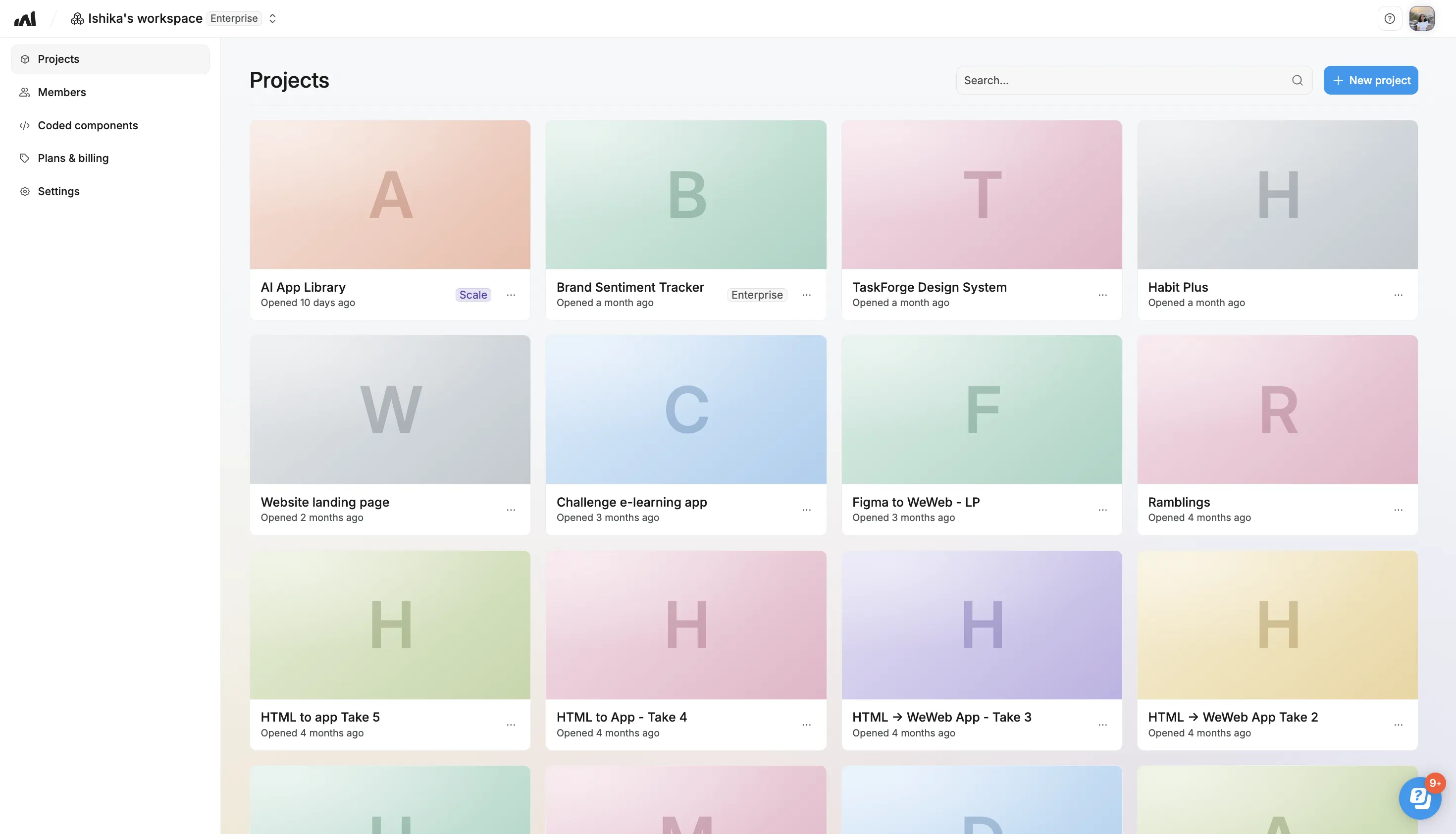
WeWeb AI and MCP now make better choices when they build for you, so more of what they create is editable, shareable and easy to follow.
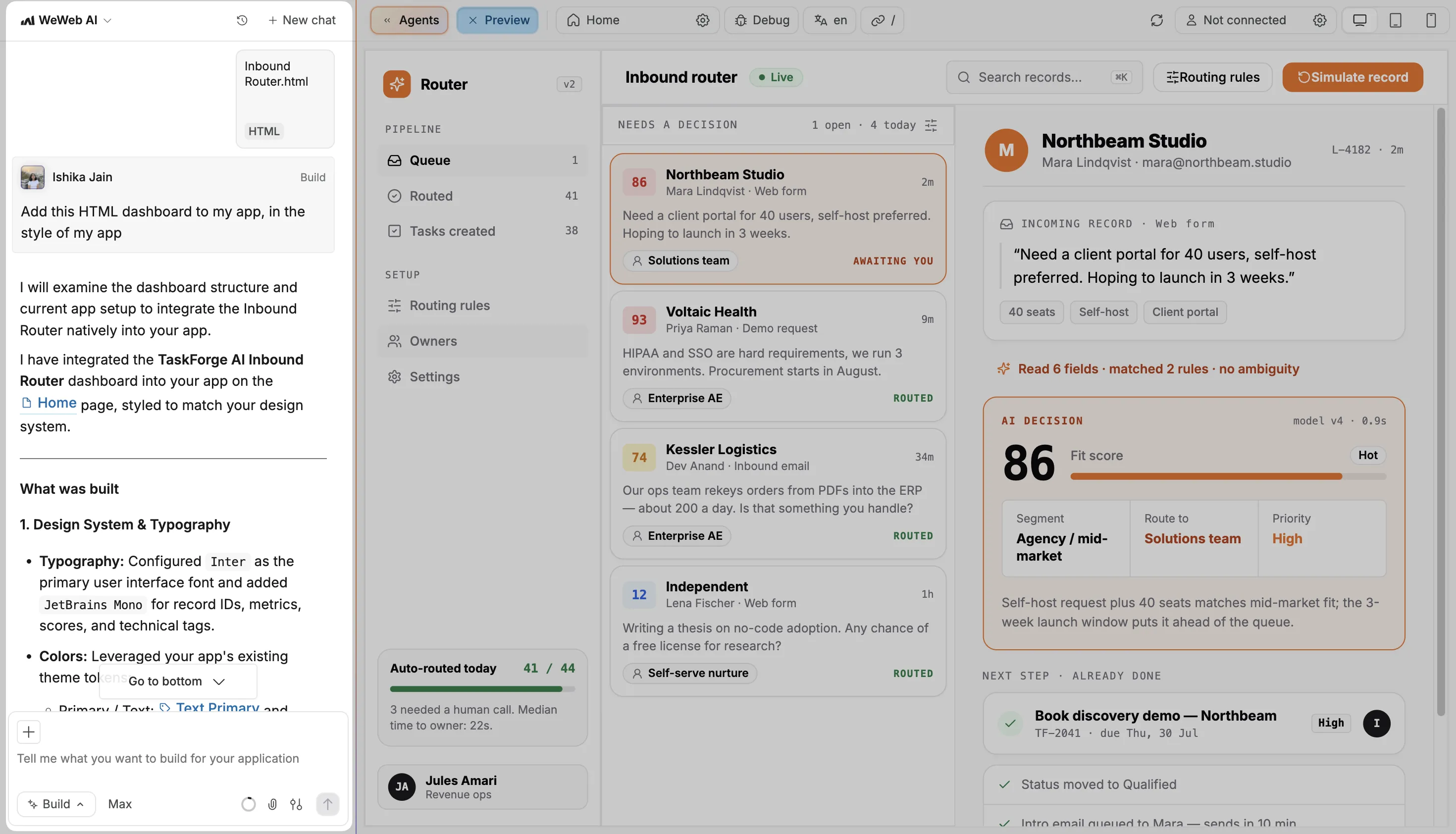
Already have a page you created with ChatGPT or Claude? Bring the HTML into your app with WeWeb AI, or ask Claude or ChatGPT to add it through the WeWeb MCP.
It now rebuilds much more of the page with native WeWeb elements: gradient labels, bold and colored words in headings, icons, tags and cards, hover effects, FAQ accordions, looping animations, and sections that fade in as you scroll. All of it stays editable on the canvas.
It only keeps an HTML block when there's no native equivalent, like a third-party widget or a very complex illustration. It lists each one at the end, so you know exactly what's there.
You also choose the look. Ask for an identical copy and it keeps the page's own colors and fonts. Ask for it "in the style of my app" and it uses your design system. If you don't say and the two styles differ, it asks you first.
🤖 Ask AI: "Add this HTML dashboard to my app, in the style of my app"
Ask WeWeb AI to create a dynamic page for a lead, order or product. It now puts the item's ID in the URL and loads the matching record from your database, so the page still shows the right item after a refresh or when someone opens a shared link.
When WeWeb AI adds search or filters to a list, your database does the filtering, so pages stay fast as your tables grow.
When WeWeb AI builds a backend workflow, it now reaches for built-in table actions like Select rows and Update rows first, so you can open each step and see what it does.
It prioritizes built-in actions and explains when SQL is a better fit.
To create or update your app's users, it uses the WeWeb Auth Create user and Update user actions, including custom fields you've added, like a preferred language.
That's it for now. Try bringing in a page you've built somewhere else, and tell us how it goes 👋

