WeWeb AI has been helping you build. Now, it can help you test what you’ve built too.
We’re also adding new user API templates and improvements across the editor.
Here’s everything we shipped this week 👇
Ask the AI assistant in the editor to test a form or look into a problem, such as a button that does nothing. Once you give it permission, it clicks through your app in preview, fills in forms, and checks the results. You can stop the test and take back control at any time.
If you reported a bug, the AI tests it and works on a fix. If it spots other issues along the way, it shows you what it found and asks which ones you want fixed.
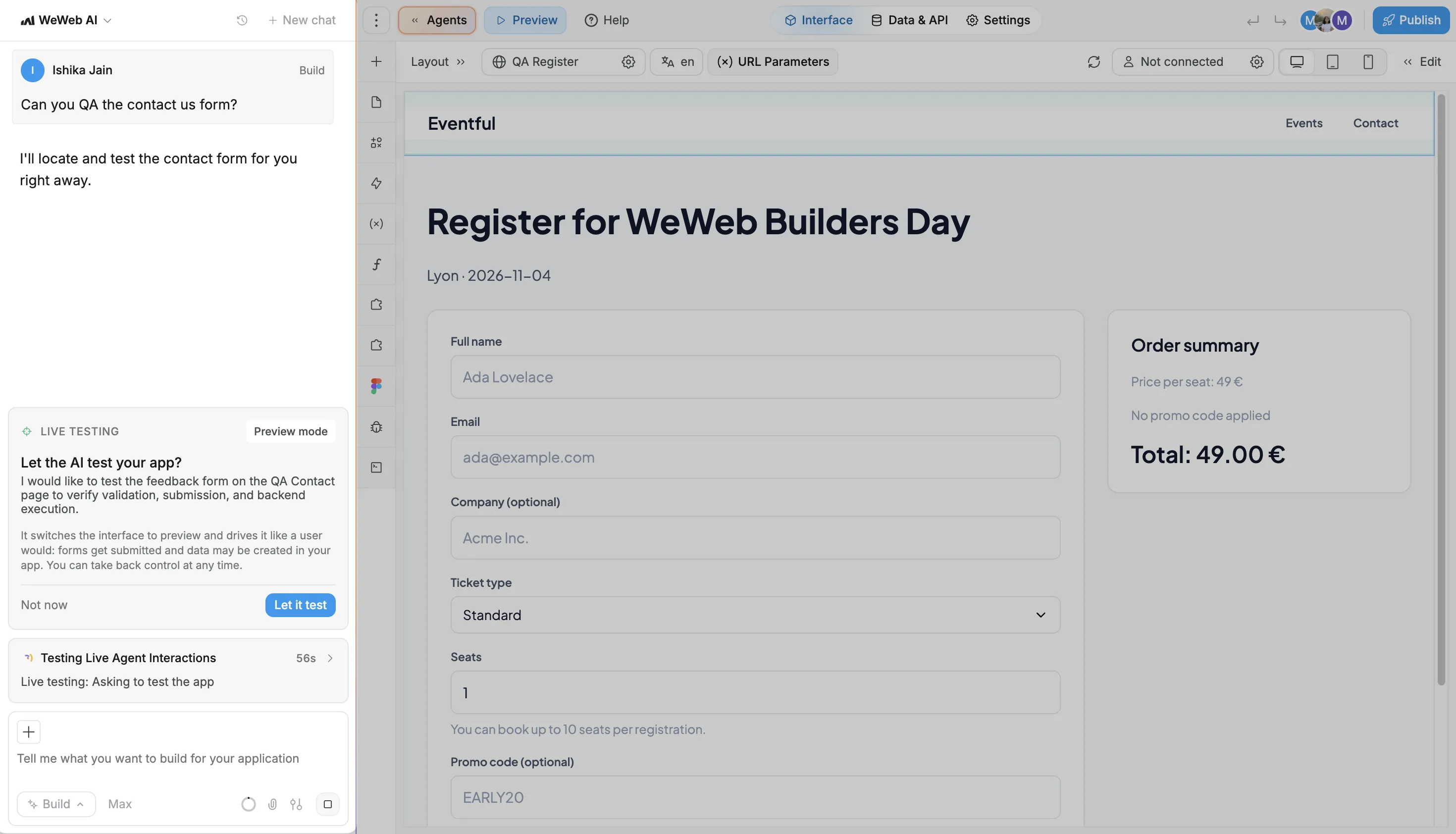
Testing can change your app’s data. For example, submitting a form can create a record, just as it would if you submitted it yourself. The AI lists the test data it created, so you can review and delete what you don’t need afterward. That data isn’t deleted automatically.
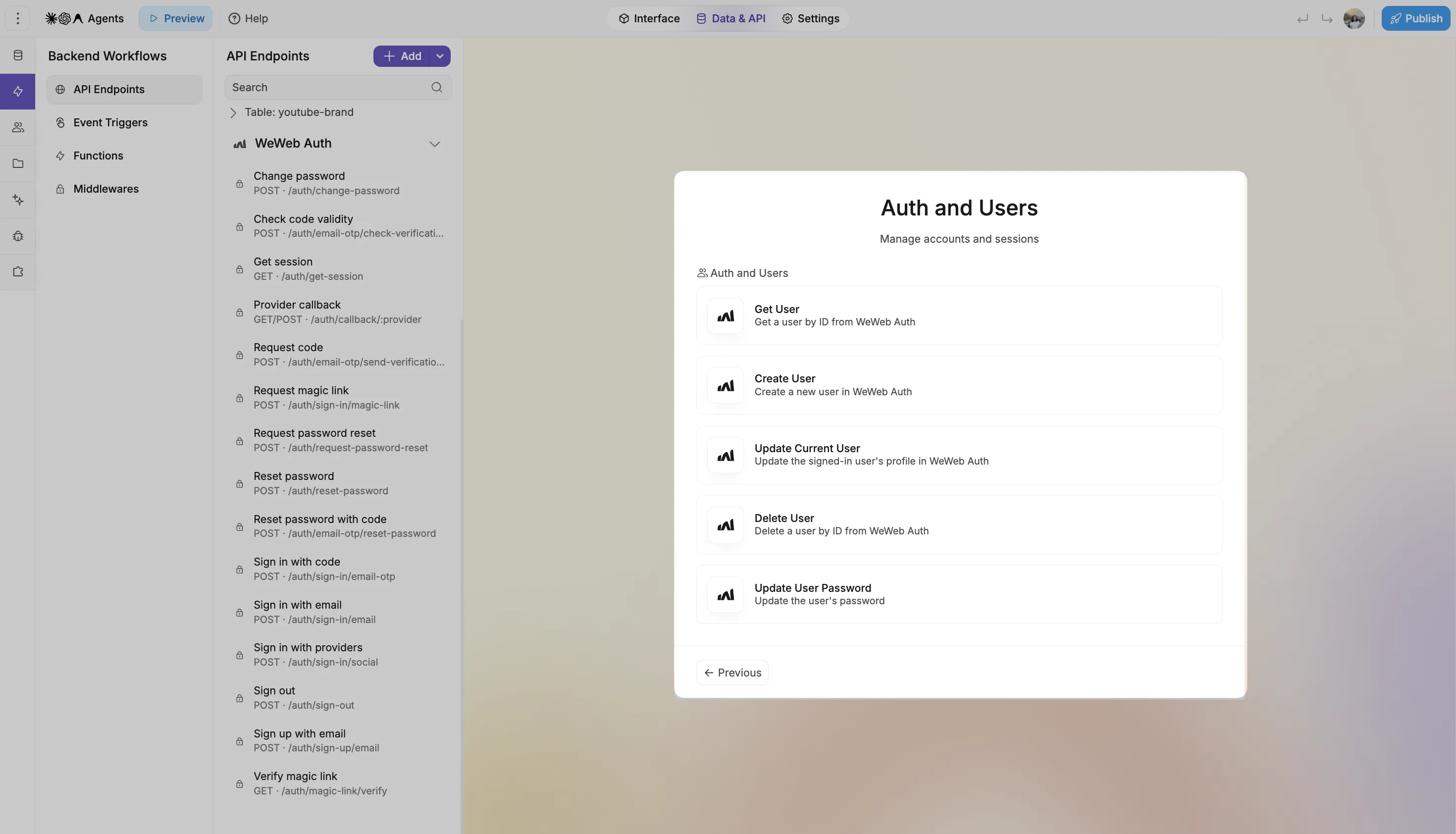
Building a profile page where users can view or update their details? New API templates give you a starting point for looking up a WeWeb Auth user or updating the signed-in user:
That’s all for this week.
More improvements are already on the way. Until then, happy building 👋

