Two new Google integrations and more clarity on your usage. There’s plenty to explore in this week’s update!
Let’s take a look 👇
The new Google Drive integration lets you display files in your app and use workflows to organize and share them.
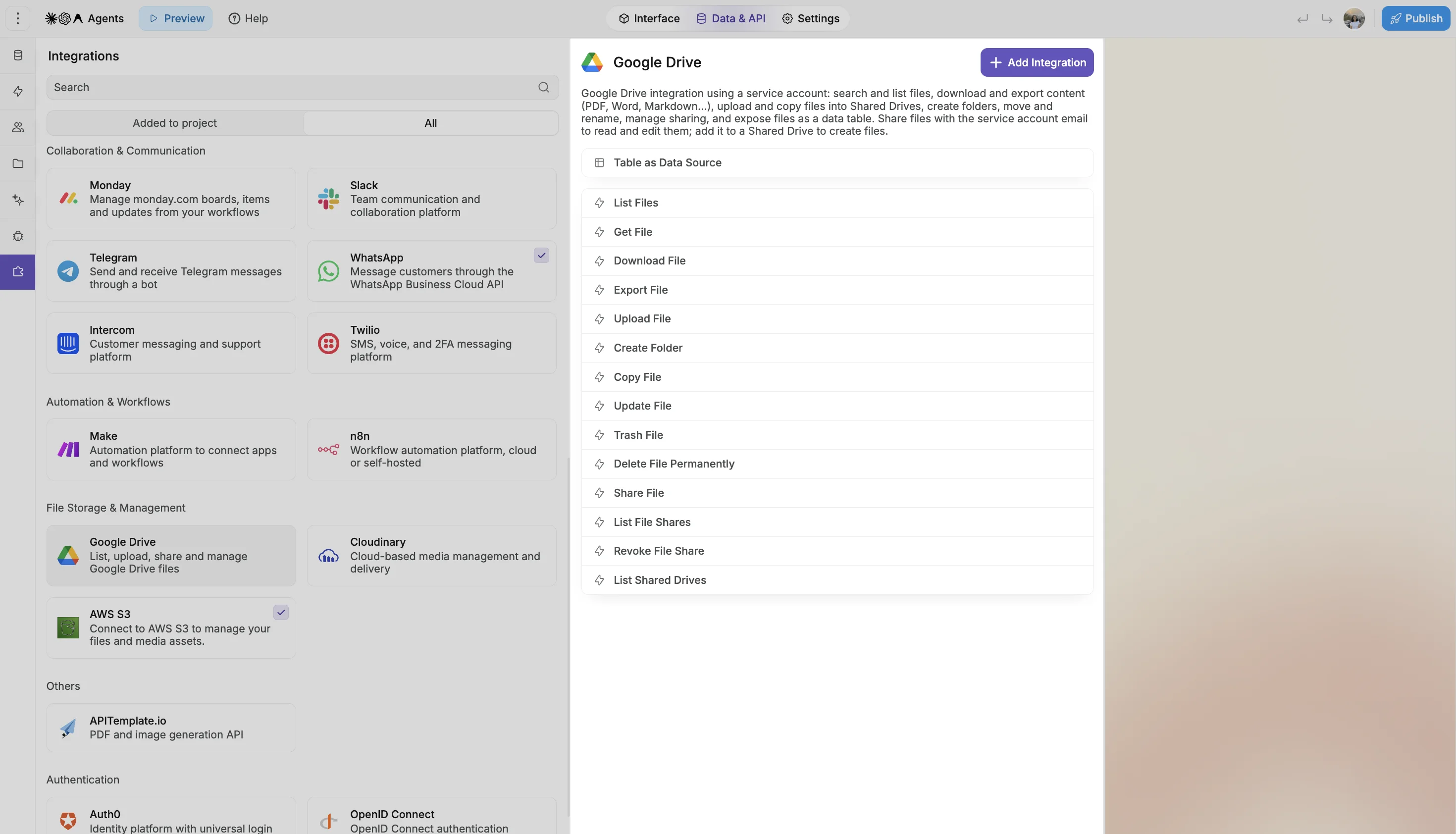
Here’s how you can use it in your app:
Your app can now create and edit Google Docs directly from WeWeb workflows. Start with a blank document, use one of your existing templates, or update a document your team already works with.
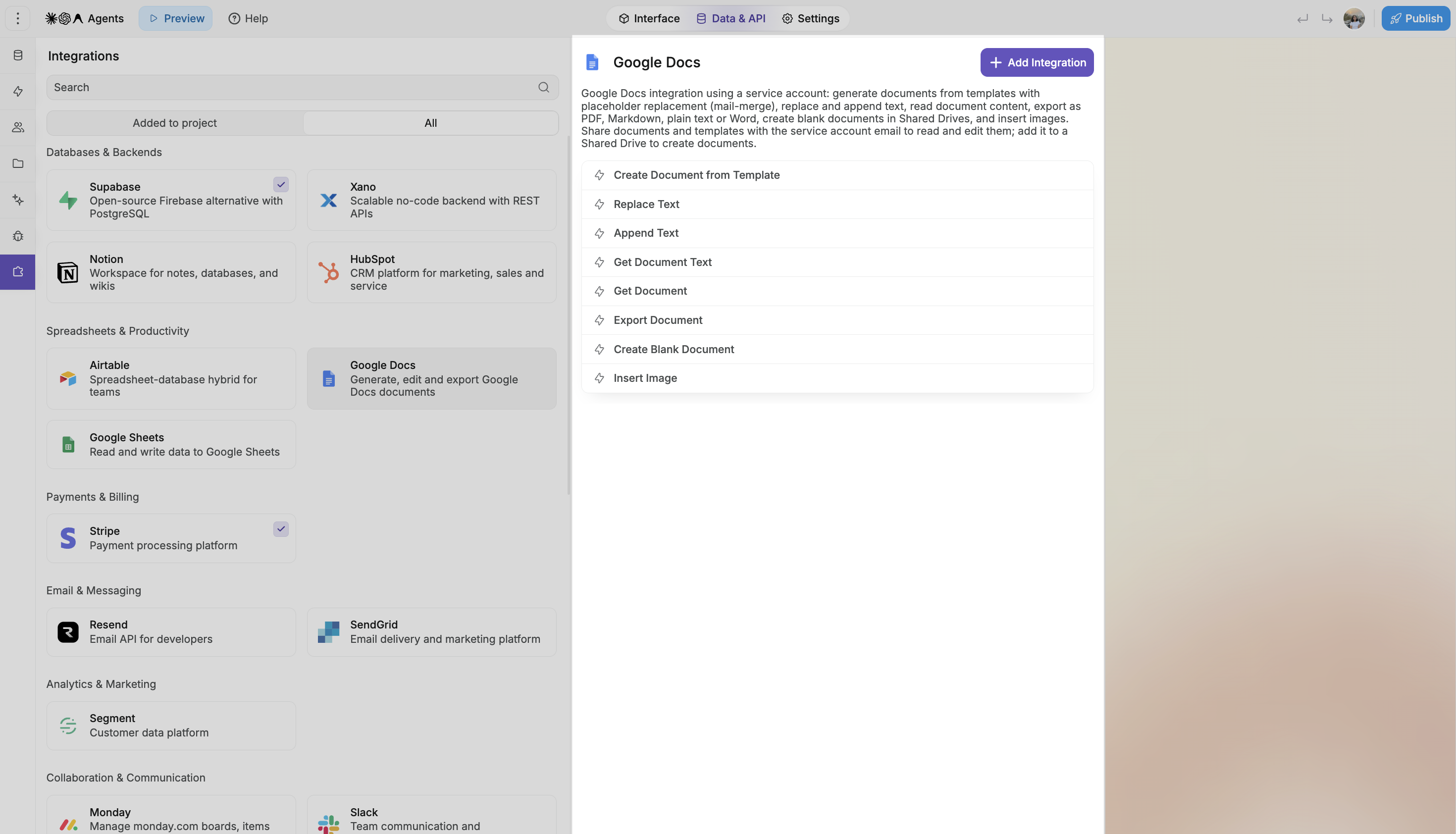
A few examples:
Your workflows can replace text, add text and images, and read document content. You can also export documents as PDF, Word, Markdown, or plain text.
⚙️ Setup requirements: Both integrations use a Google service account. Creating documents or folders, uploading files, and making copies requires access to a Google Workspace Shared Drive.
You can now see how much of your AI allowance you’ve used and when it resets, directly in the editor’s AI chat.
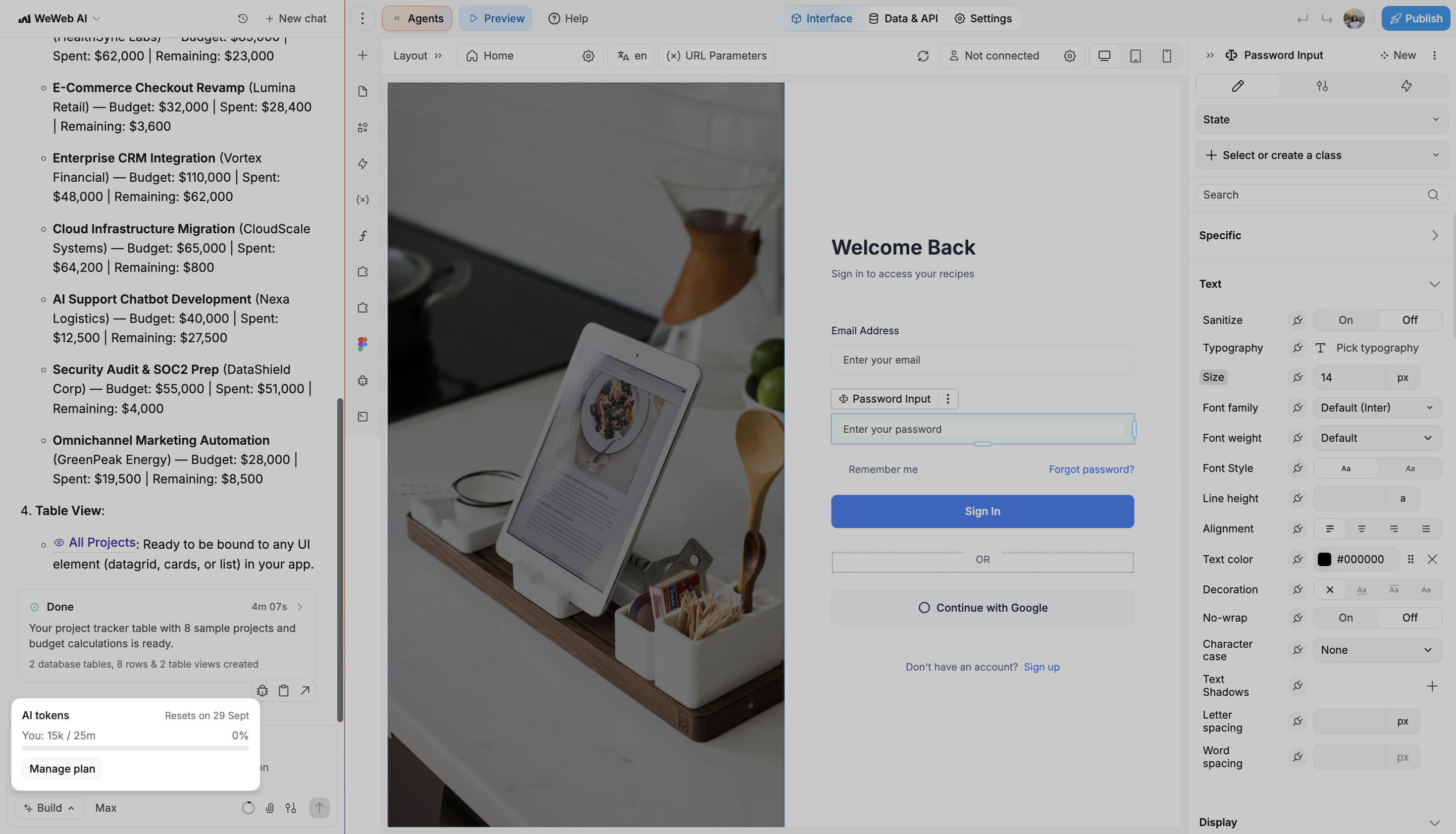
On plans with multiple members, you’ll also see your workspace’s usage.
We’ve made your project’s usage easier to understand. Each metric now comes with an explanation of what it tracks, what contributes to it, and what happens at the limit, alongside your usage amounts and reset dates.
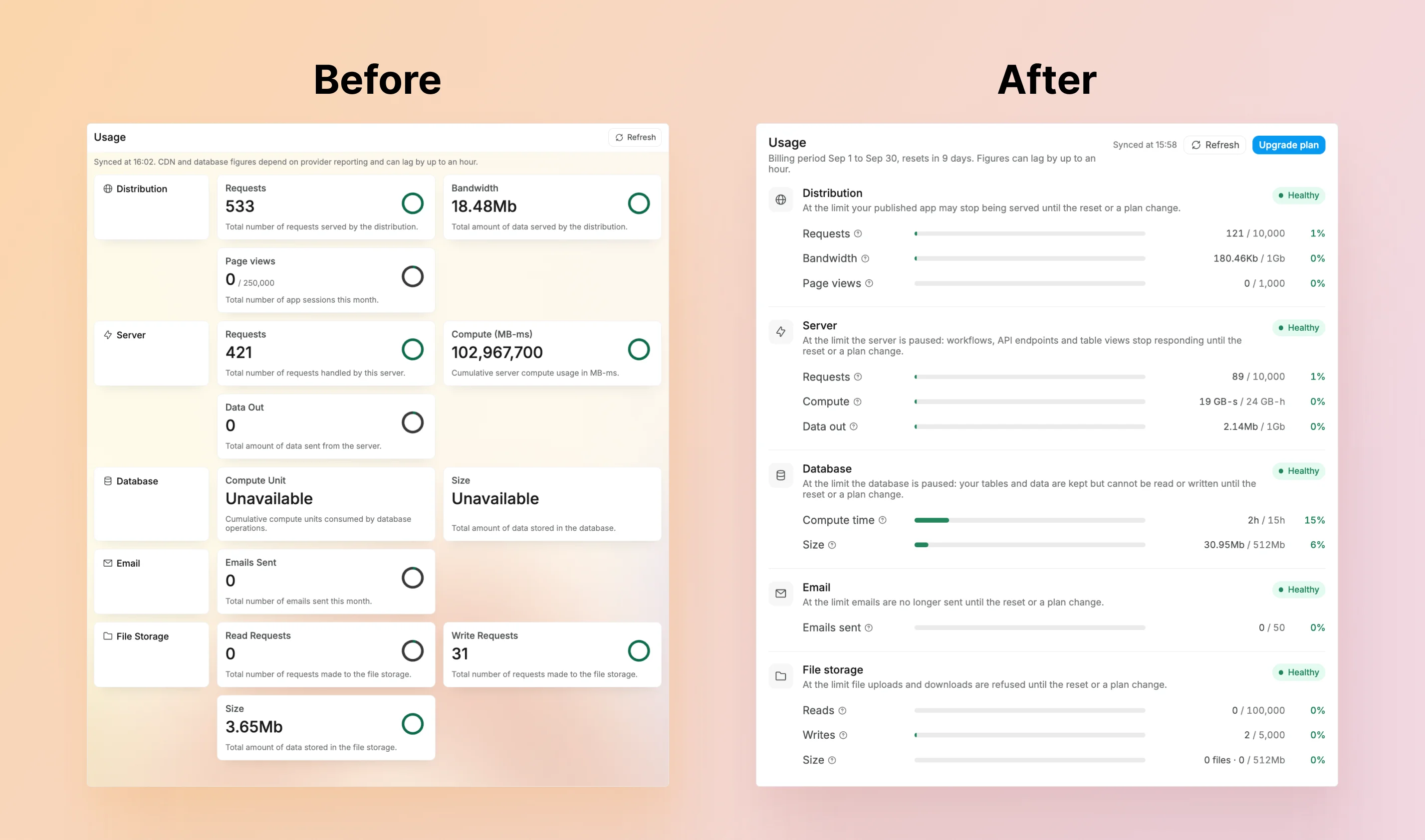
Need help making sense of it? WeWeb’s AI assistant and MCP can now answer usage questions using your project’s current numbers.
That’s all for this week!
What will you build with the new Google integrations? We’d love to see it!
As always, keep the feedback coming 👋

