This update is all about giving you more flexibility as your app grows.
There are also a bunch of smaller improvements across integrations, assets, states, languages, and billing.
WeWeb now connects natively to WhatsApp through Meta's Cloud API. Send and receive messages right from your workflows, no middleware like Zapier, n8n, or Make required.
Connect your own WhatsApp Business account, then: send text, media, and interactive templates, react to what a customer sends back, share your location or contact details, and manage your message templates. All without leaving the editor.
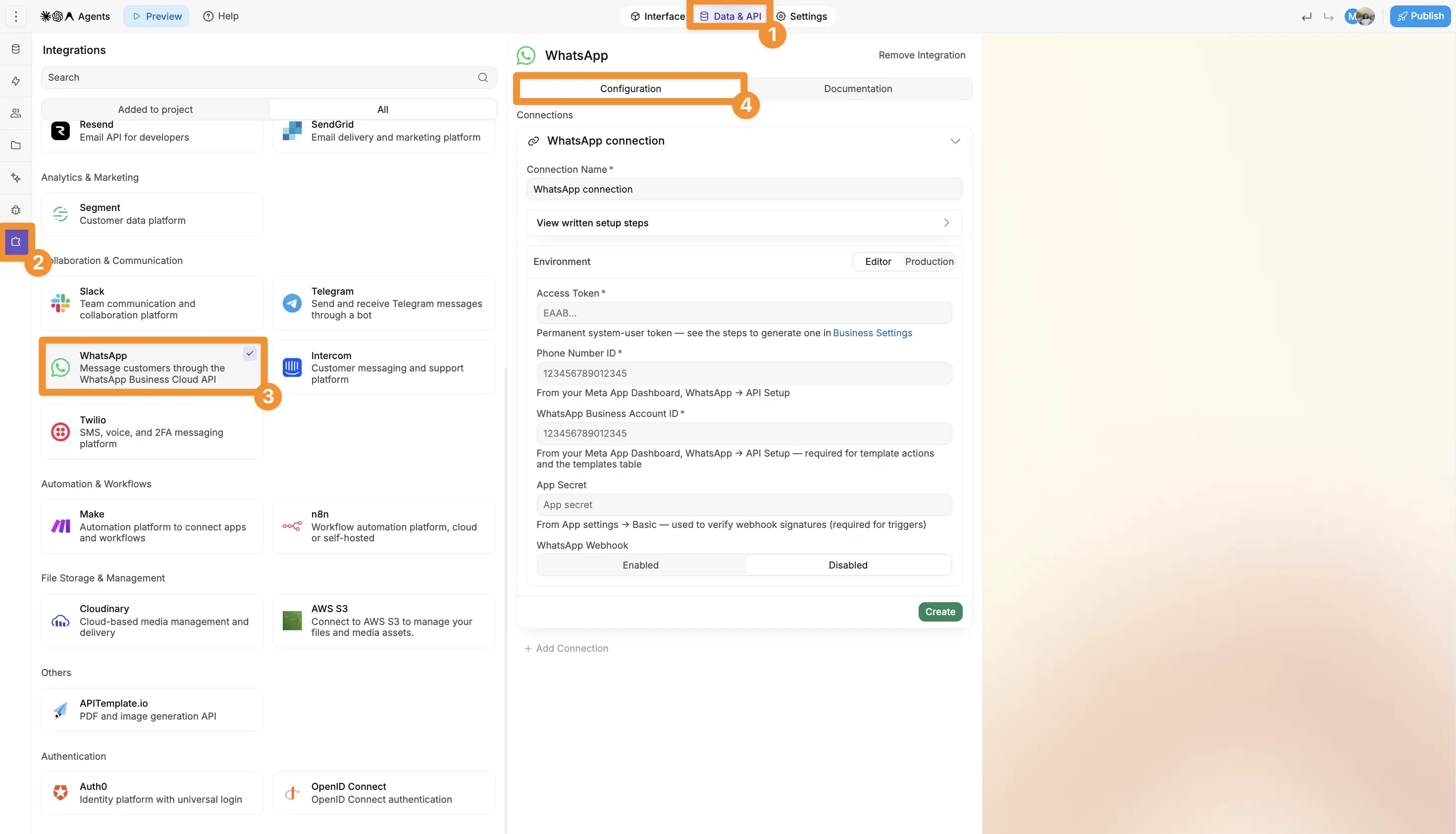
You can also enable webhooks on incoming messages and delivery updates, turning a customer's reply or a delivery change into a workflow trigger of its own.
A few things you can build:
WeWeb AI and MCP already understand the integration, so you can ask it to build a WhatsApp workflow for you.
One thing to plan around: WhatsApp gives you a 24-hour window of free-form replies after a customer messages you. After that, you're back to approved templates.
WeWeb AI and MCP can now read the structure of your connected Xano project and build against it directly: matching public and private endpoints, setting up authentication, and writing workflows that read and update your data without needing you to map every field by hand.
And when you build Xano API requests yourself, file and file-list inputs are available again, so uploads work as expected.
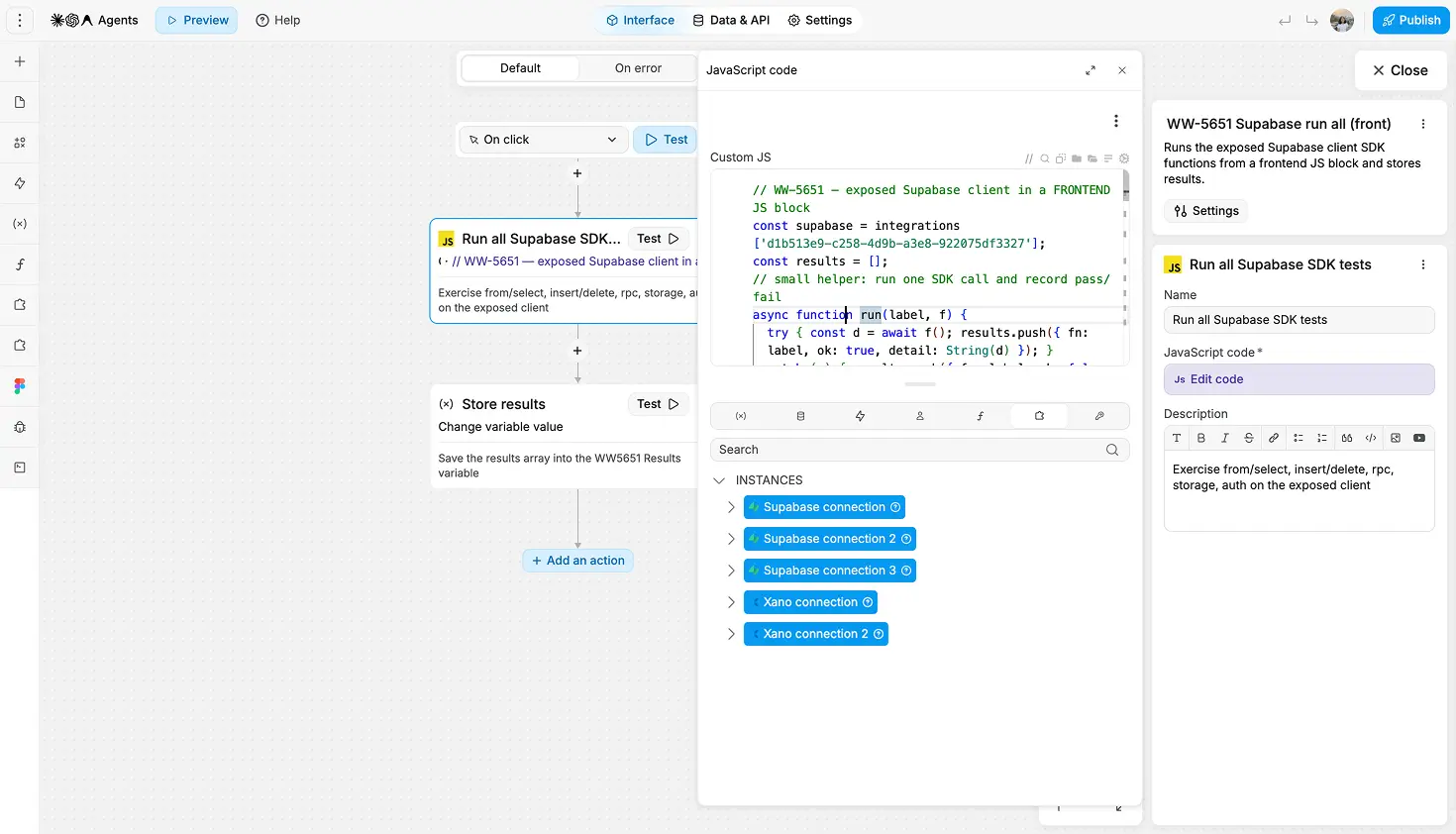
Need to go beyond what a built-in action can do? You can now access your connected Xano and Supabase clients directly from custom JavaScript, without recreating the connection yourself.
That gives you access to more of each provider's SDK, including things like realtime subscriptions, advanced queries, custom request logic, and multi-step operations in a single block.
Use the same connection in frontend code or backend workflows, depending on what you're building. On the frontend, WeWeb only exposes credentials intended for public use, so your usual Supabase RLS rules and Xano endpoint permissions still apply. Anything that relies on secrets or privileged access should stay in a backend workflow.
New workflow templates give you a working starting point instead of building the whole flow from scratch.
Stripe Checkout. Two templates cover the full payment flow:
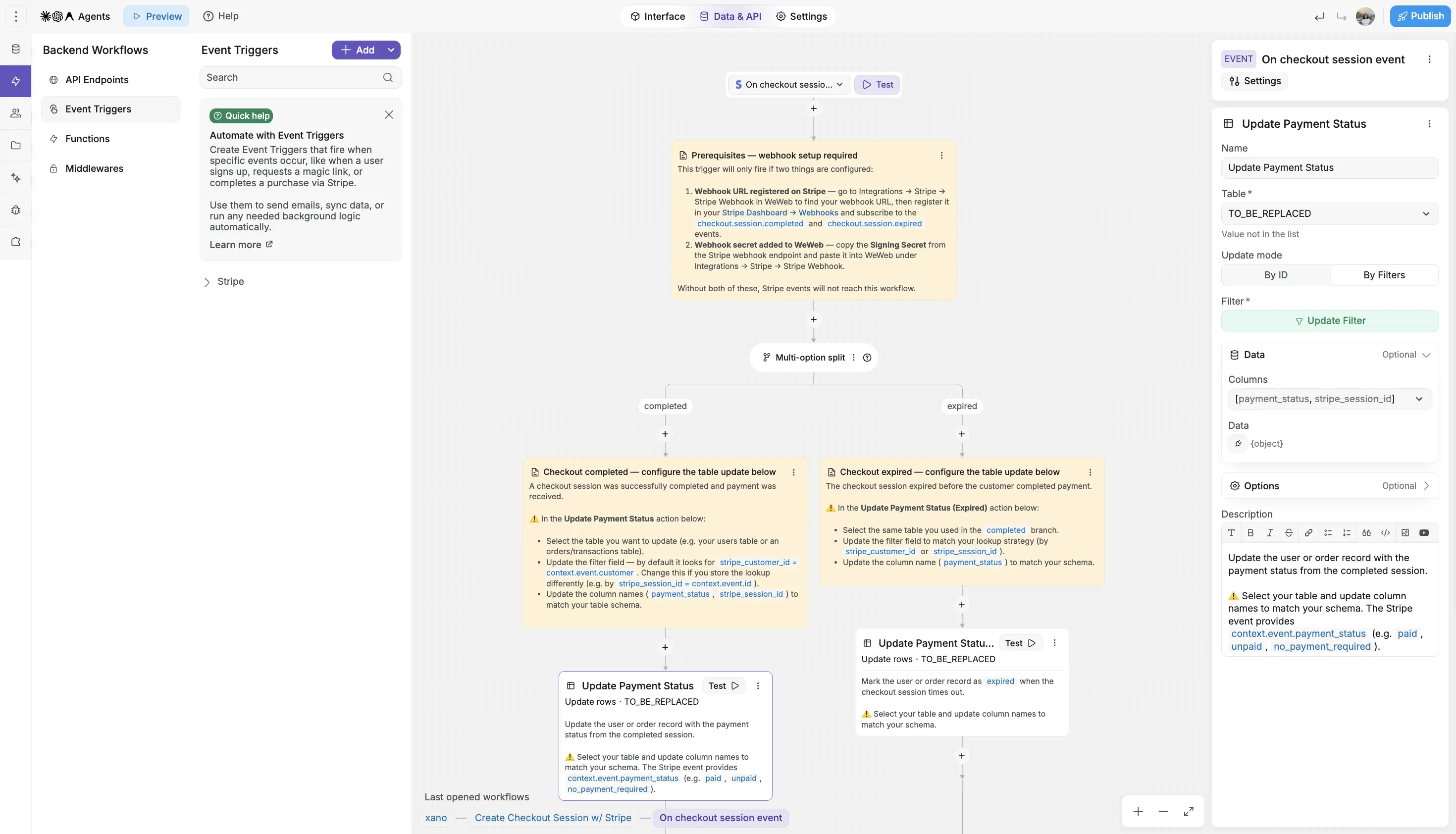
Notes inside each workflow show you where to connect your own tables, columns, and Stripe setup.
Storage. Once you connect a storage provider, three frontend workflow templates become available automatically: upload a single file, upload multiple files, and download a private file using signed URLs.
Connect any of these templates to a File Upload element on your page to get started. Because Storage workflows require authenticated users, the template will guide you through setting up authentication first if you haven't already.
The data model you start with will change as your app evolves. Now you can update it without rebuilding everything around it.
Rename WeWeb Table columns and update their settings, including column type, even after the table has been created and already contains data. If you change a column's type, WeWeb shows you what can be converted before you apply anything.
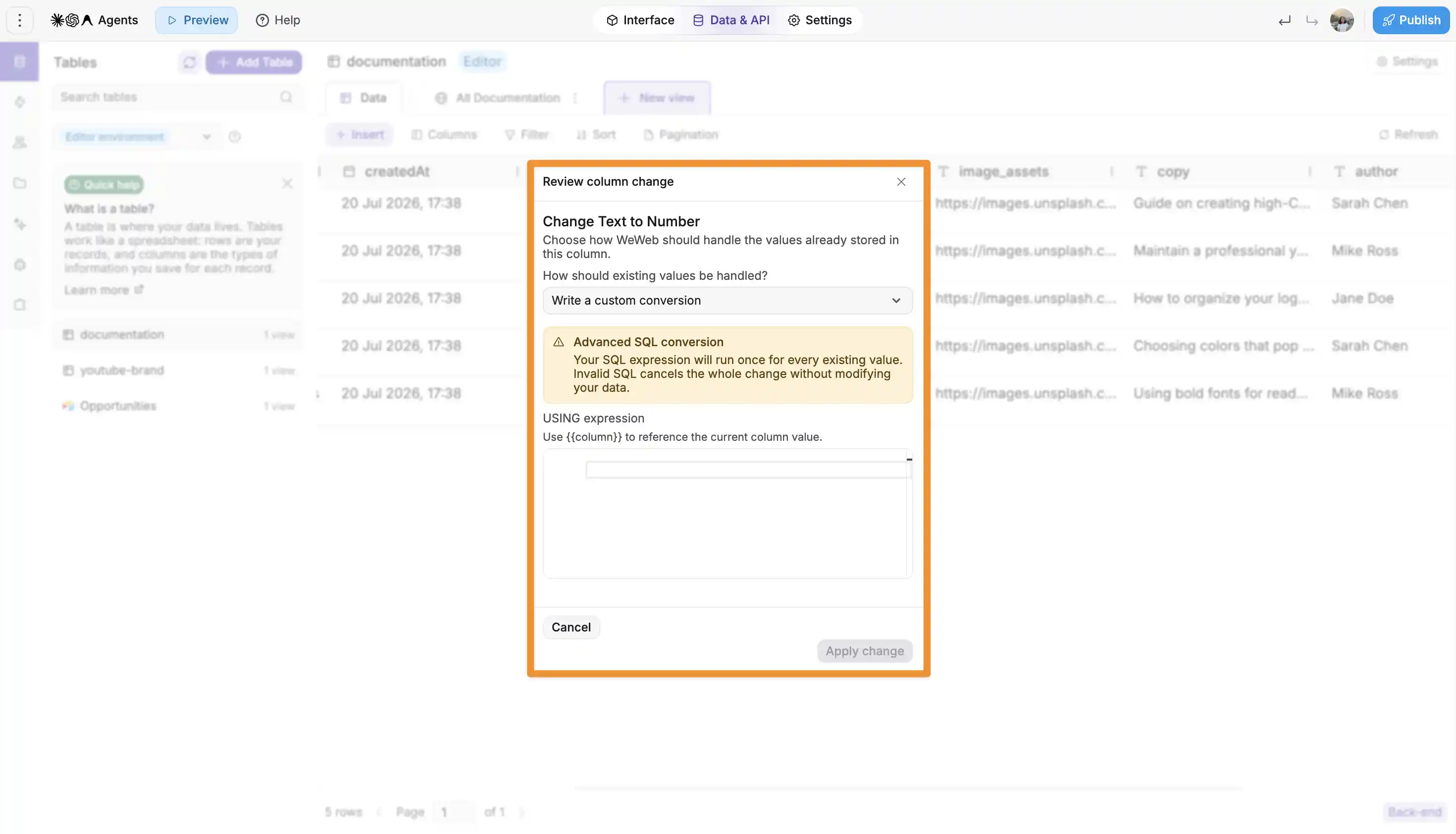
So a table you set up in week one can follow your app into week ten, without rebuilding it and everything bound to it.
For now, this is available for general WeWeb Tables. Support for User Auth tables is coming soon.
That's it for this update. Give the new features a try, and don't hesitate to share your feedback.
Happy building!

