Today's release includes, but is not limited to:
Learn more 👇
WeWeb can now pre-render your static public pages, giving visitors a pre-built version of the page when they first arrive.
That means faster first loads, and content that search engines (SEO) and AI answer engines (AEO) like Google, ChatGPT, Claude, and Perplexity can discover and understand more easily.
This builds on the CSS rendering improvements we released last week, the groundwork we told you was coming. Together they make published WeWeb apps faster: in our internal tests on a large project, the styling WeWeb generates came out around two-thirds smaller.
Pre-rendering is available for static public pages, like a homepage or pricing page.
It isn't available for private or dynamic pages, and if you make a page private WeWeb disables pre-rendering automatically.
Any new public page you create has pre-rendering enabled from the start.
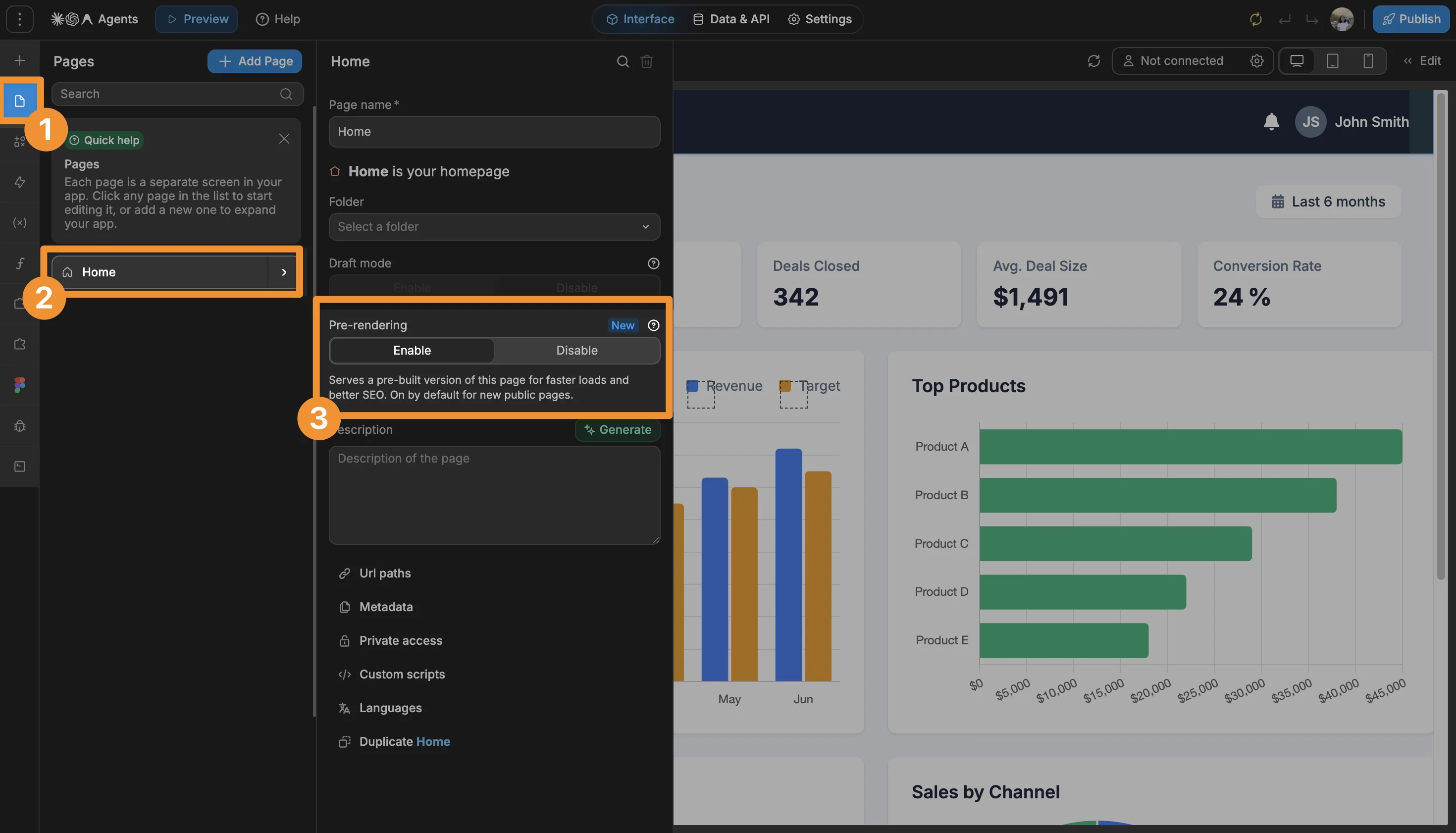
On the public pages you have already built, it starts out disabled. Turn it on from Page Settings → Pre-rendering, right under Draft mode, then republish your app.
WeWeb now connects natively to two more tools you may already use to communicate with customers.
Intercom. Bring your Intercom companies, leads, and users into the tools you build with WeWeb. Your team can look up customer information, update records, and combine Intercom data with information from your own database, without jumping between platforms. WeWeb’s AI assistant and MCP understand your Intercom connection, so you can ask them to build with your customer data.
Telegram. Connect a Telegram bot and turn it into a two-way channel for your app. Send updates, receipts, photos, and documents to individuals, groups, or broadcast channels. Your workflows can respond when someone sends your bot a message or taps an inline button, and can edit, remove, or forward messages your app has already sent. WeWeb’s AI assistant and MCP can set up the connection and build these workflows for you.
Connecting a third-party tool used to be a setup job. Now you just describe the outcome you want.
WeWeb AI or Claude or your preferred coding agent through MCP, handles the rest: connecting the tool, selecting the right actions, and wiring the logic together.
Here’s the complete list of 8 newly supported tools:
Try out this prompt: When a form is submitted, store it in my google sheets and post a summary to our #sales channel in Slack and email the customer a receipt.
As always, we hope you enjoy these updates 🙂 Keep the feedback coming!

