On August 18, we're releasing a CSS update that standardizes how our components handle styling. This is the groundwork for upcoming updates that improve the SEO and AEO performance of your apps.
Two things to know up front:
You can check in about 30 seconds. In your WeWeb workspace, open a project, go to the Interface tab, open the Add element menu, and select the Coded components panel.
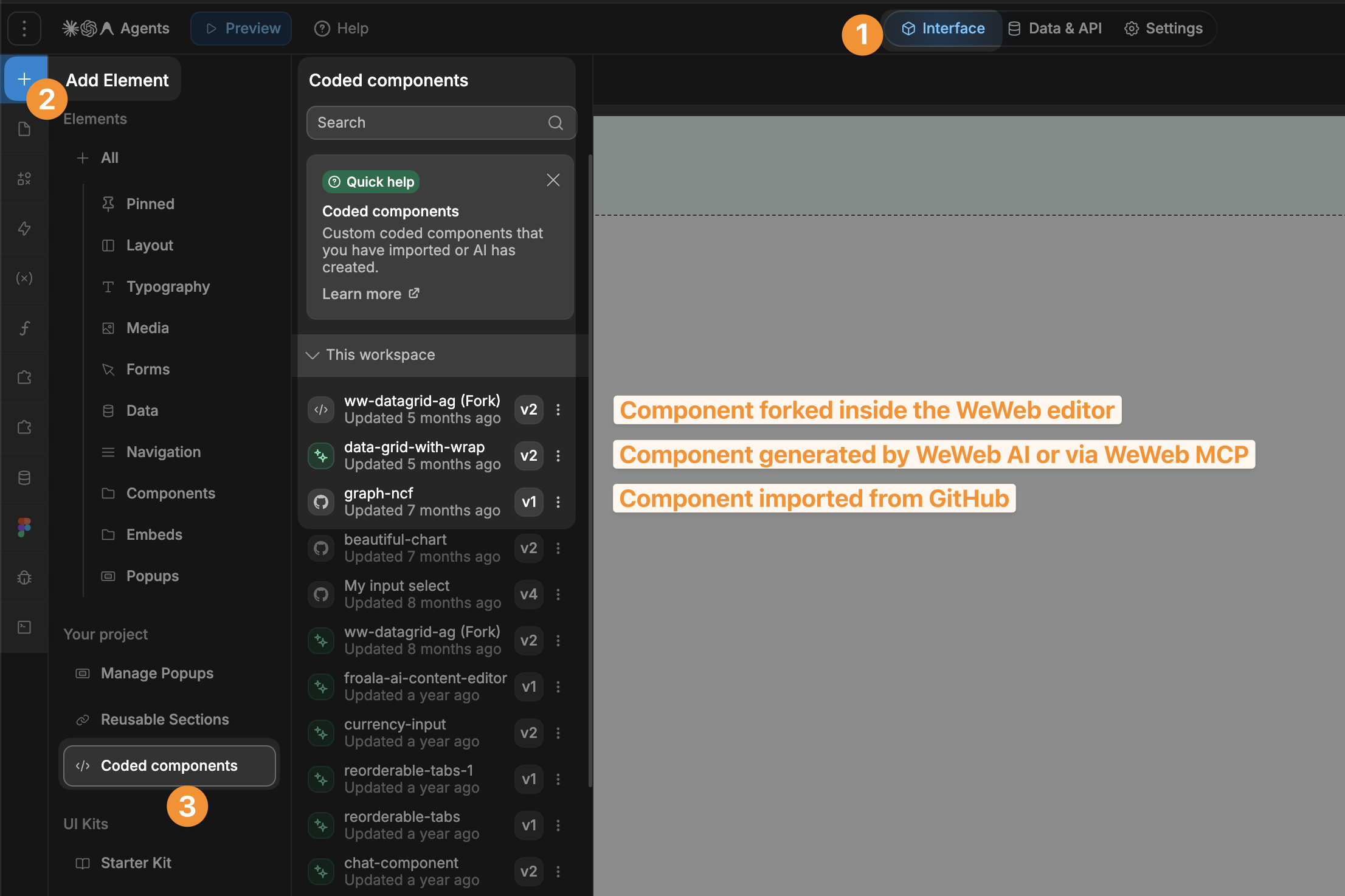
That's the whole triage. If your Coded components panel is empty, you're all set and can stop here 🙂
If it's not, refer to the dedicated guides below to review your coded components before your next republish.
Coded components have handled CSS styling in an older way that limits what we can build on top of it.
Standardizing that approach lets us ship updates that improve how your apps perform for search engines (SEO) and AI answer engines (AEO). It's a foundational change that will pay off across everything you publish next.
On August 18, we're standardizing all WeWeb native elements to the new styling approach.
For reference, the elements we're updating are: the flexbox, button, text, image, basic input, mask input, input with advanced placeholder, select input, multiselect, columns, tabs, and OTP input.
If your projects only use standard WeWeb elements, you don't need to do anything. We'll update every instance of these native elements automatically.
However, if you imported coded components from GitHub or you or AI forked one of these elements in the past, the styles of these custom components may be affected by the update.
Your published app continues to work as it does today. The change only takes effect for an affected component the next time you republish.
So there's no deadline and no rush.
Before your next republish after August 18, review any coded components you or AI forked and update the ones that are affected. If you don't republish, nothing changes.
If you republish after August 18 without updating an affected component first, the component's styling may not render correctly.
Your path depends on where the component came from.
Forked components live inside your WeWeb project, so WeWeb's MCP can audit and update them for you.
Pre-requisite: If you haven't connected the WeWeb MCP yet, follow the setup steps here.
Once your AI agent is connected to the WeWeb MCP, start a chat with your AI agent and paste this prompt:
The agent will list what it found and wait for your go-ahead before changing anything, so you stay in control.
The first part of the prompt will ensure that the MCP audits every component without writing anything. Then, you will be invited to review and migrate approved components one at a time.
Make sure to go through the two separate phases distinctly and take the time to review the AI agent's proposals.
These components live in a code repository in GitHub, so they should be updated there, not in the WeWeb editor.
We've put together a full technical guide that includes:
css() hook contract, Share the link to the guide and the prompt below with whoever maintains the component, or to an AI coding tool with access to the repo:
If you're not sure whether a component is affected, or you'd like help updating one, contact our support team in the app. We're happy to walk through it with you.

