This release brings an improved Supabase setup, AI-powered testing and troubleshooting for backend workflows, easier-to-read JavaScript bindings, and more!
Check out the details 👇
Previously, setting up role-based page access with Supabase required building the full workflow manually.
A new workflow template now gives you a ready-made structure to protect pages based on a user’s Supabase role.
Go to Page Triggers, create a new workflow, then select Supabase → Role-Based Page Access.
The workflow can:
✅ Retrieve the user’s role
✅ Check whether a user is authenticated
✅ Redirect unauthenticated users
✅ Control access to protected pages
WeWeb AI and MCP-connected AI tools can now test the backend workflows they build, review the execution logs, and verify the result.
You can also use them to troubleshoot an existing workflow by asking them to inspect the logs, identify the cause of an error, and suggest a fix.
Example prompt: Review the workflow logs, identify what caused the issue, and suggest how to fix it
When setting up Supabase for the first time, it’s now easier to choose how you want to use it:
Use Supabase as a data source if you want WeWeb Server to handle your API endpoints, backend workflows, and access control.
✅ Useful when you want to combine Supabase with other data sources or manage more of your backend logic in WeWeb.
Use Supabase as your backend if you want your app to connect directly to Supabase and manage data access with Row Level Security.
✅ A good fit when your app already relies on Supabase-native features such as RLS policies, database functions, or other backend logic configured in Supabase:
Your choice is saved as the project default, but you can still change it for individual tables or update the default later.
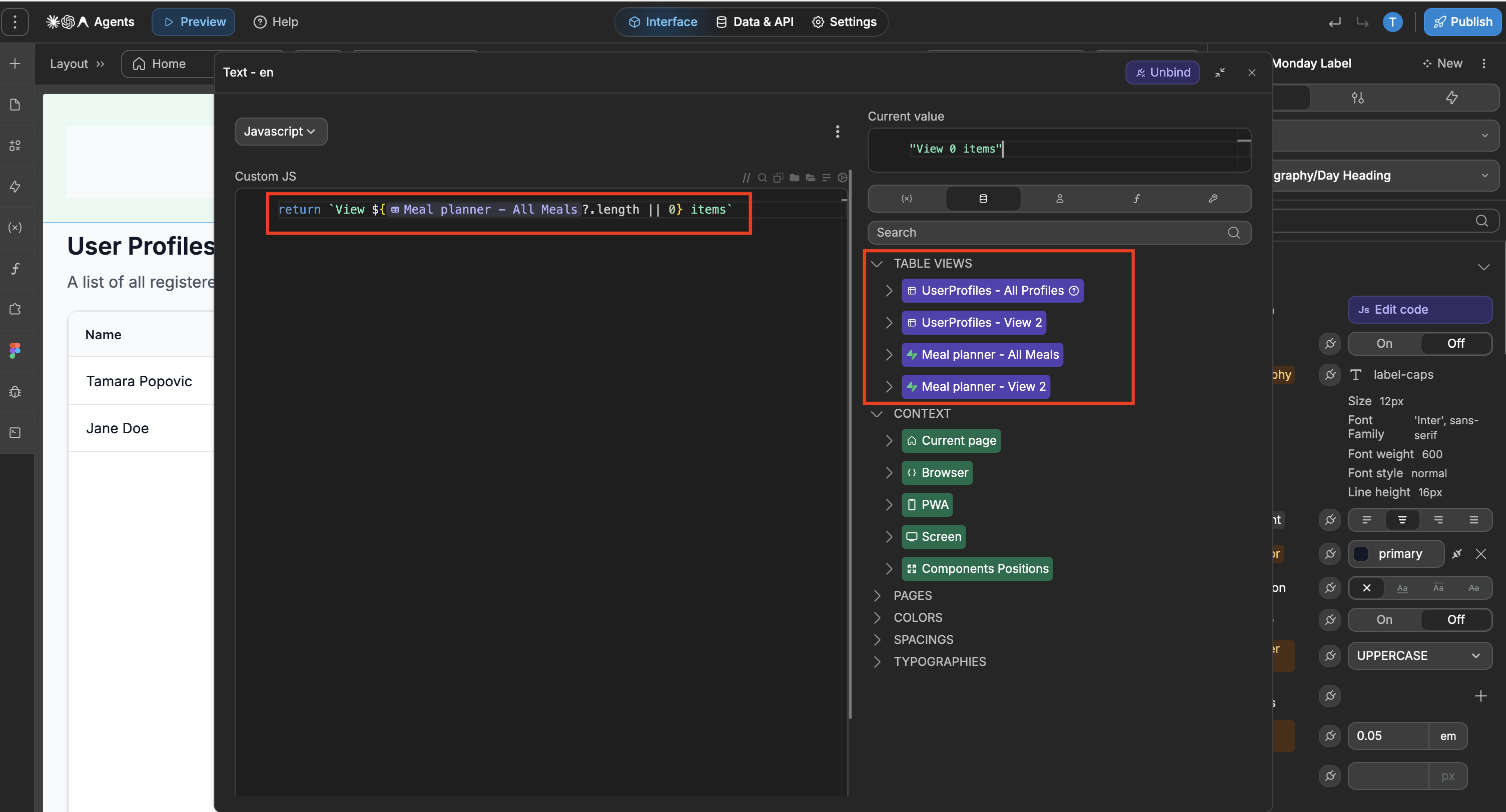
Previously, JavaScript bindings could show technical references that made it difficult to tell which table view, variable, or element was being used.
Now, JavaScript bindings are easier to understand, with clearer table previews and more readable references to the data and elements used in your app:
That's all for this release! As always, let us know what you think 🙂

