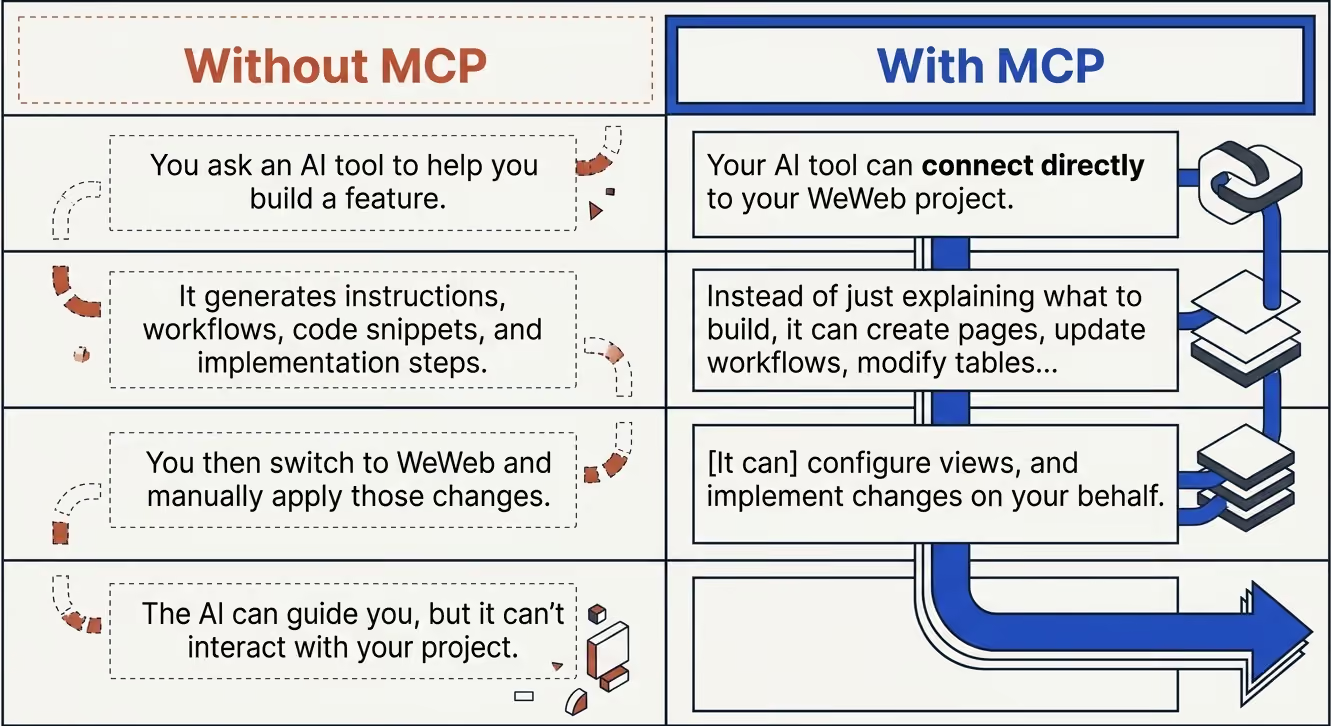
If you love leveraging AI tools like Claude Code, Codex, or Gemini to build apps, you can now connect your preferred AI setup to WeWeb and let it work directly on your project:
• Create pages
• Update workflows
• Manage tables and views
• Modify your application structure, and more
All from the AI environment you already use:
Need to add an onboarding flow, pricing cards or a new admin area?
Describe the feature you want and let your AI tool implement it across your project:
MCP gives AI the context and access it needs to coordinate changes across pages, workflows, tables, views, and business logic.
Already have feature requirements documented in Notion, Linear, Jira, or a product brief?
Share them with your AI tool and let it translate those requirements into working WeWeb implementation:
As applications grow, complexity grows with them:
Use MCP to review workflows, identify redundant logic, standardize naming conventions, reorganize structures, and simplify your application architecture.
Have a Figma file, mockup, or screenshot?
Your AI tool can use MCP to recreate layouts, pages, interactions, and application structures directly in WeWeb:
Need functionality that doesn't exist out of the box?
With MCP, your AI tool can generate custom coded components and add them directly to your WeWeb project:
Perfect for specialized interfaces, advanced visualizations, unique interactions, and more.
And these are only a few examples. There are countless ways to use MCP to build, maintain, and evolve your WeWeb projects.
Getting started is simple!
Joyce prepared a tutorial that walks you through the practical steps for setting up your environment and building with MCP in WeWeb:
Or follow the step-by-step setup guide in our docs: WeWeb MCP
Let's build!

