



A low-code development platform provides a visual way to build web applications and workflows.
You drag-and-drop UI components, connect data sources, define logic with visual actions, and optionally add custom code where needed.
The best low-code development platforms pair AI generation with a professional editor, so a team can go from prompt to production and still maintain craftsmanship.
Key characteristics:
- Visual editor for pages, layouts, styles, and components
- Data connectors for REST, GraphQL, SQL databases, and third party APIs
- Logic through actions, conditions, and state, with the option to insert custom code
- Environments for staging and production, plus rollback and version history
- Access controls, SSO, and audit logs for security and scale
Benefits and limitations at a glance
Low-code development platforms solve real delivery problems, but they are not the right tool for every situation. Use this summary to match their strengths and trade-offs to your specific needs before committing to an evaluation.
Delivery speed
Visual editors and AI generation eliminate boilerplate and reduce the distance between idea and first version: teams regularly ship working prototypes in days, not months. The trade-off is that complex domain logic, edge cases, and custom algorithms still require developer time. Low-code accelerates the 80%, not the last 20%.
Team collaboration
Designers, developers, and business analysts can contribute in the same environment without constant handoffs, and non-technical team members can own content and configuration updates independently. Without agreed naming conventions, component standards, and review processes, however, multiple contributors produce inconsistent patterns that compound over time.
Integration
Most modern data sources work out of the box: REST APIs, GraphQL, SQL databases, and popular SaaS tools connect in minutes. Legacy systems using proprietary protocols, SOAP services, or unusual authentication schemes often require custom adapters or middleware. Verify your specific integrations before committing to a platform.
Scale
Component reuse, shared design systems, and built-in caching keep performance consistent as apps grow, and deployment to a CDN is typically one click. Real-time data at high volume, event streaming, and complex concurrency scenarios need to be architected deliberately. Not every platform handles these equally well.
Operations
One-click deploys, preview environments, rollbacks, and managed hosting remove most of the DevOps overhead for standard release cycles. Advanced CI/CD pipelines, multi-environment release trains, and enterprise governance workflows vary significantly across platforms. Audit what your platform actually supports before assuming parity with a custom stack.
Cost
Lower upfront development cost and faster time to value compared to a fully custom build. Free tiers and predictable seat-based pricing reduce financial risk during evaluation. The caveat is that per-seat or per-app pricing can scale unexpectedly as teams and usage grow. Model the full cost at twice your current size, not just your launch configuration.
When low-code might not be the best choice
Low-code platforms are not suited to every project. Avoid them when your application requires real-time processing at very high volume, highly specialized algorithms, or deep OS-level access.
They also might not be the right fit when your team's primary output is reusable libraries or infrastructure that other engineering teams depend on. In those cases, a traditional development stack gives you more control with less overhead than working around a visual platform's constraints.
Common use cases and personas
Who benefits most from low-code development platforms:
- Startup founders who need to validate a product, onboard early customers, and iterate weekly
- Agencies and freelancers who deliver portals, internal tools, and client dashboards on repeatable timelines
- Innovation teams at large companies who prototype and ship departmental apps that must connect to existing systems
- Operations and analytics teams who build internal tools linked to CRMs, ERPs, and warehouses
Typical projects:
- Customer self-service portals and partner extranets
- Internal admin panels, approval workflows, and data hubs
- SaaS minimum viable products that need real billing and auth
- Field operations apps for inspections, logistics, and retail
Selection and buying criteria
Use this checklist to evaluate low-code development platforms with rigor.
Architecture
- Backend freedom, can you connect any API or database
- Extensibility, can you import custom components and write code where it matters
- Vendor neutrality, can you export assets and host in your cloud
Security and compliance
- SSO options and granular roles
- Audit trails, encryption at rest and in transit, and secrets management
- Certifications, look for SOC 2 and ISO 27001 alignment
- Data residency and private cloud or self hosting options
Delivery workflow
- Environments, preview URLs, rollbacks, and change history
- Git or platform versioning and support for code reviews
- Performance tools, profiling, lazy loading, and caching
- Accessibility features and testing support
Business model
- Clear pricing for users, apps, environments, and integrations
- Usage and bandwidth thresholds
- Support SLAs and roadmap transparency
Pricing models and hidden costs
Expect these models across low-code development platforms:
- Per builder seat or per collaborator
- Per app, site, or workspace
- Usage based on traffic, workflows, tasks, or API calls
- Enterprise bundles with SSO, audit, and higher limits
Hidden costs to surface early:
- Overages on bandwidth or automation runs
- Premium connectors or dedicated environments
- Data egress fees when hosting on a vendor cloud
- Migration and refactor time if exporting code is limited
Tip, ask vendors to simulate a year of usage for your expected traffic, team size, and integrations. A transparent model will be easy to project.
Hosting, deployment, and DevOps
Low-code development platforms span three hosting approaches:
- Vendor cloud, fastest to start and fully managed by the provider
- Private cloud, deploy to your AWS, GCP, or Azure account for greater control
- Self-hosting, install on your servers with container images
DevOps capabilities to verify:
- CI integration, preview environments for every branch or change
- Rollbacks and version history with clear diffs
- Secrets management and environment variables
- Observability, logs, metrics, and alerting hooks
Breaking down the low-code landscape
You will encounter three broad categories when comparing low-code development platforms
Builder first
- Visual web app builders with powerful editors for professional output
- Ideal when you want pixel level control, reusable components, and code extensibility
Vibe coding
- Prompt to app tools that generate working projects from natural language
- Best when you value speed to first version combined with post generation editing
Traditional low code suites
- Broad platform suites aimed at process heavy enterprise use cases
- Useful when workflow automation and governance are the dominant needs
WeWeb sits at the intersection of vibe coding and no-code. It brings AI generation to a visual editor where you can edit the AI output without writing code, import custom Vue.js components, and connect any backend.
Top 14 Low-Code Development Platforms in 2026
Building on the trends discussed above, this section compares the 14 low-code platforms most influential in real-world delivery in 2026.
They’re grouped because they represent the market’s most adopted choices, balancing rapid UI assembly with enterprise governance, extensibility, and flexible deployment models.
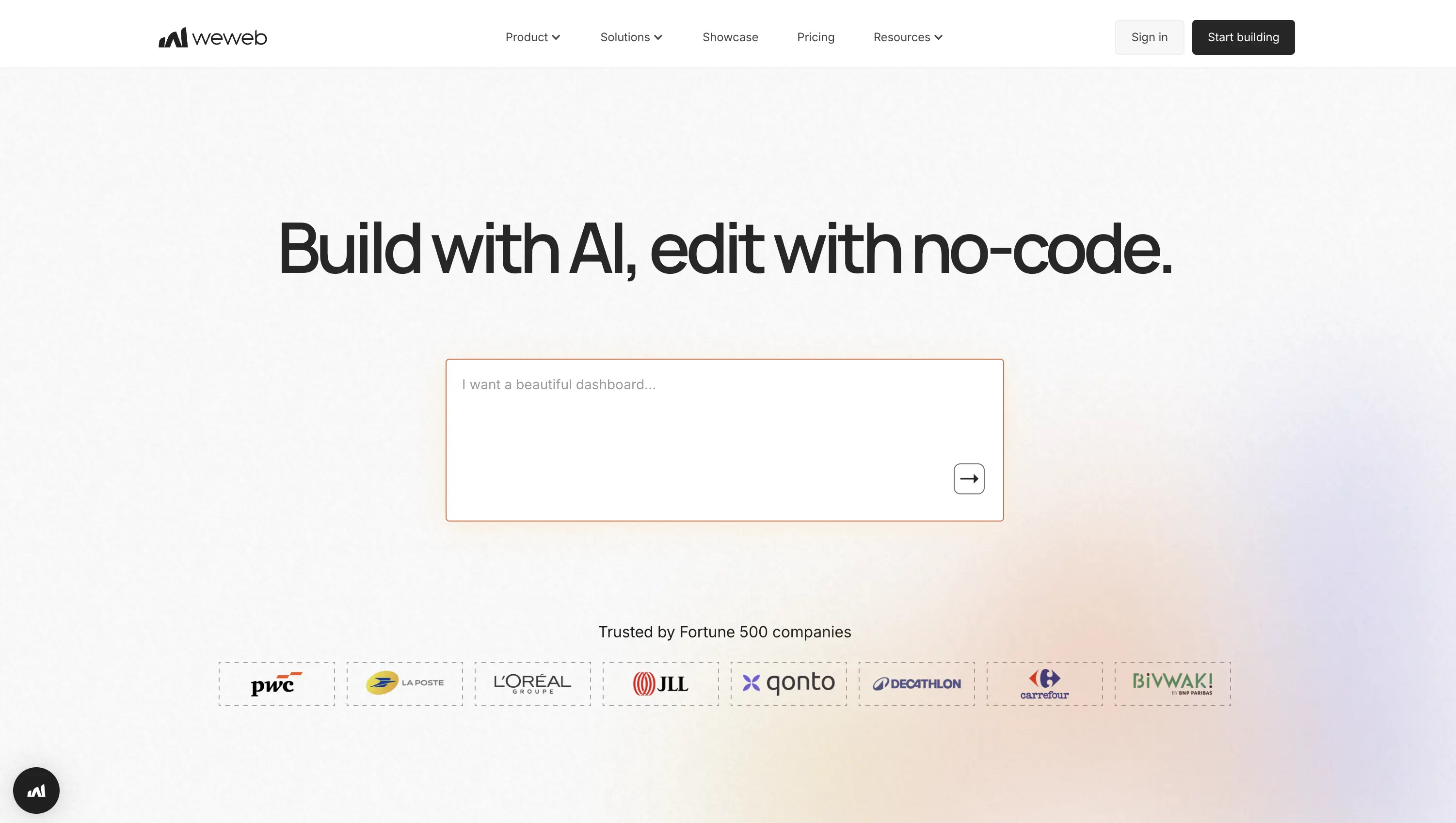
1. WeWeb
Best for: product teams, agencies, and founders shipping data-driven apps, portals, and internal tools fast. WeWeb is a visual, AI-assisted full-stack builder with its own native backend and can connect to REST/GraphQL and popular backends.
It publishes to a global CDN or exports clean Vue code so mixed-skill teams move quickly, scale cleanly, and let non-developers iterate with granular roles, permissions, and safe publishing.
Why it stands out for speed, scale, and autonomy
- AI builder drafts pages, logic, and components in minutes.
- Import or edit custom Vue3 components, reuse across apps.
- Native backend with database, APIs, authentication, storage, and backend logic directly inside the editor.
- Native Supabase and Xano integrations;
REST,GraphQL, Airtable support. - RBAC with roles/groups; private pages; OIDC, Auth0, Supabase auth.
- One-click publish to AWS CDN; export Vue; easy self-hosting.
- Staging, backups, rollbacks, GitHub builds; Sentry and analytics.
Pricing & ecosystem: Free plan; from $20/seat/month; templates marketplace, code export, GitHub sync; self-hosting supported; no end-user fees; 2M AI tokens.
2. Appian
Best for: large enterprises and regulated teams running complex, human-in-the-loop processes with rigorous governance. Appian blends AI-powered process automation, a unified data fabric, and native RPA/IDP so teams launch secure web/mobile apps faster while business technologists iterate safely under enterprise controls, shortening cycle times and orchestrating cross-system work at scale.

Why it stands out for speed, scale, and autonomy
- Visual builder with AI Copilot to accelerate designs and connectors.
- Extensible with UI components, Java plug-ins, expressions, services.
- Data Fabric unifies sources;
REST,SOAP,JDBCintegrations. - Row-level security, SSO via SAML/OIDC, granular object permissions.
- Appian Cloud or self-managed deployments; hybrid flexibility.
- Health Check, real-time monitoring, logs, autoscaling diagnostics.
- AppMarket connectors: Salesforce, SharePoint, DocuSign, UiPath, SAP.
Pricing & ecosystem: Free Community Edition; enterprise tiers are quote-based (often per user/app); AppMarket templates/connectors; Appian Cloud 99.8-99.99% SLA or self-managed/on-prem with FedRAMP/HIPAA.
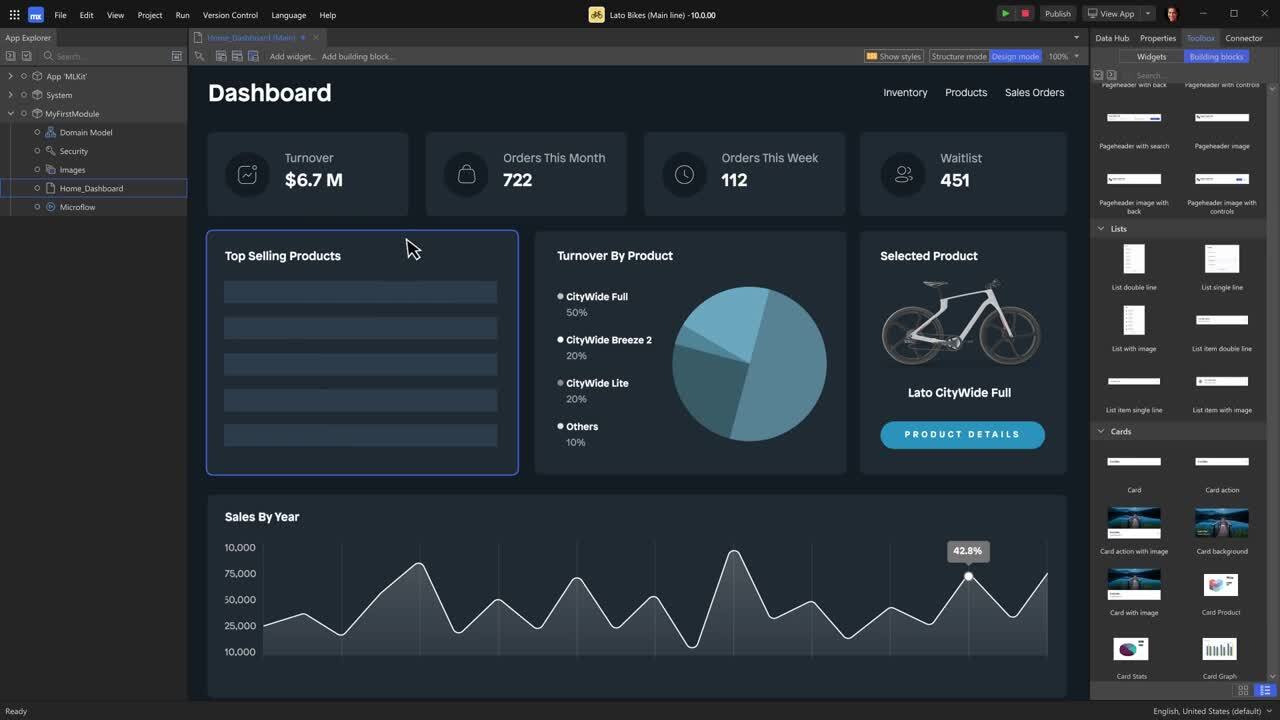
3. Mendix
Best for: enterprise IT and innovation teams building mission-critical web and mobile apps with tight governance and deep integrations. Mendix is a full-stack low-code platform with AI-assisted modeling, enterprise-grade security, and flexible cloud or private-cloud options so cross-functional teams deliver fast while non-developers safely maintain and iterate at global scale.
Why it stands out for speed, scale, and autonomy
- Model-driven Studio Pro with Maia/MxAssist AI guidance.
- Extend via Java actions, React widgets, Studio Pro plug-ins.
- Connectors and Marketplace modules:
REST,OData,GraphQL, Snowflake. - Enterprise SSO (OIDC/SAML), granular roles, audit and governance.
- Deploy to Mendix Cloud, SAP BTP, Kubernetes, private clouds.
- App Insights monitoring, APM integrations, security and quality scanning.
Pricing & ecosystem: Free tier; paid from $75/app/month or $60/month unlimited; Standard from $998/month, Premium by quote; rich Marketplace; deploy to Mendix Cloud, SAP BTP, or Kubernetes.
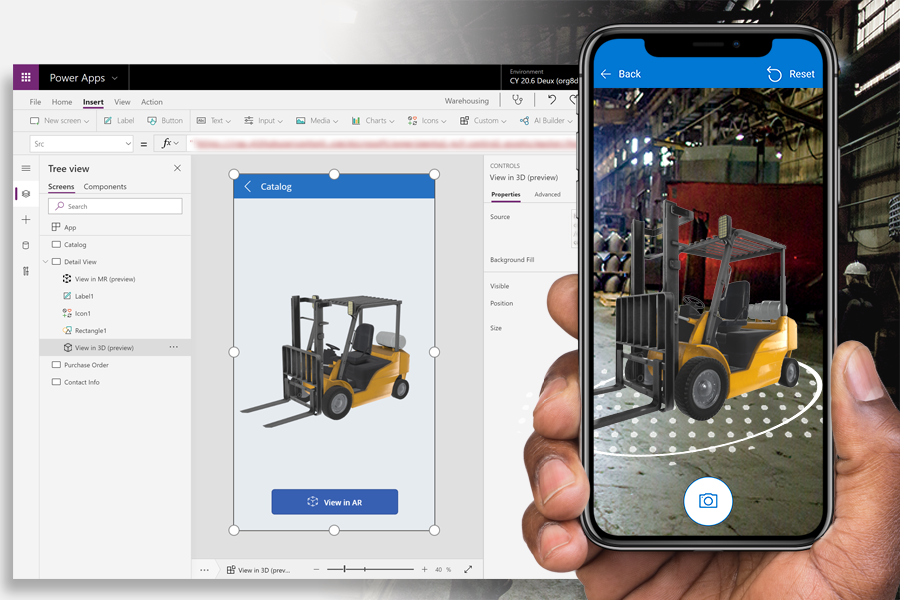
4. Microsoft Power Apps
Best for: enterprise business units, Microsoft 365/Dynamics 365 orgs, and IT-run citizen-developer programs needing governed scale. As part of Power Platform, it ships canvas and model-driven apps quickly on Dataverse and 1,000+ connectors, with Copilot and robust governance, allowing non-developers to maintain safely while pro-devs extend deeply.
Why it stands out for speed, scale, and autonomy
- Copilot designs layouts, formulas, and data models from prompts.
- Power Fx, PCF components, custom connectors for extensibility.
- Dataverse plus 1,000+ connectors and AppSource ecosystem.
- Entra ID SSO, DLP, tenant isolation, pipelines, approvals, versioning.
- Cloud hosting, government regions, mobile wrap for distribution.
- Monitor, Solution Checker, Application Insights for performance.
Pricing & ecosystem: Free Developer Plan/trial; Premium from $20/user/month (as low as $12 at scale); AppSource templates, 1,000+ connectors; cloud-hosted, on-prem via gateway; GitHub/Azure ALM.
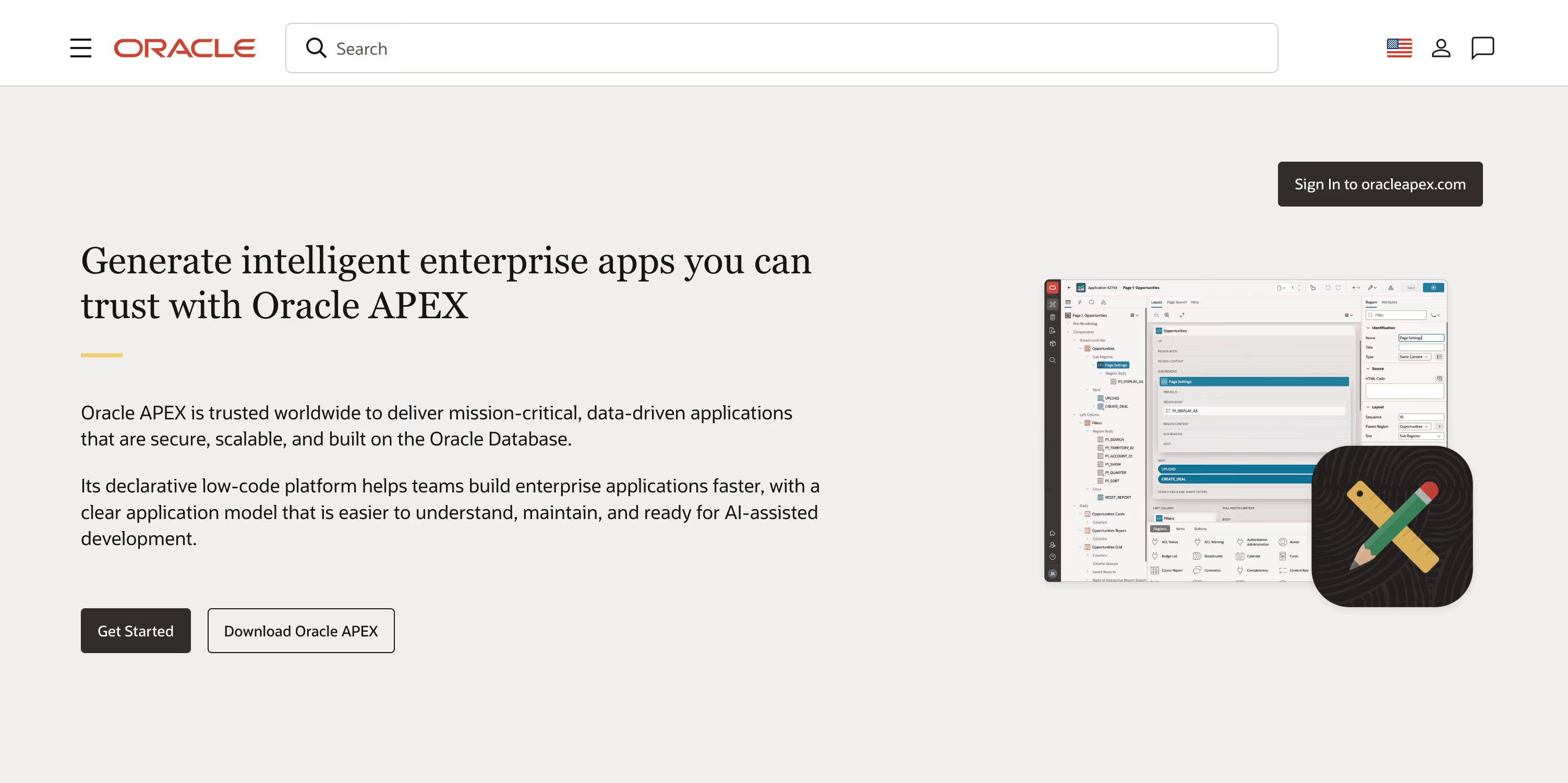
5. Oracle APEX
Best for: enterprises already on Oracle Database building secure, data-heavy internal apps quickly. APEX is a mature, database-centric platform built into Oracle Database and delivered as a managed OCI service, combining a visual builder and AI assistance so teams ship at scale while non-developers iterate under strong role-based controls.
Why it stands out for speed, scale, and autonomy
- Visual Page Designer and APEX Assistant; RAG and vector search.
- Extend with plug-ins, Template Components, PL/SQL, JavaScript.
- Data: Oracle SQL/JSON,
REST, REST Enabled SQL, GraphQL via ORDS. - SSO, OAuth2/OIDC, SAML; granular roles and access control.
- Deploy on OCI APEX Service, Autonomous DB, on-prem, or AWS RDS.
- Activity Monitoring, Advisor, OpenTelemetry-based observability.
- App Gallery templates, apex.world plug-ins, Fusion Apps integration.
Pricing & ecosystem: Always Free on OCI; APEX Service from $122/month (ECPU-based, includes DB; no per-user/app limits); App Gallery and apex.world; free with on-prem Oracle DB.
6. OutSystems
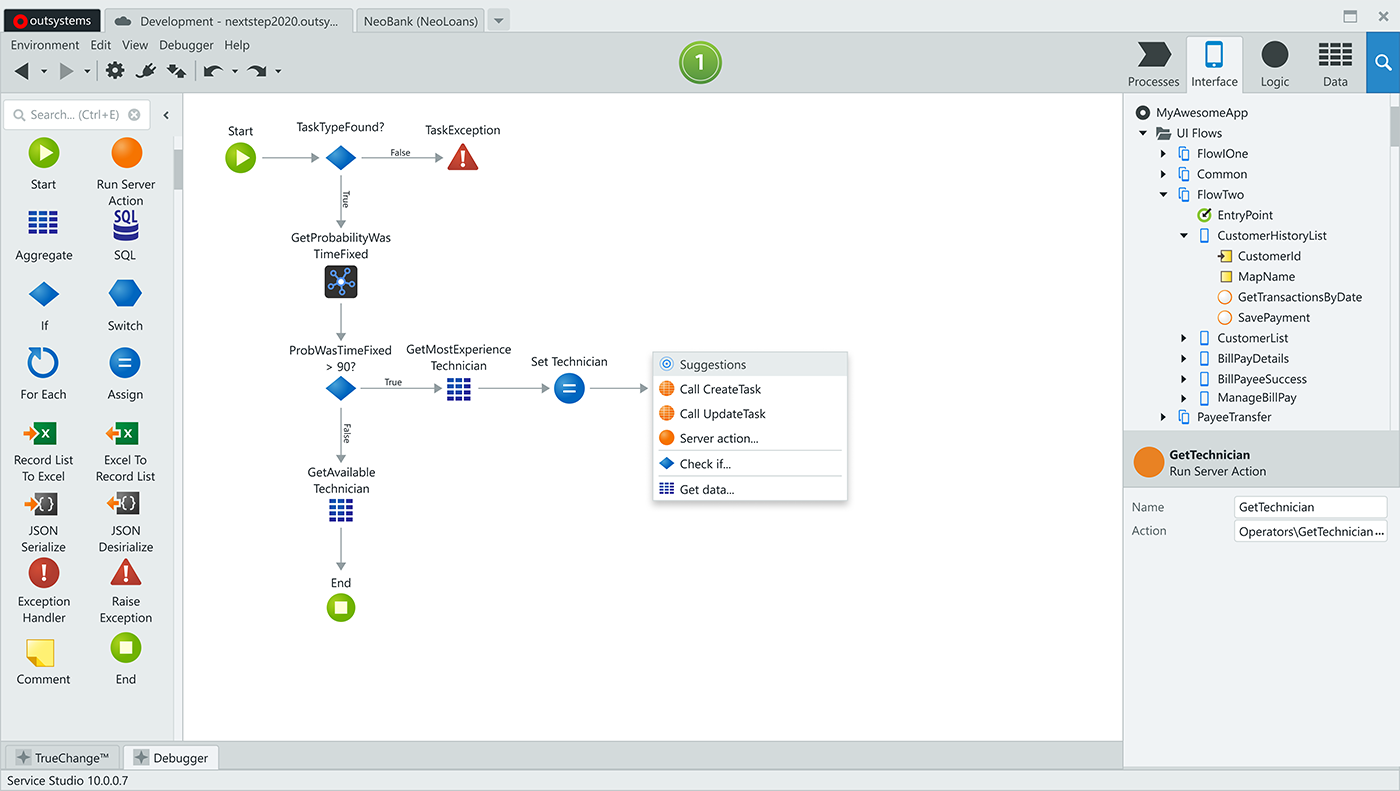
Best for: large enterprises and public-sector teams building mission-critical web/mobile apps and AI agents under firm governance. OutSystems pairs a visual low-code IDE with agentic AI (Mentor, Agent Workbench), integrated DevOps, and enterprise controls so product and operations teams ship quickly and iterate safely across complex, regulated environments.
Why it stands out for speed, scale, and autonomy
- Visual development plus Mentor builds full-stack apps from prompts.
- Agent Workbench designs, runs, governs enterprise AI agents.
- Pro-code with external libraries, .NET/Java, APIs everywhere.
- Data Fabric;
RESTandSOAP; GraphQL via AWS AppSync. - SSO, RBAC with Azure AD/OIDC; LifeTime and ODC governance.
- Cloud-native ODC on AWS; O11 self-managed/private cloud.
- Monitoring dashboards, OpenTelemetry export, expansive Forge assets.
Pricing & ecosystem: Personal Edition free; ODC often from ~$36,300/year (quote-based) including dev/test/prod for one medium app; ~8k Forge assets; self-managed OutSystems 11 for on-prem.
7. Salesforce Lightning
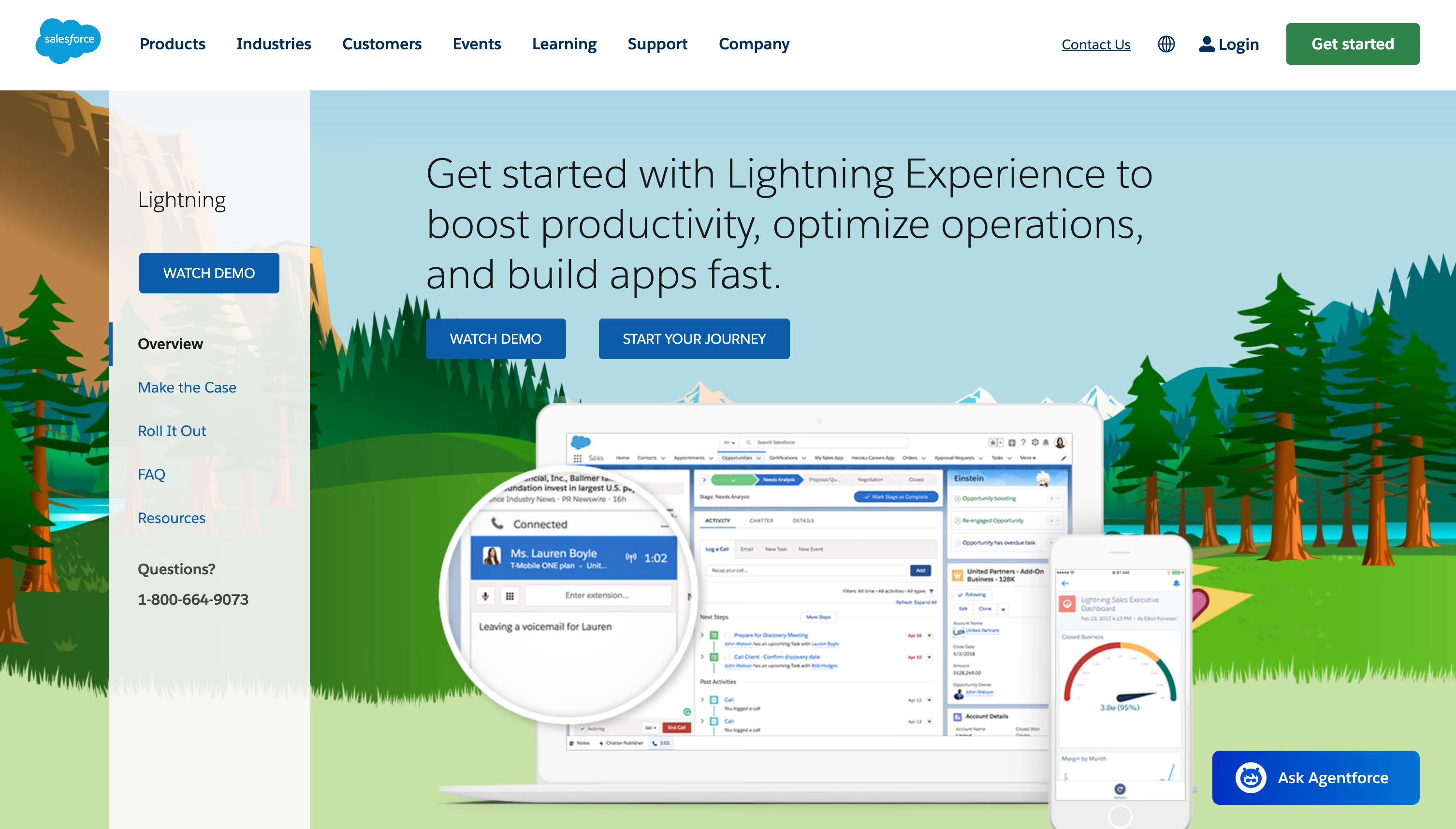
Best for: Salesforce-adopting organizations enabling business teams to ship internal apps, automate complex processes, and extend CRM without heavy engineering. Lightning unifies point-and-click builders (App Builder, Flow) with Einstein assist and pro-code extensibility, giving admins autonomy while preserving governance, auditability, and scale on Salesforce’s cloud.
Why it stands out for speed, scale, and autonomy
- Lightning App Builder and Flow; Einstein drafts flows and orchestrations.
- Lightning Web Components with Apex and GraphQL APIs.
- External data via Salesforce Connect, External Services, MuleSoft.
- Profiles, permission sets, SSO; Shield encryption, field audit trails.
- Fully hosted Salesforce cloud; sandboxes, DevOps Center, packaging.
- Scale Center, Real-Time Event Monitoring for deep observability.
- AppExchange solutions and AgentExchange for AI agents/actions.
Pricing & ecosystem: 30-day trial; Platform Starter $25/user/month, Platform Plus $100/user/month (annual); optional Platform Logins $1,000/10k logins; AppExchange and AgentExchange; fully hosted.
8. Zoho Creator
Best for: ops leaders, SMBs, and enterprise departments that need data-driven internal tools and customer portals without a full-time engineering bench. Creator offers mature low-code builders, AI assist, and governed environments. It scales from simple apps to core systems across web, iOS, Android, and PWAs while non-developers maintain safely.

Why it stands out for speed, scale, and autonomy
- Visual builders plus Zia AI draft forms and workflows.
- Extend with Deluge, Java/Node functions, JavaScript widgets.
- Unified Data Service with
REST/SQL connectors and schemas. - RBAC, SAML SSO, MFA, IP restrictions, audit logs.
- Dev/staging/prod environments with versioning and publishing.
- Deploy to Zoho Cloud, public clouds, or on-premises.
- Integrates 55+ Zoho apps and 800+ external services.
Pricing & ecosystem: Free plan + 15-day trial; paid cloud from $8/user/month; portal users extra; template/solution marketplace; optional on-prem licensing.
9. Betty Blocks
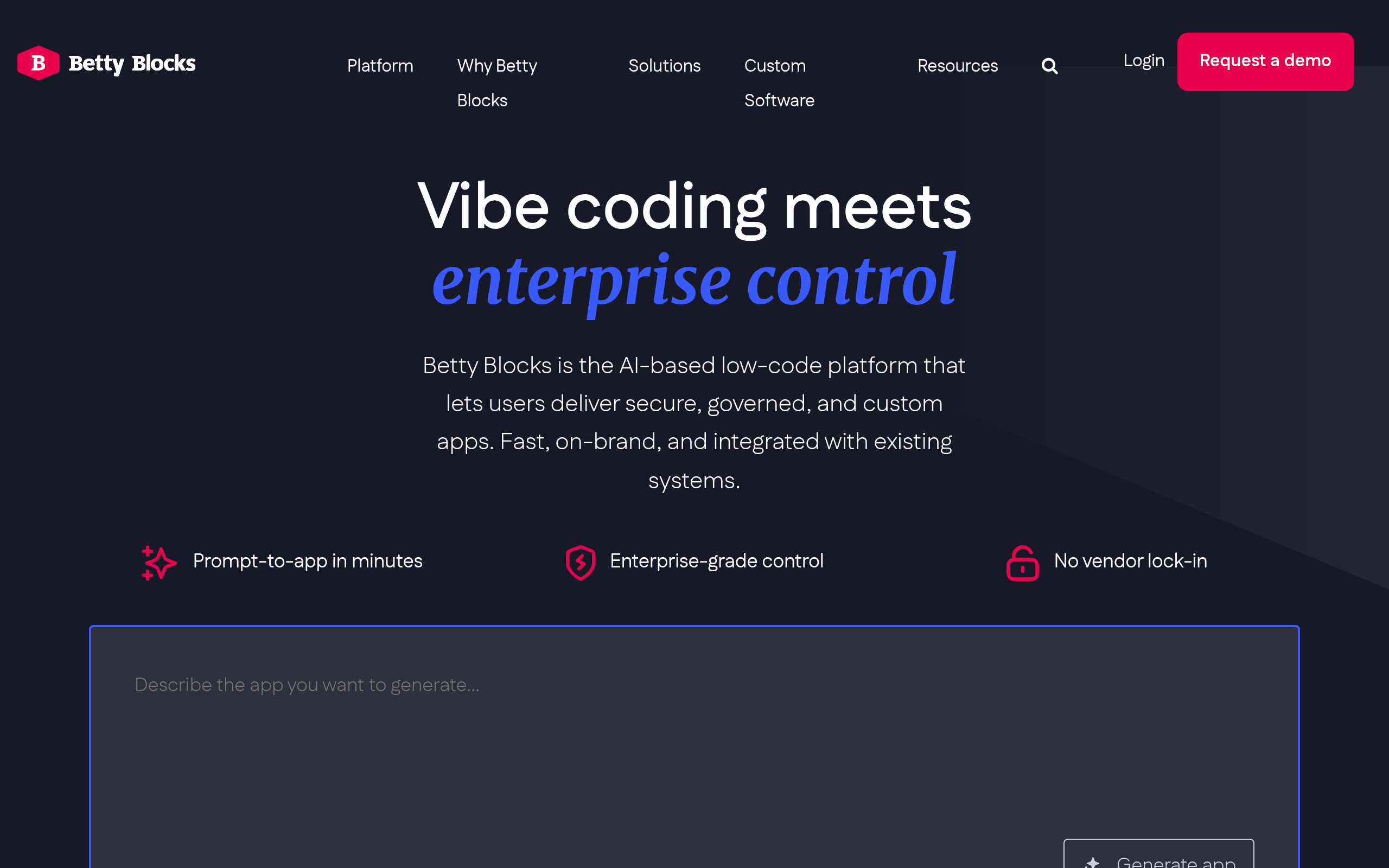
Best for: enterprise IT and fusion teams modernizing legacy systems and launching governed portals fast. Betty Blocks combines AI-assisted UI and BPMN builders, reusable blocks, React export, and WebAssembly actions so non-developers iterate safely under IT guardrails, speeding delivery while preserving compliance and auditability.
Why it stands out for speed, scale, and autonomy
- AI-assisted Page Builder for UIs and BPMN workflows.
- Export pages to React; extend actions with WebAssembly.
- Visual data modeling;
REST/GraphQLAPIs; remote sources. - RBAC, SSO, MFA, audit logs, private data mode.
- Deploy to AWS, Azure, Kubernetes; hybrid and on-prem supported.
- DTAP environments, merge tooling, Grafana-backed monitoring.
Pricing & ecosystem: Free trial; quote-based tiers (often per app); third-party estimates ~$1,000-$1,500/month entry; Block Store and templates; multi-cloud, hybrid, on-prem options.
10. Caspio
Best for: operations, PMO, and IT in regulated industries needing secure internal tools, partner portals, and reporting at scale. Caspio is database-first low-code with Flex/Bridge visual builders, a managed SQL Server backend on AWS, AI assist, and unlimited-user pricing, so teams can ship quickly while IT governs identity, compliance, integrations, and deployment.

Why it stands out for speed, scale, and autonomy
- Flex and Bridge builders; AI Assistant scaffolds schema and UIs.
- Extend with HTML/CSS/JS; App Blocks and Extensions marketplace.
- SQL Server cloud DB;
RESTv3 API, webhooks, scheduled jobs. - Directories with SAML SSO, 2FA, RBAC, record-level security.
- Caspio-hosted or embedded; custom domains; dedicated and GovCloud.
- Audit/access logs, retention controls, 99.9% SLA, daily backups.
Pricing & ecosystem: Free trial; Lite $100/month, Plus $300, Business $600, unlimited users, per author; marketplace assets; HIPAA add-on; hosted, dedicated, or GovCloud.
11. Creatio
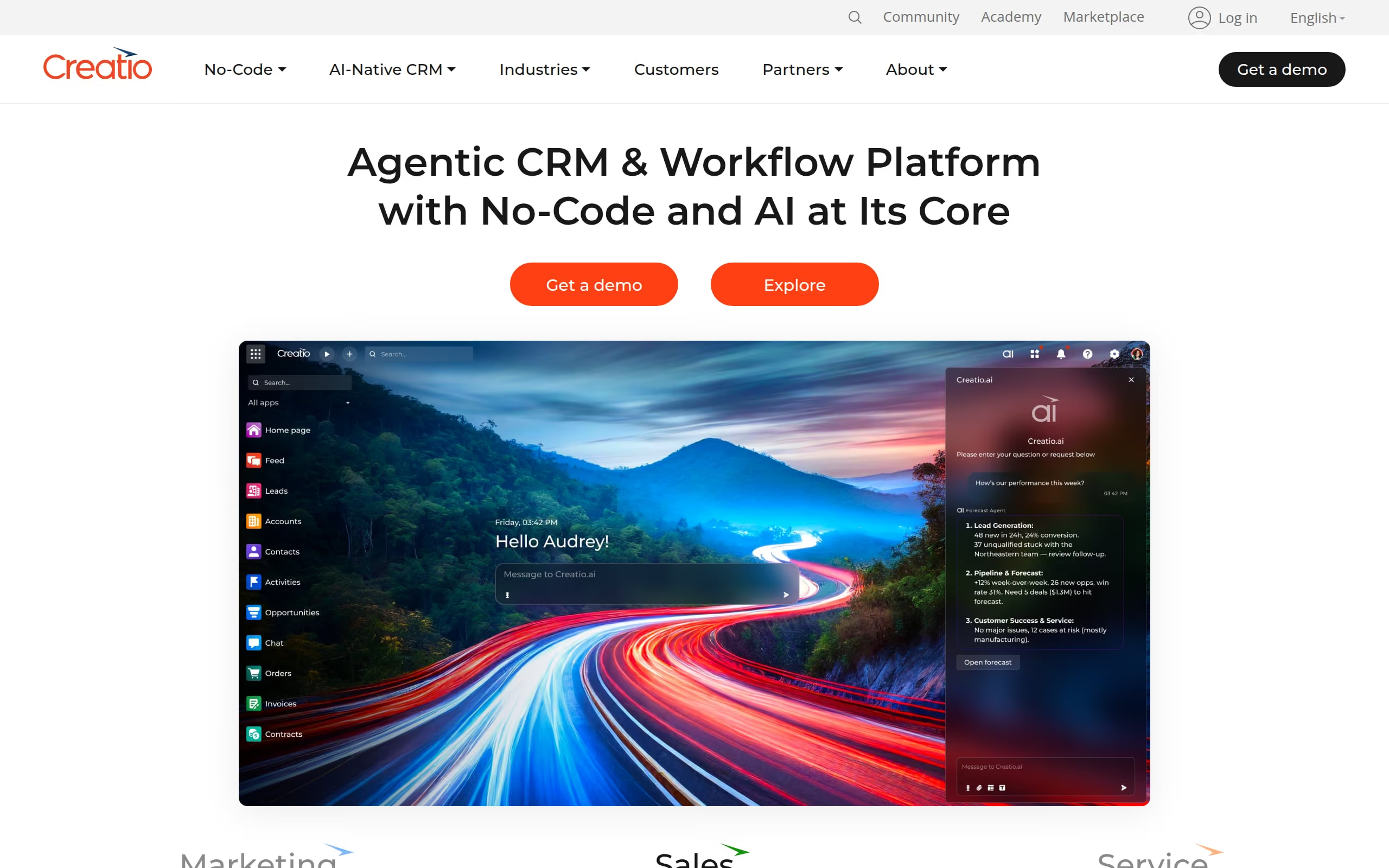
Best for: mid-market and enterprise teams building CRM- and process-heavy applications with optional on-prem control. Creatio blends a visual no-code builder with AI assistance, composable components, and enterprise security so non-developers ship rapidly while IT enforces standards, performance, and lifecycle governance across departments.
Why it stands out for speed, scale, and autonomy
- Freedom UI designer plus Copilot for text-to-app.
- Composable apps and reusable components standardize delivery.
- Pro-code extensibility with C# backend and Angular modules.
- OData
REST,SOAP; PostgreSQL, SQL Server, Oracle support. - SSO via SAML/OAuth, RBAC, governance tools, audit trails.
- SaaS or on-site; Linux/Windows; Kubernetes-ready containers.
- Marketplace apps; integrations via Workato, Zapier, Make, Power Automate.
Pricing & ecosystem: 14-day trial; platform plans (Growth/Enterprise/Unlimited); CRM from $40/user/month; optional AI Action packages; cloud or on-site; robust Marketplace.
12. Pega
Best for: regulated enterprises and COEs building mission-critical case management and end-to-end workflows. Pega Infinity pairs a model-driven App Studio with enterprise AI (GenAI accelerators, decisioning) so fusion teams design quickly and reuse components while IT maintains governance, compliance, and consistency across the estate.
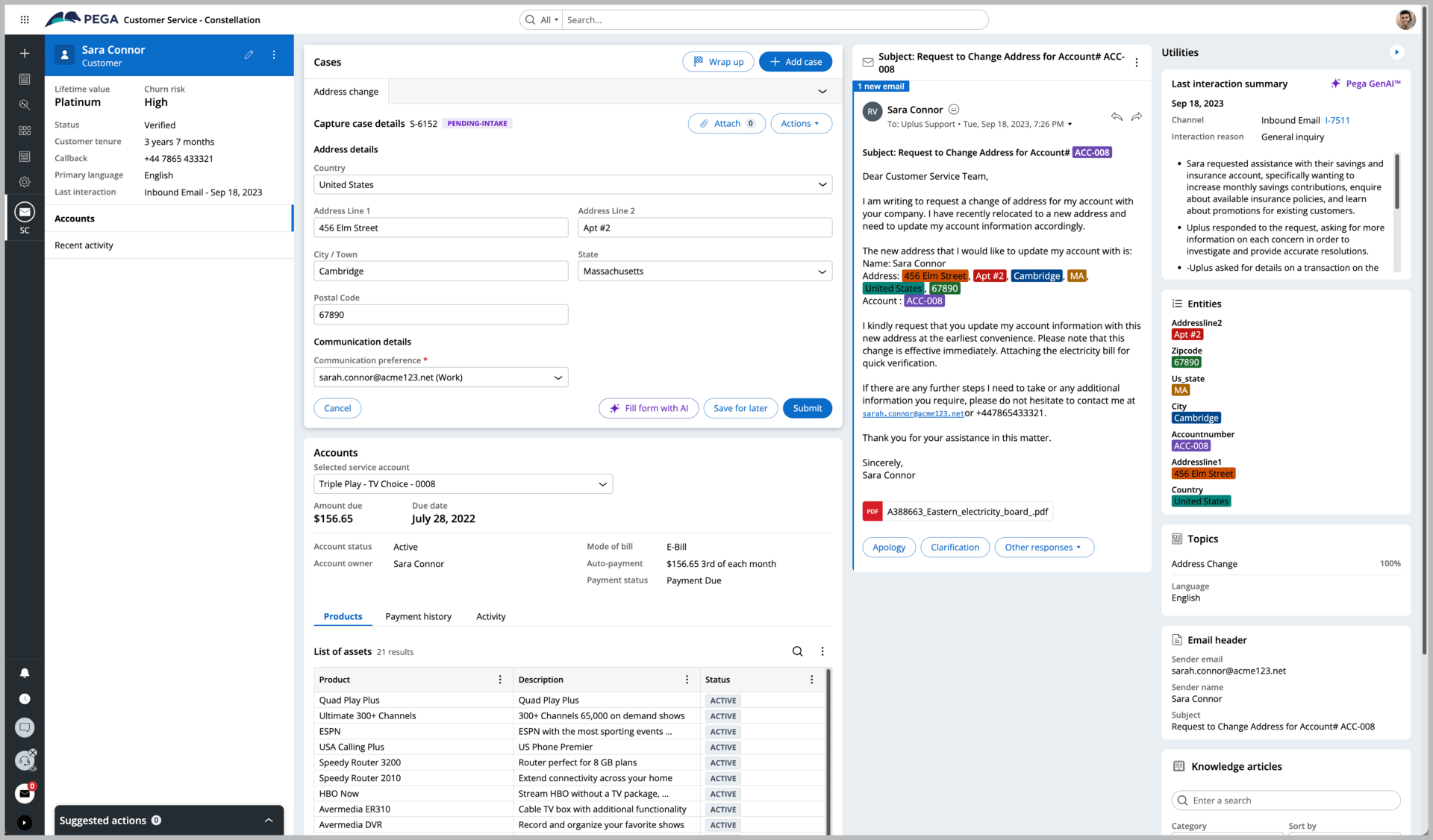
Why it stands out for speed, scale, and autonomy
- App Studio case builder with GenAI-assisted authoring and scaffolding.
- Constellation DX API and React SDK for headless UIs.
- Connectors:
REST,SOAP, SAP, SQL/JDBC, Kafka, JMS/MQ. - SSO via SAML/OIDC; RBAC/ABAC; Guardrails governance.
- Pega Cloud or client-managed Kubernetes; Cloud Choice Guarantee.
- Predictive Diagnostic Cloud for baselines, alerts, observability.
- Marketplace with industry accelerators and Constellation SDKs.
Pricing & ecosystem: Free Community Edition (30-45-day trial); production is quote-based enterprise subscription; Pega Cloud or client-managed Kubernetes; robust Marketplace templates/components.
13. Quickbase
Best for: operations, PMO, supply chain, construction, and field teams needing governed, data-centric apps now. Quickbase combines a visual, AI-assisted builder with strong governance, integrations, and lifecycle controls so non-developers build and iterate safely while IT enforces standards and protects data.

Why it stands out for speed, scale, and autonomy
- AI Smart Builder drafts schema, dashboards, and workflows.
- Extend with
REST/XML APIs, webhooks, JS, Solution APIs for ALM. - Connected tables sync Salesforce, QuickBooks, CSVs via cloud storage.
- Enterprise RBAC, SSO/SCIM, audit logs, AI scanning, sandboxing.
- SaaS hosting US/EU, sandboxes, service accounts, migration APIs.
- Performance analyzer, platform analytics; Exchange templates, Snowflake.
Pricing & ecosystem: 30-day free trial; Team $35/user/month (annual, platform minimum); Business $55; Enterprise by quote; optional usage-based licensing; Exchange templates; Procore/Bluebeam/Snowflake integrations; SaaS only (US/EU).
14. Retool
Best for: engineering-led product, data, and operations teams shipping internal tools, customer portals, mobile flows, and automations fast. Retool fuses a visual builder with code-first flexibility and AI generation, broad connectors, and enterprise controls, helping teams move quickly, scale securely, and let non-developers safely maintain over time.

Why it stands out for speed, scale, and autonomy
- Visual builder plus Assist to scaffold full apps fast.
- JavaScript anywhere, reusable modules, custom React components.
- Connect
REST,GraphQL,gRPC, SQL/NoSQL, major SaaS. - Enterprise SSO, RBAC, audit logs, approvals for governance.
- Cloud hosting or self-host via Docker/Kubernetes with Git.
- Query caching, analytics, Datadog/Splunk, marketplace templates.
Pricing & ecosystem: Free plan; Business from $50/builder and $15/end user (annual); 370+ templates, broad connectors; cloud or Docker/Kubernetes self-hosting.
Implementation playbook and governance
Use a phased approach to launch and scale low-code development platforms.
Phase 1, prove value in 30 to 60 days
- Pick one high value internal app with a clear owner
- Define success metrics like cycle time and adoption
- Build and ship to a pilot group
Phase 2, expand to a portfolio in 90 days
- Establish a design system and component library
- Define approval gates for security and data access
- Document patterns for data fetch, caching, and error handling
Phase 3, scale with a center of excellence
- Offer templates, training, and office hours
- Track quality metrics across all apps
- Schedule quarterly reviews to retire or refactor apps
Governance essentials
- Ownership, name a product owner for every app
- Access, map roles to least privilege
- Change control, peer review and environment promotions
- Auditing, log who changed what and when
Data strategy and integration patterns
Data makes or breaks projects on low-code development platforms. Plan for these patterns.
Direct connect:
- Read and write to your operational database or APIs in real time
- Keep business logic at the source where possible
Sync to a hub:
- Mirror data from multiple systems into a warehouse or lake
- Build analytic views for dashboards and reports
Event driven flows:
- Use webhooks or queues to decouple systems
- Trigger background jobs for long running tasks
Performance and quality tips:
- Minimize round trips with batch queries and caching
- Validate input on the client and the server
- Version your APIs and handle deprecations with clear timelines
WeWeb supports REST and GraphQL, lets you orchestrate complex flows, and keeps you free to choose the best backend for every job.
Security and compliance essentials
Security expectations for low-code development platforms should match any professional stack.
Identity and access:
- SSO through SAML or OIDC
- Granular roles and attribute based rules
- Session management and MFA support
Data protection:
- Encryption in transit and at rest
- Secrets management and key rotation
- Data residency controls and regional hosting options
Operational security:
- Audit logs and immutable change history
- Vulnerability scanning and dependency monitoring
- Alignment with SOC 2 and ISO 27001
Application security:
- Follow OWASP Top 10, use input validation and output encoding
- Protect admin routes and sensitive actions
- Test critical paths and monitor for anomalies
Measuring impact and ROI
Show value with metrics tied to speed, quality, and cost.
Delivery speed:
- Lead time from idea to release
- Deployment frequency and rollback rate
Quality:
- Defect escape rate and mean time to resolution
- Performance budgets for page load and query latency
Cost:
- Builder seat and app costs versus traditional delivery
- Operating costs for hosting, monitoring, and support
Adoption:
- Active users and completion rates for key workflows
- Stakeholder satisfaction from surveys and interviews
When low-code development platforms are measured with these KPIs, leaders can compare outcomes directly to code first projects and allocate budgets with confidence.
Conclusion, low-code as a power tool, not a replacement for coding
Low-code development platforms shine when you need production quality results without waiting on long backlogs. AI jumpstarts the build, the visual editor keeps design and logic under control, and open integration patterns let you connect to the systems you already trust.
For startups, agencies, and enterprise teams, the best path is combine low-code speed with engineering discipline.
WeWeb adds a professional editor, complete backend freedom, self hosting options, and code friendly extensibility. Brands like PwC, Decathlon, La Poste, large banks, and top football clubs use it to ship fast and scale. Sign up and start building today.
FAQs
What are low-code development platforms used for?
Customer portals, internal tools, partner dashboards, and SaaS products. They are ideal when speed, integration, and maintainability matter.
Can I add custom code?
Yes. Professional platforms allow custom components, custom logic, and direct API calls. WeWeb supports importing Vue.js components and connecting any backend.
Do low-code development platforms scale for enterprise?
Yes, if you plan architecture, roles, and governance. Look for SSO, audit logs, environments, and deployment to private cloud or self hosting.
How do these platforms integrate with data sources?
Most provide connectors for REST, GraphQL, and SQL databases. You can combine direct connects with caching and background jobs for performance.
What is the risk of vendor lock-in?
It varies by vendor. WeWeb is designed for backend freedom and flexible deployment.
Are low-code development platforms secure enough for regulated industries?
They can be, if you enable SSO, RBAC, encryption, and auditing, and if the vendor aligns with SOC 2 and ISO 27001. Data residency and private cloud options help meet policy requirements.
How does AI change the low-code experience?
AI generates first drafts of pages, data bindings, and logic from prompts. The value comes from editing that output with a professional visual editor, which is a core strength of WeWeb.