When multiple people build and manage apps in WeWeb, you need control over who can access projects, publish changes, and use shared data.
This release is built for teams managing that complexity. Give each team member the right permissions, reuse data connections across projects, and connect your company directory with SSO.
Here's what's new 👇
Until now, workspace access was limited to three roles: Admin, Member, and Owner. Now, admins and owners can create custom workspace roles with granular permissions to control exactly what each person can do.
For example:
As your team grows, you can organize workspace members into groups, like Sales or Finance, and assign access to projects and data connections for the whole group instead of updating permissions for each person individually.
Create groups manually, or sync them automatically from Google Workspace or Microsoft Entra ID if you’ve connected your company directory.
If several projects use the same data source, you no longer need to set up the integration for each one. Connect it once and reuse it across your workspace.
Control which projects can use each connection, which members or groups can work with it, and who can edit its credentials.
Give your team access to WeWeb without inviting everyone one by one. Connect Google Workspace or Microsoft Entra ID to manage workspace access through your organization’s existing identity provider.
Available on the Enterprise plan. Talk to our team about setting up SSO for your organization.
Getting started only takes a few minutes: head to the new Single sign-on page and connect your company directory. If you’re not a directory admin, send your IT team a link to approve the connection.
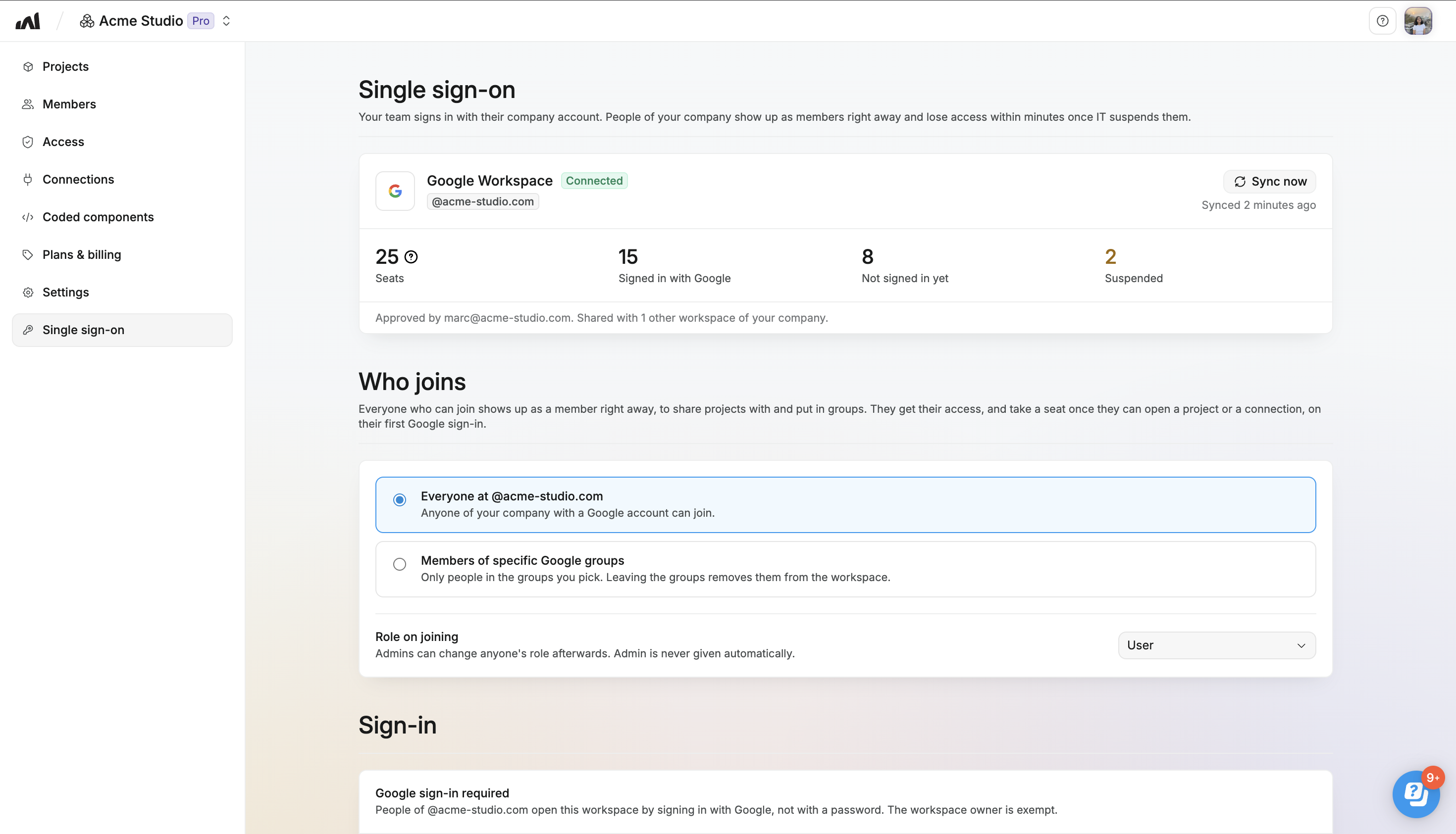
Once connected, you can:
Once you've connected your organization's SSO, you can enable company-only access when creating a project:
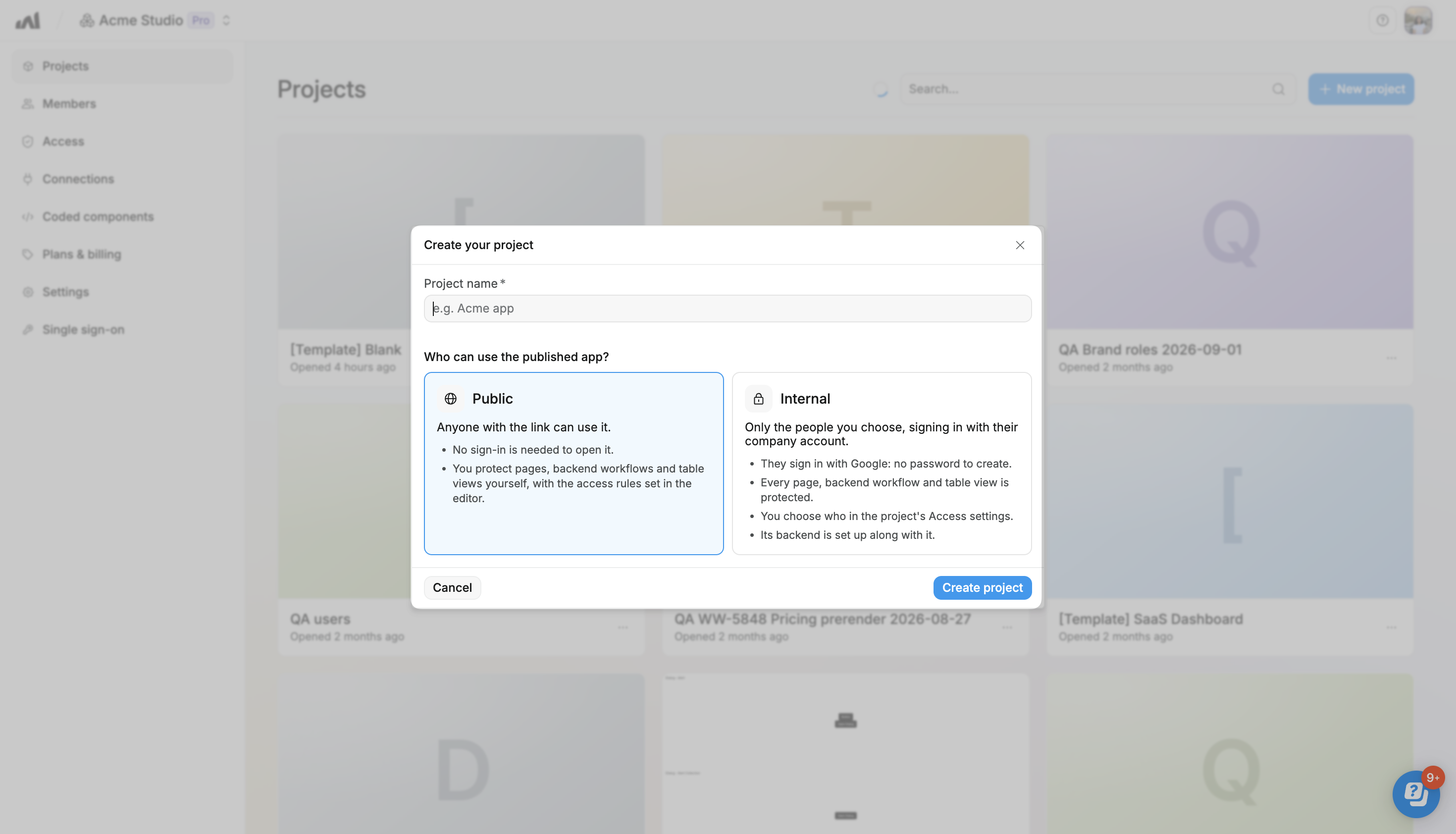
This automatically keeps your app out of search engine results and limits access to people in your organization by default. They can sign in with their existing work accounts, with no additional authentication or access logic for you to build.
That's a wrap for this week!
Give these new features a try, and let us know what you think or what you'd like to see next.

