



.avif)
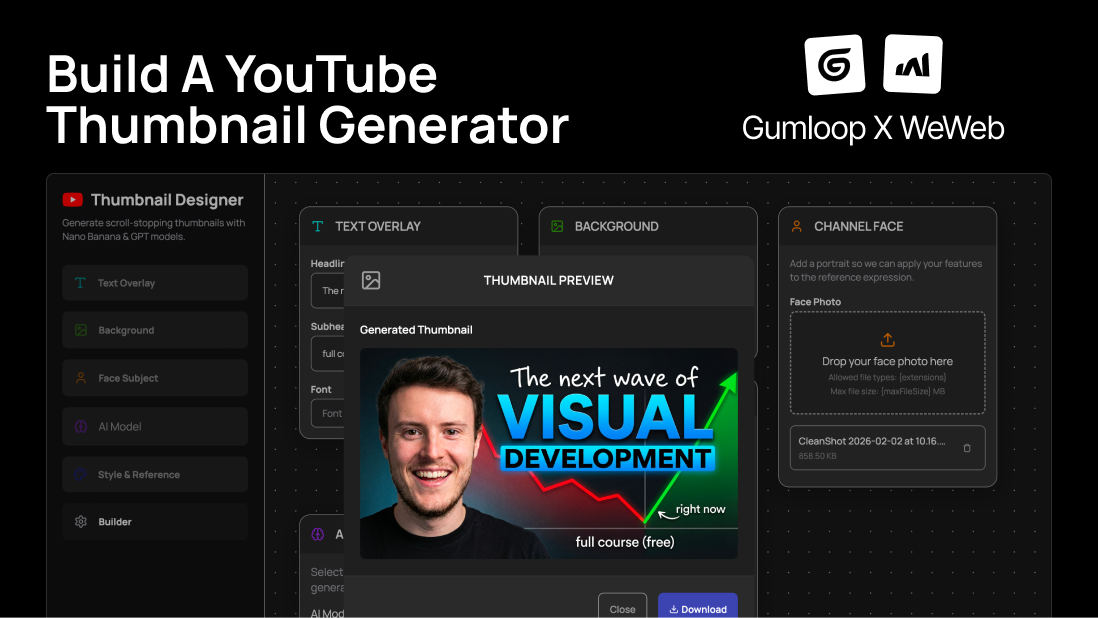
Why Build a YouTube Thumbnail Generator?
As a YouTube creator, you know that thumbnails can make or break your video's performance.
Eye-catching thumbnails get clicks. While the generic ones blend wth the wall of videos and get sidelined. No matter how good your content is.
But creating great thumbnails eats up hours of your time if you’re DIY-ing inside Canva/Photoshop or money if you’re hiring a designer.
Now, if you’re publishing content weekly (or more), the design challenge adds up fast.
As a brand, we faced the same challenge and decided to build our way out of it.
Introducing our YouTube thumbnail generator that runs atop best-in-class image gen models: Nano Banana 3.0 and GPT-Image Image. Built using WeWeb for the frontend, Gumloop for the AI workflow, and Supabase for securely connecting the two using Edge Functions.
The best part? We’ve already created free templates on both the WeWeb and Gumloop marketplaces so you can build your own YouTube thumbnail generator in <15 mins:
Grab the templates and let's get building!
What You'll Need: Tech Stack Overview
We built the thumbnail generator app using powerful no-code tools with integrated AI assistants. So, regardless of your coding skills, you can leverage AI and automate your thumbnail generation process with this setup.
WeWeb for Frontend
WeWeb is an AI-driven no-code web app builder, and for our YouTube thumbnail generator app, it handles:
- The UI, complete with form inputs and validation checks
- Invokes Supabase Edge Functions using its native plugin
- Displays the AI-generated thumbnail returned by Gumloop Webhook
You can create a free workspace here.
Gumloop for AI Workflow
Gumloop is an AI automation platform, and for our use case, it:
- Translates the user inputs and reference image into a structured JSON prompt using the AI image analysis node
- Generates images using Nano Banana and GPT-Image models
- Returns the output to the WeWeb frontend using Webhook
Gumloop offers a free tier, but to use its Webhook capabilities for this app, you’ll need to upgrade to a paid plan.
Bonus: The paid tiers offer higher credits if you don’t have Gemini and OpenAI API keys.
Since Gumloop webhooks require private API keys, they can’t be called directly from the frontend (e.g., WeWeb), as this would expose the key.
Instead, we use Supabase Edge Functions to securely invoke the workflow.
Supabase for Edge Functions
Supabase is an open-source backend on top of PostgreSQL. Its edge functions act as secure middleware for this app, allowing us to trigger Gumloop Webhook without exposing API keys in the frontend.
You can create a free Supabase project here.
Live Demo Walkthrough of the Final Thumbnail Generator App
Here’s how the app works when someone uses the published app today (+ more on how to improve it later, stay tuned!):
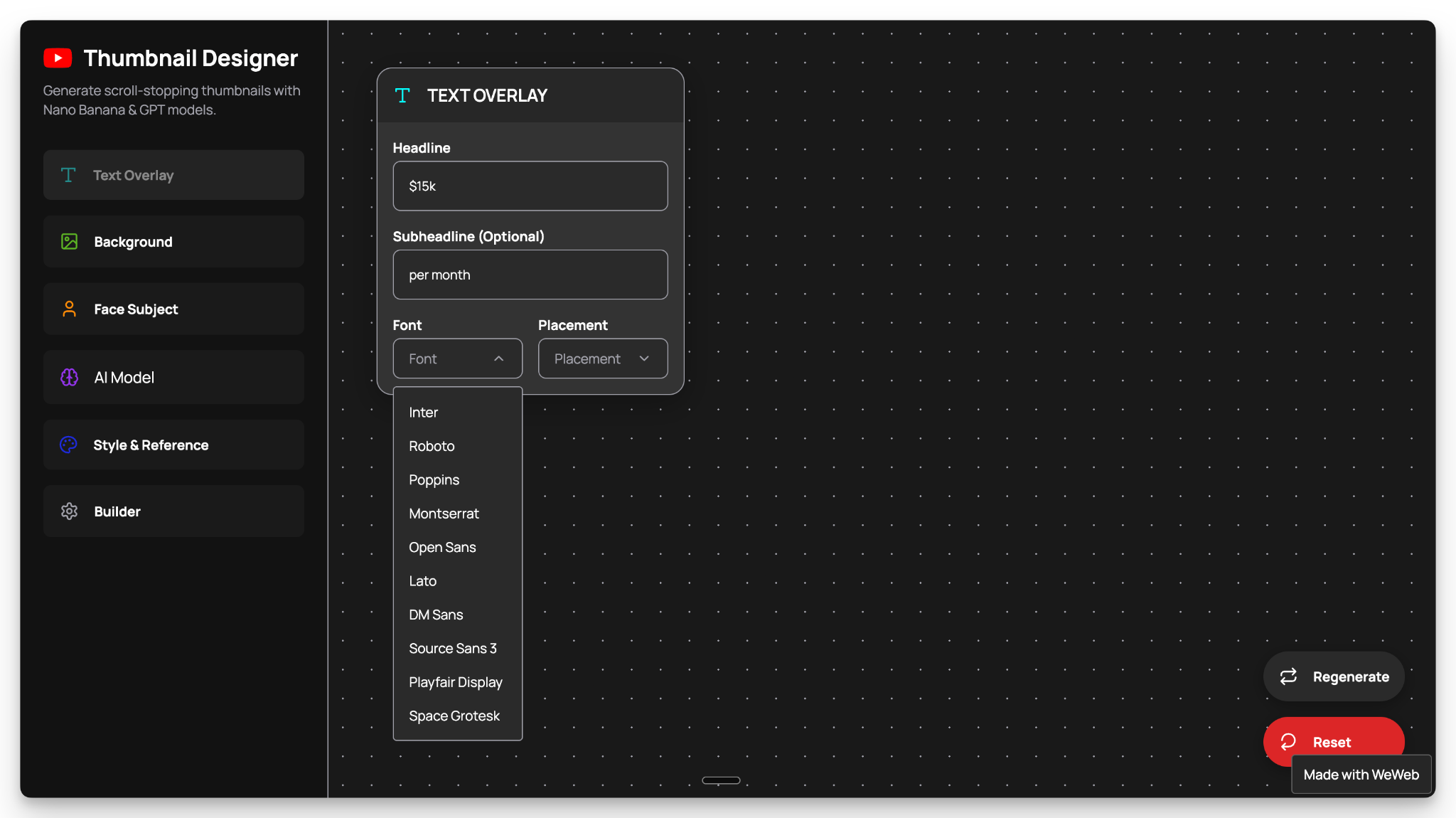
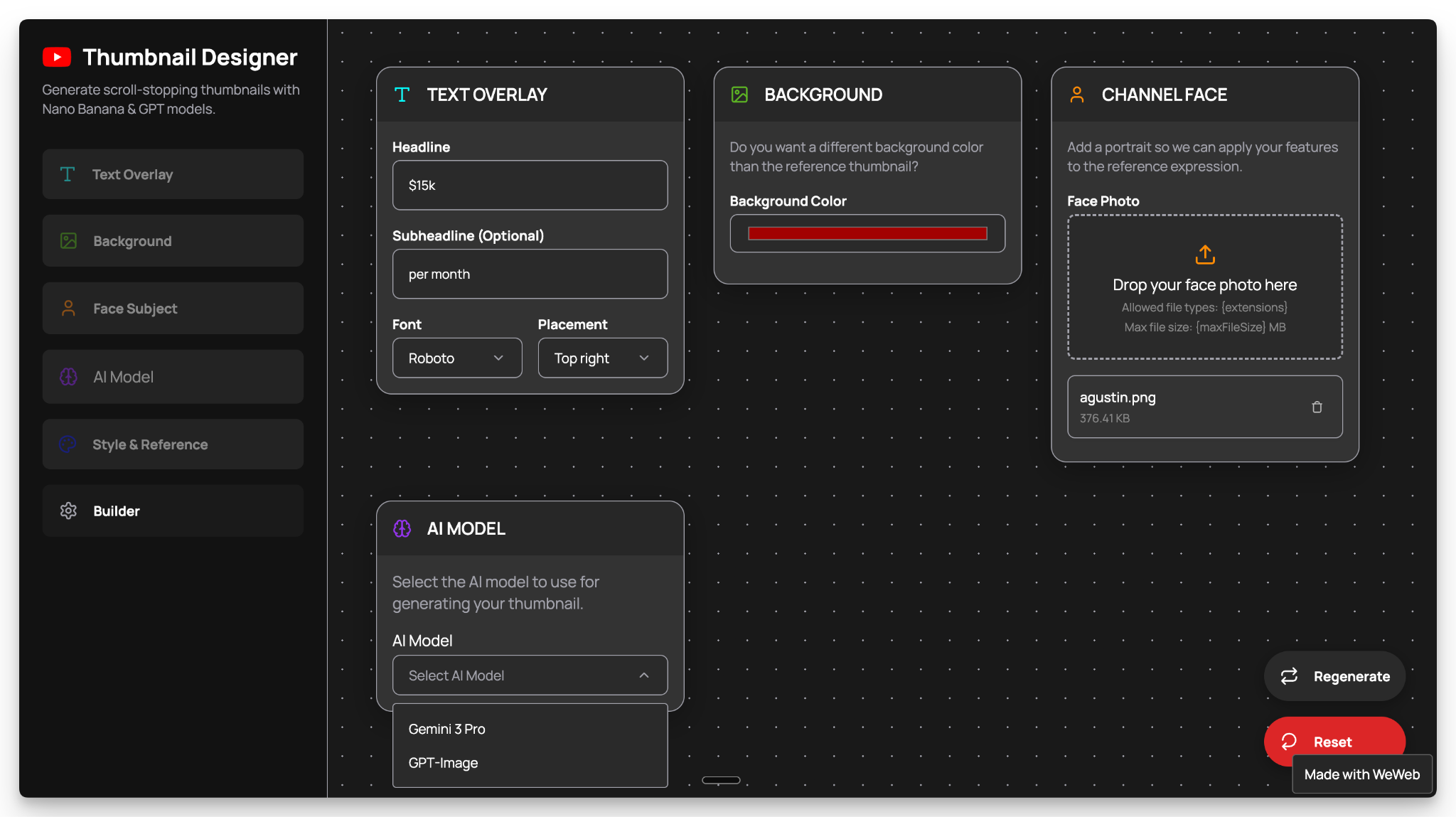
1. Input Text Overlay Details
The user starts by entering the main hero text. Optionally, they can input a sub-text, select a font, and define the text placement.
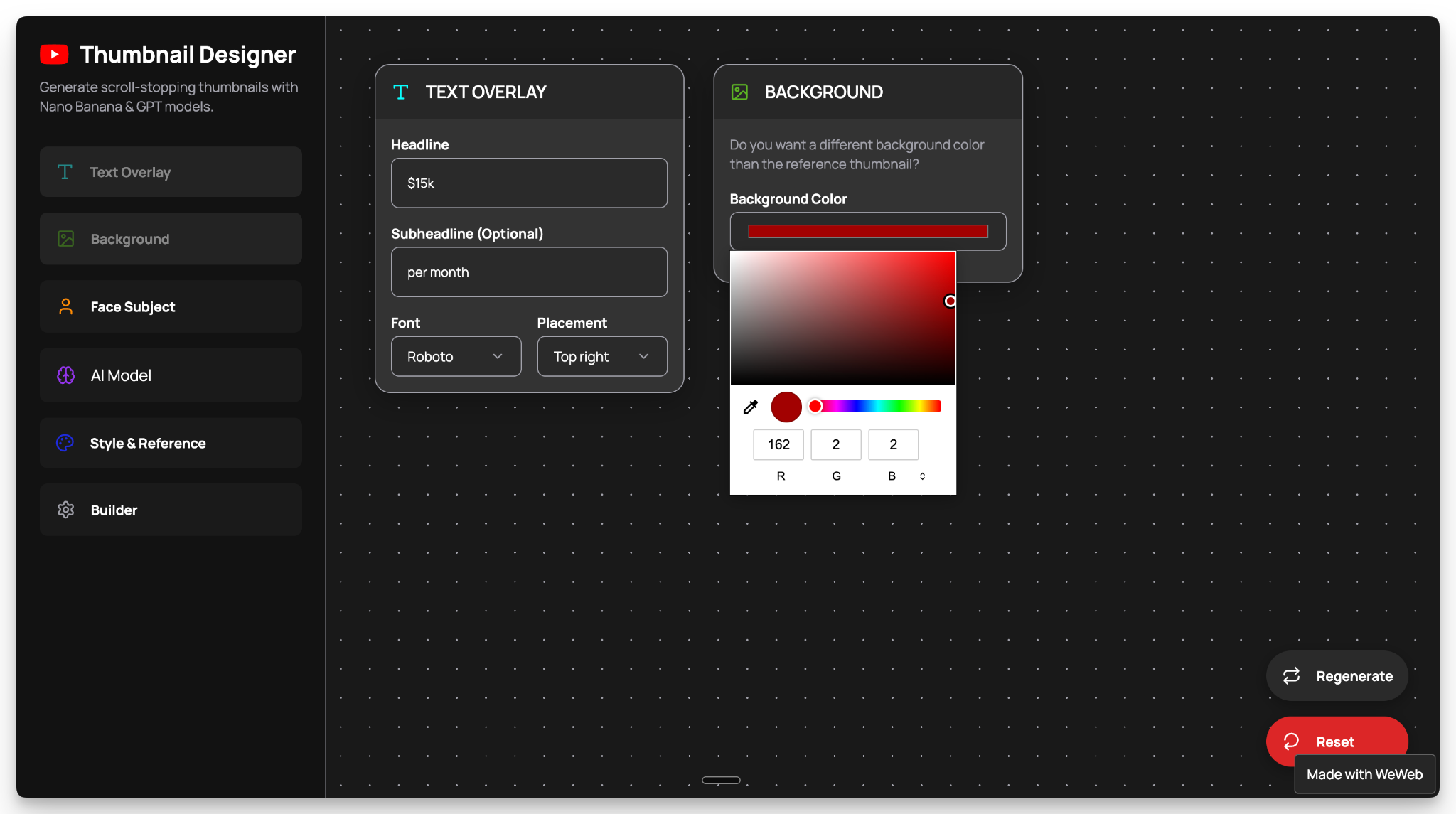
2. Set Background Color
The user can pick a background color as per their brand or preference.
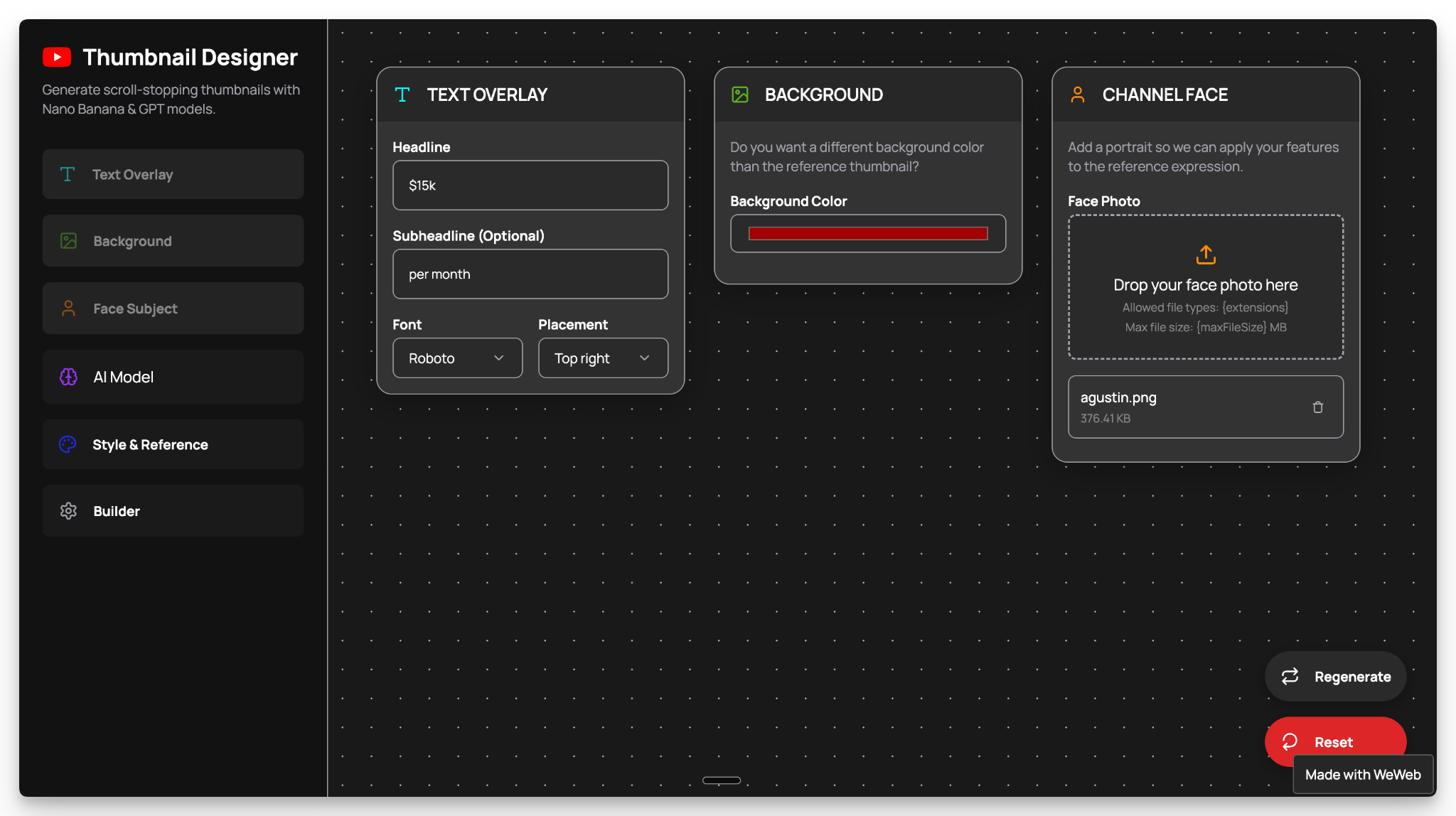
3. Upload a Portrait of Channel’s Face
The user can upload their channel face to adapt to the reference thumbnail's expression.
4. Pick an AI Model
The user has the option to pick between GPT-Image or Nano Banana models.
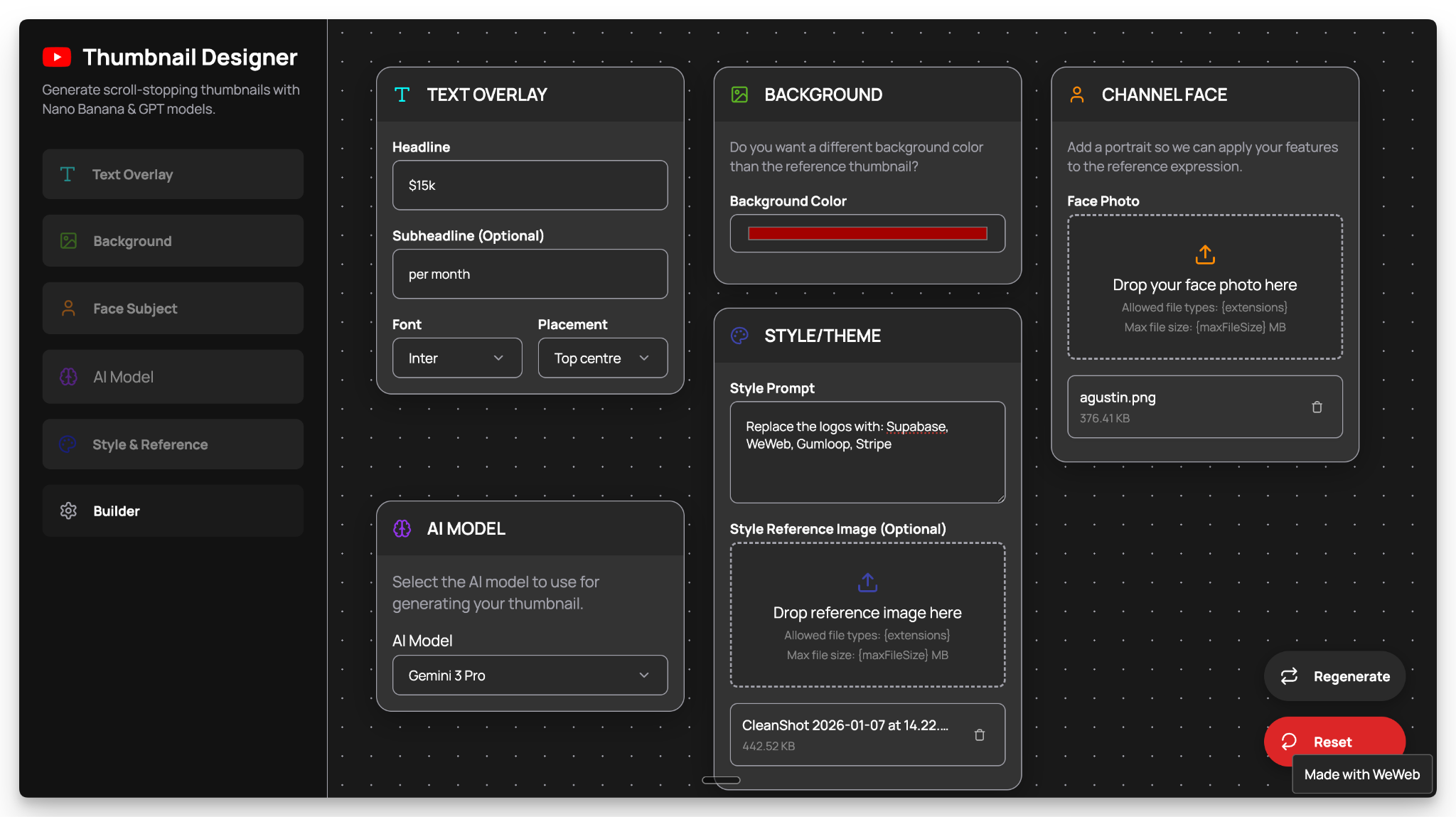
5. Specify Style/Theme
The user uploads a reference YouTube thumbnail for the AI to emulate. Optionally, they can explain details to add, modify, or remove from the reference style.
6. Hit Generate
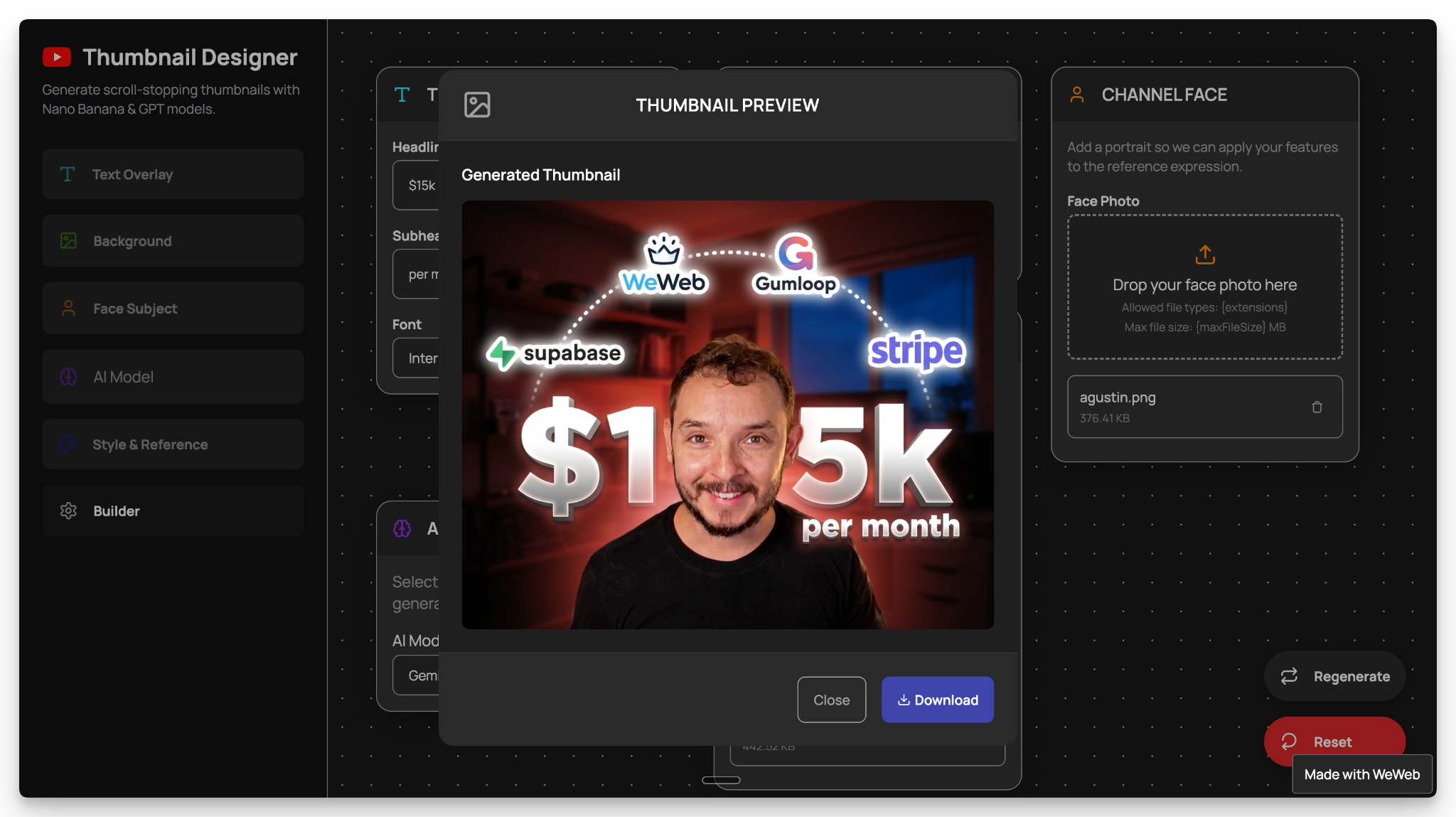
As the user clicks on the Builder button, the inputs are sent to the Gumloop workflow. After 3-4minutes, Gumloop responds back with the AI-generated thumbnail.
The user can preview and download the thumbnail or regenerate further
Steps to Build a YouTube Thumbnail Generator in <15 Mins
Step 1: Duplicate the Templates
We’ve created free templates so you don’t have to start from zero.
Clone the templates below and get building:
Step 2: Connect Supabase to WeWeb
Inside the WeWeb project you just cloned, navigate to the “Backend” tab and click “Edit configuration” to connect Supabase:
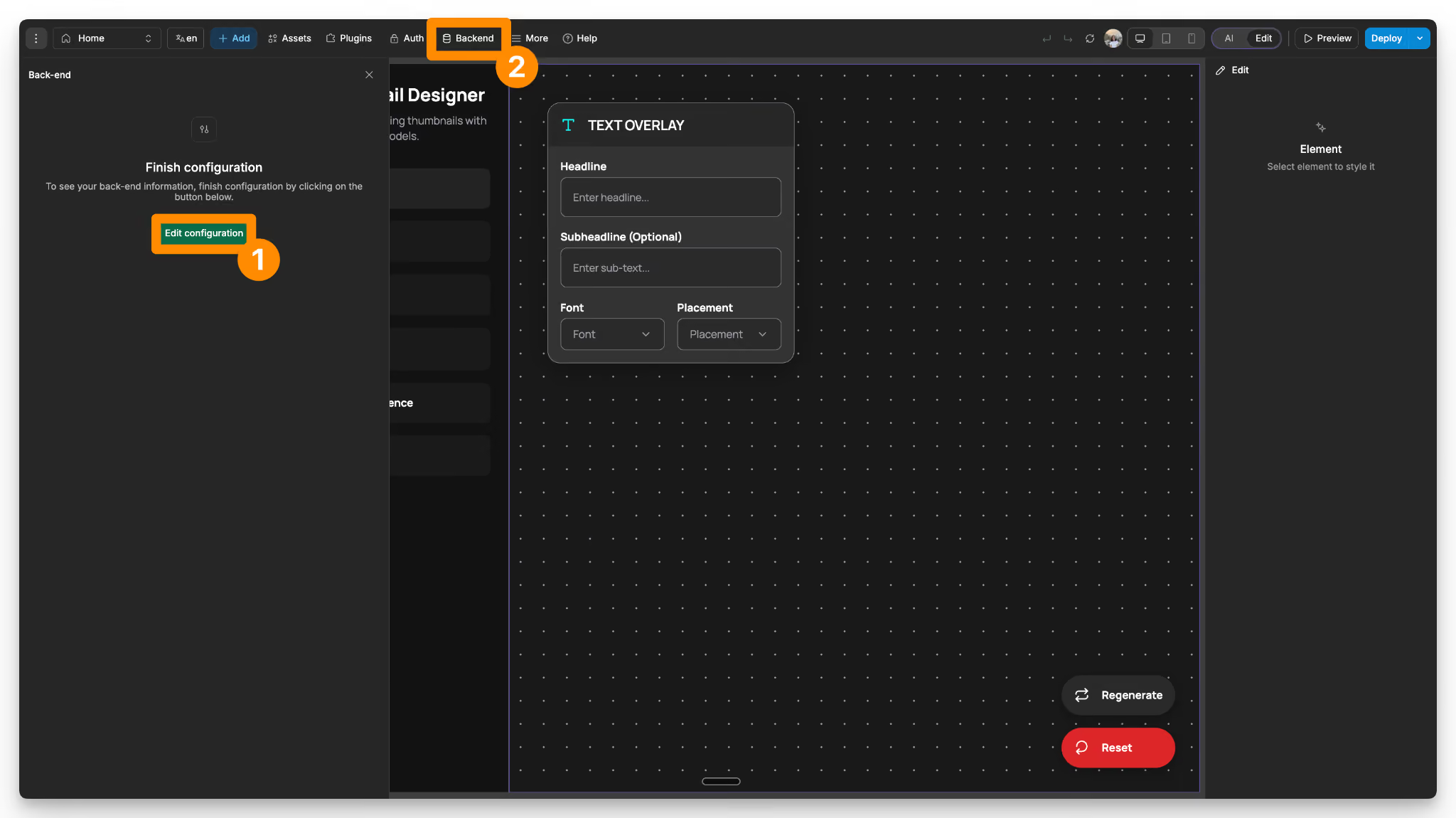
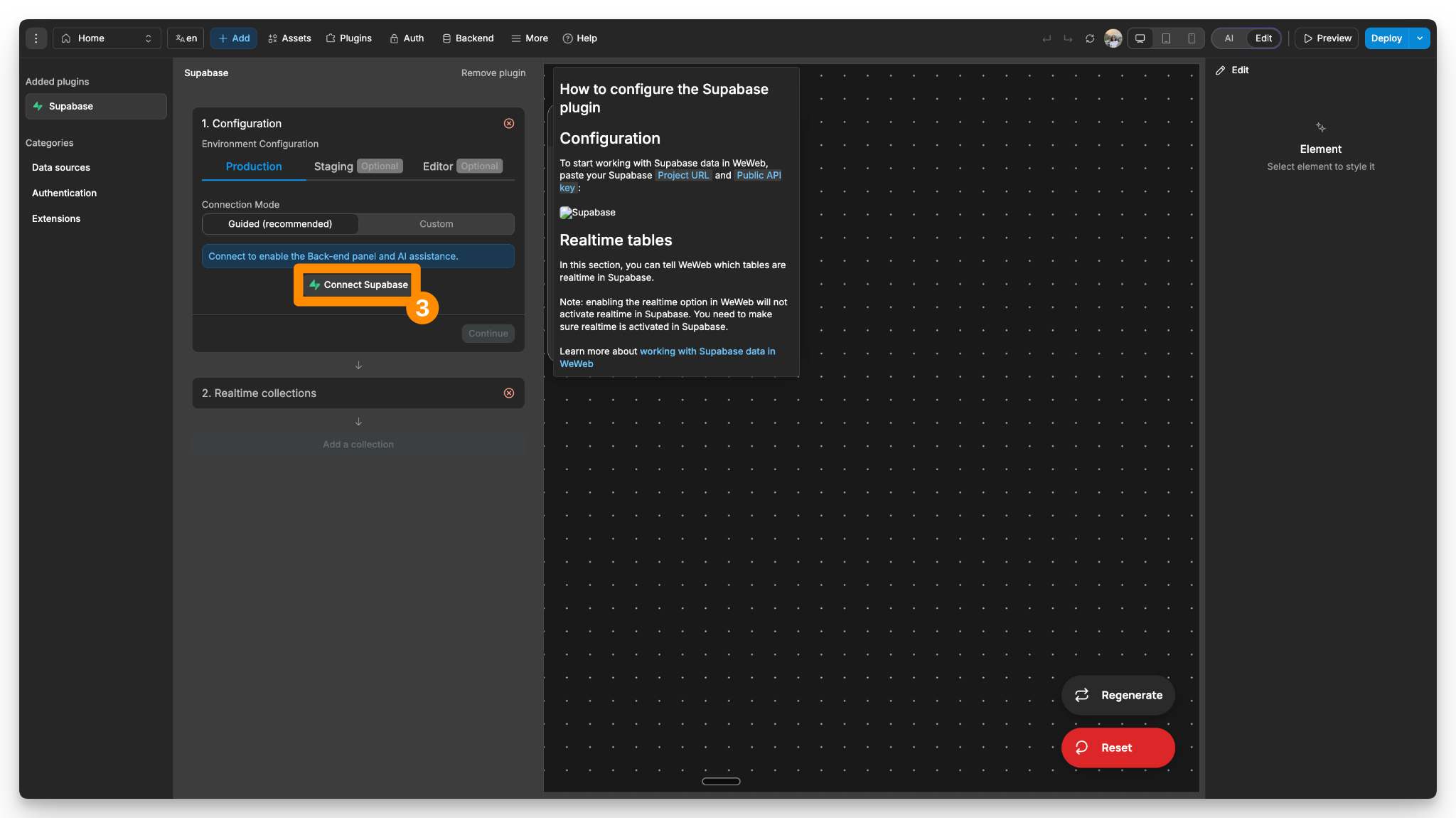
Click on “Connect Supabase” and Authorize WeWeb AI to manage your Supabase backend:
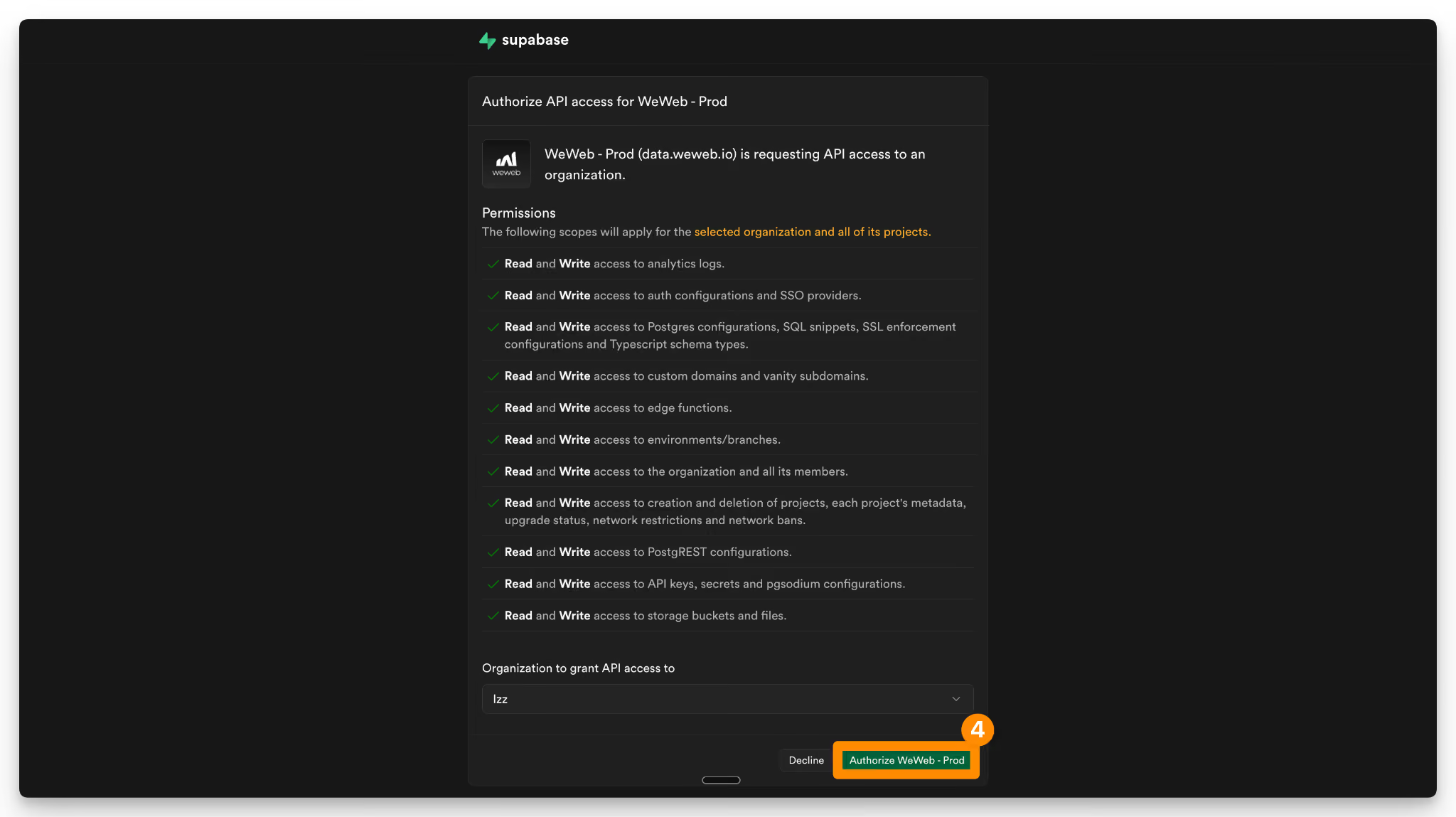
Lastly, select your project or create a new one directly from WeWeb, and click “Continue”:
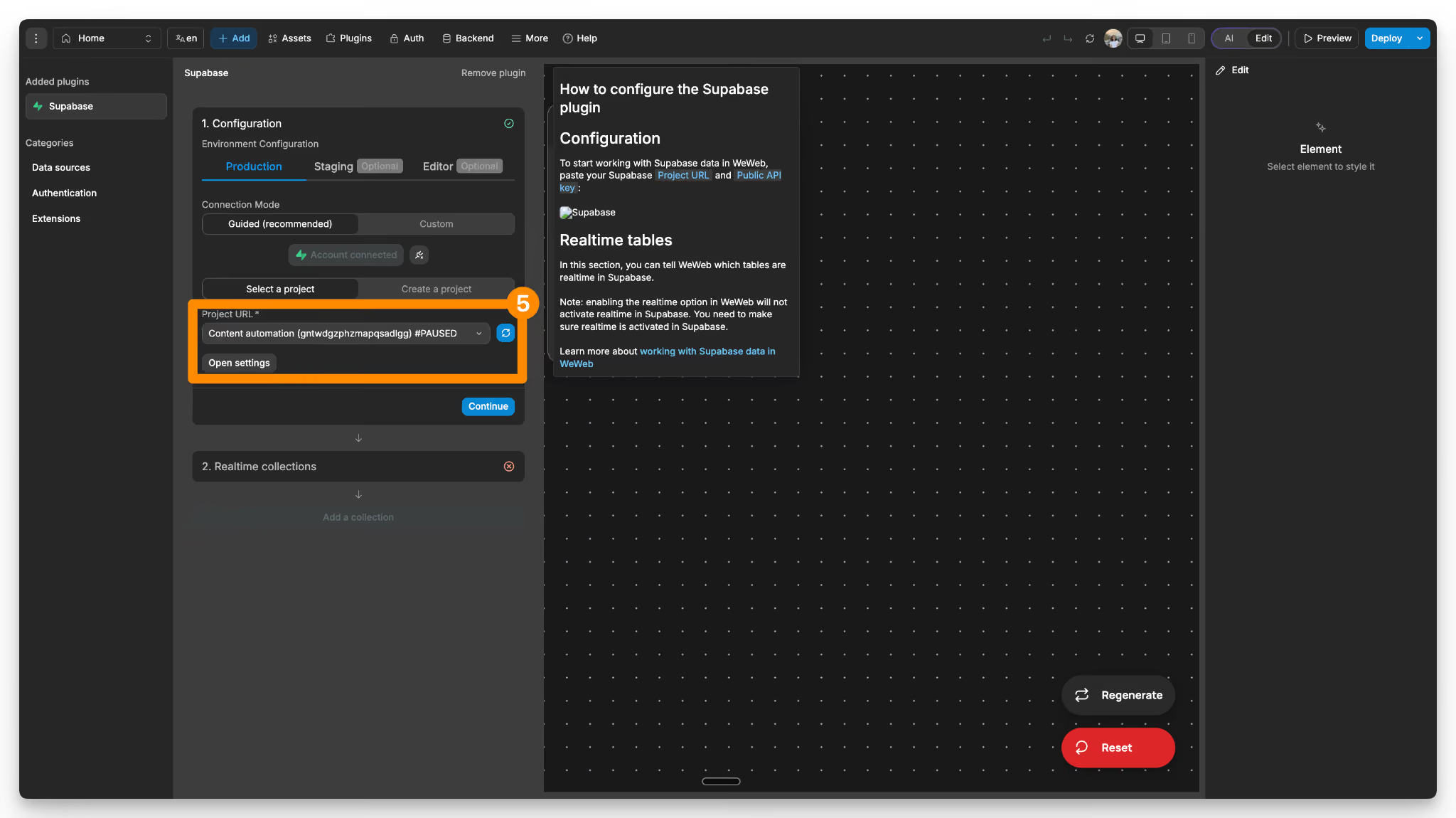
Since we’re not storing any data in Supabase tables, we’ll skip adding a collection.
Click anywhere in the UI to proceed further.
Step 3: Create Edge Function #1 (Call Gumloop API)
Next, switch WeWeb AI to Supabase mode and prompt it to create an Edge Function for securely calling the Gumloop workflow via Webhook:
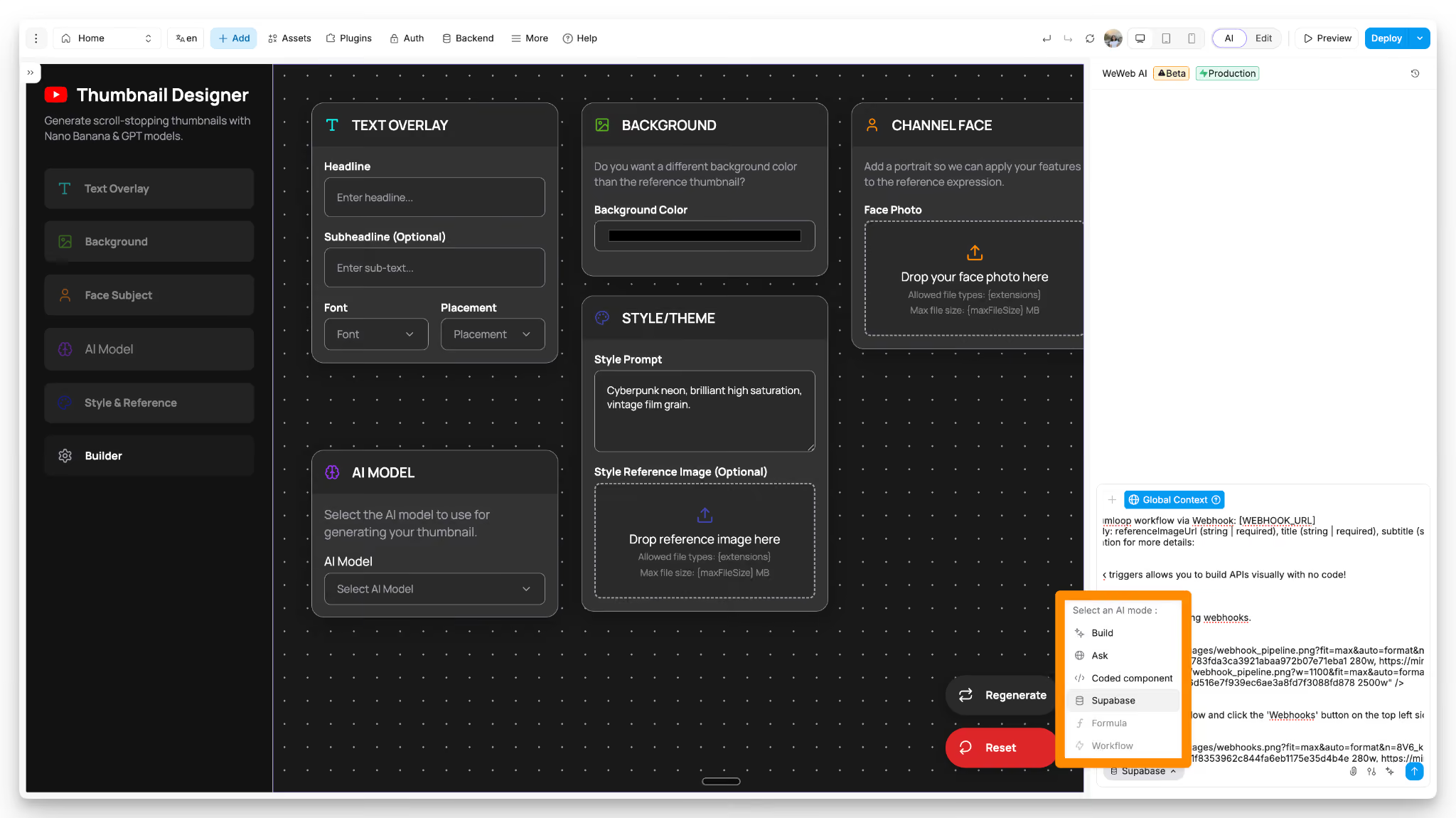
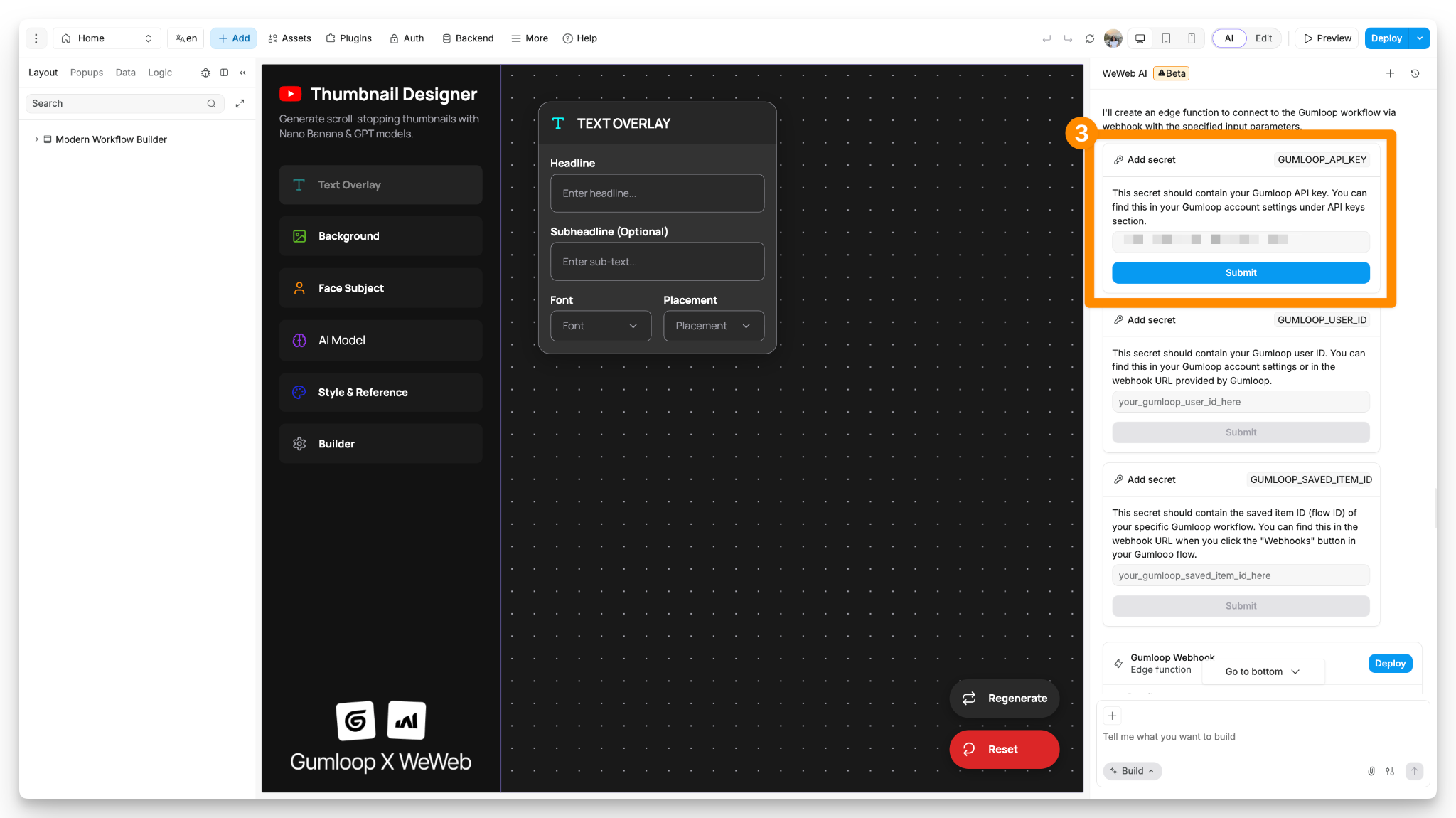
The AI will prompt you to enter your API key, user ID, and saved item ID.
You can get these from Gumloop.
Go to the Webhook tab, toggle on the authorization headers, and copy the API key like so:
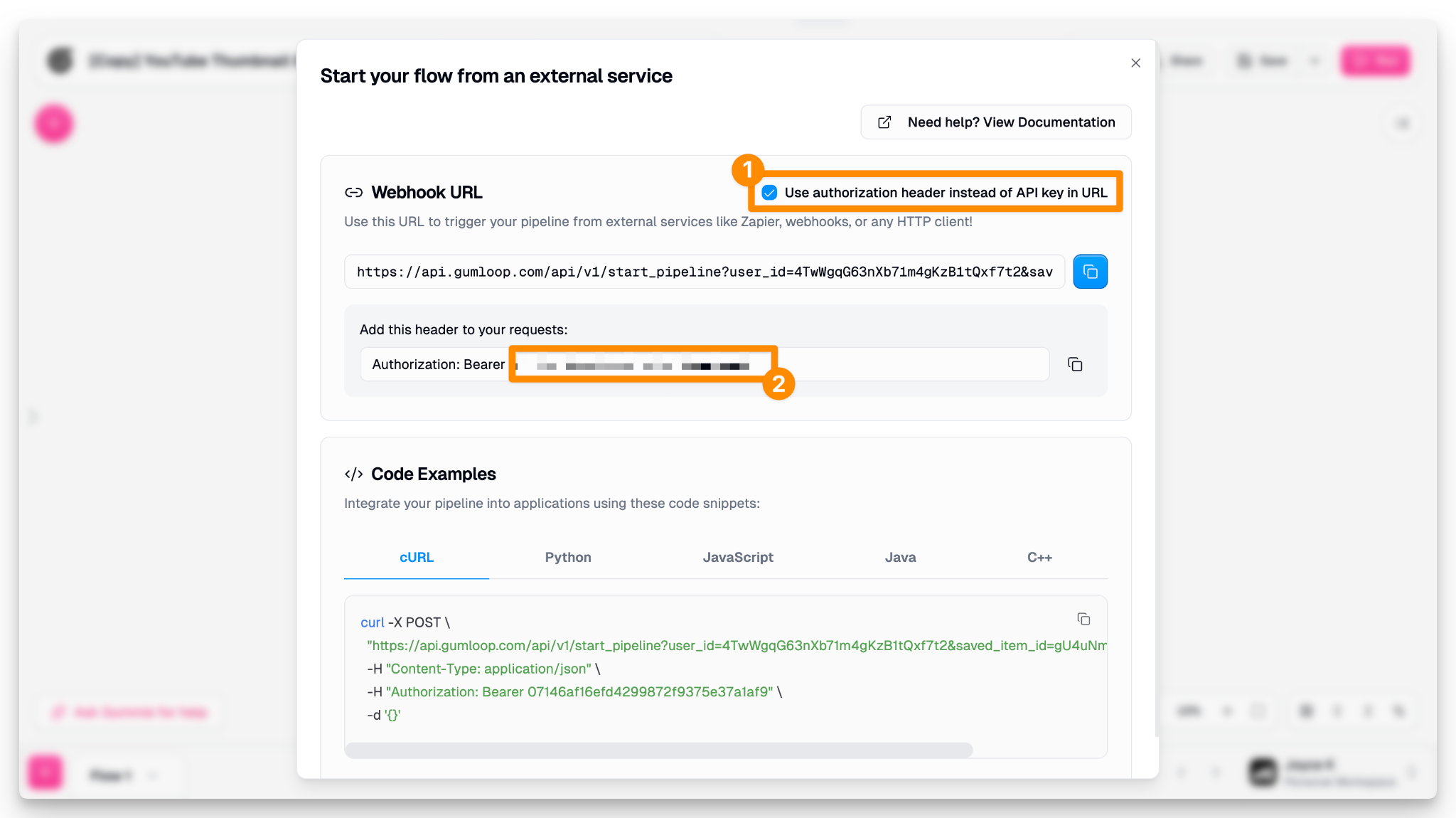
Then paste it in and submit:
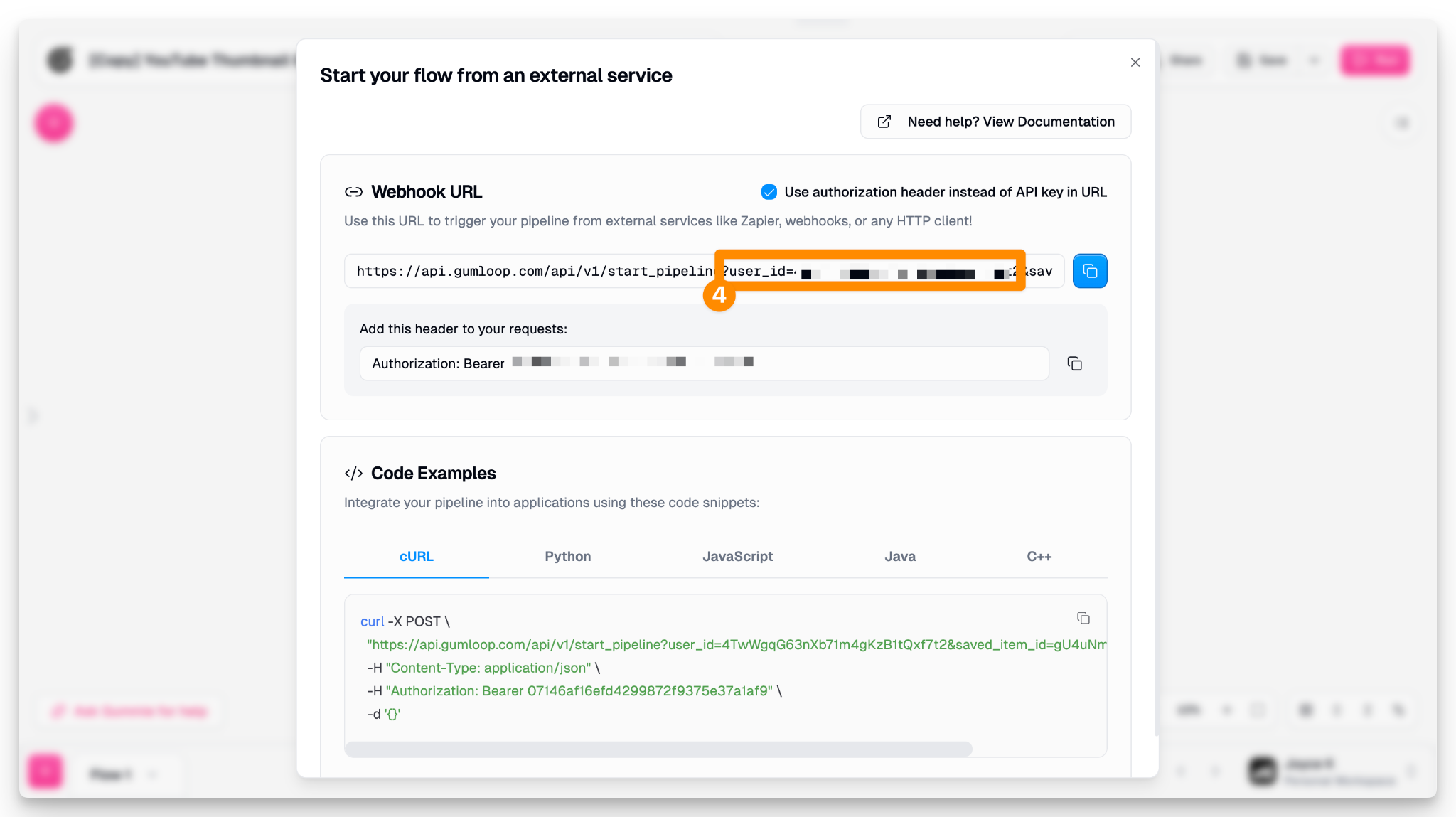
Similarly, copy the user id from the webhook tab in Gumloop, and paste it:
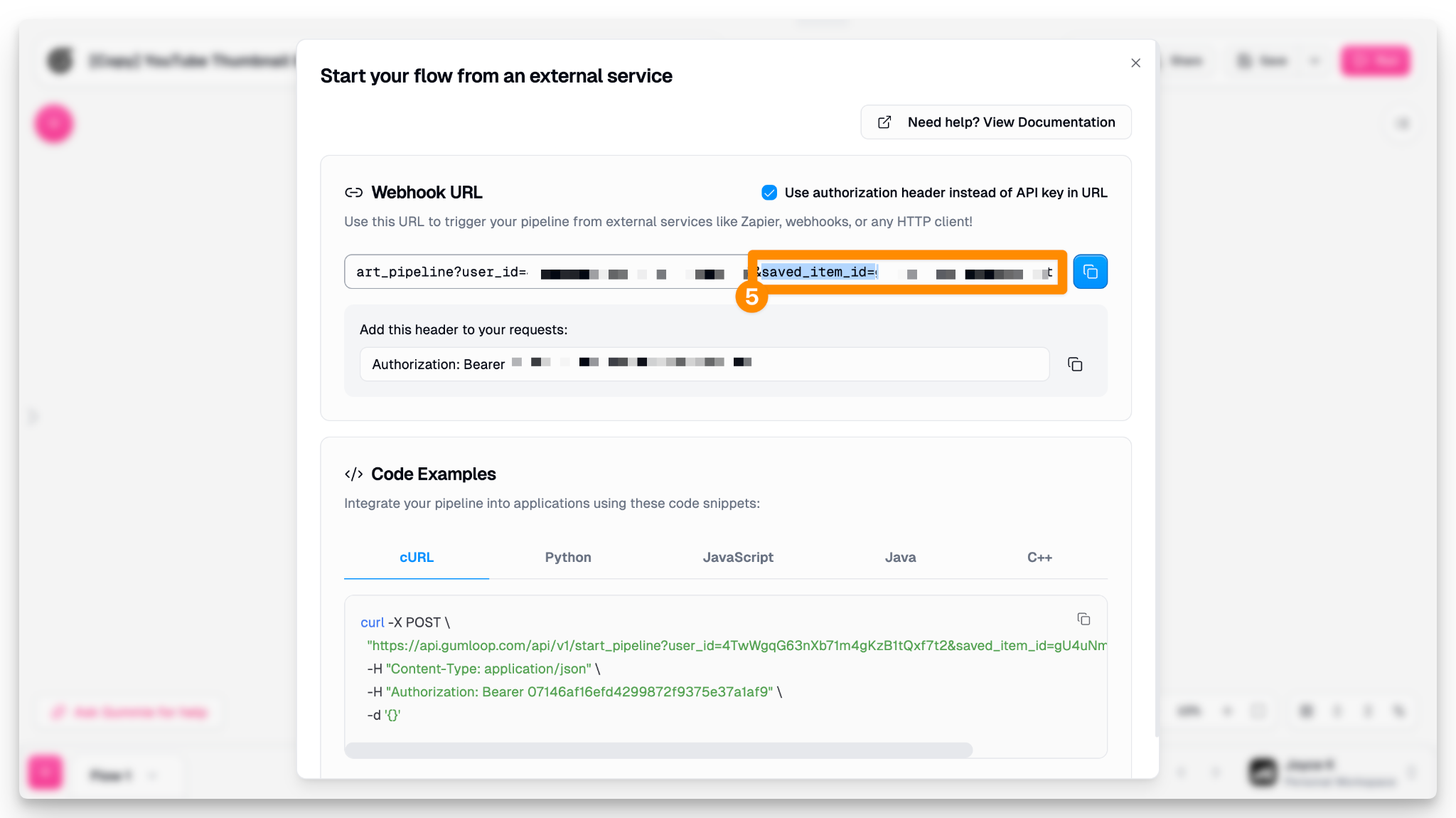
Next, submit the saved item id from Gumloop:
Once done, hit “Deploy”.
You can review the Edge Function directly inside WeWeb under the “API” section in the “Backend” tab:
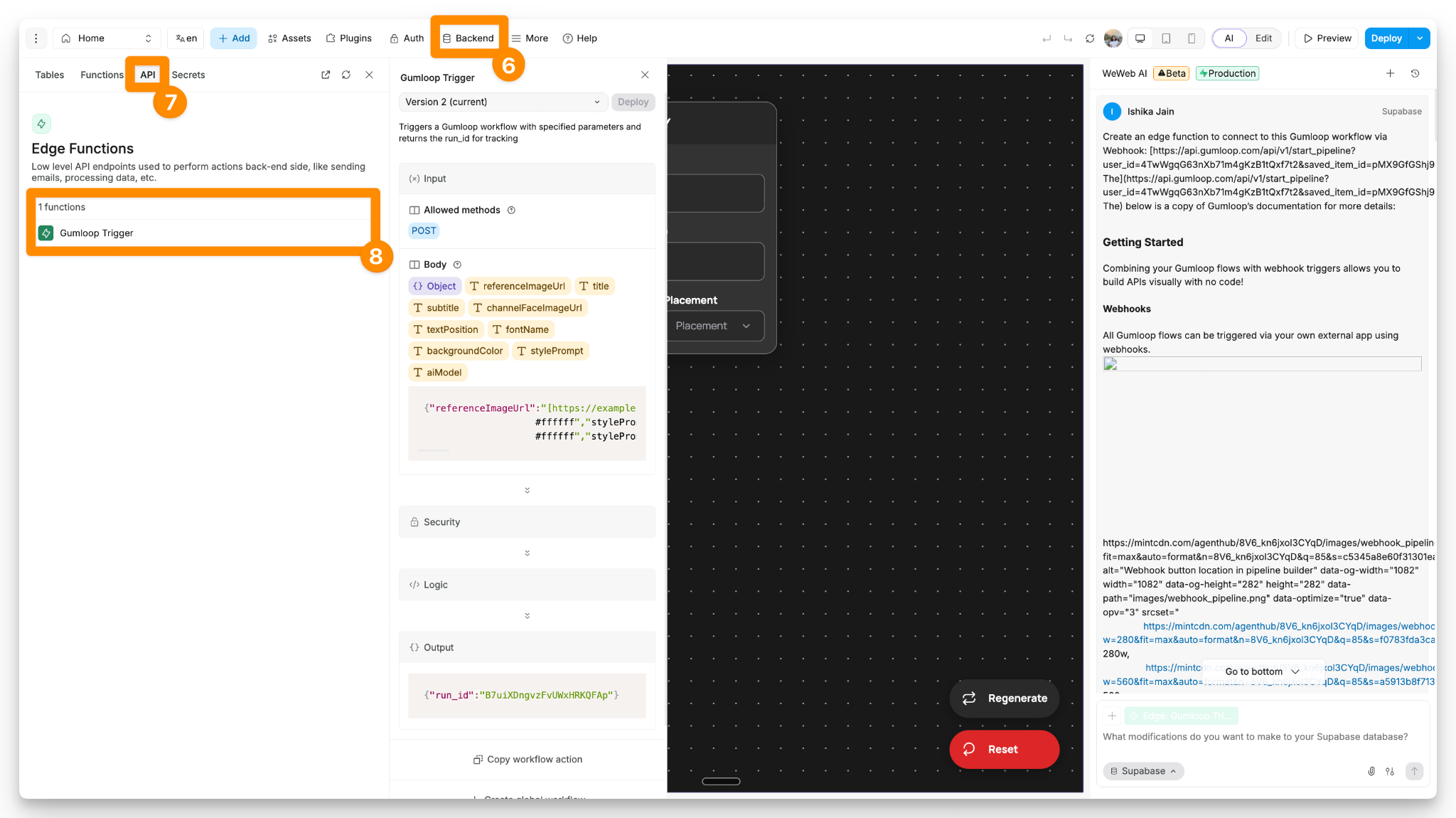
In order to invoke the above Edge Function from the UI, update the global workflow “Call Gumloop Workflow”:
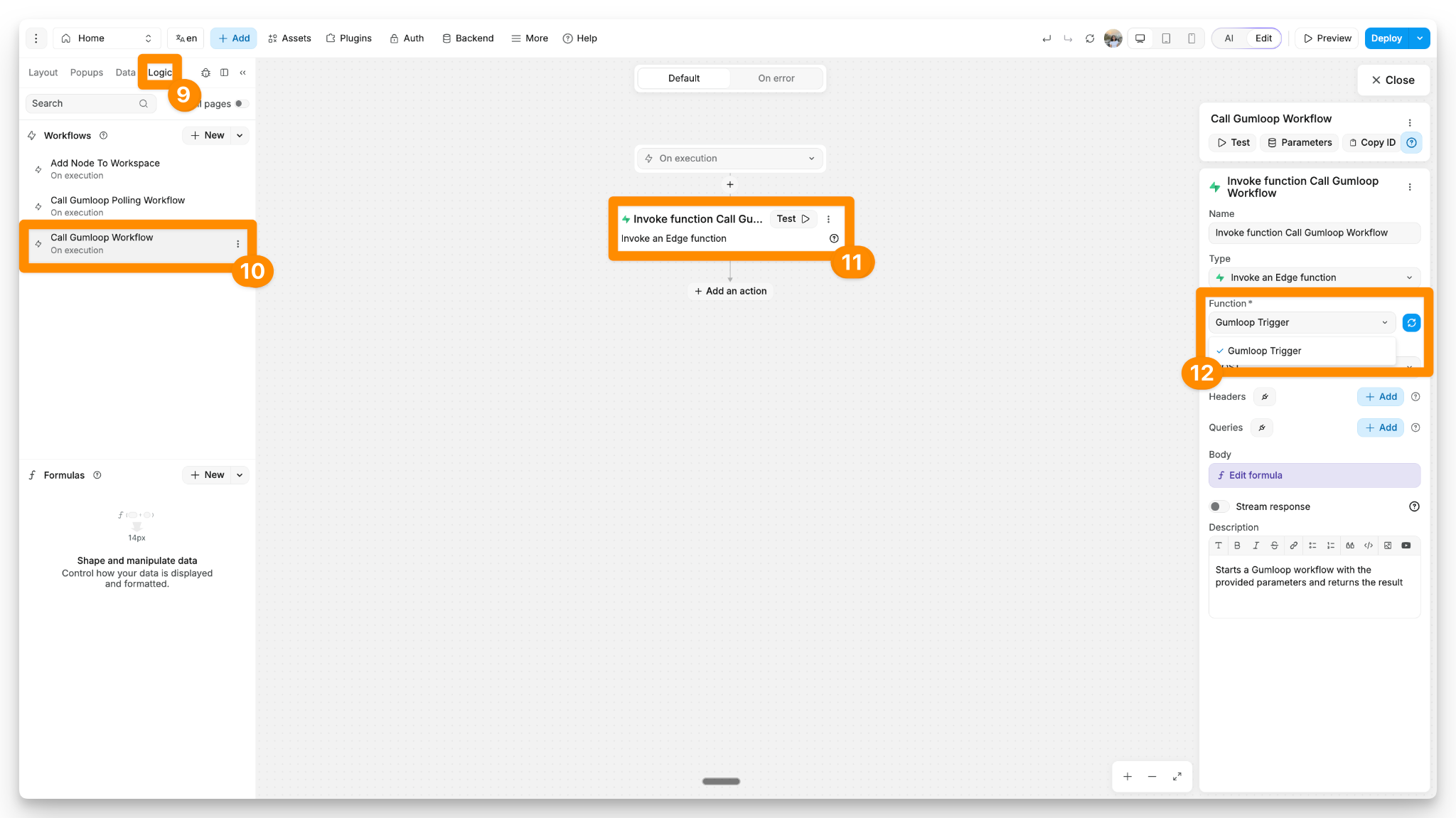
Step 4: Create Edge Function #2 (Poll for Results)
Moving on, let’s set up the Edge Function to retrieve the AI-generated image. Copy the prompt below:
Since we've already saved our API and user id we don't need to enter it again. Once done, hit “Deploy”:
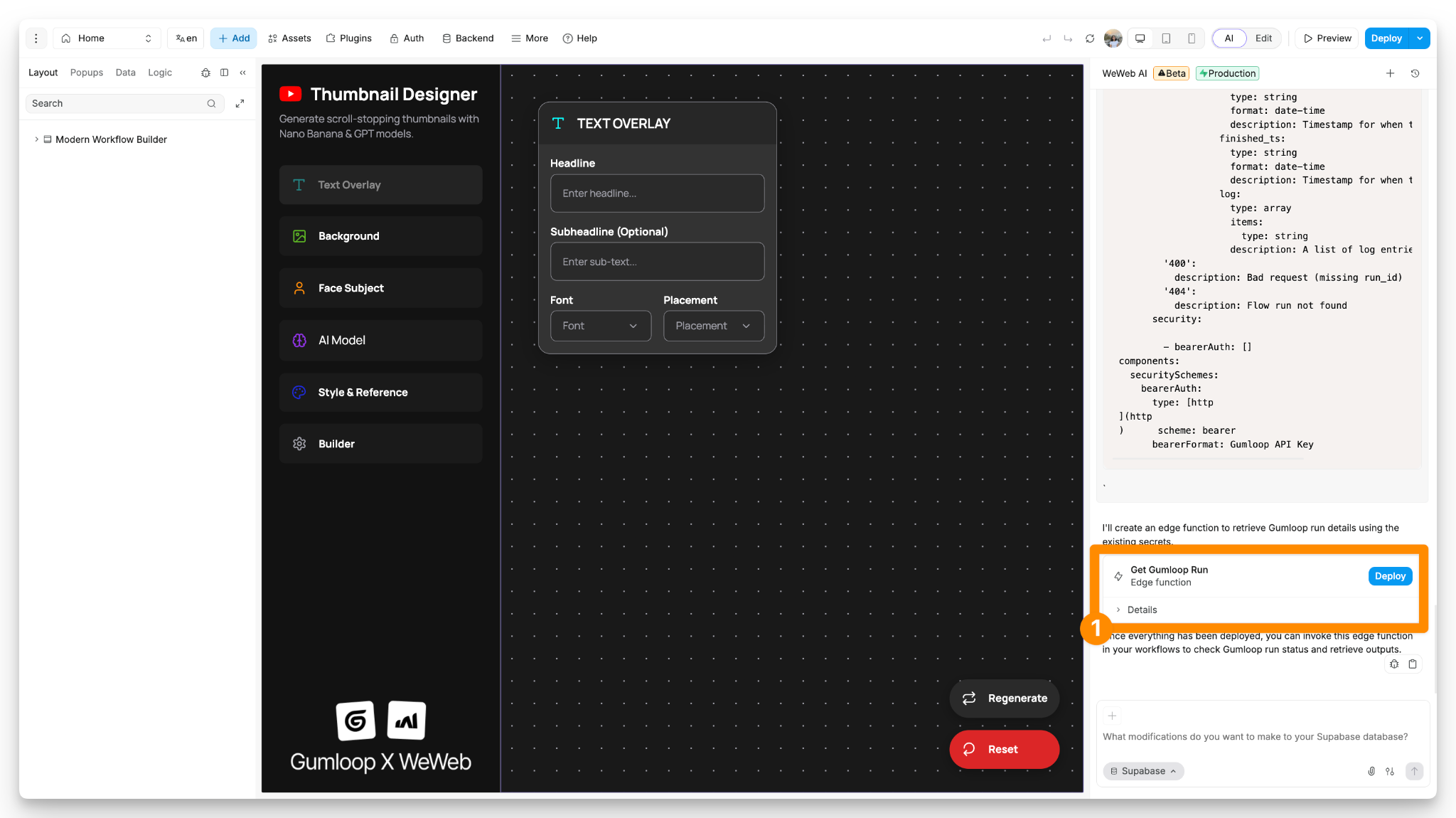
You can review the Edge Function inside WeWeb under the “API” section in the “Backend” tab, like so:
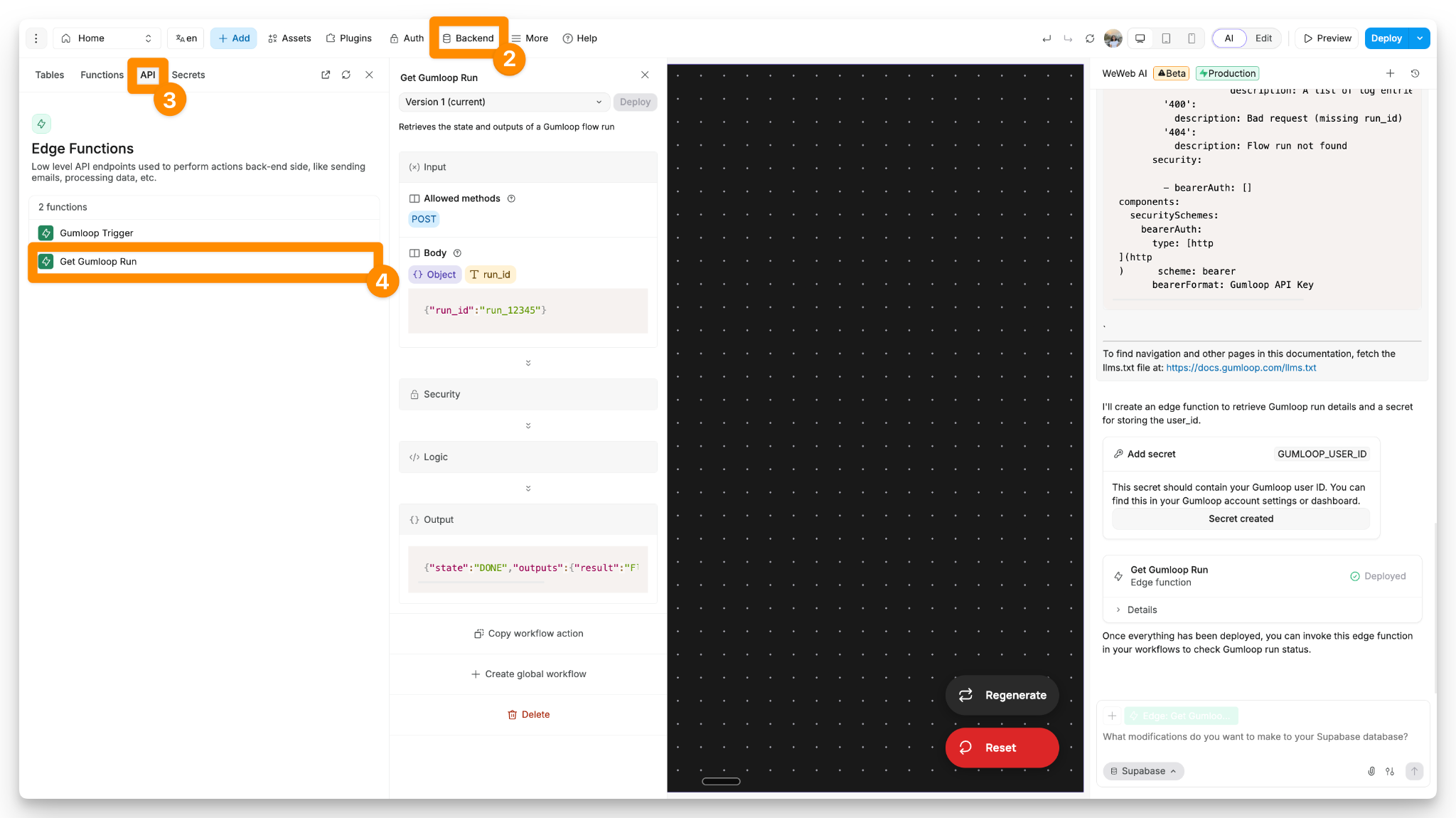
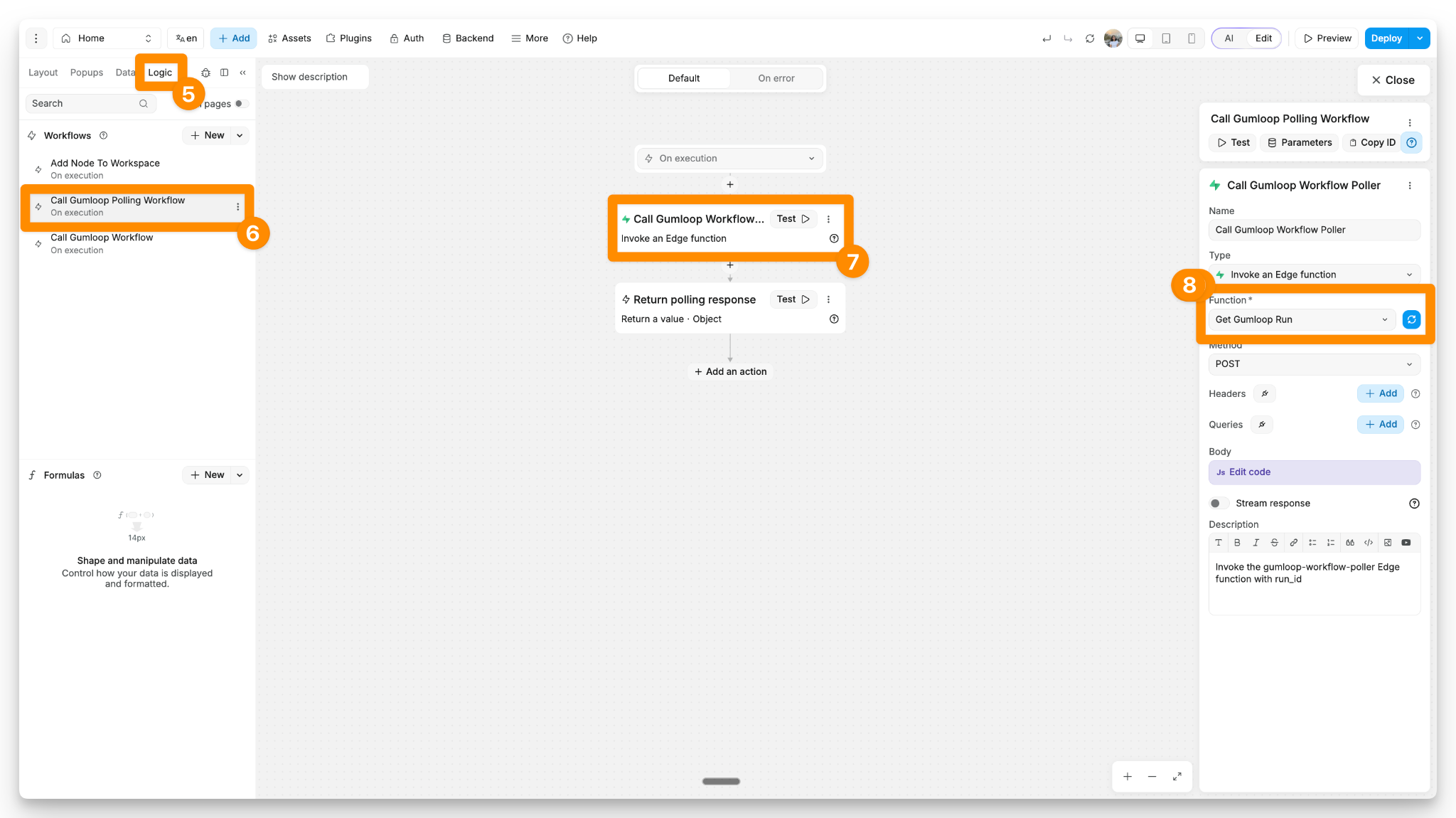
Like before, update the global workflow “Call Gumloop Polling Workflow” to invoke the above created function:
Step 5: Test and Publish Your App For Free
In preview mode, enter the text, background, face, model, and style inputs and click on the “Builder” button.
Review the AI-generated image and modify the prompt in Gumloop as needed to fit your use case.
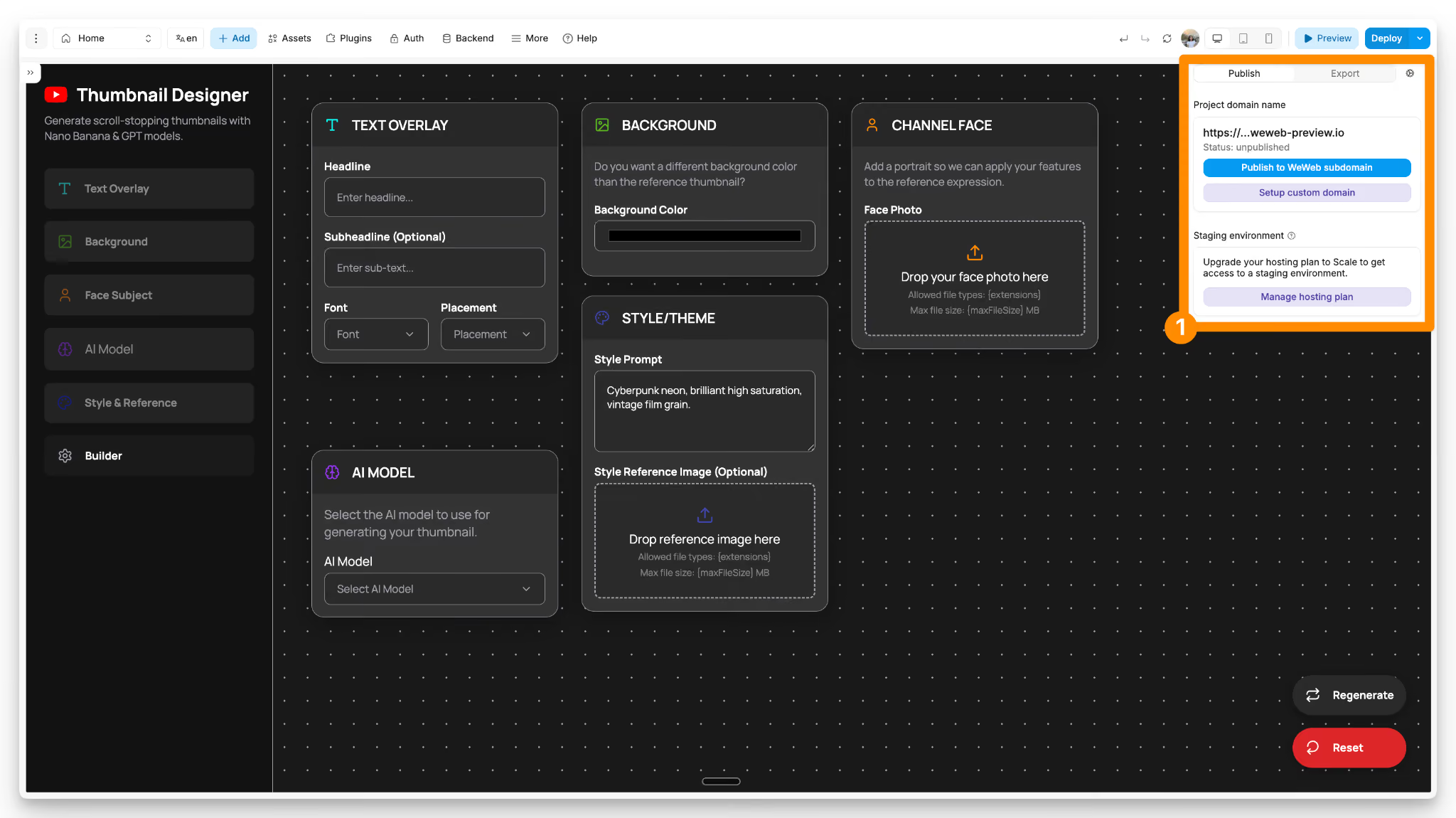
Once everything is set, publish the app for free:
Taking It Further: Customize & Monetize
Alright, hopefully you found this guide helpful!
The WeWeb and Gumloop workflows are just starting points, though. You can always expand it to match your exact process. Even turn it into a real SaaS and monetize it.
Here are some feature ideas:
- Template library where users can browse eye-catching thumbnails.
- Brand kit to save user preferences like fonts, colors, and face photos.
- Sign up and log in to allow users to create and manage their accounts/subscriptions.
- Credit-based pricing system, including free credits for new users.
Happy building
Frequently Asked Questions
How long does it take to build a YouTube thumbnail generator app?
With the pre-built templates, you can have your thumbnail generator up and running in 15-20 minutes. Follow the step-by-step instructions detailed above.
Which AI model is the best for generating YouTube thumbnails?
Both Nano Banana and GPT-Image models produce great results. Nano Banana is faster and more cost-effective, making it ideal for high-volume generation. GPT-Image excels at detailed rendering, which works better for complex designs. We recommend testing both with your reference thumbnails to see which matches your aesthetic.
Do I need coding skills to build a YouTube thumbnail generator app?
No. The setup above uses powerful no-code tools: WeWeb and Gumloop. Moreover, we've created free templates on both marketplaces so that you can get up and running in less than 15 minutes. More there, you can build on the features to suit your thumbnail generation workflow or even launch it as a SaaS.
