



App building software helps teams turn ideas into working web apps, portals, and even full SaaS products without spinning up a complex stack from scratch. It is built for startup founders, freelancers and agencies, and innovation teams that value speed, scalability, and autonomy.
The latest generation of app building software blends AI with visual development, so non engineers can build, then experts can extend with custom code.
If you want an example, WeWeb AI generates an app, then lets you refine every detail in a visual editor, and even export standard code you can self-host.
How we evaluate app building software
A fair review starts with criteria that map to real outcomes.
- Speed to first value
Can a non specialist ship a usable MVP within days. Gartner estimated that, in 2025, about 70 percent of new apps used low-code or no-code platforms, which is a strong signal for time to value. (kissflow.com) - Flexibility for pro teams
Look for visual logic, role based permissions, API access, and the option to extend with custom components. For instance, WeWeb lets teams import and edit Vue components directly in the editor. (weweb.io) - Data and deployment freedom
Some tools lock you in, others allow export and self hosting. WeWeb exports a Vue.js single page app and supports on premise or any cloud, and also offers one click launch on an AWS backed CDN. (weweb.io) - Total cost to scale
Traditional app development is often expensive and slow. Clutch reports average mobile projects cost about 90,780 dollars and take about 11 months, with most engagements falling between 10,000 and 49,999 dollars. App building software can cut both timeline and cost. (clutch.co) - Ecosystem and vendor momentum
Tools with strong ecosystems improve over time. Replit, a key player in AI assisted development, raised 250 million dollars in 2025 and reported sharp revenue growth, which suggests durable investment in the category. (reuters.com)
Key features and benefits to look for
Choosing app building software is easier when you know which features move the needle.
- AI assisted creation
Modern builders can scaffold pages, data, and logic from plain language. WeWeb AI generates complete pages and workflows, then you refine visually. (weweb.io) - Visual editor with code optional
Drag and drop layout, reusable components, conditions, and data binding. WeWeb’s editor is designed to fine tune everything from pixels to complex branching workflows. (weweb.io) - Backend freedom and integrations
Connect to databases and APIs you already use. WeWeb has its native backend but it also lists built in connections like Airtable, Xano, and Supabase, and secure access to internal databases without replication. (weweb.io) - Export and self-hosting
Export standard code to avoid lock in. WeWeb allows code export of a Vue.js app that you can self host, which is useful for enterprise control and compliance. (weweb.io) - Security and compliance
Look for SSO, audit logs, and compliance options. WeWeb notes alignment with SOC 2, HIPAA, and GDPR through separation of concerns and secure connections to internal data. (weweb.io) - Predictable pricing and scaling
Unlimited app users can reduce surprise bills at scale. WeWeb advertises unlimited app users and paid plans starting from $20 per month. (weweb.io)
Tip
If you want AI speed with visual control and code export, start a draft in minutes with WeWeb, or connect with an expert in our Agency Directory.
Publishing and deployment options
Publishing is where app building software differs most.
- Fully hosted SaaS
Fastest to ship, minimal setup, and usually includes CDN and SSL. WeWeb publishes in one click on a global AWS CDN. (weweb.io) - Export and self-host
Best for teams with strict compliance or custom pipelines. WeWeb exports standard Vue.js code you can deploy on premise or to any cloud. (weweb.io) - App stores and native wrappers
Some platforms provide one click builds for Apple and Google stores, or PWAs. FlutterFlow lists one click store deployment on paid plans. (flutterflow.io) - Multi channel strategy
If the goal is to reach people on the web and mobile stores, confirm how each platform handles responsive design, native builds, and ongoing updates.
How to choose the right app builder for your use case
Match the tool to the job, not the other way around.
- For customer portals and internal tools
Pick app building software that connects to your data with secure granular permissions and that lets operations teams update screens without developers. WeWeb is designed for this, with visual logic and back end freedom. (weweb.io) - For consumer mobile apps
Confirm store builds, push notifications, and offline rules. FlutterFlow can publish to Apple and Google stores from paid tiers. (flutterflow.io) - For enterprise or regulated industries
Require code export, self hosting, and compliance features. WeWeb supports export and self hosting, along with secure connections that help with SOC 2, HIPAA, and GDPR alignment. (weweb.io) - For rapid experiments and AI first workflows
Vibe coding tools are evolving quickly. StackBlitz’s Bolt expanded into an end-to-end platform in August 2025 in response to high churn in AI coding services. Replit also scaled with new funding and clients. Vet stability and pricing before you commit. (businessinsider.com)
Top 15 App Building Software Tools
Building on the fundamentals discussed above, this section maps the landscape of 15 leading app builders that speed up web and mobile development with visual editors, integrations, and hosting. They’re grouped because each platform reduces hand-coded plumbing, such as UI, data, auth, and deployment, so teams can ship reliable apps faster with fewer resources.
Use this lineup to match tools to your needs, from quick prototypes and internal tools to scalable, enterprise-grade applications.
1. WeWeb
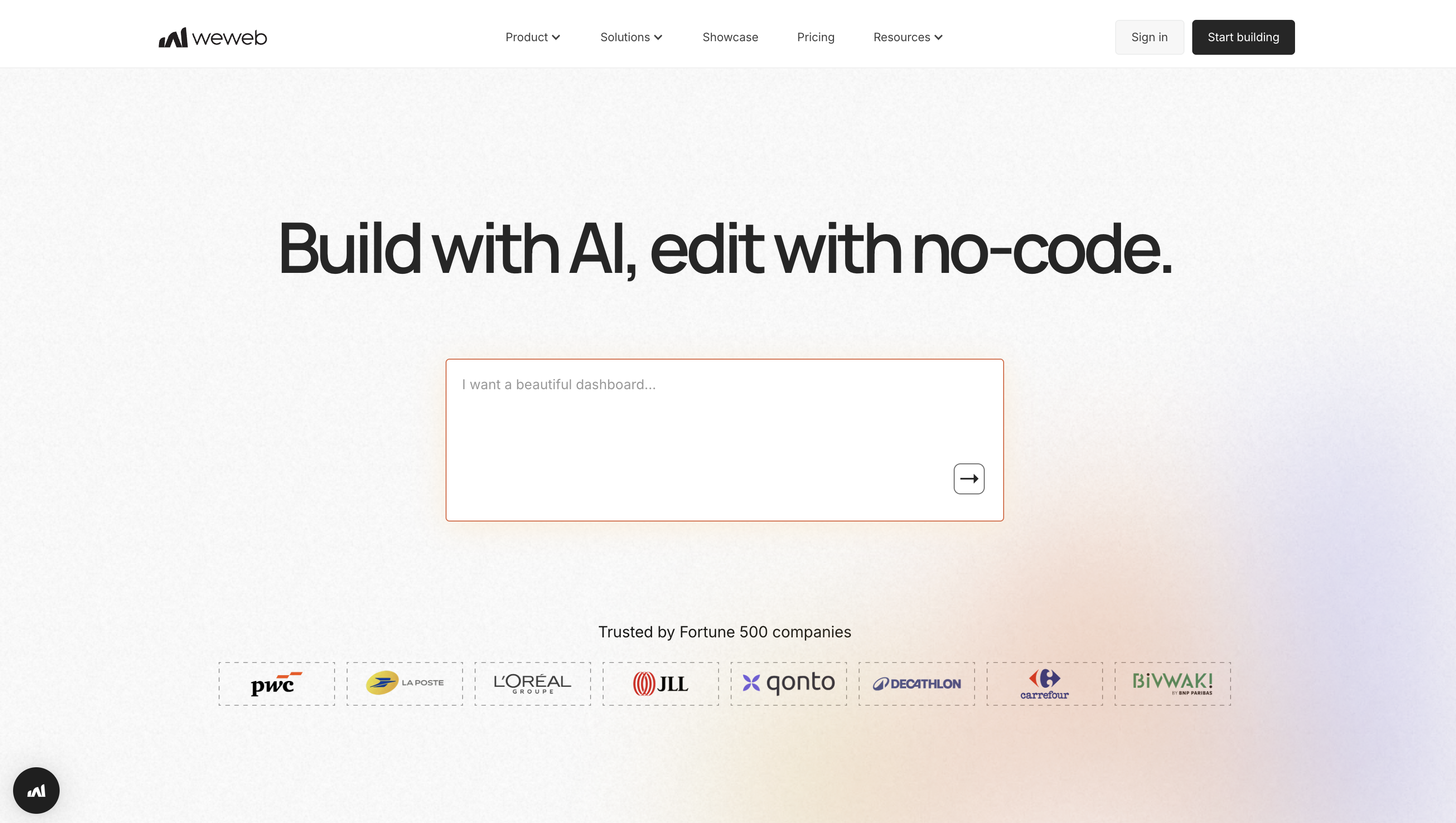
WeWeb is an AI-assisted full-stack visual builder for production-grade SaaS apps, portals, and internal tools. Design responsive UIs, wire data and logic, and ship fast. Then export a Vue.js SPA to self-host. It’s a sweet spot for agencies and product teams that want frontend freedom with any backend and predictable, non-per-user pricing.
- Highlights that matter:
- Visual builder with design systems, libraries, and Figma import for consistent tokens.
- Workflows with branching, a debugger, logs, reusable flows, and a powerful formula system.
- Flexible auth: WeWeb Auth, OpenID, token, or Supabase; gate UX and enforce backend rules.
- AI modes (Build, Ask, Coded, Supabase, Formula, Workflow) with a Task Manager to steer context.
- Delivery choices: AWS CDN hosting, staging/rollbacks, or export Vue SPA; native backend + native integrations for Supabase, Xano, Stripe, OpenAI; REST/GraphQL.
- Pricing snapshot:
- Free seat: 1 dev, 1M AI tokens, hosting up to 500 sessions.
- Essential $20/month: code export/self-hosting, GitHub sync, daily backups, 10M tokens.
- Pro $50/seat adds collaboration; Partner $79/seat adds client transfer and workspace access.
- Optional hosting add-ons; traffic metered by sessions/bandwidth; no per-user fees; enterprise SLAs.
- What to watch:
- Frontend-only: enforce auth, RLS, and rate limits server-side.
- Exported SPAs run, but WeWeb-dependent integrations won’t work offline.
- Export isn’t a code-first workflow; iterate inside WeWeb.
2. Bubble
Bubble is a full-stack no-code platform to design UI, model data, orchestrate workflows, and host apps, now with native iOS/Android packaging. Founders, product teams, and agencies ship SaaS, internal tools, and marketplaces quickly. AI App Generator and an in-editor AI Agent speed iteration while the managed infrastructure removes deployment friction.

- Highlights that matter:
- UI + data: drag-drop builder and responsive layouts; built-in DB with Privacy Rules and audit logs.
- Logic + APIs: visual workflows, triggers, webhooks; scheduled jobs; expose/consume REST; GraphQL via plugins.
- AI assistance: App Generator scaffolds pages/data; AI Agent drafts expressions, workflows, and copy.
- Auth and roles: email/password, OAuth; Enterprise SSO (SAML/OIDC); granular role hierarchies.
- Delivery/extensibility: API/SQL connectors, custom plugins, Zapier/Make; Dev/Live, branching, CI/CD; dedicated instances with SLAs.
- Pricing snapshot:
- No permanent free tier; limited trials and sandboxing.
- Starter $32/month, Growth ~$134, Team ~$399, Enterprise custom.
- Workload Units meter DB ops, workflows, and API calls; overages per 1,000 WU or bundles; Enterprise includes SSO and SLAs.
- What to watch:
- Visual logic, Privacy Rules, and performance tuning require testing.
- Proprietary runtime; no self-hosting on shared plans.
- WU costs demand optimization and governance at scale.
3. FlutterFlow
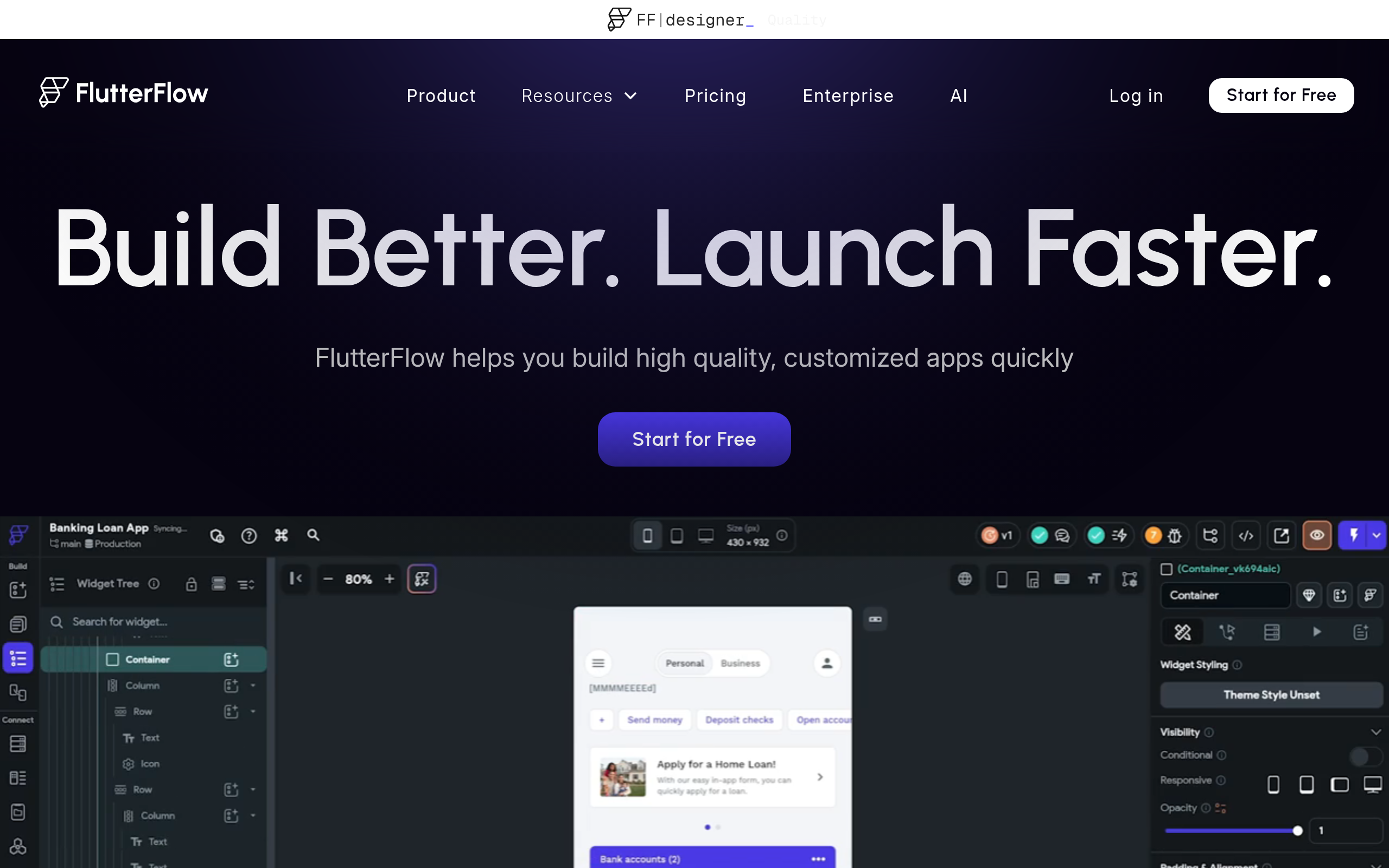
FlutterFlow is a visual low-code builder for Flutter that outputs performant iOS, Android, web, and desktop apps without cutting off access to code. Product teams and agencies get AI-assisted UI generation, first-class Firebase/Supabase data, GitHub export, and one-click store or web deployment, with room to extend as complexity grows.
- Highlights that matter:
- UI + AI: drag-and-drop builder, 1,000+ templates, Figma import, Prompt-to-Page/Component, Image-to-Component; automatic App Store screenshots.
- Data + auth: native Firebase (Firestore, Auth, Storage) and Supabase; REST/GraphQL via OpenAPI; Algolia via Firebase Extension.
- Logic/extensibility: visual flows, custom actions/functions/widgets, pub.dev packages, Cloud Functions, YAML editing, custom classes, CLI, VS Code extension.
- Collaboration/DevOps: real-time co-editing, branching/merges, GitHub push, deploy-from-Git, snapshots, environments, approvals.
- Pricing snapshot:
- Free: build and web publish; 2 projects, 2 API endpoints, 5 lifetime AI generations.
- Basic $39/mo (lower annually): unlimited projects, code/APK download, local testing, one custom domain, one-click store submissions.
- Growth/Business add GitHub, teams, branches, tests, more AI; Enterprise adds SSO and SLAs.
- What to watch:
- Best with Firebase; Supabase RLS may need custom logic.
- Collaboration/branching lives on Growth+; review rigor helps with YAML diffs.
- Heavy animations, complex queries, or chat require profiling.
4. Adalo
Adalo focuses on getting cross-platform mobile apps out the door fast. With a visual UI, built-in database, native actions, and one-click publishing, founders and small teams can launch App Store-ready MVPs without a backend, then layer in Xano as complexity and scale increase.

- Highlights that matter:
- Visual UI and responsive design: free-form editing, multi-column layouts, and “Design Versions.” Adalo
- Data and logic: relational collections, conditional actions/visibility, CSV import/export, push notifications, permissions.
- Auth and roles: email/password; components for Google/Apple; manage via Collection Permissions. Guide
- Extensibility: Custom Actions to JSON REST, External Collections (Pro+), Collections API (Team+), Xano/Zapier/Make/Stripe. Integrations
- Delivery: one-click publishing to App Store, Google Play, and PWAs.
- Pricing snapshot:
- Free: build/test with branding, 200 records/app, single editor.
- Starter $45 (1 app), Pro $65 (2), Team $200 (5), Business $250 (10).
- External Collections on Pro+; Collections API/Xano on Team+; enterprise SSO and SLAs available.
- What to watch:
- External Collections exclude GraphQL/UUIDs; numeric IDs only; scale with Xano.
- Design Versions are UI-only (no schema/data source versioning).
- Cache heavy lists and monitor incidents for SMB production.
5. AppSheet
Google AppSheet turns spreadsheets and databases into secure web and mobile apps right inside Google Workspace. Operations teams and citizen developers move fast with offline sync, bots, and Gemini-powered extraction, ideal for inspections, inventory, approvals, and field service without spinning up servers.
- Highlights that matter:
- Visual builder for responsive web/mobile: forms, tables, dashboards, maps; capture photos, signatures, GPS, barcodes; reliable offline support.
- Data: Sheets, Drive, Excel, AppSheet DB, Cloud SQL, SQL Server, Postgres, BigQuery via governed connectors.
- Logic/automation: rich expressions, slices, role filters, Bots for events, schedules, or API triggers with monitoring.
- AI: Gemini Tasks extract, categorize, and summarize from images/PDFs.
- Enterprise: SSO, audit logs, REST API, webhooks, governed deployments.
- Pricing snapshot:
- Free prototyping for internal testing up to 10 users.
- Per-user plans: Starter $5, Core $10, Enterprise Plus $20.
- Publisher Pro: $50 per app/month for unlimited public distribution.
- Advanced automations, User Pass, SSO, and SLAs require Enterprise tiers.
- What to watch:
- Large Sheets datasets slow down; prefer AppSheet DB or SQL for scale.
- Many AI features/connectors sit behind Enterprise Plus.
- No native Git/CI; rely on environments, governance, and testing.
6. SAP Build Apps (AppGyver)
SAP Build Apps on SAP BTP delivers responsive web and mobile apps with deep SAP integrations. Fusion teams move quickly with visual UI/logic/data and enterprise controls, ideal for extending SAP processes with SSO, transport-based lifecycle management, and Joule-assisted page generation across SAP Build.

- Highlights that matter:
- Visual UI builder with reusable components; flow-based logic for navigation, data, validations, device features.
- Data and storage, Visual Cloud Functions; REST wizard and OData connectors for S/4HANA, SuccessFactors, external APIs.
- Enterprise auth on BTP: IAS/XSUAA SSO, role collections, secure destinations; on-prem via Cloud Connector.
- AI via Joule to generate starter pages from data models and speed build time.
- Extensibility/delivery: JavaScript flow functions, custom components, cloud builds, Work Zone integration, transport-based promotion and pipelines.
- Pricing snapshot:
- Try via 30-day SAP Build trial or BTP Free-Tier.
- Licensed through BTP PAYG or Enterprise Agreement; billed by Capacity Units.
- Quotas span workloads, users, builds, API calls, destinations.
- Enterprise SSO, governance, transports, SLAs on BTP; no self-hosting.
- What to watch:
- SAP-first runtime/transport model creates lock-in.
- Transports over Git; branching feels limited for large teams.
- Offline-first or advanced mobile may require MDK or Mobile Services.
7. Bravo Studio
Bravo Studio turns polished Figma files into native iOS and Android apps so design-led teams can ship quickly without standing up a full mobile stack. Founders and product designers get visual workflows, flexible backend choices, and app-store publishing speed while retaining native performance and device features.
- Highlights that matter:
- Design-to-native flow: import from Figma using Bravo Tags, map layers to components, preview on-device with Bravo Vision, push updates.
- Data/logic: connect REST APIs, Airtable, or Xano; bind CRUD, pagination, screens, and conditional actions.
- Authentication: OAuth 2.0, Firebase email/phone/social, or custom auth with token refresh.
- Extensibility + AI: embed custom Web Components with two-way messaging; templates for OpenAI chatbots.
- Delivery/ecosystem: native iOS/Android builds; early React Native export; OneSignal, RevenueCat, Stripe.
- Pricing snapshot:
- Starter (Free): unlimited projects, up to 15 screens/project; share to 3 emails; publishing requires upgrade.
- Solo: $19/month ($18 annual); unlimited projects; 30 screens; iOS/Android publishing; 7-day trial.
- Team: $40/seat/month (~$34 annual), min 10; 50 screens; collaborators capped; Advanced/Business add-ons; enterprise options.
- What to watch:
- Figma-first tagging demands precision; non-designers face a learning curve.
- Historically closed builds; React Native export is early-access.
- Performance hinges on your backend; test WebViews thoroughly.
8. Appy Pie
Appy Pie is a DIY no-code app builder to launch Android, iOS, and PWAs fast. Small businesses and creators get quick wins with AI text-to-app, website-to-app conversion, and guided store submission, plus 85+ modules, hosted delivery, push, payments, chat, and e-commerce out of the box.
- Highlights that matter:
- Builder + AI: drag-and-drop editor and AI App Generator turn prompts into screens; rapid website-to-app conversion.
- Data, logic, messaging: e-commerce, forms, DB modules; geo-segmented, scheduled push for campaigns and re-engagement.
- Auth and roles: native login/registration, user groups; enterprise SSO via Appy Pie Plus.
- Delivery: publish to Google Play and Apple App Store; AWS hosting, PWAs; analytics and payments.
- Extensibility: REST APIs, webhooks, Zapier/Make; connect CRM, helpdesk, maps, chat, and commerce tools.
- Pricing snapshot:
- Free 7-day builder trial.
- Basic $16/app/mo annually ($32) for Android; Gold $36 ($72).
- Platinum $60 ($120) adds iOS; caps ~500–2,000 monthly pushes/downloads depending on tier; overages apply; Apple/Google fees separate.
- Plus (enterprise): SSO, SLAs, white-label, dedicated support.
- What to watch:
- Templates favor speed over pixel-perfect control.
- Platform lock-in: backend and binaries hosted on Appy Pie.
- Watch push/download caps and iOS policy requirements.
9. Glide
Glide is a spreadsheet-to-app builder that ships responsive PWAs in hours. It’s ideal for operations, field, and internal teams that want visual editing, AI-assisted generation, workflows, and scalable first-party data options; no servers required, and governance features keep IT comfortable.

- Highlights that matter:
- Visual builder: 40+ components, responsive layouts, inline data editing, themes, templates, reusable parts.
- Data/logic: Google Sheets, Airtable, Excel 365, BigQuery, SQL; computed columns (relations, lookups, rollups, math), JSON/JSONata queries; Big Tables handle millions.
- Automations: trigger on app events, schedules, or webhooks; multi-step flows with branching, loops, conditions, and AI steps; run history for debugging.
- Auth/delivery: roles, SSO, global hosting; PWAs for mobile and desktop.
- Pricing snapshot:
- Free: prototype with personal users; limited updates; capped rows in Glide/Big Tables.
- Explorer/Maker: entry pricing, 1–3 apps, custom domains, Glide AI.
- Business: unlimited apps, business email users, Airtable/Excel sources, API access.
- Metered updates; Enterprise adds SSO, SLAs, higher limits.
- What to watch:
- PWAs only; no App Store/Google Play binaries.
- Update metering means heavy workflows can incur overages.
- Enforce Row Owners; no self-hosting and U.S.-resident hosting.
10. Softr
Softr builds portals, internal tools, and dashboards on the data you already have, including Airtable, Notion, Google Sheets, SQL, HubSpot, BigQuery, and more. Ops, product teams, and agencies can assemble permissioned apps in days, complete with AI and automations, and ship as mobile-ready PWAs.

- Highlights that matter:
- Visual builder with blocks (tables, lists, kanban, calendars, charts, comments) plus CRUD, exports, responsive design, custom domains, PWA support. Themes, search, and filters included.
- Connect Airtable, Google Sheets, Notion, monday.com, Coda, HubSpot, SQL/Supabase, BigQuery, and REST with read/write sync.
- Auth/roles: built-in sign-up, user groups, domain restrictions, role-based views, record-level permissions, Enterprise SSO (SAML/OpenID).
- AI: Ask over permissioned data; Agents summarize, classify, enrich; Workflows run AI actions with your own keys.
- Pricing snapshot:
- Free: 1 app, 10 users, 5k records, 500 workflow actions/month, 500 AI credits; unlimited visitors; custom domain.
- Basic $59/mo ($49 annual): 3 apps, 20 users, 50k records, 2.5k actions, 1k AI; adds Kanban, Payments, Custom Code, embeds.
- Enterprise: SSO, SLAs, SOC 2, security support.
- What to watch:
- SaaS-only; no export or self-hosting.
- Performance depends on external data-source limits/quotas.
- Limited Git-style branching; coordinate edits via permissions and App History.
11. Appery
Appery.io pairs a visual Ionic/Angular builder with integrated backend services to deliver cross-platform mobile, PWA, and web apps quickly. It’s a practical choice for teams that need native-like features (push, offline sync, device APIs) plus optional GPT features, AI-assisted UI creation, hosting, and build automation.
- Highlights that matter:
- Visual Ionic/Angular builder with drag-and-drop components, events, data mappings, reusable snippets, custom components, on-device testing, and PWA publishing.
- Integrated MBaaS: NoSQL DB, REST APIs, Users/ACL, social login, Server Code, Push, Secure Proxy, file storage, scheduler.
- API Express: visual services across REST/SOAP/SQL/LDAP/email; offline caching and two-way delta sync; supports on-prem options.
- Extensibility: Cordova and private plugins, NPM modules, TypeScript; export source for native builds in Xcode/Android Studio.
- Pricing snapshot:
- 14-day Pro trial.
- Beginners $25, Pro $70 annually ($99 monthly), Team $135 annually; meters for Platform API calls, storage, app count, screens, versions, backups, Server Code, API Express.
- Enterprise: higher limits, SLAs, private deployment; SSO via LDAP/OpenID.
- What to watch:
- Hybrid Cordova/Ionic may lag on graphics-heavy flows.
- Offline caching/delta sync hinge on API Express design.
- Cloud IDE limits branching; set versioning discipline early.
12. Codelless ONE
Codeless ONE turns natural-language requirements or synced Azure DevOps work items into production-ready internal tools and client portals. IT, operations, and business teams get rapid time-to-value with RBAC, SSO, audit logs, cloud-native hosting, versioning, and governance baked in.
- Highlights that matter:
- AI build: dual agents generate data models, workflows, and UIs from prompts or specs; syncs Azure DevOps items.
- UI/portals: create multi-portal Super Apps with branding, custom domains, responsive layouts, role-aware pages, one-click multilingual.
- Data/automation: App Model defines entities/relationships/roles; calculated fields, approvals, scheduled or CRUD-event workflows.
- Security/delivery/integrations: RBAC, SSO, audit logs; managed hosting with auto-scaling, versioning; REST API, webhooks, Zapier/Make, Postgres, Firebase.
- Pricing snapshot:
- Free: 2 seats, 1 app, 2 portals, 100 records, 500 MB.
- Starter $25/user/month: 20 seats, 5 apps, 3 portals/app, 5 GB, 5,000 records.
- Pro $40/user/month: 100 seats, 20 apps, 5 portals/app, 200 GB, unlimited records; branding, support.
- 30-day trial; Enterprise adds SSO and SLAs.
- What to watch:
- Managed runtime; no self-hosting or code export.
- Logic leans on REST, webhooks, Zapier; limited native Git/CI.
- For data-heavy apps, load-test early and monitor costs.
13. Momen
Momen is a full-stack no-code platform for production web apps and native AI agents with schema, workflows, auth, hosting, and observability in one place. Founders and product teams move fast with bring-your-own models, retrieval-augmented generation, granular permissions, and one-click deployment without stitching services.
- Highlights that matter:
- Visual builder with responsive layout, 30+ components, reusable blocks, device previews.
- Built-in relational DB with constraints, CSV/XLSX import, vector search; Actionflow workflows with scheduled or webhook triggers.
- Searchable action/error logs deliver debugging and audit trails in production.
- Fine-grained RBAC/ABAC at table/column/row; OAuth SSO on Pro+; env vars, secrets, policies.
- AI agents with BYO model, RAG, structured JSON; extensibility via React components, custom endpoints, GraphQL API.
- Pricing snapshot:
- Free: builder, one API, one Actionflow, one AI agent; subdomain; 5 RPS; 20 MB DB; 200 MB objects/outbound.
- Paid from $33/year per project: unlimited APIs/Actionflows/agents; collaborators; custom domain; higher RPS/storage/bandwidth.
- Enterprise: SSO, SLAs, security/compliance, dedicated resources.
- What to watch:
- Broad surface area means learning schema, permissions, workflows.
- Throughput caps/usage meters require planning for spikes and long-running jobs.
14. Mendix
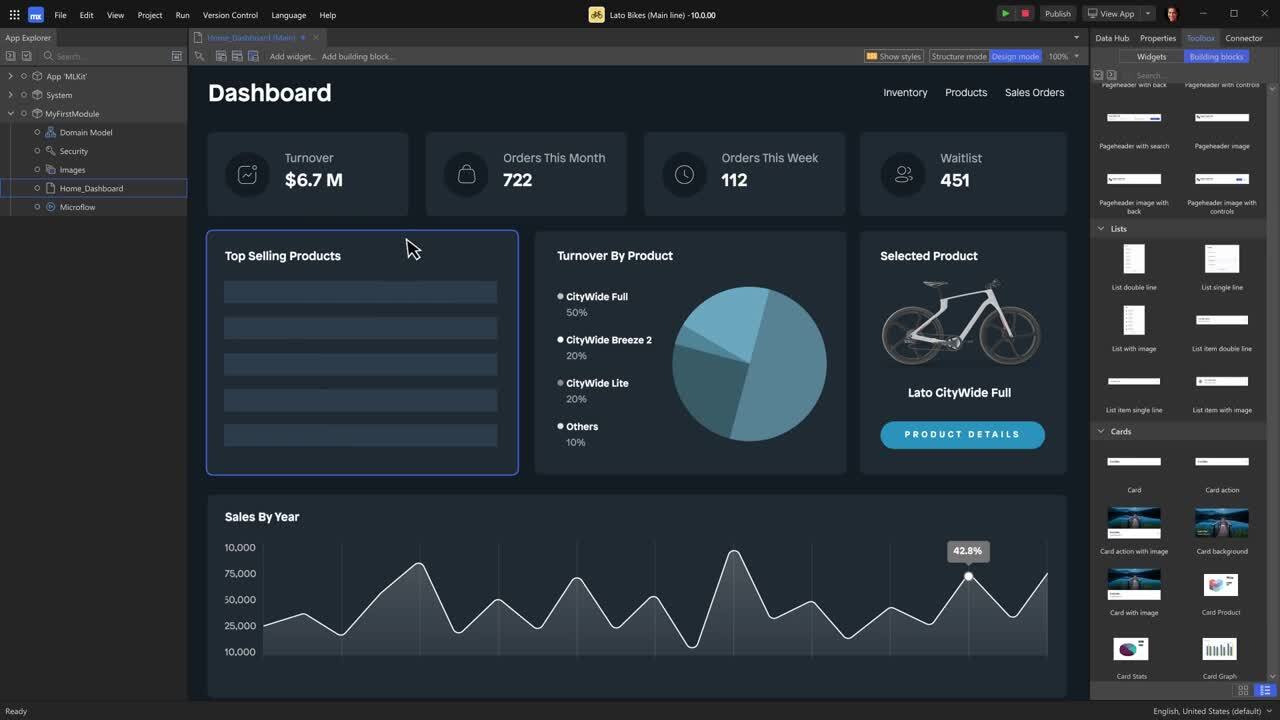
Mendix is an enterprise low-code platform for secure web and native mobile apps with robust governance and an AI copilot (Maia). Mid-to-large organizations ship quickly from design through deployment, with options to run on Mendix Cloud, Kubernetes, SAP BTP, or Azure. Docs
- Highlights that matter:
- Studio Pro + Atlas UI 3: responsive web/native, offline-first mobile, React widgets, Figma kit.
- Domain models via drag-and-drop; microflows (server) and nanoflows (client/offline); Workflow editor/Commons.
- Security: fine-grained roles; OIDC/SAML SSO; Mendix SSO on Mendix Cloud.
- Integrations: REST/OData; External DB Connector (SQL Server, Oracle, MySQL, Postgres, Snowflake); SAP/Salesforce.
- DevOps: Mendix Cloud or Kubernetes, SAP BTP, Azure; Git branching; CI/CD via Pipelines.
- Pricing snapshot:
- Plans: Free; Basic $75/mo (One) or $60/mo (Unlimited); Standard $998/$2,495; Premium quote. Pricing
- Standard: dedicated DB, up to 4 environments, vertical scaling, 99.5% SLA.
- Premium: horizontal scaling, HA/failover, multi-region, advanced controls, 99.95% SLA.
- Billing counts end users; dev/anonymous free; compute billed separately on Standard/Premium.
- What to watch:
- Learning microflows/nanoflows/security takes enablement.
- Portability: Mendix Cloud is PostgreSQL-only; Kubernetes/Azure/BTP expand options.
- Large teams need disciplined branching/merging and governance.
15. Appian
Appian is an enterprise low-code platform for process- and case-centric apps that unify people, systems, and AI. Regulated and complex enterprises get governed delivery, deep automation, and secure Data Fabric, plus SAIL UX for deploy-once mobile and web, and AI copilots/agents for design, classification, and document processing.
- Highlights that matter:
- SAIL UX: responsive web/iOS/Android with offline forms and themes; single design targets all.
- Data Fabric + orchestration: secure records unify sources; Process HQ insights; sync/query 50M+ rows.
- Enterprise security: SAML/OIDC SSO, LDAP, row- and role-level controls; FedRAMP High, HIPAA, SOC 2/3.
- Built-in AI: Copilots, Skills, Document Center, Agent Studio; private models; FedRAMP-ready environments.
- Extensibility/DevOps: connectors (Salesforce, Microsoft 365, Google, DocuSign, AWS), REST/SOAP/JDBC, SDKs/AppMarket; environments, versioning, pipelines/CI/CD.
- Pricing snapshot:
- Free Community Edition cloud instance for learning/prototyping.
- Paid tiers (Standard, Advanced, Premium) are per user, per month, per app; contact sales for pricing.
- Entitlements vary: RPA bots, portals, AI actions/month, Data Fabric rows; SSO, compliance, dedicated environments.
- What to watch:
- Steeper learning curve across SAIL, process modeling, Data Fabric.
- Appian objects accelerate delivery but complicate re-platforming.
- CI/CD favors trunk workflows; branching/merges are limited.
Trends in app building software
- AI everywhere
AI now scaffolds data models, screens, and logic from prompts. This is reshaping expectations across the market. Bolt’s launch helped StackBlitz grow from near zero to 40 million dollars in ARR by March 2025, with 5 million users by May. (businessinsider.com) - From code suggestion to product delivery
Vendors are moving from simple code gen to complete product lifecycles that include hosting, auth, and payments. Bolt repositioned with bundled hosting, domains, databases, and more to reduce churn that has ranged from 20 to 40 percent across AI coding services. (businessinsider.com) - Market growth and enterprise adoption
Analyst reports estimate the low code development platform market at about 17.74 billion dollars in 2025 with a projected 30.9 percent CAGR to 2035. Most enterprises are adopting low code or no code to reduce IT backlogs. (businessresearchinsights.com) - App store dynamics
In 2023 there were around 257 billion app downloads worldwide. Android led global OS market share in early 2024 at roughly 71 percent. These volumes keep pressure on teams to ship and iterate faster. (statista.com) - Higher quality bars for mobile apps
Google Play has been removing large numbers of low quality or unsafe apps since 2024, with reports of nearly 47 percent fewer apps by mid 2025 after stricter review and testing rules. Security researchers also reported more than 40 million downloads of malicious apps over a recent 12 month period, underscoring the need for secure build and review practices. (theverge.com)
Ecosystem and supporting tools
App building software improves with the right ecosystem.
- Data and backend
Many teams pair builders with Supabase, Xano, Airtable, or direct SQL APIs. WeWeb has its native backend but also lists these integrations and emphasizes connecting to internal databases without replication. You can mix and match different data sources. - Design systems and Figma
Consistent UI accelerates delivery. WeWeb and FlutterFlow both include Figma import, and WeWeb supports design systems to keep visual consistency across projects. - Auth, payments, and analytics
Modern stacks expect SSO and Stripe. Some AI forward platforms have bundled hosting and payments to keep you inside one workflow. (businessinsider.com) - Communities and training
Strong communities and templates cut learning curves. Browse real projects in the WeWeb showcase to see production use cases.
Conclusion, your next steps
If you need to move from idea to production quickly, start with app building software that gives you AI speed, a professional visual editor, and a clear exit path through code export and self hosting.
Validate fit with a small feature, confirm deployment choices, and watch your usage meters as you invite real users.
When you need a fast start with long term ownership, try WeWeb for a hands-on demo and ship your first app in days.
FAQs
What is app building software
App building software is a platform that lets you create web or mobile apps using visual tools and often AI assistance, then deploy to the web or app stores without setting up a full custom stack. Many tools also allow custom code when you need it.
Who should use app building software
Founders, freelancers and agencies, and innovation teams use these tools to reduce time to market. Enterprises use them for portals and internal tools while keeping control over data and compliance.
Can I export code and self-host
Some platforms allow full export and self-hosting for maximum control. WeWeb exports a standard Vue.js app and supports on premise or any cloud deployment.
How much does it cost to build an app with traditional development
Clutch data shows average mobile projects cost about 90,780 dollars and take about 11 months, with many engagements in the 10,000 to 49,999 dollar range. App building software can compress both cost and timeline. (clutch.co)
Is app building software secure enough for enterprises
Look for export options, SSO, audit controls, and compliance. WeWeb notes support for secure connections to internal databases and alignment with SOC 2, HIPAA, and GDPR needs.
Will these tools work for mobile app stores
Some platforms support one click builds for Apple and Google stores, or PWAs. FlutterFlow lists store deployment in paid plans. (flutterflow.io)
Are AI first builders reliable for production
They are improving rapidly but you should evaluate stability, pricing, and vendor momentum. The sector saw fast growth in 2025 with vendors like Replit and StackBlitz, and also shifts in pricing and feature bundling to reduce churn. (reuters.com)
If you are ready to build, explore WeWeb to create, edit visually, and publish with code ownership when you need it.