


.avif)

You have an amazing idea for an app. You’ve probably opened a dozen tabs, signed up for a few no-code tools, and maybe even started a project…and then froze.

Where do I begin? What should I build first? Am I doing this right? Can I do this?
It’s totally normal to ask these questions (we’ve all been there 😉)
That’s why we’ve put together a step-by-step roadmap to help you confidently build your projects to life.
All software development is composition: The act of breaking a complex problem down to smaller parts, and then composing those smaller solutions together to form your application - Eric Elliot
Why This Template Might Be Exactly What You Need
This template isn’t just a pair of training wheels. Both beginners and experts can leverage it to structure their ideas.
It acts like a compass, pointing you towards the right direction and helping you make progress little by little.
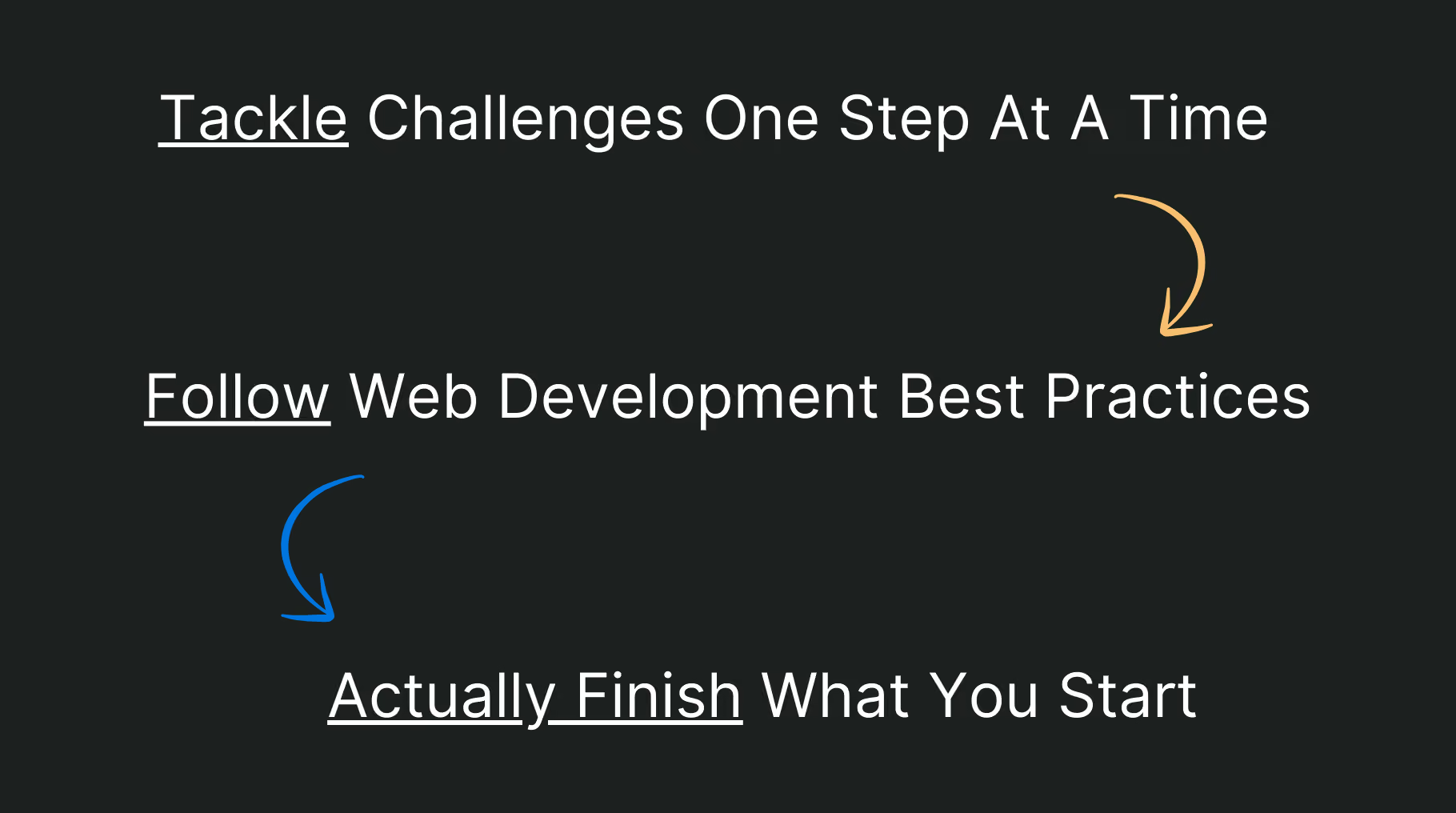
Tackle Challenges One Step At A Time
App development projects can be overwhelming. This template helps you deconstruct your vision into clear, actionable steps, so you can build a functional application with confidence.
Follow Web Development Best Practices
Throughout the roadmap, we’ve baked in development best practices to help you think like a developer and build secure, robust software solutions.
Actually Finish What You Start
Checking off items gives you a sense of momentum and accomplishment. The positive feedback loop keeps you motivated all the way to launch.
Template Walkthrough
We’ve designed this template across 3 different apps so you can dive in and start building ASAP:
Your build journey is mapped out across 6 linear stages, each one packed with clear tasks to help you make steady progress.
To support you along the way, we’ve also included a Tools, Tips & Resources section.
🎖️ Stage 1: Planning for Success

"A goal without a plan is just a wish." - Antoine de Saint-Exupéry
Before you build anything, it’s important you have a clear understanding of what you’re building. In this first stage you’ll:
- Define how your app should work and feel
- Prioritize the core features
- Organize your vision into a structured plan
This stage sets the premise for stages that follow.
If your grasp of your app’s first principles (explained in human language) is shaky, that misalignment will ripple into both its visual design and development logic.
As AI-first development becomes the norm, giving AI app builders the right context is crucial. The output is only as good as the input.
As Kieran Melan from Google pointed out, even the most powerful models underperform without enough context, and this challenge isn’t going away anytime soon.
“Models will likely still perform poorly if they are not given enough context… even in the next one to three years, this issue won’t be completely solved.” - Kieran Melan, Google
🧱 Stage 2: Laying the Groundwork

Now that you've clarified what you’re building, it’s time to tee things up. In Stage 2, you’ll start putting the foundations in place for the build.
By the end of this stage, you’ll be able to visualize your app and move forward with confidence.
🔐 Stage 3: Set up Authentication (Sign In/Sign Up)
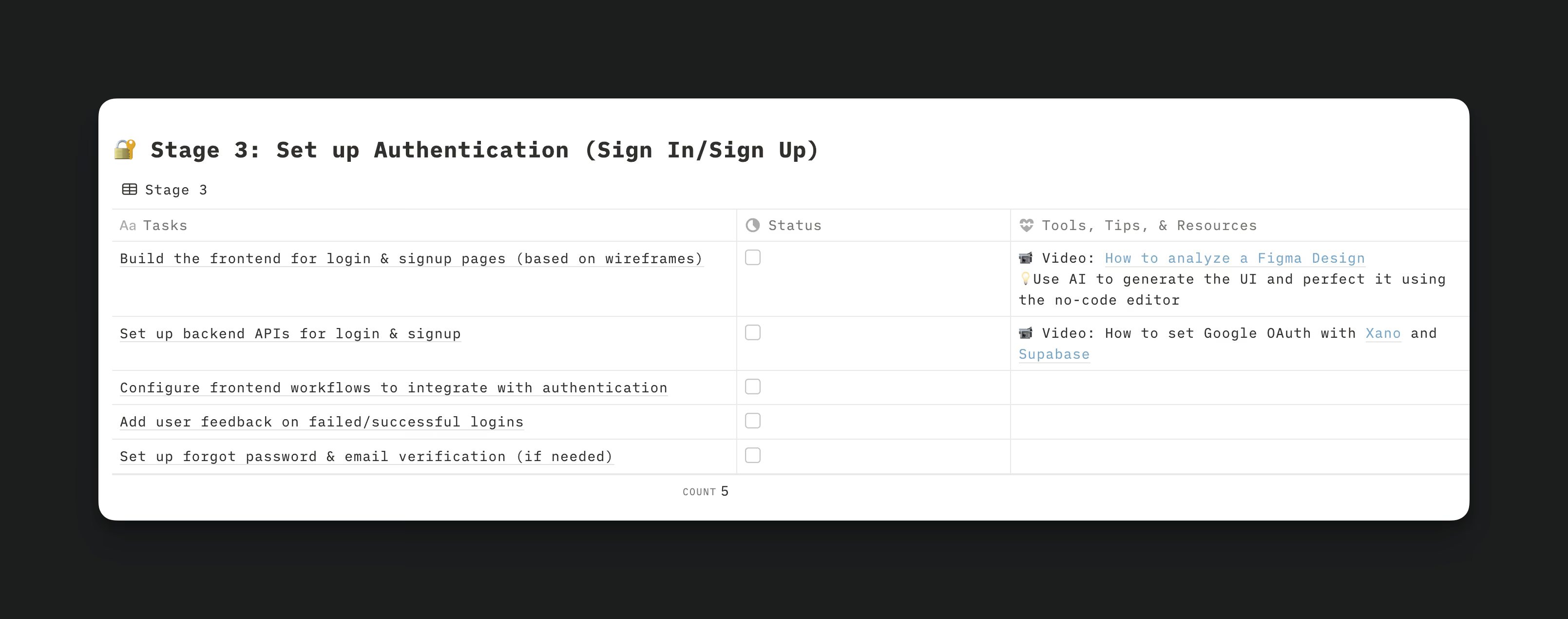
Security is often overlooked until it’s too late. That’s why we tackle it early.
By setting up authentication first, you avoid the hassle of updating every API endpoint and workflow later on.
🖥️ Stage 4: Build Each Page (Repeat Per Page)
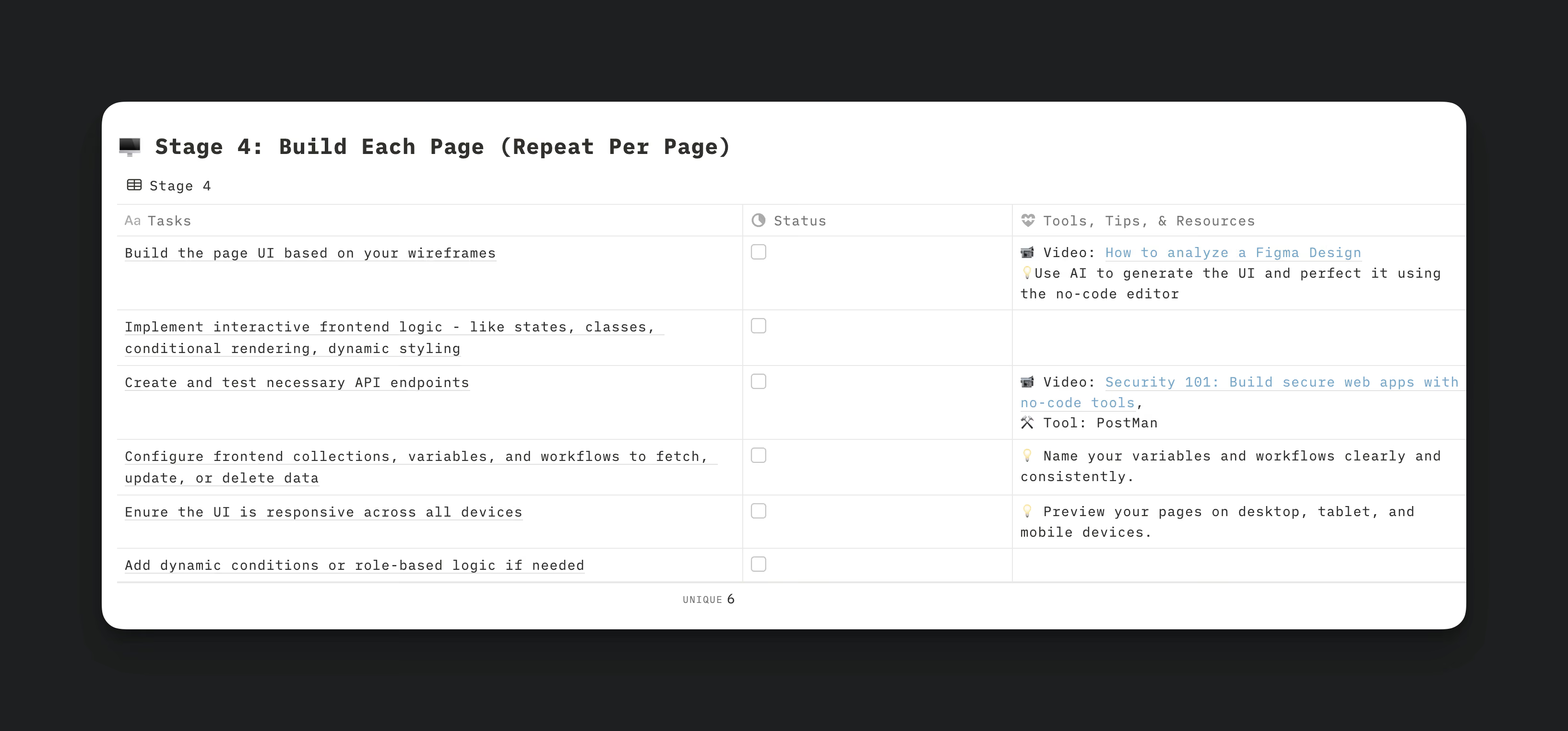
In stage 4, you build your app’s core pages one at a time. Feel free to customize the tasks to your use case.
🔒 Stage 5: Security, Performance & SEO

Time for finishing touches:
- Add page metadata for discoverability
- Optimize the app’s performance
- Double check security
🚀 Stage 6: QA & Launch

Bashing bugs before production helps you save the headaches later. Once you’re ready, hit publish, and get the app into your users’ hands.
How To Get The Most Out Of This Template
Here’s how you can make this template work for you:
Create Your Own Copy
- In Google Sheets, go to File > Make a copy.
- In Notion or Roadmap.sh, simply click Use the Template.
Complete Stages 1 & 2
It’s imperative that you first work through all the tasks outlined in Stage 1 and Stage 2.
Adapt Later Stages to Fit Your Project
From Stages 3 and beyond, feel free to modify or add steps based on your specific project needs.
Use Stage 4 Modularly
For a more detailed roadmap, you can choose to duplicate Stage 4 for each individual page and rename them accordingly (e.g., Stage 4.1, 4.2 and so on).
Leverage Tools, Tips & Resources
For extra guidance and support, refer to the "Tools, Tips, and Resources" section.
Customize Your Workflow
Personalize the roadmap by:
- Adding timelines
- Assigning owners to tasks or stages
- Adding notes or links where needed
Happy Building!
App development can become an exciting challenge if you:
- Set a clear goal
- Embrace the marathon mindset
- Join a community
At WeWeb we’re on a mission to help problem-solvers, coders and non-coders alike, to build the web with confidence.
We want to make the process of building applications a truly enjoyable and fulfilling experience.