




Business process management software helps teams design, automate, monitor, and improve the workflows that keep a company running. The right platform can reduce manual work, speed up approvals, connect departments, and give operations leaders better visibility into every process.
But not every BPM tool is built for the same type of team. Some platforms are designed for enterprise process orchestration. Others focus on low-code workflow automation, document-heavy approvals, case management, or developer-led process engines.
This guide compares 11 of the best business process management software platforms for 2026, including tools for process modeling, workflow automation, integrations, analytics, governance, and AI-assisted operations.
If your team needs a faster way to build dashboards, approval flows, internal tools, or client-facing process portals, you can also use WeWeb to create workflow apps that connect to your existing systems.
What Is BPM and What Is a BPMS?
Business Process Management, or BPM, is a discipline focused on improving business processes from start to finish. It involves discovering, modeling, analyzing, measuring, and optimizing workflows to align with an organization’s goals. A Business Process Management System (BPMS) is the software that enables this discipline.
Think of it this way: BPM is the strategy, and the BPMS is the technology you use to execute that strategy. The software provides a centralized platform to manage and automate complex workflows that often span multiple departments and systems, like ERP and CRM platforms. By turning manual, repetitive tasks into streamlined digital workflows, a BPMS frees up your team to concentrate on more strategic, high impact work.
The BPM Lifecycle: A Framework for Continuous Improvement
Successfully implementing BPM is not a one time project but a continuous cycle. The BPM lifecycle provides a structured, repeatable approach to refining and enhancing your operations. Most frameworks consist of five key stages.
- Design: This initial phase involves identifying existing processes and defining your goals. Stakeholders map out current workflows, pinpoint inefficiencies, and collaboratively design the ideal future state process.
- Model: In this stage, you create a visual representation of the designed process. This model helps visualize the flow of tasks, data, and decisions, allowing you to simulate different scenarios and identify potential obstacles before implementation.
- Execute: Here, the modeled process is brought to life. This involves developing the necessary automations, integrating systems, and training team members on the new workflow. The process is deployed either as a limited pilot or a full scale launch.
- Monitor: Once the process is live, performance is tracked against key performance indicators (KPIs) like cycle time, cost, and error rates. Real time dashboards and analytics provide insights into how the process is functioning and highlight areas for improvement.
- Optimize: Based on the data gathered during the monitoring phase, you can make informed decisions to refine the process further. This stage is about continuous improvement, making iterative adjustments to enhance efficiency, reduce costs, and better align with business goals.
Understanding the Types of BPM
Business process management is not a one size fits all solution. Different processes have different needs, which has led to three main types of BPM. While modern platforms often blur the lines between these categories, understanding them helps you choose a tool that aligns with your primary goals.
Human Centric BPM
This approach focuses on processes that require significant human interaction, judgment, and collaboration. Workflows like employee onboarding, creative approvals, and customer support case management fall into this category. A human centric BPMS excels at task management, notifications, and providing intuitive user interfaces to guide people through their work.
Integration Centric BPM
Integration centric BPM is designed for processes that operate across multiple software systems with minimal human intervention. The goal is to ensure seamless data flow and automation between applications like ERP, CRM, and supply chain management tools. This type of BPM relies heavily on APIs and connectors to orchestrate complex, system to system interactions.
Document Centric BPM
When the process revolves around the creation, review, and approval of documents, a document centric approach is best. This is common in legal, finance, and compliance departments for workflows like contract management, invoice processing, or regulatory submissions. These systems manage version control, automated routing, and audit trails to ensure documents are handled efficiently and securely.
Core Features and Components of BPMS
While every business process management software is different, most professional grade platforms share a core set of features designed to empower teams and drive efficiency.
Key Components to Look For:
- Visual Process Modeling: A user friendly, drag and drop interface allows users, even those without technical expertise, to design and visualize workflows. This makes it easier to map out the steps of a process and identify areas for improvement.
- No Code/Low Code Automation: This feature democratizes development, enabling business analysts and other non technical stakeholders to build and deploy applications. It drastically reduces the time from idea to implementation, fostering innovation across the organization. For teams that want to build fast without limits, a platform like WeWeb’s no code web app builder combines the power of no code with the ability to add custom code for full flexibility.
- Business Rule Engine (BRE): A BRE is a core component that separates business logic from the application code. It allows you to define, manage, and automate business rules (e.g., IF customer_spend > $1,000 THEN apply 10% discount). This makes it easy for non technical users to update decision logic without needing a developer, increasing agility and ensuring consistent decision making.
- Integration Capabilities: A powerful BPMS should seamlessly connect with the other software your business relies on, such as CRM, ERP, and marketing automation tools. This ensures a smooth flow of information across departments and prevents data silos. See the full list of WeWeb integrations.
- Real Time Analytics and Reporting: Dashboards and customizable reports provide insights into process performance. By tracking key performance indicators (KPIs) like cycle time and resource utilization, you can make data driven decisions to optimize your operations.
- Collaboration Tools: Features like task assignments, comments, and real time notifications facilitate communication and teamwork within the platform. This keeps everyone aligned and ensures processes run smoothly.
- Role Based Access Control: Administrators can manage user permissions to ensure that employees only have access to the data and processes relevant to their roles, enhancing security.
Benefits of Using BPMS
Implementing a robust business process management software can fundamentally reshape how an organization operates, delivering measurable improvements across the board. The goal is to move beyond optimizing individual tasks and instead improve communication and workflows throughout the entire network.
Primary Advantages:
- Improved Business Agility: In a rapidly changing market, the ability to adapt is crucial. A BPMS allows companies to quickly modify workflows in response to new opportunities or challenges, giving them a significant competitive edge. Organizations with AI enhanced BPM have shown 3.2 times greater adaptability to changing conditions.
- Increased Efficiency and Productivity: By automating repetitive manual tasks, BPM software frees up employees to focus on more strategic initiatives. This leads to higher output, faster process execution, and a significant boost in overall productivity.
- Reduced Costs and Better Resource Use: Streamlining processes naturally leads to cost savings. By identifying and eliminating inefficiencies, businesses can reduce operational expenses and make better use of their resources. Organizations using AI integrated BPM have reported a 25% reduction in operational costs.
- Enhanced Visibility and Control: BPM software provides a clear, centralized view of all business processes. This transparency allows managers to monitor performance in real time, identify bottlenecks, and make informed decisions to optimize workflows.
- Ensured Compliance and Security: Many industries are subject to strict regulations. A BPMS helps ensure compliance by creating transparent, standardized workflows with built in governance and audit trails. This mitigates the risk of human error and costly fines.
Ready to see how visual development can transform your business processes? Discover what you can build with WeWeb.
The Rise of Intelligent BPM (iBPMS)
The world of business process management is constantly evolving. A major shift is the move toward Intelligent Business Process Management Suites (iBPMS), which enhance traditional BPM with advanced technologies like artificial intelligence (AI), machine learning (ML), and real time analytics. An iBPMS doesn’t just automate workflows; it makes them smarter, more adaptive, and capable of handling complex scenarios.
Unlike standard BPMS, an iBPMS can analyze data to provide predictive insights, automate complex decision making, and dynamically adjust processes in response to real time events. This evolution is part of a broader trend called hyperautomation, which combines AI, ML, and robotic process automation (RPA) to automate even complex, judgment based work.
Trends Shaping BPMS in 2026
In 2026, several key trends, largely driven by the capabilities of iBPMS, are accelerating digital transformation.
- AI and Hyperautomation: Artificial intelligence is no longer a novelty; it’s becoming a standard feature. AI assists with tasks like summarizing information, classifying documents, and suggesting next steps. By 2026, around 64% of organizations plan to deploy AI and ML tools in their BPM systems. Tools like WeWeb AI turn plain English prompts into working pages and workflows.
- Low Code and No Code Platforms: The rise of low code and no code development continues to democratize automation. These platforms empower non technical users to build and modify their own workflows using visual, drag and drop interfaces like the WeWeb UI Builder. This accelerates innovation and reduces reliance on IT departments, allowing teams to solve their own process challenges.
- Process Orchestration: Companies are moving away from isolated point automations and toward end to end process orchestration. This involves connecting disparate systems and teams into a single, unified journey, providing better visibility and control over the entire workflow.
- Cloud Based Solutions: The shift to the cloud continues to dominate, with over 95% of new digital workloads now deployed on cloud native platforms. Cloud based BPM solutions offer greater flexibility, scalability, and accessibility, particularly for small and medium sized enterprises.
- Focus on Customer Experience: Modern BPM initiatives are increasingly focused on optimizing client facing workflows. By streamlining processes like customer onboarding and support, businesses can deliver a smoother, more transparent experience that builds loyalty.
Which Business Process Management Software is Right for You?
- Choose Appian, Pega, Bizagi, or Creatio if you need enterprise-grade BPM with governance, compliance, process modeling, and large-scale automation.
- Choose Camunda, jBPM, or Red Hat Process Automation Manager if your team is developer-led and needs deep process orchestration across services, APIs, and backend systems.
- Choose ProcessMaker or Bonita if you want low-code workflow automation with enough flexibility for business and IT teams to collaborate.
- Choose K2 by Nintex if your organization needs governed workflow apps with strong integrations, especially in Microsoft-heavy environments.
- Choose WeWeb if you need to build the interfaces around your processes: approval dashboards, internal tools, client portals, onboarding flows, reporting tools, or workflow apps connected to your existing backend.
Top 11 Business Process Management Software
Now that we’ve covered the key features to look for in a BPM solution, let’s dive into the top platforms available on the market. The following 11 business process management software options have been selected for their comprehensive feature sets, user friendliness, and strong market reputation. Each of these tools offers a powerful way to automate workflows, improve efficiency, and drive digital transformation within your organization.
1. Appian
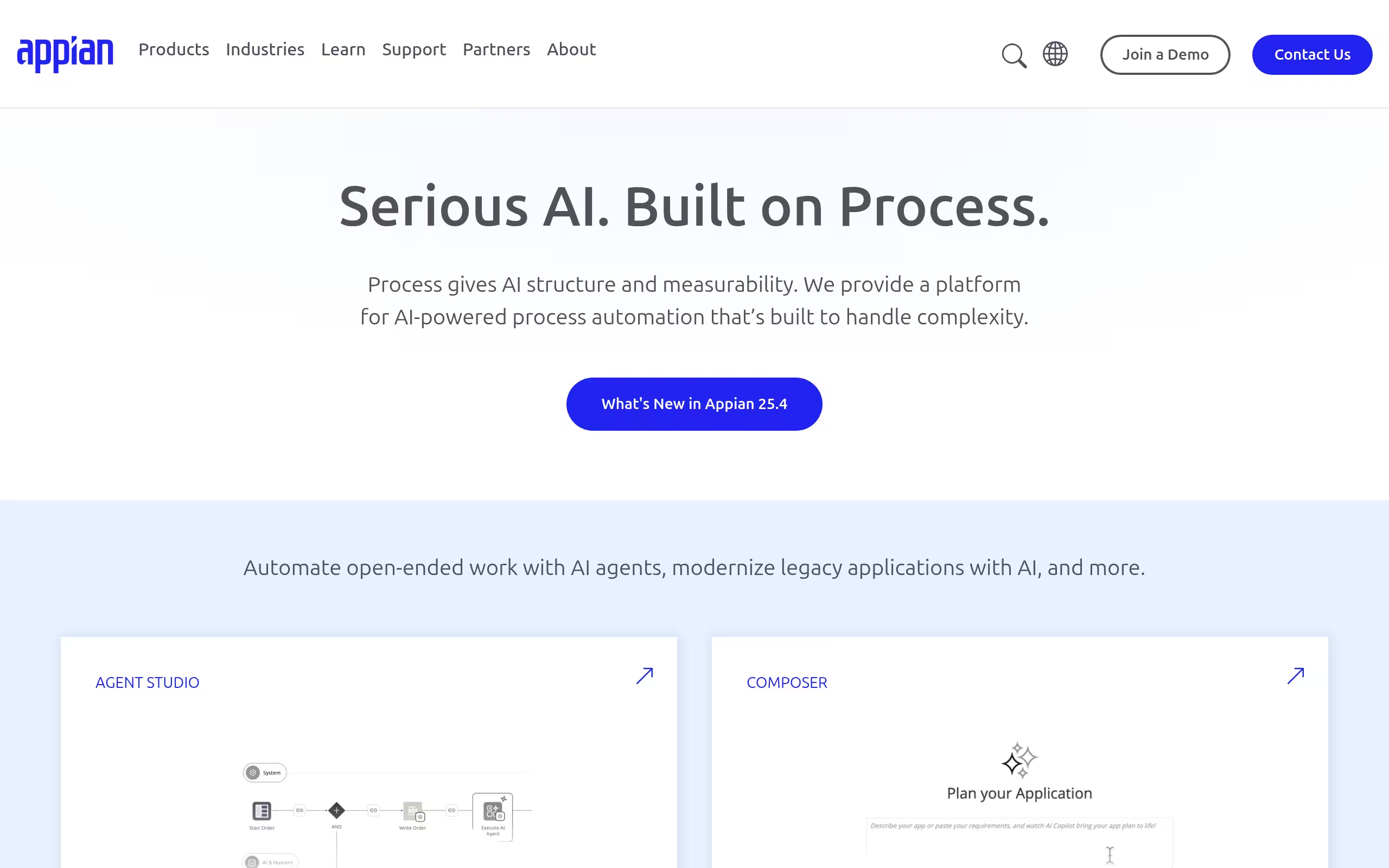
Appian brings workflows, data, and AI together on a low code platform built for speed in high compliance environments. If you need to ship secure, scalable apps fast and change them just as quickly, Appian’s unified stack keeps teams moving without sacrificing governance.
Best for regulated enterprises that want rapid delivery without compromising security or scale.
Why it feels fast
- Visual BPMN/DMN modeling that executes directly for consistent, governed workflows.
- Native RPA and case management to orchestrate people, bots, and AI in one place.
- AI Copilot to accelerate building, triage work, and surface insights.
- Pre built connectors, low code APIs, and CI/CD to wire in your stack quickly.
- Process mining and analytics that pinpoint and fix bottlenecks.
- Enterprise grade deployment: Appian Cloud (FedRAMP/HIPAA) or self hosted.
Pricing & setup at a glance: Trial: Free Community Edition • From: POR • Model: Tiered • Setup: Assisted (typical first app in ~8 weeks).
Fit & watchouts: Ideal for end to end, compliant orchestration at scale; note that exporting BPMN/DMN models to third party tools is limited.
2. Bizagi
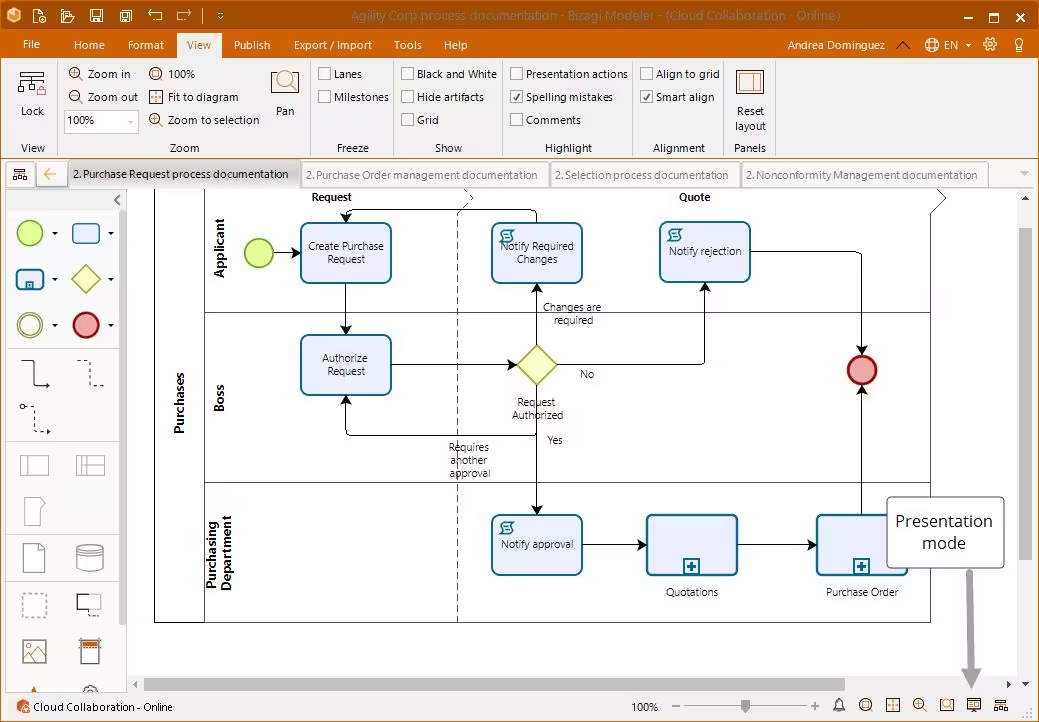
Bizagi turns BPMN models into running, governed apps on a cloud platform that scales to unlimited end users. With generative AI agents and enterprise SSO, it shortens the path from diagram to deployment for teams that need outcomes fast.
Best for mid market and enterprise operations teams that want diagram to app execution on a modern cloud.
Why it feels fast
- BPMN 2.0 models convert into executable workflows in one tool.
- Low code apps and orchestration on a scalable cloud runtime.
- AI Agents to prefill forms and autonomously drive integrations.
- Connectors for core systems (e.g., SAP) plus REST APIs.
- Live analytics and strong security with SSO/RBAC baked in.
Pricing & setup at a glance: Trial: Free Modeler; platform trials (up to 30 days) via sales • From: POR • Model: Quote based • Setup: Assisted.
Fit & watchouts: Great for teams prioritizing quick time to value with AI; note it’s cloud first and requires a custom quote.
3. Ofelia
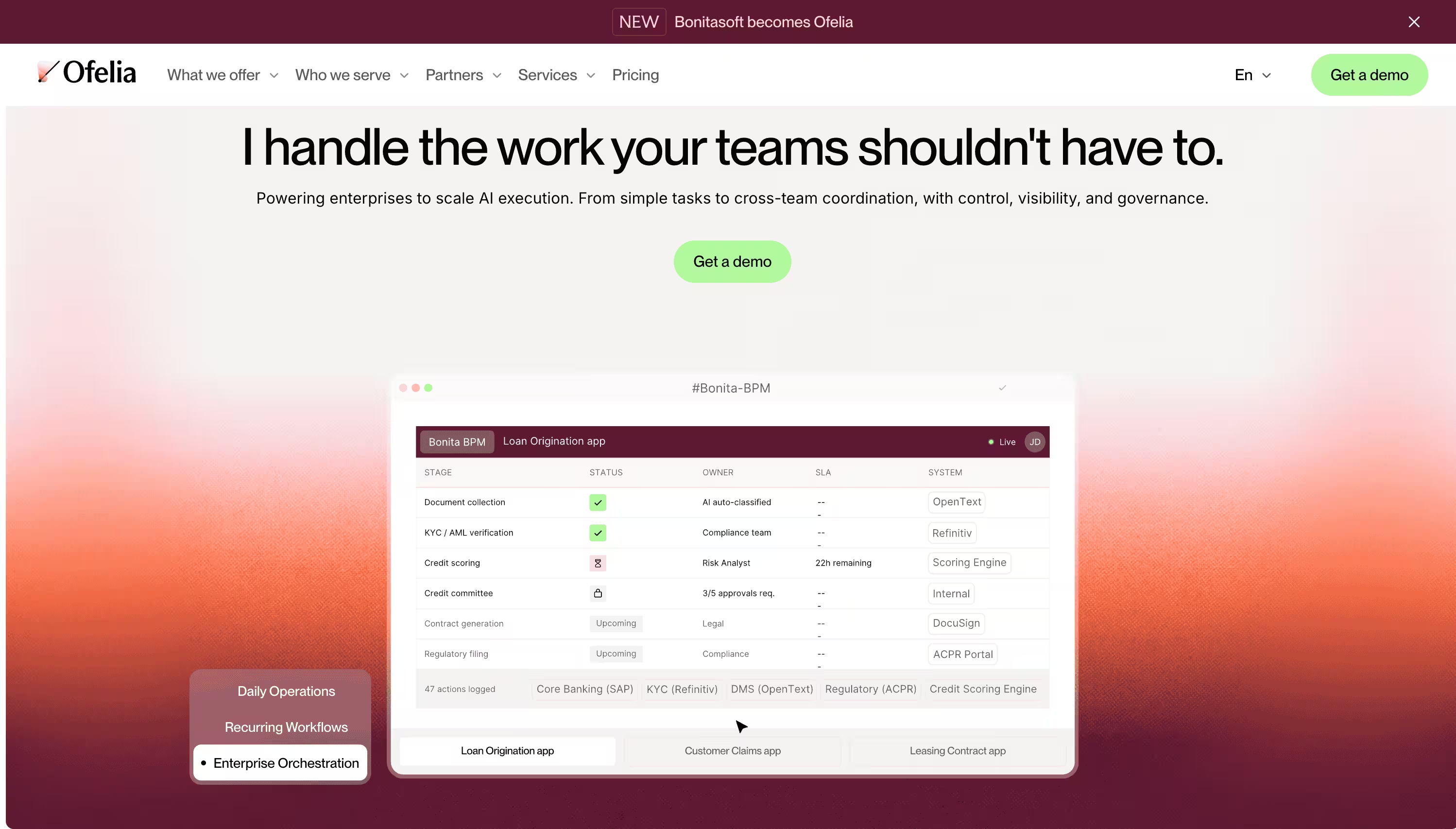
Ofelia pairs open source flexibility with an enterprise ready path so developer led teams can build process apps fast and scale when needed. Its AI BPMN generator and low code UI builder help you ship usable workflows without heavy scaffolding.
Best for engineering teams that value open core, control, and a clean upgrade route to enterprise features.
Why it feels fast
- AI assisted BPMN generation to jumpstart process design.
- Orchestrates humans, RPA bots, and AI services side by side.
- React based low code builder for polished, customizable UIs.
- Connectors and APIs to integrate with existing systems quickly.
- Dashboards to track performance and spot bottlenecks.
- Flexible deployment: on prem or cloud with enterprise SSO.
Pricing & setup at a glance: Trial: POR • From: Free (Community) • Model: Tiered • Setup: Self serve/assisted • Marketplace: Connectors and apps available.
Fit & watchouts: Ideal for teams wanting open source autonomy; the Community edition has production limits, so plan for enterprise needs.
4. Camunda Platform
Camunda is a developer first process orchestration platform that scales from a single service to mission critical, end to end automation. Standards based modeling plus a high throughput engine make it a favorite for engineering teams who need precision and resilience.
Best for software teams orchestrating complex flows across microservices, people, and legacy systems.
Why it feels fast
- Visual BPMN/DMN for complex logic, grounded in open standards.
- High throughput engine to coordinate services, humans, and SLAs.
- AI agent integrations (OpenAI, Gemini) for autonomous tool use.
- Marketplace connectors and SDKs to connect any endpoint.
- Real time monitoring and troubleshooting built in.
Pricing & setup at a glance: Trial: 30 days • From: Quote based • Model: Tiered/Free • Setup: Self serve • Marketplace: Yes.
Fit & watchouts: Perfect for engineering led orchestration at scale; note multi tenancy is limited to self managed deployments.
5. Apache KIE
Apache KIE gives Java teams a lightweight, open source toolkit to turn BPMN diagrams into running services with full control. Its all in one distribution and Apache 2.0 license keep you nimble and vendor neutral.
Best for Java centric teams who prefer self hosting and fine grained control over the runtime.
Why it feels fast
- Standards based BPMN 2.0 and DMN modeling and execution.
- KIE Server orchestration with REST, JMS, and Java APIs.
- Library of connectors (REST, Slack, Docker) to meet you where you are.
- Built in dashboards plus Prometheus/Grafana metrics.
- On prem deployment with Docker/Spring Boot, RBAC, and SSO.
Pricing & setup at a glance: Community: Free (Apache 2.0) • Enterprise support available via IBM Process Automation Manager • Setup: Self serve (Docker or ZIP).
Fit & watchouts: Great for platform teams running on Java; not a managed SaaS, so expect to own hosting and operations.
6. Ficstar
Ficstar provides fully managed web scraping and enterprise data extraction services for companies that need accurate, real-time data without building and maintaining scraping infrastructure themselves. The company is Toronto-based and focuses on customized, partner-driven data solutions for enterprise clients that rely on external web data.
Best for enterprise teams that need competitor pricing, product, job listing, or other structured web data, but want a managed service instead of building and maintaining their own scraping stack.
Why it feels fast
- Fully managed web scraping so your team does not have to maintain crawlers or parsers.
- Custom enterprise web extraction built around your specific sources and data fields.
- Competitor price monitoring and structured data delivery in formats like spreadsheets, JSON, or API feeds.
- Proactive handling of site changes so data pipelines keep running when page layouts shift.
- Human-checked and AI-assisted accuracy workflows designed for reliable production data.
- Flexible delivery options including scheduled feeds, APIs, and custom integrations.
Pricing & setup at a glance: Custom pricing • Managed service engagement • Setup: Demo or pilot, followed by customized onboarding and dataset delivery.
Fit & watchouts: Great for enterprises that want outsourced, reliable web data collection and don’t want to own scraping operations internally; less ideal for developers looking for a self-serve scraping API, proxy network, or open source toolkit.
7. Pegasystems (Pega)
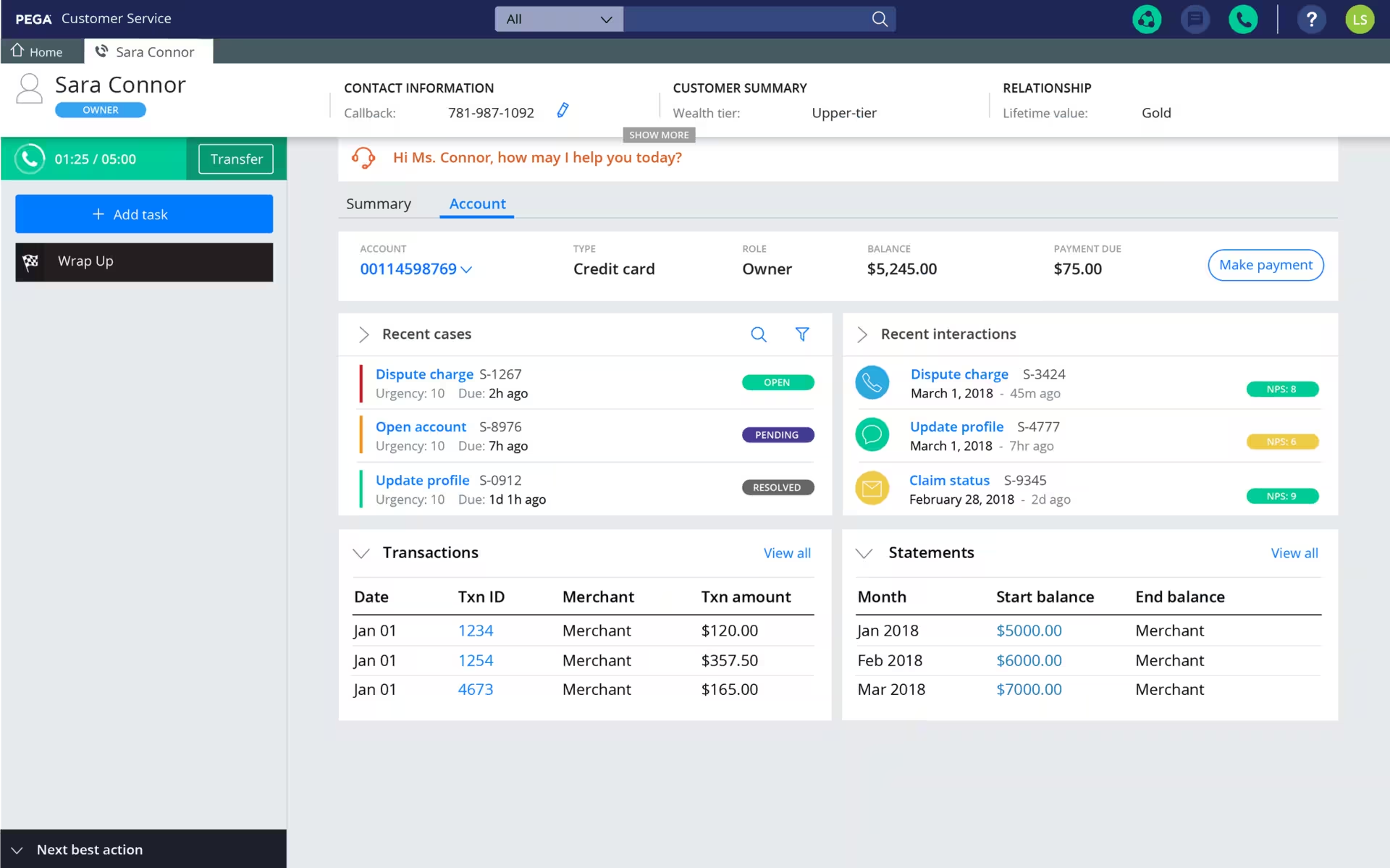
Pega is a low code powerhouse for automating complex, enterprise grade processes with strong governance. GenAI Blueprint accelerates the journey from idea to working blueprint, so large teams can move fast without losing control.
Best for enterprises that need scale, compliance, and continuous change across lines of business.
Why it feels fast
- GenAI Blueprint jumpstarts design to build with instant prototypes.
- Process Fabric orchestrates work across Pega and non Pega apps.
- Blends workflow with RPA to eradicate manual, repetitive tasks.
- Model driven APIs, connectors, and event streaming for integrations.
- Built in process mining and AI powered monitoring for optimization.
Pricing & setup at a glance:
- Trial: 30 days
- From: POR
- Model: Tiered
- Setup: Assisted
- Marketplace: Templates available.
Fit & watchouts: Ideal for governed automation at scale; some GenAI features require Pega Cloud and UI modernization.
8. Decisions
Decisions blends low code with AI to help business and IT teams spin up governed workflows in hours, not weeks. Generative tools and agentic tasks compress design cycles while keeping control in the hands of operators.
Best for mid market and enterprise ops/IT groups that want AI acceleration with guardrails.
Why it feels fast
- Generate BPMN models from plain text or sketches with AI.
- Model complex rules in DMN tables instead of custom code.
- Drag and drop connectors plus full REST API for orchestration.
- Embedded analytics and Process Intelligence task mining.
- Enterprise security, auditability, and SSO for compliant rollouts.
Pricing & setup at a glance: Trial: Guided templates • From: $3,000/month (case based) • Model: Enterprise • Setup: Assisted with a dedicated success manager.
Fit & watchouts: Excellent for governed, AI accelerated automation; the starting price can be steep for low volume use.
9. Red Hat Process Automation Manager
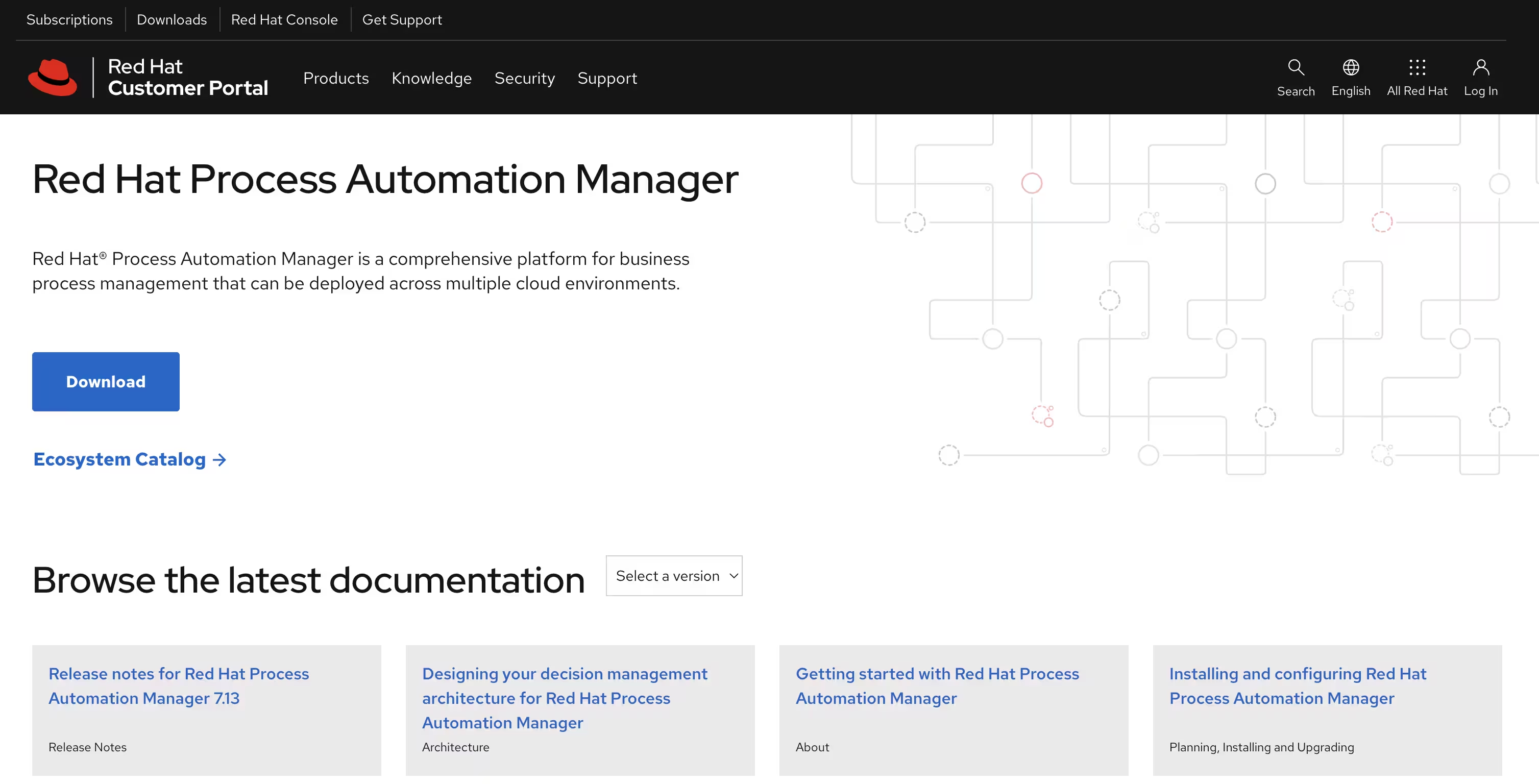
This enterprise suite (built on jBPM and Drools) gives Java/Kubernetes teams a governed path from BPMN/DMN models to cloud native services. It’s a natural fit for OpenShift first organizations standardizing automation across the stack.
Best for enterprises with Java/DevOps maturity that want self hosted speed and control.
Why it feels fast
- Visually design executable BPMN 2.0 and DMN, then deploy directly.
- Orchestrate human tasks, timers, SLAs, and dynamic case work.
- Expose processes and decisions as services via REST APIs.
- Cloud native deployment on OpenShift with operators for scale.
- Secure integrations via Kafka, JMS, and SSO.
Pricing & setup at a glance: Trial: Self hosted evaluation • From: POR (sold under IBM PAMOE) • Model: Subscription • Setup: Self serve or partner assisted.
Fit & watchouts: Strong choice for governed, self hosted automation; note branding and sales now align with IBM PAMOE.
10. Creatio
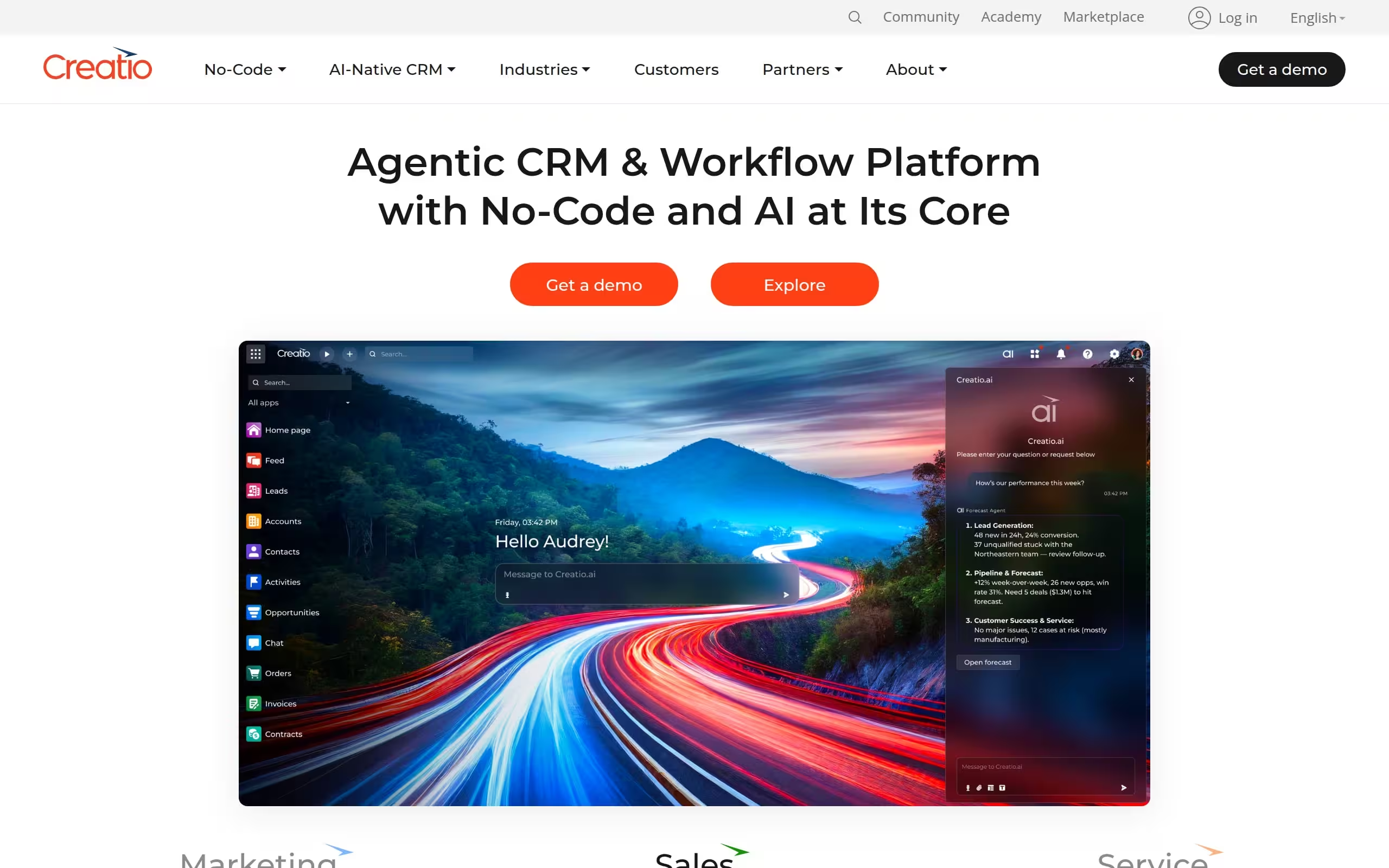
Creatio is an AI native, no code platform that lets business and IT co design and run workflows in days. It combines structured BPMN with flexible case management and AI agents, scaling from a single team to enterprise wide operations.
Best for ops and IT leaders chasing rapid time to value with the option to self host or run in the cloud.
Why it feels fast
- Execute structured BPMN and ad hoc DCM processes side by side.
- No code AI agents and a visual builder to automate quickly.
- 700+ marketplace apps and open APIs for integrations.
- Secure deployments on Creatio Cloud or self hosted with SSO/LDAP.
- Real time dashboards plus process mining for continuous improvement.
Pricing & setup at a glance: Trial: 14 days • From: $25/user/month • Model: Tiered • Setup: Assisted • Marketplace: Yes.
Fit & watchouts: Great for unified, AI assisted BPM; expect minimum annual commitments and partner led implementations at enterprise scale.
11. K2 Platform
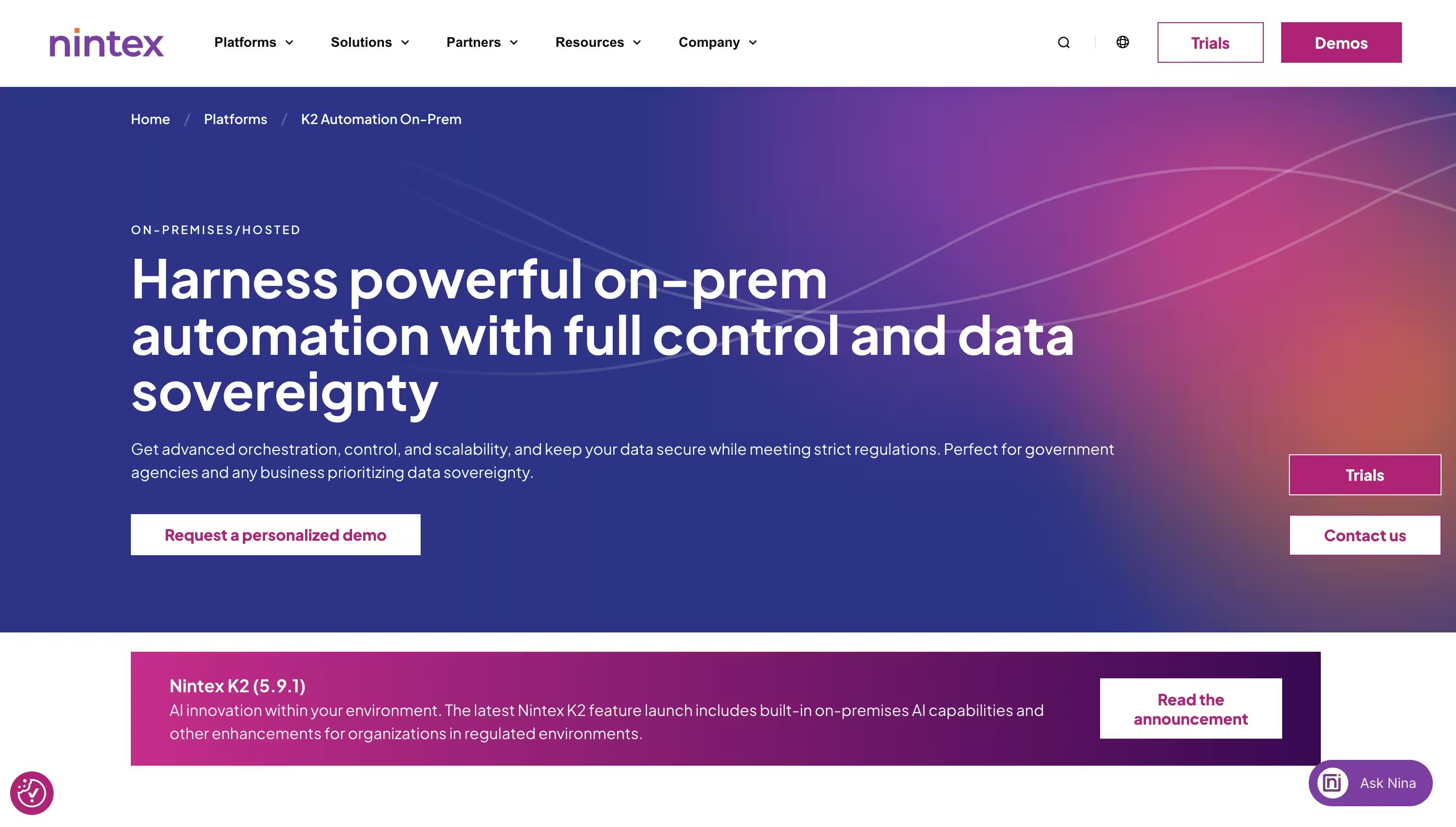
K2 (by Nintex) streamlines the creation of line of business apps with low code designers, reusable data objects, and deep integrations. It’s built for Microsoft first shops that need secure, governed delivery across cloud and on prem.
Best for enterprise IT teams building integration heavy apps with strong architectural control.
Why it feels fast
- Drag and drop workflow design with reusable SmartObjects.
- No code connectors for REST, SQL, Salesforce, and SAP.
- Open REST and OData APIs to extend and compose solutions.
- Deploy on self hosted infrastructure or managed Nintex K2 Cloud.
- Enterprise governance with SSO, RBAC, and CI/CD packaging.
Pricing & setup at a glance: Trial: 30 day (sales assisted) • From: Quote based • Model: Enterprise license • Setup: Assisted.
Fit & watchouts: Ideal when integration depth and governance matter; note the designer isn’t a strict BPMN engine.
When to Use BPM Software vs Build a Workflow App in WeWeb
Business process management software is best when you need formal process modeling, enterprise governance, compliance controls, audit trails, and complex process orchestration across departments.
But many teams do not need a full BPMS for every workflow. Sometimes the problem is simpler: the process exists, but the interface is missing.
That is where WeWeb fits.
Use WeWeb when you need to build:
- Approval workflows
- Operations dashboards
- Employee onboarding portals
- Client onboarding portals
- Vendor management tools
- Internal reporting tools
- Customer support portals
- CRM or ERP frontends
- Multi-step request forms
- Role-based workflow apps
WeWeb lets you build these process apps visually, connect them to your backend, and give teams a clean interface for the workflows they already run. Build your workflow app in WeWeb
Costs and Pricing for BPMS (Total Cost of Ownership)
Understanding the total cost of ownership (TCO) for business process management software is crucial for making an informed investment decision. Pricing can vary widely, with total implementation costs ranging from $10,000 for basic solutions to over $500,000 for complex enterprise systems.
Several factors influence the overall price:
- Licensing and Subscription Fees: This is the core cost of the software. Cloud based solutions typically use a per user, per month subscription model, which can range from $25 to over $200 per user. On premise solutions often require a larger upfront perpetual license fee.
- Implementation and Integration: This is often the largest expense category, accounting for 40 to 50% of the total budget. It includes costs for system configuration, data migration, and integration with your existing software stack.
- Customization: If your processes are highly complex, you may need custom development, which can increase costs significantly.
- Training and Change Management: Properly training your team is essential for successful adoption. This typically consumes 10 to 15% of the total investment.
- Ongoing Maintenance and Support: For on premise solutions, this can be 15 to 20% of the initial software cost annually. For cloud solutions, support is usually bundled into the subscription fee.
When evaluating options, look beyond the initial price tag. A flexible, scalable platform might have a higher subscription cost but could save you money on implementation and customization in the long run.
Security and Data Privacy in BPMS
In an era of increasing data privacy regulations like GDPR and CCPA, security is a non negotiable feature of any business process management software. A BPMS often handles sensitive customer and company data, making robust security measures essential to protect against breaches and ensure compliance.
Key security features to look for include:
- Data Encryption: Top tier BPM tools use advanced encryption standards (like AES 256) to protect data both when it’s being transmitted and when it’s stored.
- Role Based Access Control: This ensures that users can only access the information and functionalities necessary for their roles, limiting the risk of unauthorized access.
- Secure APIs: If your BPMS integrates with other applications, it must do so through secure, authenticated APIs to prevent data exposure.
- Audit Trails: The system should log all activities, providing a clear record of who did what and when. This is crucial for compliance and for investigating any security incidents.
- Secure Cloud Hosting: For cloud based software, the hosting provider should have strong physical and digital security measures, including data redundancy and regular security audits.
Choosing a platform that prioritizes security not only protects your business from financial and reputational damage but also builds trust with your customers.
BPMS Governance and Support
Implementing a BPMS is not just a technical project; it is a long term strategic commitment that requires a strong governance framework and reliable support. Process governance establishes the rules, roles, and responsibilities for managing your BPM initiatives, ensuring they remain aligned with business goals.
A solid governance model should address:
- Process Ownership: Clearly defining who is responsible for each process is crucial for accountability. Process owners are responsible for monitoring performance and driving continuous improvement.
- Standardization: Establishing standards for process design, documentation, and implementation ensures consistency and quality across the organization.
- Change Management: A formal process for proposing, evaluating, and implementing changes to workflows prevents process drift and ensures all modifications deliver value.
- Performance Measurement: Governance defines the key metrics for success and a regular cadence for reviewing performance, ensuring that BPM efforts are delivering the expected ROI.
Equally important is the ongoing support model. Whether through an internal Center of Excellence (CoE) or vendor support, your team needs access to technical expertise for troubleshooting, maintenance, and training to ensure long term success and user adoption.
Implementation Playbook: From Assessment to Adoption
Successfully implementing a business process management software requires more than just choosing the right tool. It demands a clear strategy and careful planning. Following a structured playbook can help ensure a smooth transition and maximize your return on investment.
- Define Your Goals: Before anything else, clarify what you want to achieve. Are you trying to reduce operational costs, improve customer service, or increase agility? Setting specific, measurable, achievable, relevant, and time bound (SMART) goals will guide the entire project.
- Assess and Map Your Current Processes: You can’t improve what you don’t understand. Engage with stakeholders and map out your existing workflows to identify bottlenecks, redundancies, and areas for improvement. This creates a baseline to measure success against.
- Choose the Right Platform and a Pilot Process: Select a BPMS that aligns with your goals and has the features you need. Don’t try to overhaul everything at once. Pick a single, high impact process to start with as a pilot project.
- Design and Model the New Workflow: Use the visual tools in your BPMS to design the optimized process. Involve the process owner and end users in this stage to get their feedback and ensure the new workflow is practical and efficient.
- Implement and Test: Build the new workflow in your chosen business process management software. Thoroughly test it with real data to work out any bugs before a full rollout. Involving end users in testing is crucial for adoption.
- Train Your Team and Go Live: Provide comprehensive training to all users. WeWeb Academy offers free courses and tutorials to get teams up to speed. Ensure everyone understands their roles and how to use the new system effectively. Once everyone is ready, launch the new process.
- Monitor, Analyze, and Continuously Improve: Implementation is not a one time event. Use the analytics and reporting features of your BPMS to continuously monitor performance against your KPIs. Gather feedback and make iterative improvements to optimize the process over time.
Conclusion: How to Choose and Succeed With BPMS
Choosing and implementing business process management software is a strategic initiative that can drive significant transformation. Success hinges on finding a solution that not only meets your technical requirements but also aligns with your business goals and empowers your team. Look for a platform that offers a powerful visual editor, seamless integrations, and the flexibility to scale as you grow.
The most effective BPM platforms in 2026 will be those that embrace AI, foster collaboration, and make process automation accessible to everyone, not just developers. By focusing on a clear implementation strategy, from defining goals to continuous improvement, you can unlock new levels of efficiency, agility, and innovation.
Ready to build production grade applications that streamline your operations? Start building with WeWeb today.
FAQ
What is business process management software used for?
Business process management software (BPMS) is used to design, automate, manage, and optimize business workflows. It helps companies streamline operations, automate repetitive tasks, improve efficiency, and ensure compliance.
What is the difference between BPM and workflow automation?
BPM is a broad discipline focused on managing and optimizing end to end business processes, while workflow automation specifically targets automating the steps within a single process. A comprehensive business process management software will include workflow automation as a core feature.
Who uses BPMS?
Initially used primarily by developers and IT, modern BPMS platforms are designed for a wide range of users. Thanks to low code and no code interfaces, business analysts, department managers, and even non technical team members can create and manage automated processes. Agencies building client apps can standardize delivery with WeWeb for Agencies.
How much does business process management software cost?
The cost varies greatly depending on factors like the number of users, process complexity, and deployment model. Cloud based subscriptions can range from $25 to over $200 per user per month, while enterprise implementations can cost hundreds of thousands of dollars.
What are the key benefits of implementing a BPMS?
The main benefits include increased operational efficiency, reduced costs, improved business agility, better visibility into processes, and enhanced compliance and security.
What is an example of business process management?
A common example is employee onboarding. A BPMS can automate the entire process, from sending the offer letter and collecting documents to provisioning IT equipment and scheduling orientation. This ensures a consistent, efficient experience for every new hire.
How does AI enhance business process management software?
AI enhances BPMS by automating more complex tasks, providing predictive analytics to identify potential bottlenecks, and offering intelligent insights for better decision making. For instance, AI can analyze process data in real time to suggest optimizations.
Can I build custom applications with a BPMS?
Yes, many modern BPM platforms, especially those with low code or no code capabilities, allow you to build custom applications. Platforms like WeWeb give you the freedom to build production grade full-stack applications, from customer portals to internal tools. Explore real examples in the WeWeb Showcase.
.avif)