


Best SaaS Website Builder Tools for 2026: Top 10 Picks

First published on 
January 6, 2026
Joyce Kettering
DevRel at WeWeb

A saas website builder is a cloud-based platform that provides the tools to design, launch, and manage websites under a subscription model, eliminating the need to handle hosting and maintenance yourself. Choosing a saas website builder is now a strategy decision, not a quick utility pick. The right platform helps founders and teams ship faster, improve search visibility, and keep conversion high on mobile and desktop. Modern builders combine AI with visual editing so non-engineers can ship pages and product UI, while developers keep full control and best practices. A fast site matters because most browsing is already on mobile and performance directly influences bounce and conversion. Mobile accounted for about 54 percent of global web traffic in December 2025, so your builder must make mobile speed a first-class goal. (gs.statcounter.com)

If you want a visual platform that pairs AI speed with professional control, WeWeb lets you build production-grade apps and sites, connect any backend, and even self-host when needed. You can import and edit custom Vue components so product teams and engineers can truly meet in the middle. (weweb.io)

How to choose a saas website builder that scales

A smart selection starts with criteria that protect speed, autonomy, and flexibility.

  • Performance and SEO readiness. Your builder should make Core Web Vitals easy to pass. Current thresholds are LCP within 2.5 seconds, INP 200 milliseconds or less, and CLS 0.1 or less. INP officially replaced FID as a Core Web Vital in March 2024. (web.dev)
  • Mobile-first delivery. With a majority of visits on mobile in many markets, the editor, components, and hosting should emphasize fast rendering and light pages. (gs.statcounter.com)
  • Design freedom with guardrails. Ensure granular control over layout, responsive behavior, and reusable components so teams can work quickly without breaking brand.
  • Backend freedom. Favor tools that connect to any REST or GraphQL API and that do not force a specific database or auth, which keeps your architecture clean as you scale. (weweb.io)
  • Code-friendly extensibility. Look for the option to import or author custom components and attach logic without hacks. WeWeb supports importing Vue 3 components and editing them inside the visual editor. (developer.weweb.io)
  • Hosting choices and data ownership. Enterprise teams often need self-hosting for compliance and cost control. Confirm you can export code and host on your cloud of choice. (docs.weweb.io)
  • Collaboration and governance. Versioning, roles, environments, and auditability are key once multiple teams contribute.
  • AI assist that does not lock you in. AI can speed up build cycles for many tasks. A GitHub study showed developers completed a coding task 55 percent faster with Copilot, which hints at similar gains when AI is embedded in your builder workflow. Context still matters, so keep human review in the loop. (github.blog)
  • Social proof and ecosystem. Templates, integrations, and a public showcase indicate maturity. WeWeb highlights a range of production apps and case studies from startups and large brands. (weweb.io)

Pro tip: If you need a builder that is both visual and code-friendly, try WeWeb or see WeWeb for Agencies. It combines AI-assisted building with full control, backend freedom, and optional self-hosting.

Pricing and value for money considerations

A saas website builder usually involves two cost lines, collaboration seats and hosting. Map the pricing model to your team and traffic reality.

  • Seats versus hosting. Some platforms separate seat plans from hosting plans. With WeWeb you can choose a seat plan and a hosting plan, or export and self-host if you prefer your own infrastructure. Seat plans that include code export allow self-hosting without a platform hosting plan. (docs.weweb.io)
  • Export and self-host to control spend. If you can export static assets and deploy to your CDN or cloud, you avoid bandwidth markups and can place content closer to users. WeWeb documents self-hosting on providers like AWS, Cloudflare, Azure, Netlify, and others. (docs.weweb.io)
  • Avoid vendor lock-in penalties. If your builder does not allow code export, switching later can become expensive. WeWeb positions no vendor lock-in with HTML, CSS, and JS export. (weweb.io)
  • Hidden costs to check. Custom domains, asset storage, bandwidth, overage handling, environment count, build minutes, and automation limits.

If you want predictable costs with the option to self-host when scale hits, explore a WeWeb demo.

Top 10 SaaS Website Builder Tools

Next up is a curated roundup of the leading SaaS website builders, which are platforms that bundle hosting, design tools, and maintenance so you can launch fast without managing infrastructure. We’ve grouped these ten together because they offer no-code creation and ongoing updates under a subscription model, making them comparable on ease of use, scalability, and cost. Use this list to quickly spot which builder fits your skills, design ambitions, ecommerce needs, and growth plans.

1. Wix

Wix Screenshot

Wix blends AI site generation, a flexible visual editor, and enterprise-grade hosting into a builder that lets SaaS teams move from idea to publish fast. Founders, freelancers, agencies, and innovation groups can ship marketing sites, portals, and doc hubs with minimal ops overhead, and then extend with Velo code and APIs when the roadmap demands more.

Best for SaaS teams: Speed-to-market and maintenance by non-devs (think launch sites, pricing/feature pages, landing funnels, docs hubs, and member portals), with Studio bringing permissions and review workflows to collaborative teams.

Capabilities that move the needle:

  • AI Website Builder scaffolds pages quickly; the visual editor refines layouts with precision.
  • Studio adds real-time collaboration, roles, and page-level access control for governed publishing.
  • CMS collections power dynamic blogs, docs, changelogs, and resource libraries at scale.
  • SEO at scale: structured data, redirects, robots.txt, sitemaps, and pattern-based controls.
  • Multi-cloud hosting, global CDN, caching, and SSR for fast, resilient performance.
  • Integrations: built-in CRM, GA4, HubSpot, REST/GraphQL APIs, and webhooks.
  • Analytics and A/B via Test Sites or VWO to validate growth bets.
  • Multilingual with auto-translate and per-language SEO to reach new markets.

Heads-up: Limited code export and native experiments; plan for pricing, extensibility, and compliance needs.

2. Squarespace

Squarespace Screenshot

Squarespace prioritizes polish and speed, pairing AI helpers (Blueprint, Beacon) with a modern editor and managed hosting so SaaS marketers can launch and iterate without IT bottlenecks. With CDN, SSL, and strong uptime baked in, teams focus on storytelling and conversion, not on patching infrastructure.

Best for SaaS teams: Fast, low-maintenance marketing sites (such as home, pricing, feature pages, demos, and gated resources) owned by non-developers; agencies can hand off templates cleanly, and enterprises can secure partner pages with SSO.

Capabilities that move the needle:

  • AI Blueprint and Beacon SEO audits accelerate layout decisions and on-page improvements.
  • Fluid editor, themes, and motion options make brand refreshes painless.
  • Built-in CMS for blogs, docs-style pages, portfolios, and Member Areas.
  • SEO essentials handled: sitemaps, structured data, meta controls, mobile optimization.
  • Contributor roles enable safe collaboration across marketing, design, and leadership.
  • Integrations via Connected Services, Zapier, pixels, payments, and developer APIs.
  • Analytics for traffic, funnels, and engagement; supports third-party A/B testing.
  • Managed hosting with CDN, SSL, DDoS protections, HSTS, and 99.9% uptime.

Heads-up: Managed platform means less extensibility, with no self-hosting, native A/B testing, or deep SSO.

3. Webflow
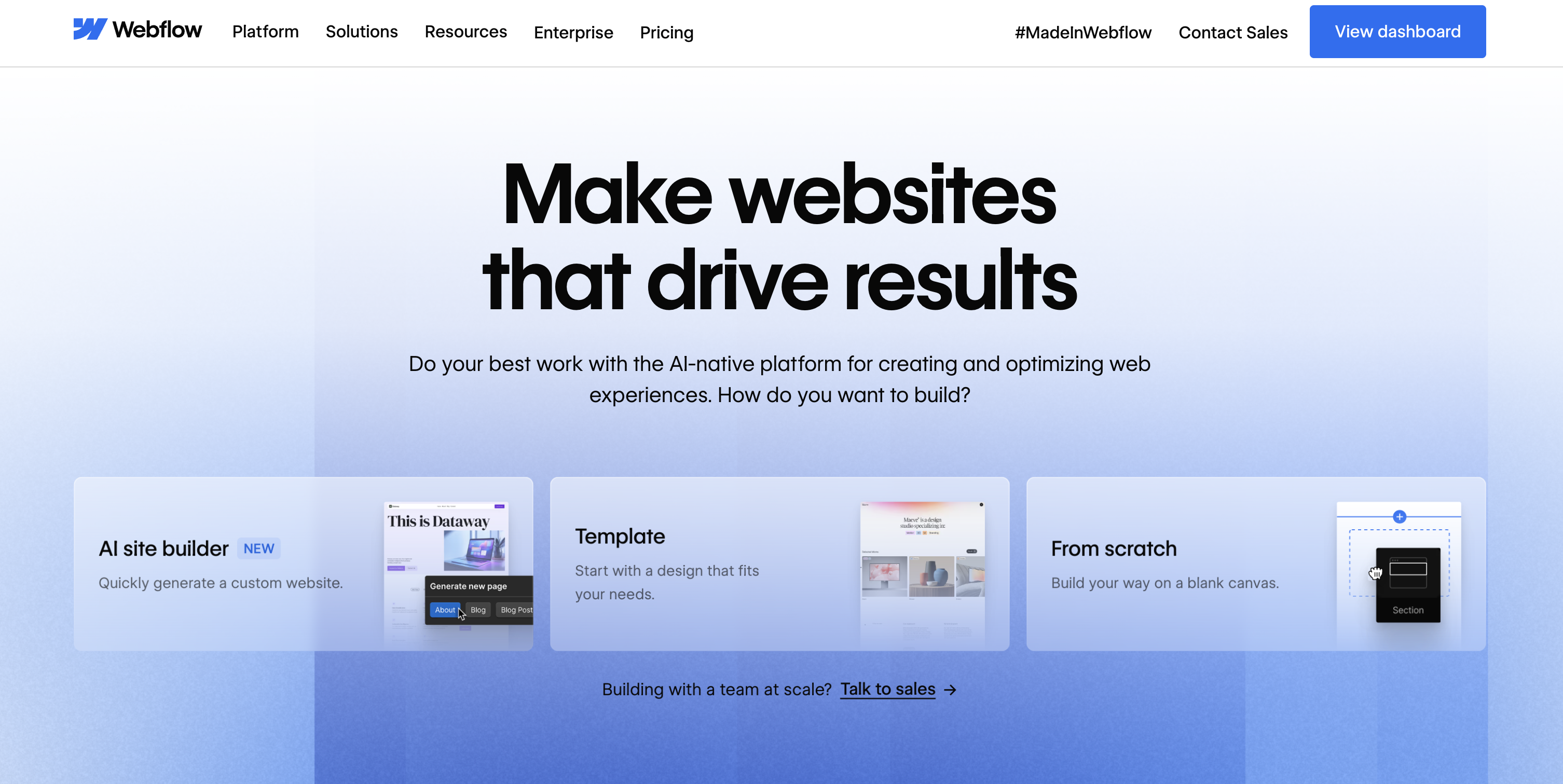
Webflow Screenshot

Webflow gives SaaS teams a visual, class-based design system, a production CMS, and fully managed hosting, so marketers move fast while developers extend with code components, APIs, and Webflow Cloud. It’s a balance of autonomy and control that scales from MVP to multi-locale content hubs.

Best for SaaS teams: Rapid iteration and marketer autonomy across MVPs, blogs, docs, and multi-region sites, while engineering layers in custom logic, integrations, or headless patterns as needs evolve.

Capabilities that move the needle:

  • Templates, components, and libraries keep design systems consistent and fast.
  • Visual designer outputs semantic HTML/CSS with granular, class-based styling.
  • CMS with headless APIs for blogs, docs, changelogs, and localization workflows.
  • AI assists with copy, schema, and component/app generation.
  • SEO controls: sitemaps, redirects, canonicals, responsive images, lazy-loading.
  • Roles, permissions, co-editing, comments, and structured review workflows.
  • Integrations via HubSpot, app marketplace, code components, APIs, and webhooks.
  • Analyze and Optimize add clickmaps, A/B tests, and personalization.
  • Global CDN, edge caching, SSL, DDoS protection, and enterprise-grade uptime.

Heads-up: Limited dynamic export; plan for add-ons, extensibility, and scaling costs.

4. Duda
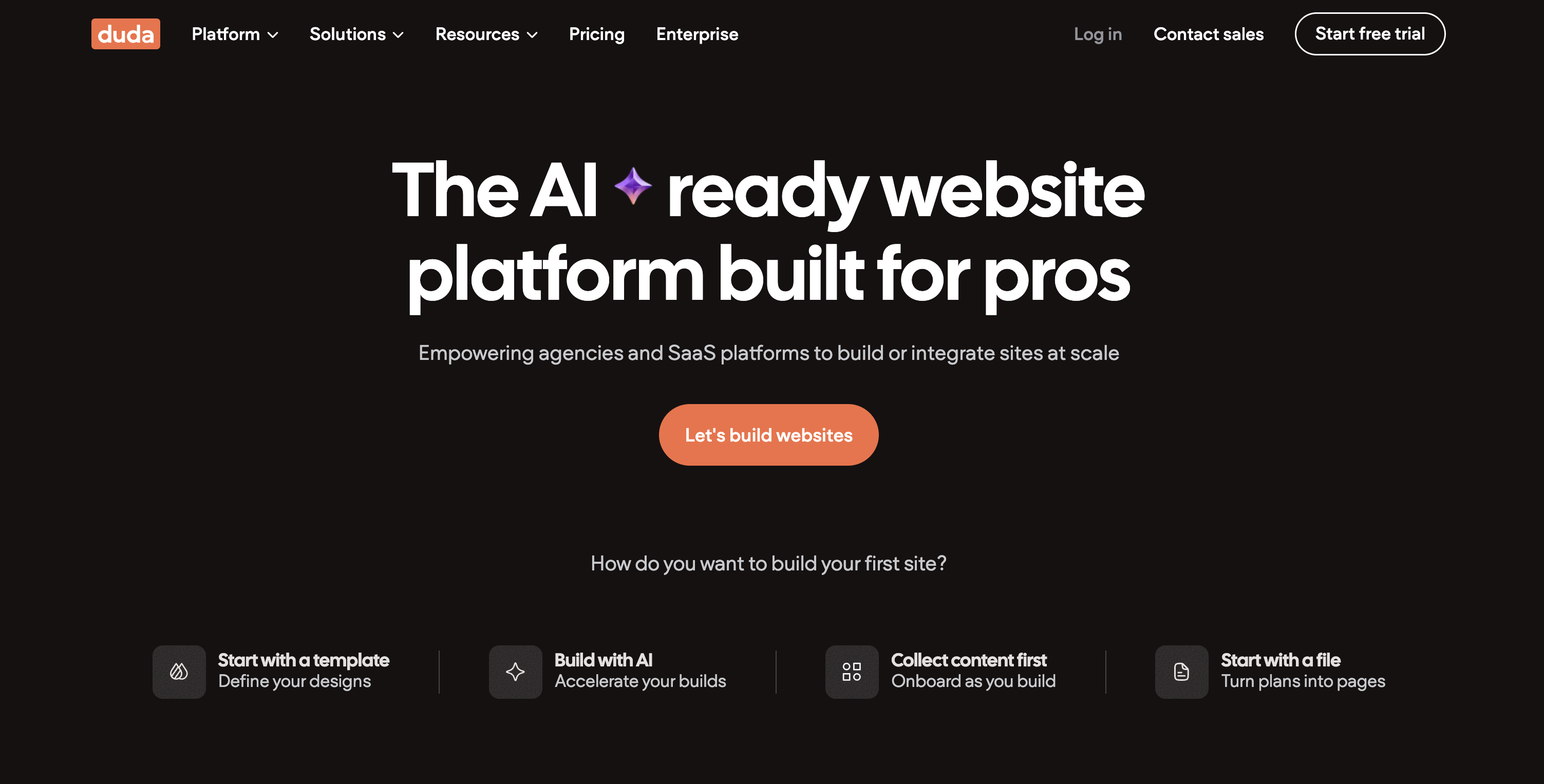
Duda Screenshot

Duda is a white-label website platform built for speed and scale, giving SaaS teams and agencies a visual editor, AI tools, dynamic data via Collections, and AWS-backed hosting. It’s designed to operationalize deployments, streamline client collaboration, and keep governance tight as your site portfolio grows.

Best for SaaS teams: Programmatic launches (from MVPs to enterprise portals) where non-devs maintain pages, ops integrates data sources, and admins enforce permissions, workflows, and billing at scale.

Capabilities that move the needle:

  • Production templates, sections, and reusable widgets accelerate assembly.
  • AI site generator, AI SEO Assistant, and Copilot streamline content and updates.
  • Dynamic Pages bind layouts to Collections and external data sources.
  • AWS hosting, global CDN, SSL, SSR, and Core Vitals optimizations.
  • Granular roles, white-label client portals, comments, and automated billing.
  • REST APIs, webhooks, Zapier, SSO, plus Airtable and Sheets integrations.
  • Native blog, analytics, GA4/Tag Manager support, with IP anonymization by default.
  • Membership, eCommerce, bookings, calendars, and Stripe payments when needed.

Heads-up: Opinionated hosting limits bespoke backends; review plan-gated features, pricing, and compliance.

5. Shopify
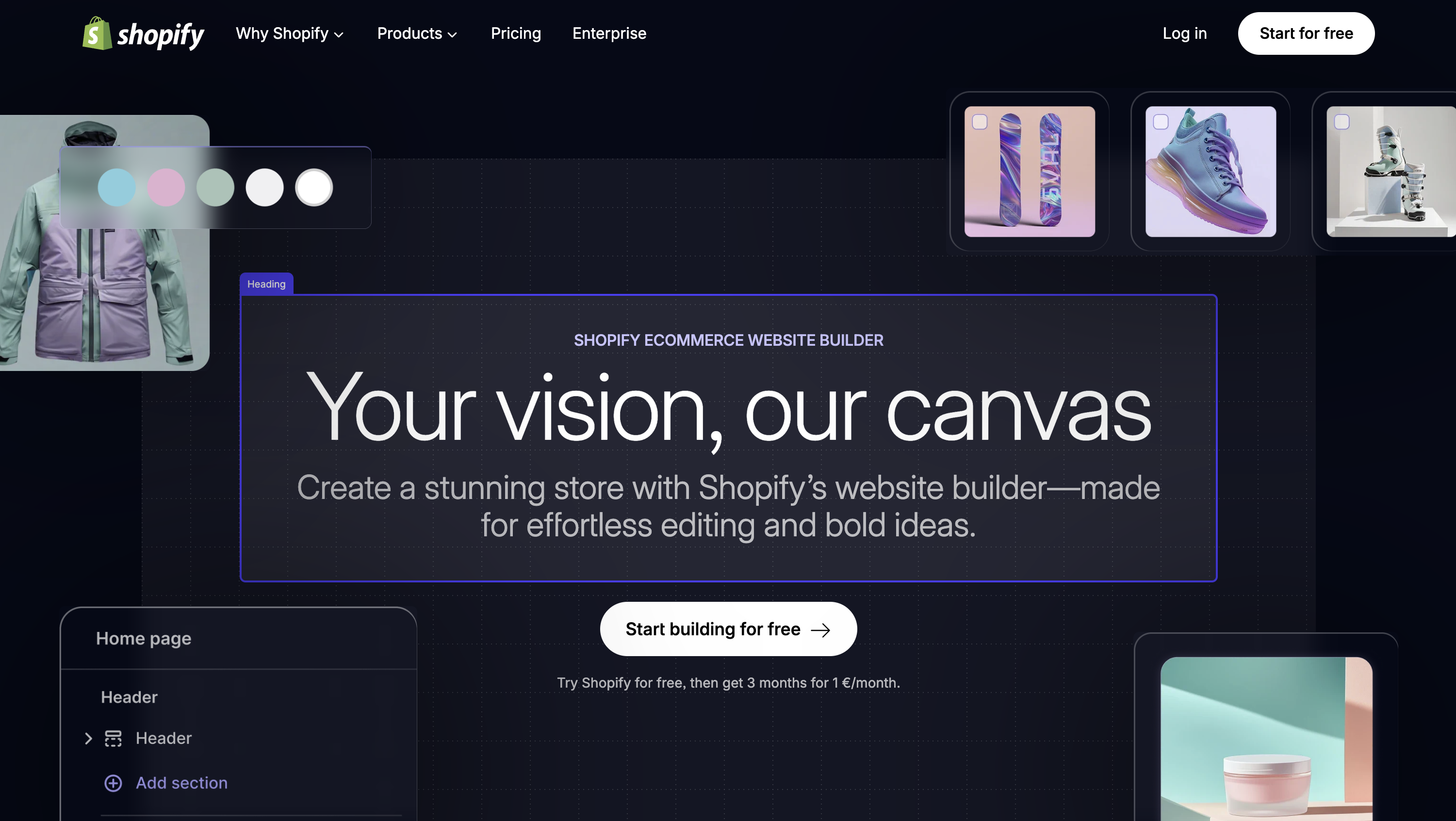
Shopify Screenshot

Shopify is commerce-first but doubles as a rapid SaaS marketing stack: launch fast with a visual editor, ship subscriptions, and scale globally on a battle-tested CDN. As you grow, Hydrogen, Oxygen, Liquid, and the Storefront API open headless paths without abandoning your content and SEO momentum.

Best for SaaS teams: Marketing sites that need subscriptions, rapid iteration, strong SEO, localization, and analytics, where non-devs run content while engineering can adopt headless or custom flows later.

Capabilities that move the needle:

  • Sections/blocks editor and upgrade-safe themes speed landing page creation.
  • AI helpers (Magic, Sidekick) plus built-in image editing for fast polish.
  • SEO and performance baked in: sitemaps, image optimization, CDN, caching, Core Web Vitals guidance.
  • Markets and Translate & Adapt for multi-region, multilingual experiences.
  • Headless via Hydrogen, Storefront GraphQL API, and Oxygen edge hosting.
  • Checkout extensibility and native Subscriptions enable recurring plan sales.
  • Roles, collaborator access, Plus org analytics, GitHub workflows, and approvals.
  • Integrations for GA4, A/B testing apps, CRMs, and databases/APIs.

Heads-up: Ecommerce-centric architecture means deeper portals, checkout customizations, and SSO often require Shopify Plus.

6. Framer

Framer Screenshot

Framer puts pixel-perfect control in marketers’ hands, pairing a high-fidelity visual editor with AI Wireframer, CMS collections, and on-page editing. The result is SaaS sites that look custom, load fast on a global CDN, and evolve quickly under enterprise governance.

Best for SaaS teams: Demand-gen marketing (including launch, pricing, features, blog, and multi-locale) where design and marketing iterate daily while engineering focuses on product, not the website.

Capabilities that move the needle:

  • AI Wireframer drafts layouts; AI Style and Translation accelerate multilingual content.
  • Templates, components, and plugins tailored to common SaaS sections.
  • CMS collections with visual binding; sync from Notion, Airtable, or Sheets.
  • On-Page Editing, roles, approvals, staging, and versioning for safe collaboration.
  • SEO defaults dialed in: sitemaps, redirects, semantic HTML, JSON-LD, Core Web Vitals.
  • Privacy-friendly analytics; Advanced Analytics adds funnels, click maps, and A/B tests.
  • Global CDN hosting, SSL, reverse proxy options, enterprise SLA, and security attestations.

Heads-up: Hosted constraints include limited export, some advanced features caps, and potential scaling costs.

7. Weebly

Weebly Screenshot

Weebly keeps things straightforward: a hosted, drag-and-drop builder inside Block’s Square ecosystem for quick SaaS launches with minimal upkeep. Non-devs get autonomy through visual editing and code embeds; optional HTML/CSS tweaks, SSL, and managed hosting handle the essentials.

Best for SaaS teams: Lightweight marketing sites, blogs/changelogs, and basic customer resources where speed and simplicity outrank deep extensibility, as embeds and integrations fill most gaps.

Capabilities that move the needle:

  • No-code builder with responsive themes; optional HTML/CSS/JS for fine control.
  • Reusable sections/components speed landing pages and pricing iterations.
  • Pages/blog CMS and header/footer code injection for scripts and pixels.
  • SEO basics covered: titles, meta, 301s, sitemaps, and Google Analytics.
  • Roles and editor invites enable safe, trackable workflows for marketers.
  • Integrations via App Center and embeds; localization through Multilanguage apps.
  • Analytics, conversion pixels, and A/B testing via scripts or third-party tools.
  • Managed hosting, SSL, optional Cloudflare CDN, and Square commerce tie-ins.

Heads-up: Limited extensibility and a Square-centric roadmap can constrain flexibility and support.

8. HubSpot CMS
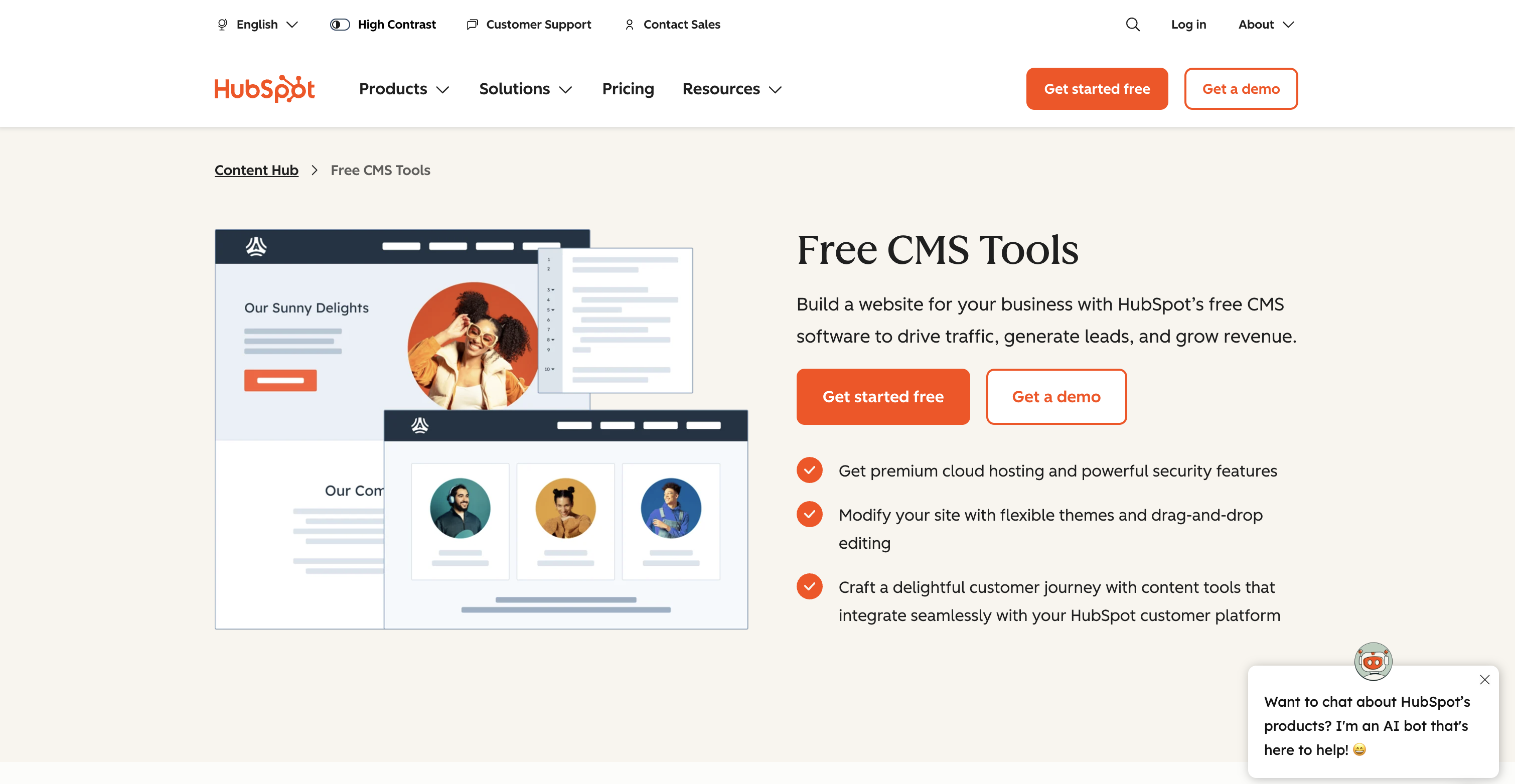
HubSpot CMS Screenshot

HubSpot CMS (Content Hub) fuses a CRM-powered website builder with no-code editing, AI content tools, and developer options (HubL, HubDB, serverless) so SaaS teams publish fast and personalize at scale. Governance, performance, and analytics tie directly to pipeline outcomes.

Best for SaaS teams: Marketing sites, pricing pages, launches, and gated resources where non-devs ship quickly while developers model data, automate workflows, and support multi-region growth.

Capabilities that move the needle:

  • Drag-and-drop editor, theme fields, and marketplace modules for fast branded builds.
  • AI assistants generate on-brand copy, titles/meta, and repurposed assets.
  • HubDB, CRM objects, and serverless functions power secure, data-driven pages.
  • Memberships, SAML SSO, and list-based access enable gated content and portals.
  • Built-in SEO recommendations, structured data controls, and Core Web Vitals views.
  • A/B and adaptive tests, analytics, and forms connect to CRM attribution.
  • Localization at scale with governance across regions and teams.

Heads-up: Closed hosting and HubL create platform lock-in; pricing tiers and SAML-only membership SSO may limit flexibility.

9. Site123

Site123 Screenshot

Site123 is a no-code, fully hosted builder optimized for speed: section-based editing, AI copy, multilingual SEO, forms, and secure CDN/SSL hosting let SaaS teams stand up launches, blogs, and lightweight portals without touching servers.

Best for SaaS teams: Founders and marketers shipping MVP-to-growth sites that need localization, SEO, and reliable hosting, with collaboration for contributors and non-dev maintenance across pages, forms, and members.

Capabilities that move the needle:

  • Production templates for pricing, features, blog, FAQs, and careers.
  • AI copy plus section-based editor for fast, consistent builds.
  • Custom forms with multi-step flows, autoresponders, and on-submit actions.
  • CMS for blogs/docs; Insights surface engagement trends.
  • SEO basics: meta tags, XML sitemap, 301 redirects, and performance tuning.
  • Localization: separate URLs, hreflang, RTL, language menus, built-in switcher.
  • Roles/permissions for contributors; members-only areas and Client Zone.
  • App Market, Zapier, analytics, chat, CRM/email, and Stripe/PayPal/Braintree/2Checkout.

Heads-up: Limited extensibility and no code export; plan caps and third-party tools needed for advanced testing.

10. 10Web
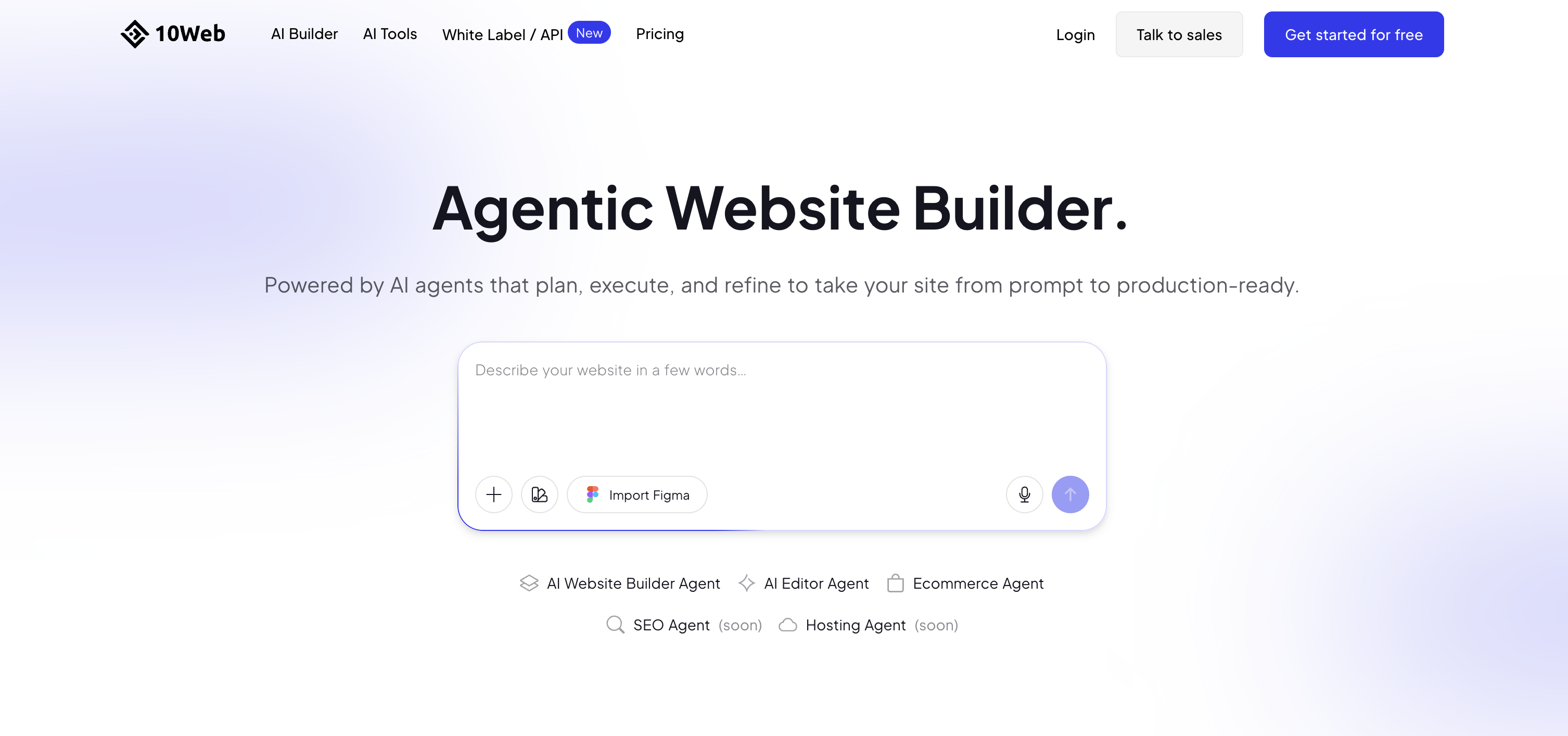
10Web Screenshot

10Web brings AI-assisted creation to managed WordPress, generating sites in minutes and hosting them on Google Cloud. For SaaS teams, it blends no-code/low-code editing with enterprise-grade performance, backups, updates, and CDN/WAF, so you move fast while keeping the safety nets on.

Best for SaaS teams: Marketing sites, launch pages, SEO-driven blogs, and partner portals that demand quick delivery and nontechnical upkeep, while engineers can extend with the vast WordPress ecosystem when needed.

Capabilities that move the needle:

  • AI site generation and URL-to-WordPress conversion with promptable refinements.
  • Visual editor (Elementor-based) for drag-and-drop layouts and reusable components.
  • Managed Google Cloud hosting, automated backups/updates, SSL, and uptime SLAs.
  • Core Web Vitals optimizations plus Cloudflare Enterprise CDN and WAF.
  • WordPress extensibility: plugins, themes, memberships, and docs tooling.
  • Roles, permissions, and client workspaces for granular collaboration.
  • One-click staging, safe sync, push-to-live deploys, and rollbacks.
  • Integrations for analytics, A/B testing, CRM/marketing, forms, and SSO.
  • Developer access (SFTP/SSH, DB, migrations) for portability and control.

Heads-up: Watch plugin sprawl and AI/editor limitations; be mindful of pricing overages, potential lock-in, and compliance specifics.

Designing a high conversion SaaS website once you have chosen a builder

Use your saas website builder to ship a clear story that loads fast and removes friction.

Get the essentials right

  • Clear positioning above the fold, a sharp value prop, one primary call to action.
  • Social proof near the top. Case studies and recognizable logos turn attention into trust. WeWeb showcases real products across industries, and case studies from known companies are available. (weweb.io)
  • Fast first view. Aim for LCP under 2.5 seconds and INP under 200 milliseconds for most users. Optimize images, inline critical CSS, and defer non-critical scripts. (web.dev)
  • Accessibility basics. WCAG 2.2 is the current W3C Recommendation and adds nine new success criteria that improve experiences for people with visual, physical, and cognitive disabilities. (w3.org)

Speed and conversion, what data says

  • As mobile page load moves from one to ten seconds, the probability of a bounce increases by 123 percent. Many pages are heavier than they need to be, but compressing images and text can save hundreds of kilobytes. (business.google.com)
  • Faster first view and responsive interactions directly support conversion and engagement, which is why Core Web Vitals exist as user-centric metrics. (web.dev)

Page architecture that works for SaaS

  • A simple navigation with Pricing, Use cases, Docs, and Sign in.
  • Modular sections you can reuse across pages, hero, problems solved, product tour, testimonials, integrations, pricing, FAQ, and a final CTA.
  • Product tours should show real screens, not generic mockups. With WeWeb you can import your own Vue components for live product UI in the webpage. (developer.weweb.io)

When you want hands-on control without writing code, start building in WeWeb. Its visual editor, AI assists, and component system help you get to a polished release fast, while engineers keep flexibility for custom parts.

Optimization and growth, test, learn, and iterate

Treat your site like a product. Ship changes in small batches and measure impact. The WeWeb Academy has guides that help teams adopt this workflow.

  • Instrument speed and UX. Since March 2024 INP replaced FID in Core Web Vitals, so track LCP, INP, and CLS at the 75th percentile on real user data. (developers.google.com)
  • Run focused experiments. Test one change at a time, headline, social proof placement, or pricing layout, and keep tests long enough to reach significance based on your traffic.
  • Shorten the design-to-ship loop. AI-assisted editing and component-based workflows tend to shrink cycle times. Independent research and GitHub studies show material task speedups when AI assists routine work, which you can mirror in content and UI production. (github.blog)
  • Protect performance budgets. Every new script, pixel, or animation should justify its weight. Hold the line on LCP and INP budgets.

If your builder supports staging, roles, and reusable sections, you can iterate quickly with low risk. WeWeb is designed for that rhythm and lets you publish on a global CDN or export to your own cloud if you prefer. (weweb.io)

Conclusion, choose for today, plan for scale

The best saas website builder for your team is the one that keeps you fast, flexible, and free to evolve. Prioritize performance, backend freedom, code-friendly extensibility, and hosting choice so your site can grow without a rebuild. If you want a visual platform that balances AI speed with professional control, try WeWeb and turn your words into a working SaaS site or portal today.

FAQ

What is a saas website builder and how is it different from a site builder

A saas website builder focuses on product marketing sites, onboarding flows, and often parts of the app UI, not just static pages. The best options combine visual editing, data connections, and code-friendly extension so you can ship pages and product UI together. WeWeb is designed for this use case.

Which metrics should a saas website builder help me hit for SEO and UX

Aim to pass Core Web Vitals, LCP within 2.5 seconds, INP 200 milliseconds or less, and CLS 0.1 or less, measured at the 75th percentile for mobile and desktop. INP replaced FID in March 2024, so focus your monitoring there. (web.dev)

Does page speed really change conversion for SaaS

Yes. Google reported that as load time increases from one to ten seconds, bounce probability rises 123 percent, and many pages could save significant weight through simple compression. Faster pages keep more visitors engaged and ready to convert. (business.google.com)

Can I self-host if I start with a saas website builder

If the platform offers code export, you can deploy to your own infrastructure. WeWeb supports exporting HTML, CSS, and JS and documents self-hosting on major clouds. This is useful for compliance and cost control. (docs.weweb.io)

How does a saas website builder fit a team with both marketers and developers

Pick a tool that is visual for non-engineers and code-friendly for developers. For example, WeWeb lets teams import and edit Vue components inside the editor, so developers can extend while marketers manage pages. (developer.weweb.io)

What proof should I look for before committing to a platform

Look for public showcases and case studies that demonstrate production use across industries and company sizes. WeWeb publishes a showcase gallery and case studies, including work with well-known enterprises. (weweb.io)

How many pages or sites can I build before cost jumps

Check how the platform prices seats and hosting. Some separate seat plans from hosting plans, and allow self-hosting once you export code so you can scale traffic without paying platform bandwidth rates. (docs.weweb.io)

Will AI in a saas website builder really save time

AI can speed up routine work and drafts. A controlled GitHub study showed developers completed a coding task 55 percent faster with AI assistance, which supports using AI to reduce iteration time for site sections and component tweaks. Keep review in place for quality. (github.blog)

Start building for free

Sign up now, pay when you're ready to publish.