

Xano, Supabase, and WeWeb Backend are three backend options for building web apps, but they give you different levels of visual control, developer flexibility, and integration with the app-building workflow.
Xano is a no-code backend platform built on PostgreSQL. It gives teams a visual way to manage databases, create APIs, build backend logic, and handle authentication without managing infrastructure.
Supabase is an open-source backend platform built on PostgreSQL. It is a strong fit for technical teams that want SQL, Row-Level Security, real-time features, edge functions, and more direct control over their backend.
WeWeb Backend is WeWeb’s native Data & API backend. It lets you create data tables, views, API endpoints, authentication, roles, storage, and secure server-side logic inside the same visual platform they use to build the frontend.
This comparison breaks down where each backend fits best across database structure, APIs, authentication, security, backend logic, hosting, pricing, and the types of web apps each one is best suited for.
Quick comparison
Use this table to compare Xano, Supabase, and WeWeb Backend before diving into the detailed breakdown.
Database foundations
Xano, Supabase, and WeWeb Backend all let you structure and manage app data, but they approach the database layer differently.
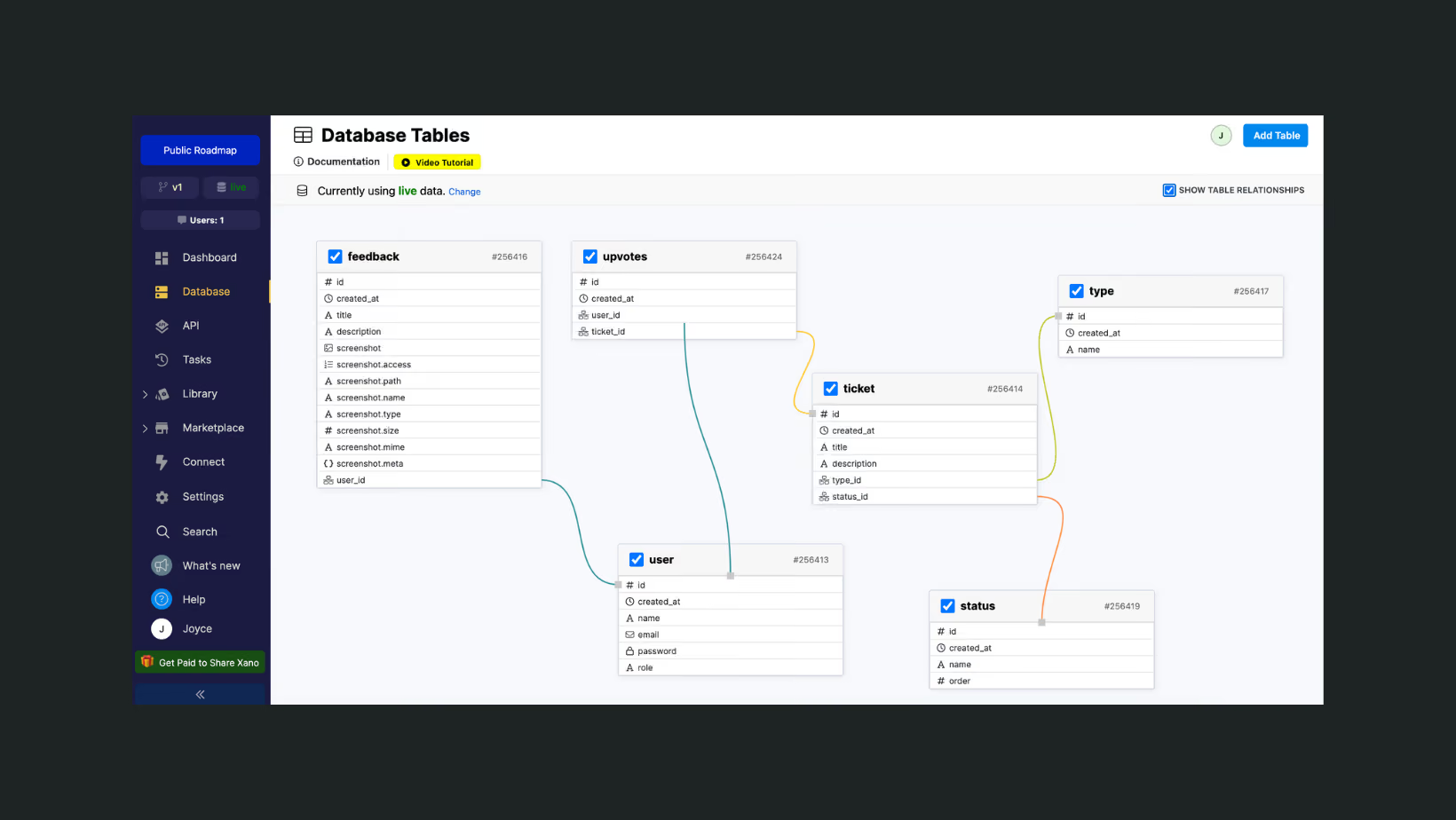
Xano uses PostgreSQL behind the scenes and gives you a no-code interface to create database tables, fields, relationships, and records. It is a strong fit if you want the power of a relational database without working directly in SQL:
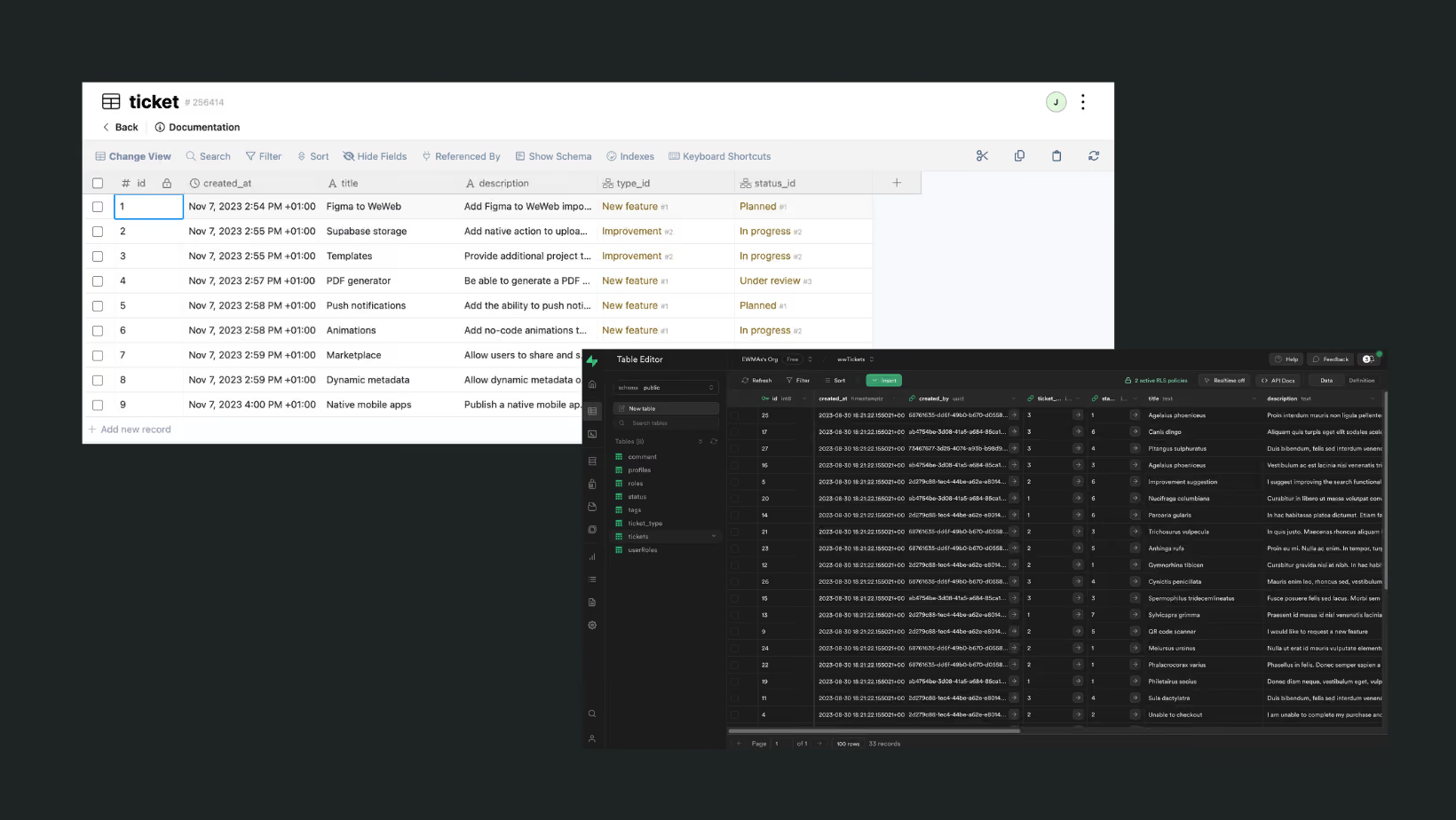
Supabase is built directly on PostgreSQL and gives developers full access to SQL, database policies, extensions, and relational data modeling. It is a strong fit if you want more control over your database structure and are comfortable working closer to the database layer.
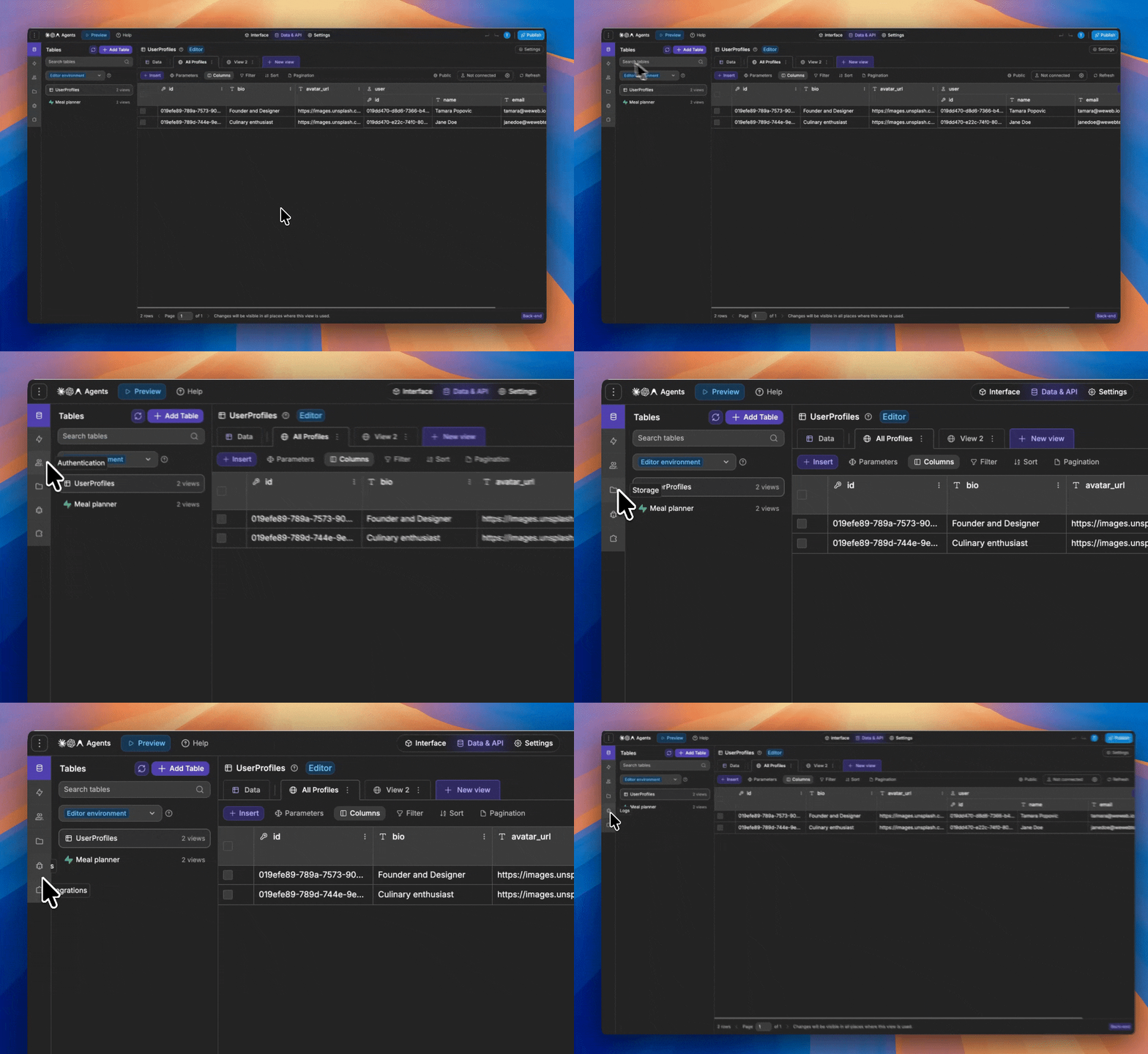
WeWeb Backend lets you create and manage tables, views, API endpoints, users, roles, and backend logic inside WeWeb’s Data & API tab. It is a strong fit if you want your database and frontend to live in the same visual app-building environment:
WeWeb also provides native integrations for both Xano and Supabase, so using WeWeb Backend doesn't mean you lose the option to connect an external backend.
You can build directly with WeWeb Backend, connect to Xano, connect to Supabase, or combine WeWeb with the backend setup that best fits your app.
Learn how to integrate WeWeb with Xano:
Learn how to integrate WeWeb with Supabase:
APIs and backend logic
Xano, Supabase, and WeWeb Backend all let you build backend logic, but they work differently in practice.
Xano is a good fit when you want to design custom backend endpoints visually. A Xano API is built around inputs, logic, and a response.
For example, you could create a POST /create-invoice endpoint that accepts a user_id and plan_id, checks the customer record, calculates the invoice amount, creates the invoice in the database, sends the data to a payment provider, and returns a structured response to the frontend.
This works well when your backend needs multi-step workflows, data transformations, conditional logic, third-party API calls, or custom responses, but you do not want to write backend code for every endpoint.
Supabase is a good fit when you want your APIs to come directly from your PostgreSQL database, with more developer control when needed. Supabase can expose database tables through auto-generated APIs, while access is controlled through database policies such as Row-Level Security.
For more custom backend logic, you can use database functions or Edge Functions.
For example, you could store orders in PostgreSQL, protect them with Row-Level Security so users only access their own orders, and use an Edge Function for a custom checkout flow, webhook handler, or background operation that should not run directly in the frontend.
WeWeb Backend is a good fit when you want backend endpoints and server-side logic inside the same WeWeb project as your frontend.
In WeWeb’s Data & API tab, you can create API endpoints, define input parameters, set access rules such as public or authenticated access, limit access by role, add middleware when needed, and run secure backend workflows.
For example, you could create a backend endpoint for approve-request that accepts a request ID, checks whether the logged-in user has the right role, updates the request status in a table, stores the approval timestamp, and returns the updated record to the WeWeb app.
Xano gives you a dedicated visual backend workspace for custom APIs and backend workflows. Supabase gives you a PostgreSQL-first backend with APIs, SQL, policies, and developer functions. WeWeb Backend gives you backend workflows, API endpoints, data, auth, roles, and frontend logic inside one WeWeb project.
User authentication
Xano, Supabase, and WeWeb Backend all support user authentication, but they manage users and access control in different ways.
Xano includes built-in authentication for app users. You can create user tables, manage signup and login flows, issue authentication tokens, and protect API endpoints so only authenticated users can access specific backend actions.
Supabase includes Supabase Auth, which supports email and password login, magic links, OAuth providers, and integration with PostgreSQL Row-Level Security. This makes it a strong fit when authentication needs to work closely with database policies and SQL-based access rules.
WeWeb Backend includes native authentication inside WeWeb’s Data & API tab. You can manage users, roles, permissions, and access rules in the same environment where you build your frontend, data model, and backend logic:
The best choice usually depends on where you want authentication to live.
Use Xano if your auth should be managed inside a dedicated no-code backend.
Use Supabase if you want authentication tied closely to PostgreSQL and Row-Level Security.
Use WeWeb Backend if you want user management, roles, permissions, and app access handled directly inside your WeWeb project.
Security and access control
Xano, Supabase, and WeWeb Backend all let you protect backend data and actions, but security is handled at different layers.
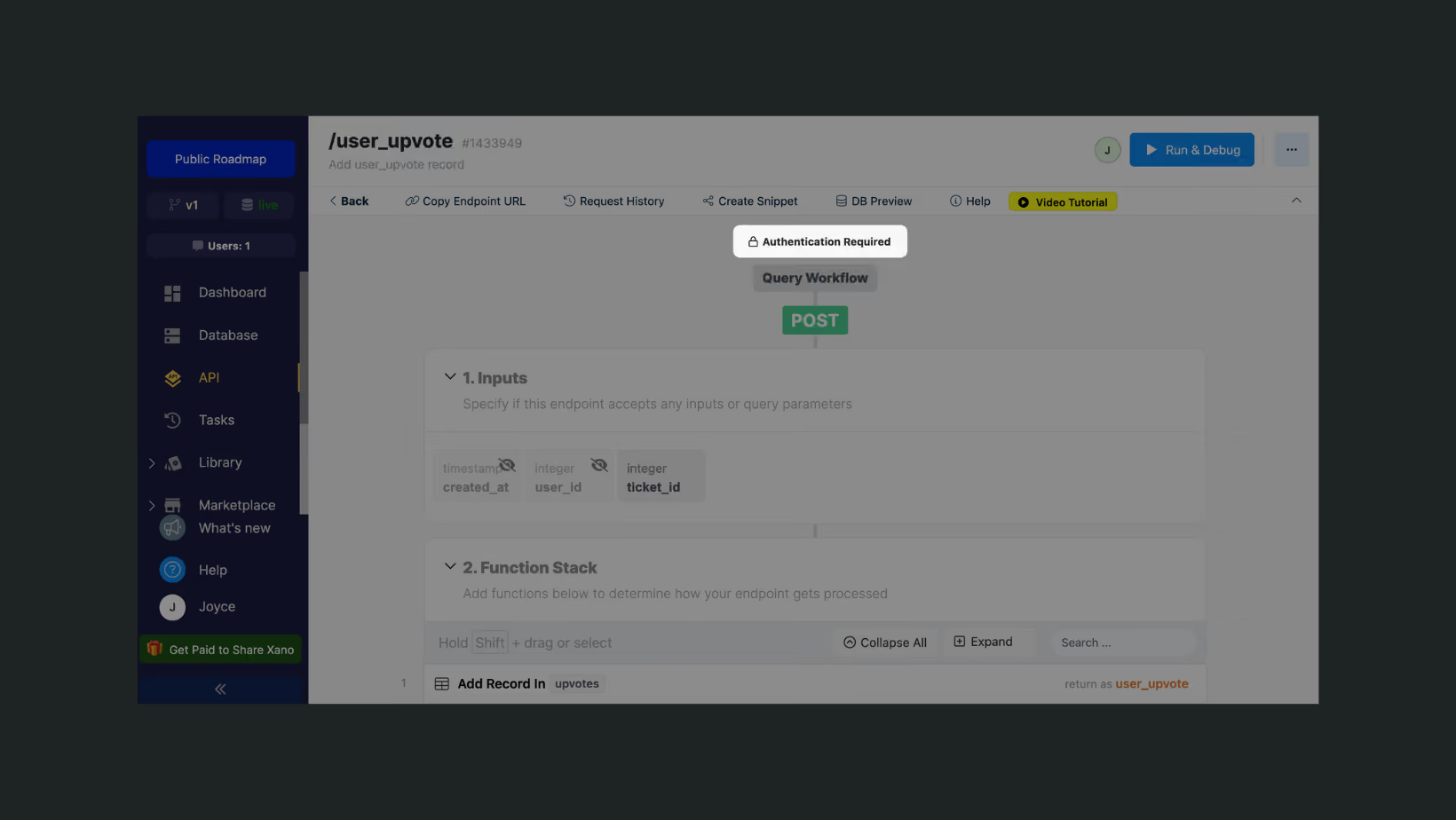
Xano gives you control at the API and backend logic level. You can protect endpoints, check authentication tokens, validate inputs, add conditional logic, and decide what data each endpoint should return. This works well when you want security rules to live inside custom backend workflows.
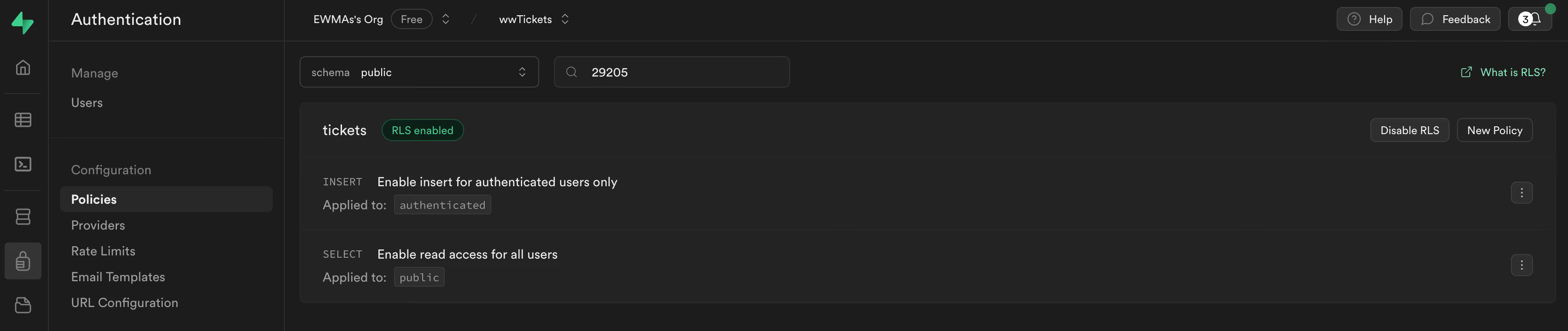
Supabase gives you database-level security through PostgreSQL Row-Level Security. Instead of only protecting an endpoint, you define policies that control which rows each user can read, create, update, or delete. This is powerful, but it usually requires more technical understanding of SQL policies and database permissions.
WeWeb Backend lets you manage access through users, roles, permissions, views, and secure backend workflows inside WeWeb’s Data & API tab. You can define who can access specific data, actions, and app experiences without managing a separate backend security layer:
The key difference is where the access rules live. Xano focuses on endpoint and workflow-level security. Supabase focuses on database-level security with Row-Level Security policies. WeWeb Backend focuses on integrated app-level and backend access control inside the same WeWeb project.
Backend workflows and functions
Xano, Supabase, and WeWeb Backend can all run backend logic, but they use different implementation models.
Xano uses visual function stacks. You build backend workflows by combining steps such as database queries, conditions, data transformations, external API calls, and response handling inside a dedicated no-code backend environment.
Supabase handles standard data access through generated APIs and PostgreSQL Row-Level Security policies.
For custom backend logic, Supabase uses Edge Functions: server-side TypeScript functions running on the Deno runtime.
This makes Supabase more code-oriented when your app needs custom workflows beyond direct database access.
WeWeb Backend lets you build server-side workflows inside WeWeb’s Data & API tab.
These workflows can receive inputs, check authenticated users, apply role-based access rules, read or update WeWeb Backend tables, call external APIs, and return secure responses to the frontend.
The practical difference is the workflow model. Xano is built around visual backend logic in a dedicated backend platform.
Supabase is built around PostgreSQL plus server-side TypeScript functions for custom logic. WeWeb Backend is built around server-side workflows inside the same WeWeb project as the frontend, data, authentication, roles, and permissions.
Deployment, hosting, and ownership
Xano, Supabase, and WeWeb Backend differ most in how much control you have over infrastructure, self-hosting, compliance, and backend ownership.
Xano is not open source. It is a managed backend platform by default, but it also offers enterprise infrastructure options, including regional hosting, HIPAA-compliant deployments on Enterprise plans, Bring Your Own Cloud, and on-premise deployment for running a Xano instance inside your own infrastructure.
Supabase is open source. You can use Supabase Cloud or self-host Supabase on your own infrastructure. This gives technical users more control over hosting and backend ownership, but self-hosting also means taking responsibility for deployment, monitoring, scaling, security, maintenance, and upgrades.
WeWeb Backend is currently the most integrated option. If your app uses WeWeb Backend services such as database hosting, file storage, or authentication hosting, full-stack self-hosting is available.
Pricing and cost model
Xano pricing is plan-based. You pay for a backend plan that includes a set of resources and capabilities, with higher plans unlocking more performance, scale, compliance, and enterprise deployment options.
This can be easier to predict than usage-based pricing, but costs can increase when you need more backend capacity or enterprise features.
Supabase pricing combines plan subscriptions with usage-based costs. Supabase Cloud includes a dedicated Postgres instance for each project, and costs can scale with compute, database size, storage, egress, Edge Function usage, Realtime usage, and other resource consumption.
This gives developers flexibility, but pricing can become harder to estimate as usage grows.
WeWeb Backend pricing is tied to WeWeb’s app-building and hosting model. WeWeb separates seat plans from hosting plans, and backend features such as native data, workflows, authentication, and storage are available on plans that include the native backend.
If you use WeWeb only as a frontend with Xano or Supabase, you can use a frontend-only setup; if you use WeWeb Backend, your backend cost is part of the WeWeb plan structure.
The practical difference is how costs scale. Xano is usually easier to evaluate as a dedicated backend subscription. Supabase is more granular and usage-driven, especially around compute, storage, egress, and functions. WeWeb Backend is most relevant when you want backend and frontend costs managed inside the same WeWeb stack.
For detailed pricing information, please refer to the respective pricing pages:
Final recap: Xano vs Supabase vs WeWeb Backend
Xano, Supabase, and WeWeb Backend are all strong backend options, but they fit different building styles and infrastructure needs.
Choose Xano if you want a dedicated no-code backend platform with visual API logic, backend workflows, managed infrastructure, and enterprise deployment options such as regional hosting, HIPAA-compliant deployments, Bring Your Own Cloud, or on-premise hosting.
Choose Supabase if you want an open-source PostgreSQL backend with SQL control, Row-Level Security, Auth, Storage, Realtime, Edge Functions, and the option to use Supabase Cloud or self-host on your own infrastructure.
Choose WeWeb Backend if you are building in WeWeb and want your frontend, database, authentication, roles, permissions, storage, and backend workflows managed inside the same visual development platform.
Finally, you don't have to choose WeWeb Backend to build with WeWeb. WeWeb also provides native integrations for Xano and Supabase and yuou can also mix and match different data sources.
Frequently asked questions
What is the difference between Xano, Supabase, and WeWeb Backend?
Xano is a dedicated no-code backend platform for building databases, APIs, authentication, and backend workflows visually.
Supabase is an open-source PostgreSQL backend for developers who want SQL control, Row-Level Security, Auth, Storage, Realtime, and Edge Functions.
WeWeb Backend is WeWeb’s native backend for building data, authentication, roles, permissions, storage, and backend workflows inside the same visual platform used to build the frontend.
Is WeWeb Backend a replacement for Xano or Supabase?
Not always. WeWeb Backend is a strong option when you want to build and manage your backend directly inside WeWeb.
Xano can still be a better fit when you need a dedicated no-code backend with advanced backend workflows or enterprise deployment options. Supabase can still be a better fit when you want open-source PostgreSQL, SQL-level control, self-hosting, or custom TypeScript Edge Functions.
Which backend should I use with WeWeb?
Use WeWeb Backend if you want the simplest integrated setup inside WeWeb.
Use Xano if you want a separate no-code backend with visual API logic and backend workflows.
Use Supabase if you want a PostgreSQL backend with developer control, SQL, Row-Level Security, and server-side TypeScript functions.
Can WeWeb connect to Xano and Supabase?
Yes. WeWeb provides native integrations for both Xano and Supabase, so you can build your frontend in WeWeb while using Xano, Supabase, or WeWeb Backend as your backend.